

















What Are the Best Free Photo Editors for Beginners in 2025?
Sep 4, 2025
Darlene Lleno
Darlene Lleno brings a unique perspective to DIY Photography as someone who grew up surrounded by camera gear but chose words over lenses. With five years of writing experience, she specializes in photography content that’s both technically informed and genuinely passionate. Growing up with a photographer twin brother meant camera talk was everyday conversation in her household. While he mastered capturing moments, Darlene discovered she preferred being the subject and the storyteller behind the scenes. As a travel enthusiast and mother of two, she understands the importance of preserving life’s precious moments. When not exploring new destinations or writing for DIY Photography, you’ll find her reading or tending to her garden. Her approach to photography writing is refreshingly authentic, she may not be behind the camera, but she knows exactly what it takes to help others capture the shots that matter most.
Share:
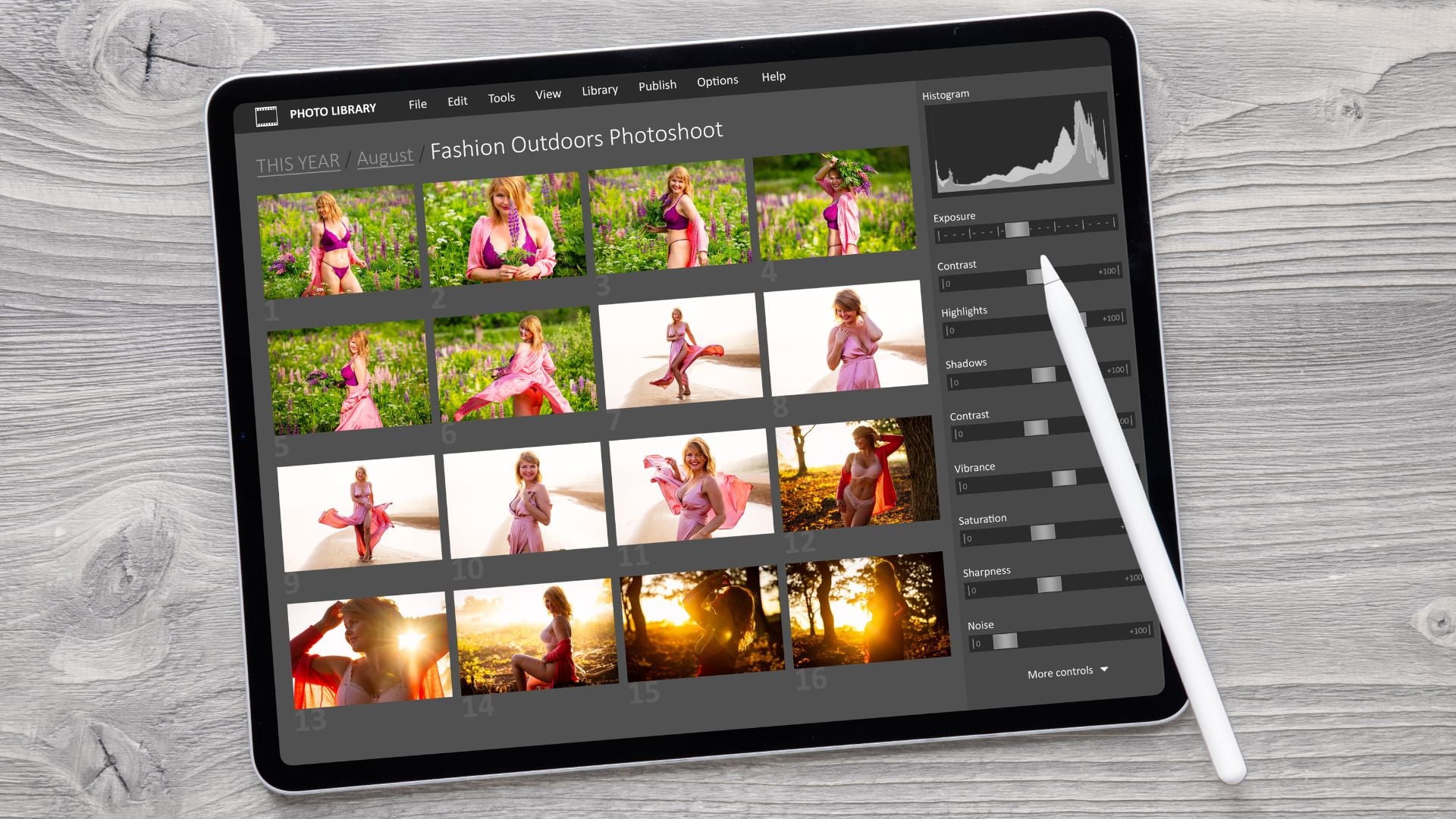
Finding the best free photo editors can feel overwhelming when you’re just starting out. You want something that won’t break the bank but still makes your photos look amazing. The good news is that you don’t need to spend hundreds of dollars on fancy software to edit photos like a pro.
Today’s best free photo editors offer powerful features that rival expensive programs. Whether you’re editing vacation photos, creating social media content, or just want to make your pictures look better, these free tools can do the job without costing you anything.
The trick is knowing which ones actually work well and won’t frustrate you with complicated interfaces or sneaky limitations.
Desktop Powerhouses That Cost Nothing
When you want serious editing power on your computer, these desktop applications deliver professional results without the professional price tag. They might take a little learning, but the results are worth it.
1. GIMP: The Free Photoshop Alternative
GIMP has been around forever, and there’s a good reason why it’s still one of the best free photo editors available. This open-source program can handle almost anything you throw at it, from basic adjustments to advanced photo manipulation.
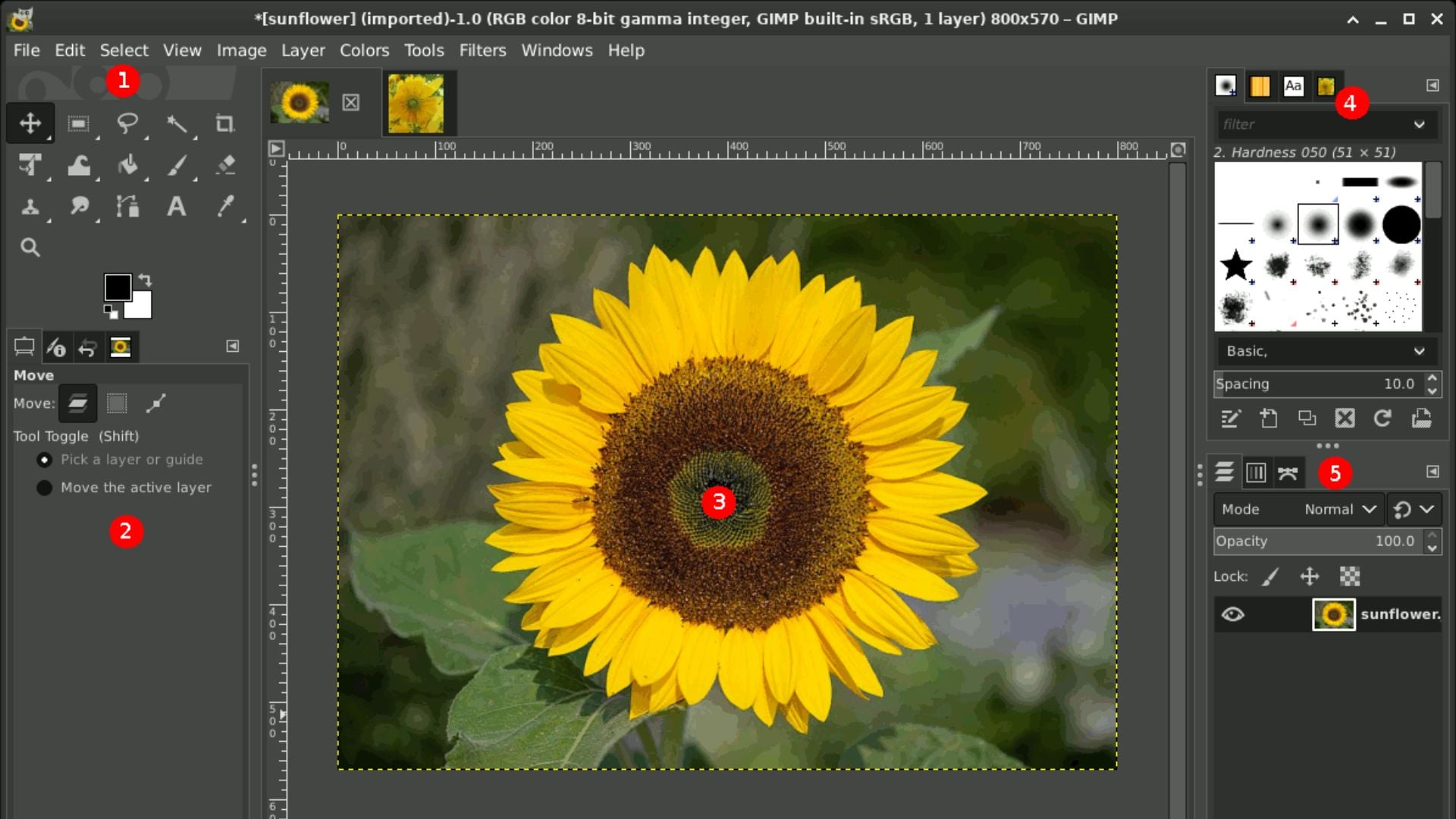
What makes GIMP stand out:
- Complete layer system like Photoshop
- Professional retouching tools
- Advanced selection and masking capabilities
- Support for RAW files with plugins
- Customizable interface you can arrange however you want
- Thousands of free plugins and brushes available
The learning curve can be steep if you’re coming from simpler editors, but once you get the hang of it, GIMP can compete with programs costing hundreds of dollars.
2. Canva: Design Made Simple
Canva isn’t just for social media graphics anymore. Their photo editor has become one of the best free photo editors for people who want quick, professional-looking results without spending hours learning complicated tools.
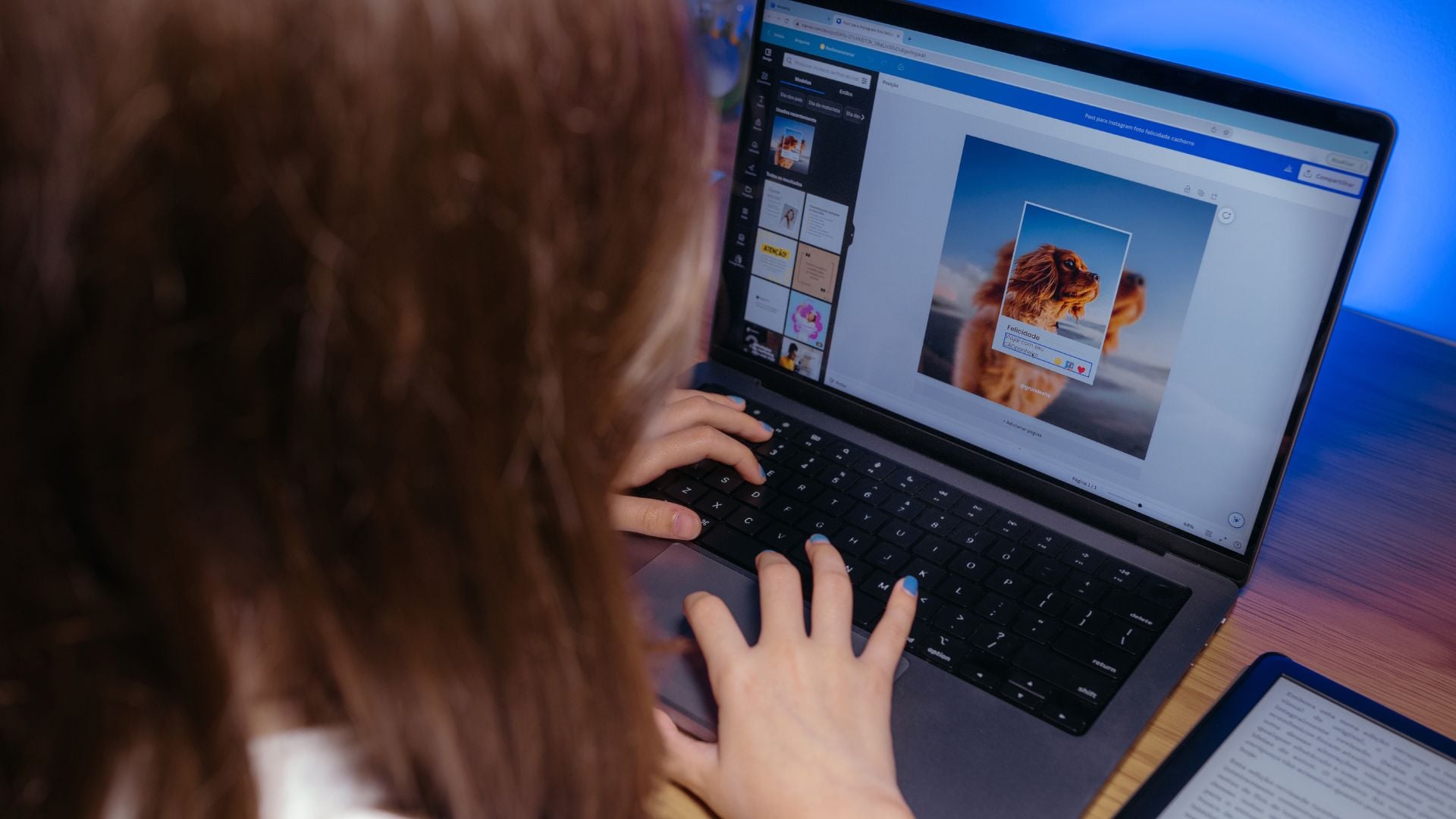
Why beginners love Canva:
- Drag-and-drop interface that makes sense immediately
- Built-in templates for every type of project
- Smart crop suggestions and automatic enhancements
- Background removal with one click
- Massive library of stock photos and elements
- Works perfectly in your web browser
3. Photopea: Photoshop in Your Browser
Photopea is basically a free version of Photoshop that runs in your web browser. If you’ve used Photoshop before, you’ll feel right at home. If you haven’t, this gives you a chance to learn professional editing techniques without spending money.
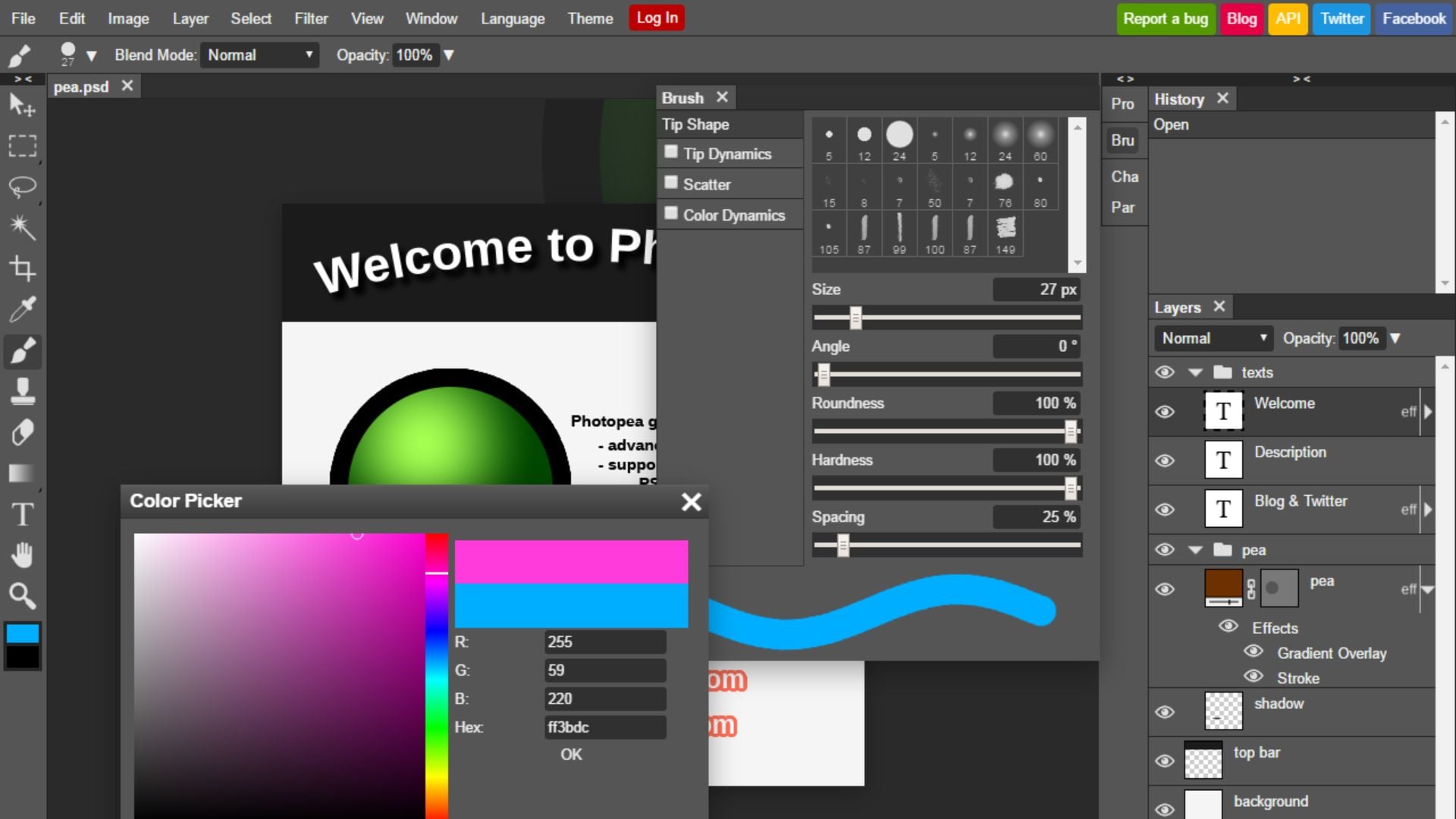
Photopea’s impressive features:
- Interface nearly identical to Photoshop
- Supports PSD, XCF, and other professional formats
- Advanced layer blending modes and masks
- Professional selection tools and filters
- No download required, works on any device
- Regular updates with new features
Mobile Editors That Actually Work
Your phone is probably with you more than your computer, so having great mobile editing apps makes sense. These apps prove that you can do serious photo editing right from your pocket.
4. Snapseed: Google’s Hidden Gem
Google’s Snapseed is hands down one of the best free photo editors for mobile devices. The app packs professional-level tools into an interface that beginners can actually figure out.

What makes Snapseed special:
- Selective adjustments that let you edit specific parts of photos
- Professional tools like curves and white balance control
- HDR effects that don’t look fake
- Perspective correction for fixing tilted photos
- RAW editing support for serious photographers
- No ads or premium features to worry about
5. Adobe Lightroom Mobile: Pro Features for Free
Adobe offers a surprisingly capable free version of Lightroom for mobile devices. While the desktop version requires a subscription, the mobile app gives you access to powerful editing tools without any cost.
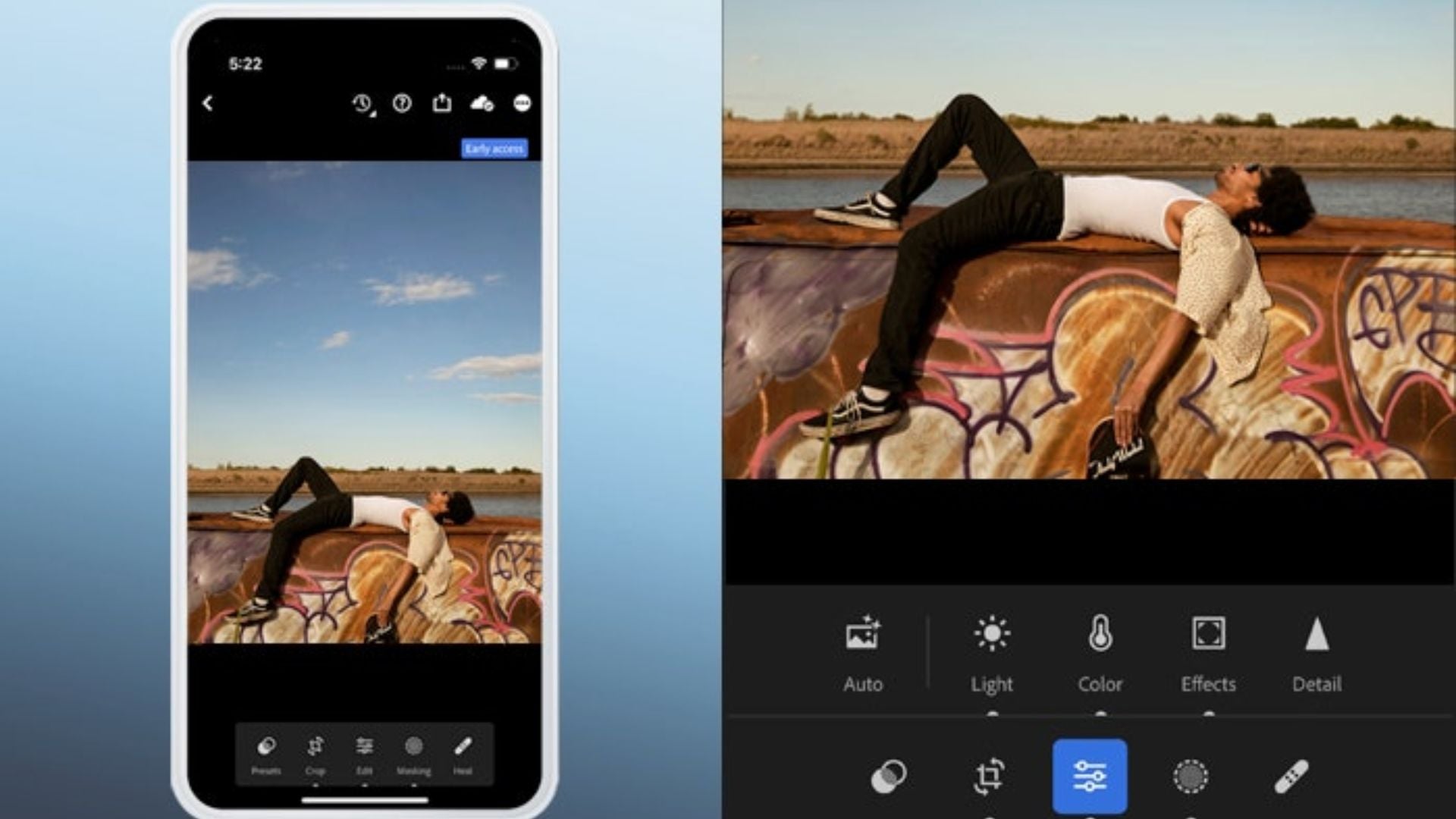
Lightroom Mobile’s free features include:
- Professional color grading tools
- Exposure and contrast adjustments that actually work well
- Crop and straighten tools with smart guides
- Basic healing brush for removing unwanted objects
- Preset filters that don’t look cheesy
- Cloud sync across all your devices
6. VSCO: Film-Inspired Editing
VSCO built its reputation on beautiful film-inspired presets, and the free version still offers some of the best filters available on mobile. The editing tools are simple but effective.

Why VSCO works for beginners:
- Film presets that make photos look naturally beautiful
- Simple adjustment tools that are hard to mess up
- Split-screen before/after comparisons
- Recipe feature that saves your favorite combinations
- Clean interface without distracting elements
- Strong community for inspiration
Browser-Based Editors for Quick Fixes
Sometimes you just need to make a quick edit without downloading anything. These web-based editors handle most common editing tasks right in your browser.
7. Pixlr: Quick and Capable
Pixlr offers both simple and advanced editing modes, making it one of the most versatile best free photo editors available online. You can start with basic adjustments and move to advanced tools as you learn.
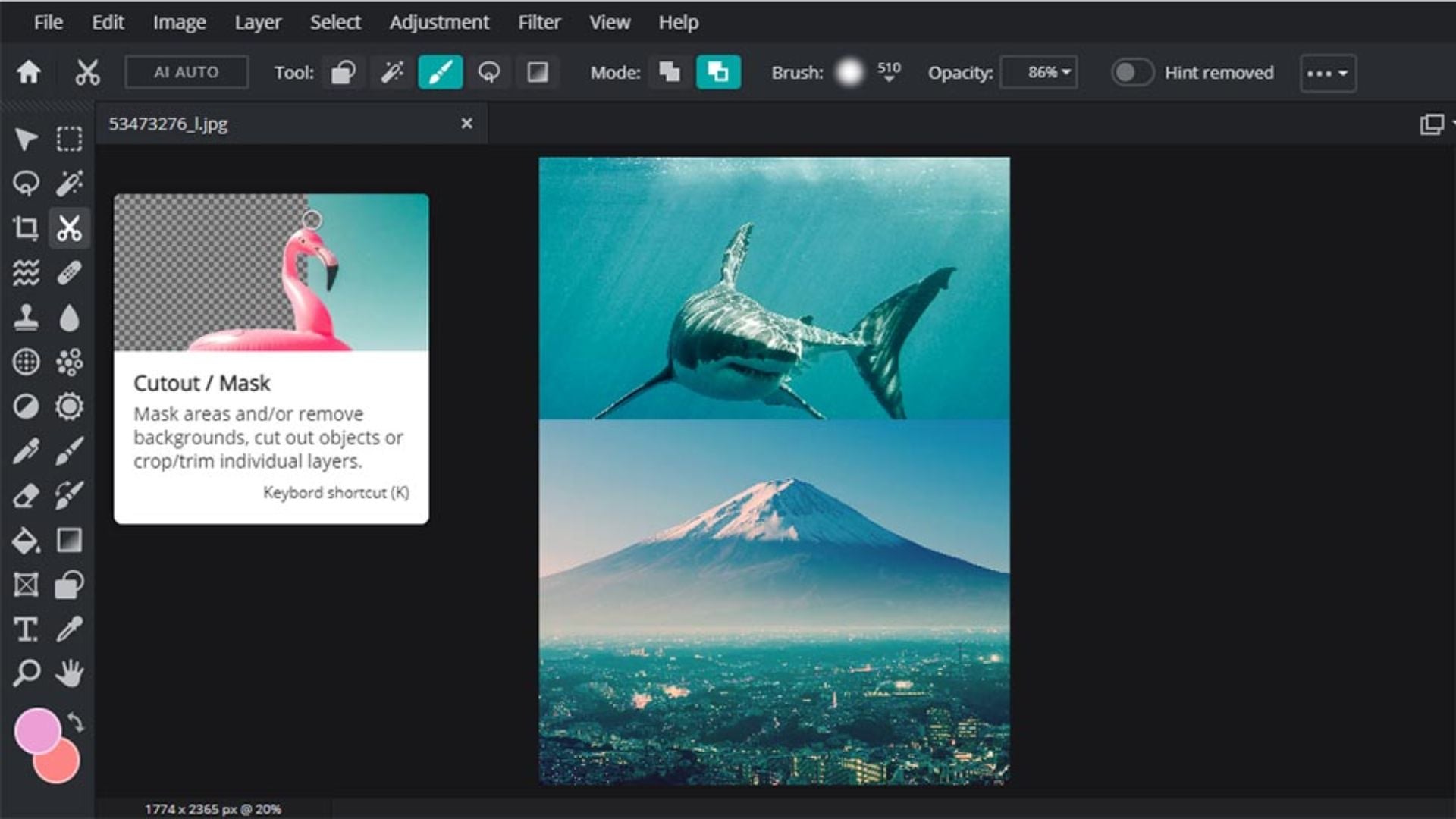
Pixlr’s strengths:
- Two different interfaces: simple and advanced
- Good selection of filters and effects
- Basic retouching tools that work well
- Collage maker for combining multiple photos
- Works on any device with a web browser
- Regular updates with new features
Specialized Editors for Specific Needs
Sometimes you need an editor built for a specific type of work. These specialized tools excel in their particular areas while remaining completely free to use.
8. Paint.NET: Windows Power User’s Choice
If you’re on Windows and want something more powerful than basic editors but simpler than GIMP, Paint.NET hits the sweet spot perfectly.
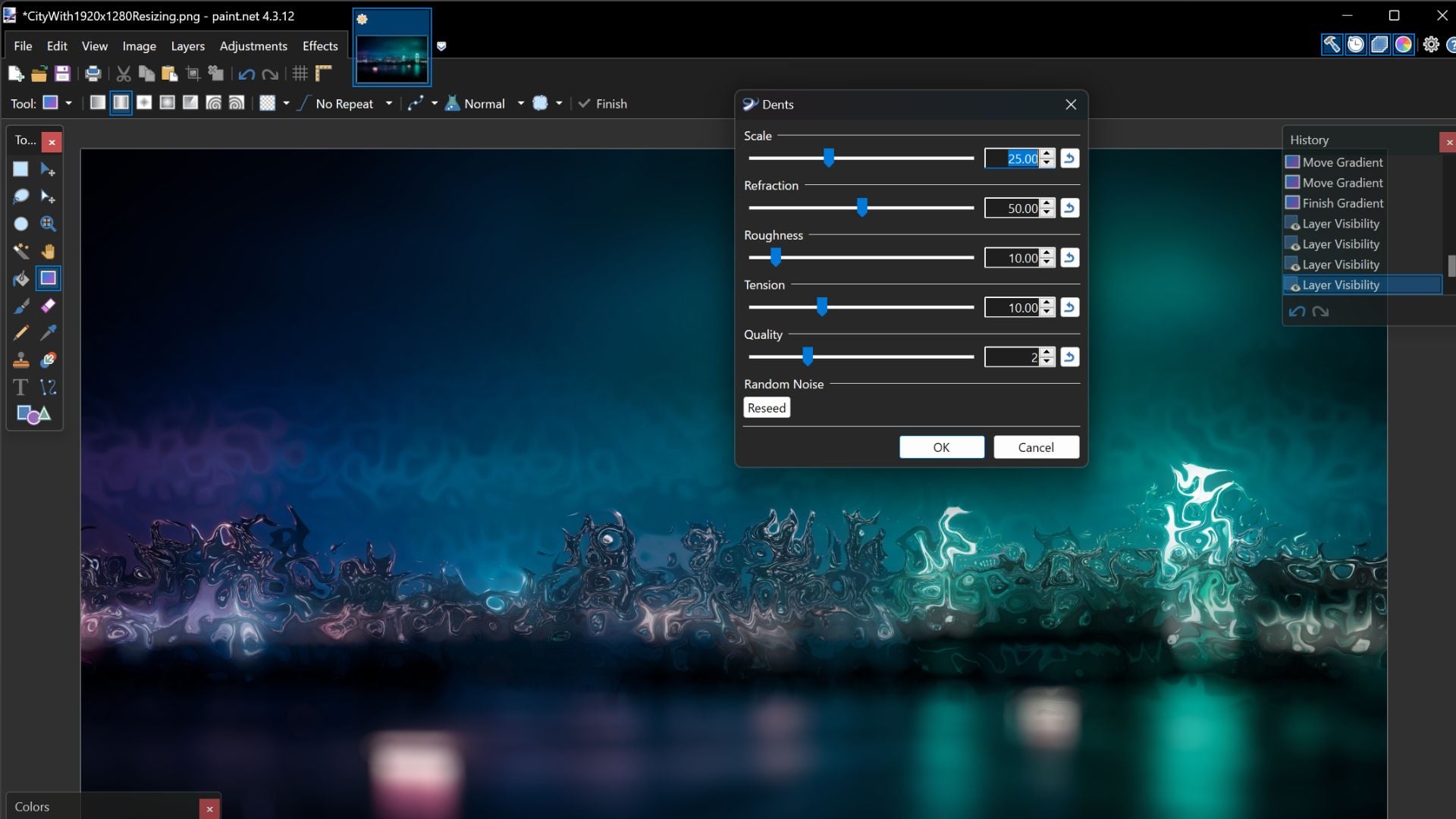
Paint.NET features:
- Clean, intuitive interface that makes sense
- Powerful layering system
- Great selection tools and effects
- Active plugin community
- Regular updates from dedicated developers
- Lightweight and fast even on older computers
9. Darktable: RAW Processing Powerhouse
For photographers shooting in RAW format, Darktable provides professional-level RAW processing completely free. This is serious software for serious photographers.
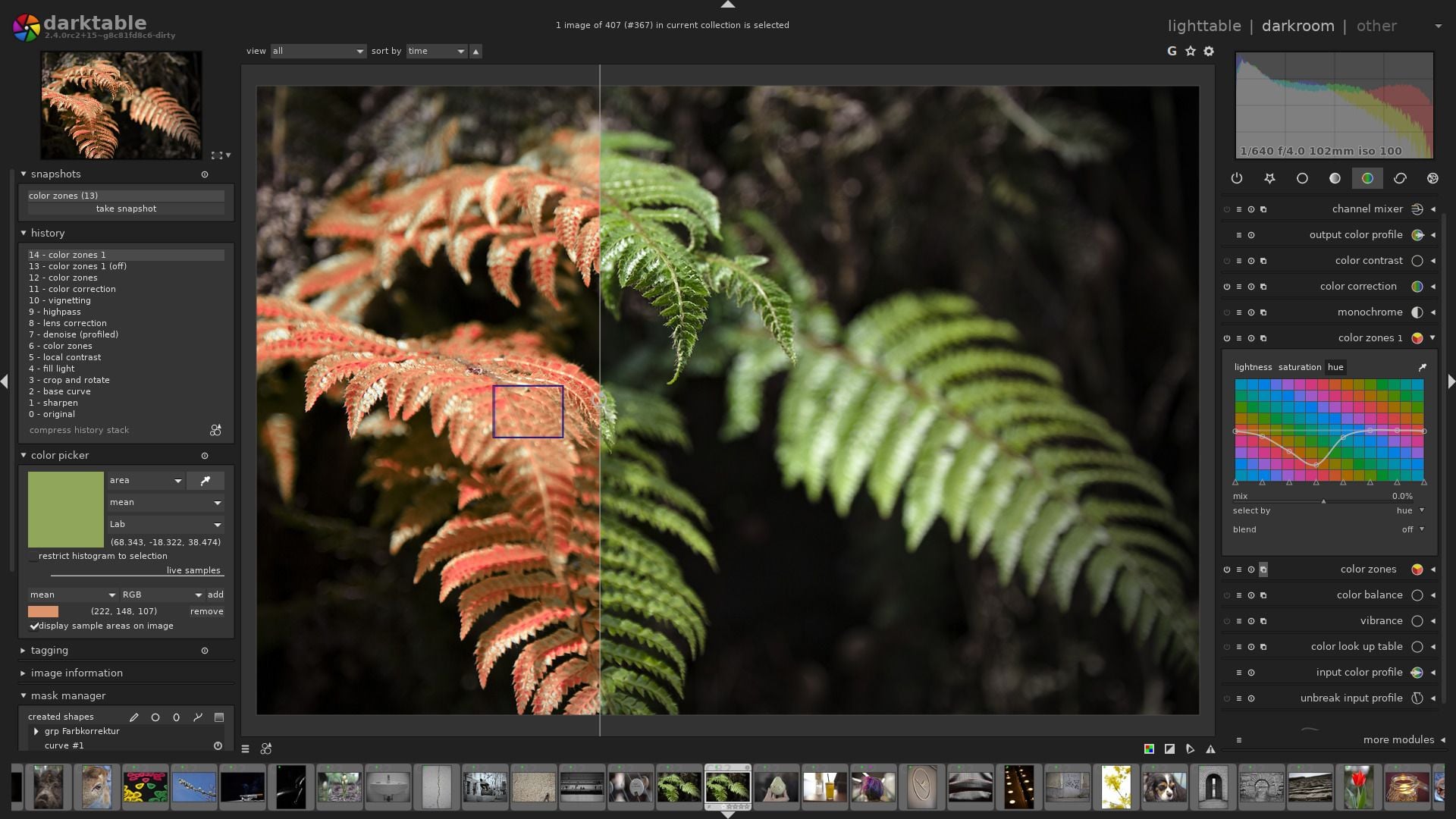
Why RAW photographers choose Darktable:
- Complete RAW workflow from import to export
- Non-destructive editing that preserves original files
- Advanced color grading and exposure tools
- Lens correction database for hundreds of lenses
- Powerful batch processing capabilities
- Open-source with active development community
Getting Started Without Getting Overwhelmed
The key to success with any of these best free photo editors is starting simple and building your skills gradually. Don’t try to learn everything at once.
Start with Basic Adjustments
Begin with simple changes like brightness, contrast, and saturation. Every editor handles these differently, so getting comfortable with basic adjustments helps you understand how each program thinks.
Most photos benefit from small adjustments rather than dramatic changes. Learn to make subtle improvements before attempting major transformations. Understanding essential photography techniques helps you know what adjustments will improve your images most.
Learn One Tool at a Time
Each editing program has dozens of tools and features. Pick one tool and really learn how it works before moving to the next one. This approach builds confidence and prevents overwhelm.
Focus on tools you’ll actually use regularly. The healing brush, crop tool, and basic color adjustments will handle 80% of your editing needs. Understanding essential photo editing skills helps you prioritize which tools to learn first.
Practice with Different Photo Types
Try editing different kinds of photos to understand how each editor handles various situations. Portrait photography requires different techniques than landscape editing.
Experiment with photos that have different lighting conditions, colors, and subjects. This helps you understand which tools work best in different situations.
Common Mistakes to Avoid
Even with the best free photo editors, beginners often make the same mistakes that hurt their final results. Learning from common photo editing mistakes can save you time and frustration.
Over-editing Photos
The biggest mistake beginners make is pushing adjustments too far. If your photo starts looking fake or unnatural, you’ve probably gone too far. Less is usually more in photo editing.
Professional editors often make dozens of small adjustments rather than a few big ones. This creates more natural-looking results that don’t scream “edited.” Understanding the most important photo editing principles helps you maintain realistic results.
Ignoring File Formats
Understanding when to use JPEG, PNG, or TIFF makes a huge difference in your final results. Each format has strengths and weaknesses that affect image quality.
For most social media sharing, JPEG works fine. For printing or further editing, consider using TIFF or PNG to preserve quality.
Skipping Organization
As you edit more photos, organization becomes critical. Create folders for different projects and keep track of your edited versions separately from originals.
Most professional editors include organizational tools. Learning to use them early saves hours of frustration later when you’re looking for specific photos. Developing efficient editing workflows becomes essential as your photo library grows.
Advanced Features in Free Editors
Don’t let the word “free” fool you. These best free photo editors include features that were only available in expensive software just a few years ago.
AI-Powered Tools
Many free editors now include artificial intelligence features that can automatically enhance photos, remove backgrounds, or suggest improvements based on your image content.
While AI tools are impressive, understanding manual exposure techniques helps you know when the AI gets it right and when you need to take control.
RAW File Support
Several free editors can handle RAW files from professional cameras, giving you access to much more image data for editing. This capability used to require expensive software.
RAW editing provides much more flexibility for correcting exposure problems and adjusting colors without degrading image quality.
Professional Color Tools
Advanced color grading, curves adjustments, and selective color editing are now standard in many free editors. These tools give you precise control over the mood and feel of your images.
Learning to use curves and color wheels takes practice, but these tools provide the foundation for professional-looking edits that stand out from automatic filters.
Making the Right Choice for You
With so many great options available, choosing the best free photo editors for your needs depends on what kind of editing you want to do and how much time you want to invest in learning.
For Quick Social Media Edits
If you mainly edit photos for Instagram, Facebook, or other social media, mobile apps like Snapseed or VSCO provide everything you need. They’re fast, easy to use, and produce results that look great on social platforms.
Canva also excels for social media content, especially when you need to add text or create graphics along with photo editing.
For Learning Professional Techniques
If you want to develop serious editing skills, GIMP or Photopea provide the most complete learning environments. They include all the tools professional editors use daily.
The learning curve is steeper, but these programs teach transferable skills that work in any professional editing environment. Many professional photography techniques apply equally to both shooting and post-processing.
For RAW Photography
Serious photographers shooting RAW files should consider Darktable or the free version of Lightroom Mobile. These tools handle the complete RAW workflow from import to final output.
Understanding RAW editing workflows opens up much more creative control over your final images, especially for challenging lighting situations.
Picking the Best Free Photo Editors in 2025
The best free photo editors available today offer more power and capability than most photographers ever dreamed of having for free. Whether you’re editing phone photos for social media or processing RAW files from a professional camera, these tools provide everything you need to create stunning results.
The key is picking one editor and really learning how to use it well, rather than jumping between different programs. Each of these best free photo editors can produce professional-quality results when you understand their strengths and workflows.
Start with basic adjustments, practice regularly, and gradually explore more advanced features as your skills develop. With patience and practice, you’ll be creating photos that rival work from expensive professional software, all without spending a single dollar on editing tools.
See more from DIYPhotography.net on Google
Add DIYPhotography.net as a trusted source. This makes
our stories more likely to appear in your Google Search results.
 Add as a preferred source on Google

Darlene Lleno
Darlene Lleno brings a unique perspective to DIY Photography as someone who grew up surrounded by camera gear but chose words over lenses. With five years of writing experience, she specializes in photography content that’s both technically informed and genuinely passionate. Growing up with a photographer twin brother meant camera talk was everyday conversation in her household. While he mastered capturing moments, Darlene discovered she preferred being the subject and the storyteller behind the scenes. As a travel enthusiast and mother of two, she understands the importance of preserving life’s precious moments. When not exploring new destinations or writing for DIY Photography, you’ll find her reading or tending to her garden. Her approach to photography writing is refreshingly authentic, she may not be behind the camera, but she knows exactly what it takes to help others capture the shots that matter most.


Join the Discussion
DIYP Comment Policy
Be nice, be on-topic, no personal information or flames.