

















Before You Let AI Edit Your Photos, You Need to Know This
Oct 30, 2025
Alysa Gavilan
Alysa Gavilan has spent years exploring photography through photojournalism and street scenes. She enjoys working with both film and mirrorless cameras, and her fascination with the craft has grown over the decades. Inspired by Vivian Maier, she is drawn to capturing everyday moments that often go unnoticed.
Share:
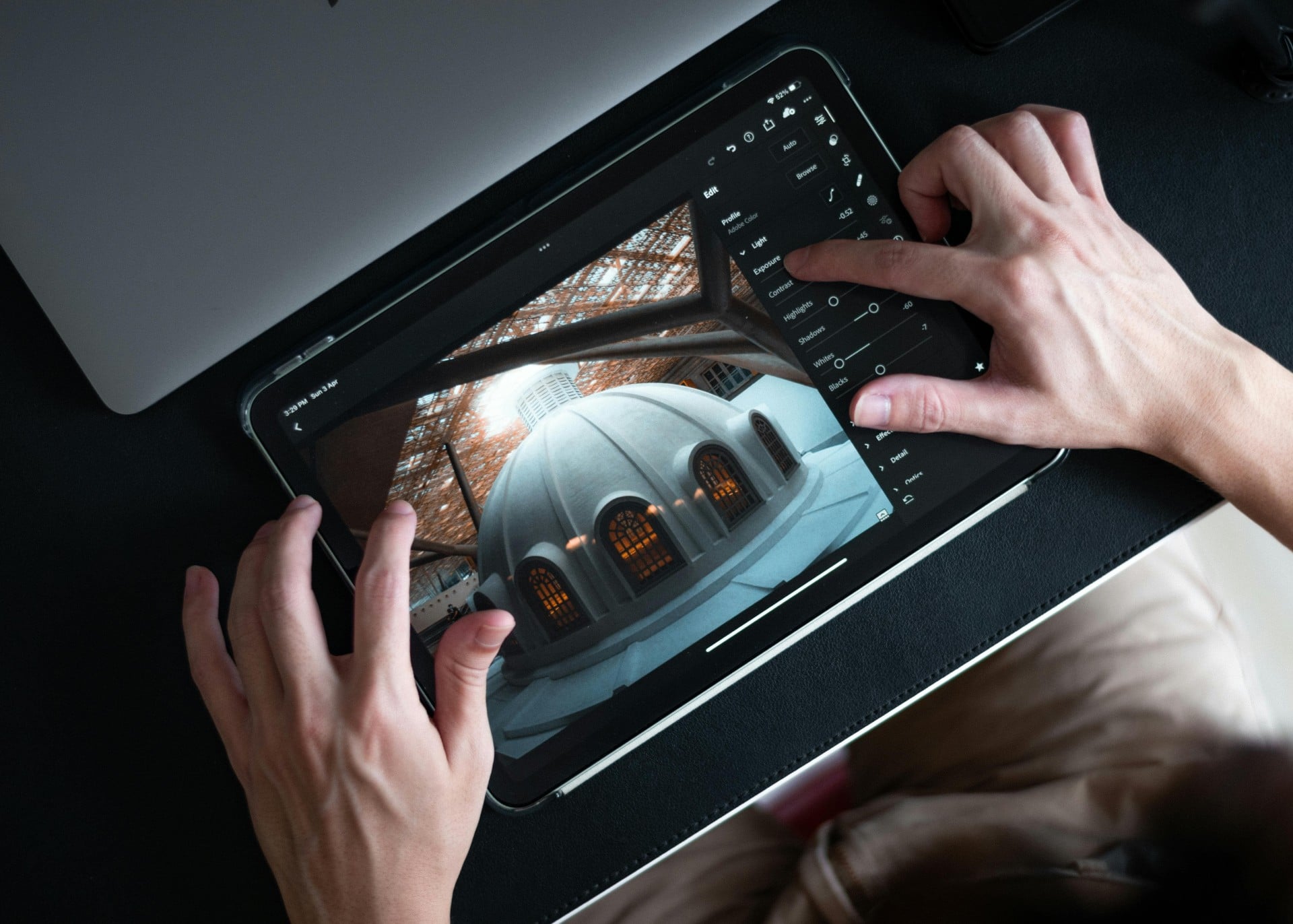
You snap a picture, upload it, and within seconds, AI photo editing smooths skin, adjusts lighting, and swaps out the background. It’s impressive, but you might pause for a moment and wonder, is it still your photo anymore?
AI photo editing has swept through the photography world faster than most of us could have imagined. Tools like Adobe Firefly, Canva, and Pixlr promise to transform your shots with a few clicks. You can now fix exposure, change skies, or even rebuild missing parts of an image automatically. It’s convenient and often astonishingly effective, yet this new wave of automation comes with a deeper question about creativity, authenticity, and ownership.
AI editing can save you time and deliver stunning results, but before you hand your photos over to a machine, there are some important things to think about.

What Is AI in Photo Editing?
AI photo editing refers to software that uses machine learning algorithms to analyze images and make automatic enhancements. Instead of you having to manually adjust brightness, contrast, or use brushes to fix imperfections, the software studies the image, recognizes subjects and objects, and decides what to fix or improve. Think of it as an assistant that’s trained on millions of images and “knows” what makes a photo look appealing.
These tools can retouch skin, replace backgrounds, remove objects, correct lighting, and even generate completely new parts of an image that weren’t there before. Some AI systems can take a low-resolution image and upscale it while preserving texture and detail, while others can extend your composition by predicting what should exist beyond the frame.
Traditional photo editing, on the other hand, relies on your manual decisions. You adjust sliders, paint with masks, and use layers to refine each element. It’s a process of intent where every change reflects a choice. AI editing, by contrast, predicts what should look better based on statistical patterns in enormous datasets.

How Is AI Editing Different from Traditional Editing?
The biggest difference lies in automation. Traditional editing puts every adjustment in your hands. You decide how much to brighten a face, how to correct color temperature, and how far to push contrast. AI, however, handles much of this automatically. It recognizes faces, skies, and textures, then applies what it “believes” are the best corrections. This can save a huge amount of time, but it also means you surrender some control.
Speed is another defining factor. AI editing delivers instant results. A full portrait retouch that once took you half an hour might now take ten seconds. That speed can be liberating when you’re editing hundreds of photos from a wedding or an event. Yet, there’s a trade-off. The algorithm doesn’t always understand your artistic intent. It may smooth too much, lighten too aggressively, or apply contrast where you wanted softness.
Traditional editing also requires a learning curve. You build skill through practice, trial, and patience. It’s slower, but you develop a personal style in the process. AI tools, in contrast, are designed to be accessible even for beginners. They remove barriers to entry, letting almost anyone produce “professional-looking” edits. For working photographers, this can mean more efficient workflows and consistent results, but it also risks flattening creative individuality.
Consistency is where AI shines, especially for professionals who need uniform edits across large sets of photos. If you’re shooting a product catalog or real estate listing, AI can ensure color and exposure remain even throughout. For artistic projects, though, that same consistency can make your work feel less distinctive. It’s a balance between efficiency and expression.

Prompts vs. Built-in AI Features
There are two main ways to work with AI photo editors today. The first is through prompt-based editing, where you type a short command to tell the AI what you want. You might type “make background sunset” or “remove blemishes,” and the software generates results accordingly. This approach feels creative and interactive — you describe your vision and watch it appear. However, it can also be unpredictable. The AI may interpret your prompt differently than you intended, creating results that don’t align with your aesthetic.
The second approach is feature-based editing, where tools are built directly into the interface. You might see options like “AI Skin Smoothing,” “Auto Lighting Correction,” or “Smart Sky Replacement.” These are more predictable and controlled, giving you reliable results with one click. The adjustments are pre-trained to behave consistently across different photos.
The best approach often lies somewhere in the middle. You can use prompt-based tools when you want to experiment and explore creative ideas, and rely on built-in AI features when you need precision and consistency. This combination gives you the freedom to play without losing the reliability of traditional adjustments. It’s a way to collaborate with AI instead of letting it take full control.

What to Consider Before Letting AI Edit Your Photos
1. Authenticity and Artistic Vision
The first question to ask yourself is how much of your creative voice you want to keep in the image. When AI handles most of the editing, are you still the author of the final result?
There’s nothing wrong with using technology to assist your craft, but it’s worth reflecting on what defines your artistic identity. If every photo begins to look like it was processed by the same algorithm, your unique style could fade.
The essence of your photography lies in your choices, including how you interpret light, color, and emotion. Keep AI as a tool, not a replacement for that human intuition.

2. Privacy and Data Security
AI tools often process images in the cloud, which means your photos are uploaded to remote servers. Once there, they might be analyzed or stored to help improve the algorithm.
You should always read the privacy policy before uploading personal or client images. Ask yourself: who has access to these files? How long are they stored? Can they be used for training future models?
For photographers handling sensitive material, like for weddings, portraits, or commercial shoots, protecting your clients’ privacy should come before convenience.
3. Ethical Concerns
AI photo editing opens new ethical questions for the visual community. Tools that reshape bodies, modify faces, or create entirely new compositions can blur the line between truth and illusion.
The ability to alter reality with such ease can have consequences, especially when it comes to body image, representation, and trust in visual media.
As a creator, you hold power over how people see themselves and the world. Using AI responsibly means being aware of how those edits affect perception and authenticity.

4. Copyright and Ownership
When an AI tool generates new elements in your photo, like adding a new background or object, the issue of ownership becomes complicated.
Does the image still belong entirely to you? Some AI platforms include terms stating that the company retains certain rights to content generated with their software. Others may restrict how commercially you can use AI-edited images.
Before integrating AI editing into your professional workflow, check the fine print. You should know exactly who owns the final output.
5. Quality and Consistency
AI tools can produce incredible results, but they’re not infallible. Sometimes the edits are too aggressive, resulting in over-smoothed skin, unnatural tones, or “plastic” effects. The temptation to rely on one-click perfection can also dull your ability to see subtle imperfections.
Always review the results critically. You might find that a gentle hand still produces a more believable, more human image. The best edits often come from blending machine efficiency with your own judgment.

When (and When Not) to Use AI Editing
AI editing can be a lifesaver when you’re working on large projects that require speed and uniformity. Batch processing hundreds of images, removing dust spots, or correcting color balance across a shoot are perfect examples. It’s also ideal for quick social media posts or content creation when you need attractive visuals on a deadline.
However, some situations demand restraint. Artistic portfolios, documentary photography, and journalistic work rely on authenticity and intent. Using AI heavily in those cases can misrepresent your subject or distort truth.
There’s also immense value in learning the manual editing process yourself. Understanding how to retouch, mask, and color-grade by hand teaches you what’s really happening behind the scenes. It gives you insight into each component of your workflow and helps you make better creative decisions when you do use AI.
For straightforward jobs like corporate headshots or product listings, AI retouching can save time and ensure a consistent look. But for personal or artistic projects, you’ll benefit from knowing exactly how to shape your images manually, from lighting the shot on set to finishing the color balance in post.

If you’re just starting out, take the time to learn the fundamentals of editing before letting software do it all for you. There’s truly no substitute for that foundation.
The best way to approach AI editing is to treat it as a collaborator, not a replacement. Let it handle repetitive tasks, but always make the final creative decisions yourself. You’re still the photographer, the storyteller, the one who gives the image meaning. AI can assist you, but it shouldn’t define your vision.
AI Photo Editing As Tool
AI photo editing is changing photography faster than any previous innovation. It brings power, efficiency, and accessibility to everyone, but it also raises questions about authenticity, privacy, and artistry.
The technology can help you polish your images, streamline your workflow, and even spark creativity, yet it can also distance you from the craft that drew you to photography in the first place.
The choice comes down to intention. If you use AI thoughtfully, like as a partner that enhances your skills rather than replacing them, it can elevate your work. But if you rely on it too heavily, you risk losing the very spark that makes your photography yours.
See more from DIYPhotography.net on Google
Add DIYPhotography.net as a trusted source. This makes
our stories more likely to appear in your Google Search results.
 Add as a preferred source on Google

Alysa Gavilan
Alysa Gavilan has spent years exploring photography through photojournalism and street scenes. She enjoys working with both film and mirrorless cameras, and her fascination with the craft has grown over the decades. Inspired by Vivian Maier, she is drawn to capturing everyday moments that often go unnoticed.
Related Posts
 Pixel Peeper Let’s You Preview Photos Taken With Various Cameras, Lenses, And Exposure Settings Before You Buy
 Google’s “Ask Photos” uses AI to let you ask questions about your photos
 Don’t let these ten editing mistakes ruin your landscape photos
 This project puts you in charge of a satellite to let you take photos of Earth
Join the Discussion
DIYP Comment Policy
Be nice, be on-topic, no personal information or flames.