


















Apple Is Turning the iPhone Into a More Serious Video Camera
Oct 1, 2026
Alysa Gavilan
Alysa Gavilan has spent years exploring photography through photojournalism and street scenes. She enjoys working with both film and mirrorless cameras, and her fascination with the craft has grown over the decades. Inspired by Vivian Maier, she is drawn to capturing everyday moments that often go unnoticed.
Share:
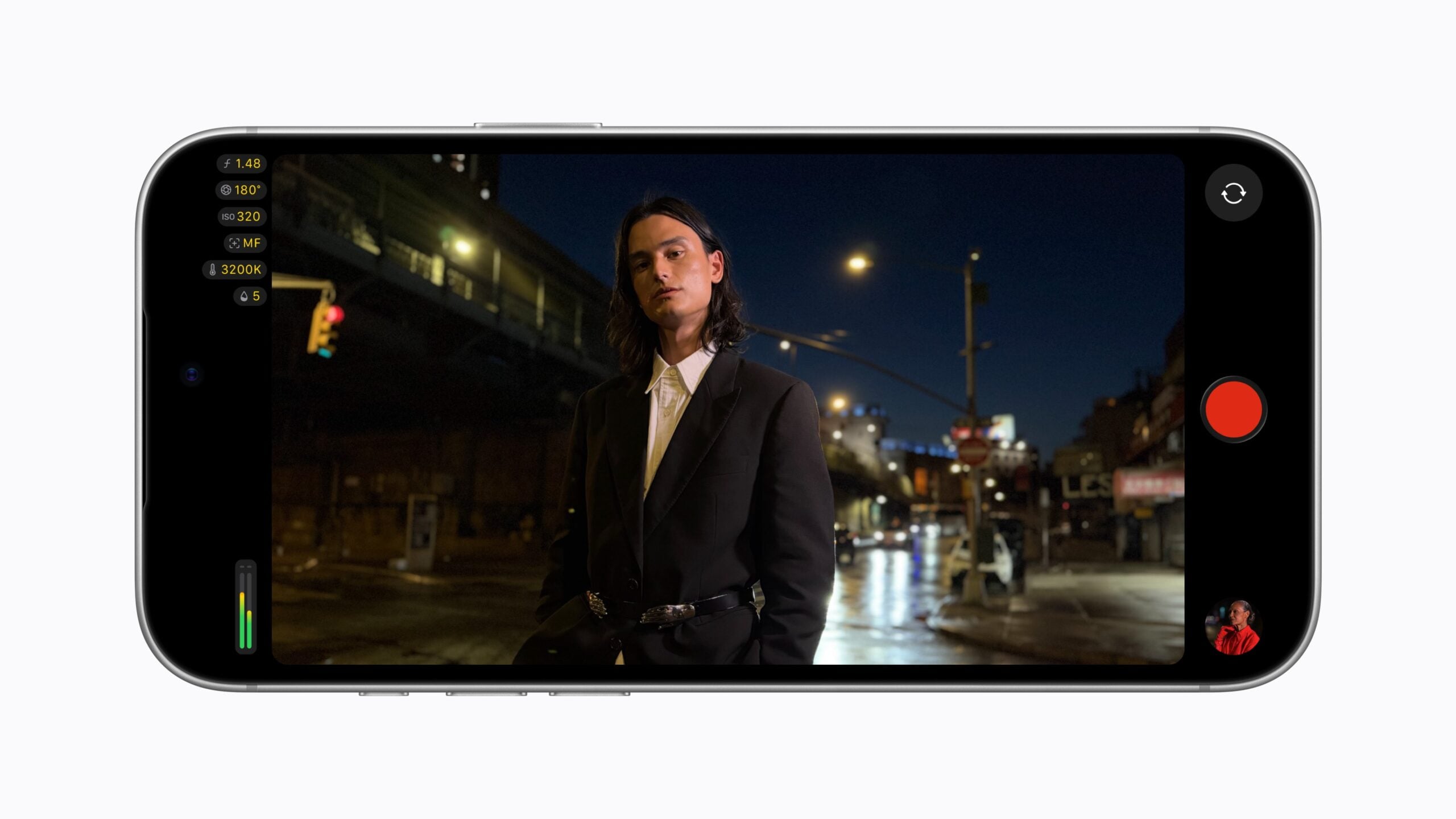
Apple is making its iPhone camera app look a little less like a phone camera. Final Cut Camera 2.4 adds a redesigned interface, professional monitoring tools, and support for variable aperture on the iPhone 18 Pro, giving mobile filmmakers more control over exposure and focus while recording.
The free update arrived on September 29 alongside iOS 27. It also brings tools such as false color, improved focus peaking, video scopes, and clean SDI output, pushing Final Cut Camera further into territory normally associated with dedicated video cameras.
Aperture finally comes to iPhone video
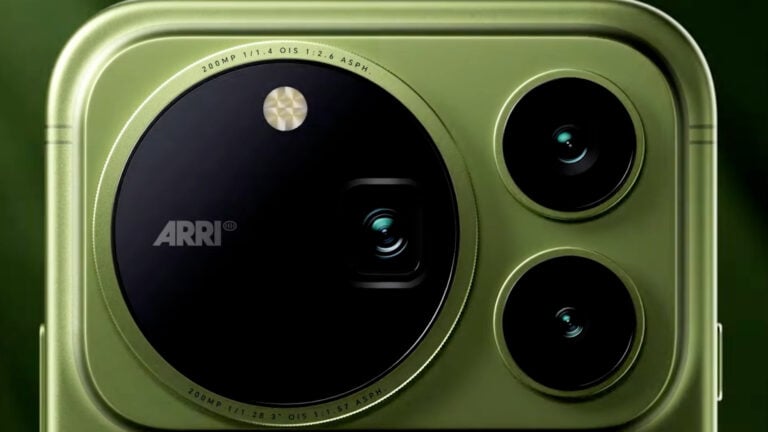
The biggest change for iPhone 18 Pro users is support for the variable aperture on the new Fusion Main camera.
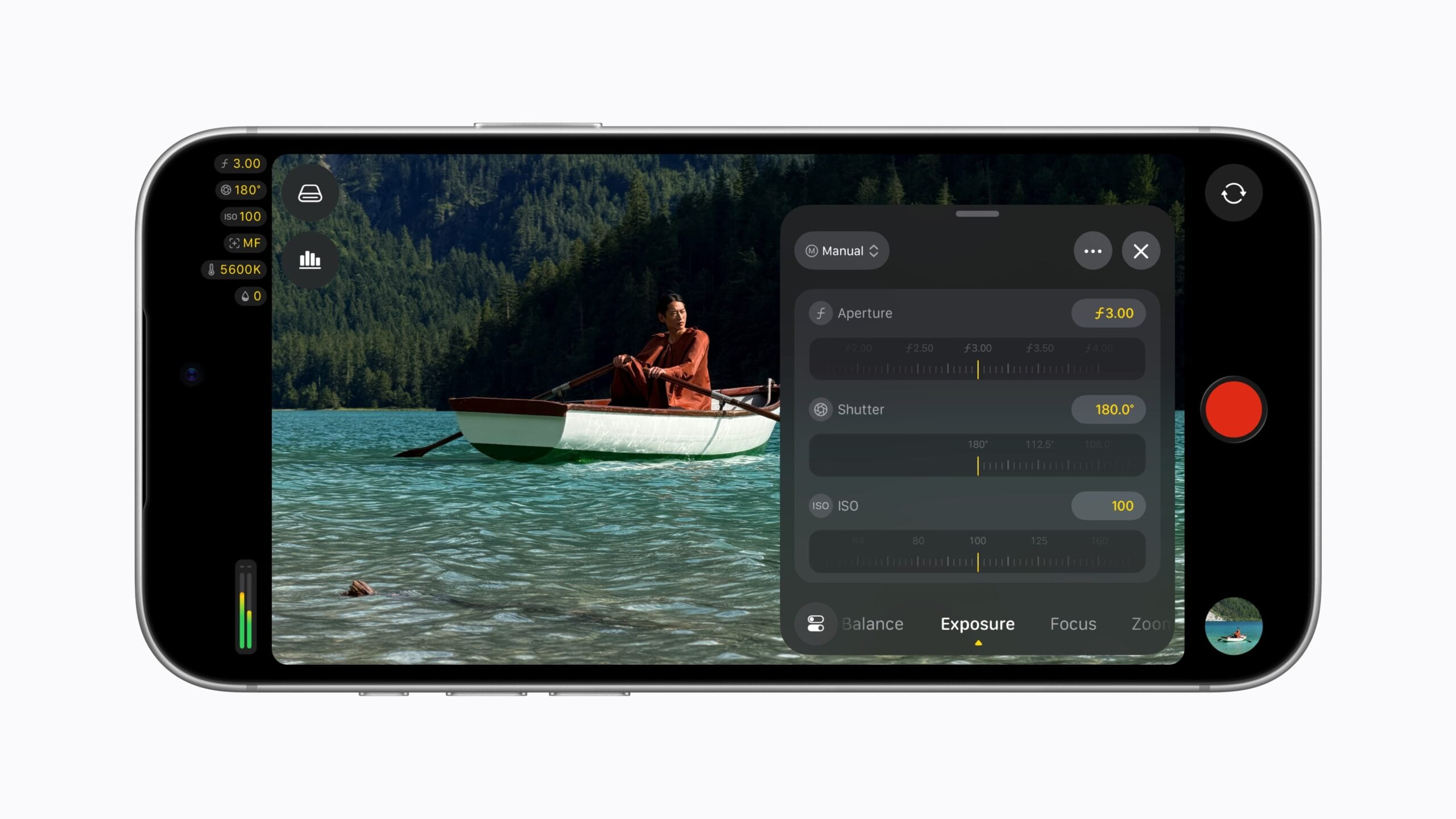
Final Cut Camera can now control the physical aperture directly, allowing filmmakers to adjust the amount of light entering the lens. Users can also choose shutter priority or aperture priority modes, giving them more familiar ways to manage exposure.
That matters for video because aperture can affect more than brightness. Changing it can alter depth of field, allowing creators to decide how much of a scene stays in focus.
Final Cut Camera also adds Cinematic mode effects to regular video footage. This includes video recorded in ProRes and Apple Log, with focus points and depth of field adjustable during editing in Final Cut Pro.
More tools for getting exposure right
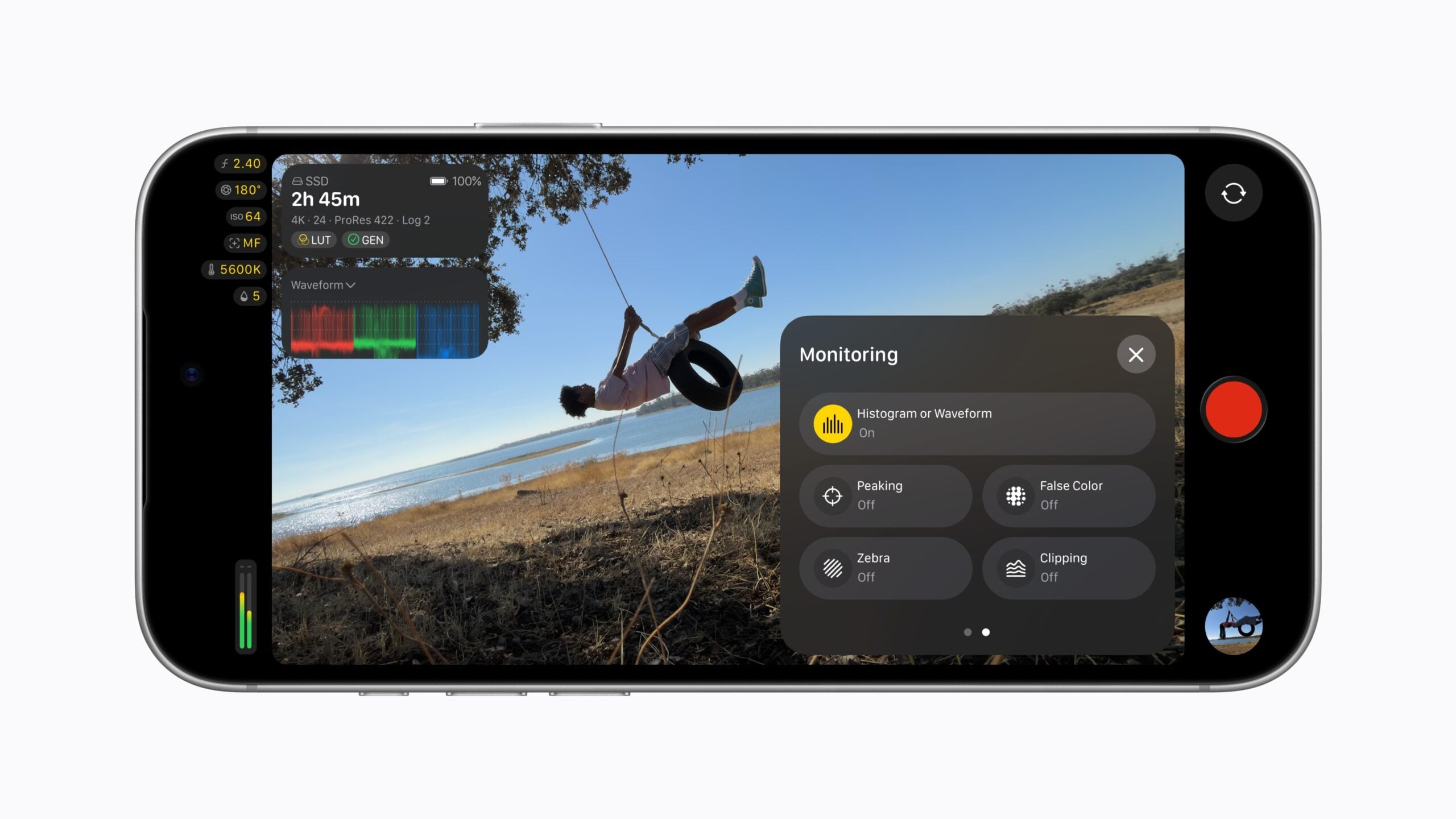
The redesigned app puts controls such as shutter angle, ISO, and white balance within easier reach. It also adds customizable overlays for monitoring footage while recording.
False color can help identify exposure levels across the image, while clipping indicators can show areas approaching or reaching overexposure. Focus peaking has also been improved, with a sensitivity control for adjusting how strongly in focus areas are highlighted.
A new tally light provides a simple visual indication that recording is active. A two finger tap can also clear the viewfinder, removing interface elements so filmmakers can concentrate on framing.
These may sound like small changes, but they address a common problem with shooting video on a phone: the hardware can be capable, while the controls still feel designed for casual photography.
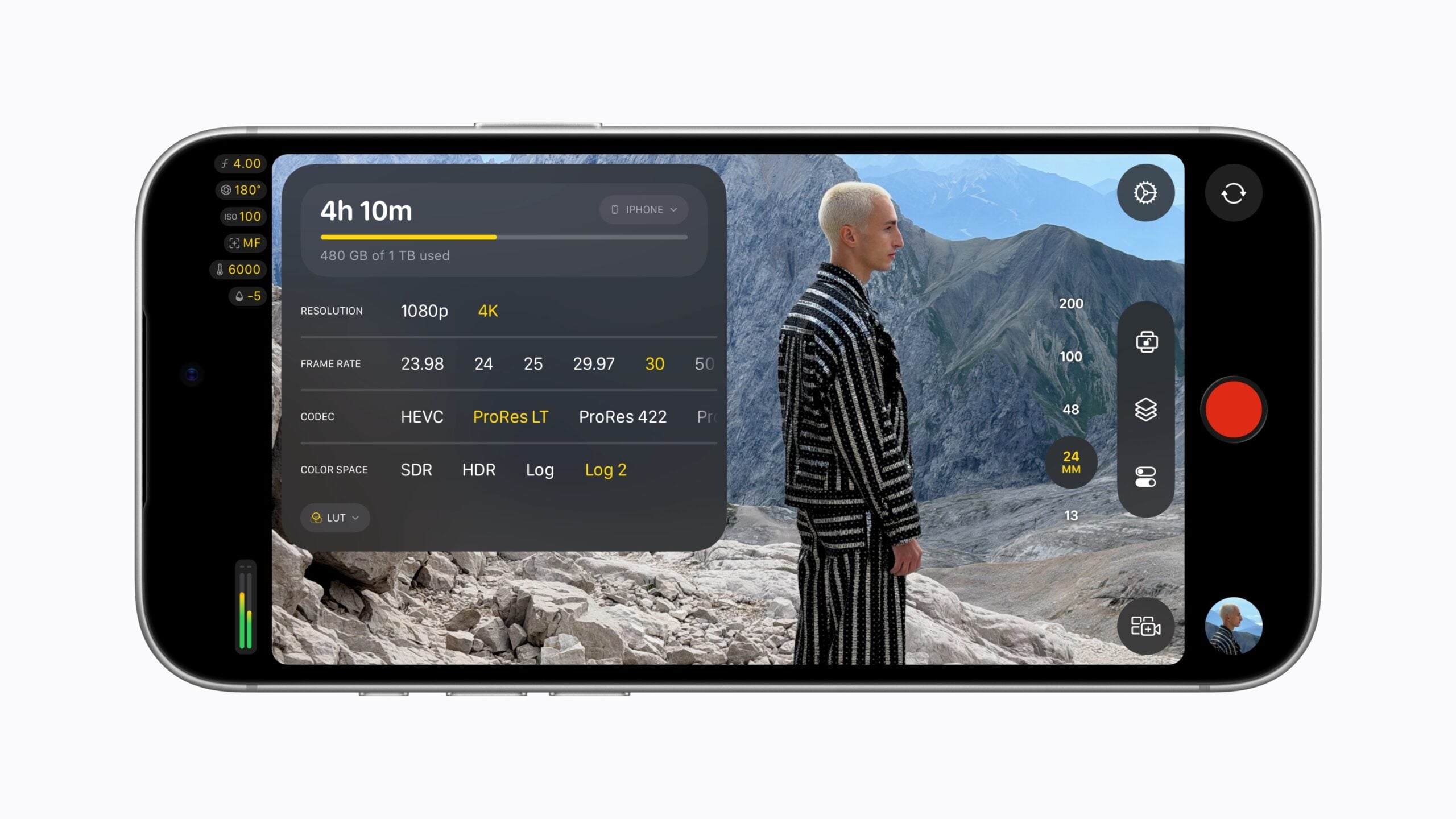
Your iPhone gets closer to a production camera
iOS 27 adds several features aimed at more demanding video workflows. Final Cut Camera can now display professional video scopes, including an RGB Parade and histogram.
The RGB Parade separates the red, green and blue channels, helping filmmakers assess color balance and exposure with greater precision. A histogram provides another way to monitor the distribution of brightness across the frame.
Clean SDI output is also supported through an HDMI to SDI converter, allowing the iPhone to send a clean video signal for broadcast style streaming setups.
Genlock offset provides another production focused tool. It can compensate for artifacts caused by recording a display and for latency differences between the iPhone and other genlocked cameras.
Taken together, the update suggests Apple is treating the iPhone less as a convenient camera and more as a video production tool. The interesting part is how much of that professional workflow can now fit inside a device that still happens to be a phone.
See more from DIYPhotography.net on Google
Add DIYPhotography.net as a trusted source. This makes
our stories more likely to appear in your Google Search results.
 Add as a preferred source on Google

Alysa Gavilan
Alysa Gavilan has spent years exploring photography through photojournalism and street scenes. She enjoys working with both film and mirrorless cameras, and her fascination with the craft has grown over the decades. Inspired by Vivian Maier, she is drawn to capturing everyday moments that often go unnoticed.
Related Posts
 iPhone 7 photo wins Apple iPhone Photography Award Grand Prize 2021 – Here are all the winners
 UK firm loses almost 80% value after Apple reportedly cancels quantum dot iPhone camera
 VSCO’s iPhone Camera App Aims to Beat Apple at Its Own Game
 Photographer Takes an iPhone 5s, iPhone 6, & iphone 6+ to Iceland: This Is How They Compared
Join the Discussion
DIYP Comment Policy
Be nice, be on-topic, no personal information or flames.