



























Still Photographer’s Guide to Creating Engaging Video Content
Oct 8, 2025
Darlene Lleno
Darlene Lleno brings a unique perspective to DIY Photography as someone who grew up surrounded by camera gear but chose words over lenses. With five years of writing experience, she specializes in photography content that’s both technically informed and genuinely passionate. Growing up with a photographer twin brother meant camera talk was everyday conversation in her household. While he mastered capturing moments, Darlene discovered she preferred being the subject and the storyteller behind the scenes. As a travel enthusiast and mother of two, she understands the importance of preserving life’s precious moments. When not exploring new destinations or writing for DIY Photography, you’ll find her reading or tending to her garden. Her approach to photography writing is refreshingly authentic, she may not be behind the camera, but she knows exactly what it takes to help others capture the shots that matter most.
Share:
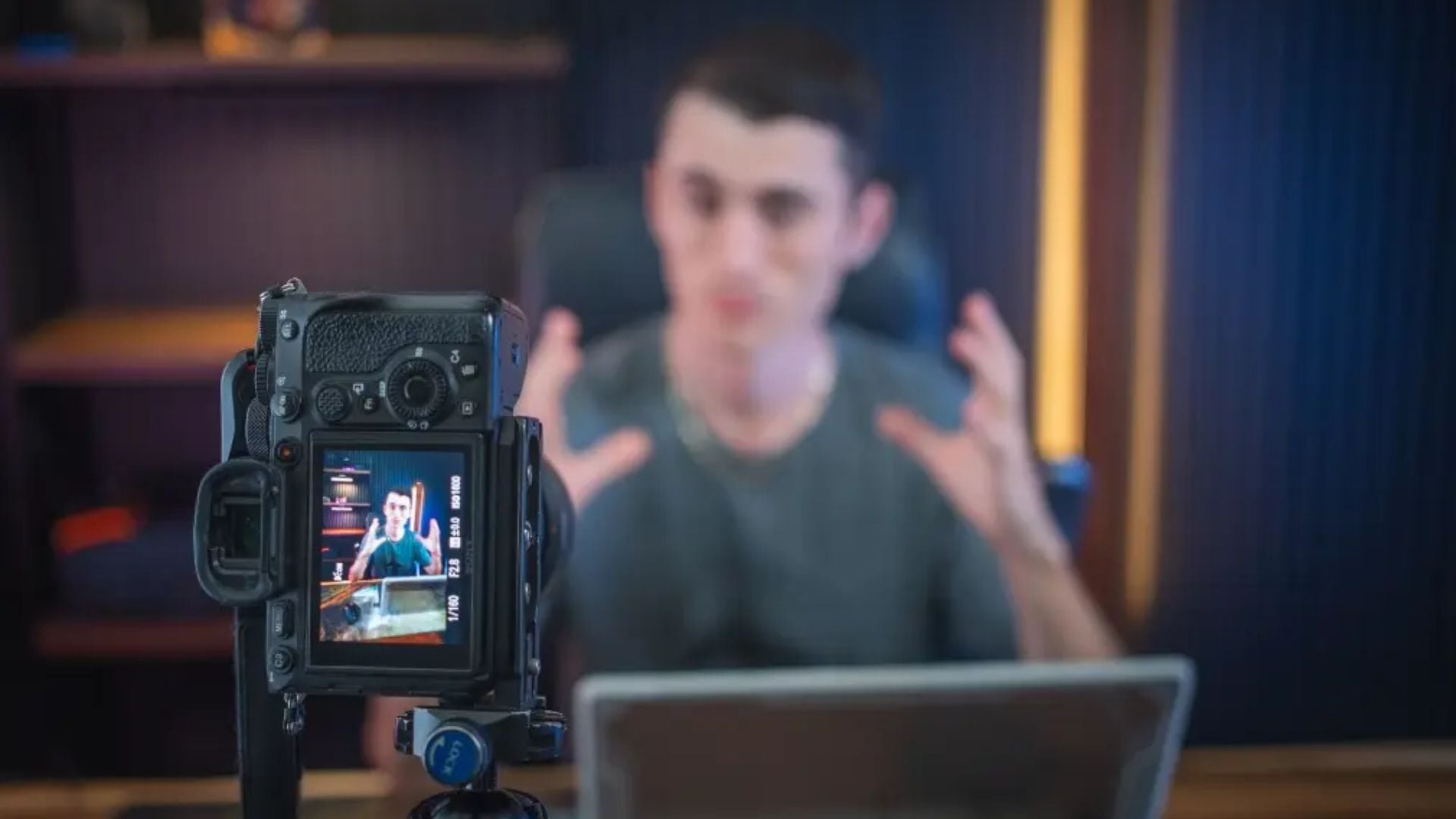
Video content drives modern visual storytelling today. Many photographers feel stuck when moving beyond single frames. The jump from stills to motion doesn’t need to overwhelm you. Your current photography skills create a solid base for video success.
The basics stay surprisingly similar. Composition rules work the same in video and stills. Lighting principles transfer over almost completely. Your exposure knowledge forms the foundation for video techniques. According to the Society of Motion Picture and Television Engineers, the main changes involve movement, sound, and storytelling over time instead of single moments.
Read more: Still Photographer’s Guide to Creating Engaging Video ContentUnderstanding Video Content Fundamentals for Still Photographers
Video content creation builds on your existing photography skills. It adds new technical parts like frame rates, motion blur, and audio recording. Most modern cameras shoot excellent video content. You probably own equipment that can produce professional results already.
Camera Settings That Bridge Photography and Video
Your camera’s manual mode works differently for video content. Shutter speed follows the 180-degree rule. Set it at double your frame rate. Shooting at 24fps means using 1/50th shutter speed. This creates natural motion blur that looks right to viewers.
Aperture controls depth of field just like in photography. But changing aperture while recording creates visible exposure shifts. These look unprofessional. Set your aperture before you start rolling. Use neutral density filters to control exposure instead.
ISO performance in video often differs from stills. Noise appears differently because of compression. Focus pulling becomes a creative tool rather than just technical need. Modern cameras offer great autofocus for video. But manual focus control gives you precise creative control. You decide where viewers look.

Audio Quality Makes or Breaks Video Content
Sound quality matters more than most photographers realize. Viewers will tolerate slightly soft footage. Poor audio makes content unwatchable. Your camera’s built-in microphone rarely works for professional video content.
External microphones improve audio dramatically. Shotgun mics work well for general use. Lavalier mics excel for interviews and talking head content. Wireless systems provide exceptional flexibility for moving subjects in 2025. Current wireless microphones offer 32-bit float recording and 12+ hour battery life. Many systems now include automatic frequency coordination to avoid interference. Digital transmission has largely replaced analog systems for professional work.
Record room tone for every location. This ambient sound helps smooth audio edits. It provides clean background noise for post-production. Professional editors use room tone to fill gaps and create seamless transitions.
Essential Video Content Equipment for Photography Studios
Building a video setup needs smart equipment choices. These should work with your existing photography gear. Many photographers already own 80% of what they need for professional video content creation.

Camera and Lens Selection for Video Work
Modern mirrorless cameras dominate both photography and video content in 2025. Over 95% of new camera releases focus on mirrorless technology. Full-frame sensors provide excellent low-light performance with many cameras now offering usable ISO up to 25,600. Most current models include 4K recording at 60fps as standard. Many also offer 8K recording capabilities.
Lens choice affects video content differently than stills. Wide-angle lenses show more camera movement. This makes handheld shots appear shaky. Longer focal lengths compress movement and create smoother handheld footage. Prime lenses often perform better than zooms for video. They have consistent aperture and typically sharper optics. Many photographers find that focal length choice significantly impacts the perceived quality of handheld footage.
Image stabilization becomes critical for handheld video content. In-body stabilization systems work with any lens. Optical stabilization provides smoother results with compatible lenses. Electronic stabilization crops the image but offers the smoothest results for walking shots.
Lighting Equipment That Works for Both Mediums
LED panels revolutionized video lighting for photographers in recent years. By 2025, LED efficiency improved by over 40% compared to 2020 models. Unlike tungsten lights, LEDs run cool and offer variable color temperature from 2700K to 6500K. Current LED lights include advanced features like smartphone app control and built-in special effects. These can simulate lightning, fire flicker, or police car strobes.
Softboxes and diffusion materials work the same for video and photography. But video often needs broader, more even lighting. Subjects move within the frame. Larger light sources create more forgiving illumination for moving subjects.
Key light placement follows photography principles. But consider how shadows move as subjects gesture or shift position. Fill light becomes more important in video content. You can’t easily lift shadows in post-production without adding noise. Creating DIY lighting solutions can help photographers transition affordably to video work.

Support Systems and Movement Tools
Tripods designed for video differ from photography tripods. Video tripods use fluid heads that create smooth panning and tilting motions. Photography tripods often have ball heads. These lock firmly but don’t support smooth movement during recording.
Gimbal stabilizers enable smooth movement that was previously impossible. Three-axis gimbals compensate for camera shake while allowing natural walking movement. Practice gimbal techniques to avoid the floating camera look. This screams amateur production. The Cinema Equipment and Technology Society recommends practicing basic movements before attempting complex shots.
Slider systems add professional movement to static scenes. Even short 24-inch sliders create compelling motion. This elevates production value significantly. Motorized sliders enable precise, repeatable movements. These work perfectly for product demonstrations or time-lapse sequences.
Creating Compelling Video Content Stories
Video content storytelling differs from single-image narratives. It unfolds over time. Structure becomes important. Viewers need clear beginning, middle, and end points. This keeps them engaged throughout longer content pieces.
Storyboarding Techniques for Photographers
Visual planning translates naturally from photography composition to video content structure. Storyboards don’t need artistic perfection. Just clear shot descriptions and sequence planning work fine. Sketch basic compositions. Note camera movements and plan audio requirements for each shot.
Shot lists prevent missed coverage during production. The following elements ensure complete coverage:
- Establishing shots that show the full scene
- Medium shots for subject interaction
- Close-ups for emotion and detail
- Detail shots for product or texture focus
- B-roll footage that supports your main story
Plan B-roll footage that supports your main narrative. This provides editing flexibility later. Consider pacing during planning stages. Fast cuts work well for energetic content. Slower pacing suits contemplative or educational material.

Directing Subjects for Natural Video Performance
People behave differently on video than in still photography sessions. Movement becomes part of the performance. This includes natural gestures or planned actions. Give subjects simple tasks to perform. Don’t ask them to act natural. This often creates stiff performances.
Prompt authentic reactions through conversation rather than direction. Ask questions about topics that genuinely interest your subjects. Capture their responses naturally instead of staging forced interactions. Real emotions always look better than performed ones in video content.
Multiple takes help subjects relax and improve performance naturally. First takes often feel stiff as people adjust to being recorded. Later takes typically show more natural movement and authentic expressions. Subjects become comfortable with the process.
Post-Production Workflow for Video Content Creation
Editing video content requires different software and techniques than photo editing. But many color grading concepts transfer directly from photo retouching experience. Understanding color spaces becomes even more important when working with video footage from multiple cameras.
Software Selection and Learning Curve
Professional video editing software in 2025 includes AI-powered features as standard. Adobe Premiere Pro now offers automatic scene detection and smart audio cleanup. DaVinci Resolve includes neural engine processing for faster rendering. Many programs feature AI-assisted color matching between clips. Cloud collaboration has become standard across major editing platforms.
Start with basic cuts and simple transitions before attempting advanced effects. Clean cuts often look more professional than overproduced transitions. Focus on these key elements first:
- Audio sync and timing
- Proper exposure consistency
- Smooth pacing between cuts
- Color matching between clips
Organization becomes critical with video files consuming massive storage space. Develop consistent folder structures and naming conventions from the beginning. Back up projects to multiple locations. Video files are difficult and expensive to reshoot if lost.
Color Grading Skills from Photo Editing
Color correction and grading in video content build directly on photo editing knowledge. Exposure, highlights, shadows, and color balance adjustments work similarly across both mediums. But video requires consistency across multiple clips. You’re not just perfecting single images anymore.
Match clips shot under different conditions through careful color grading. Use scopes and waveform monitors to ensure technical accuracy across cuts. Skin tones provide excellent reference points. They help match color temperature and exposure between different camera angles.
Creative color grading adds mood and visual style to video content. Film emulation looks, high contrast styles, and stylized color palettes establish strong visual identity. But avoid overprocessing that distracts from content. Skip looks that appear trendy rather than timeless.
Audio Editing and Mixing Basics
Audio editing requires new skills for most photographers entering video content creation. Basic audio cleanup includes several important steps. Remove background noise, normalize levels, and cut out unwanted sounds. This includes ums and long pauses.
Layer audio tracks for professional results. Dialogue sits on one track. Background music goes on another. Sound effects use additional tracks. This separation allows independent level control. It makes mixing different audio elements easier.
Export audio at consistent levels to meet platform requirements. Most social media platforms prefer audio levels around -14 LUFS. This ensures optimal playback across different devices and situations.
Marketing Your Video Content Services Successfully
Moving from photography to video content services requires strategic business planning. Video production typically commands higher rates. But it requires more time investment for both shooting and post-production work.
Pricing Structure for Combined Services
Package video content with photography services. This provides complete marketing solutions for clients. Many businesses need both still images and video content for comprehensive campaigns. Offering both services increases project value and client convenience.
Price video content services appropriately for the additional time investment. Video production typically requires longer shooting sessions. It also needs significantly more post-production time than photography. Consider these current factors when setting rates in 2025:
- Equipment costs average 20% higher than 2020 prices
- CFexpress cards and high-speed storage requirements
- Cloud storage subscriptions for backup and collaboration
- Software subscription costs averaging $100+ monthly
- Processing time increased with higher resolution workflows
Offer different service tiers from basic social media clips to full commercial productions. This approach allows clients to choose appropriate service levels. It also provides growth opportunities as your video content skills improve.

Portfolio Development and Client Education
Create diverse video content samples that showcase different styles and applications. Include promotional videos, product demonstrations, event coverage, and documentary-style pieces. This appeals to various client needs. Quality matters more than quantity in portfolio development. Consider studying successful photography business strategies to understand client needs better.
Educate existing photography clients about video content benefits for their businesses. Many clients don’t realize how video content can improve their marketing effectiveness. Show concrete examples of how video content increases engagement and conversion rates.
Partner with complementary businesses to expand service offerings. Web designers, marketing agencies, and PR firms often need video content for client projects. These partnerships provide steady work while you build experience and reputation in video production.
The transition from still photography to video content creation opens new creative possibilities. Your existing skills provide a strong foundation for success. Focus on understanding the technical differences. Apply your compositional knowledge and client relationship skills to this expanding field.
Video content continues growing in importance across all marketing channels in 2025. Photographers who adapt their skills to include motion and sound position themselves for continued success. Start with simple projects and invest in quality audio equipment. Practice consistently to develop professional video content creation capabilities.
Taking Your Video Content Journey Forward
Success in video content creation comes from building on your photography foundation while embracing new technical skills. The investment in equipment and learning pays off through higher project values and expanded client opportunities. Your unique perspective as a photographer brings valuable visual storytelling skills to video content creation.
Remember that every professional started with their first video project. Focus on creating quality content rather than perfection from day one. Your photography experience gives you advantages in composition, lighting, and client relationships that pure videographers often lack.
See more from DIYPhotography.net on Google
Add DIYPhotography.net as a trusted source. This makes
our stories more likely to appear in your Google Search results.
 Add as a preferred source on Google

Darlene Lleno
Darlene Lleno brings a unique perspective to DIY Photography as someone who grew up surrounded by camera gear but chose words over lenses. With five years of writing experience, she specializes in photography content that’s both technically informed and genuinely passionate. Growing up with a photographer twin brother meant camera talk was everyday conversation in her household. While he mastered capturing moments, Darlene discovered she preferred being the subject and the storyteller behind the scenes. As a travel enthusiast and mother of two, she understands the importance of preserving life’s precious moments. When not exploring new destinations or writing for DIY Photography, you’ll find her reading or tending to her garden. Her approach to photography writing is refreshingly authentic, she may not be behind the camera, but she knows exactly what it takes to help others capture the shots that matter most.
Related Posts
 I photograph Burning Man every year, here’s how I capture engaging candid portraits
 The Comprehensive And Contemplative Guide On Creating Magical Smoke Composites
 The beginners guide to creating hyperlapse – the easy way
 Content Credentials (C2PA) for Photographers: Should You Turn It On or Skip It?
Join the Discussion
DIYP Comment Policy
Be nice, be on-topic, no personal information or flames.