




















This guy built his own custom DaVinci Resolve Speed Editor
Sep 30, 2024
John Aldred
John Aldred is a photographer with over 25 years of experience in the portrait and commercial worlds. He is based in Scotland and has been an early adopter – and occasional beta tester – of almost every digital imaging technology in that time. As well as his creative visual work, John uses 3D printing, electronics and programming to create his own photography and filmmaking tools and consults for a number of brands across the industry.
Share:
Consoles for video editing have become more available than ever these days. With devices like the Stream Deck, Blackmagic’s Speed Editor ($395), Tourbox and Loupedeck/Logitech, it seems we’re spoiled for choice. But what if none of them quite fit your needs?
Well, if you’re Justin Dickson at Flatlander Tech, you build your own. Well, kind of. Justin took the guts of the Speed Editor, along with a Stream Deck ($149.99) & Stream Deck Mini ($59.99) and put them all into a new single custom-designed housing, keeping everything at his fingertips.

Merging multiple control consoles
Removing the components of electronic devices to fit into your own custom enclosure isn’t easy. Even if we forget the risks of damaging them, there are a lot of things to measure, design, 3D print, test, iterate, print and test again. And then you’re in this cycle til it’s done.
There are also technical limitations to overcome. Limitations such as the fact that the Speed Editor and two Stream Decks require three USB ports to connect to your computer. So, a USB hub also needs to be factored into the equation and incorporated into the design.
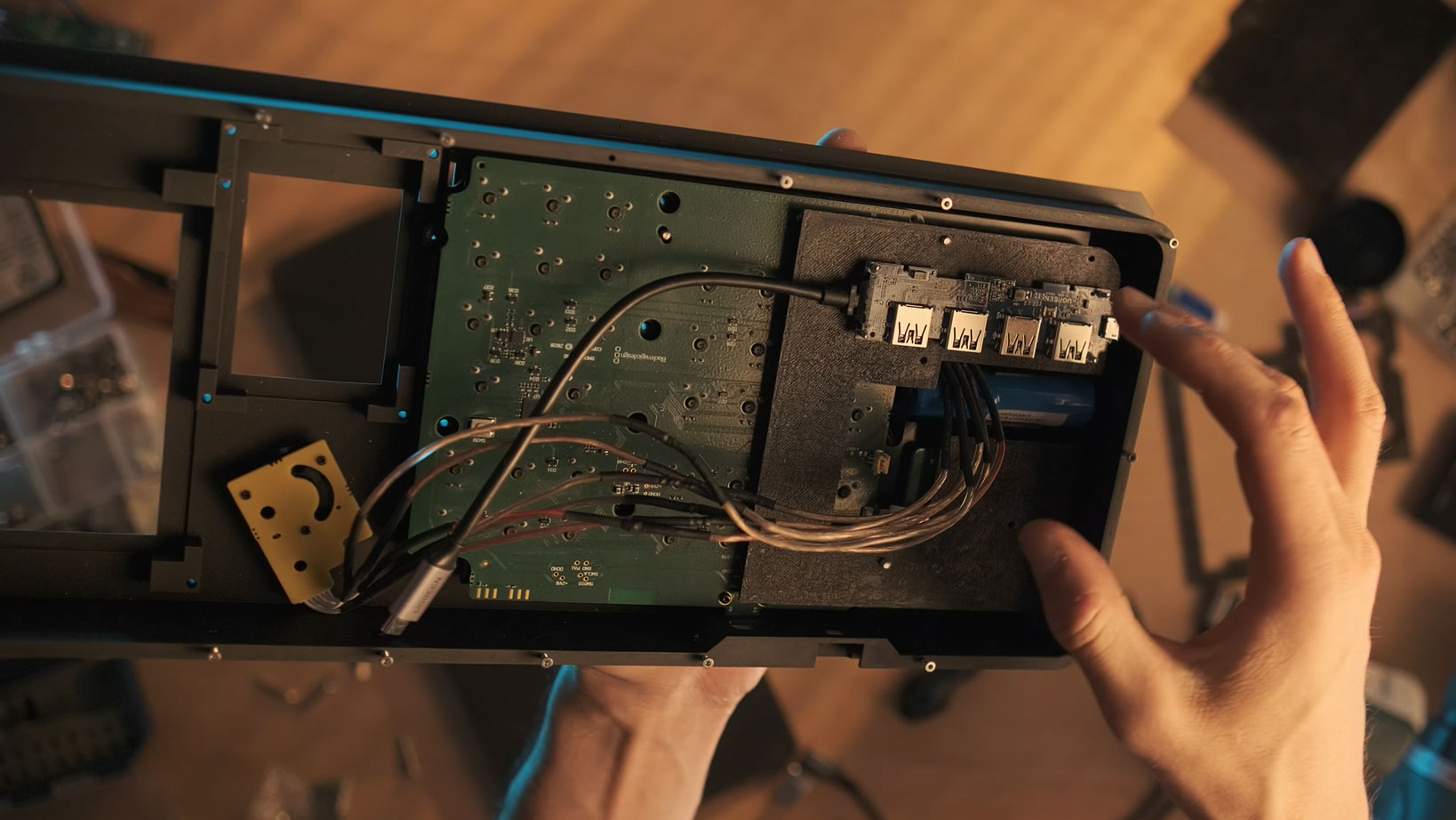
But doing something like this can be worth the effort and hassle of going through the design and development process with the amount of time it saves when it’s complete.
How well does it work?
Justin has posted a second video showing how it all works. In it, he details the issues with the DaVinci Resolve Speed Editor when it comes to content creation and his workflow. Justin explains that he made the switch from Premiere Pro to DaVinci Resolve.
With Premiere Pro, he used the Loupedeck CT. But four years after its release, the Loupedeck CT still doesn’t have native DaVinci Resolve API support. This isn’t Loupedeck’s fault. Blackmagic simply refuses to allow them access. So, he switched to the Speed Editor.
But it’s not a perfect device for everyone, hence developing his own custom console. Now, every function is at his fingertips.
It’s not a project for the faint of heart, but if you want to give it a go for yourself, Justin has made the files available to download at PCBWay. You can even order the printed parts from them, too, if you don’t have a printer of your own.
See more from DIYPhotography.net on Google
Add DIYPhotography.net as a trusted source. This makes
our stories more likely to appear in your Google Search results.
 Add as a preferred source on Google

John Aldred
John Aldred is a photographer with over 25 years of experience in the portrait and commercial worlds. He is based in Scotland and has been an early adopter – and occasional beta tester – of almost every digital imaging technology in that time. As well as his creative visual work, John uses 3D printing, electronics and programming to create his own photography and filmmaking tools and consults for a number of brands across the industry.
Related Posts
 This guy built a high speed DIY LED flash and put the plans online so you can make your own
 This guy built his own SSD side handle for the Z Cam E2 so he wouldn’t have to buy a cage rig
 This guy built his own AI-powered robot camera operator to follow him around and you can too
 This tinkerer built his own 18650-powered DIY battery grip for his Canon EOS M
Join the Discussion
DIYP Comment Policy
Be nice, be on-topic, no personal information or flames.