

























My Photo Library Was Chaos: A Hands-On Review of Excire Search 2026 and Excire Foto 2025
Mar 13, 2026
Alex Baker
Alex Baker is a portrait and lifestyle driven photographer based in Valencia, Spain. She works on a range of projects from commercial to fine art and has had work featured in publications such as The Daily Mail, Conde Nast Traveller and El Mundo, and has exhibited work across Europe
Share:
If you’re anything like me and you’ve been shooting for more than a few years, chances are your photo archive has grown into something slightly intimidating. Tens of thousands of images, spread across multiple drives, vaguely organised with folder names like “2011-Final_Final_FINALIST-2”. Finding a specific photo can feel less like photography and more like archaeology.
This is exactly the problem Excire Search and Excire Foto set out to solve. Using AI-powered image recognition, Excire promises to help photographers find the images in their archives, without relying on perfect metadata, obsessive keywording, or a photographic memory. At first, I was a bit “oh great, another AI tool promising miracles”, but I must admit that after spending a bit of time with both tools, it’s clear that these aren’t gimmicks, they’re built for real-world workflows and can actually be quite helpful.
AI as a Photo Management Tool
AI has already reshaped how photographers edit images, but its most practical impact may be happening behind the scenes. Photo management, that is, searching, sorting, culling, and organising, is one of the least exciting parts of photography, yet it’s where an enormous amount of time disappears. I know this only too well; I just had to dig out old photos for a client who didn’t bother to download them when I sent them months ago (eye roll). Several hours and hard disks later, I finally managed to locate them. A search tool for my database of images would have sped things up considerably!
But enough about me and my imperfect photo filing system. Excire approaches AI from a very specific angle: not as a creative replacement, but as an assistant. Instead of generating new images or altering existing ones, Excire’s AI is trained to understand photographs: what’s in them, how they’re shot, and how they relate to one another. The goal isn’t automation for automation’s sake, but faster access to images photographers already own. It’s a philosophy that shows up consistently across both Excire Search and Excire Foto.
Excire Search 2026: What Is It?

Excire Search 2026 is the latest version of the AI-powered plugin for Adobe Lightroom Classic. It’s designed to dramatically speed up how photographers find, review, and organise images inside existing catalogues. Yes, I know Lightroom Classic has its own tagging and search system, but it’s not particularly smart and requires you to input the data and keywords yourself, usually.
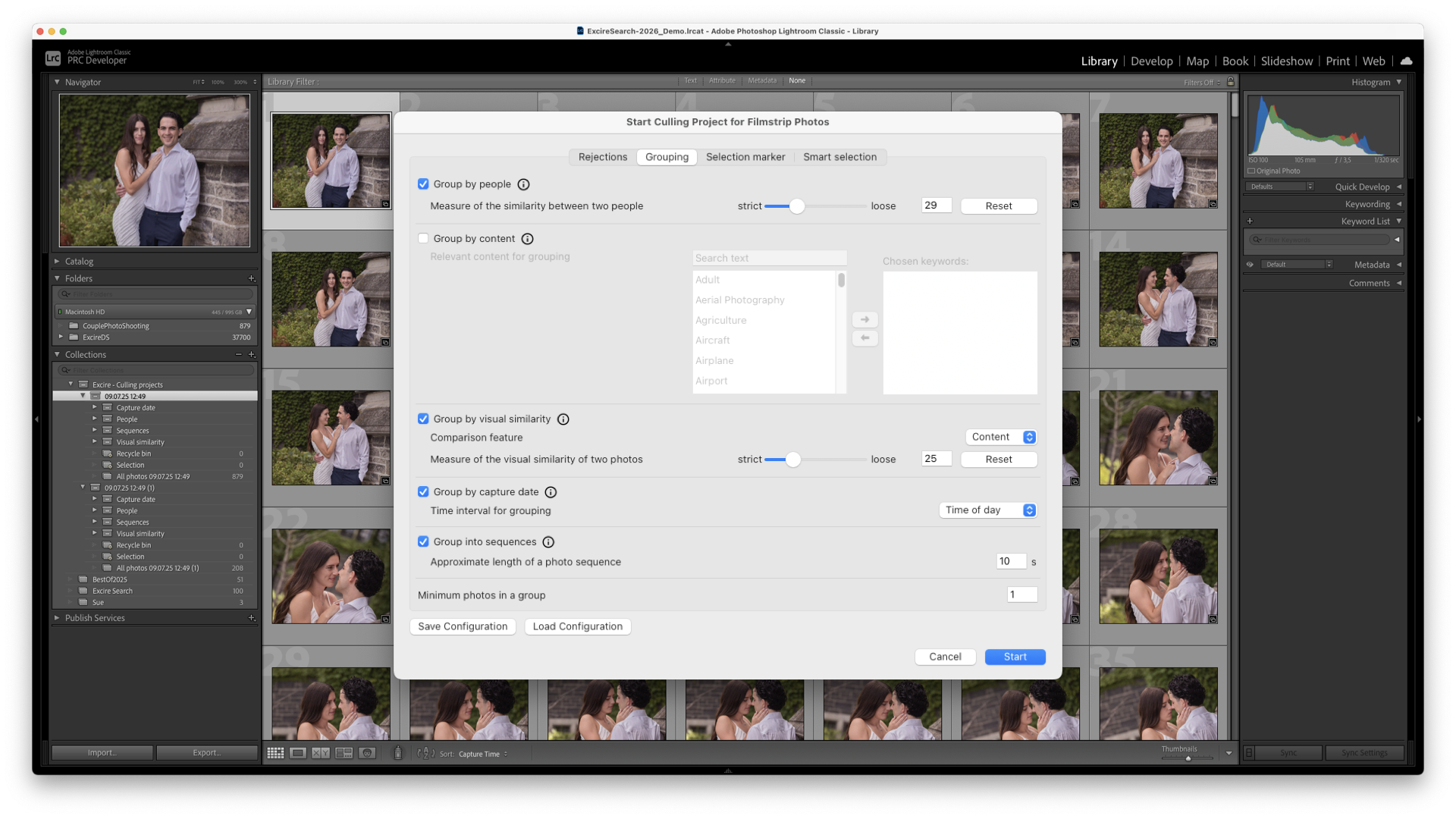
Excire Search 2026 builds on earlier versions by adding dedicated AI culling tools, intelligent focus detection, video support, and a completely new Search panel. It does all this while retaining the core features Excire is known for, such as prompt-based search, similarity search, people and face recognition, automatic keywording, and duplicate detection.
Rather than competing with Lightroom, Excire Search works alongside it, filling in gaps where Lightroom’s native tools often fall short.
How It Works
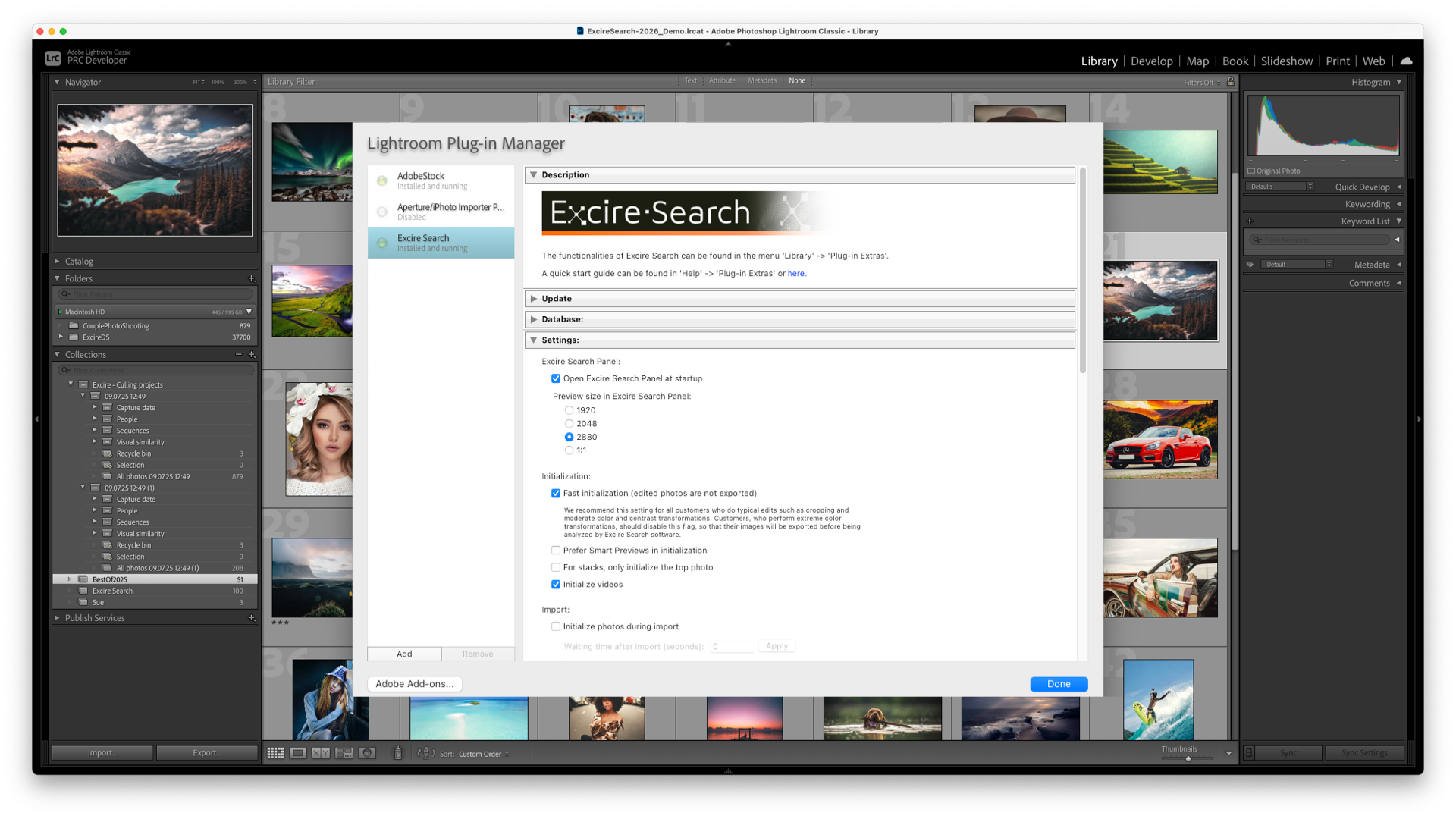
Once installed, Excire Search 2026 analyses the images in your Lightroom Classic catalogue using AI models trained specifically on photographic content. This analysis happens entirely locally on your computer, meaning that your images are never uploaded to the cloud or accessed by third parties, which is a major plus for professionals working with client files.
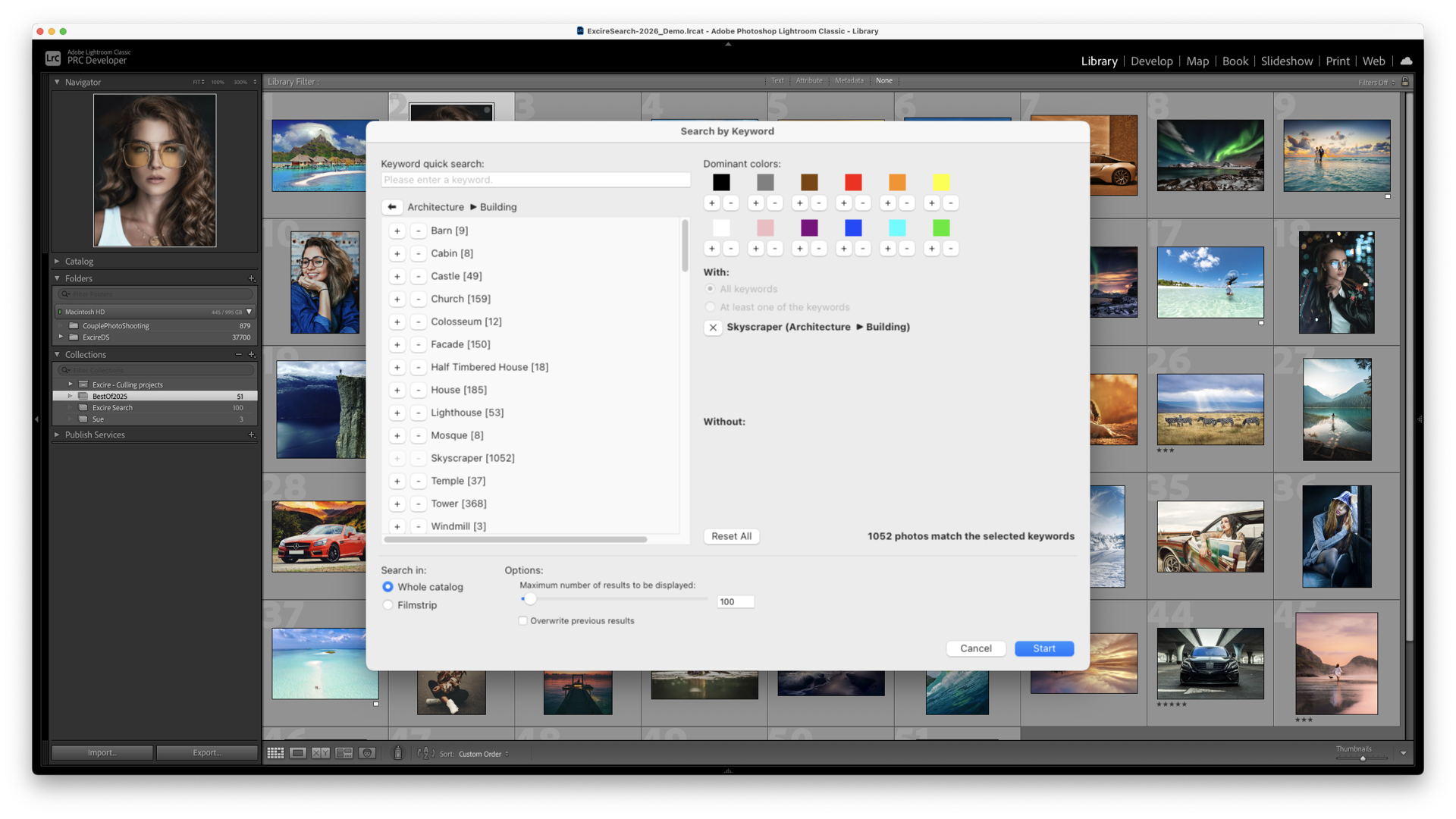
The AI examines each image and recognises a wide range of characteristics, including:
- Subjects and objects
- Moods and abstract concepts eg. relaxation
- People and facial features
- Scene types and environments
- Colours and visual patterns
- Technical qualities like global sharpness and face sharpness
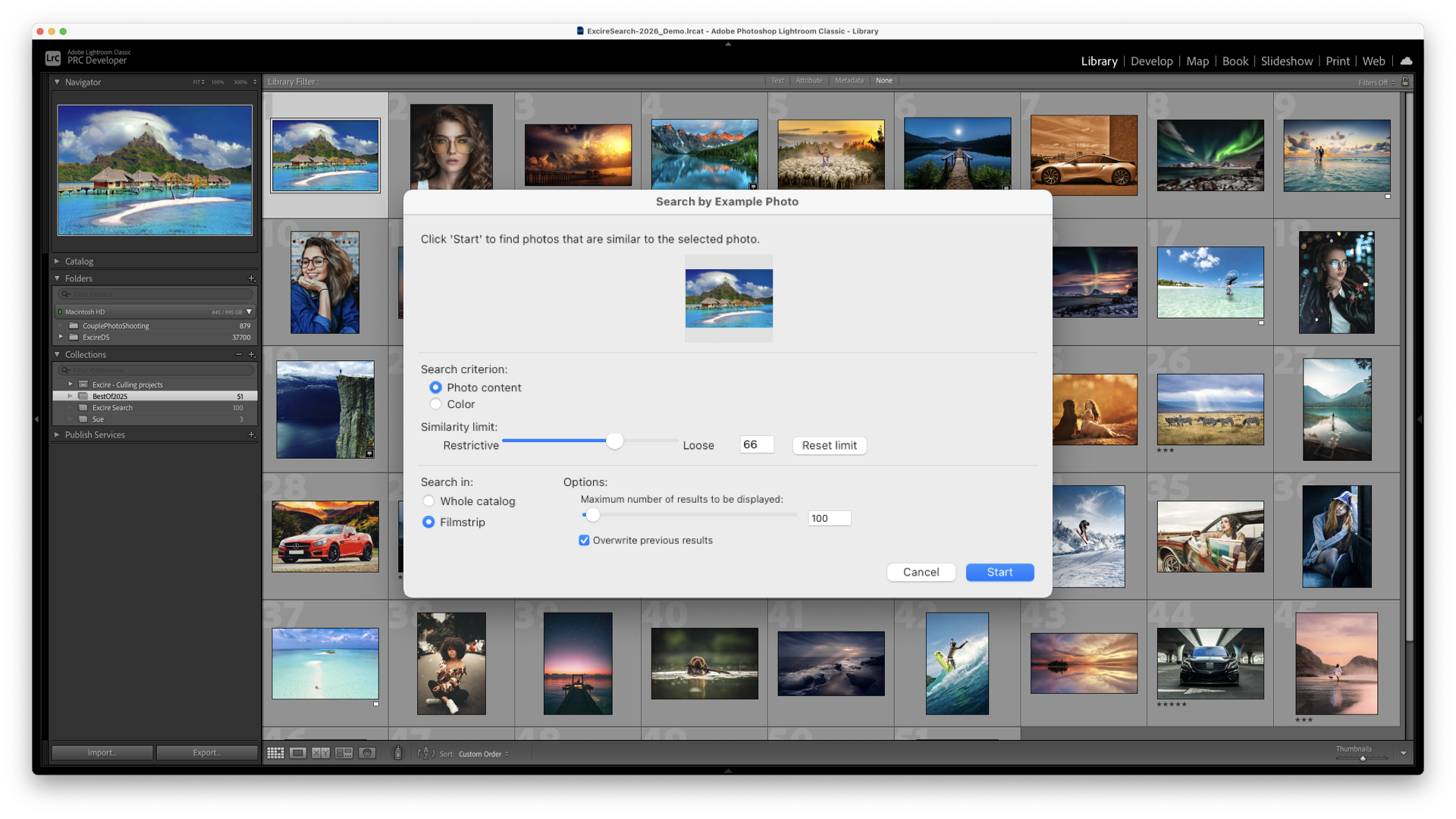
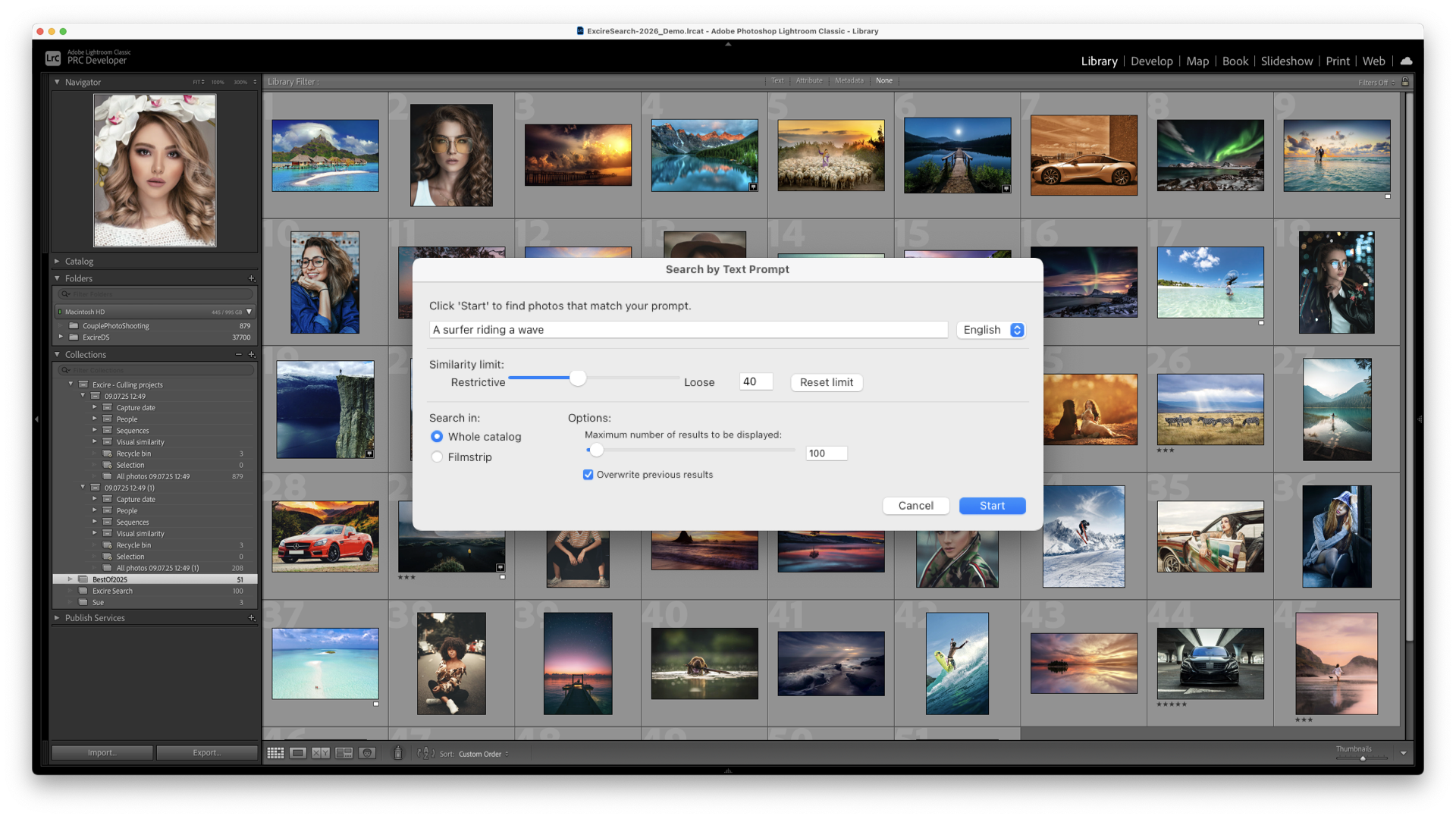
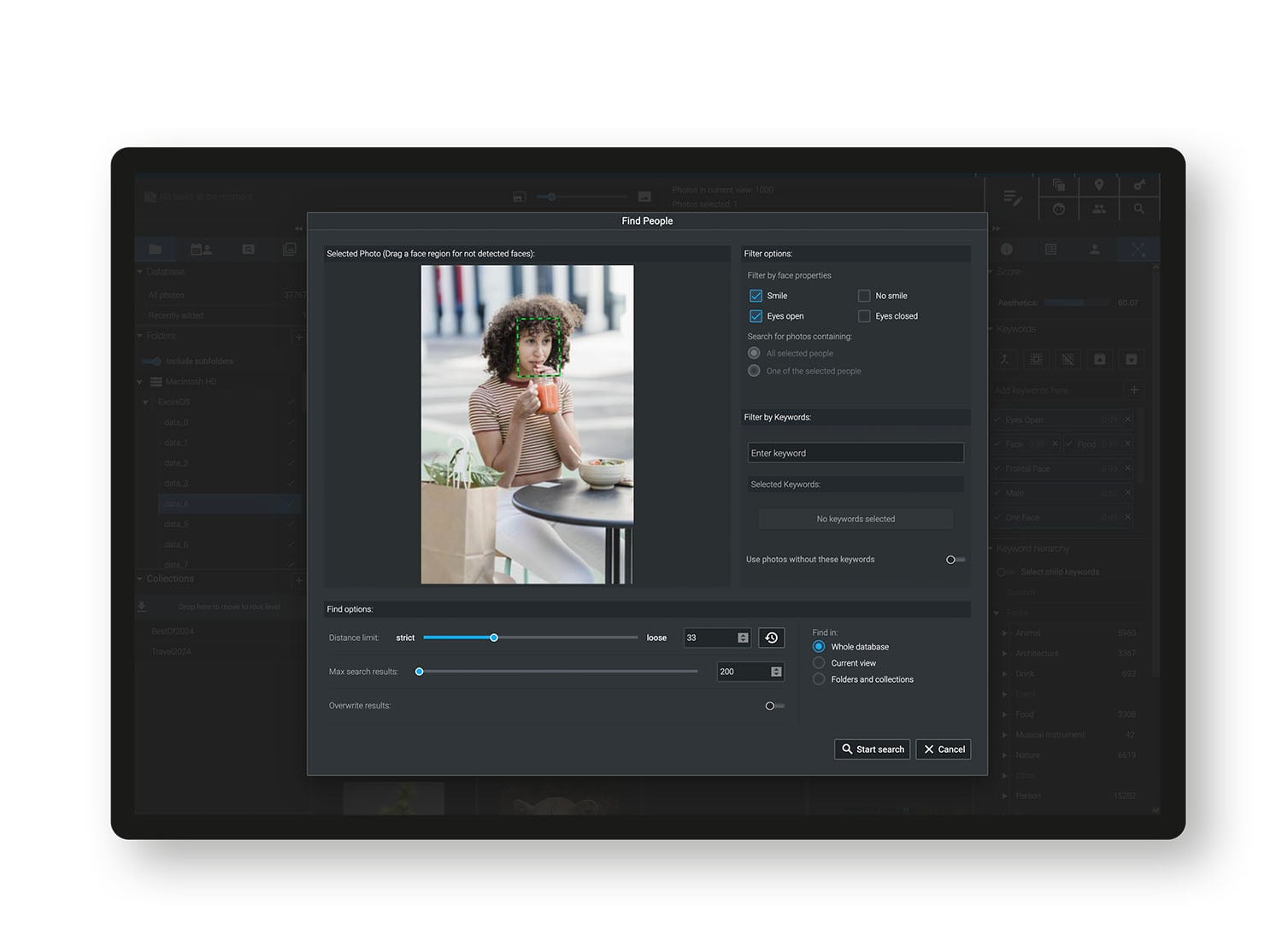
This information is stored in an internal database that allows images to be searched and filtered in ways that simply aren’t possible with standard metadata alone. You can search using natural-language prompts, find visually similar images, or narrow results using face-related attributes such as whether eyes are open or whether a face is sharply in focus.
Smart Features
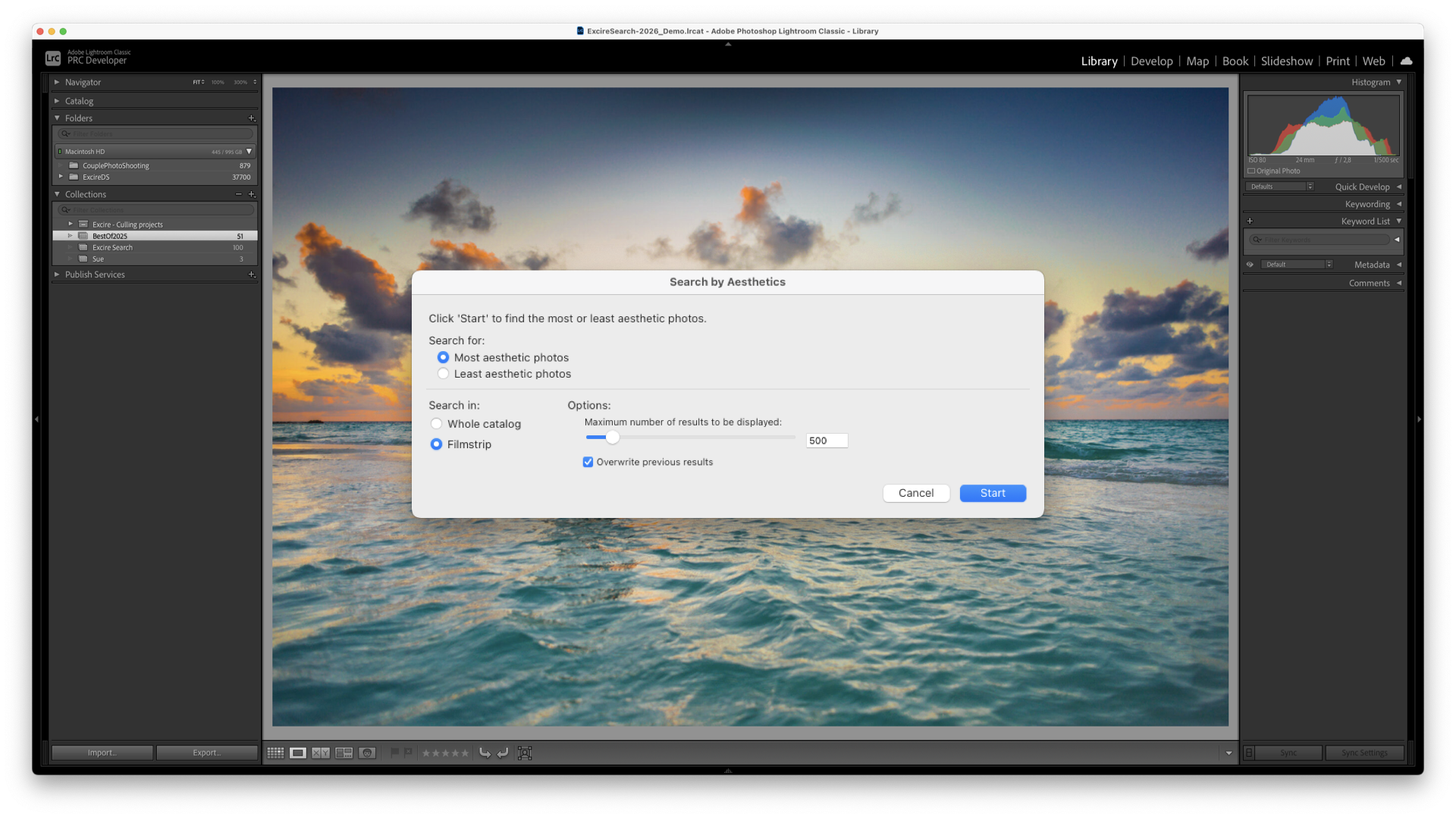
One of the headline upgrades in Excire Search 2026 is its dedicated AI-powered culling tools. These allow photographers to group and sort images by content, people, scenes, or visual similarity, then rank them using criteria like aesthetics, overall sharpness, face sharpness, and even specific facial characteristics. If you’ve tried Lightroom’s newest AI-culling feature, you’ll probably (like me) be somewhat underwhelmed by that. Excire simply manages the same thing much better.
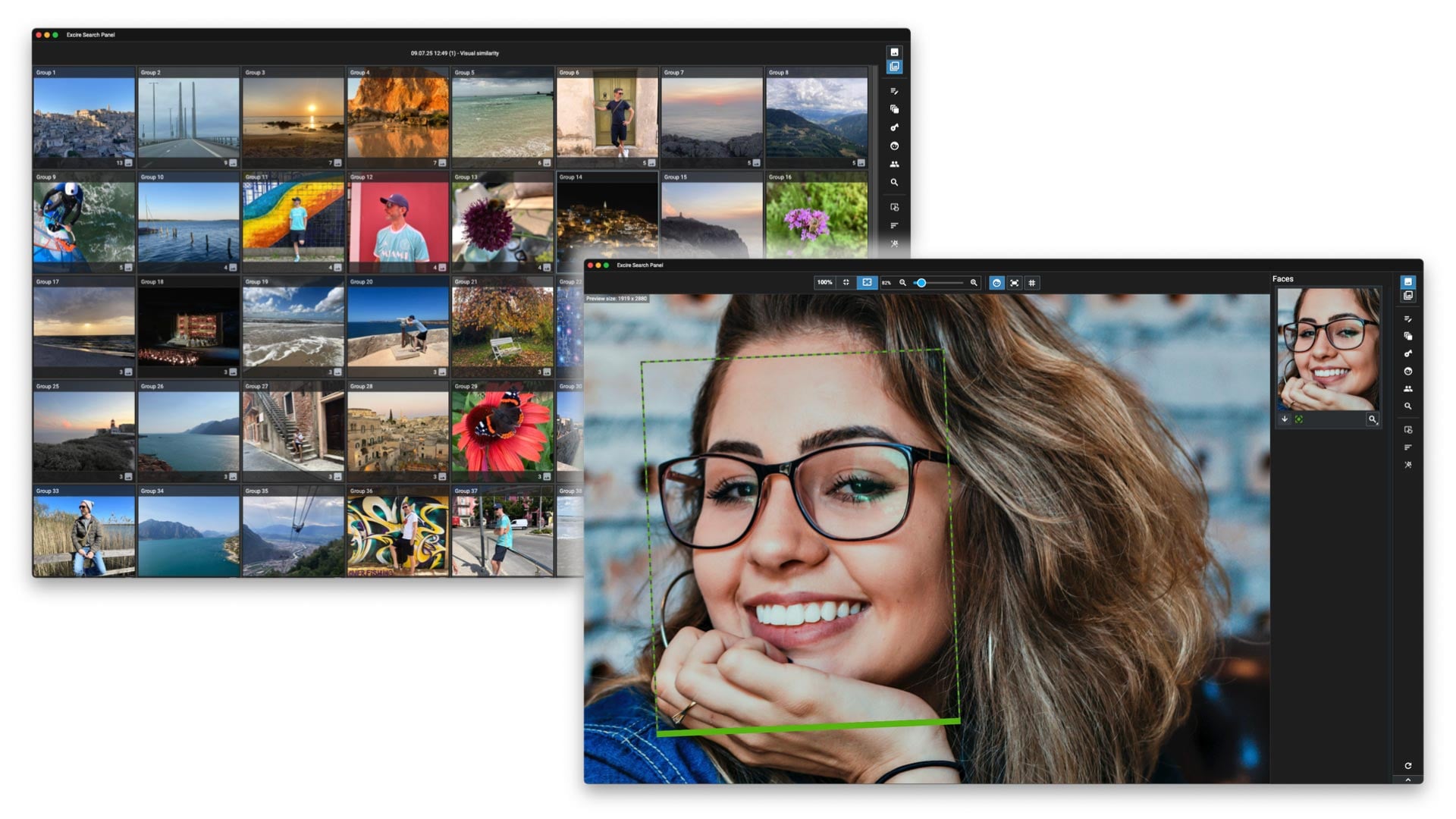
The new Excire Search panel is another major improvement. It provides quick access to all of Excire’s tools in either a compact toolbar or a full-sized panel with image previews, making it far easier to integrate into everyday Lightroom workflows.
Excire Search 2026 also introduces intelligent focus detection, including face sharpness indicators that let you see at a glance which images are usable and which can be rejected, which is particularly helpful for portraits, events, and group shots.
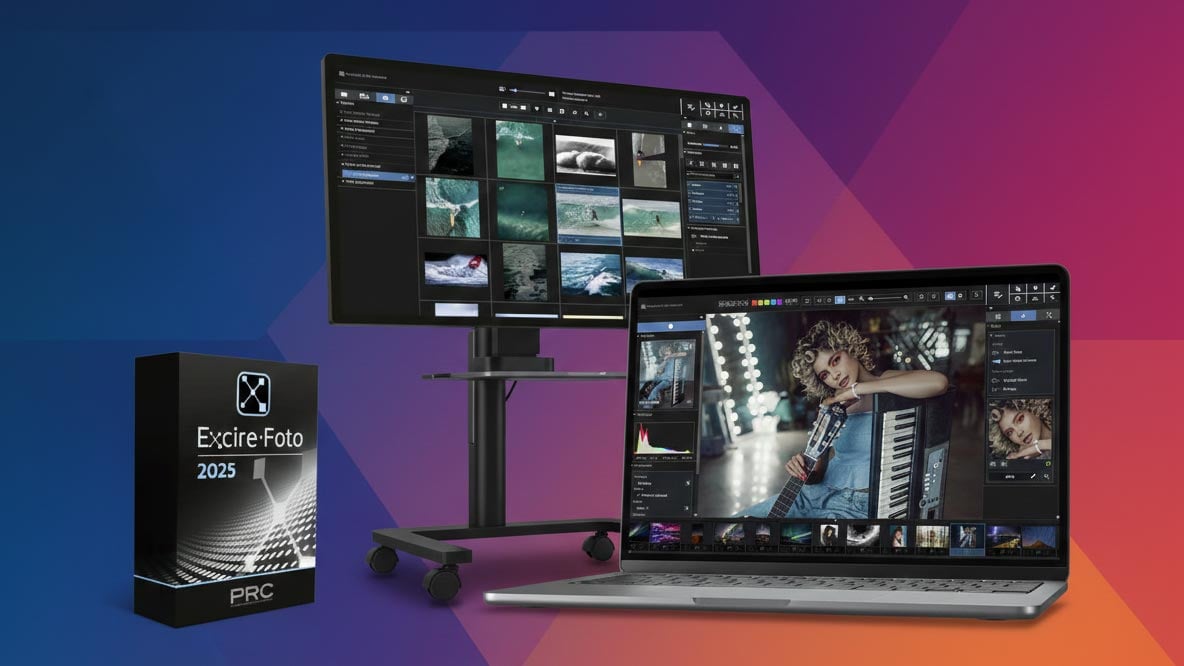
Excire Foto 2025: Standalone Search & DAM (Digital Asset Manager)
What It Is
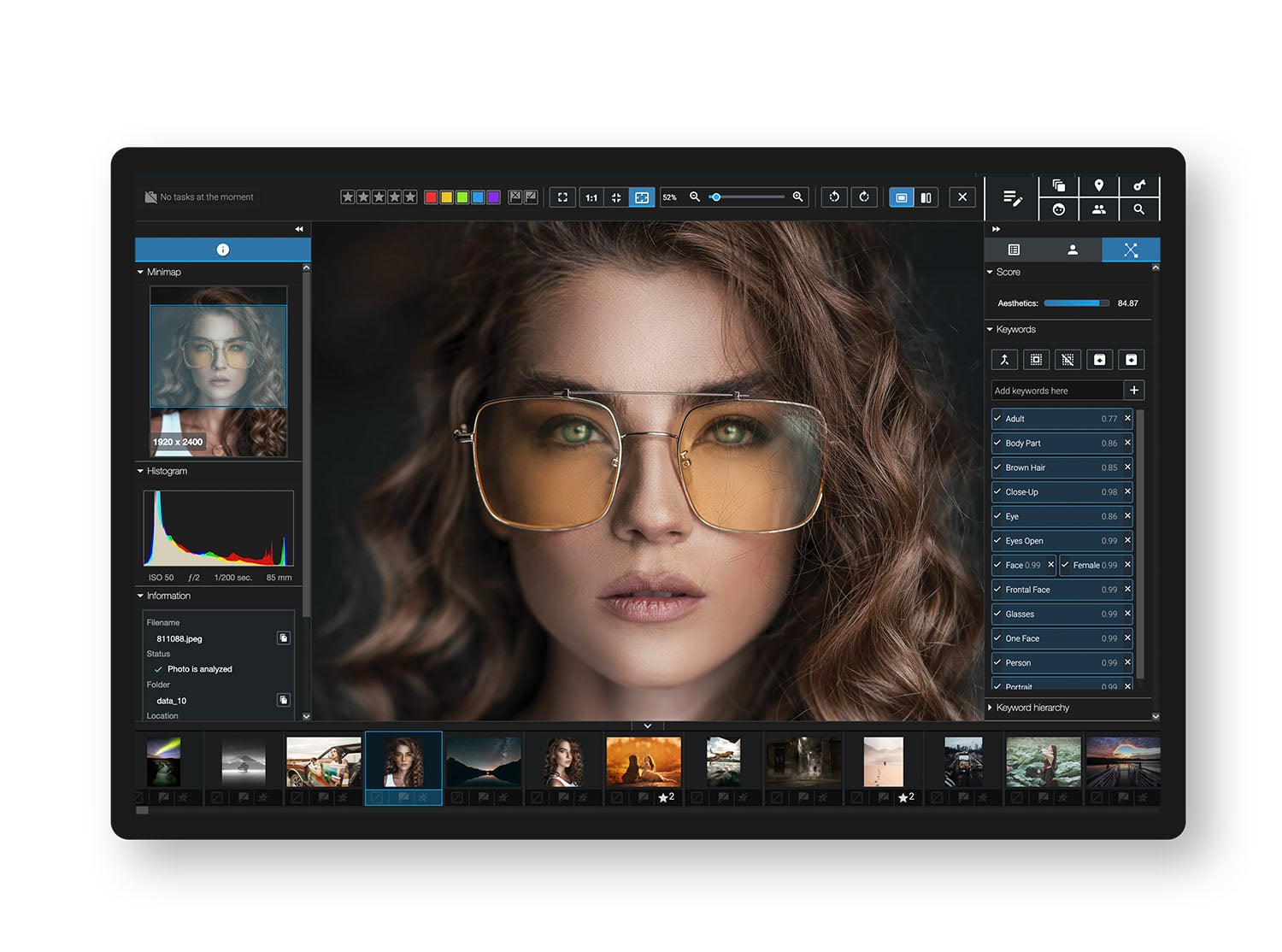
Excire Foto 2025 is Excire’s most advanced standalone photo and video management application to date. It’s designed for photographers and content creators who want powerful organisation tools without relying on Lightroom. It functions as a full digital asset manager (DAM) built around AI-driven search and culling.
It supports both photo and video files and is aimed squarely at users with large or long-term archives, especially those spread across multiple folders or drives (like mine!).
How It Works
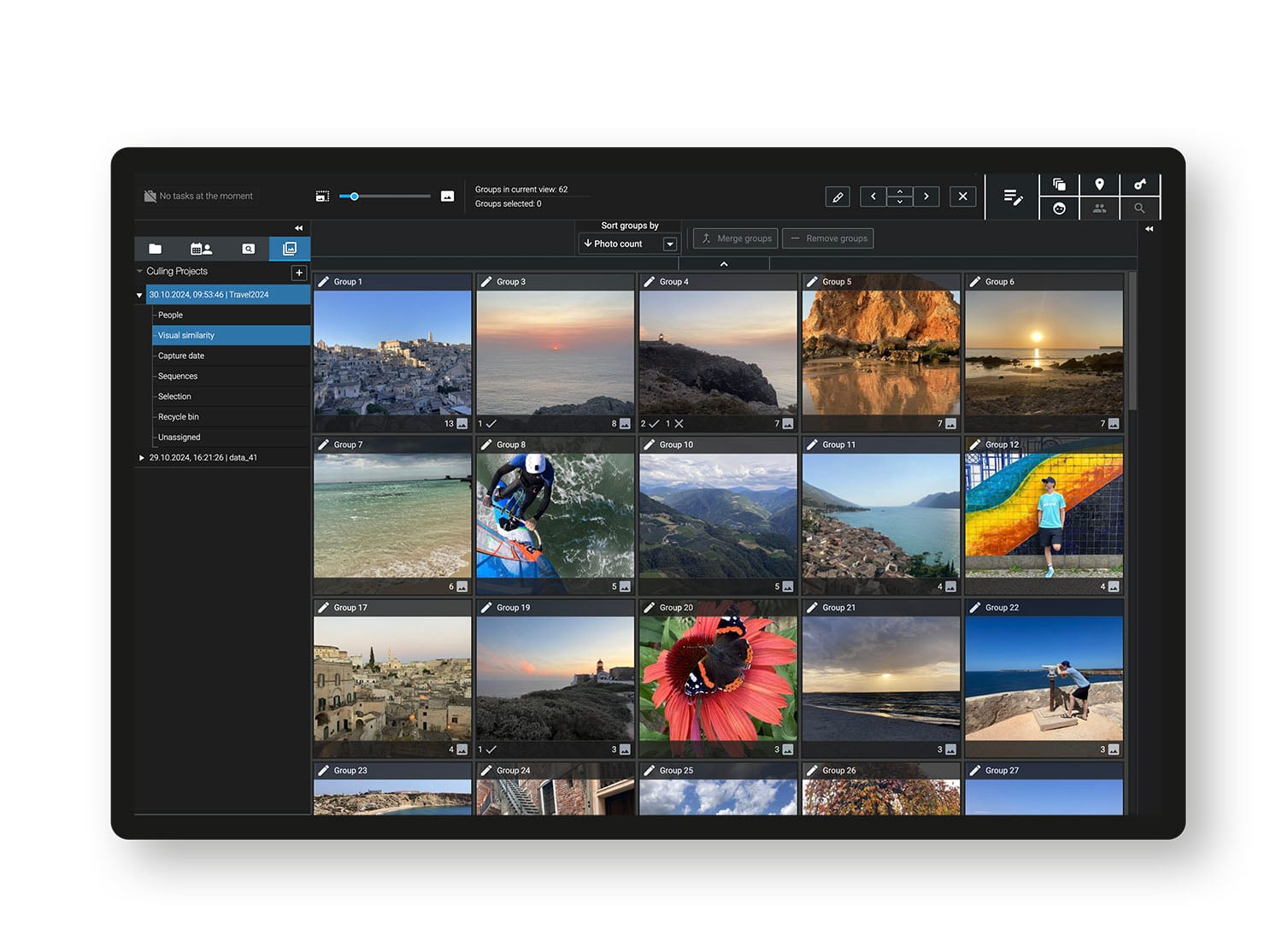
Like Excire Search, Excire Foto 2025 uses AI models to analyse visual content rather than relying solely on metadata. On import, the software automatically applies AI-generated keywords, evaluates aesthetic quality, and identifies people, scenes, objects, colours, moods, concepts and technical characteristics.
Search options include:
- Natural-language (prompt) search
- Similarity search
- People and face search
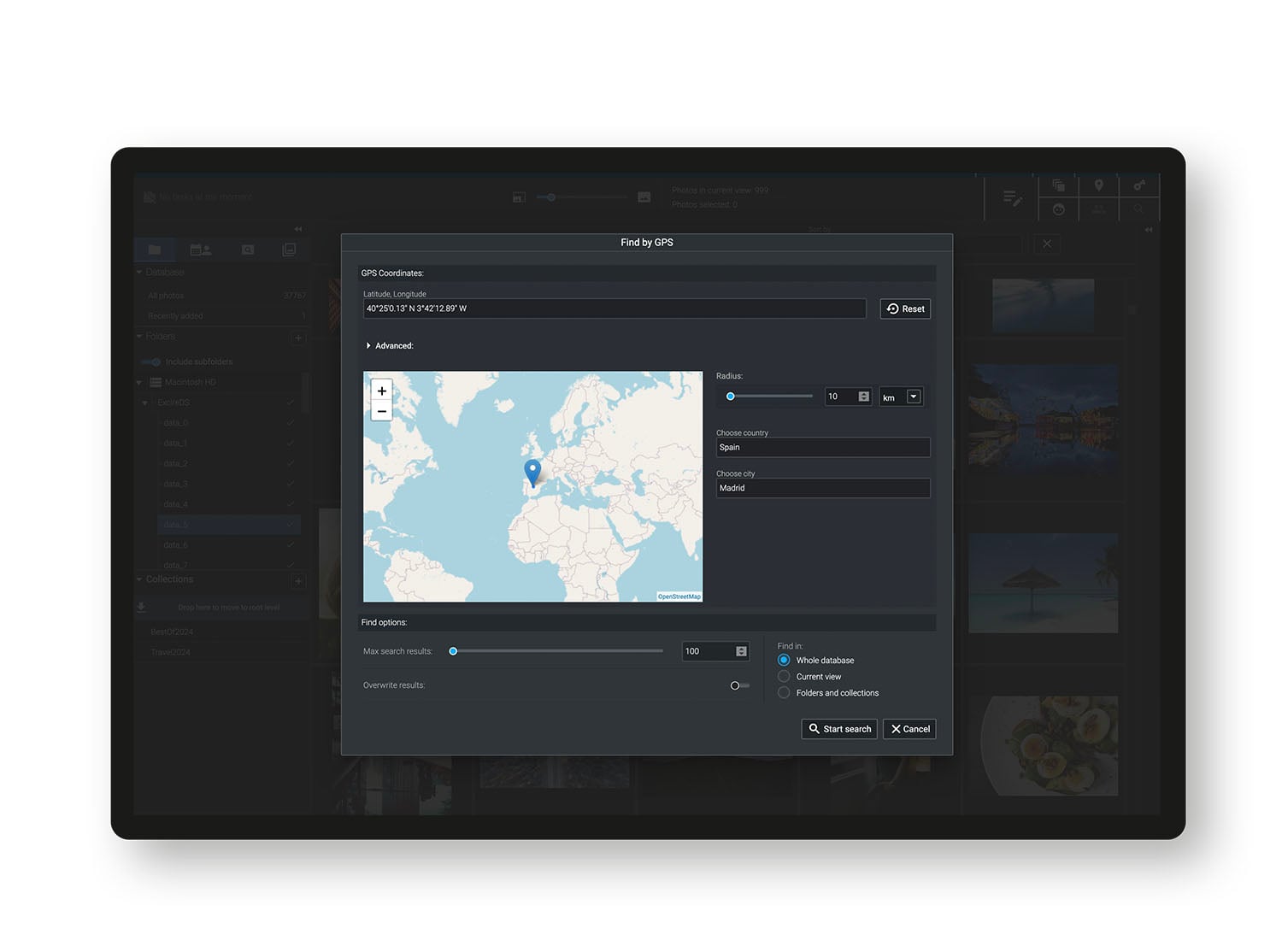
- GPS-based search
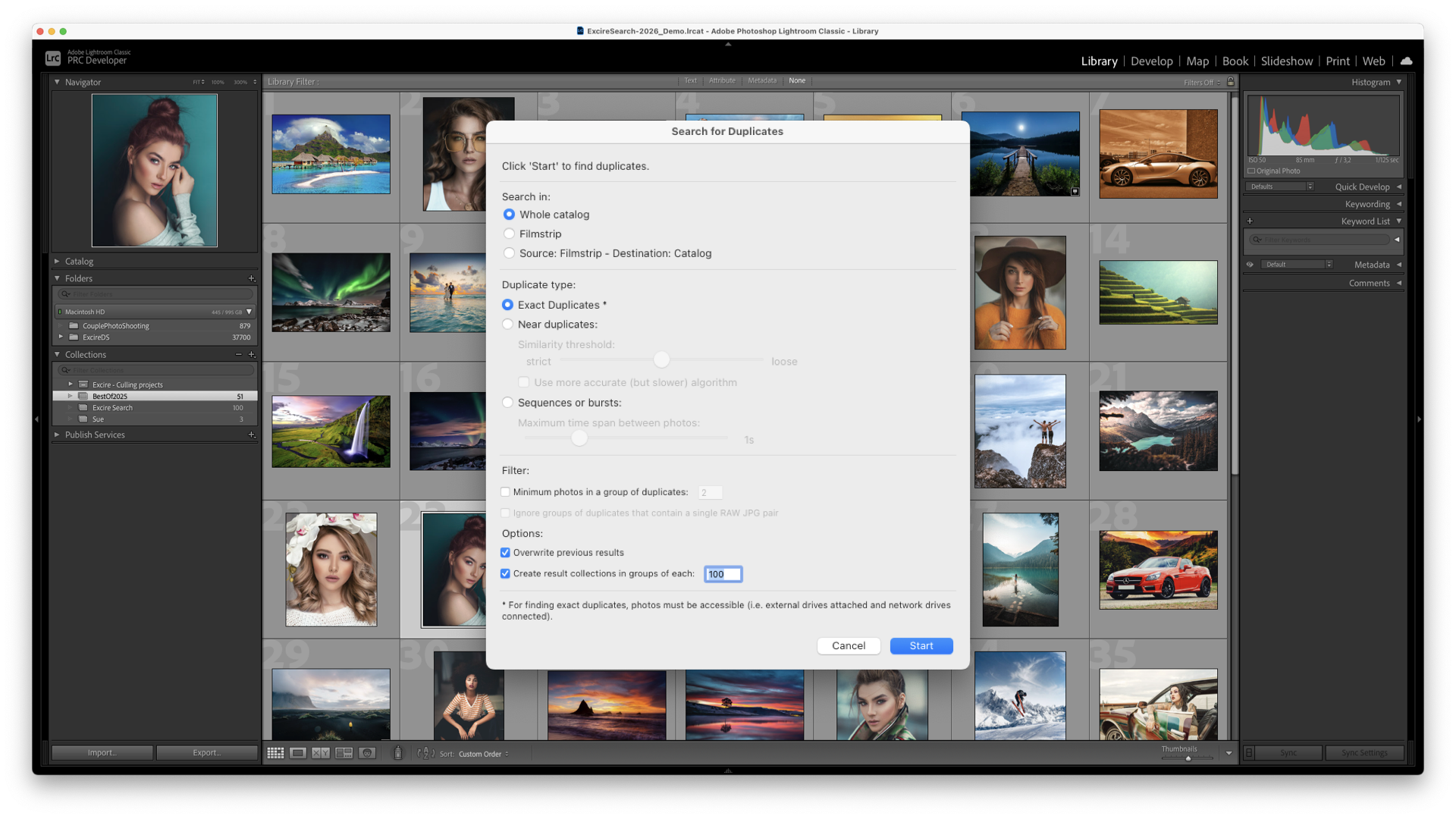
- Duplicate and near-duplicate detection
- Keyword search
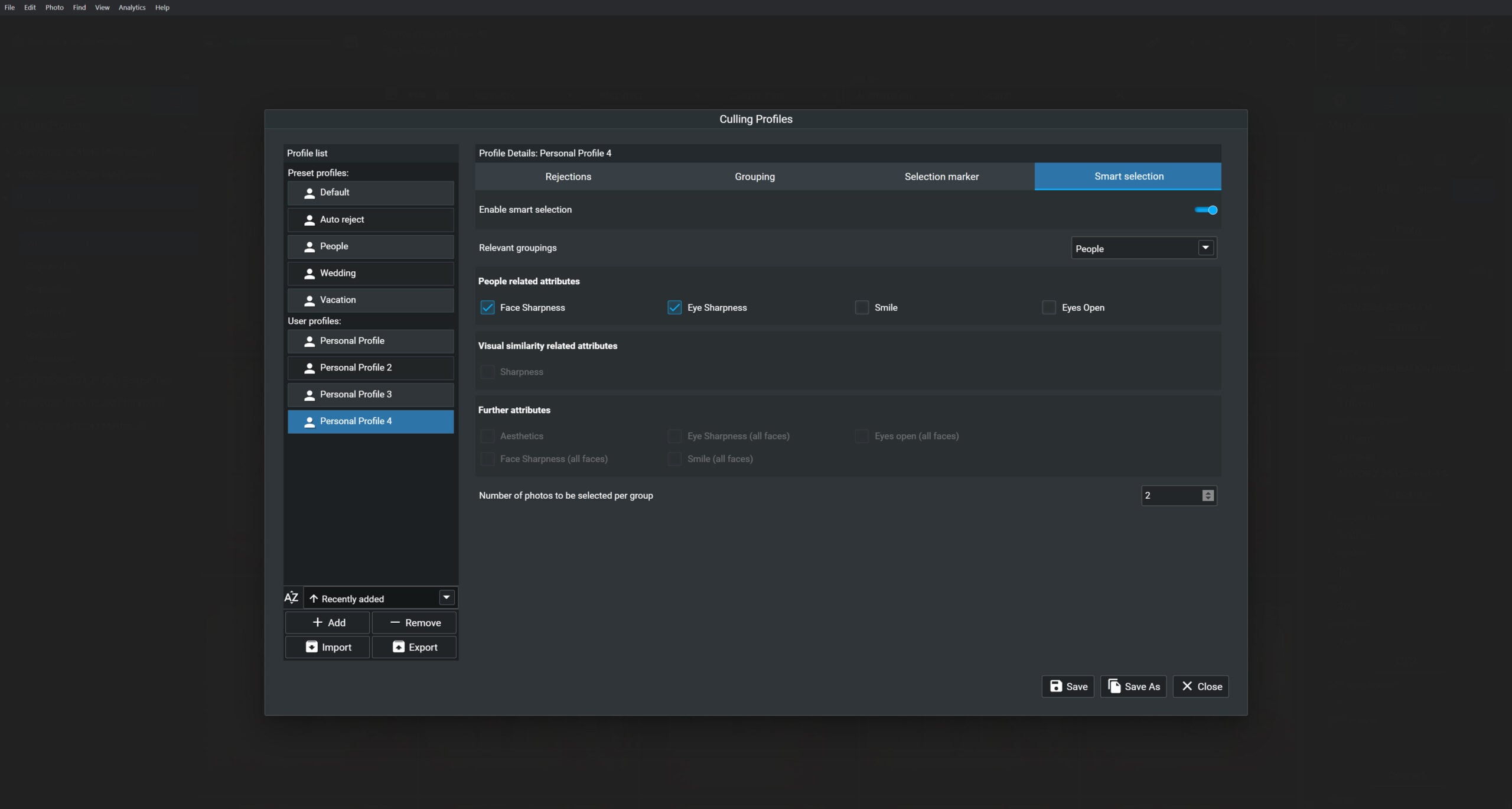
A major addition in Foto 2025 is the new smart culling module, which allows photographers to group and sort images by visual similarity, burst sequences, subject type, faces, capture date, and sharpness. The AI can act as a configurable assistant, suggesting selections, or be set to automatically flag the strongest images based on adjustable criteria, including eye sharpness and aesthetic score.

First Impressions
Excire Foto 2025 made a strong first impression simply by how quickly it brings order to chaotic libraries like mine. Unlike some other AI file management software, this didn’t require any time spent training the machine or uploading vast amounts of info. Large archives that would normally take hours to manually sift through became searchable in minutes once the analysis was complete.
The interface feels quite intuitive as well. I didn’t really feel the need to have to watch tutorial videos, you can simply dive straight in and figure it out by yourself, which for me is a huge incentive (who likes to read instruction manuals anyway?).
New features like the comparison view, face-zoom previews, and sharpness indicators make it easy to make confident selections without constantly opening images at 100%. The addition of Excire Analytics also offers an interesting overview of shooting habits, helping photographers spot trends in focal length use, camera bodies, or shooting patterns over time.
Excire in Real Workflows: What You Can Get Done Faster
Non-Stop Search Power
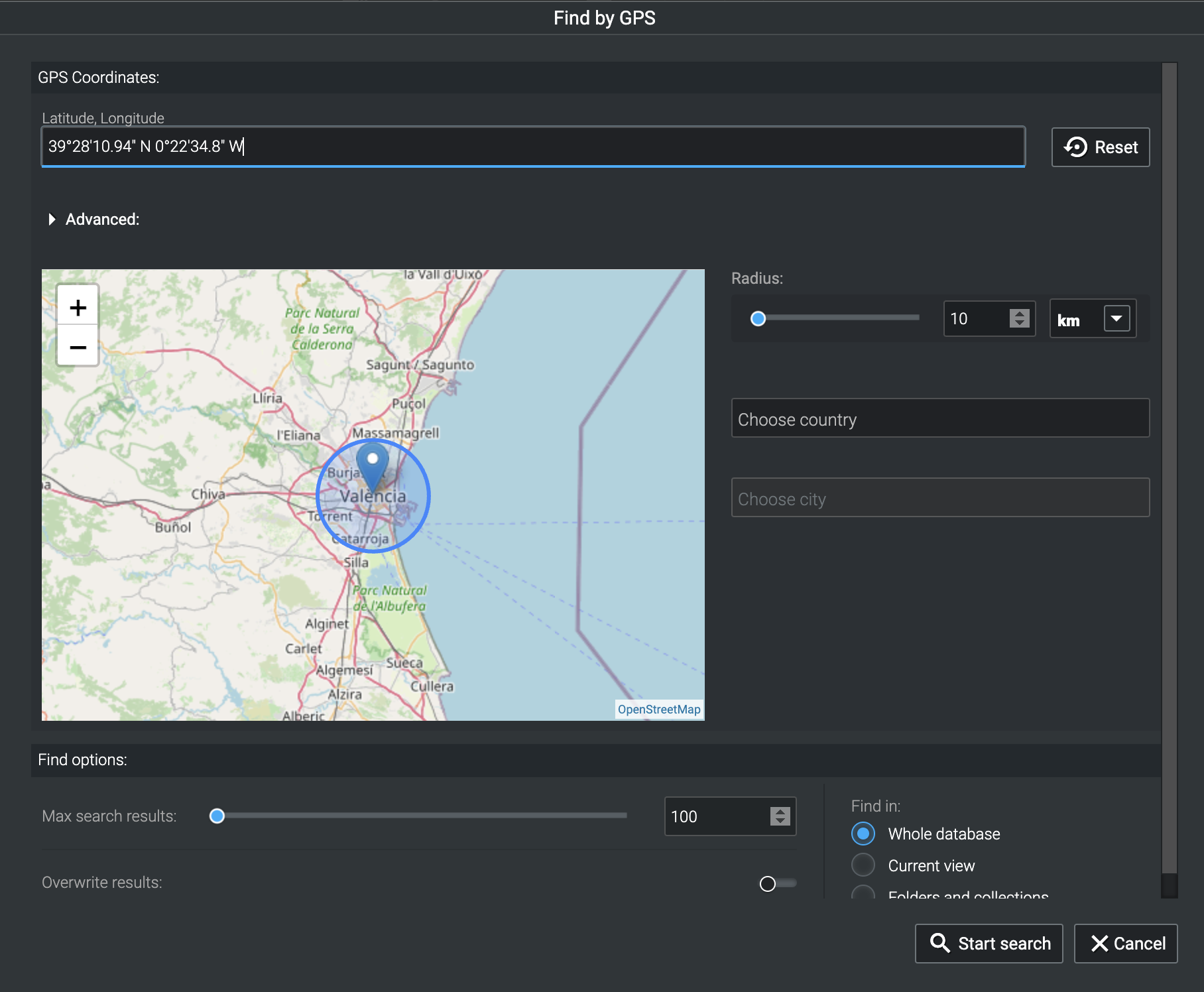
Excire’s biggest strength is how naturally the search function integrates into real-world workflows. Instead of trying to remember folder names or dates, you can simply describe what you’re looking for, because honestly, who has that kind of memory anyway? Prompt search, similarity search, people search, keyword search, and GPS filters work together to surface images no matter how deeply buried they are.
This is particularly useful for photographers revisiting older work, pitching concepts, or responding to client requests on short notice.
Speedy Culling
Culling is where Excire’s AI really earns its keep. Both Excire Search 2026 and Excire Foto 2025 allow photographers to identify technically strong images quickly by sorting and filtering based on sharpness, aesthetics, and facial focus.
The AI doesn’t replace creative judgment, but it dramatically reduces the number of images that need close inspection, which is especially useful for high-volume shoots like events, weddings, and portraits.
Culling has always felt like a bit of a punishment invented by someone who hates photographers. Excire at least makes it feel like a helpful assistant rather than a tyrant with a grudge.
Video Support: No More Manual Tagging
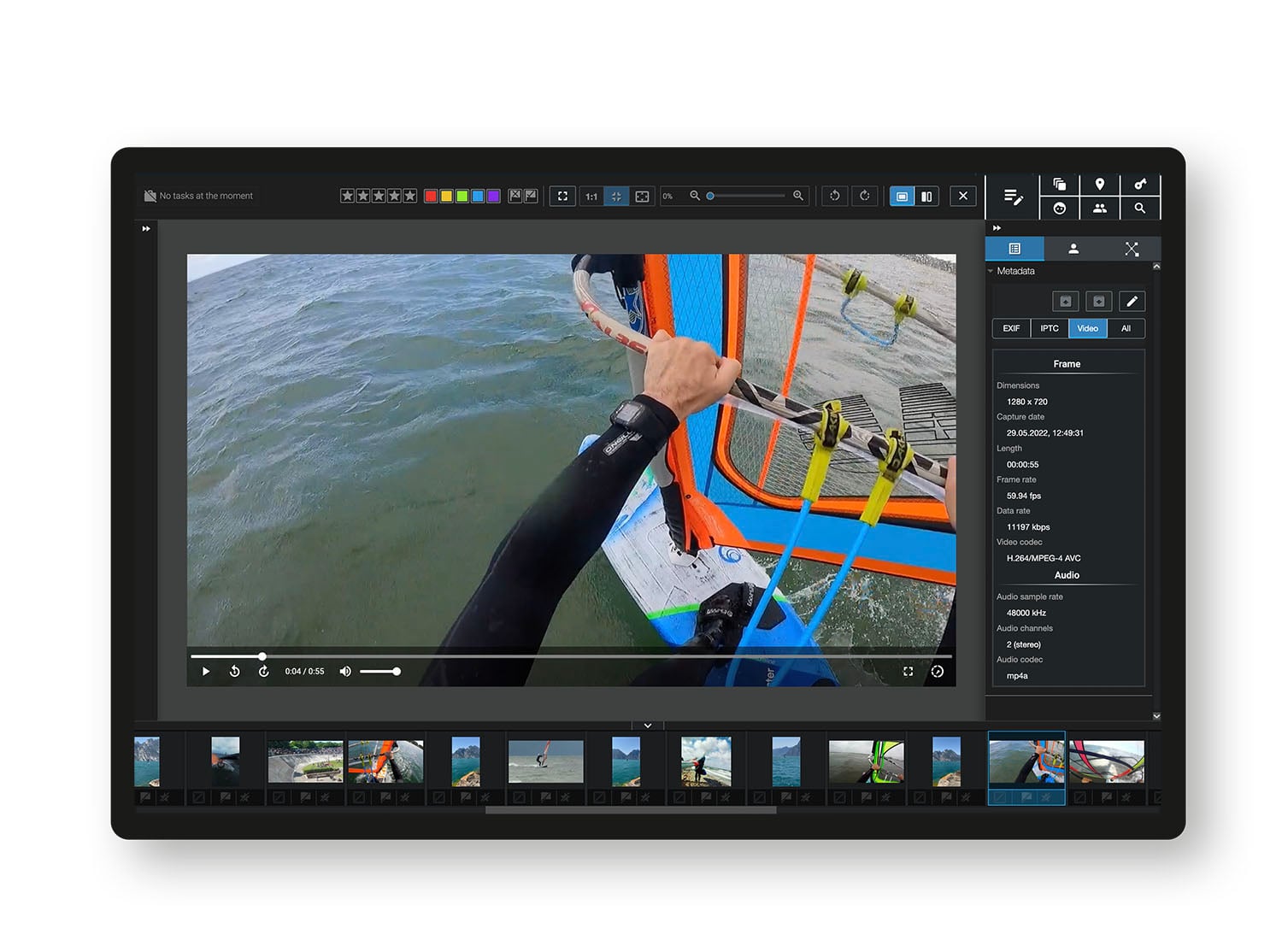
Both Excire products now offer full video support, allowing photographers and hybrid shooters to manage photos and video side by side. Excire analyses a representative frame from each video file and automatically applies keywords, making clips searchable using the same tools as still images. For creators who regularly mix photo and video, this removes a major organisational blind spot.
What Excire Doesn’t Solve And Why That’s Okay
Excire isn’t an editing tool, and it doesn’t try to be one. It won’t replace Lightroom, Photoshop, or Luminar Neo for creative work, but that’s intentional. Its role is to get photographers to the right images faster, not to tell them how those images should look.
Because all AI processing happens locally, Excire also avoids the privacy concerns that come with cloud-based tools. Images stay on the user’s machine, and control remains firmly in the photographer’s hands.
Used alongside editors like Luminar Neo, Excire becomes a powerful organisational front end, feeding selected images into whichever creative tools you prefer.
A Quick Reality Check: My Own Use Case
I’ll be honest: as a portrait, lifestyle, and branding photographer, my personal real-world use for Excire is more limited. Most of my projects are fairly self-contained; generally, I shoot, edit, deliver, and move on. Once a job is done, I rarely need to dig back into it months or years later.

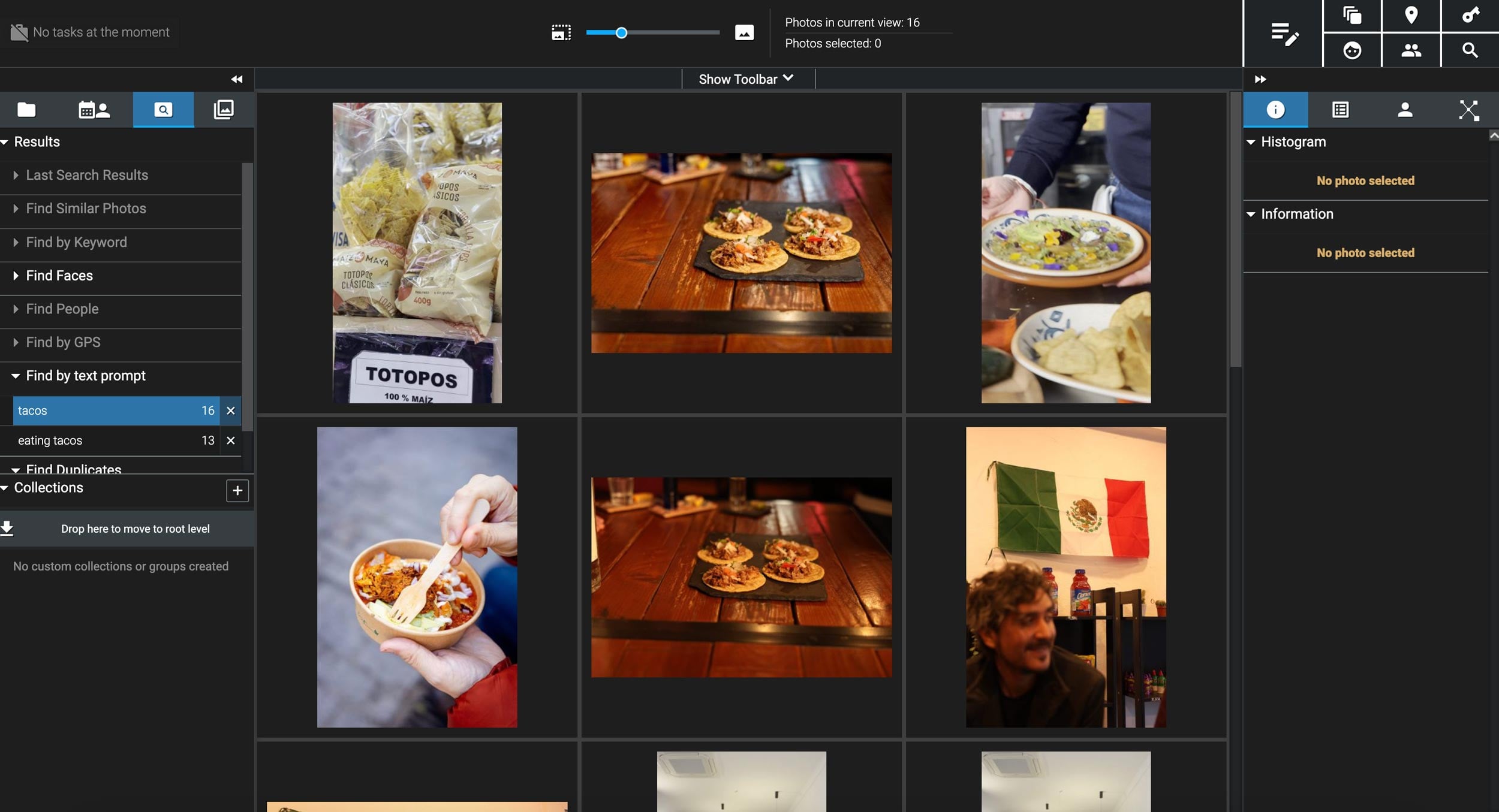
That said, after only five minutes of playing with Excire Foto, it was immediately obvious how powerful it could be in the right context. Searches worked extremely well straight out of the gate, even on unstructured folders, and the ability to find images by subject, location, or visual similarity felt genuinely impressive and was extremely fast.
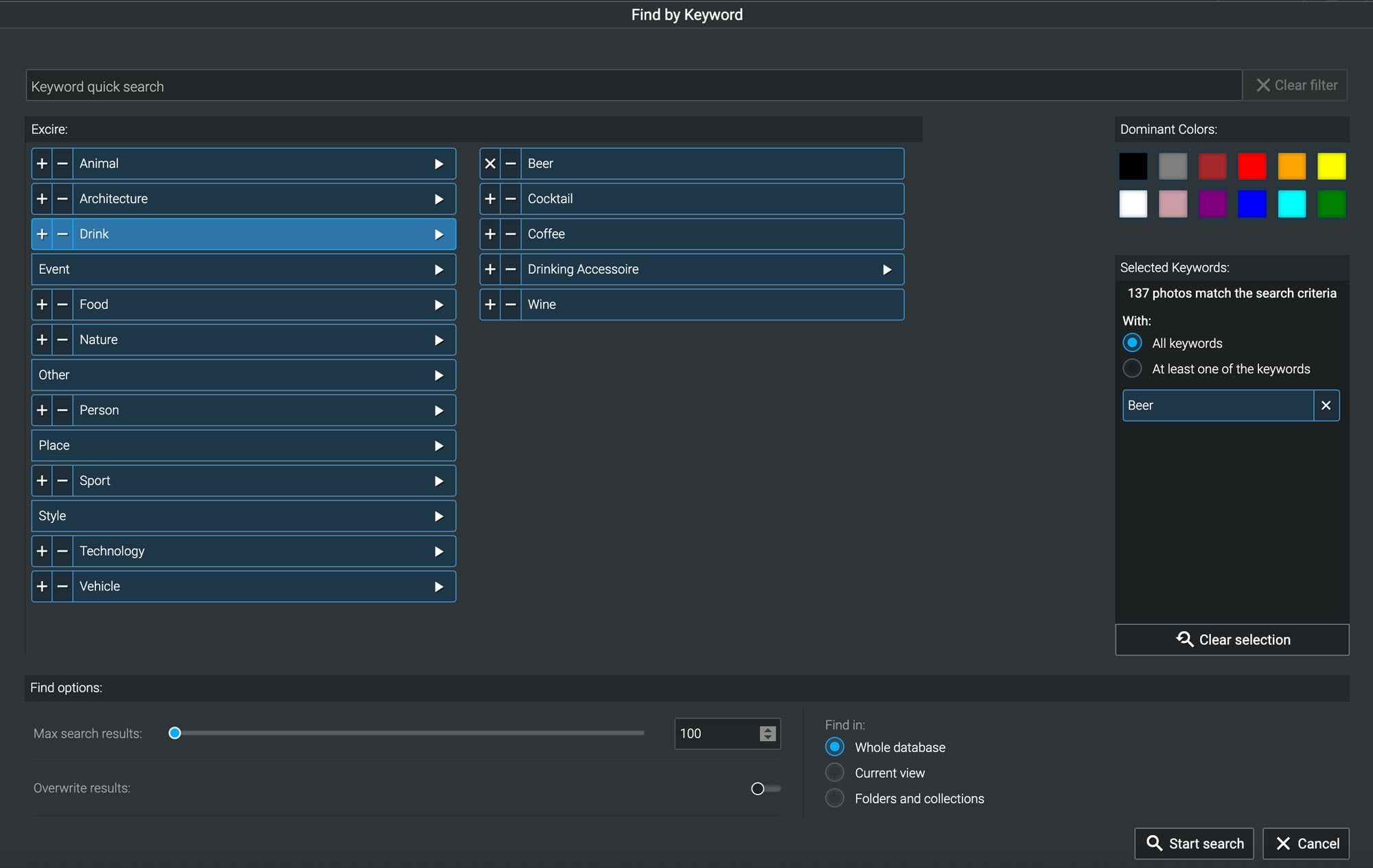
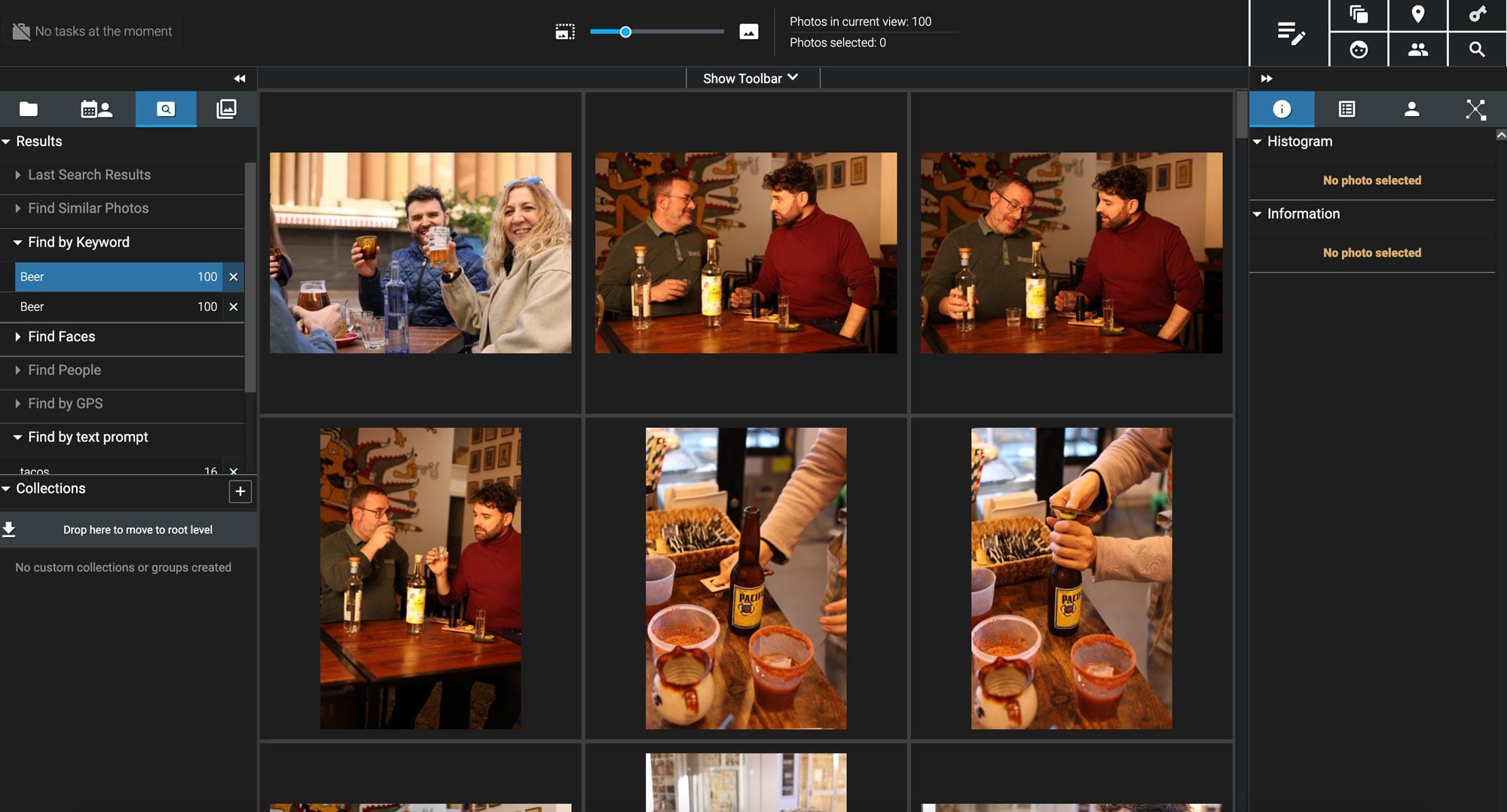
If I were managing a massive archive or working in a field where images are regularly reused, licensed, or recontextualised, this would be the kind of tool that becomes indispensable. For my own work, it’s more of a “nice to have” than a daily essential. But for photographers drowning in years of images and relying on memory and chaos to keep things afloat, then Excire feels like a huge help.
Who Is This For?
Excire really comes into its own when you’re dealing with large, long-term, reusable image libraries, the kind that grow year after year and don’t just get filed to the archives once a project is delivered.
It’s particularly well-suited to photographers who need to revisit, repurpose, or resell images over time, or who regularly search across multiple parameters rather than by project name alone. That includes:
- Concert, sport and event photographers, where finding a specific performer, moment, or interaction across years of shoots can otherwise be painful
- Travel photographers, especially those working across locations, environments, and recurring subjects
- Stock photographers, where being able to surface images by content, mood, people, or action is essential
- Nature and wildlife photographers, who often need to locate specific species, behaviours, or conditions
- Scientific and documentary work, where images may need to be retrieved later based on location, subject, or visual characteristics
In all of these cases, Excire’s ability to combine location data, people recognition, visual content, and natural-language search makes it far easier to surface the right images without having to rely on perfect keywording or meticulous folder structures.
Conclusion: Excire Feels Like A Shortcut to Productivity
Excire Search 2026 and Excire Foto 2025 don’t promise creative transformation, however, they do promise something arguably more valuable: saved time.
By removing the unnecessary friction from search, organisation, and culling, Excire allows photographers to spend less time managing files and more time actually working with images. The AI assists rather than replaces the user, offering smart suggestions without overriding creative decisions.
For photographers with growing archives and shrinking patience for manual organisation, Excire feels like a practical productivity upgrade that quickly pays for itself in reclaimed hours. Excire will stop you from wasting hours searching for photos you already took, and might even make you a better photographer by helping you analyse your images better.
Pricing and Availability
Excire Search 2026
Excire Search 2026 is available as a one-time purchase, which immediately sets it apart from many subscription-based tools in the photography space.
At the time of writing, pricing breaks down as follows:
- Full licence: approximately $229
- Upgrade pricing: discounted rates available for existing Excire Search users
There’s also a 14-day free trial, which allows you to test Excire Search inside your own Lightroom Classic catalogue before committing. For software that’s so closely tied to personal workflows, this makes a lot of sense — you can see real results with your own images rather than relying on demos or sample libraries.
Excire Foto 2025
Excire Foto 2025 follows the same one-time licence model, making it appealing to photographers who prefer to avoid ongoing subscription costs.
Current pricing sits at:
- Excire Foto 2025 standalone licence: $229
- Upgrade pricing: reduced rates for users upgrading from previous versions
As with Excire Search, Excire Foto includes a 14-day free trial, giving you enough time to analyse a meaningful portion of your archive and decide whether it fits your workflow.
For photographers managing large libraries across multiple drives, the pricing feels reasonable when weighed against the time saved on searching, culling, and rediscovering images that would otherwise stay buried.
Bundle Option: Excire Search + Excire Foto
For photographers who want maximum flexibility, Excire also offers a bundle option that includes both Excire Search and Excire Foto at a reduced combined price. This setup works well for users who rely on Lightroom Classic for active projects but also want a standalone solution for browsing and managing older archives outside of Lightroom.
Disclaimer: This post is part of a paid partnership with the featured brand. While sponsorship supports our work, all editorial content is independently written and reflects the voice and standards of DIYP. We only cover products we believe are relevant, trustworthy, and of interest to our readers.
See more from DIYPhotography.net on Google
Add DIYPhotography.net as a trusted source. This makes
our stories more likely to appear in your Google Search results.
 Add as a preferred source on Google

Alex Baker
Alex Baker is a portrait and lifestyle driven photographer based in Valencia, Spain. She works on a range of projects from commercial to fine art and has had work featured in publications such as The Daily Mail, Conde Nast Traveller and El Mundo, and has exhibited work across Europe




Join the Discussion
DIYP Comment Policy
Be nice, be on-topic, no personal information or flames.