

























Nik Silver Efex and Color Efex Get Practical Upgrades in Nik Collection 8
Aug 30, 2025
Dunja Đuđić Kalinin
Dunja Djudjic is a multi-talented artist based in Novi Sad, Serbia. With 15 years of experience as a photographer, she specializes in capturing the beauty of nature, travel, concerts, and fine art. In addition to her photography, Dunja also expresses her creativity through writing, embroidery, and jewelry making.
Share:

While the big headline for Nik Collection 8 is its improved Photoshop integration, some of the most meaningful changes are within the plugins themselves. In this release, DxO has focused on making Silver Efex and Color Efex more intuitive to use, with a few long-requested updates that bring better control and a smoother workflow.
Silver Efex Adds Helpful Reference and Local Tools
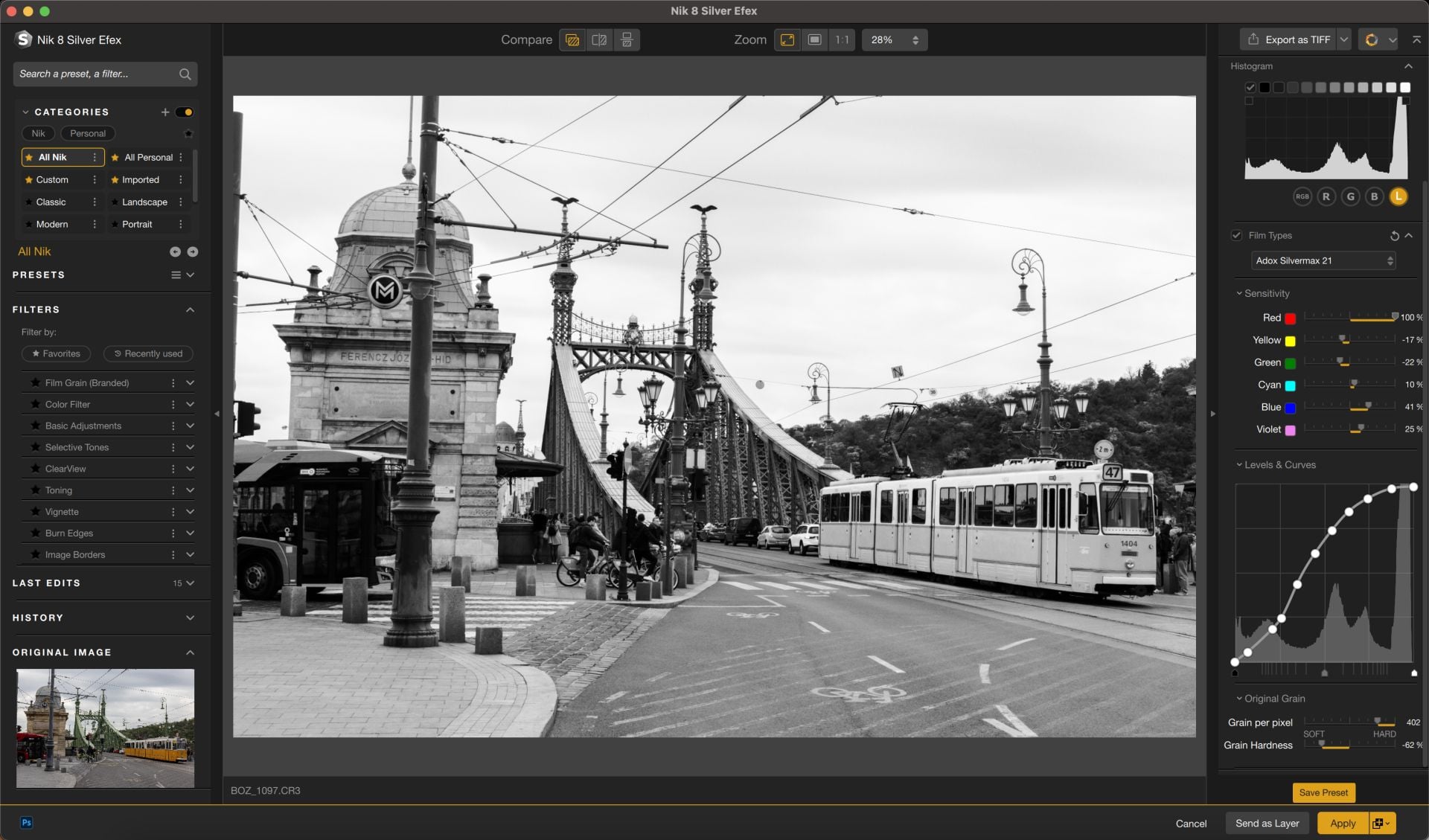
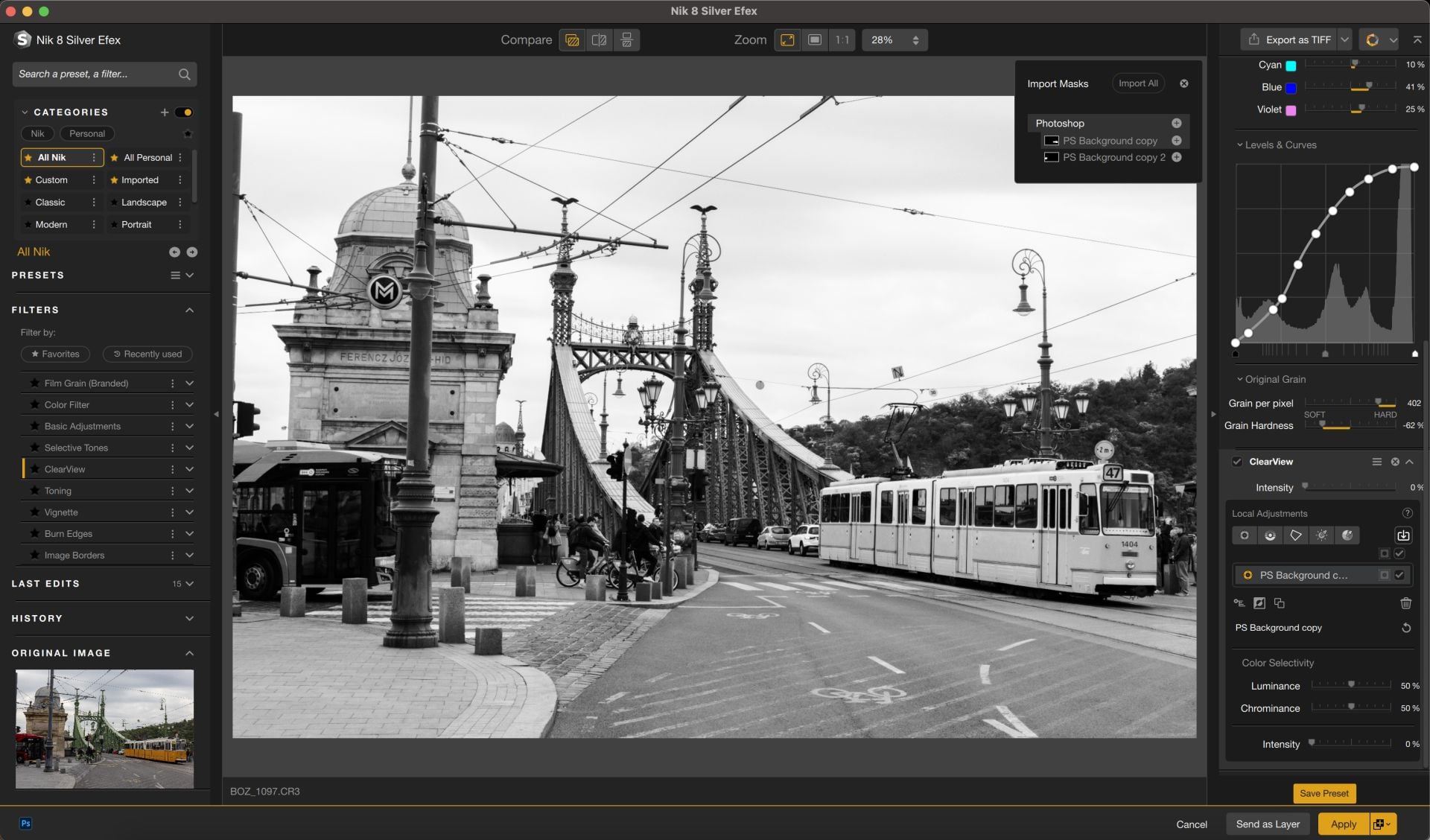
Silver Efex has been a go-to for black-and-white conversion for years. In Nik Collection 8, DxO has made several adjustments aimed at making it a bit more predictable and a lot easier to use. One particularly useful new feature is the ability to view the original color image while working in black and white. It might sound simple, but it gives better context when using tools like Color Filters or tweaking sensitivity sliders – especially for users who rely on selective contrast based on the original hues.
The interface has also been adjusted to bring it in line with other Nik plugins. Filters now stay on the left until applied, and once selected, only the relevant settings appear on the right. This should make it easier to keep track of what’s active, especially when working with multiple effects.
Other updates include new Local Adjustment tools, notably ClearView and Selective Tones. You can apply these to specific areas of the image. The latest Nik Collection also expands Filter Looks, so each filter includes a few ready-made versions for quick use.

Color Efex Gets Color Masks for More Targeted Adjustments
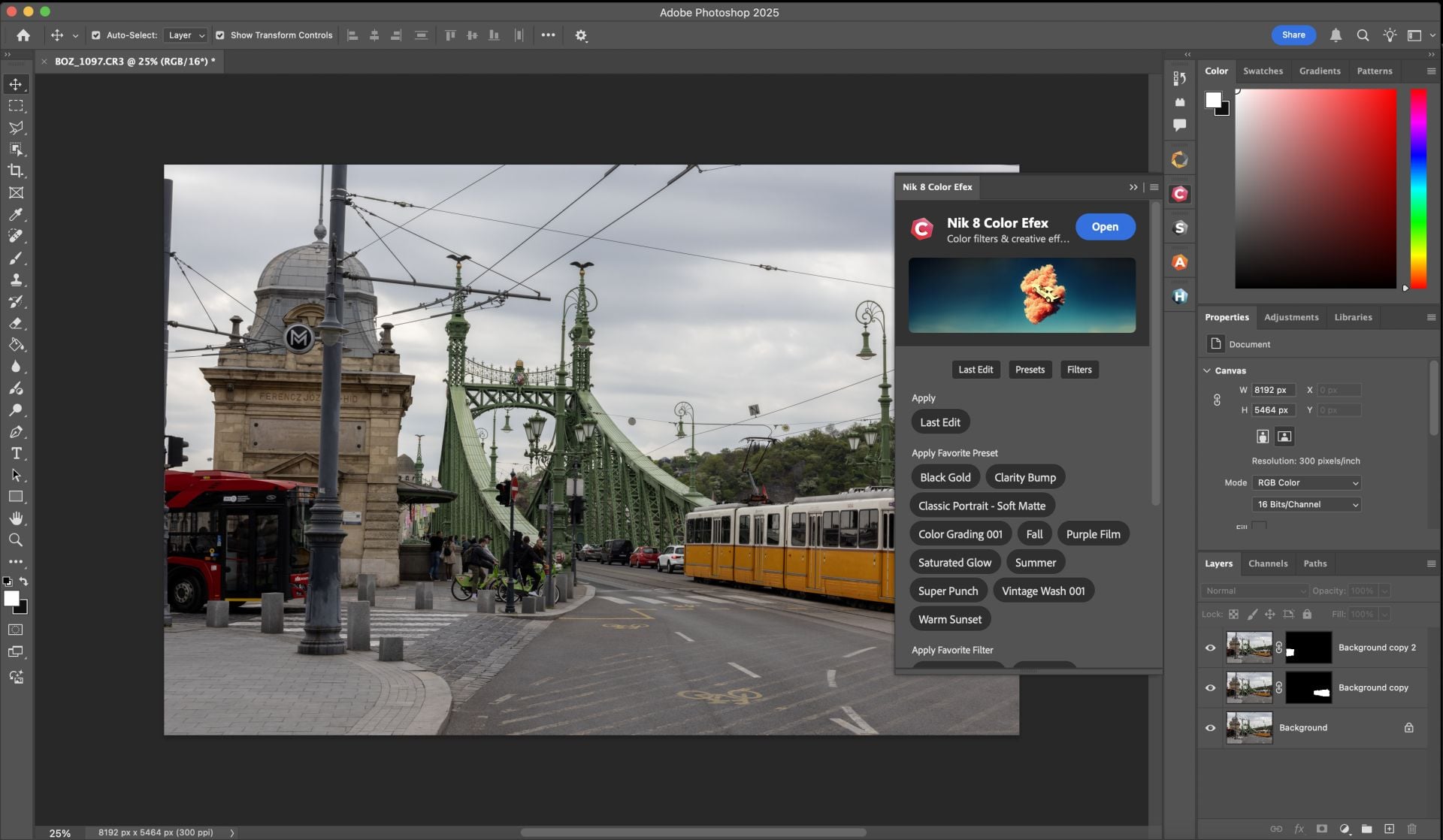
Color Efex is another Nik Collection staple, and it also gets an important update. In the Nik Collection 8, you can now use Color Masks to limit adjustments to specific hues in the image. It’s a straightforward tool: click on a color, refine the selection, and make your adjustments. This gives you more control over how you apply the effects, which is especially useful when working with gradients, split tones, or complex color grades.
Streamline Export Options and File Handling
DxO has also improved how the suite handles exports. First, they have tweaked the Quick Export tool to make TIFF format switching easier. And second, the export options are now easier to access and customize without digging through extra menus. These are subtle changes, but they make the end-of-edit process faster, particularly when batch-editing or working under time pressure.
Pricing and Availability
Nik Collection 8 is available now for macOS and Windows. The suite costs $159.99 / €159.99 / £145.99 for a new license. The upgrades from version 6 or 7 are available at $89.99 / €89.99 / £79.99. If you’re not sure yet, you can try it first as a free 30-day trial is available on DxO’s website. And if you’re planning to pick it up, DIYP readers can take 15% off the price with the promo code DIY15 at checkout.
Disclaimer: This post is part of a paid partnership with the featured brand. While sponsorship supports our work, all editorial content is independently written and reflects the voice and standards of DIYP. We only cover products we believe are relevant, trustworthy, and of interest to our readers.
See more from DIYPhotography.net on Google
Add DIYPhotography.net as a trusted source. This makes
our stories more likely to appear in your Google Search results.
 Add as a preferred source on Google

Dunja Đuđić Kalinin
Dunja Djudjic is a multi-talented artist based in Novi Sad, Serbia. With 15 years of experience as a photographer, she specializes in capturing the beauty of nature, travel, concerts, and fine art. In addition to her photography, Dunja also expresses her creativity through writing, embroidery, and jewelry making.
Related Posts
 Nik Collection 8 Brings Smarter Photoshop Integration, Better Masks, and Big Upgrades to Silver and Color Efex
 For $50 you can get the newly announced Nik Collection by DxO
 Nik Collection 7 brings improved masking and selections
 DxO Releases Nik Collection 9 With AI Masking, Depth Maps, and New Analog Filters
Join the Discussion
DIYP Comment Policy
Be nice, be on-topic, no personal information or flames.