




















Insta360 GO Ultra – Larger Sensor, Bigger Battery and microSD Card Slot
Aug 21, 2025
John Aldred
John Aldred is a photographer with over 25 years of experience in the portrait and commercial worlds. He is based in Scotland and has been an early adopter – and occasional beta tester – of almost every digital imaging technology in that time. As well as his creative visual work, John uses 3D printing, electronics and programming to create his own photography and filmmaking tools and consults for a number of brands across the industry.
Share:

Last year saw the release of the Insta360 GO 3S, the latest in the company’s popular GO series of tiny cameras. Targeted primarily towards consumers for travel vlogging and documenting vacations, it was also used by many professionals.
Now, Insta360 has added a new prosumer-focused model to the GO series, with the Insta360 GO Ultra. It brings many much-demanded features, including a larger sensor, almost double the battery life, and the ability to record directly to microSD cards.

Insta360 GO Ultra – The Basics
The Insta360 GO 3S was commonly used by professionals for shooting behind-the-scenes and first-person footage. When you can see what a person’s doing from their perspective, it feels much more immersive, like you’re there doing it with them.
I’ve used it this way myself in my own videos. But it’s not ideal for such uses. It doesn’t have great battery life, so you need to recharge it quite regularly. And if you’re shooting a lot, transferring the footage can often feel quite slow, limited to the speed of the Action Pod’s USB socket.
And while the GO 3S was much improved over the Insta360 GO 3 when it comes to low light, it still wasn’t as good as the Insta360 Ace Pro. The Insta360 GO Ultra helps to overcome this limitation by upgrading from the 1/2.3″ sensor in the GO 3S to a new 1/1.28″ sensor, along with a 5nm AI chip similar to that found in the Insta360 Ace Pro 2 and the original Ace Pro.

To help power this new AI chip, and to keep the camera running for longer, the battery has beenupgraded, bringing the 38 minutes runtime of the GO 3S up to 70 minutes in the GO Ultra, with a total of three hours when using the Action Pod.
The biggest feature in the Insta360 GO 3S over the GO 3 was the introduction of 4K video. But its 4K was capped at 30fps. This was disappointing to those who wanted to use it alongside the Ace Pro 2 at 4K60. Well, now, the GO Ultra also offers 4K at 60 frames per second.
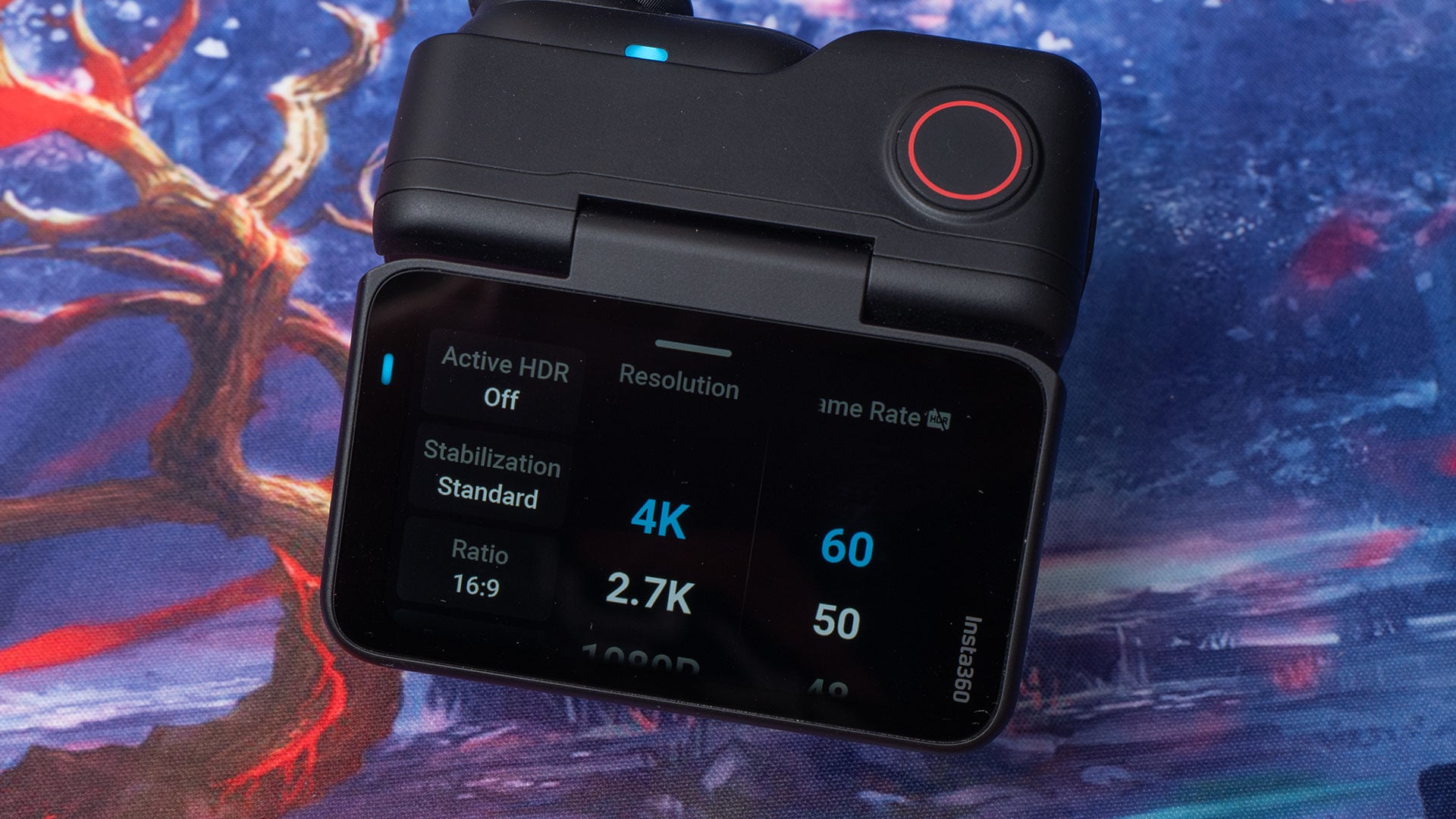

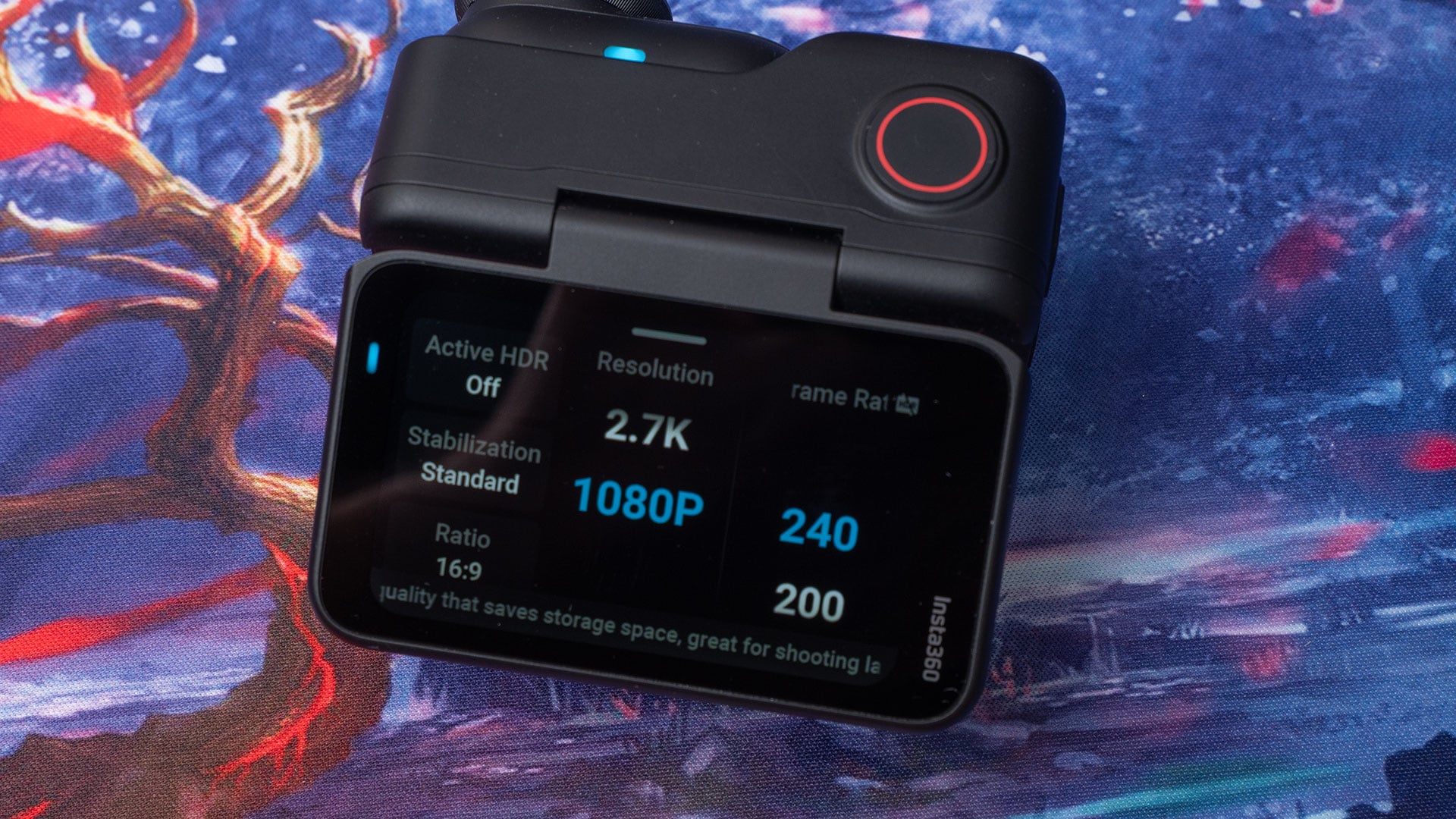
And to help you store all those extra frames, the internal storage has gone. No more multiple size options that can’t be upgraded. Oh no, the Insta GO Ultra now offers a microSD card slot, supporting drives up to 2TB.
There are, of course, some minor tweaks and a bit of a design change, but those are the highlights. Let’s look at some of these a little more in-depth.
What’s included? First Impressions
Inside the box, we get the usual assortment of goodies that come with the Insta360 GO series cameras. We get the camera itself, along with its Action Pod, a pendant to wear the camera FPV-style on your chest, and a clip, allowing you to attach it to your cap.
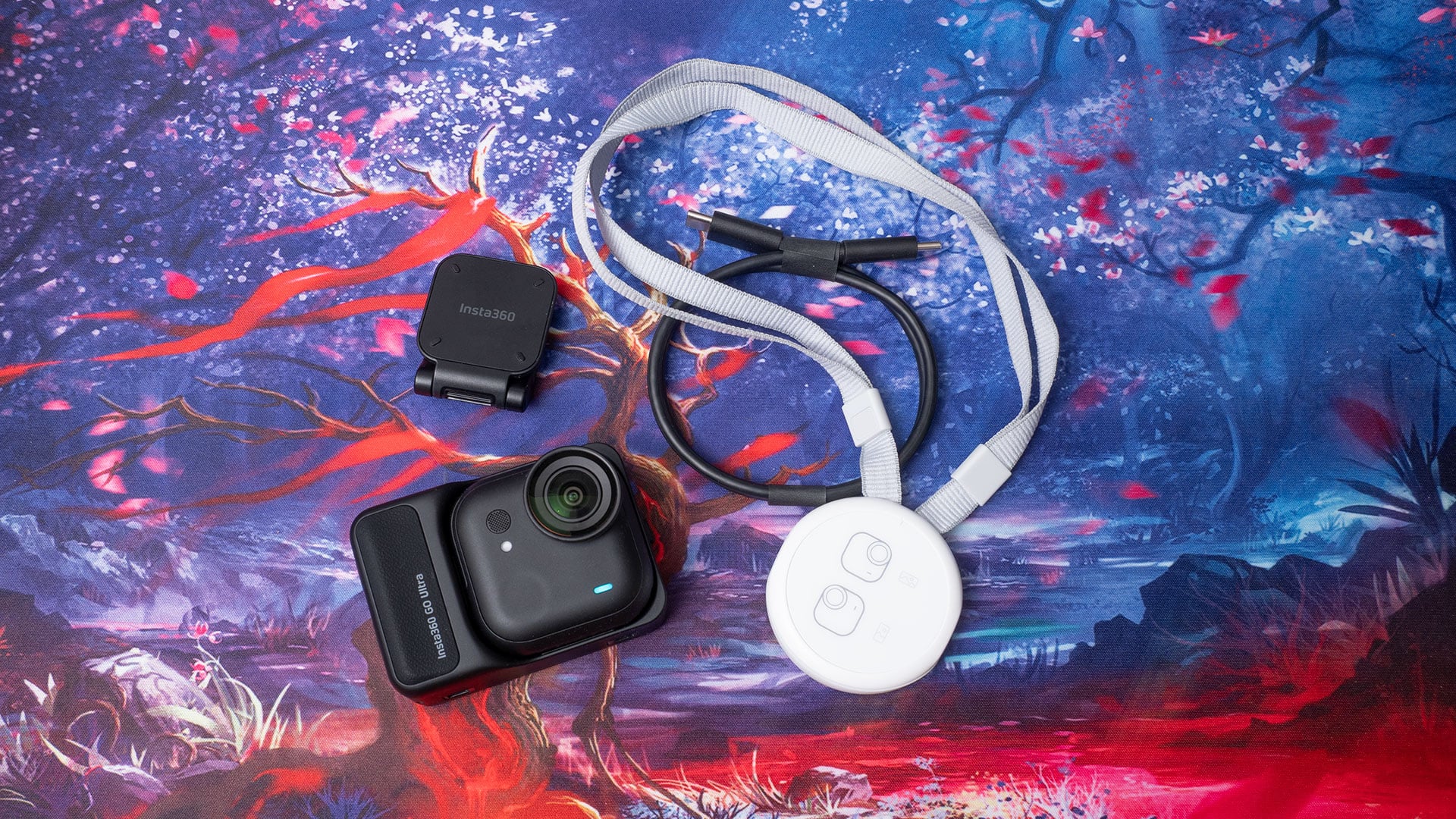
The Action Pod for the GO Ultra is pretty similar in size to that of the GO 3S. It’s now more in line with a typically sized action camera, like the Ace Pro 2 or a GoPro. This Action Pod increase also comes with a screen size boost. The camera itself, though, is significantly larger – at least from the front – and a fair bit heavier. We’ll get back to this, though.
Charging is as simple as any other action camera these days. Just plug it into a USB charger and wait. As usual, there’s no charger included, but most of us already own a USB-PD charger or a computer with USB-PD charging capabilities.
Once charged, just fire up the Insta360 app on your phone and activate the camera.
The Specs
Many of the features of the Insta360 GO 3S have been retained with the GO Ultra. It’s still compatible with Apple Find My, it’s still waterproof to 10 metres (the camera, not the Action Pod), it offers QuickCapture, voice control, gesture control, and everything else you loved about the GO 3S.
But as mentioned above, the Insta360 GO Ultra also features some significant upgrades over the Insta360 GO 3S. We’ll go through some of these below, and we’ll talk about some of the things that I think could still be improved.
To be clear, the Insta360 GO Ultra is a great little camera, and it definitely outshines every other GO series camera that Insta360 has released before it, but it’s not perfect. But then, which camera is?
Larger Sensor With 4K60p Recording
One of the most welcome features of the Insta360 GO Ultra is the fact that it shoots 4K footage at 60 frames per second – and 240fps at 1080p. This will be great for those using GO cameras to shoot behind-the-scenes and first-person footage, mixing it with footage from drones and mirrorless cameras.
No longer do you need to mix frame rates on your timeline, which often look stuttery when played back in the final edit. Now, you can mix it with anything and keep a seamless frame rate throughout – assuming you set them all the same beforehand.
One thing that will be a slight disappointment to some users, though, is that it doesn’t shoot 10-bit. While it won’t be an issue for many, it will make matching the colour and tone of footage from other cameras more challenging.
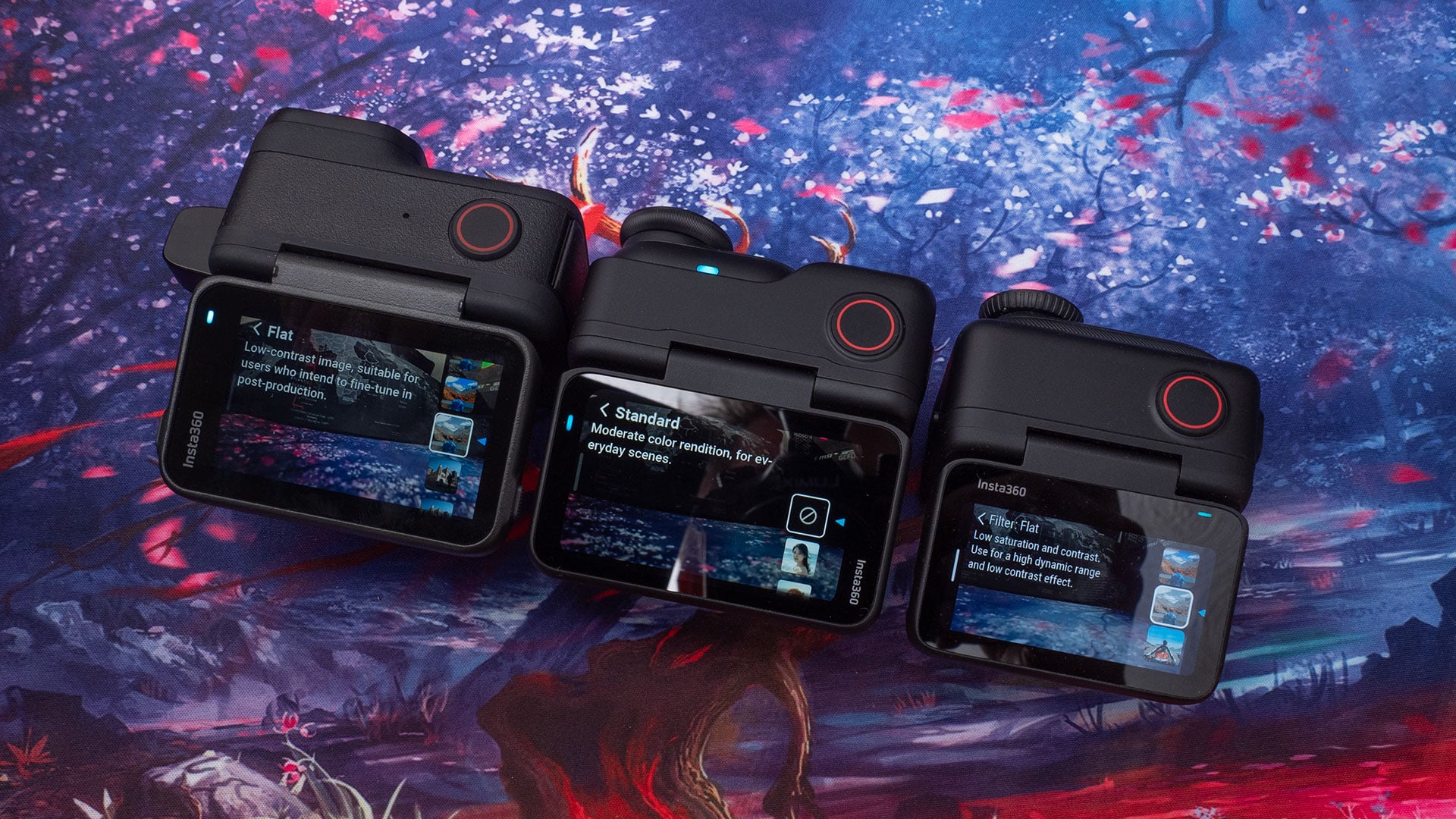
Insta360 has carried on a somewhat annoying trend with the Insta360 GO Ultra, too, and that’s the colour profiles. They’re different from the GO 3S, and they’re different from the Ace Pro 2, making correction even more challenging when mixing footage from different models. There are a couple of shared profiles, but they don’t look the same.
It’s not impossible to get the colour close enough that it all fits, but it is something to be aware of. Do yourself a favour and get a ColorChecker Video.
[colorchecker video]
Larger Sensor & AI Chip for Low Light
To help with low-light shooting, which is common when used as a chest-worn first-person camera, the Insta360 GO Ultra features a larger 1/1.28″ sensor. That’s 221% larger than the 1/2.3″ sensor in the Insta360 GO 3S.
This increased size allows for better low-light performance and bumps up the maximum available ISO by a whole stop over the GO 3S. It’s also equipped with an ambient light sensor and a 5nm AI chip to further enhance its low-light shooting abilities.

For those regularly shooting in dimmer conditions, the GO Ultra will make a significant difference to the quality of footage you capture. This is enhanced further by its anti-shake features.
This will probably be my primary use for the GO Ultra going forward. It’ll allow me to shoot FPV style footage while doing things indoors with much higher quality than the Insta360 GO 3S, and you’ll see some examples of that in some of our upcoming reviews.
Size, Weight and Attaching it to Stuff
The GO 3S (and GO 3) measures 25.6mm wide by 54.4mm tall and 24.8mm thick, weighing a mere 39g. The GO Ultra, on the other hand, sports a new square(ish) format, at 46×45.7×18.3mm. Shorter and thinner, but wider. The weight’s gone up to 53g, which is about 35% heavier than the GO 3S, but that’s not an unreasonable increase, especially for the battery life it offers.
Now, some might think this heavier weight makes it less useful when moving, as there’s more strain on the magnets – yes, it also has a magnetic back like the other GO cameras. This isn’t the case, though. Because it’s wider, the magnet can cover more area, resulting in an increased hold. I’ve had the GO 3S fall off a couple of times during use, but I’ve not felt concerned with the GO Ultra at all so far in that respect.

The pendant is a new design, offering a flatter, more comfortable strap to hang from your neck. If you felt that string from the old pendants digging into your neck after a while, you shouldn’t have any issues with this one.
As for the extra weight… it’s a pretty minimal difference, really. You do notice it in your hand, especially when comparing it side-by-side with the GO 3S. But when it’s attached to the pendant on your chest, you don’t notice that there’s anything there at all.
While I haven’t used the cap mount much, in my brief tests with it, it, too, felt like it had a very strong hold. I’ll be doing more tests with the cap mount in the coming weeks as the weather starts to present more reasonable camping conditions.
New Form Factor and microSD Card Slot
This one is a huge feature for prosumers and professionals who use tiny cameras. All of the previous model GO series cameras feature built-in storage. The Insta360 GO 3S comes in 64GB and 128GB options, and there’s no way to upgrade them once you’ve made your choice.
If you buy the 64GB model, you’re stuck with it unless you sell and buy a whole new camera. That’s no longer an issue with the GO Ultra. I’ve been testing it with Insta360’s own 512GB and the 1TB SanDisk Extreme Pro microSD cards.

As well as allowing for more storage, the separate microSD card allows for faster file transfers, too. Sure, you’re still limited by the speed of the camera’s USB port if you’re using the camera as a card reader. But you also now have the ability to take the storage out of the camera and use a dedicated card reader to transfer as quickly as the card will let you.
This appears to be why there’s no quick reader for the Insta360 GO Ultra – at least, they haven’t announced one yet. When you can take the card out of the camera and just use a regular card reader, it doesn’t really need one. That being said, it would be nice to see one for those editing on mobile devices, where the Insta360 app doesn’t tend to play well with regular USB card readers.
Shoot for longer with a bigger battery
Being able to use memory cards far larger than the internal storage in the GO 3S and other models means you need longer battery life to be able to fill it up with fewer interruptions. The Insta360 GO 3S offers a modest 38 minutes using a 310mAh battery.
This has been significantly increased in the Insta360 GO Ultra, with its 500mAh battery providing up to 70 minutes of continuous shooting. The Action Pod, too, has seen an increase from 1270mAh to 1450mAh, bringing the overall shooting time up from 140 minutes to 180 minutes.
It’s also faster at charging. A fast charge from 0-80% only takes 12 minutes, while the Action Pod can go from flat to 80% in just 18 minutes. As long as you’ve got a suitable USB-PD power bank or charger, you can keep going until your card fills up.
Shooting with the Insta360 GO Ultra
I’ve mentioned some of this up above, particularly in relation to the new pendant, but shooting with the GO Ultra is largely the same as shooting with the GO 3S and GO 3. Except, with that larger Action Pod, we also get a larger display.
This is a surprisingly good quality-of-life improvement with the GO Ultra that made much more of an impact than I anticipated. It’s a relatively tiny increase, officially going from 2.2″ to 2.5″, but when looking at the GO 3S and GO Ultra side-by-side, the difference is pretty massive.
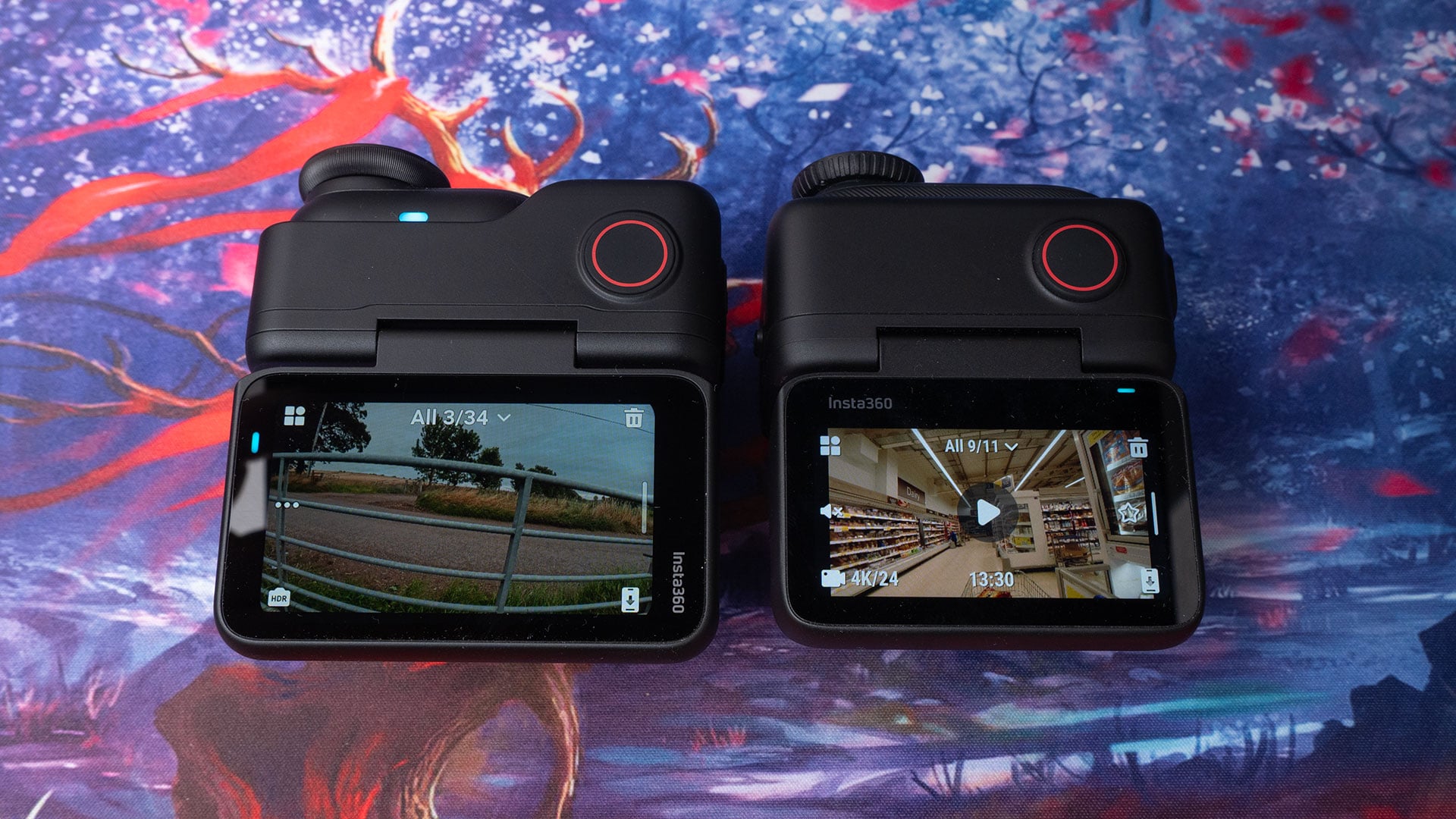
The new screen brings it in line with the screen on the Insta360 Ace Pro 2, and provides a similarly clear view of your scene, with a higher resolution. Insta360 hasn’t said exactly what the resolution of the GO 3S and GO Ultra displays are, but it’s noticeably sharper.
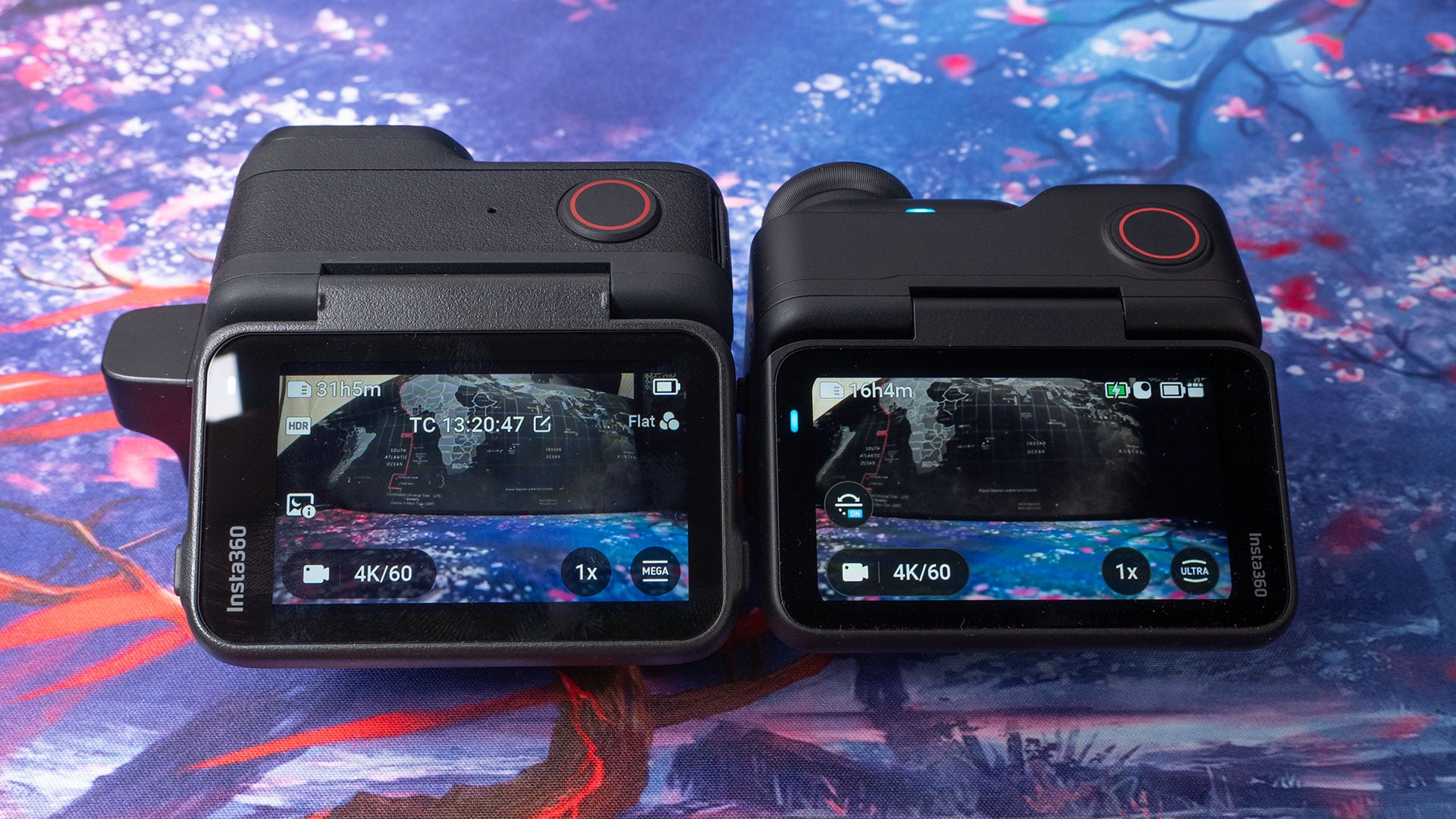
The Action Pod was very responsive. Of course, there is some very slight latency when displaying the camera’s feed on the display, but it’s not an inconvenient amount by any means. It’s a touch quicker than the GO 3S, so if you’re happy with the GO 3S latency, the Go Ultra’s latency won’t bother you.
4K 60fps works really well, although there is a slight crop when shooting at 60fps vs 30fps. It’s not a massive difference, though. It’s similar to the slight crop you see with the Ace Pro 2 when shifting from 4K 60fps to 120fps.
Yet Another New Quick-Release Mount
When Insta360 released the Insta360 X5 360-degree camera earlier this year, I thought they’d finally listened to users about the accessories they provide with their cameras. The Insta360 X5 uses the same quick-release mount as the Insta360 Ace Pro and Ace Pro 2. This makes it easy to switch between cameras using the same sticks and tripods.
The Insta360 GO 3 and GO 3S also have a quick release mount, which they share with each other, but it’s not compatible with the AP, AP2 and X5 mounts. I was really hoping that we’d see the same quick-release mount being used again with the GO Ultra.

Sadly, no. While it does have a built-in quick-release mount, it’s different from the GO 3, the GO 3S, the Ace Pro, the Ace Pro 2 and the X5. It’s an entirely new quick-release mount that isn’t compatible with anything.
This is such a shame, as the GO Ultra is being marketed as a prosumer camera, the same as the Insta360 X5 and Ace Pro 2 cameras. One day, hopefully, Insta360 will learn that while prosumers like shiny new toys, they also like consistency and compatibility between them.
More Slightly Annoying Things…
These probably wouldn’t be so annoying if Insta360 weren’t pitching it as a “prosumer” camera. They’re not going to be dealbreakers for many people, but despite being the best in the GO series lineup, I do think Insta360 could have done a bit better.
No 10-bit Video, the Quick-Release Mount, No Streaming
10-bit colour video is something that people have been begging Insta360 for for months – if not years. I can understand Insta360 not wanting to add that to the GO Ultra, though, when it also doesn’t exist in their flagship Ace Pro 2.
Hopefully, we’ll see this come in the next iterations of both product lines. Hopefully, they’ll also agree on which quick-release mount standard they want to go with. Right now, I’m using three different mounts. If I have to swap mounts on the sticks and tripods in order to swap cameras, that completely negates any “quick” benefits.
There’s also no way to stream the output of the camera. You can stream wirelessly from the camera to the Action Pod, but it stops there. There’s no way to take that feed out of the action pod and send it to a capture device. You also still can’t see the feed full stream horizontally in the Insta360 smartphone app.
Audio Options – Or a Lack Thereof
One thing I would have liked to have seen for the Insta360 GO Ultra is a microphone input. Most prosumers and professionals have some kind of wireless microphone system with a 3.5mm or USB output, but there’s no way to feed a signal into the camera unless…
That’s right, unless you’ve got the Insta360 Wireless Microphone. I don’t have one, so I wasn’t able to test it, but Insta360 says their wireless microphone will be compatible with the GO Ultra at launch. In future firmware updates, we’ll also see Bluetooth compatibility with the DJI Mic Mini, DJI Mic2, AirPods 4 AirPods Pro 2 and a couple of other systems.
Most wireless microphone systems don’t use Bluetooth because standard Bluetooth isn’t really all that great. They use their own proprietary protocols to transmit to their respective receivers for the best possible quality.
Bluetooth is fine for a consumer system, but for prosumers and professionals with higher-end audio systems that use timecode? Well, you’ll have to stick with the Ace Pro 2 if you want that. Hopefully, Insta360 will find a way to work around this – ideally in a way that lets us inject timecode, so we can easily sync it up with other cameras and audio tracks recorded separately.
Sample Footage
Final Thoughts
Insta360 says that the Insta360 GO Ultra isn’t a replacement model for the GO 3S. It’s a new camera targeted towards prosumers. The Insta360 GO 3S will continue to remain on sale, aimed at consumers who just want to vlog or document their vacations.
And other than those few niggles mentioned above, it’s a solid device for those who demand more from their super tiny camera than the GO 3S offers. It’s not perfect, but it’s certainly plenty good enough for most use cases.
Will it be my new go-to when I need a tiny camera? For a lot of things, yes. My GO 3S won’t be completely retired, though. I’ll still use it where I don’t need 60fps or the Ultra’s low-light advantages. But the GO Ultra will allow me to film more FPV BTS footage I can’t easily do it with the GO 3S.
Which is best for you depends on your needs and priorities, and I don’t think there’s a clear winner here for all situations. For me, the GO Ultra and GO 3S will both be seeing plenty of use going forward.
Price and Availability
The Insta360 GO Ultra is available to buy now starting at $449 for the standard bundle or $499 for the Creator Bundle, which adds a Mini 2-in-1 tripod, Quick Release Mount, and Pivot Stand.

See more from DIYPhotography.net on Google
Add DIYPhotography.net as a trusted source. This makes
our stories more likely to appear in your Google Search results.
 Add as a preferred source on Google

John Aldred
John Aldred is a photographer with over 25 years of experience in the portrait and commercial worlds. He is based in Scotland and has been an early adopter – and occasional beta tester – of almost every digital imaging technology in that time. As well as his creative visual work, John uses 3D printing, electronics and programming to create his own photography and filmmaking tools and consults for a number of brands across the industry.
Related Posts
 This DIY digital Box Brownie conversion has built-in WiFi and microSD slot
 Angle grinder vs tripod plate – How to still access your battery slot with small cameras
 Profoto’s new B1X offers bigger battery, brighter modelling light, and full range of power in HSS
 Blackmagic’s new Pocket Cinema Camera 6K Pro features built-in ND, tilting LCD and bigger battery
Join the Discussion
DIYP Comment Policy
Be nice, be on-topic, no personal information or flames.