























Review: Insta360 Ace Pro 2 adds second AI chip, timecode, 8K30 and 4K60 HDR
Oct 22, 2024
John Aldred
John Aldred is a photographer with over 25 years of experience in the portrait and commercial worlds. He is based in Scotland and has been an early adopter – and occasional beta tester – of almost every digital imaging technology in that time. As well as his creative visual work, John uses 3D printing, electronics and programming to create his own photography and filmmaking tools and consults for a number of brands across the industry.
Share:

It might seem a little soon for Insta360 to announce another action camera. The Insta360 Ace Pro ($349) was released only 11 months ago, but here they are announcing its successor, the Insta360 Ace Pro 2 ($399).
But what’s new? Quite a bit, actually. It has an upgraded 1/1.3″ sensor, a second AI chip, a wider 157º field of view, a higher resolution 2.5″ LCD, I-Log colour profile, 8K30fps, 4K60HDR & PureVideo, a microphone windguard, a removable lens guard, timecode – my favourite new feature – and a whole lot more.
I’ve been using the Insta360 Ace Pro 2 for the last couple of weeks, and it feels a lot like the camera people were hoping the original Ace Pro would be. It addresses a number of concerns users had with its predecessor and adds some great new features.
Insta360 Ace Pro 2 vs Ace Pro – The Basics

Let’s get the basic spec differences between the Ace Pro 2 and the original Ace Pro out of the way first, and then we’ll delve a little deeper into some of them further down.
| Insta360 Ace Pro 2 | Insta360 Ace Pro | |
|---|---|---|
| Sensor | New 1/1.3″ CMOS | 1/1.3″ CMOS |
| Leica Lens | Yes | Yes |
| Max Field of View | 157º | 151º |
| Removable Lens Guard | Yes | No |
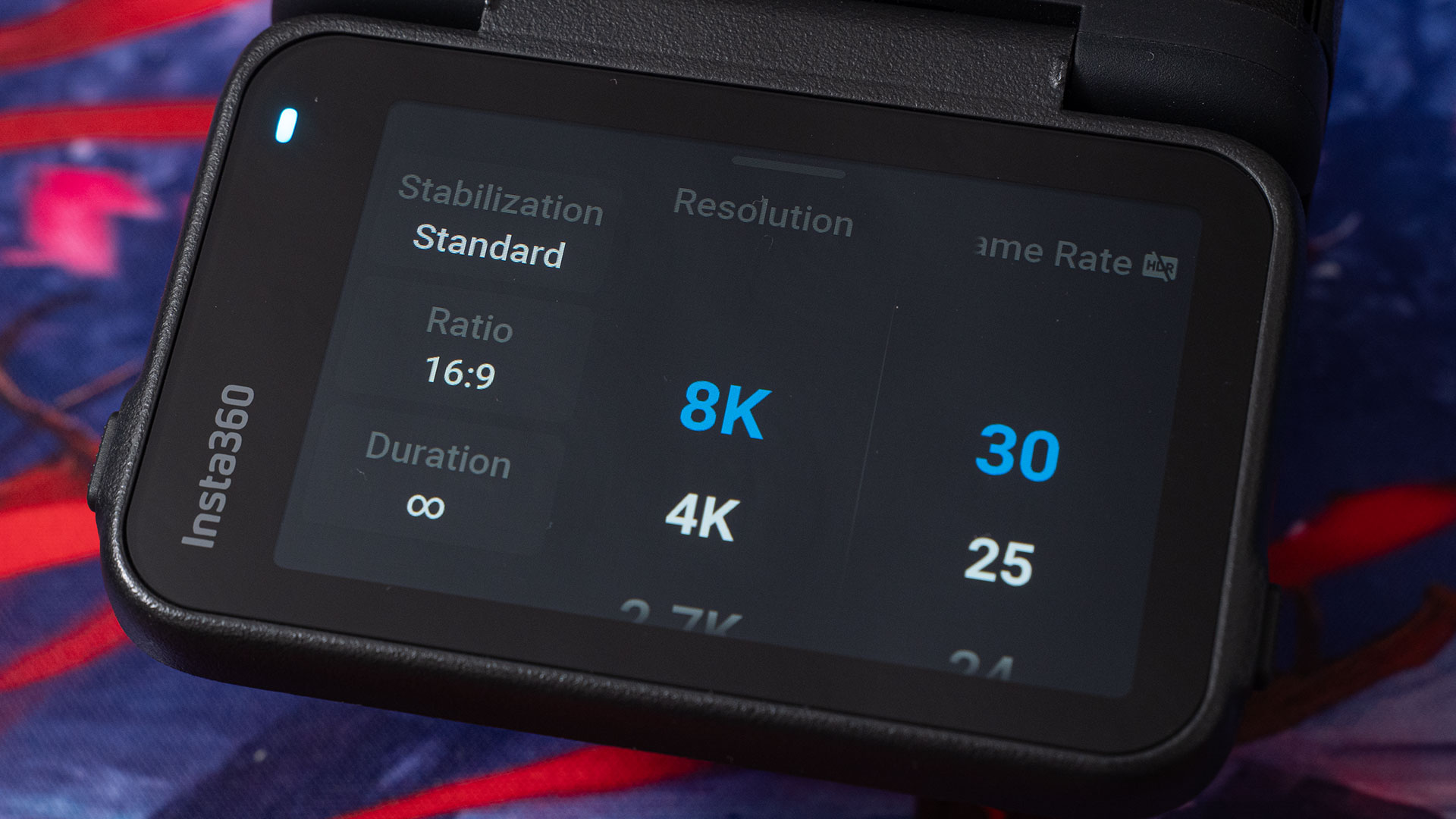
| Max Video Resolution | 8K 30fps | 8K 24fps |
| Active HDR Video | 4K 60fps | 4K 30fps |
| PureVideo | 4K 60fps | 4K 30fps |
| Max Photo resolution | 50 megapixels | 48 megapixels |
| Log Colour | I-Log | None |
| Timecode | Yes, including Jam Sync | No |
| Waterproof | 39ft | 33ft |
| Fast Charge battery | Yes | Yes |
| Battery Capacity | 1800mAh | 1650mAh |
| Weight | 176.8g | 179.8g |
| Price | $379.99 | $449.99 |
Probably the most welcome change for many Insta360 Ace Pro users will be that 8K footage can now be recorded at 30fps rather than 24fps. While many filmmakers shoot and edit 24 fps, plenty more shoot 30 fps, particularly for platforms such as YouTube.
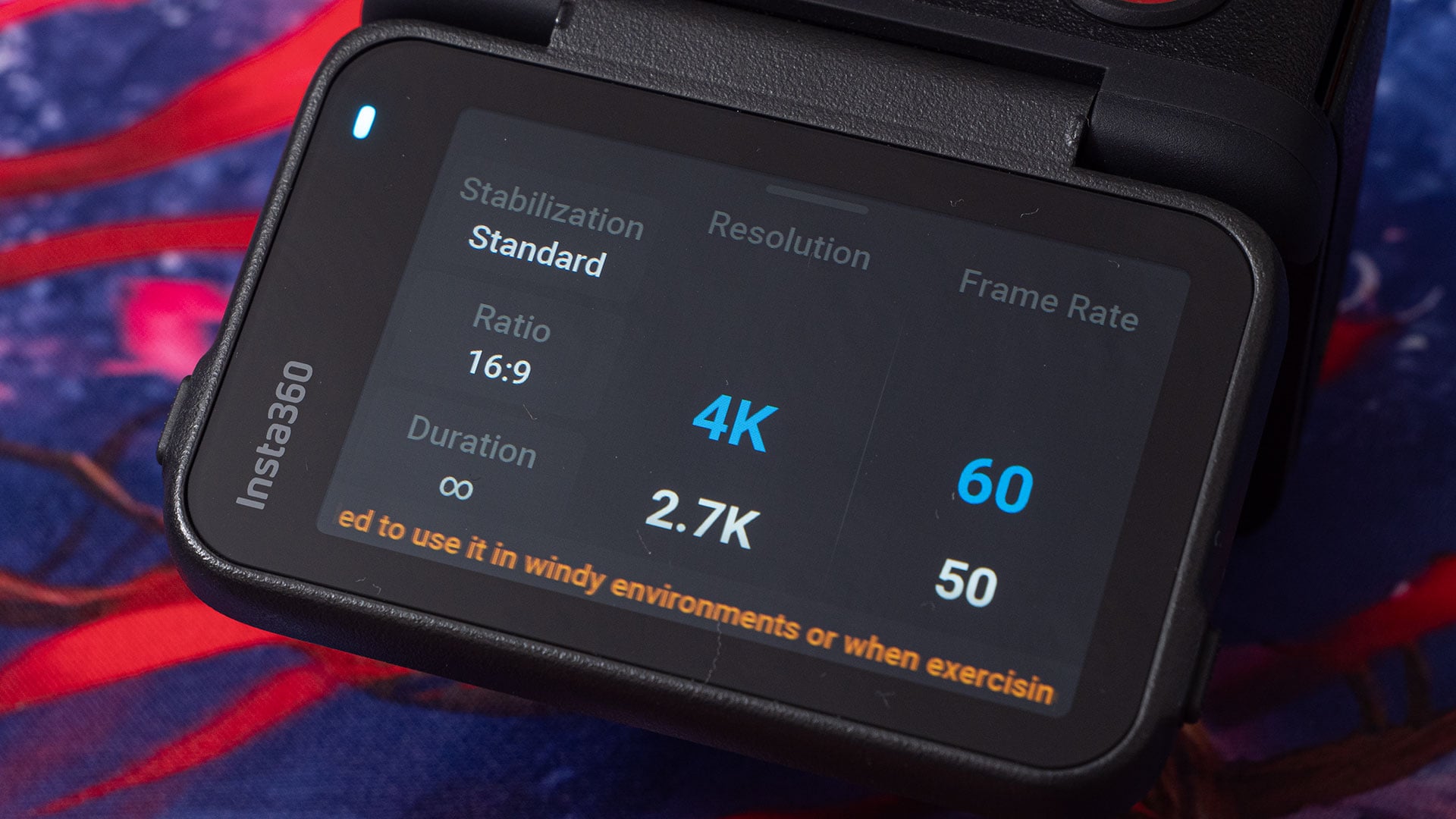
4K has also seen an upgrade. The Insta360 Ace Pro could shoot regular 4K at 120fps, but it was limited to 30fps for ActiveHDR and PureVideo. Both of these options are now available at 60fps. This is thanks in part to the new sensor, which also bumps up the stills resolution to 50 megapixels.
It’s had its waterproofing increased from 33ft to a depth of 39ft and it also sees the addition of a new I-Log colour profile, providing you with more options when colour grading and trying to match footage up with other cameras in post.
Not mentioned in the specs above are new audio features. Specifically, a new microphone windshield. This is interchangeable cover allows you to eliminate wind noise when recording audio. A second, waterproof cover is included in the box for when you want to go for a swim (which I didn’t).
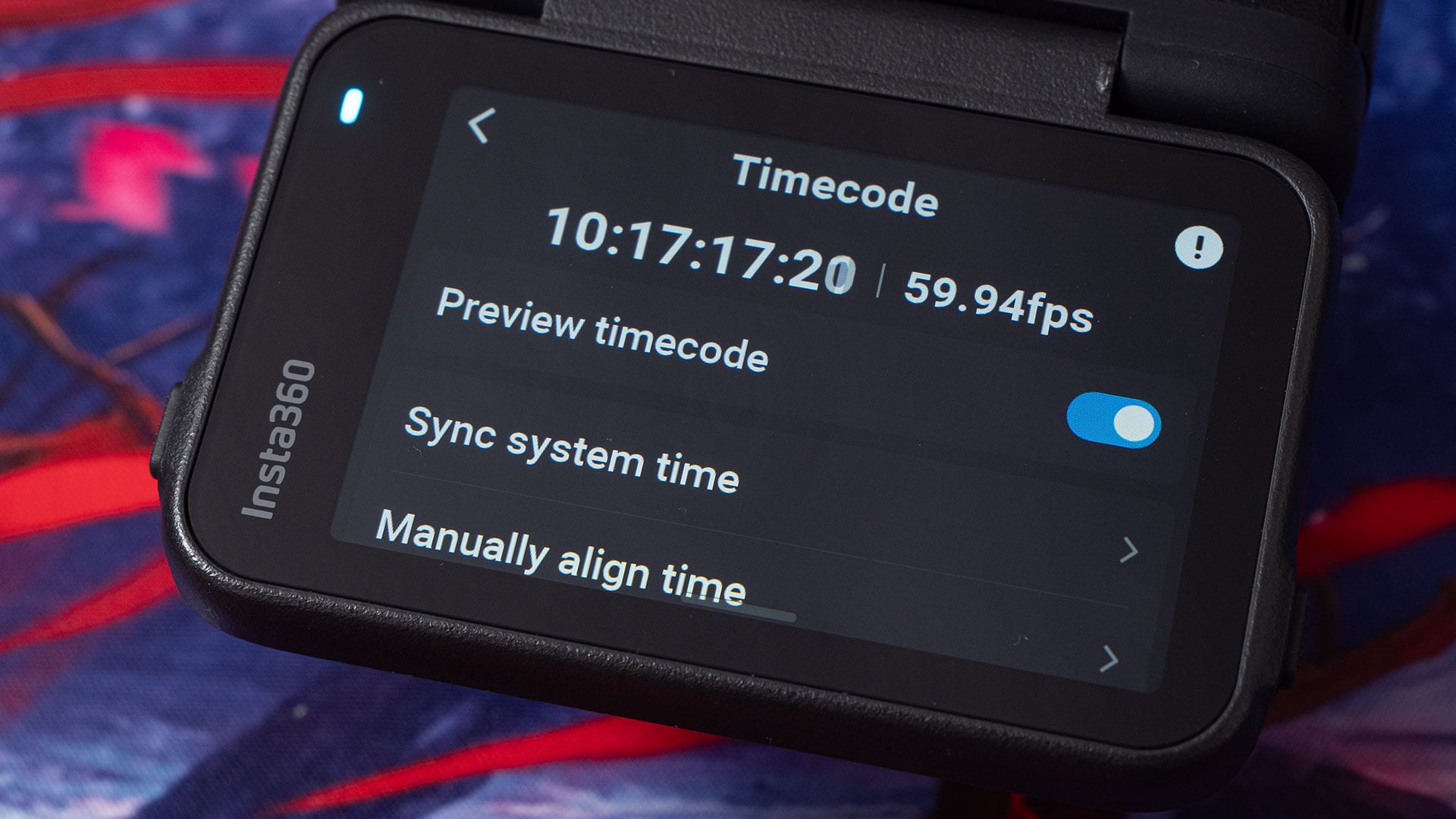
The most significant feature for me, though, is the addition of native timecode support. And yes, you can jam sync from devices like the Rode Wireless Pro and Deity TC-1 ($199). It also supports syncing from your smartphone’s time or manual entry.
New, higher capacity battery
The Insta360 Ace Pro 2 shares the same form factor as the Ace Pro. This means it should fit all of the same accessories. One difference, however, is the battery. The Ace Pro 2 comes with a new, slightly larger capacity 1800mAh battery.
This is about 9% more capacity than the 1650mAh battery supplied with the Insta360 Ace Pro. But don’t worry, they’ve retained the same form factor for the battery, too. And yes, I tested the Ace Pro battery in the Ace Pro 2 – and vice versa – and everything worked as expected.
So, if you’ve stocked up on a bunch of spares for your Ace Pro, they’ll still work with the Ace Pro 2. It also means that Insta360 Ace Pro users who wish to pick up some spare batteries should now be able to purchase some higher capacity ones for longer running times.
And while we’re on the subject of batteries, the battery door has seen a design refresh. It’s much easier to open when you want it to, and much more difficult for it to open by itself when you don’t want it to.
New Leica Co-engineered Lens
Like the original, the Insta360 Ace Pro 2 features a lens co-engineered by Insta360 and Leica. The Ace Pro 2 sees an upgrade from the Ace Pro, though, in the form of the Leica Super-Summarit-A 1:2.6/13 ASPH. This lens offers a wider 157º field of view, vs the Ace Pro’s 1:2.6/16 ASPH lens at 151º.

To help counter some of the inherent warp typically seen with such wide lenses, especially on action cameras, Insta360 has introduced a new MegaView FOV. This is actually slightly wider than the UltraWide FOV but straightens up the barrel distortion for a more natural, pleasing look.
The lens still doesn’t focus quite as closely as I’d like. And if it’s too close while you’ve got it pointed towards yourself for vlogging, you might still appear a little soft. So, perhaps go with a longer selfie stick than the 2-in-1 mini tripod. Hopefully, Insta360 (or a third party) will release a close-up diopter that fits the removable lens cover form factor.
Interchangeable lens covers
It was expected that the original Insta360 Ace Pro would receive interchangeable lens covers. I’ve heard several rumours as to why this didn’t happen. I’m not going to speculate as to which of these rumours might be true, but ultimately, the feature wasn’t included.
There are 3rd party lens covers available for the Insta360 Ace Pro, and they often come with a tool to remove the OEM cover. This is handy if you get a scratch on your cover or if you want to swap it out for neutral density. Doing this on the Ace Pro, however, would remove the camera’s waterproofing ability. And it may actually invalidate your warranty. So, it’s not advised.

With the Ace Pro 2, though, interchangeable lens covers are now official. So official that as well as offering replacement covers, Insta360 has also released a set of neutral density filters designed specifically for the Ace Pro 2.
The ND filters weren’t quite ready when the camera was shipped to me for review, but I’m hoping to test them out in the future. If I receive them, I’ll be sure to update this review with my thoughts.
Dedicated AI Chip
The Insta360 Ace 2 is the first action camera to feature a dedicated AI Pro Imaging Chip. This lives inside the Ace Pro 2 alongside the 5nm AI chip found in the original Ace Pro. Doubling the number of AI chips, Insta360 says, essentially doubles its computing power.
The duties are shared between the two chips for faster AI processing. This assists with features like AI noise reduction and image quality improvements. The AI tech also allows the camera to record more texture and detail when shooting in extremely low-light environments.
You may or may not notice much difference in the quality of the footage you shoot, depending on exactly what it is you’re shooting. However, doubling the AI power of the camera means that it can process the higher frame rates the Ace Pro 2 offers over the Ace Pro.
For what I shoot, there wasn’t that much of a difference in image quality. But I’m typically shooting in fairly bright outdoor conditions, where noise reduction isn’t really needed. So, I didn’t really expect one.
8K30, 4K120, 4K60HDR, 4K60 PureVideo
All of the video formats have seen a bit of an upgrade in the Insta360 Ace Pro 2. One of the biggest complaints about the original Ace Pro is that many felt 8K was a bit of a gimmick due to its 24fps limit. While this limit was fine for some users, it wasn’t for others.
The Insta360 Ace Pro 2 bumps the 8K resolution framerate up to 30fps. This means that whether you’re shooting film, PAL, or NTSC frame rates, the Insta360 Ace Pro 2 can match it. So, no more weird frame skipping or duplication when mixing with footage shot on other cameras at 25 or 30fps.
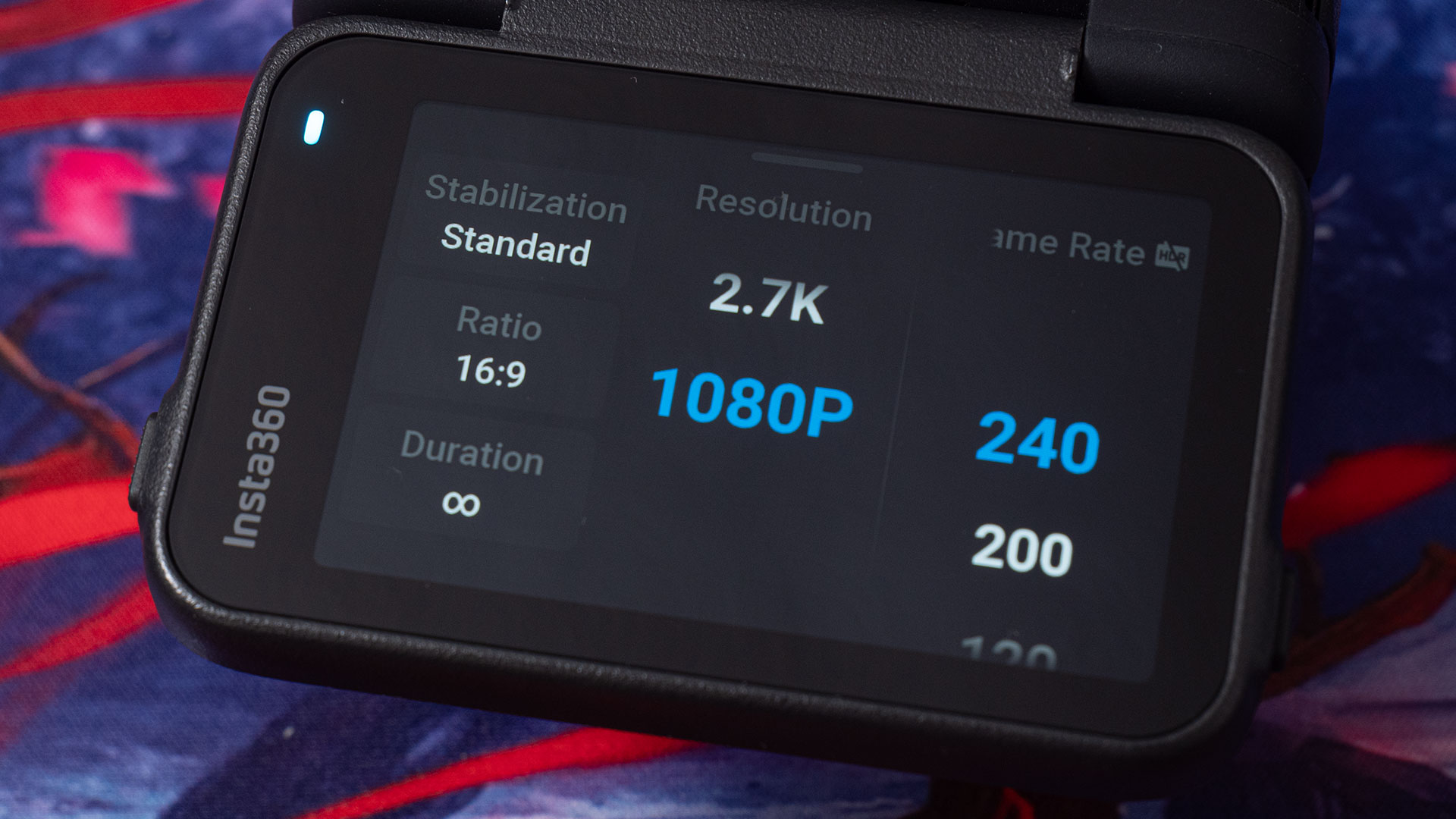
4K video has also seen some pretty significant upgrades. 4K slow motion remains at 120fps, but 4K Active HDR video and PureVideo have both been bumped up from 30fps to 60fps. 2.7K also tops out at 120fps, although 1080p goes all the way up to 240fps.
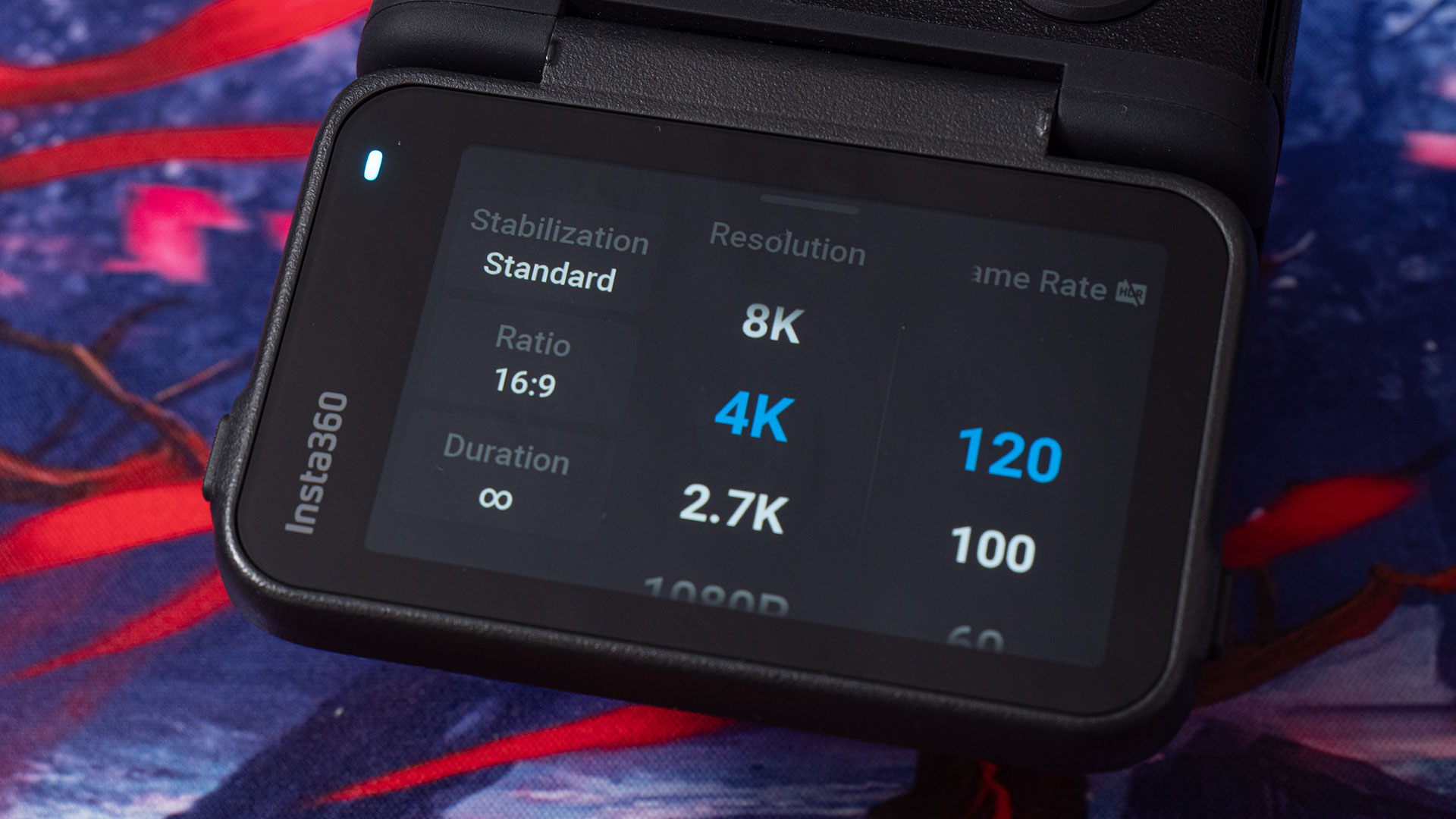
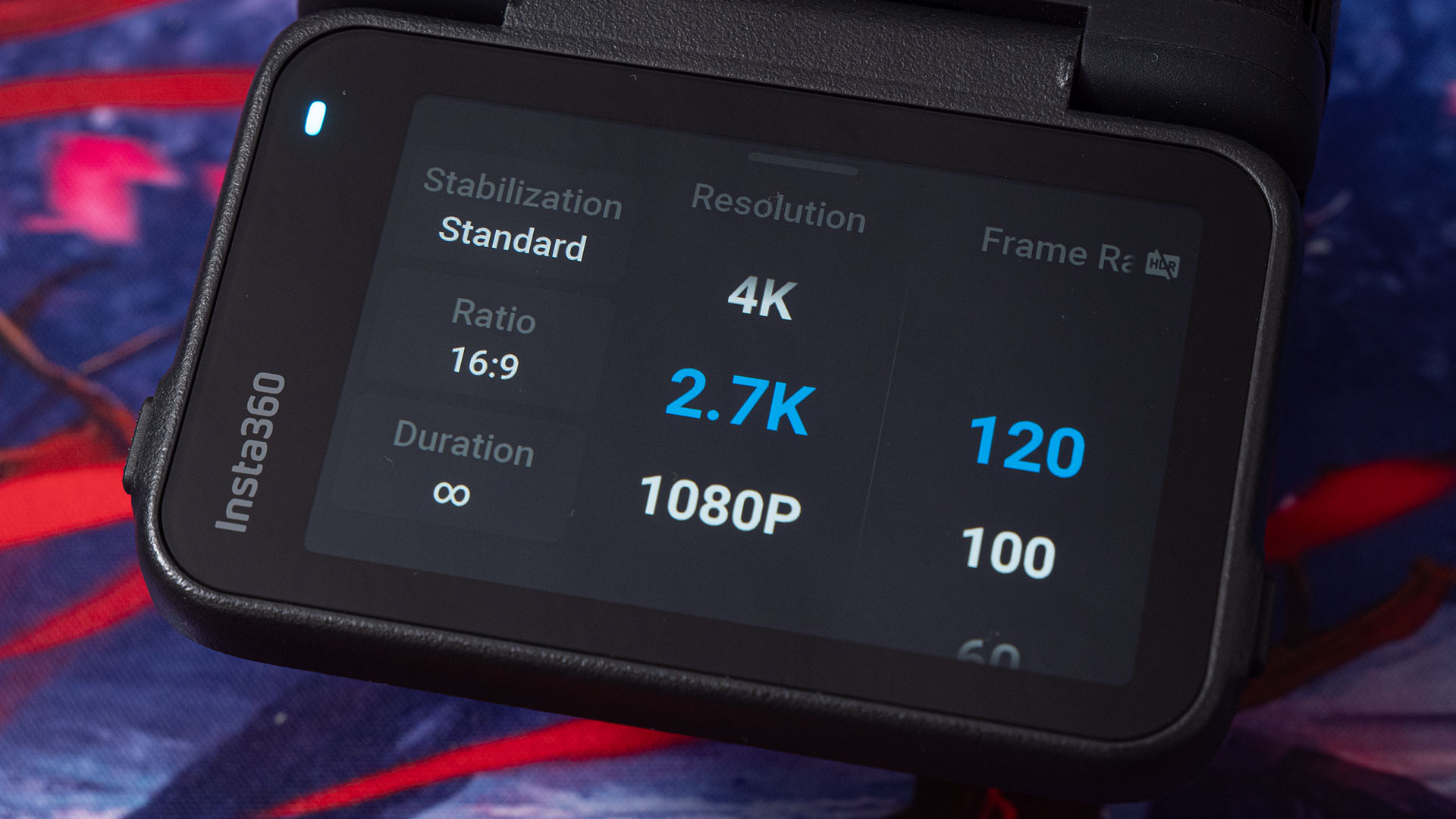
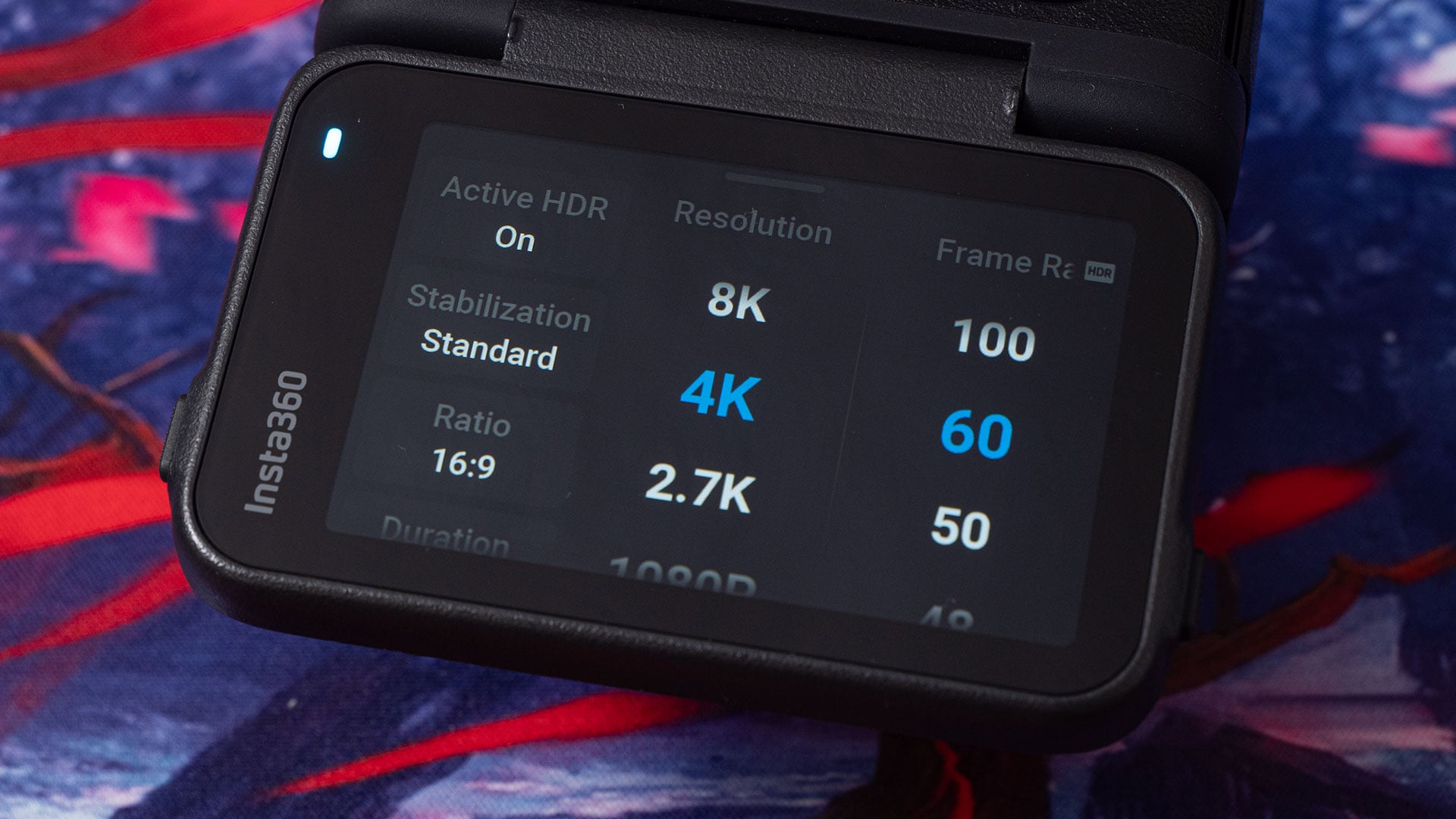
Active HDR allows you to capture more dynamic range in your shot, and the results look much more natural than those of Insta360’s past HDR efforts. It’s not perfect in all situations, but very few HDR algorithms are. There’s still some fringing in very high contrast situations, as seen in some of the sample clips above, but Insta360 has already released a new firmware to address this, and I expect they’ll continue to do so.
PureVideo is Insta360’s night mode. Bumping PureVideo up to 60fps means you can get even smoother footage when shooting at night, with less noise. I haven’t had much of a chance to test this out, as the weather here’s been absolutely terrible lately, but there is definitely a noticeable improvement over the Ace Pro.
Naturally, the Ace Pro 2 includes Insta360’s famous FlowState stabilisation, as well as an upgraded 360-degree horizon lock, keeping your footage level no matter the angle of the camera. FreeFrame Video also allows you to shoot multiple aspect ratios simultaneously, allowing you to shoot horizontally for long-form content and vertically for shorts.
You also get all of the usual shooting modes, including Timelapse, Timeshift, and Starlapse. But we’ve got the AI effects, too, such as the AI Selfie Stick Eraser and AI Warp.
Microphone Windshield
One of the biggest issues with the Insta360 Ace Pro is something that plagues action cameras: wind noise. The Ace Pro 2 has addressed this with new interchangeable microphone covers. These complement new audio processing algorithms to help further increase clarity.
The standard cover sounds and works just like the built-in microphone cover on the original Ace Pro. In other words, it’s not going to help you with the wind one bit. So, why’s this cover in there? Well, you need this when you’re using the camera underwater.
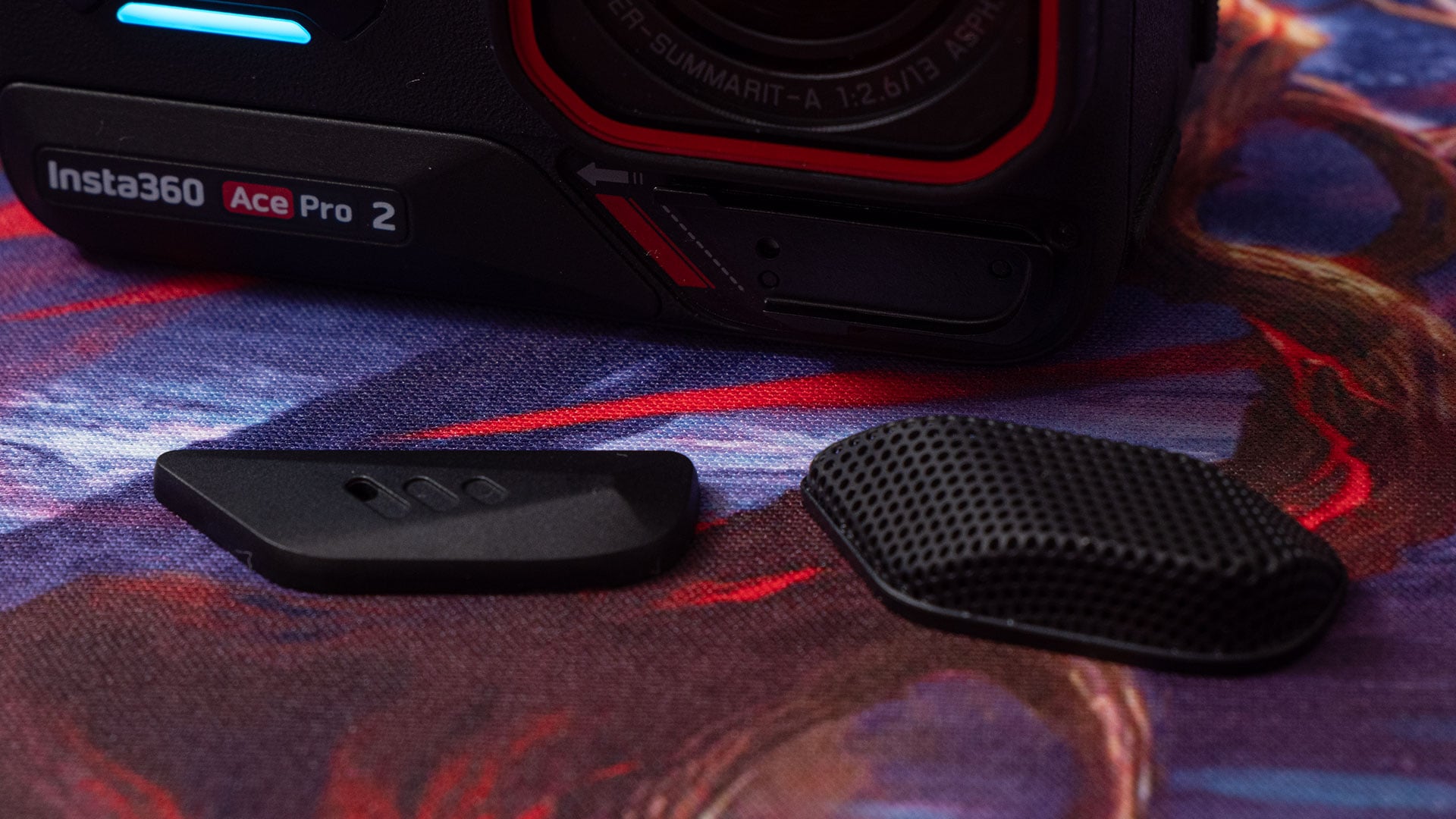
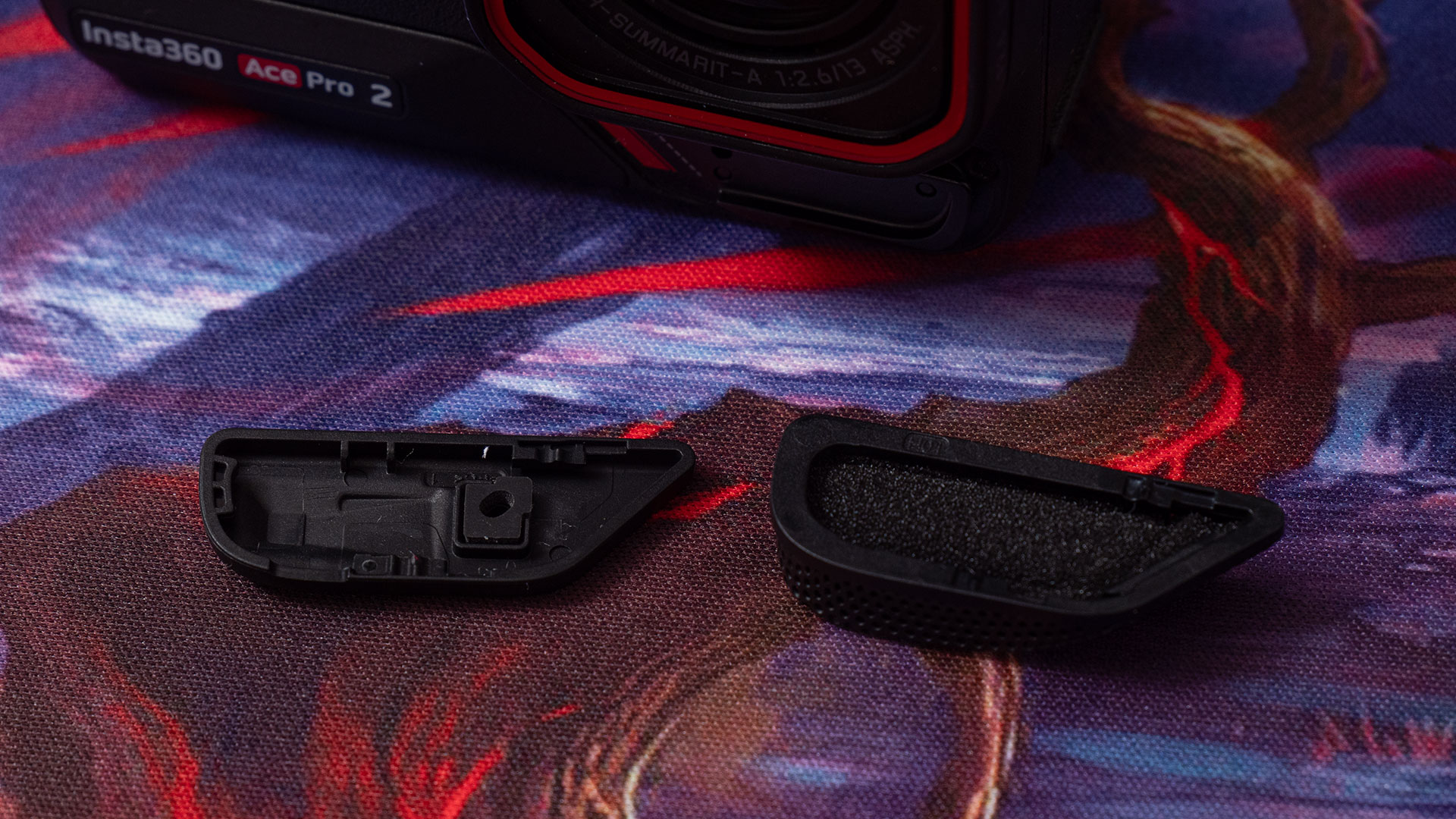
On the Ace Pro 2, though, there’s another microphone cover in the box that acts as a windshield, minimising the clipping noise you typically hear on unprotected microphones. It works rather well and reduces the amount of noise hitting the microphone. Do not use this microphone cover when going underwater.
It is worth noting that the windshield microphone cover does stick out a little further than the standard cover – and both of them stick out a little more than the Ace Pro. This means that it may not fit in some cages designed for the Ace Pro.
So, do bear this in mind if you decide to buy a cage for your Ace Pro 2. And if you’re that worried, Insta360 has released a new metal cage – or “Utility Frame”, as Insta360 calls it – to go along with the Ace Pro 2 that’s guaranteed to fit. So, if your current cage doesn’t fit, you’ve got an official alternative.
The Ace Pro 2 I have here is set up identically to my Ace Pro setup, and for me, that works perfectly. I have it mounted to the Insta360 Mini 2-in-1 Tripod ($29.99) via the Insta360 Quick Release Mount ($35.99). The Insta360 Microphone Adapter ($17.99) is plugged into one side of the camera, with the Insta360 Cold Shoe Bracket ($17.99) on the other side to mount the Rode Wireless Pro ($399) or Rode Wireless GO II ($263) microphone receiver.

And like the batteries, the microphone adapter for the Ace Pro is compatible with the Ace Pro 2. So, if you upgrade, you won’t need to buy new accessories.
SMPTE Timecode
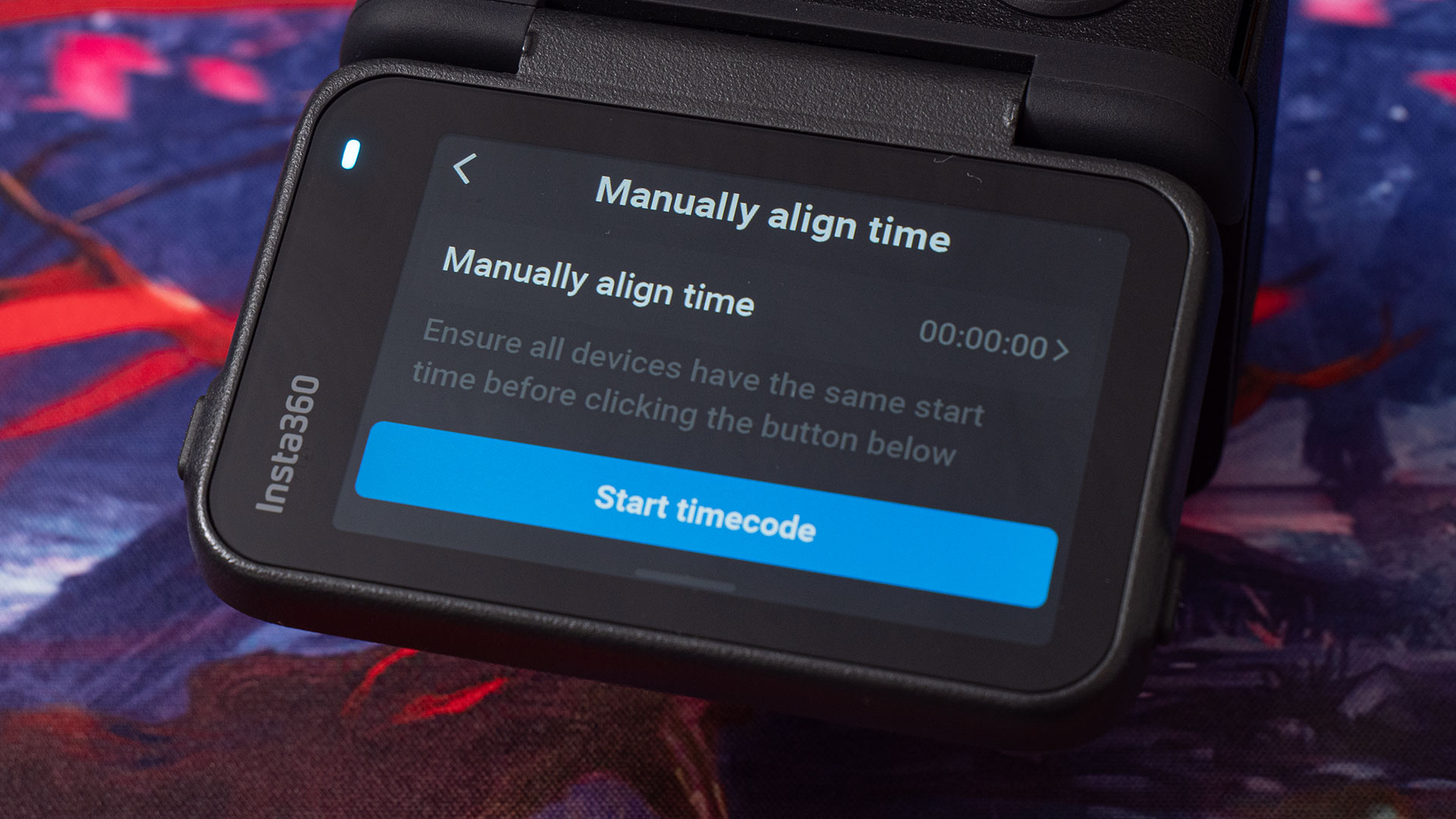
While we’re on the subject of audio, the Insta360 Ace Pro 2 adds one of my favourite features of any camera. Timecode support. This allows you to sync multiple cameras and audio recordings easily in post. And it’s just about everything we could hope it would be. There are three different ways you can enter a timecode into the camera.
Firstly, you can do it manually through the camera’s UI. This obviously isn’t going to be exact, but it’ll let you enter your own time to get it roughly in the ballpark of timecode on your audio or other cameras. This obviously isn’t the best solution, but as I said, it gets you close.
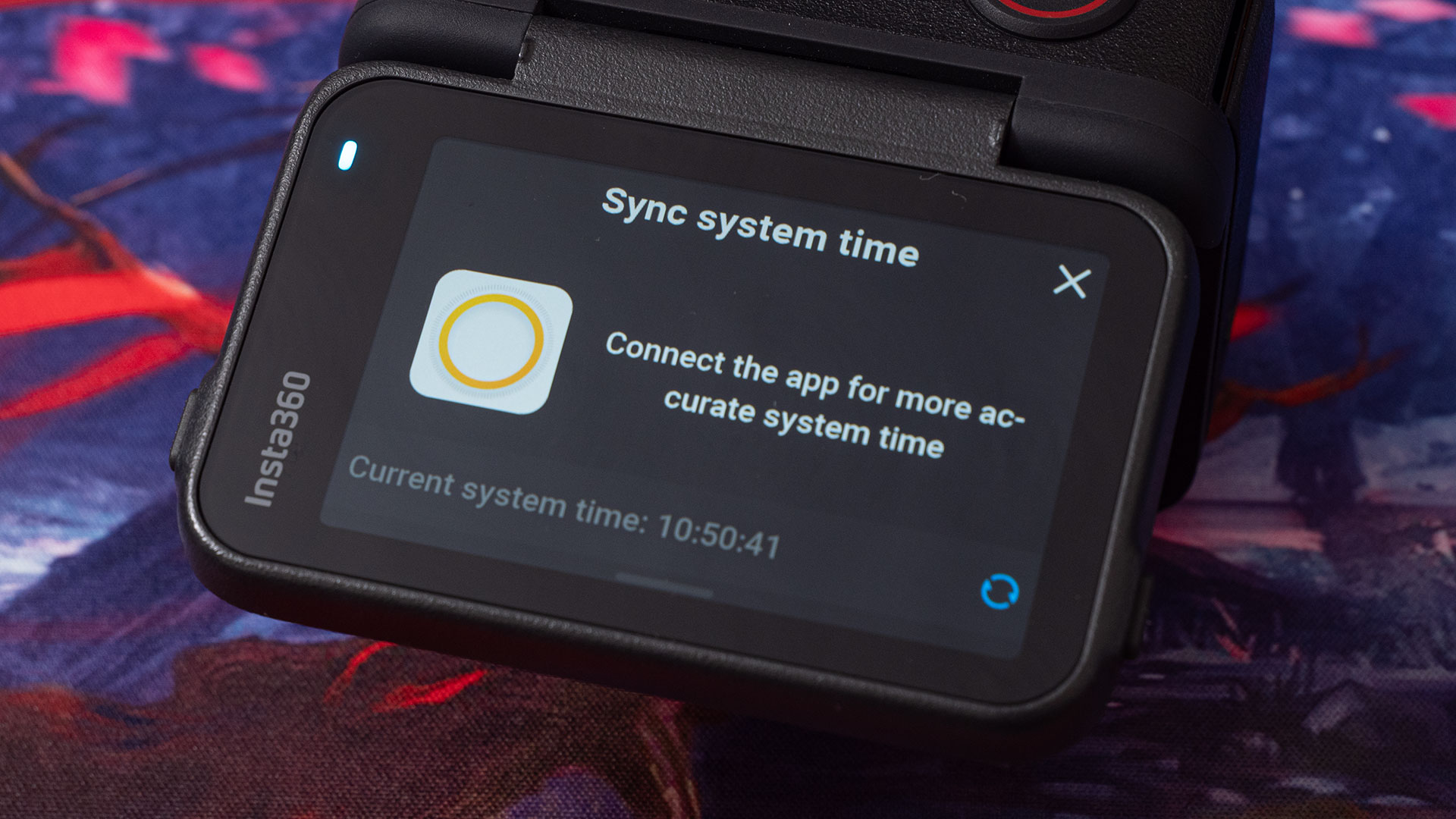
The second method is using the Insta360 app on your phone. This syncs up the camera to your smartphone’s clock. This is a great option if you’re using multiple Insta360 Ace Pro 2 cameras – but only Ace Pro 2 cameras. It allows you to get all your Ace Pro 2 cameras running at the same time, making the edit much easier.
The third and best option is jam sync from an external timecode source. As I mentioned above, I use the Rode Wireless Pro, but other options exist. I plug the receiver into the microphone adapter as normal but with the Rode Wireless Pro outputting timecode instead of audio.
The camera picks up the signal and automatically adjusts the timecode to match. Like the recordings on the Rode Wireless Pro transmitters, the Ace Pro 2 embeds the timecode in the metadata of the video. So, as well as syncing up multiple Ace Pro 2 cameras, as above, you can also sync up to other cameras and audio recordings with timecode metadata embedded.
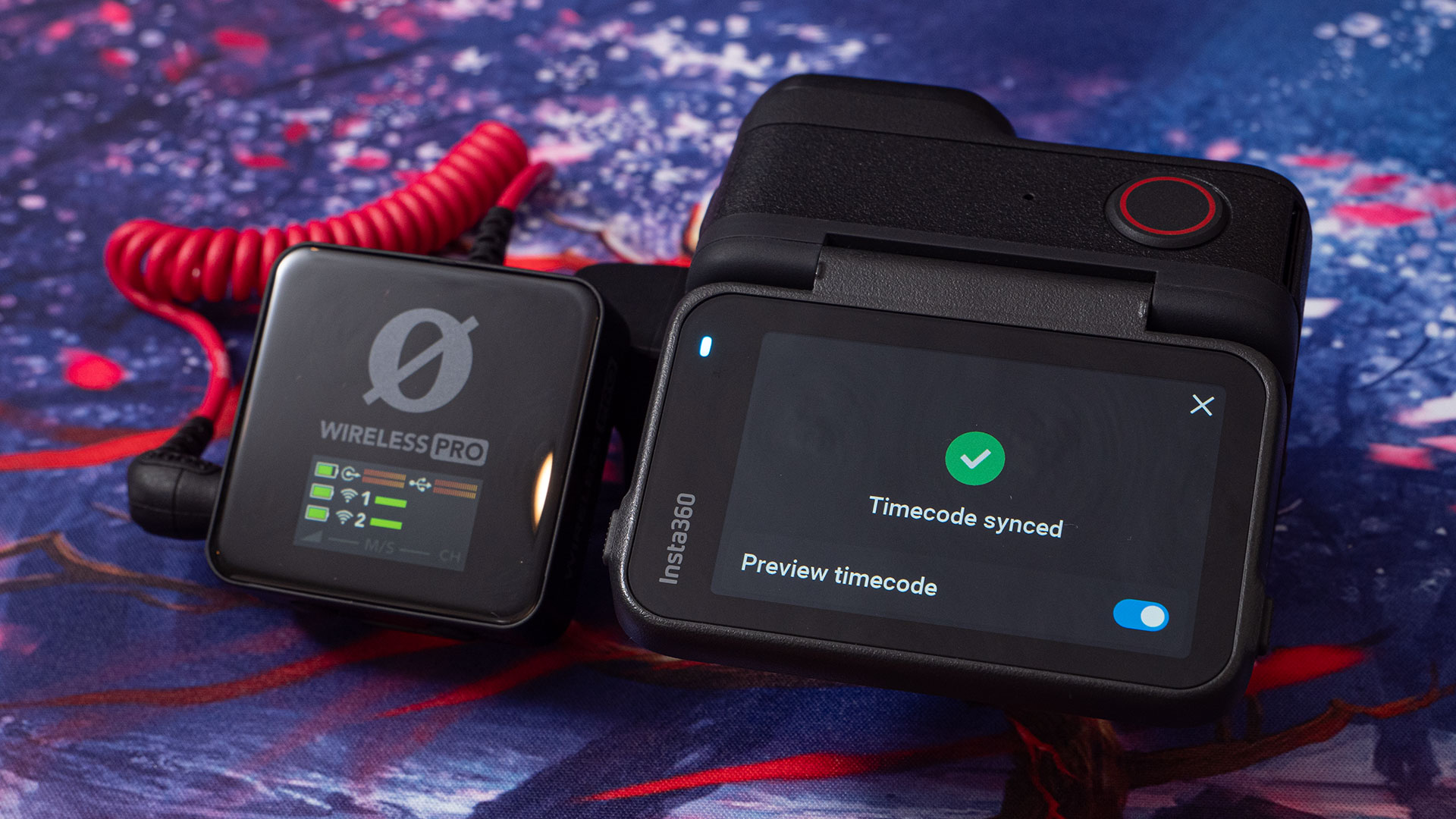
Unlike the old method with the Ace Pro, where you had to record the timecode to the audio tracks, embedding the timecode in the metadata means that you can still plug in a microphone or use the internal microphone to record audio while still keeping that timecode data.
If you’ve used timecode before, you’ll already understand the implications of this. But if you haven’t, definitely hit up YouTube for some videos explaining how timecode works and how to use it within your editor of choice. Needless to say, once you start using it, it can become difficult and frustrating not to have it in your other cameras.
Do bear in mind that, as with all cameras, there will be some drift over time. The simple fact of the matter is that some clocks are more accurate than others, and even the best consumer-level clocks will drift over time to some degree.
So, if you’re jam-syncing, you’ll want to make sure to sync up regularly to your timecode generator. I try to re-sync about every hour or two; this ensures that the clips will match up more accurately on the timeline throughout the day.
I-Log & Leica Colour Profiles
One of the big requests for the original Ace Pro was some kind of log colour profile. It features a flat profile, but it’s not quite the same as a true log profile. The Insta360 Ace Pro solved this by introducing Insta360’s new I-Log colour profile.
This is wonderful to see, and it does make a difference to your footage. It provides more information for colour correction and grading. Unfortunately, most of the colour profiles that exist on the original Ace Pro haven’t been implemented in the Ace Pro 2.
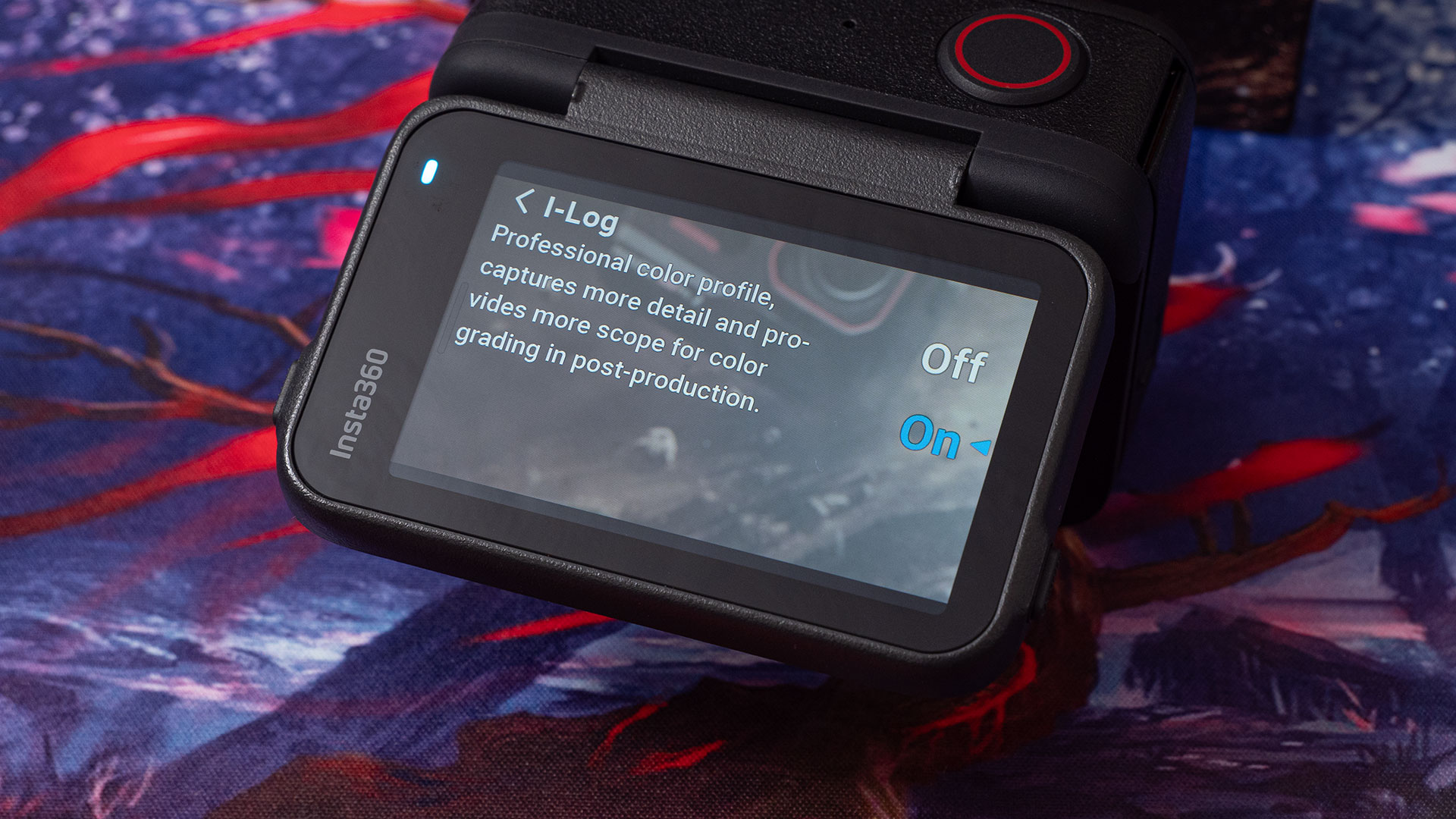
This is a little unfortunate, really. If you’re shooting a mix of Ace Pro and Ace Pro 2 cameras, you can’t really get similar results right out of the box unless you go with the Standard or Vivid profiles. Although the Ace Pro 2 has I-Log, it would be nice to see the same Flat profile from the Ace Pro implemented as an option as well.
Even if it’s not quite as versatile as I-Log, it would allow for easier matching of Ace Pro and Ace Pro 2 footage with more colour and brightness information than the Standard or Vivid profiles. If Insta360 could find a way to add I-Log to the Ace Pro (and the Insta360 GO 3S, while I’m going on about it), that would be even better.
This is one thing that I think Fuji actually has right. Their colour profiles and film simulation looks are pretty consistent across the range. They seem to be the only camera company out there that makes an effort to do so between different camera models and even different generations of cameras.
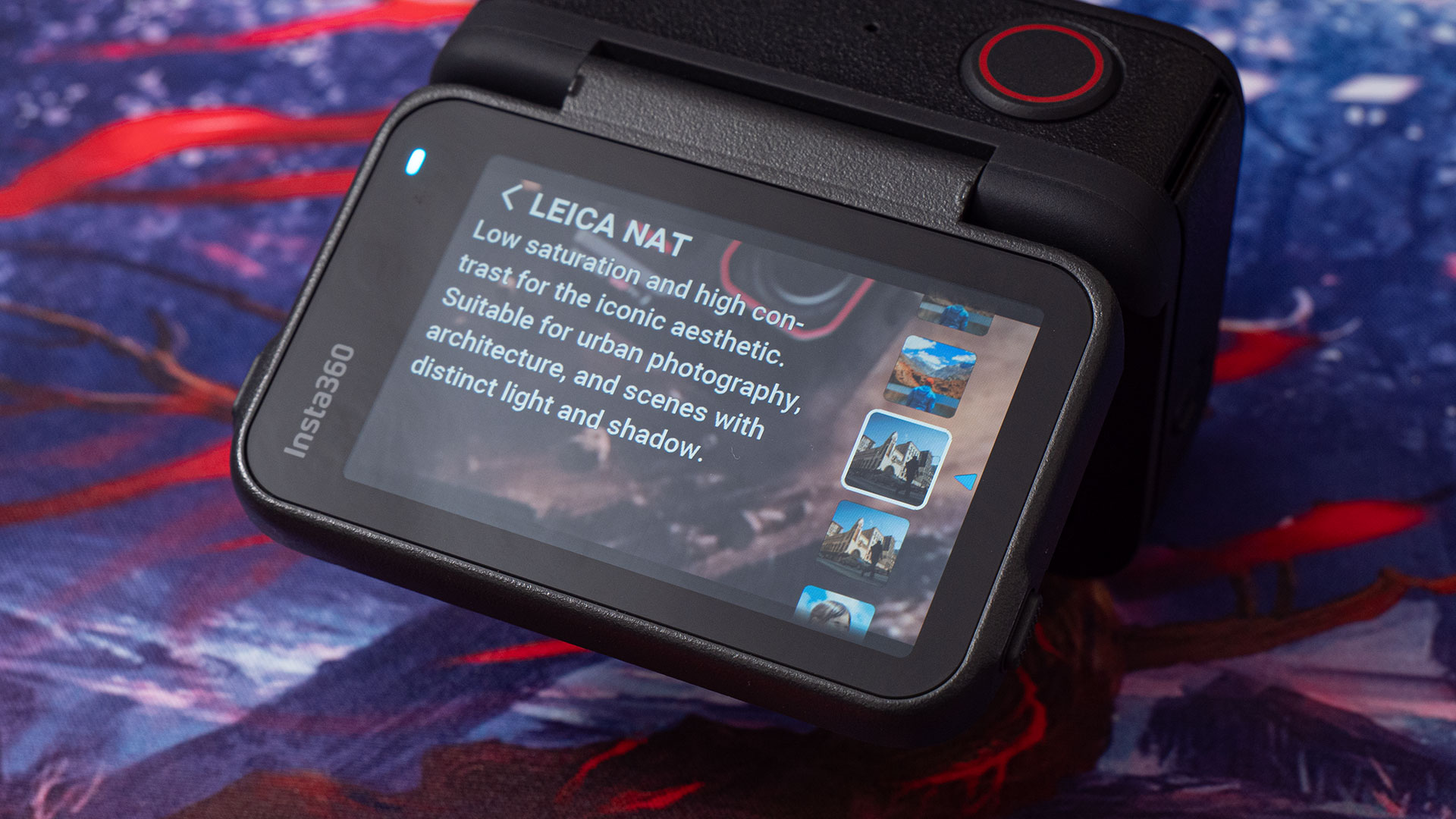
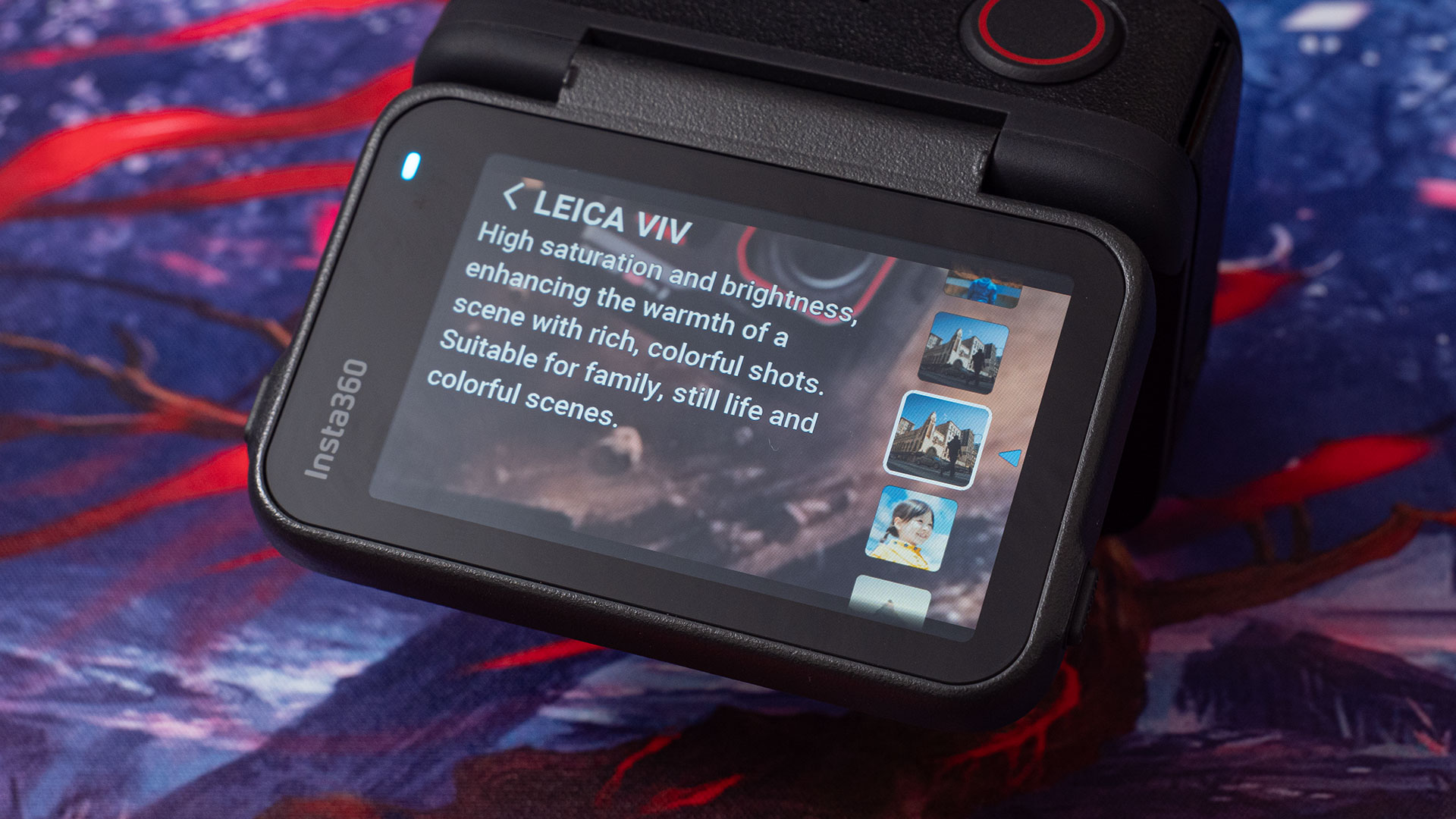
The Ace Pro 2 also features new LEICA NAT and LEICA VIV profiles. These are “Natural” and “Vivid” profiles, respectively. The Natural profile reduces the saturation but keeps the contrast quite high for a more realistic look out of the camera. Vivid features high saturation and brightness for warm, rich, colourful shots.
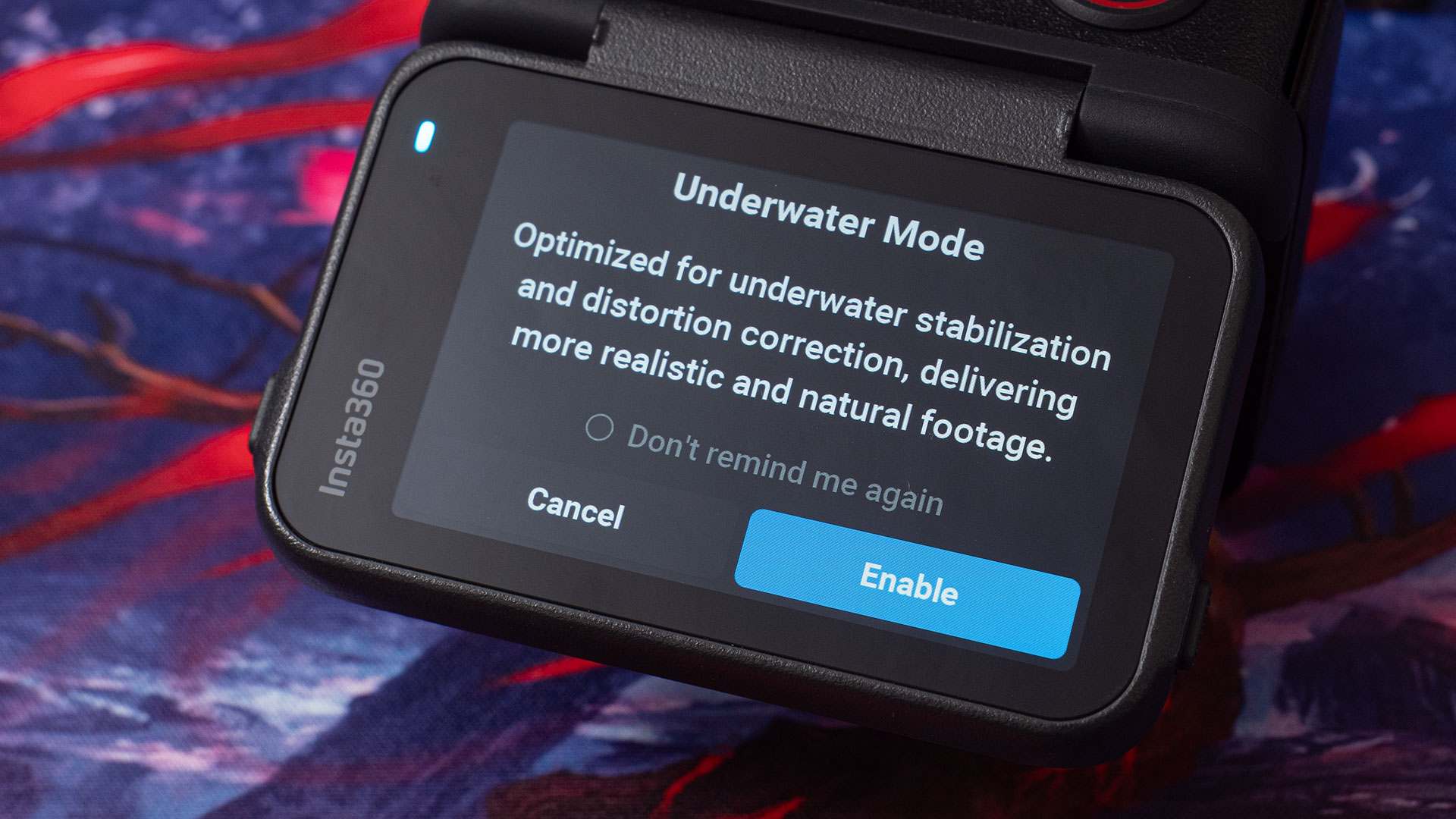
For underwater users, there’s also a new Underwater Mode. This, as one might expect, provides more realistic and natural footage underwater. It’s optimised for underwater stabilisation and distortion correction due to the differences between shooting in water rather than air. It’s far too cold to be going into water here in Scotland right now, so I wasn’t able to test this.
Insta360 Ace Pro 2 – The other stuff
As well as the features mentioned above, there are yet more new features that I either didn’t get to test fully – or at all, in some cases. Some features just weren’t practical to test while others hadn’t received full support in the firmware at the time of writing. If I get the chance to test any of these in the future, I will come back and add my thoughts to this review.
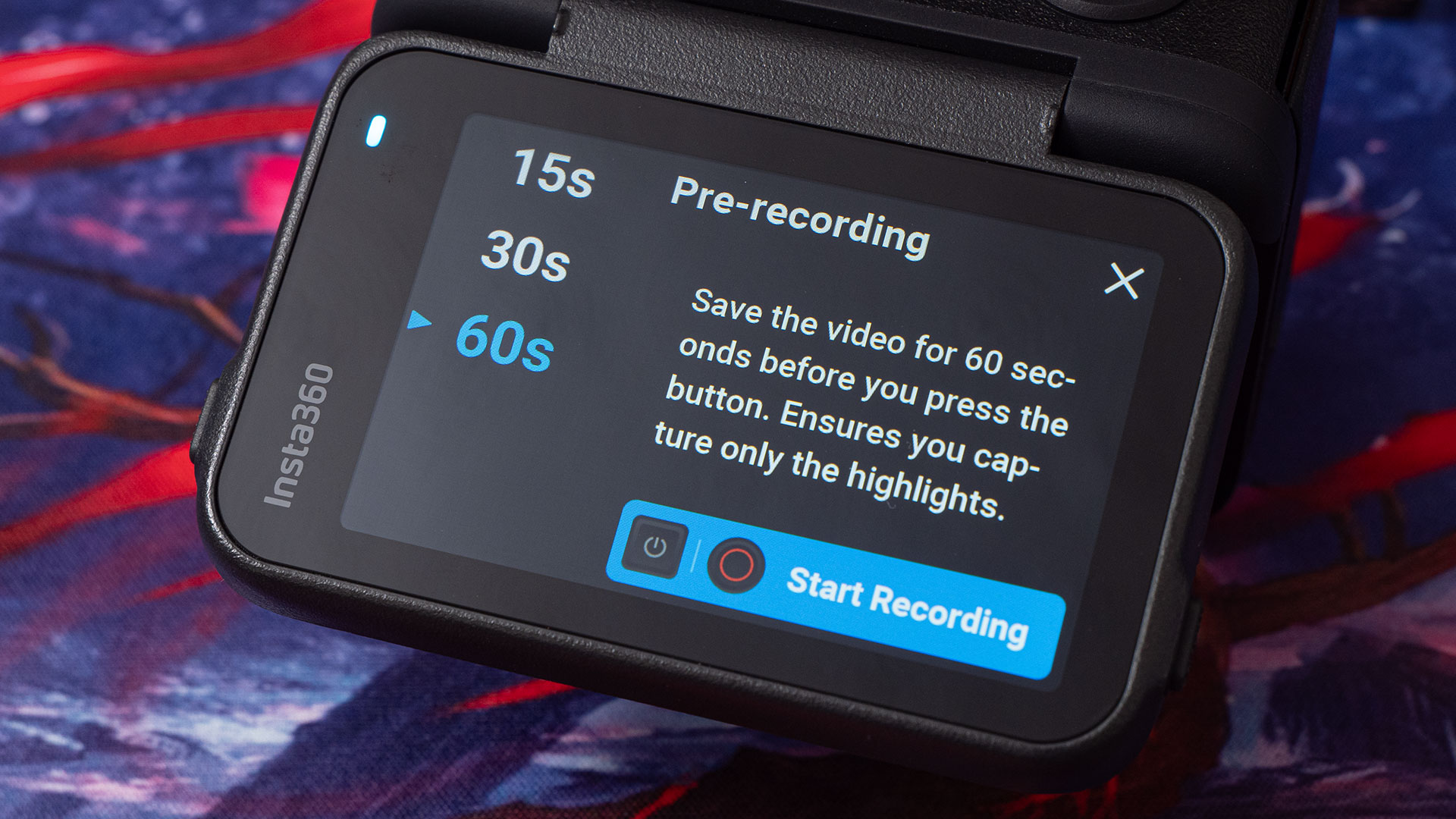
Firstly, the pre-record setting has been bumped from 30 seconds to a whole 2 minutes (see note below). This will be a welcome addition for those who don’t always have time to react right away and hit the record button. Of course, the camera does need to already be pointing at whatever it was you wanted to film.
Note: The Insta360 Ace Pro 2 spec sheet I received states that the maximum duration for Pre-recording is 2 minutes. With the firmware I have, it’s only been extended to 60 seconds. I expect this will increase upon the release of the final firmware.
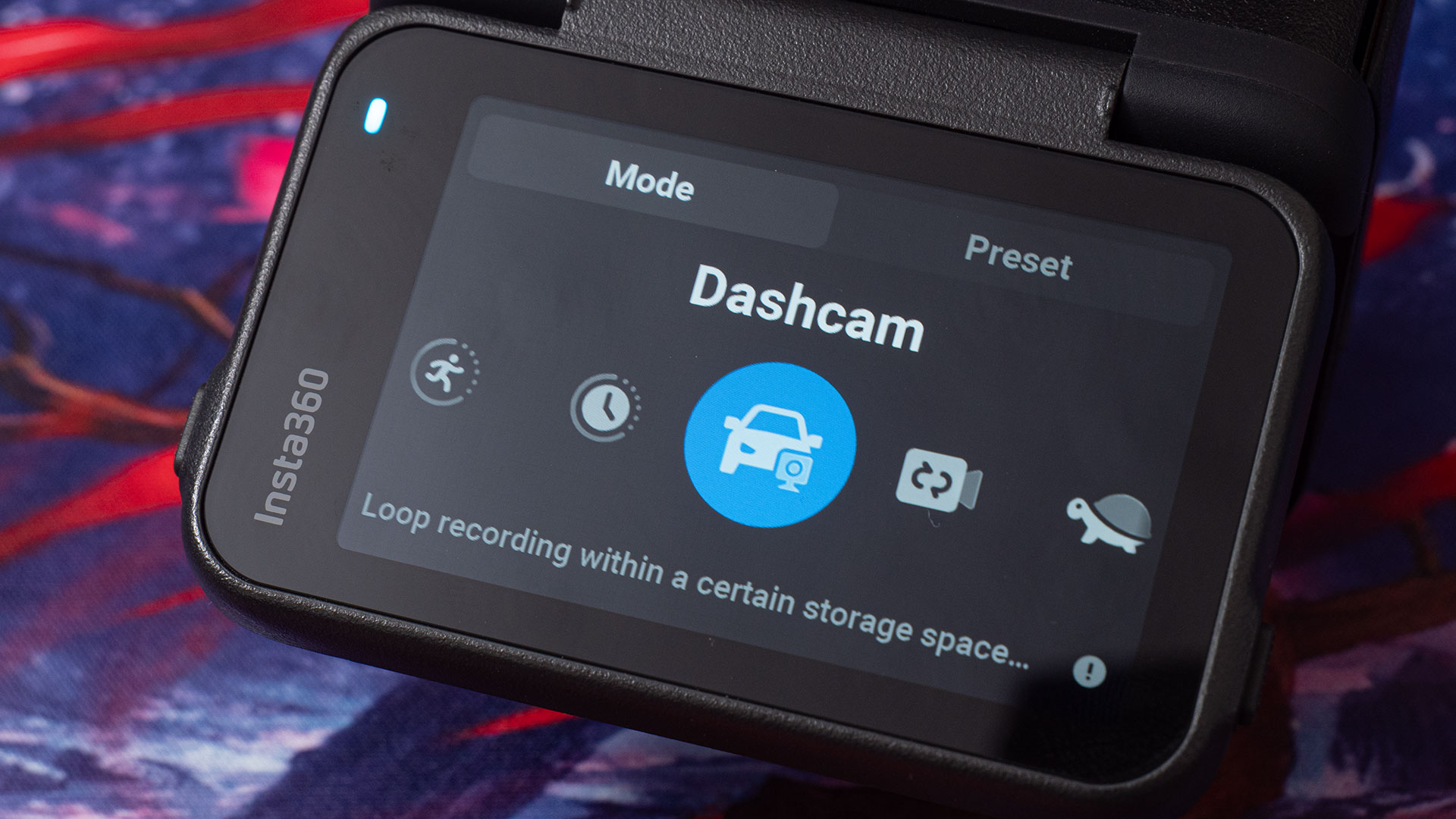
The Ace Pro 2 also adds a new dashcam mode. This saves footage based on the amount of storage space that you set. It’ll discard the oldest footage to make room for new footage as it comes in. This is very handy if you want to drive and record without filling up your memory card.
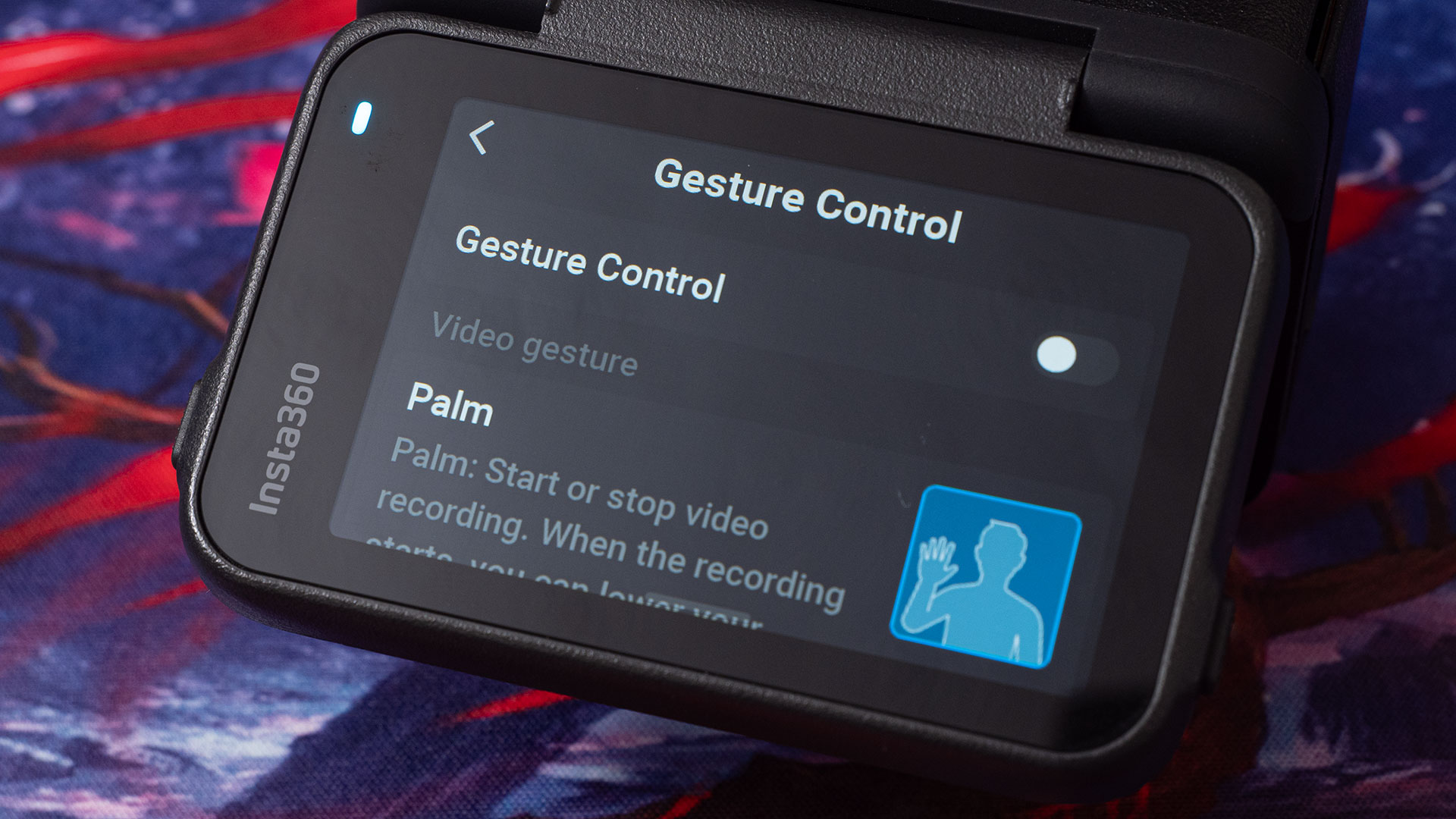
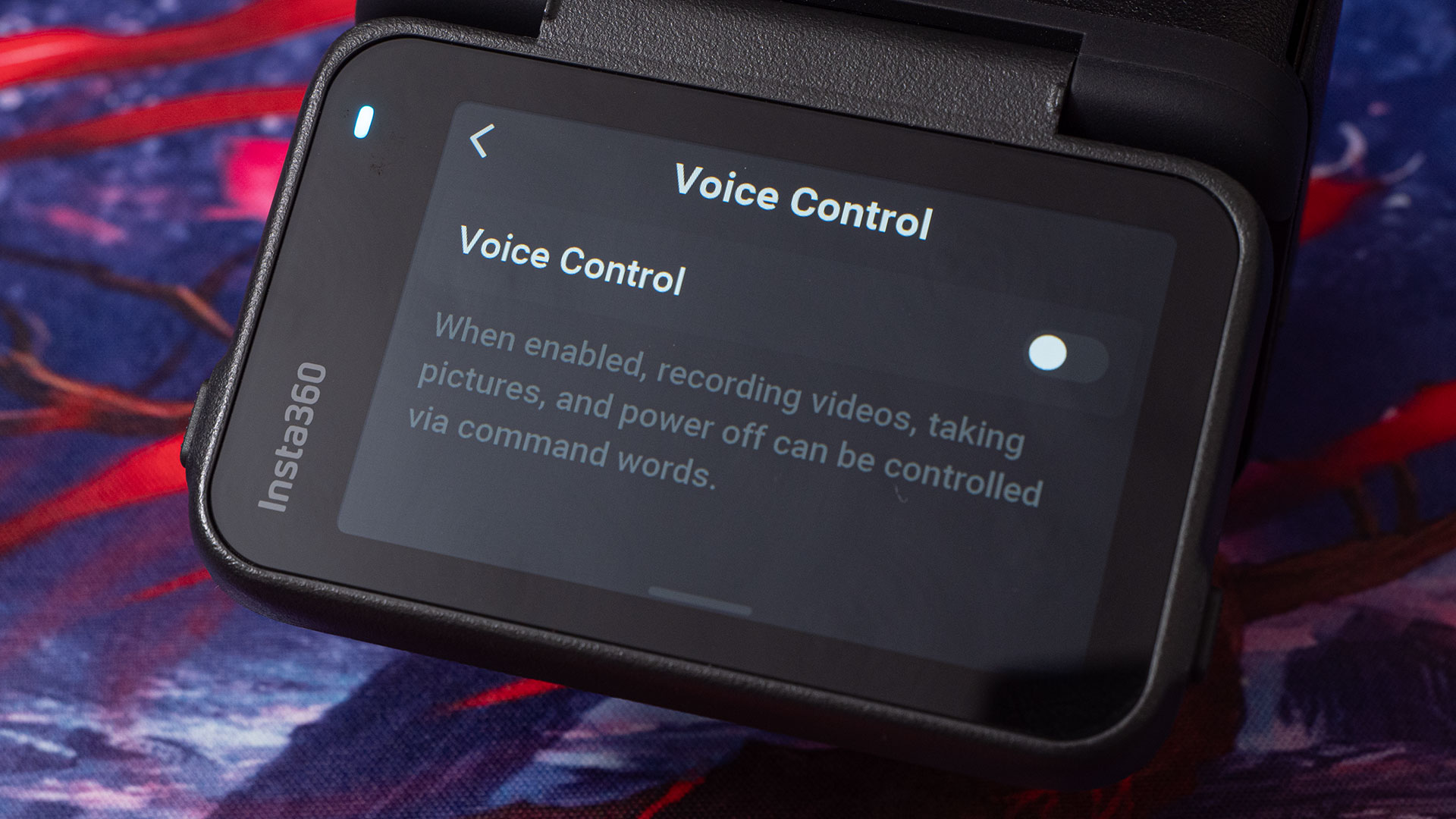
Of course, we have both Gesture Control and Voice Control 2.0. Insta360 says that the gesture control works even when you’re wearing gloves and a helmet, which will be fantastic for bikers. Voice Control 2.0 is the company’s latest voice control algorithm, improving its reliability over past versions.
Final Thoughts
Overall, I’m very impressed with the Insta360 Ace Pro 2. In many ways, it feels like it’s the camera that many people were expecting the company to release last year in the form of the original Ace Pro. Of course, the original Ace Pro isn’t exactly terrible.
But is it worth buying? Well, it is certainly the best action camera Insta360 has released to date. So, if you’re looking to buy your first action camera, then I’d say it’s absolutely worth going for the Ace Pro 2. The Insta360 Ace Pro will probably end up being discounted until stocks run out, but I’d say the Ace Pro 2 is worth paying the extra for.

If you’re considering upgrading from the Insta360 ONE R or ONE RS and only use the 4K modules – or perhaps a GoPro or DJI camera – you will definitely notice the difference in quality and features. Even if you’re still only shooting 4K, the ability to shoot 4K120 or 4K60 HDR is fantastic.
If you’re already an Ace Pro user, I think it’s largely going to depend on whether the Ace Pro already meets your needs. There are some significant upgrades in the Ace Pro 2, but whether or not they’re significant for you depends on what you want to shoot and what features you need. I don’t think you’d regret it if you did upgrade, though.
For me, even if the only new addition had been timecode, the Ace Pro 2 is worth it. If you’re a multicam user, perhaps mounting several cameras on a vehicle, then I’d definitely recommend upgrading your cameras to the Ace Pro 2 and getting the Rode Wireless Pro or Deity TC-1.
Price and Availability
The Insta360 Ace Pro 2 is available to pre-order now for $399. Shipping is expected to begin in the coming days. A bundle containing everything in the standard kit above but with an extra battery is also available for $419.
See more from DIYPhotography.net on Google
Add DIYPhotography.net as a trusted source. This makes
our stories more likely to appear in your Google Search results.
 Add as a preferred source on Google

John Aldred
John Aldred is a photographer with over 25 years of experience in the portrait and commercial worlds. He is based in Scotland and has been an early adopter – and occasional beta tester – of almost every digital imaging technology in that time. As well as his creative visual work, John uses 3D printing, electronics and programming to create his own photography and filmmaking tools and consults for a number of brands across the industry.
Related Posts
 The Insta360 ONE RS is a worthy successor, adds 6K video, Active HDR and native FlowState stabilisation
 Insta360 launches its second-generation Insta360 ONE RS modular action camera
 DJI Avata 2 brings longer flight times, 10-Bit HDR 4K60 video and better safety
 Insta360 Ace Pro is a rugged action camera with a flip up screen
Join the Discussion
DIYP Comment Policy
Be nice, be on-topic, no personal information or flames.
One response to “Review: Insta360 Ace Pro 2 adds second AI chip, timecode, 8K30 and 4K60 HDR”
what’s the battery life like at 4k 60?