
























Image Editing in Gemini Becomes the Best AI Photo Editor Yet
Aug 29, 2025
Darlene Lleno
Darlene Lleno brings a unique perspective to DIY Photography as someone who grew up surrounded by camera gear but chose words over lenses. With five years of writing experience, she specializes in photography content that’s both technically informed and genuinely passionate. Growing up with a photographer twin brother meant camera talk was everyday conversation in her household. While he mastered capturing moments, Darlene discovered she preferred being the subject and the storyteller behind the scenes. As a travel enthusiast and mother of two, she understands the importance of preserving life’s precious moments. When not exploring new destinations or writing for DIY Photography, you’ll find her reading or tending to her garden. Her approach to photography writing is refreshingly authentic, she may not be behind the camera, but she knows exactly what it takes to help others capture the shots that matter most.
Share:
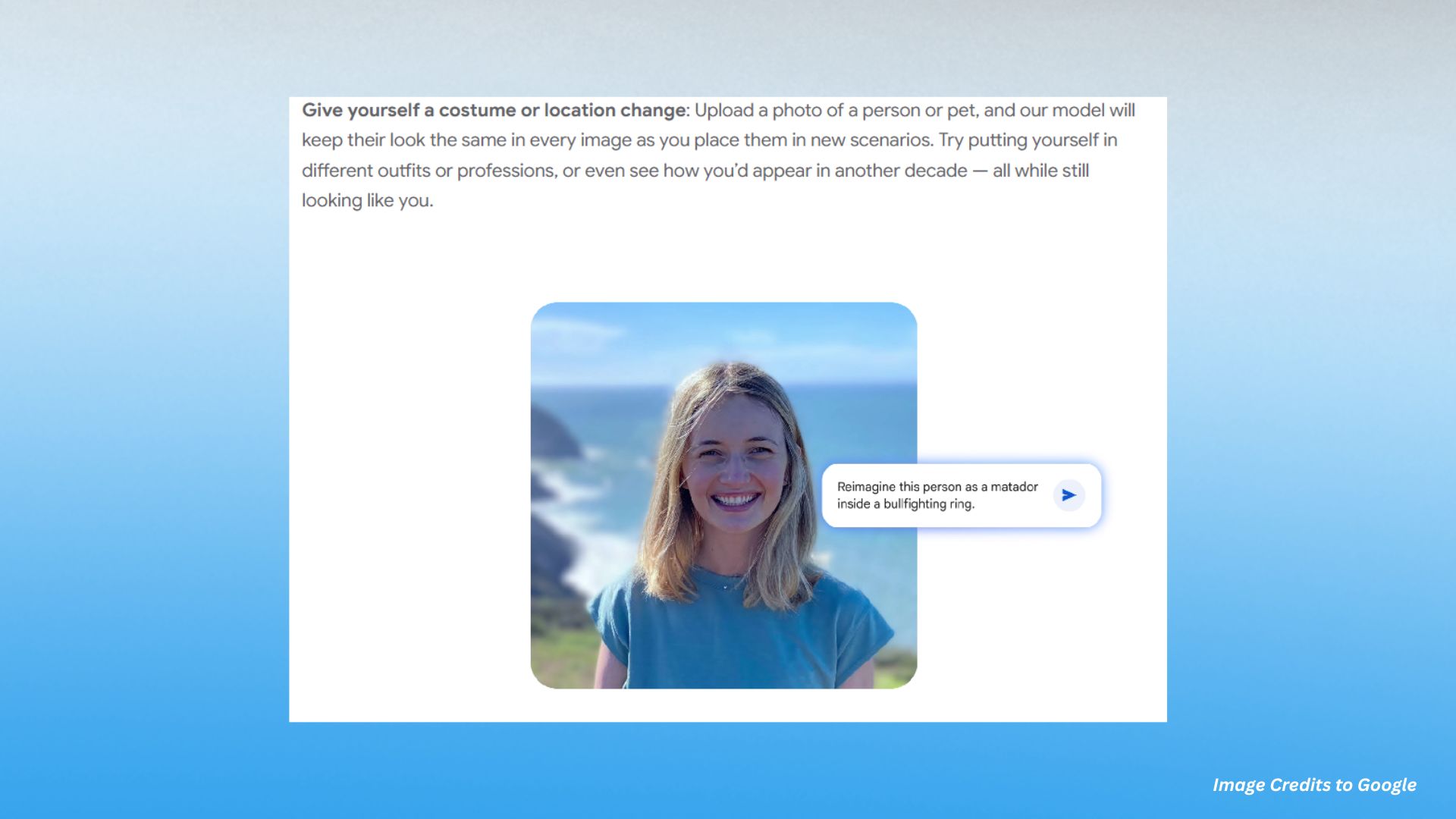
Image editing in Gemini just got way better, and people are losing their minds over it. Google DeepMind dropped their newest model, Nano Banana, right into the Gemini app, and honestly, it’s pretty wild what this thing can do now.
You know how most AI photo editors make you look like a completely different person when you try to change backgrounds or add effects? Well, this new update actually keeps you looking like yourself. No more getting back edits where you’re like “who is that person supposed to be?”
The unbelievable part is that early testers are saying this is hands down the best AI photo editing they’ve used. And that’s saying something because there’s been a lot of competition lately.
Why Image Editing in Gemini Actually Works Now
Most AI tools for portraits have this annoying problem where they change way too much stuff. You ask for a simple background change and boom, suddenly your face looks completely different.
The image editing in Gemini, Nano Banana, fixes this weird issue through some pretty smart tech. The system basically builds a 3D map of faces, pets, and objects. So when you put your dog in a tutu (because why not?), it still actually looks like your dog.
Here’s what makes it different:
- The AI learns the unique features that make someone recognizable
- It keeps those important details that matter most to humans
- Works with both professional portrait photography and casual snapshots
- Maintains facial structure while changing everything around it
According to TechCrunch’s recent coverage, this represents a major breakthrough in AI image tech. Google’s model is now beating other systems on pretty much every test they throw at it.
What You Can Actually Do With It
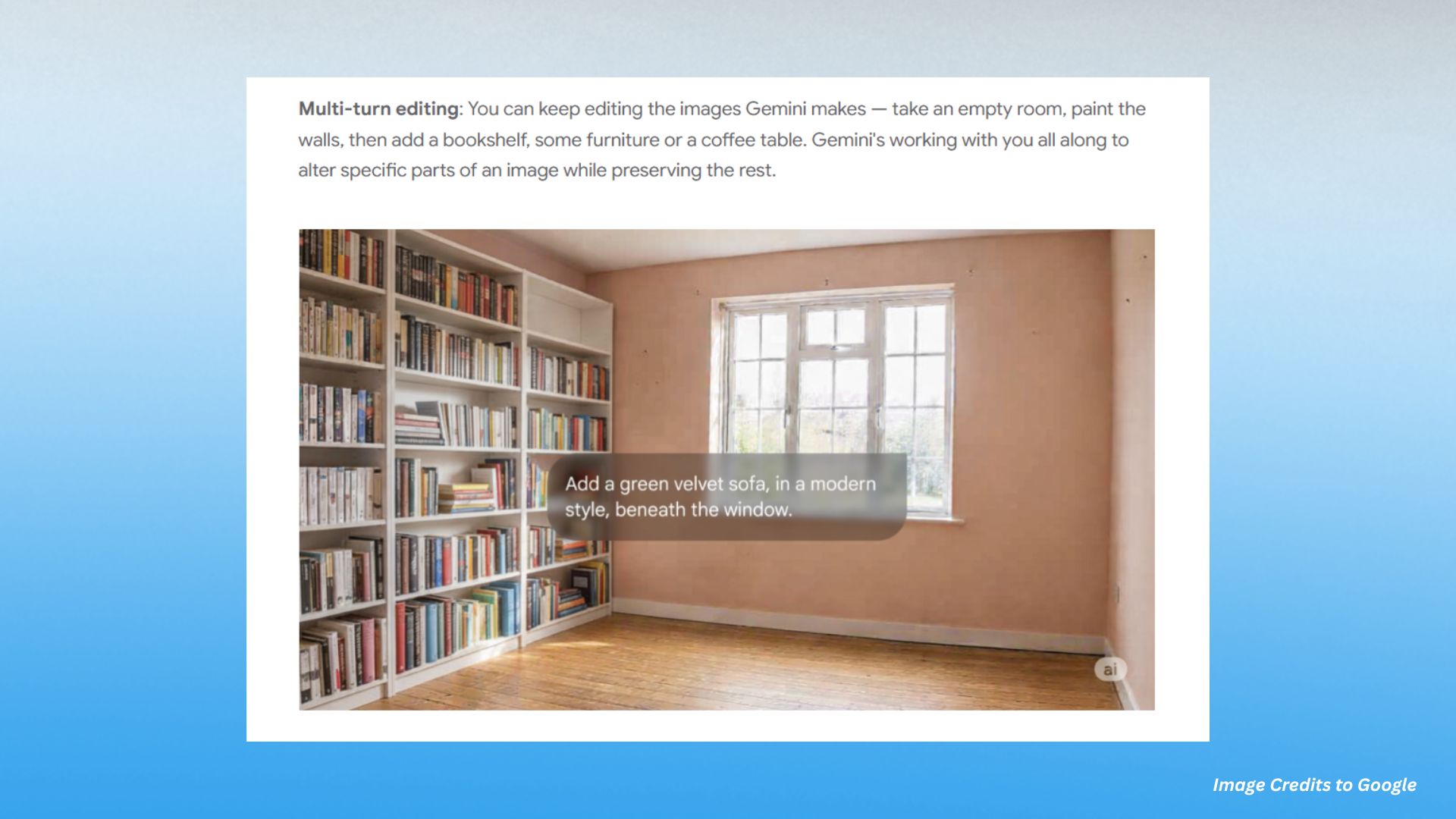
The multi-turn editing feature is probably the coolest one yet. You can keep building on your edits without starting over each time. Start with an empty room, paint the walls, add some furniture, then tweak the lighting. Each step builds on what you did before.
Photo blending is another game changer in Nano Banana. Take a picture of yourself and another one of your pet, then mash them together into one portrait that actually looks real. The AI figures out all the complex lighting and shadow stuff that would normally take forever to fix manually.
Finally, the design mixing feature lets you grab the style from one image and slap it onto something else. Want your shoes to look like flower petals? Done. Want to design a dress using butterfly wing patterns? Also done.
Portrait Work Gets Personal
This is where image editing in Gemini really shines. With Nano Banana, you can change costumes and locations while keeping your face looking normal. Traditional portrait retouching usually means spending hours with masks and adjustment layers just to get things looking halfway decent.
Now you can:
- Try different time periods without looking fake
- Switch professions or outfits instantly
- Place yourself in fantasy scenarios that still look believable
- Keep that essential “you” quality that makes photos work
This is huge for photographers who work with clients regularly. Instead of spending forever on manual exposure tweaks and complicated retouching, you can actually focus on the creative stuff.
How the Advanced Features Really Work
The system understands how different edits relate to each other. Unlike other tools that treat every change like it’s happening in isolation, Nano Banana gets the big picture. It knows that if you’re changing the lighting, that should affect the shadows and reflections too.
Professional photographers always struggle with keeping quality consistent across tons of images. This new system learns from what you’re doing and applies similar fixes intelligently across your whole batch.
We’ve come a long way from the basic filters and cartoon effects that used to pass for photo editing. Today’s AI actually understands what you’re trying to achieve artistically.
How This Changes Everything for Photographers
Traditional photo work requires you to master really complex software. Even experienced photographers spend way too much time on stuff like long exposure blending or double exposure effects.
The new image editing in Gemini makes all that technical stuff way more accessible. You can get professional results by just describing what you want instead of learning a bunch of layer mask techniques.
Here’s what changes:
- No more choosing between multiple shoots or hours of post-processing
- You can experiment with creative ideas without technical barriers
- One great shot can become multiple creative variations
- Focus shifts from learning software to actual creativity
The tech also fixes a common photography frustration. You know when you get that perfect exposure but want to try different creative directions? Before, you had to either reshoot everything or spend forever in editing software.
Now you can capture one solid shot and explore all kinds of creative directions. The AI keeps the technical quality of your original while adding artistic changes that would normally require advanced knowledge of light metering and color theory.
Other companies are catching up too. Adobe just launched new AI features focused on better object blending and background removal. The whole industry is moving toward making advanced editing more accessible.
Both free and paid Gemini users can try these features right now. Every edited image gets watermarked (both visible and invisible) so people know it’s AI-generated. That’s probably smart given how realistic this stuff is getting.
The Real Impact on Photography
This tech isn’t trying to replace photographers. It’s trying to amplify what they can already do. When you remove the technical roadblocks, photographers can spend more time on what actually matters: creating compelling visual stories.
Whether you’re doing portrait work for clients or just playing around with personal projects, these tools open up possibilities that used to be way too time-intensive or technically challenging.
Think about it this way. Before, if you had a creative idea but lacked the technical skills to execute it, you were stuck. Now, if you can describe what you want, the AI can probably make it happen. That’s a pretty big shift in how both amateur and professional photographers can approach their work.
The next time you want to try something creative but feel held back by technical stuff, remember that Nano Banana has eliminated a lot of those barriers. Your imagination might actually be the only thing holding you back now.
See more from DIYPhotography.net on Google
Add DIYPhotography.net as a trusted source. This makes
our stories more likely to appear in your Google Search results.
 Add as a preferred source on Google

Darlene Lleno
Darlene Lleno brings a unique perspective to DIY Photography as someone who grew up surrounded by camera gear but chose words over lenses. With five years of writing experience, she specializes in photography content that’s both technically informed and genuinely passionate. Growing up with a photographer twin brother meant camera talk was everyday conversation in her household. While he mastered capturing moments, Darlene discovered she preferred being the subject and the storyteller behind the scenes. As a travel enthusiast and mother of two, she understands the importance of preserving life’s precious moments. When not exploring new destinations or writing for DIY Photography, you’ll find her reading or tending to her garden. Her approach to photography writing is refreshingly authentic, she may not be behind the camera, but she knows exactly what it takes to help others capture the shots that matter most.




Join the Discussion
DIYP Comment Policy
Be nice, be on-topic, no personal information or flames.
One response to “Image Editing in Gemini Becomes the Best AI Photo Editor Yet”
I tried this, but Gemini won’t edit photos with children. Most of my pictures include children—my own, my grandchildren, or old family photos I’d like to restore. That makes Gemini worthless to me.