


















DJI Pocket 4P – Familiar, Refined, the Next-Gen for Pocket Cameras
Jul 30, 2026
DeeJay Neilson
DeeJay Neilson is a Glasgow-based photographer with nearly a decade of professional experience shooting portrait, event and commercial photography and video. When not photographing people or helping to build a brand, you’ll usually find him wandering the wilderness, doing some lightpainting.
Share:
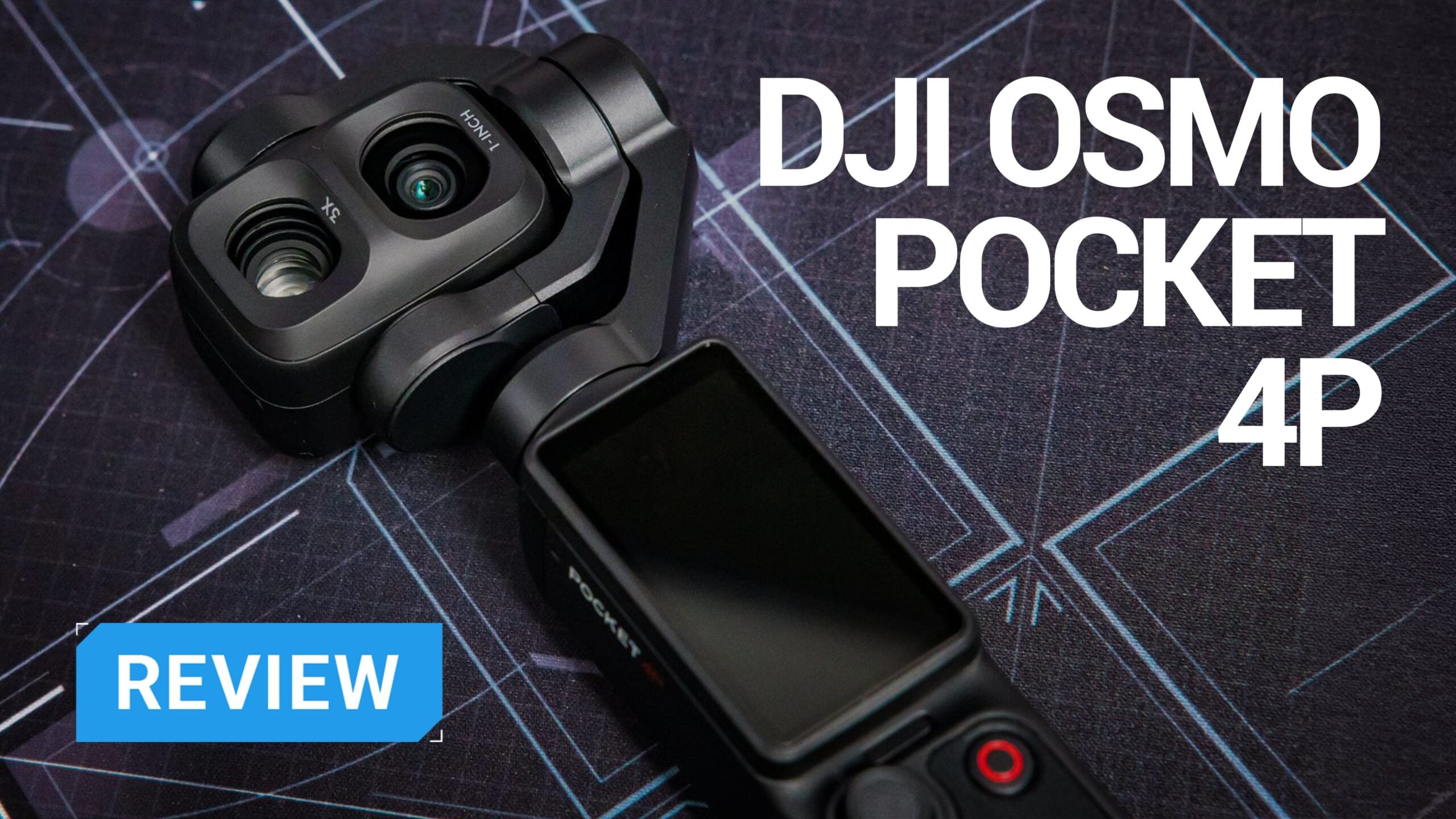
I’ve been using the DJI Osmo Pocket 3 ever since it was launched, and I’ve put it through its paces. So I’ll be looking at the new DJI Osmo Pocket 4P mostly as an upgrade from the Pocket 3, rather than comparing it to the regular Pocket 4. Sure, DJI brought out a standard Pocket 4 too, but for me, the real story is how the 4P stacks up if you already know the Pocket 3 inside and out.
The Pocket 3 was already a highly versatile camera for creators. It was discrete, reliable, super quick, and it punched way above its weight when it came to video. So when a new dual lens was even hinted at, I was instantly curious. But would it be an upgrade worth taking?
For me, the answer with the Pocket 4P is yes.
And it’s not because it feels like a radical new device in your hands. It really doesn’t. The first thing I actually noticed is how familiar it is. If you’ve spent much time with this type of camera, you’ll pick up the 4P and know what’s what right away. The big difference kicks in when you actually start shooting.
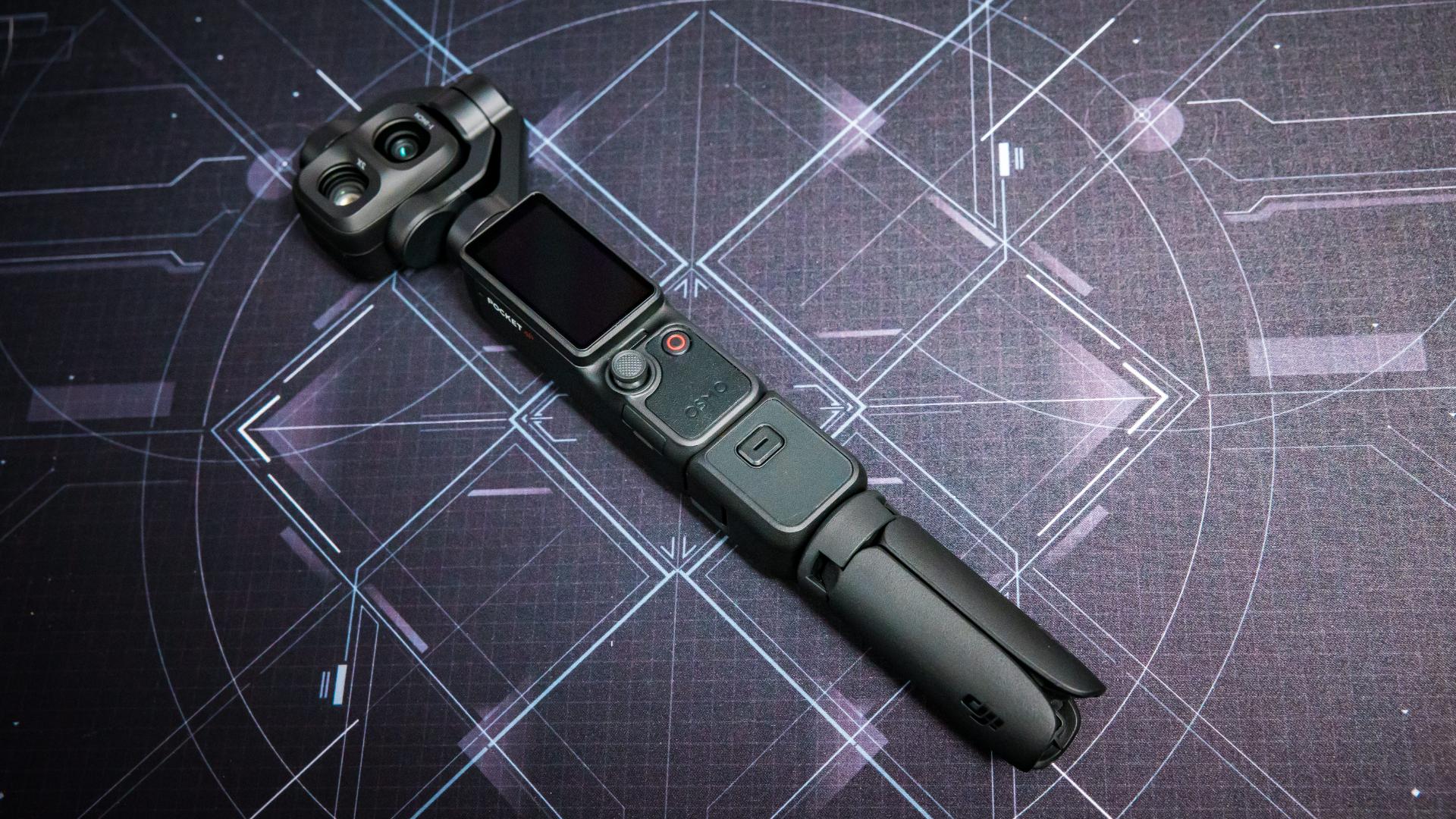
So we get a dual-lens camera, a 20mm equivalent wide, a 60mm equivalent medium-tele, 17 stops of dynamic range with 10-bit D-Log 2, 4K at 240fps slow motion, New ActiveTrack 8.0, 37MP photos, HDR 10-bit video, 4K Live Photo, faster transfer speeds with built-in memory, and a much stronger selection of accessories. It’s still a tiny “pocket” camera, but now it’s starting to feel like an even more serious video tool.
What’s In the Box
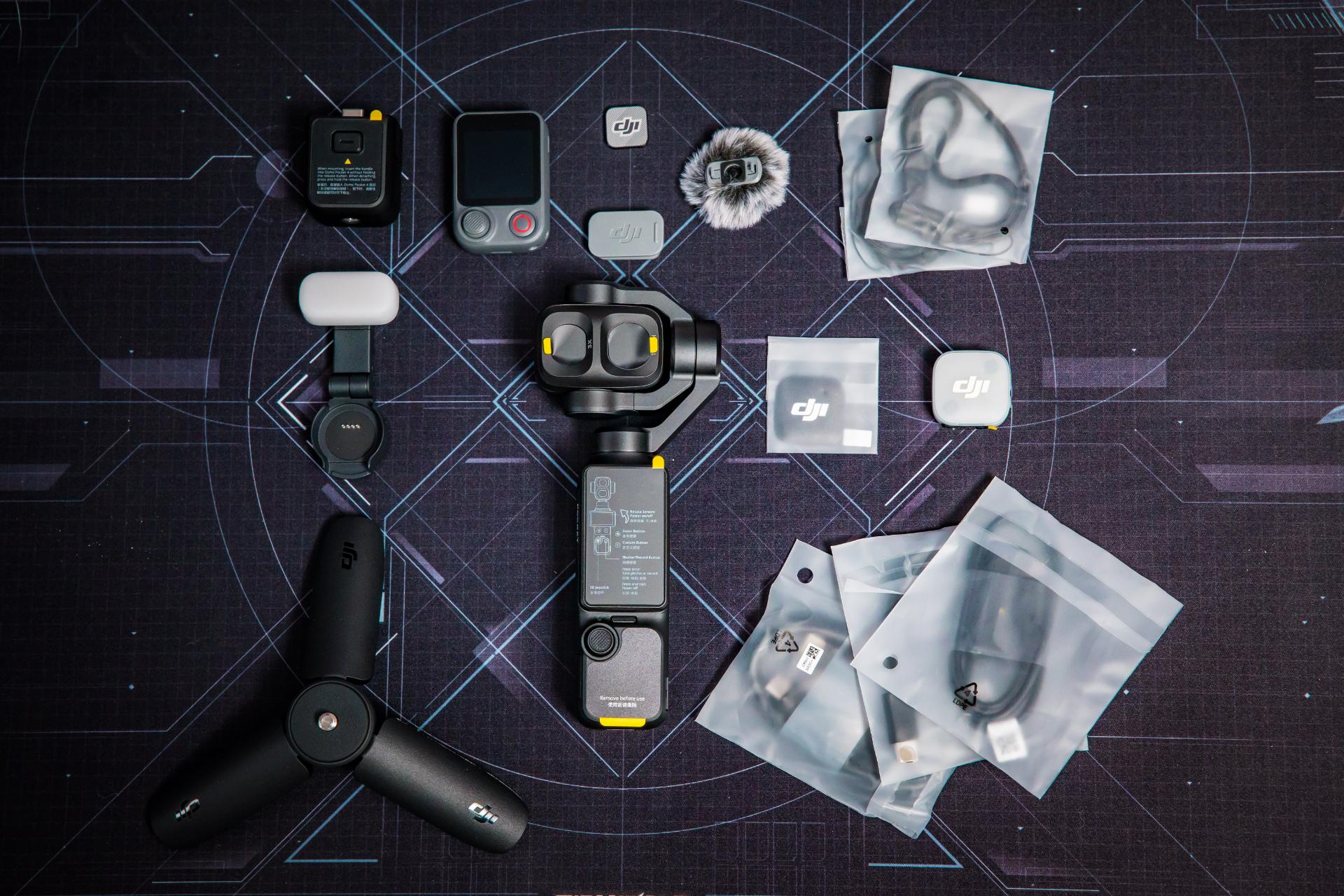
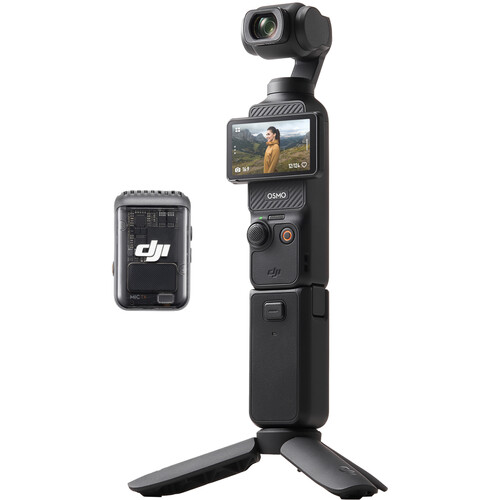
I’m reviewing the Vlog Combo as it makes more sense for most creators. The camera’s obviously a great step up, but the accessories actually matter here too. The DJI Osmo Pocket 4P Vlog Combo includes:
- DJI Osmo Pocket 4P camera
- Osmo FrameTap remote
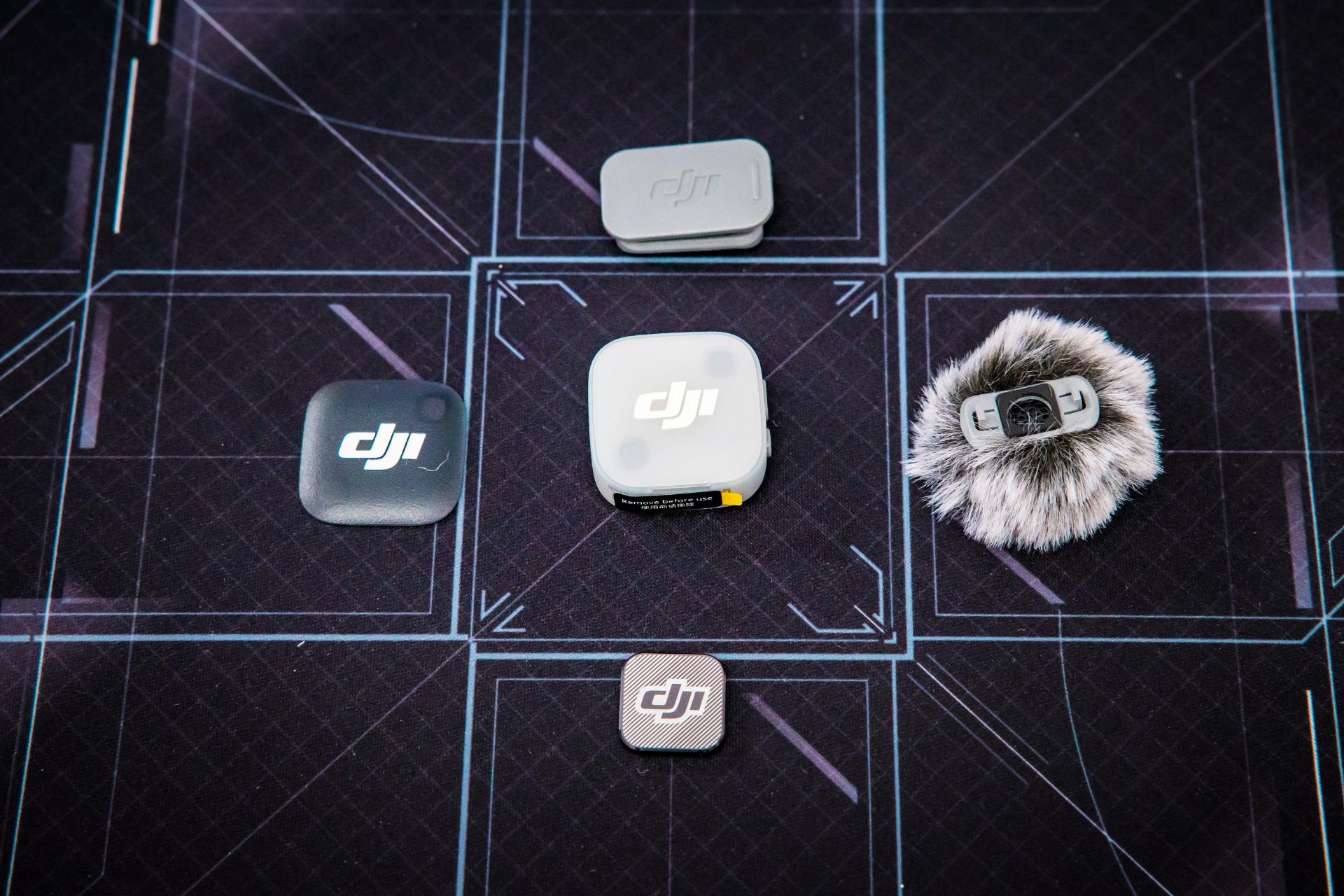
- DJI Mic Mini 2 wireless microphone with wind sock and attachments
- Magnetic Fill light
- Small extension with the 1/4″ thread mount & small tripod legs
- Charging cables
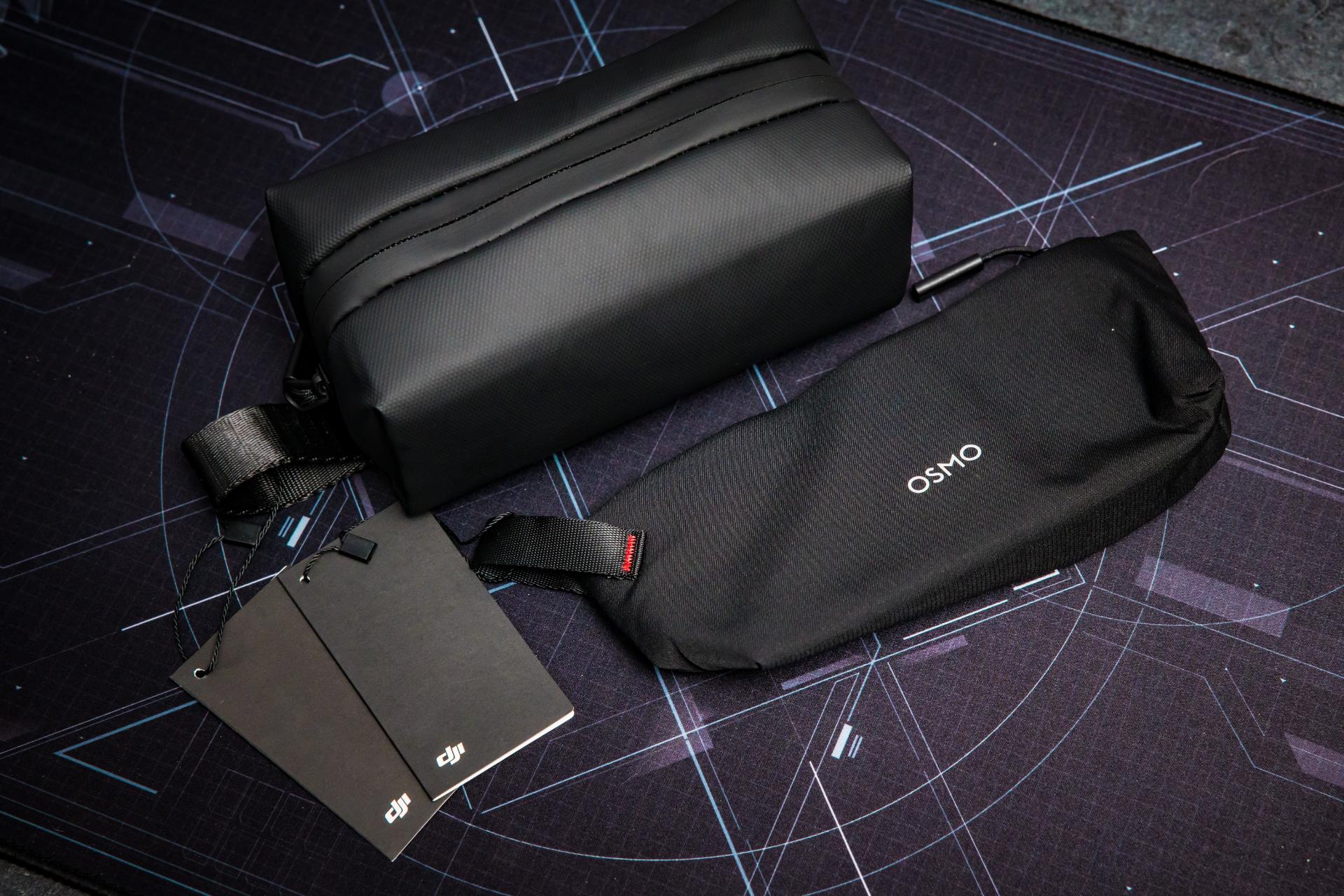
- Carry case
I also received the ND filters and a black mist filter separately, which I’ll talk about in a bit.
First thing that I noticed with the Vlog Combo is that everything is neatly enclosed in the included bag, with it ready to set up wherever you need it, which is kind of essential as the 4P doesn’t have the same little gimbal clip the regular Pocket 4 has. So the carry case is the main protection for the head.
The DJI Mic Mini 2 is one of those essential pieces for any vlogger or Content creator to get that crisp audio to pair with your video, though for the 4p. I would have thought it would have come with the newer Mic 3, which supports 32-bit float. But that doesn’t take away the fact that the mic is a great little addition.
The fill light surprised me, too. Thought it’d be a throw-away add-on, but it’s actually useful, especially for close vlogging or when lighting gets tricky. I haven’t done deep testing on it as I don’t really do a lot of filming myself, but I’ll never say never. All in all, my first impressions are good.
First Feel of the 4P
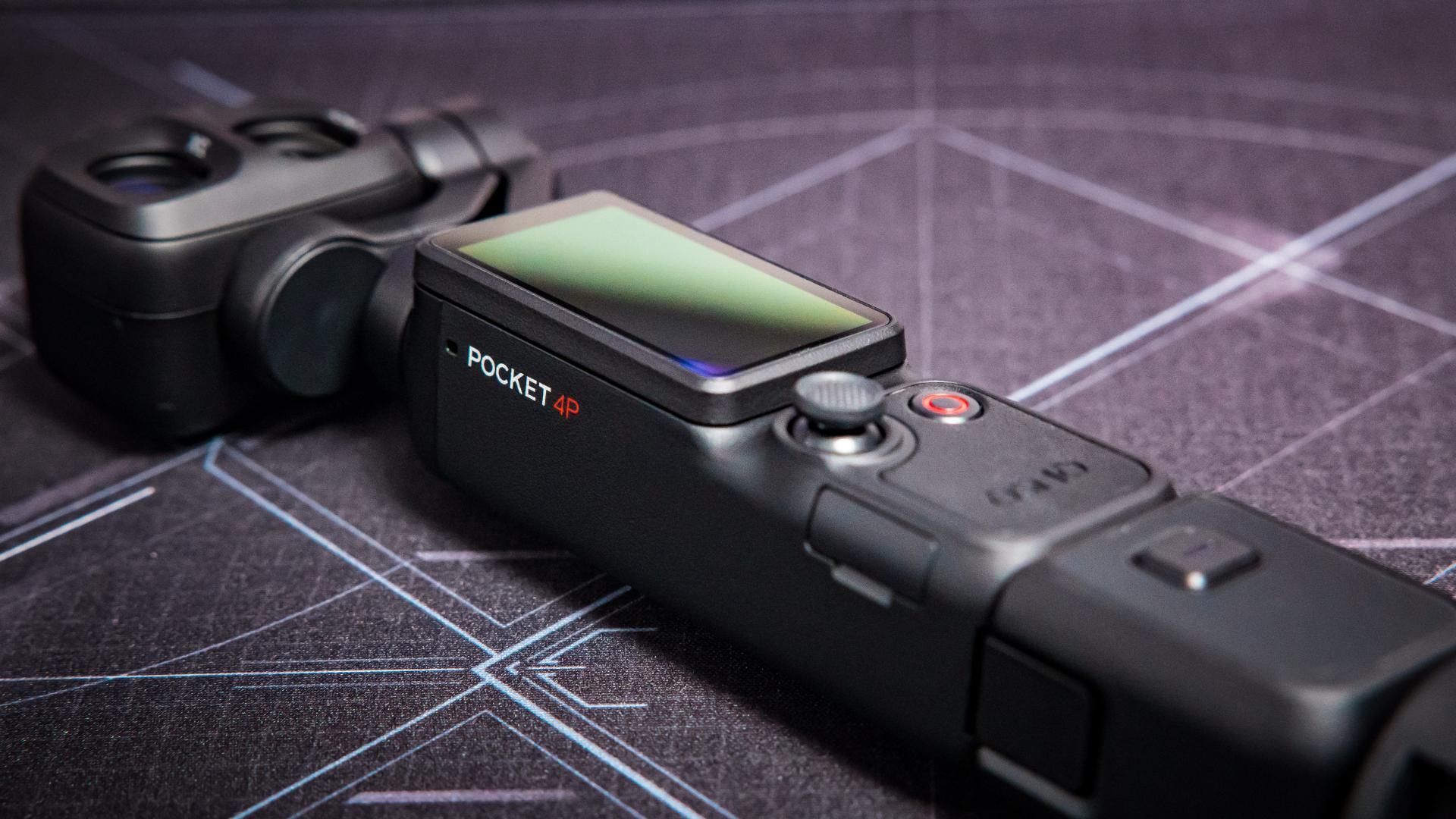
Picking up the Osmo Pocket 4P, it immediately felt like the previous generation. It’s a bit heavier (about 230g) compared to the Pocket 3 and Pocket 4, but in the grand scheme of things, you won’t really notice it. It’s still small, still pocketable, still the kind of camera you bring without overthinking.
So it’s really handy to have a camera that is that familiar because you can start shooting straight away. You don’t need to mess around with many settings to get you started. You just turn it on, and away you go. The 4P keeps that easy, speedy feeling from the Pocket 3, but feels more refined. Menus are more readable, and icons look clearer (especially in bright light, which was a gripe on the Pocket 3). It’s not something you’ll get excited about on a spec sheet, but in actual shooting, it does matter a lot.
Camera Performance: Where the 4P Stands Out
The camera system is a big deal. The 4P brings a new dual-lens setup: a 1-inch CMOS main sensor with a 20mm wide-angle lens, and a 60mm medium-tele lens at f/1.8. That second lens is the real upgrade for me.
The Pocket 3 was great dont get me wrong, but you were stuck at that wide angle, if you wanted tighter shots, more depth, or any real portrait look, you had to either move closer or use (so-so) digital zoom.
Now you’ve actually got a real 60mm equivalent. For me, that’s the game-changer. The longer lens lets you compress the scene, capture cinematic portraits, shoot tight details, and pull in the background so your subject pops. That’s what stood out right away.
The 4P gives you a whole new level of creativity. With 20mm, you’ve got your classic wide, vlog-friendly shot. At 60mm, you can do portraits, details, macro style closeups, basically, shots you couldn’t pull off with the older model. All from something you can literally fit in your pocket.
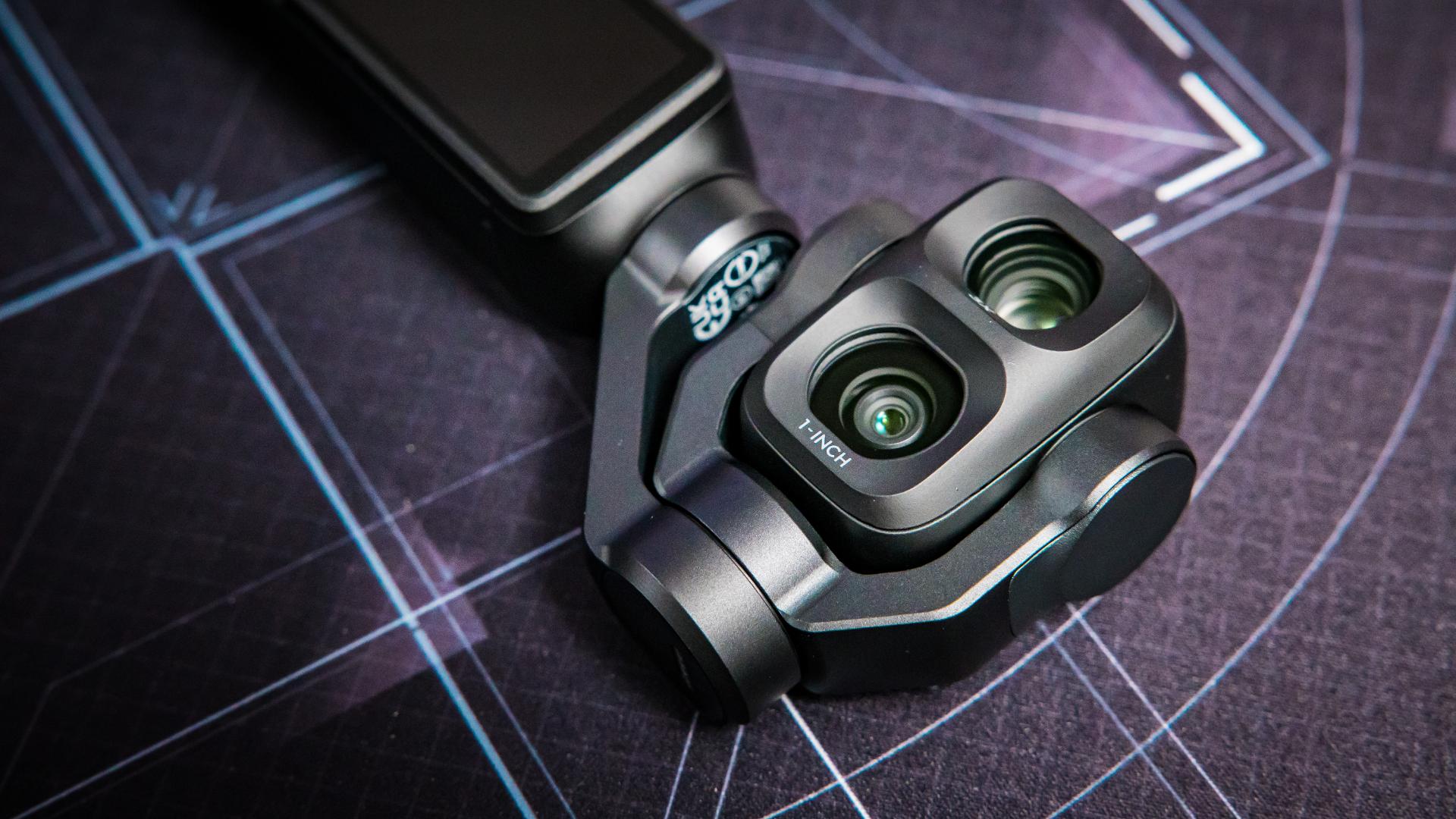
From 20mm wide to 60mm tele, you’ve got a 3x optical. From there, digital zoom takes you up to 12x (about 240mm equivalent). In my experience, up to 6x is probably the “safe zone.” 3x looks great. 6x is still very usable. 12x is handy, but you need to treat it carefully and not expect tack-sharp results. But still… It’s there if you need it. So, if you’re filming at an event or grabbing shots across a room, that reach gives you options the Pocket 3 couldn’t achieve. It changes what’s possible with pocket-sized video. Suddenly, it’s not just a vlogging camera anymore, it’s a little b-roll beast.
Big Colour Changes
Proper D-Log is a great addition to the Osmo Pocket 4P. The Pocket 3’s D-Log M was okay, but it never really wowed me. It did not always feel worth shooting in D-Log M because, a lot of the time, the difference did not feel massive enough compared with the normal colour profile.
The 4P’s 10-bit D-Log is a real step up. It gives you a lot more flexibility when grading in DaVinci Resolve or Premiere Pro. You can get more creative with the image, pull back highlights, dig into shadow detail and shape the look properly in post. It genuinely feels more like working with “real” camera footage rather than just footage from a tiny pocket camera. That is a massive advantage because it means the Pocket 4P is not just for casual clips. You can actually shoot with more serious projects in mind.
D-Log 2, combined with the claimed 17 stops of dynamic range, is again pushing the boundaries of what you can get from such a small device. It is most useful in difficult lighting: bright sun, sunsets, backlit subjects, night scenes and high-contrast environments where smaller cameras usually fall apart.
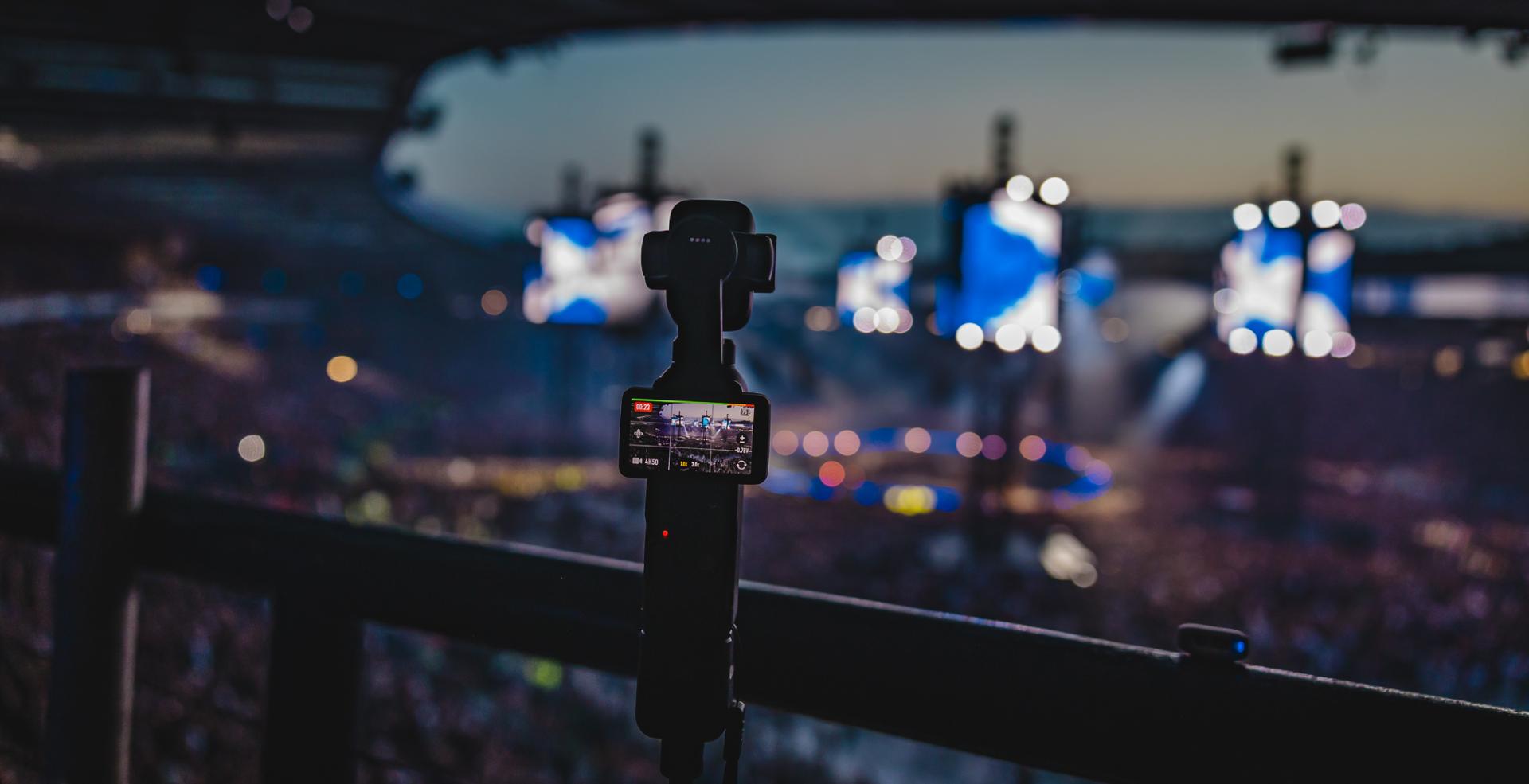
In those situations, D-Log 2 gives you noticeably more room to recover highlights, lift shadows and match the 4P with larger cameras in post. That is one of the biggest reasons this camera feels like such a major upgrade over the Pocket 3.
There is one limitation, though. From my testing, D-Log 2 is tied to the 1x wide camera and does not allow zooming. That is a shame, because the 60mm lens is one of the most cinematic parts of the camera, and I would have loved to use D-Log 2 across both lenses.
Even with that limitation, it still sets an example of where small cameras are heading. You do not always need a big, fancy camera setup to get cinematic footage. Because the 4P is so small, you can get unique shots from angles and locations where a larger camera would be awkward, intimidating or just impractical.
I would not be surprised to see cameras like this being used more often in bigger productions, even if only for specific shots. It is small, stabilised, discreet, and capable of producing footage that genuinely holds up when treated properly in post.
Low Light, HDR and Slow Motion
Low-light performance on the Osmo Pocket 4P is impressive for a pocket camera, especially when you use the dedicated low-light mode. I was genuinely surprised by how bright the final video looked in certain locations, even compared with what I could see with my own eyes at the time.
I also tested it at night by pointing the camera up at the sky, and I was surprised to actually see the stars in the footage. For something this small, that is pretty impressive. The 1-inch sensor, fast lenses and gimbal stabilisation all help the camera retain useful detail in scenes that would overwhelm smaller cameras. It is still worth being realistic, though. The 4P is not going to completely replace a large-sensor camera with a fast lens in proper low-light work, but for a pocket camera, it performs very well.
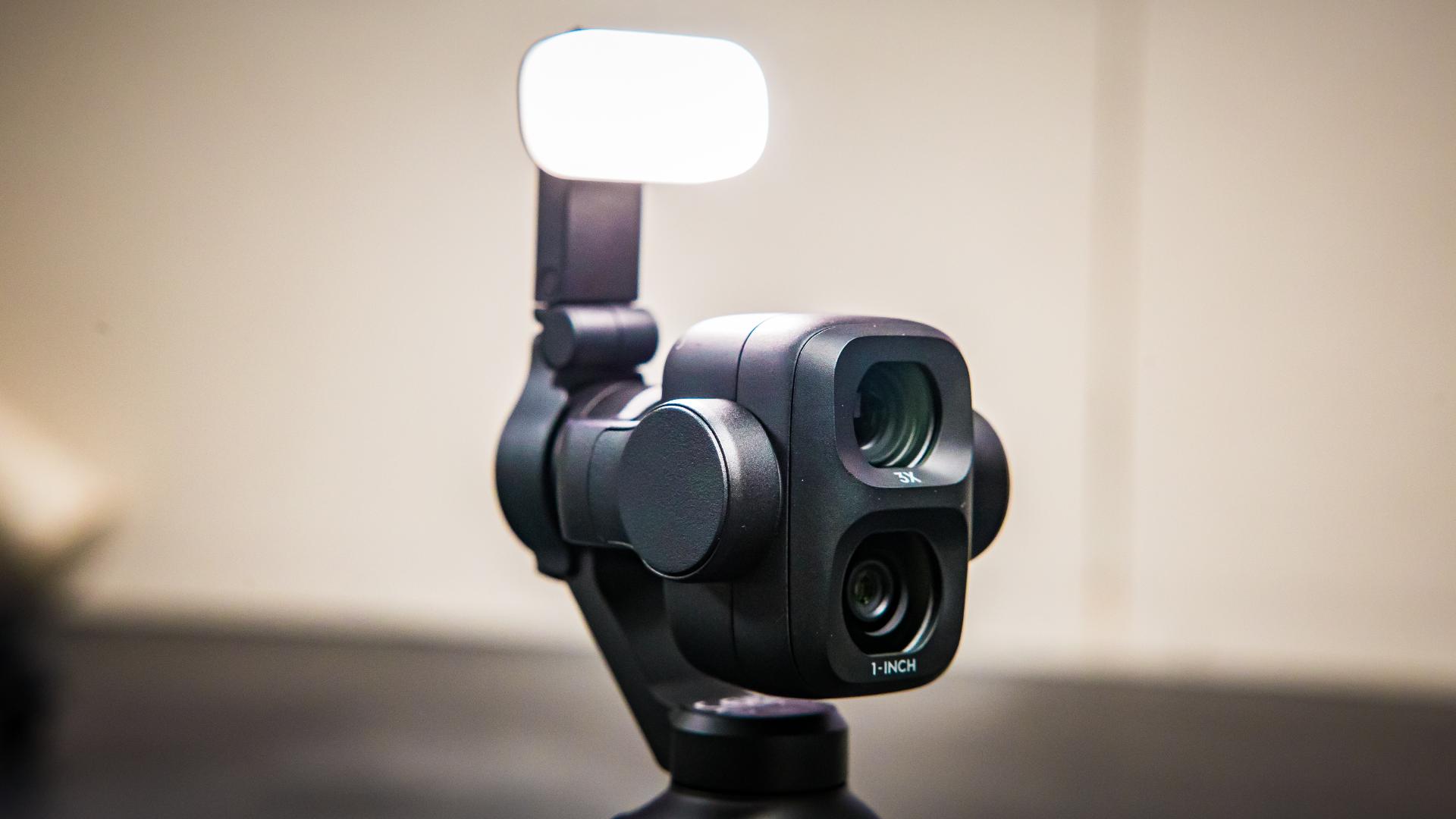
The magnetic fill light also helps, especially for close-up vlogging or quick talking-head shots when the lighting isn’t ideal. I still need to test the automatic brightness and colour-temperature features more thoroughly, but as an included accessory, it feels genuinely useful rather than just something thrown in to fill the box.
HDR 10-bit video is also available for creators who want punchier, ready-to-share footage without needing to grade everything. Personally, I still prefer D-Log 2 because I like having the extra control in post, but HDR is a useful alternative if you want a cleaner-looking image straight out of the camera.
The 4K/240fps slow-motion mode is another proper highlight. On the Pocket 3, I already loved being able to shoot at higher frame rates, especially around 120 fps, so having up to 10x slow motion on the 4P is even better. It is genuinely useful for events, sports, product shots, creative details and cinematic b-roll.
There are some limitations. You only get 4K/240fps in normal colour mode, so there is no D-Log 2 or HDR available in that mode. You also need to choose either the wide or tele lens before recording, with the zoom locked to the native 1x or 3x view. I would always like more flexibility, but that feels like a reasonable limitation for this kind of slow-motion mode as it’s adjusting its capabilities to keep big features usable.
Tracking and Remote Control
ActiveTrack 8.0 is another strong asset of the Osmo Pocket 4P. It reliably follows people, pets, and vehicles, and what impressed me most is that it still holds on well at longer zoom ranges. Once you start zooming in, every small movement becomes more obvious, so the fact that it can still track properly at 6x and even towards 12x is impressive.
It also handles brief obstructions well. If something passes in front of the subject, it does not instantly panic or jump to the wrong thing. Also, if I were tracking, going behind a foreground element and then coming back would snap straight back to the original subject.
I also like that the tracking does not completely take control away from you. You can still nudge the framing with the joystick while the camera tracks, so if the subject is sitting too central, too high or too low, you can adjust the composition to exactly how you want it to sit in the frame. That makes the tracking feel more useful and less automatic.
The main weakness I noticed is that it can sometimes track a bit too precisely. If someone is walking and naturally moving up and down, the camera can follow those tiny vertical movements too closely, making the shot look slightly robotic. It is not a deal-breaker, but I would love DJI to add a slower, cinematic tracking mode that still follows the subject with softer, smoother movement.
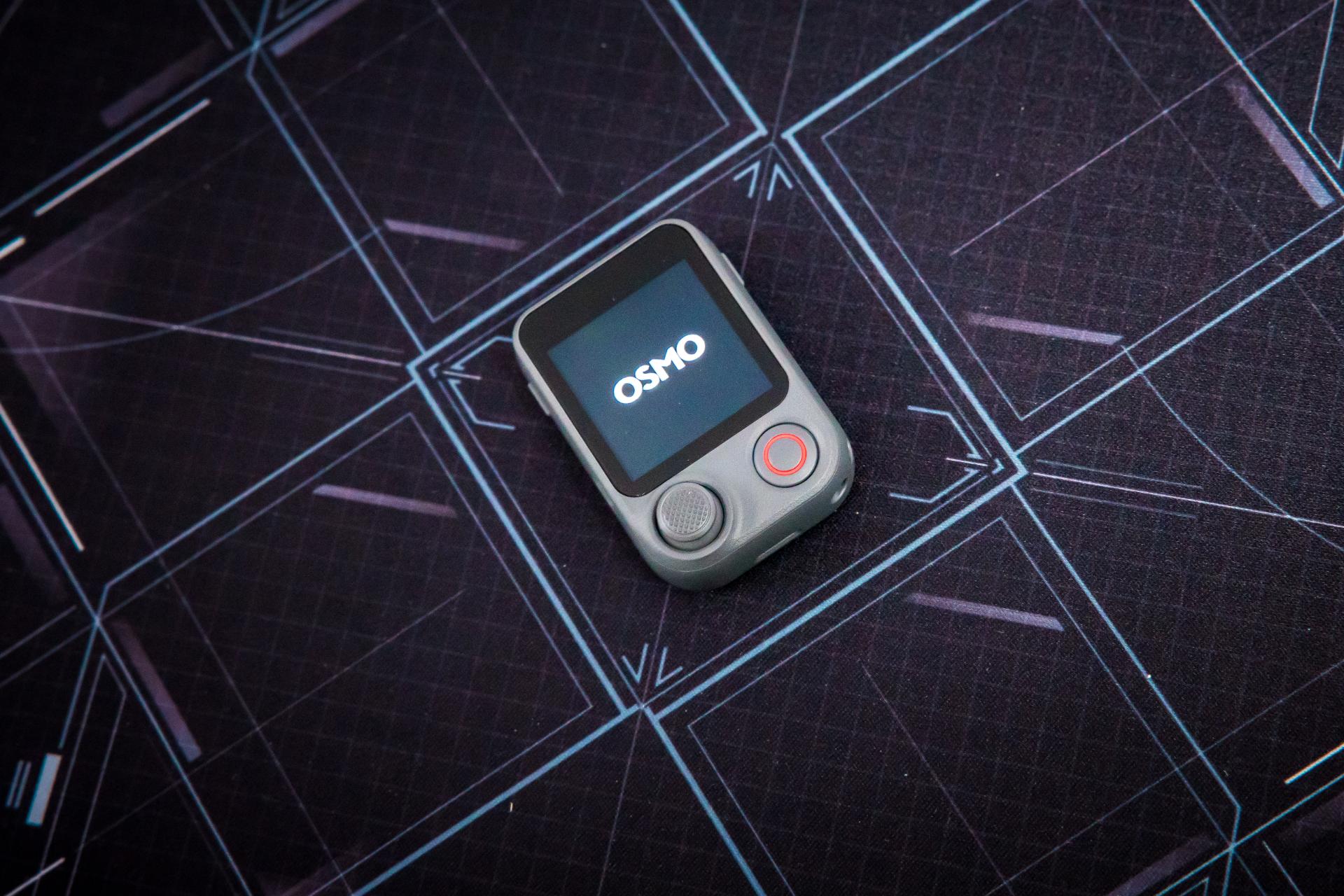
The Osmo FrameTap remote is also more useful than I expected. Using a phone as a monitor works, but it is bulky, awkward to mount and another thing to charge. The FrameTap is smaller, simpler and feels more like part of the camera system.
The best part is that it separates the controls. You can use the joystick on the Pocket 4P to pan and tilt the gimbal, while using the joystick on the FrameTap remote to control zoom or vice versa. That means you can zoom in while still moving the camera, rather than having to choose between zoom control and gimbal movement. This can definitely improve certain shots.
It also makes sense when the camera is mounted somewhere awkward, like on a chest mount, bike setup or any position where touching the camera itself is not ideal. The remote lets you see what the camera sees and control the shot without turning the whole thing into a bulky phone rig.
I do think DJI could build this idea further, though. A proper watch strap attachment would be brilliant, it’s the perfect size for it! especially for active filming. A handlebar mount would also make sense for cycling or scooter shots, and maybe even a magnetic mount would make it easier to place the remote on rigs, stands or nearby metal surfaces. The FrameTap is already useful, but with better mounting options, it could easily become one of the best accessories in the whole system.
Workflow, Stills and Accessories
The 800MB/s USB 3.1 transfer speed is one of those upgrades that does not sound exciting until you are actually using it. If you are shooting a lot of 4K footage, slow-motion or D-Log 2 clips, being able to move files to a computer much faster is a significant quality-of-life improvement. It makes the whole workflow feel less painful after a shoot.
Auto Media Transfer to iPhone, I think, will be a good addition. I’m eagerly waiting for the Android version so I can test it myself. It’s for social creators who want to get footage onto their phone quickly after filming. Once the camera is powered off, newly captured footage can automatically transfer to your iPhone. DJI recommends using an iPhone 16 or newer running iOS 26.4.1 or later, with the Pocket 4P battery above 15%, for the most stable experience. I’ve seen that you can also select your fave clips rather than everything, so if you wanted to highlight specific moments, you can.
The 37MP stills are useful as well, especially for thumbnails, social posts, behind-the-scenes images, or quick-reference shots. 4K Live Photo adds a short motion clip to each picture, which is a nice touch for more casual moments.
Neither of these photo features would be the main reason I would buy the camera, but they do make the Pocket 4P feel more versatile again.
ND Filters and Black Mist Filter
DJI also supplied the ND filters and the black mist filter, and after testing them, they do exactly what you would want them to.
The ND filters are the practical ones. They help keep the shutter speed under control in bright daylight, so movement looks more natural rather than overly sharp and digital. They are especially useful if you are shooting D-Log 2 outdoors and want the footage to feel a bit more controlled. It is not the most exciting accessory to talk about, but for proper video work, ND filters are one of those essential items to get that cinematic look..
The black mist filter is more about character. It slightly softens the image, blooms highlights and takes a bit of the harsh digital edge away without making the footage look too stylised. I liked it most with the 60mm lens, which softens portraits, enhances night scenes and background lighting, and makes b-roll feel more cinematic overall.
Pocket 3 vs Pocket 4 vs Pocket 4P
If you already own the Pocket 3 and mainly use it for simple vlogs, family footage, holidays, days out or wide-angle social content, you do not need to rush out and upgrade. The Pocket 3 is still a brilliant little camera. It is compact, dependable, easy to use, and still delivers great footage for everyday content.
That is where the standard Pocket 4 makes sense. To me, the Pocket 4 feels like the more refined version of the Pocket 3. It is the natural upgrade for everyday users who want the familiar Pocket experience, but with newer improvements, better performance and a more polished camera overall.
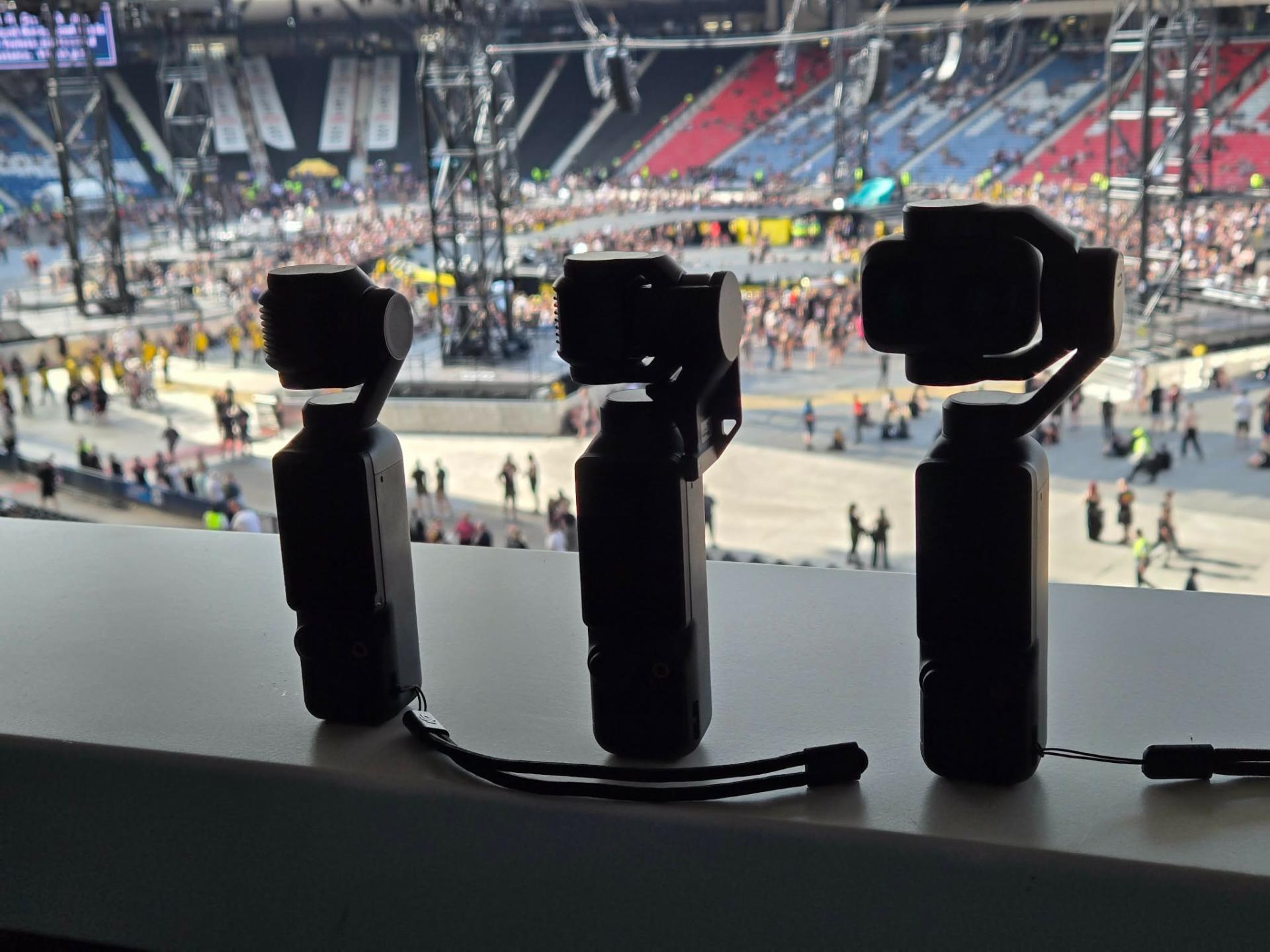
Side note: The video we shot where the above photo was taken can be viewed here, but none of that footage was shot with DJI Pockets. The intro clip was shot with the DJI Avata 360 drone, though. The review for that is coming soon.
The Pocket 4P is different. Although I am comparing it to the 3 solely from my experience. The 4P is the first generation of the Professional line, so it’s in a new category entirely. It is still small and easy to use, but the 60mm lens, stronger grading flexibility, better low-light performance, 4K/240fps slow motion, longer reach, and Vlog Combo accessories change the kind of shots you can actually make.
So if you just want an easy pocket camera for simple clips, the Pocket 3 is still enough, and the Pocket 4 is the natural everyday upgrade. But if you want to get the most creativity out of a camera this small, especially for events, b-roll, social content, weddings, client work or more cinematic footage, the Pocket 4P is the one that makes the bigger jump.
Sample Footage
Sample footage is coming soon!
Verdict
The DJI Osmo Pocket 4P feels like the point where the Pocket series moves from being a brilliant everyday creator camera into something much more serious, and I’m using my main camera less and less for video. It’s just too handy.
It is not perfect. I would still like to see proper 4K vertical video, open-gate recording, D-Log 2 across more zoom settings, smoother cinematic tracking options, better mounts for the FrameTap remote and a dedicated protective gimbal clip.
But even with those omissions, the Pocket 4P is absolutely worth it for creators who want more control, more range and more cinematic footage from something that still fits in your pocket.
Price and Availability
The DJI Osmo Pocket 4P is available to buy now in the Standard Combo for £529 in the UK, €599 in Europe and $859 CAD before tax in Canada. The Vlog Combo costs £605, €689 and $969 CAD, respectively.
DJI says US availability is pending. So, you’ll have to stick with the DJI Osmo Pocket 3 a little while longer.
See more from DIYPhotography.net on Google
Add DIYPhotography.net as a trusted source. This makes
our stories more likely to appear in your Google Search results.
 Add as a preferred source on Google
DeeJay Neilson
DeeJay Neilson is a Glasgow-based photographer with nearly a decade of professional experience shooting portrait, event and commercial photography and video. When not photographing people or helping to build a brand, you’ll usually find him wandering the wilderness, doing some lightpainting.
Related Posts
 DJI Osmo Pocket 3 review: an exceptional vlogging camera that really does fit in your pocket
 Give your DJI Osmo Pocket vlogs great sound with DJI’s new external microphone adapter
 Deity’s next-gen S-Mic 3 cuts half its weight but still blocks interference
 Xencelabs Next-Gen Pen Display 24+ Adds Built-In Hardware Colour Calibration
Join the Discussion
DIYP Comment Policy
Be nice, be on-topic, no personal information or flames.