

















How I Use This Colour Lighting Recipe To Delight My Clients
Sep 28, 2015
Jake Hicks

We love it when our readers get in touch with us to share their stories. This article was contributed to DIYP by a member of our community. If you would like to contribute an article, please contact us here.
Share:

Here is a simple recipe you can use to add colour and subtle narrative to your images. It will delight your clients and help your images stand out from the crowd.
A lot of the time we see coloured gels used in photography to create very bold statements, this is often achieved with hard lighting to create a lot of saturation in the colour but there are times when a more subtle colour wash is all you need.
Sometimes you will want to introduce that subtler coloured gel by diffusing or softening the gels before they hit the model, one way to soften these coloured gels is to obtain large softboxes and completely cover them with huge sheets of coloured gels. This method is often impractical and costly to buy massive softboxes and rolls of gels but there is a way to create those soft pastel tones with the equipment you already have.
Get The Look

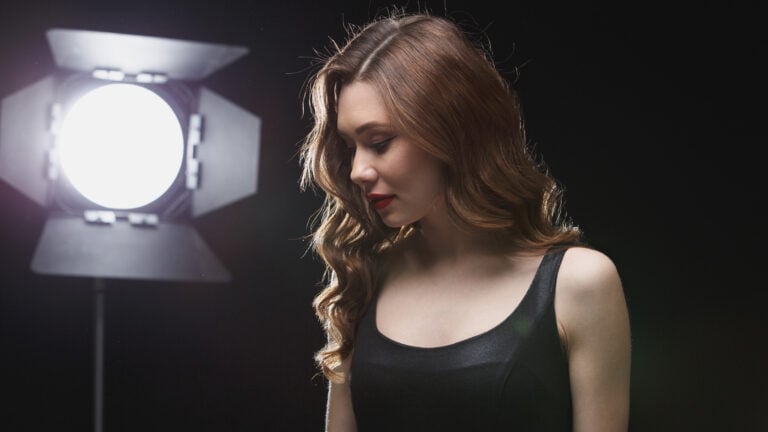
First of all set up your standard portrait lighting by placing a beauty dish just above the models head angled down at 45 degrees. You could use a small softbox but make sure it’s as close as possible to avoid too much spill of light.

The next step is to soften the shadows and you can do this by placing a small softbox at the models feet angled upwards. You should look to meter this as a stop below your key light. It is possible to try this setup with a reflector rather than a softbox but just be aware that it will never be as powerful so the resulting image will have more contrast due to the darker shadows.

Thirdly you add your first colour. I have added blue to camera left here and as I am going for a far softer colour palette I want to avoid using hard lights. To achieve a softer colour you need to diffuse the coloured gel and I have done that here by aiming my gelled light away from the model and bouncing it off a large white board. This can also be achieved by bouncing it off a large white thick cotton sheet because the effect will be same, you are softening the light by bouncing it off a larger source.


Finally we bring in our second colour on the right hand side and that is set up in exactly the same way by bouncing an orange gel off a a large white board. It’s worth bearing in mind that although I am using large white bounce boards here, you could get away with hanging large thick white sheets to bounce the coloured light off as an alternative in a pinch.
It’s also useful to note that these two colours are chosen because of what the model is wearing, the orange and blue go really well with the pinks and violets of the models outfit.

About The Author
Jake Hicks is a Editorial and Fashion photographer and an educator at Amersham Studios based in the UK – This is one of many recipes Jake will share in on his next workshop with about colour narratives & how to create them in camera, check it out!
You can see more of Jake’s work over on his webpage and interact with him over at Facebook, Instagram, 500px, Twitter and flickr.

We love it when our readers get in touch with us to share their stories. This article was contributed to DIYP by a member of our community. If you would like to contribute an article, please contact us here.


Join the Discussion
DIYP Comment Policy
Be nice, be on-topic, no personal information or flames.
12 responses to “How I Use This Colour Lighting Recipe To Delight My Clients”
Cool layout and recipe… thanks!
What’s the software called to simulate the lighting setup?
set.a.light 3D
that is set.a.light 3D – https://www.facebook.com/elixxier
Isn’t it more than a bit weird that the final results of this photographic technique tutorial aren’t actual photographs?
Great tutorial!
This is great. Within the last year, I added color gels to my bag of photography tricks. I’m still learning how to make the best use of them, so I really appreciate this tutorial!
Angela, what other inspiration/techniques have you discovered using colored gels?
The one I use most often for indoor event photography (and used just last night at a club in Washington DC) is Gary Fong’s Red Hallway Trick. Simple, but incredibly useful!
http://www.garyfong.com/learn/famous-red-hallway-trick
Oh neat trick. That is brilliant. Thanks for sharing.
FYI – You’ve called Jake, Jack in the Author section haha
What was the camera settings?