


















DxO Releases Nik Collection 9 With AI Masking, Depth Maps, and New Analog Filters
Apr 21, 2026
Dunja Đuđić Kalinin
Dunja Djudjic is a multi-talented artist based in Novi Sad, Serbia. With 15 years of experience as a photographer, she specializes in capturing the beauty of nature, travel, concerts, and fine art. In addition to her photography, Dunja also expresses her creativity through writing, embroidery, and jewelry making.
Share:
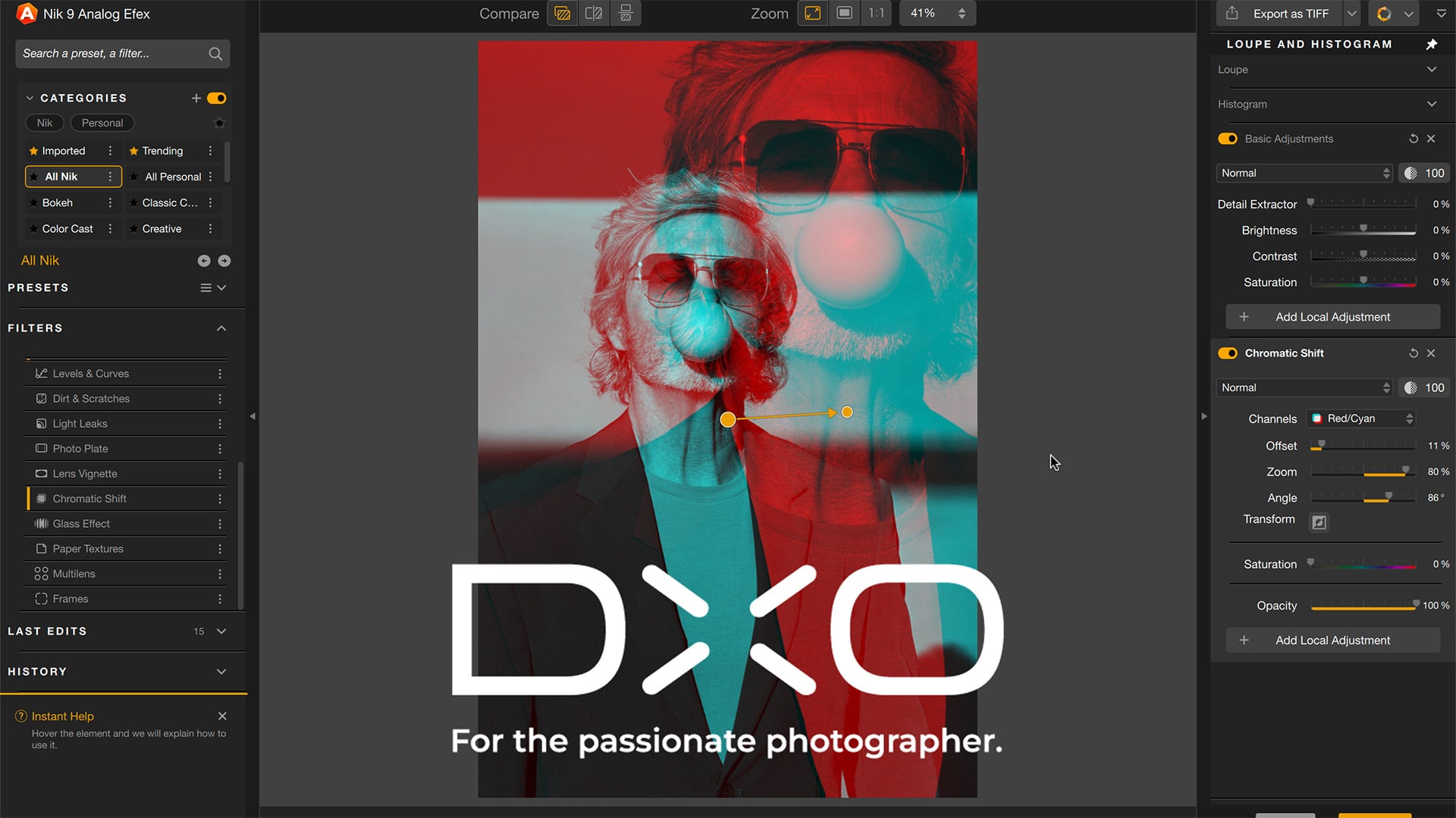
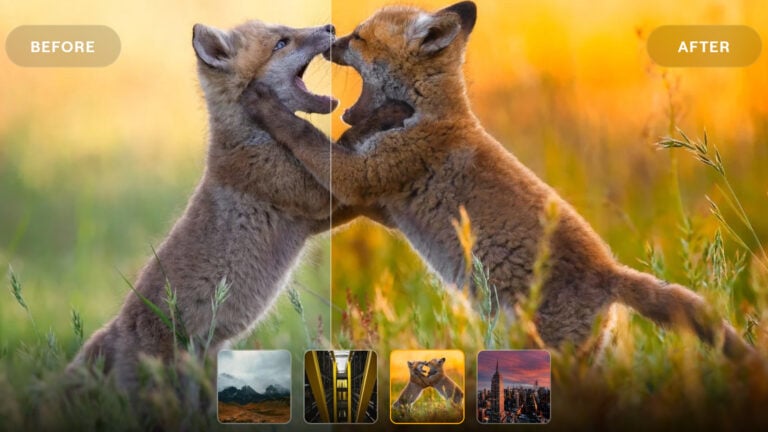
DxO has released Nik Collection 9, the latest update to its plugin suite for Photoshop, Lightroom Classic, Affinity Photo, and DxO PhotoLab. The update adds two new masking tools, brings Color Grading to Nik Color Efex, and introduces three new filters with an analog-inspired focus.
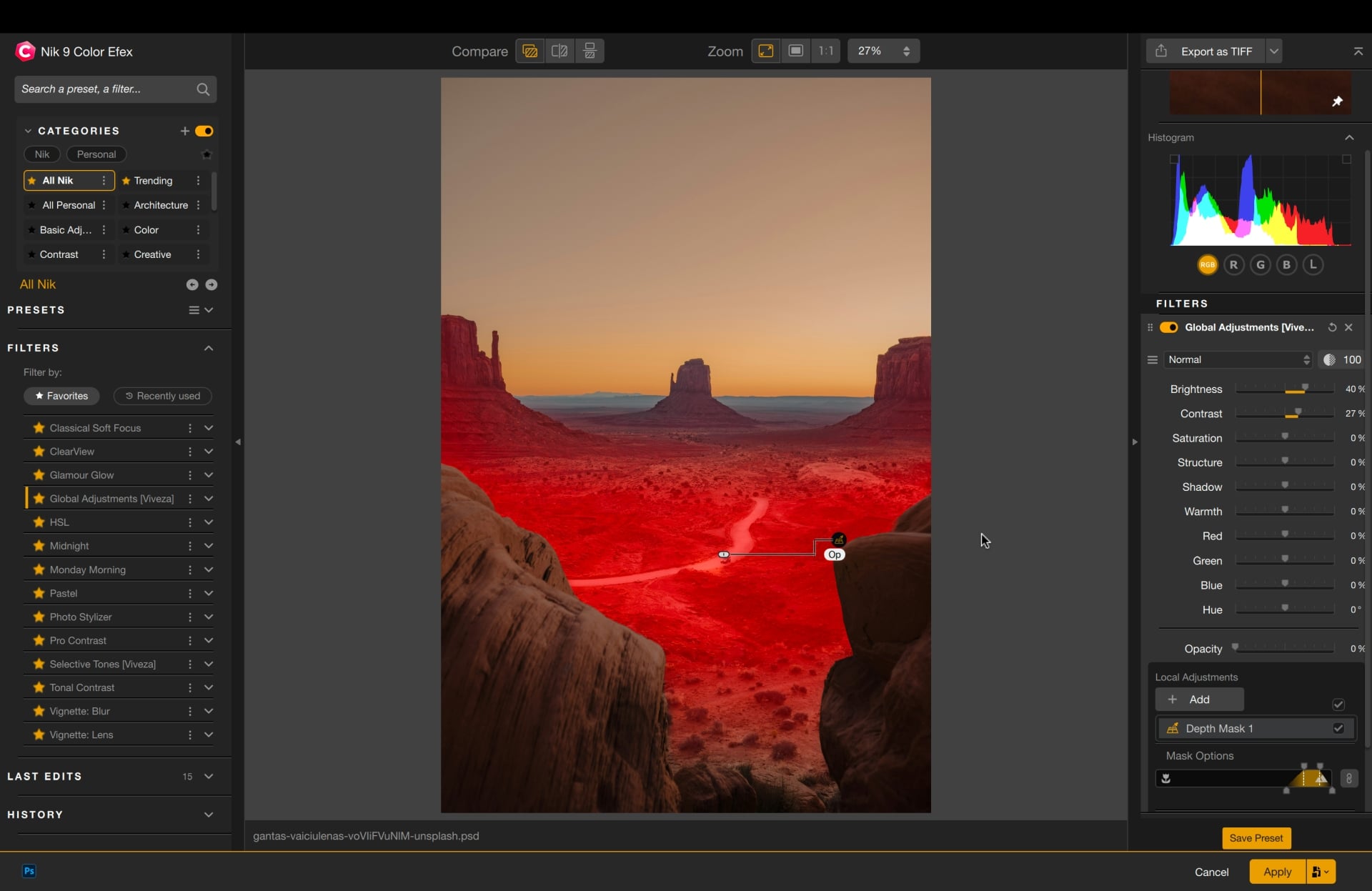
Depth Masks and AI Masks
The two new masking tools take different approaches to the same problem: making local adjustments more precise without a lot of manual work.
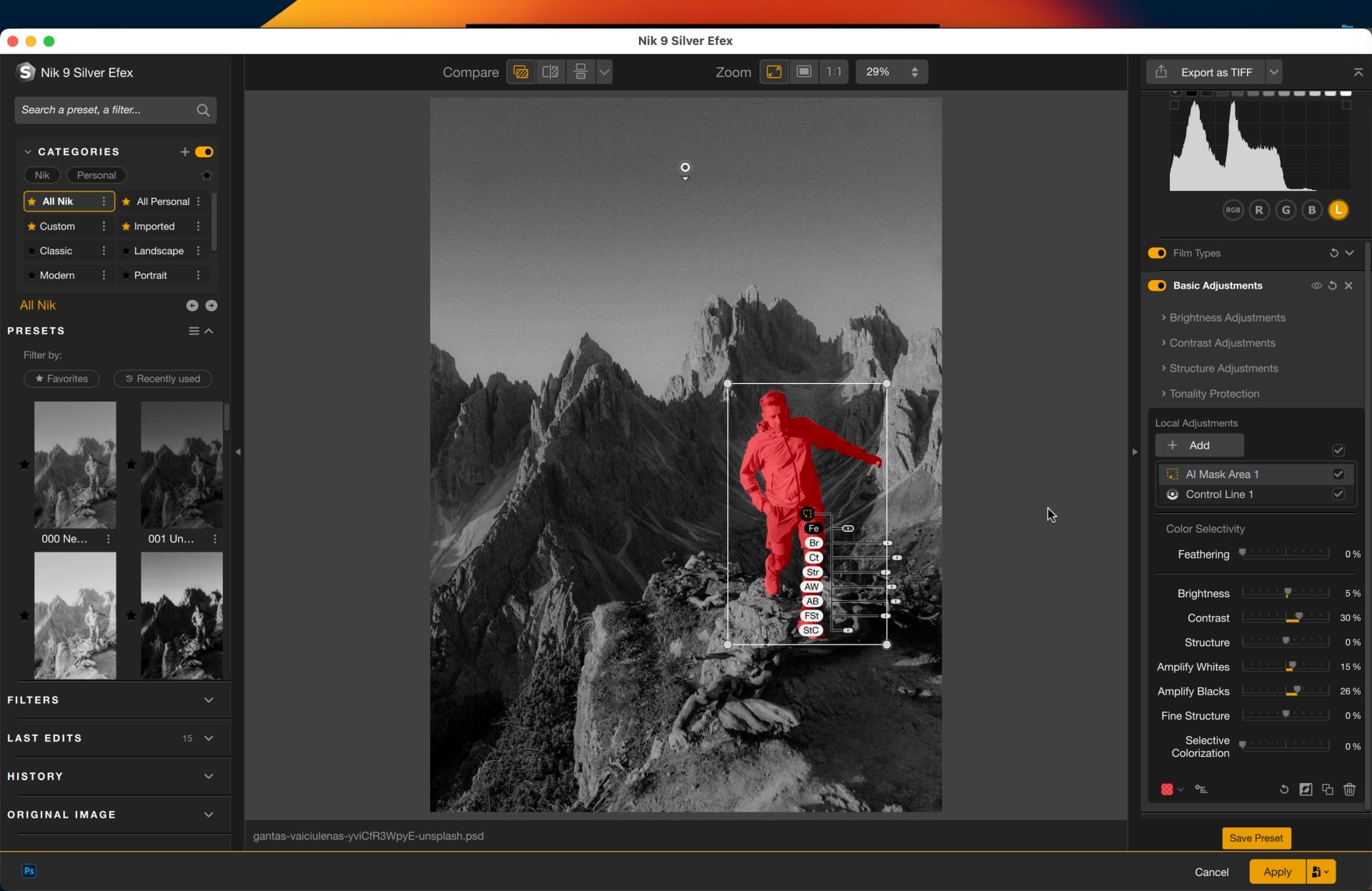
Depth Masks analyze your image to generate a depth map, letting you target adjustments by distance from the camera. No embedded depth data required. Feathering controls let you refine the range between foreground and background for smooth, natural transitions.
AI Masks handle subject selection. Once you’ve applied a tool or filter, you create an AI Mask and click directly on the area you want to affect, or draw a bounding box around it. Both tools are accessible from a new consolidated local adjustments palette that brings everything into one place.
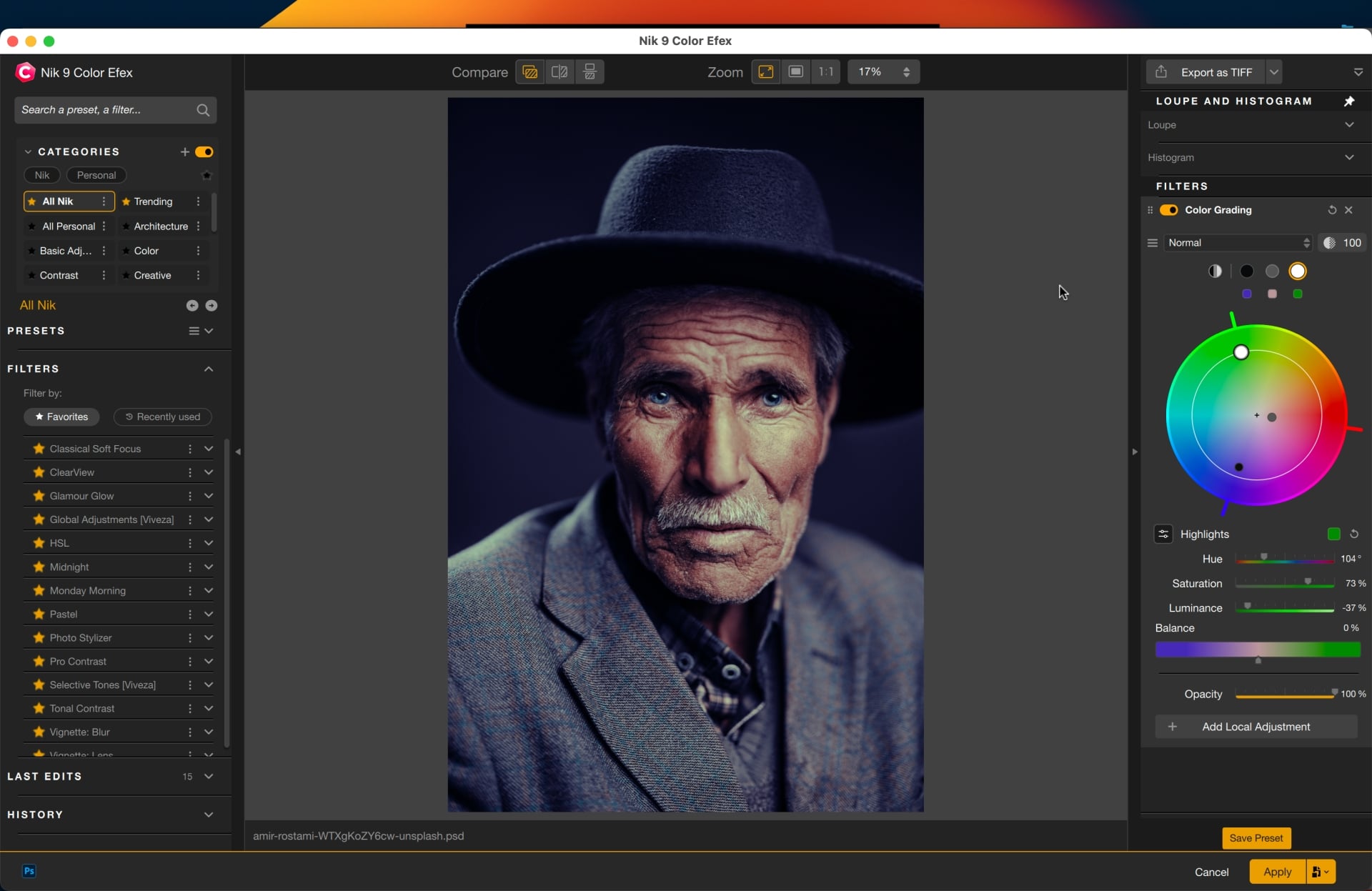
Color Grading comes to Nik Color Efex
This one has been missing for a while. The new Color Grading tool works from a single color wheel with independent control over shadows, midtones, highlights, and global color. Tonal ranges can be adjusted separately or locked together for synchronized changes. It’s a cleaner approach than juggling multiple wheels.
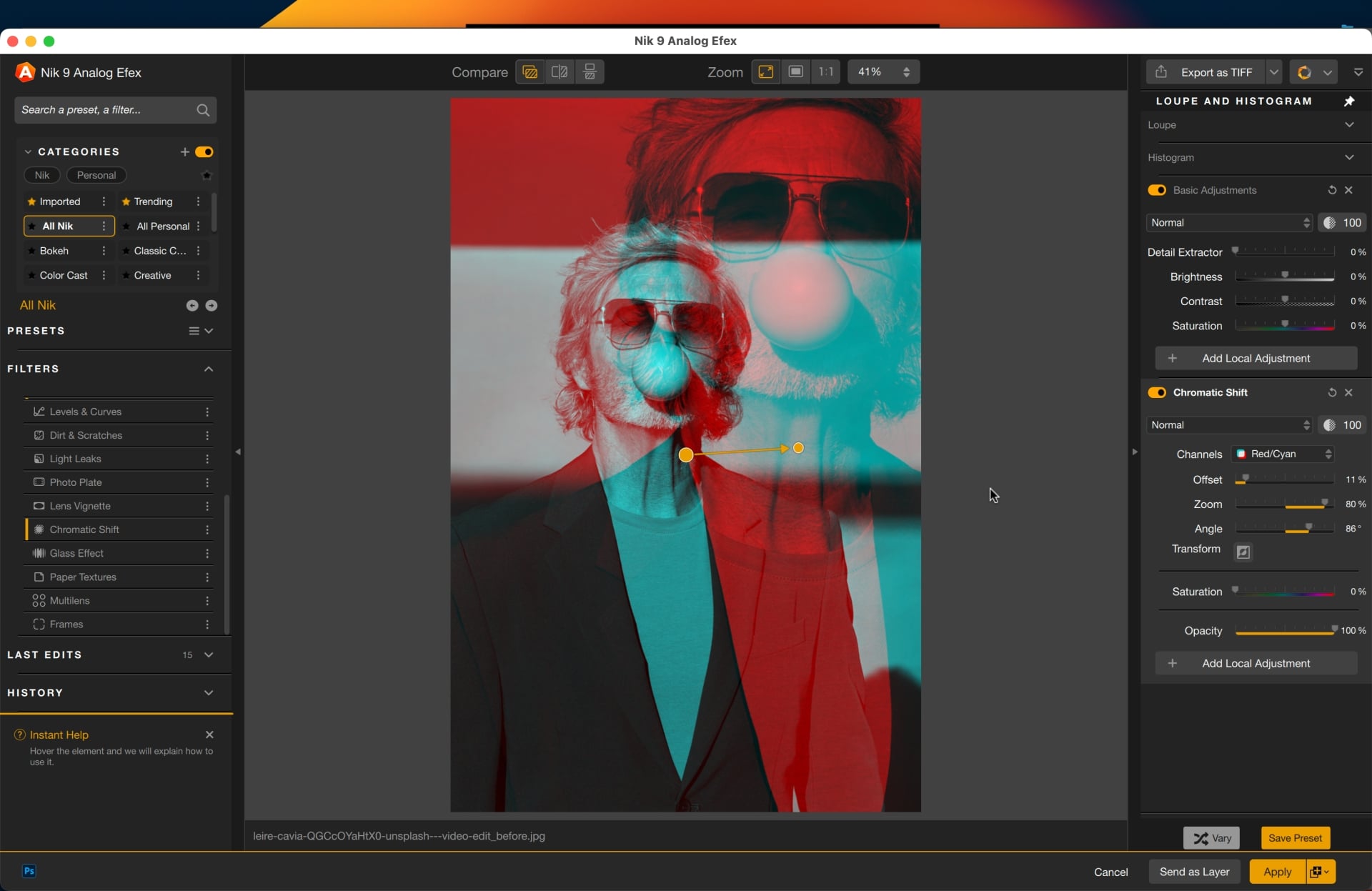
Three new filters
Chromatic Shift is inspired by traditional offset printing, recreating the subtle ink misalignment that gives images an analog feel. You can choose from three color palettes and adjust angle, offset strength, and scale to land anywhere from a delicate texture to something more graphic.
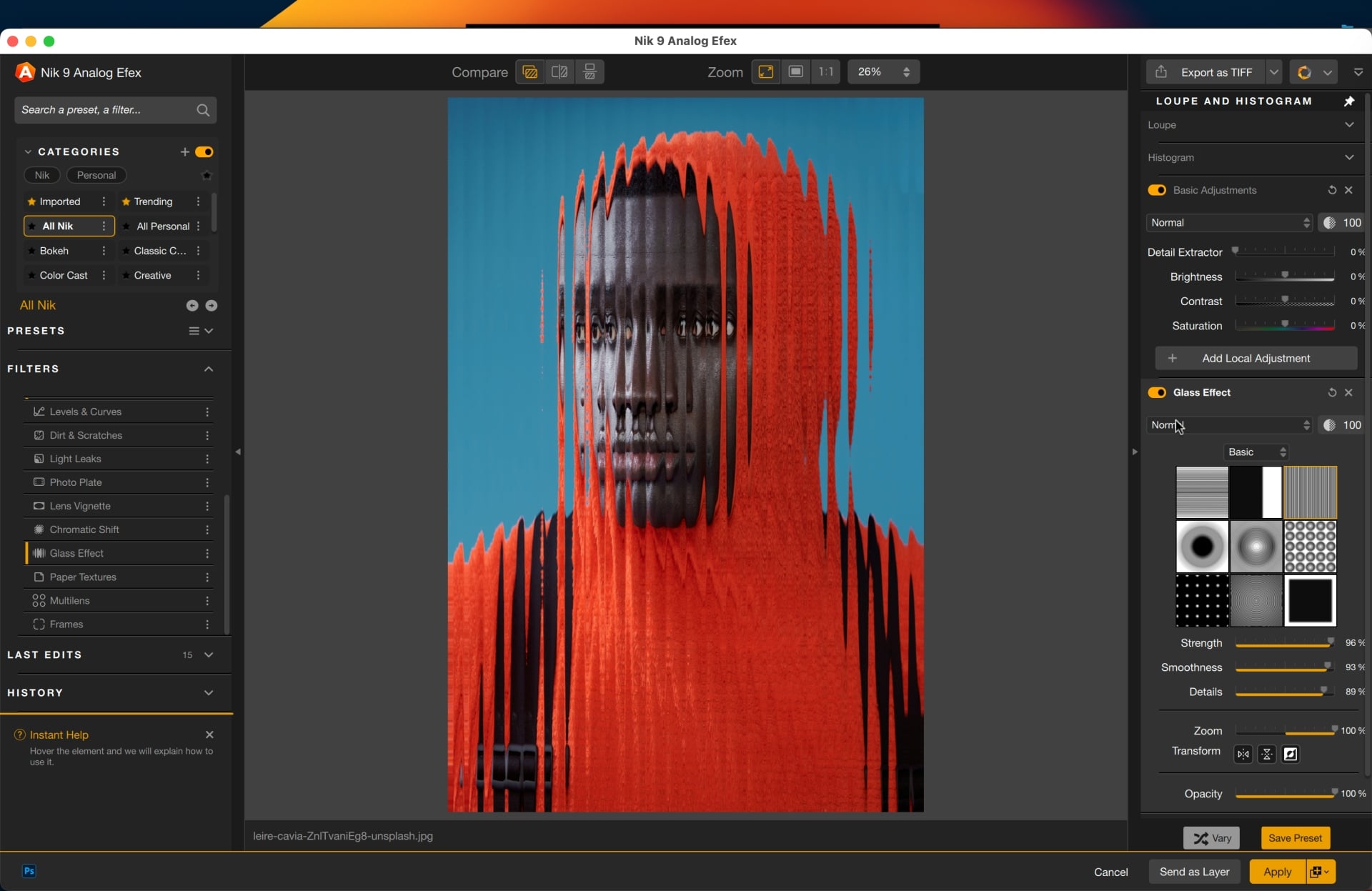
Glass Effect expands on the Paper Textures introduced in version 8.1, adding a range of glass-based distortion effects. Select a glass type and control scale, distortion, and smoothness for results that range from subtle surface ripples to heavier refractions.
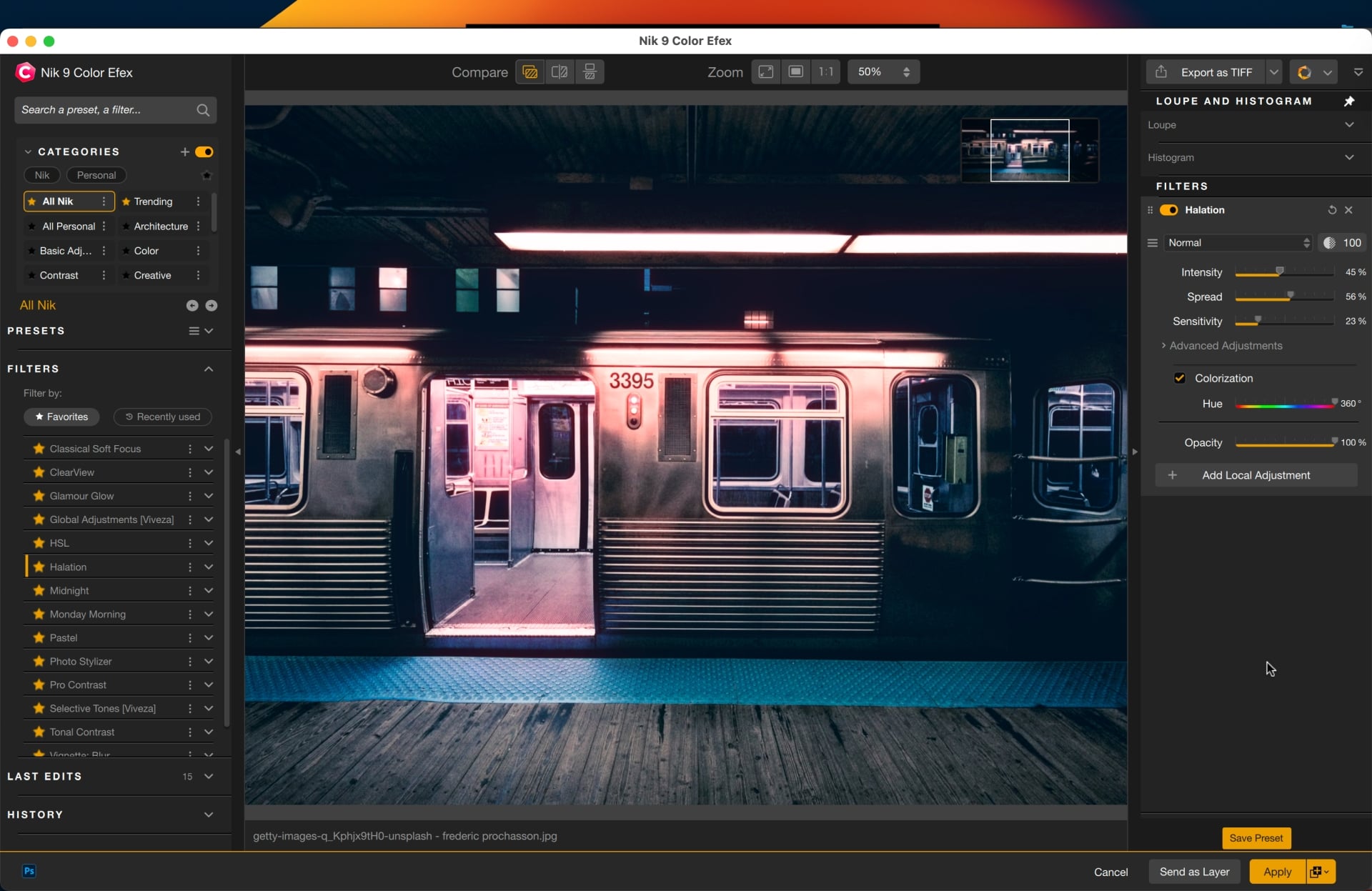
Halation recreates the soft glow that bleeds from bright highlights on older film stocks — that warm, slightly reddish halo common in analog and cinematic photography. It’s adjustable for brightness, radius, intensity, hue, saturation, and opacity, and like other tools in Color Efex, it can be applied locally.
Blending Modes and workflow improvements
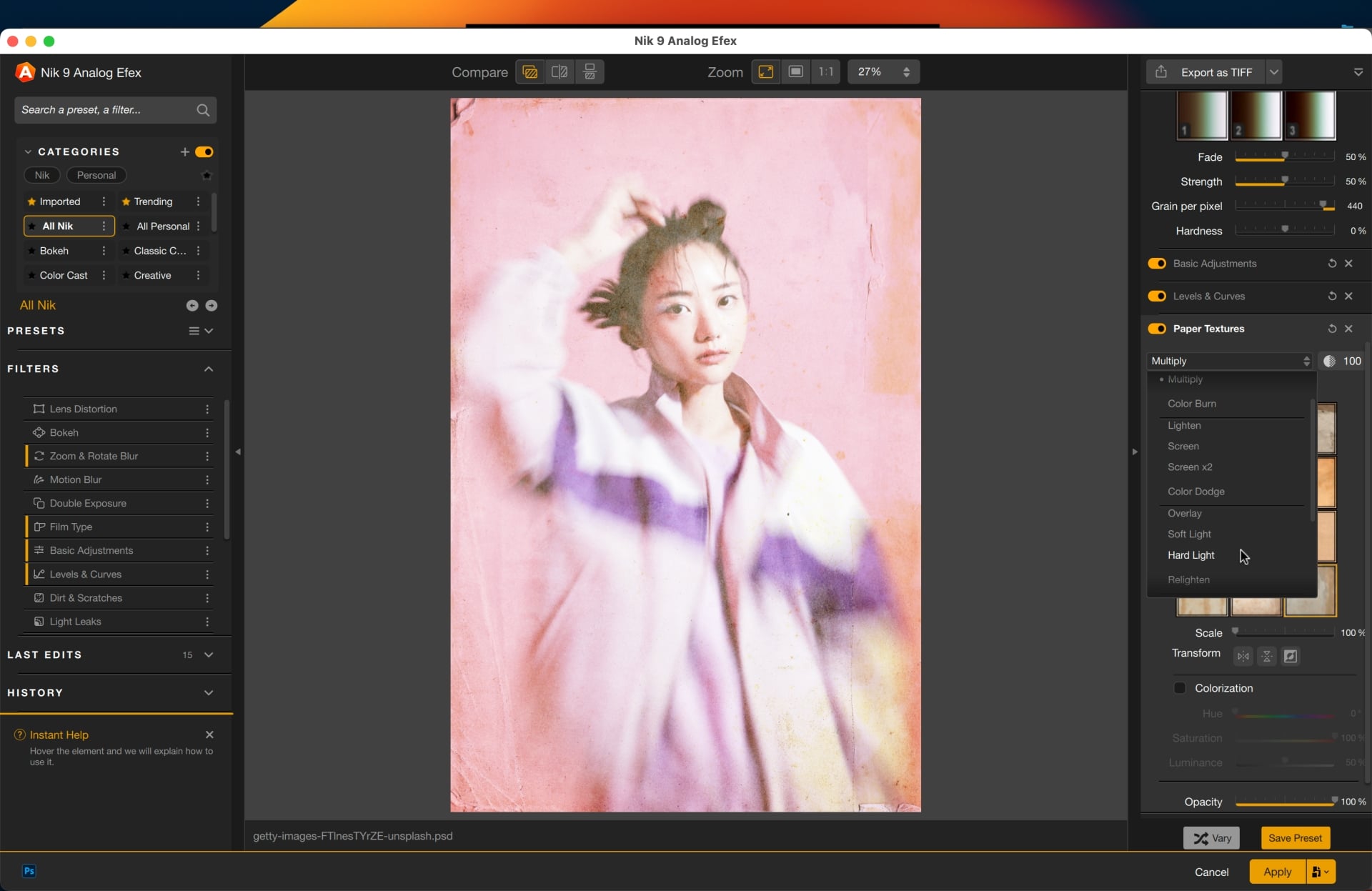
Nik Color Efex and Nik Analog Efex now support 18 Blending Modes, including Multiply, Screen, Overlay, and Color. Combined with the 30 Paper Textures already in Analog Efex, that opens up a lot of variations without adding much complexity.
On the workflow side, Preset Hover Preview shows a real-time result as you browse presets without having to click through each one. Local adjustments can now be copied and pasted between images with a keyboard shortcut. Small additions, but the kind that smooth out repetitive tasks.
Pricing and availability
Nik Collection 9 is available now for Windows and macOS as a perpetual license. New licenses are priced at $179.99 / €169.99 / £149.99. Upgrades from Nik Collection 7 or 8 come in at $99.99 / €89.99 / £79.99.
DIYP readers can get 15% off any DxO software with code DIY15 at checkout — valid for new customers only.
See more from DIYPhotography.net on Google
Add DIYPhotography.net as a trusted source. This makes
our stories more likely to appear in your Google Search results.
 Add as a preferred source on Google

Dunja Đuđić Kalinin
Dunja Djudjic is a multi-talented artist based in Novi Sad, Serbia. With 15 years of experience as a photographer, she specializes in capturing the beauty of nature, travel, concerts, and fine art. In addition to her photography, Dunja also expresses her creativity through writing, embroidery, and jewelry making.


Join the Discussion
DIYP Comment Policy
Be nice, be on-topic, no personal information or flames.