



























The Lightroom Update You’ve Been Waiting For: Assisted Culling, Auto Stacking & More
Nov 6, 2025
Alysa Gavilan
Alysa Gavilan has spent years exploring photography through photojournalism and street scenes. She enjoys working with both film and mirrorless cameras, and her fascination with the craft has grown over the decades. Inspired by Vivian Maier, she is drawn to capturing everyday moments that often go unnoticed.
Share:
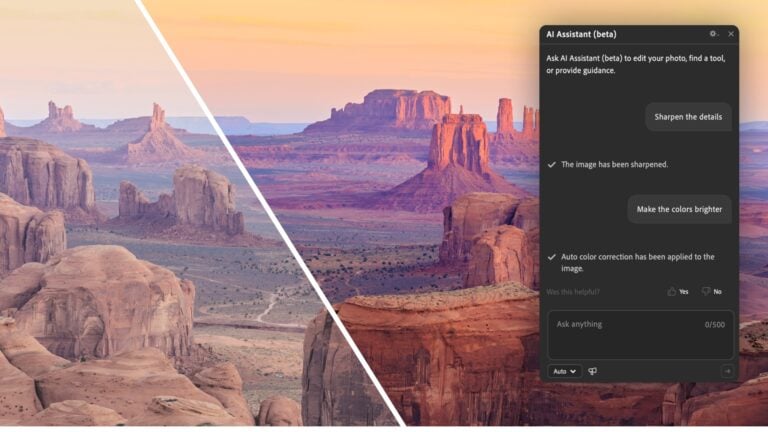
Adobe Lightroom Classic’s October 2025 update has landed, and if you spend hours sorting, tweaking, and perfecting your photos, this one’s worth your attention. The new release introduces tools that feel genuinely helpful instead of flashy.
With Assisted Culling, Auto Stacking, a smarter Dust Removal tool, improved color controls, and better performance across the board, Lightroom Classic feels faster and more intuitive than ever. It is the kind of update that makes you want to revisit your old photo libraries just to see what is possible.
Assisted Culling: A Smarter Way to Pick Your Best Shots
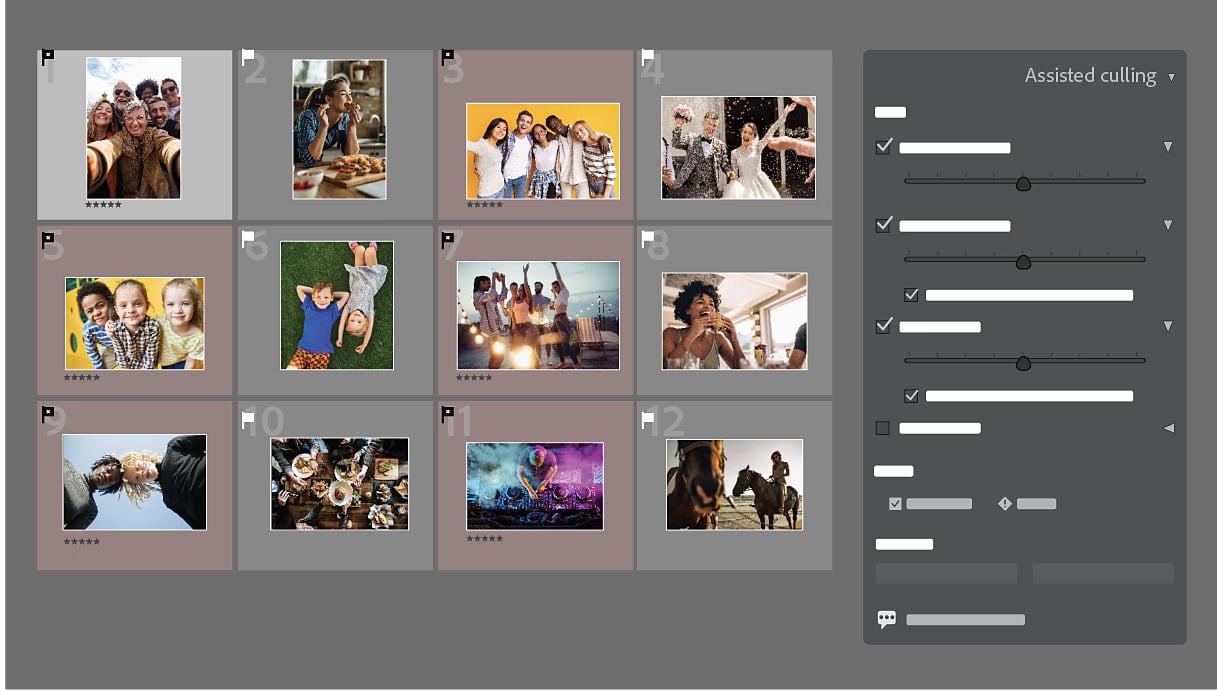
If you have ever come home from a shoot with hundreds of near identical frames, you will know how draining it can be to find the keepers. Assisted Culling, introduced in this update as an Early Access feature, changes that. It helps you quickly identify the best images from a large batch by analyzing sharpness, focus, and faces.
When you import a large session such as a wedding or portrait shoot, Lightroom now presents suggested picks so you can narrow your selection faster. You still have full control, but the tool does the heavy lifting of comparing similar frames and spotting blinks or motion blur. The result is a much smoother workflow that lets you spend more time editing and less time clicking through duplicates.
You will likely notice how intuitive the interface feels. It does not take over your process, it just gives you a starting point. You can review, confirm, or reject its choices in minutes. For working photographers who need to deliver quickly, this could easily become one of the most valuable tools in Lightroom Classic.

Auto Stacking: Bringing Order to the Chaos
Auto Stacking is another time saving gem in this release. It lets you automatically group images based on time and visual similarity. That means all those burst shots, HDR sequences, or focus stacks can now be neatly organized with a single command. You can also use the new Stack filter in the Attribute panel to review them easily.
This update feels especially helpful for event photographers or anyone shooting in bursts. When you photograph fast moving action or dynamic lighting, you end up with dozens of variations of the same moment. Auto Stacking tidies that up instantly, giving your catalog a sense of order. You can then expand or collapse stacks to review or edit the best shots without the clutter.
The feature’s strength is that it respects your preferences. You can fine tune how sensitive the stacking is, depending on how tightly or loosely you want images grouped. Once you try it, it is hard to imagine going back to manually organizing your sequences.

Dust Removal: Spotless Photos in Seconds
Every photographer has dealt with the frustration of dust spots. Even with the best care, a few specks of debris can sneak onto your sensor or lens, leaving tiny shadows on your images. Lightroom Classic’s new Dust Removal tool makes finding and cleaning them much faster.
Instead of manually hunting for each speck, the tool automatically detects likely dust spots and highlights them. You can review its suggestions and remove them in one sweep. It is particularly useful for landscape and studio photographers, where smooth backgrounds can make dust painfully obvious.
The biggest difference you will notice is the time saved. What used to take several minutes per photo now takes seconds. You might even start checking your older images to give them a fresh cleanup with this smarter approach.
Performance Improvements: Faster, Smoother, and More Reliable
Lightroom Classic’s performance has long been a talking point among users, and Adobe seems to have listened. The October 2025 update delivers noticeable gains in speed and responsiveness. You will feel it when adjusting sliders, switching between modules, or zooming in on large raw files.
The improved accuracy in interactive editing tasks makes everyday adjustments feel fluid. You can now apply complex masks, tweak local adjustments, and sync edits across large batches with less lag. For many users, this might be the quiet hero of the update, the change that makes everything else feel better.
If you use an older catalog or work on a mid range machine, this update could breathe new life into your setup. The faster rendering and smoother previews make the whole experience more enjoyable and less frustrating.

Zoom While Cropping: Precision Framing Made Easy
It is a small update, but one that makes a huge difference to your workflow. You can now zoom in while cropping, allowing you to refine edges or align subjects more precisely. It is ideal for detailed framing adjustments where you want to make sure the composition feels just right.
Previously, you had to jump back and forth between crop and zoom views, which broke your rhythm. Now, you can fine tune composition directly within the Crop tool. It is a subtle change, but once you try it, it feels like a natural extension of the editing flow.

Color Variance: Fine Tuned Control Over Tone and Mood
If color grading is your creative playground, you will love the new Variance slider in Point Color. This tool lets you fine tune the range and intensity of tones within a selected hue, giving you delicate control over how colors interact.
For example, if you have selected blues in a sky or water scene, adjusting the Variance slider allows you to subtly expand or contract the color influence, creating smoother transitions and more natural results. It is a simple but powerful addition for photographers who like to polish their color work carefully.
You can also use it creatively to add mood. Expanding Variance can make sunsets feel richer and more dramatic, while reducing it can tighten your palette for a clean, modern look. It is the kind of feature that rewards experimentation.
Tether Support for Leica Cameras: More Options for Professionals
Lightroom Classic now supports tethered capture for Leica cameras, a welcome addition for studio photographers who rely on live capture. You can connect your Leica directly to your computer and shoot straight into Lightroom, seeing results instantly on screen.
This integration helps ensure color accuracy and control during live sessions. It is especially handy for product, fashion, and portrait photographers who need to review details in real time. Leica shooters can now enjoy the same seamless tethering experience that Canon, Nikon, and Sony users have relied on for years.
Adobe Lightroom Classic’s Future
The October 2025 update for Adobe Lightroom Classic is all about refinement. Each feature feels designed to solve everyday challenges photographers face, from cluttered libraries to slow workflows and color precision.
You will find that Assisted Culling and Auto Stacking save hours of manual sorting. Dust Removal keeps your images spotless, and the new Variance control lets you express mood with finesse. Add the performance boost, zoom while cropping convenience, and Leica tethering support, and this feels like an update built for real photographers doing real work.
If you rely on Lightroom Classic as your creative hub, this release makes your time in front of the screen more efficient and enjoyable!
See more from DIYPhotography.net on Google
Add DIYPhotography.net as a trusted source. This makes
our stories more likely to appear in your Google Search results.
 Add as a preferred source on Google

Alysa Gavilan
Alysa Gavilan has spent years exploring photography through photojournalism and street scenes. She enjoys working with both film and mirrorless cameras, and her fascination with the craft has grown over the decades. Inspired by Vivian Maier, she is drawn to capturing everyday moments that often go unnoticed.




Join the Discussion
DIYP Comment Policy
Be nice, be on-topic, no personal information or flames.