
















What Is White Balance in Photography? Understanding Color Temperature and Kelvin
Jul 15, 2026
Alex Baker
Alex Baker is a portrait and lifestyle driven photographer based in Valencia, Spain. She works on a range of projects from commercial to fine art and has had work featured in publications such as The Daily Mail, Conde Nast Traveller and El Mundo, and has exhibited work across Europe
Share:

White balance is one of the most important camera settings for achieving accurate, natural-looking colours in your photos. It tells your camera how to interpret the colour of the light in a scene, ensuring that white objects appear white whether you’re shooting under daylight, tungsten bulbs or fluorescent lighting.
Alongside aperture, shutter speed and ISO, understanding white balance will help you take more consistent photographs and reduce the amount of colour correction needed during editing. In this guide, we’ll explain what white balance is, how colour temperature works, how to use Kelvin settings, and when to choose Auto White Balance or manual white balance.
[Learn Photography: Aperture | Shutter Speed | ISO | Exposure Triangle | White Balance | Depth of Field | Panning | Vinneting | TTL | More…]
Table of contents
- What is white balance?
- Why is white balance important?
- How Is White Balance Measured in Kelvin?
- Does white balance affect exposure?
- How do you adjust white balance?
- Should you use Auto white balance?
- How do you set white balance manually?
- How to set a custom white balance
- Should you adjust white balance for every shot?
- Should I change white balance in-camera or in post-processing?
- What is the difference between white balance and colour grading?
- Best White Balance Settings for Different Situations
- Conclusion
White balance at a glance
- White balance controls how colours appear in your photos.
- It compensates for different colour temperatures in light.
- White balance is measured in Kelvin (K).
- Correct white balance makes whites appear neutral.
- You can use Auto White Balance, presets or manually select a Kelvin value.
What is white balance?
In simple terms, white balance is the adjustment of the colours you make so that white objects appear white under different lighting conditions. (Say lit by a candle, or by a fluorescent light). Having the correct white balance ensures that the colours look natural in your photographs.
Different light sources emit light at different frequencies, resulting in different colour temperatures. All light looks balanced to the naked human eye because our brains adjust automatically. When you take a photograph, however, the camera cannot make the same adjustments that our brain can. If you don’t set the correct white balance, the colours in the photo can appear incorrect. (Usually too blue or too red).
The camera essentially removes any colour casts (usually blue/orange and magenta/green), making the white areas of the image appear pure white. If the camera doesn’t “know” what the lighting conditions are, it may make the wrong adjustments.
In the old days of film photography, the only way to achieve a true white balance was through the use of colored filters or specific film stocks. But you could also do quite a bit when developing and printing the film to correct for any errors. However, the subject of white balance rose to fame in the age of digital photography. Mostly because it made selecting the right white balance easy. But it also made it crucial to the image quality.
Why is white balance important?
Choosing the correct white balance is important because using the right white balance tells the camera how to save the colours in the image. When the camera has the wrong white balance setting, it will save the wrong information. A white paper may appear yellow, or a person’s skin will have greenish colour casts.
A few years ago, there was an internet sensation where a woman’s dress went viral. Some people saw it as ivory and gold, others as blue and black. The actual dress was, in fact, blue and black. However, poor lighting and the wrong white balance created an optical illusion that completely changed the colour of the dress.

By now, you know that setting the correct white balance is important to gain colour accuracy. This is especially true if you work in a field where colour accuracy is crucial, like product photography or beauty. The first is for true representation of the product, the second for true-to-life skin tones.
How Is White Balance Measured in Kelvin?
Colour temperature is measured in Kelvins (K). That includes light from stars and our sun. Have you ever wondered why stars are called red dwarfs or blue supernovas? That’s because they give out colored light. In fact, Kelvin is just a scale measuring the ratio between the amount of blue light and the amount of red light. Lower Kelvin values produce warmer, more orange light, while higher Kelvin values appear cooler and bluer.
Understanding Warm and Cool Colour Temperatures
A light with a higher colour temperature (higher Kelvins) is closer to the blue end of the scale. While the temperature is warmer, the look of the image is cooler (more blue). A lower colour temperature (fewer Kelvins) is closer to the red end of the scale. The temperature of the light is cooler, while the look and feel of the image is warmer (more red or orange).
Common Light Sources and Their Colour Temperatures
You’ve probably noticed that household light bulbs have a colour temperature number on them, which tells you how warm or cool the light is. Usually 5,600k or 3,200k. Those are Kelvins. Generally, you want all the bulbs in a single room to have the same colour temperature. You might choose different colour temperatures for different tasks, for example, daylight in workspaces and warmer light in more relaxed zones. This is to mimic the colour temperatures of sunlight at different times of the day.
How Sunlight Changes Colour Temperature Throughout the Day
The colour temperature of sunlight actually varies throughout the day. This is why you need to change the white balance setting even if you are shooting in the same location. Daylight balance is around 5,500-6,500K, whereas golden hour is 3,500K, much closer to the warmer redder end of the spectrum.
How Different Light Sources Create Colour Casts
Additionally, artificial lights all have their own colour casts. Tungsten light is very warm, giving around 3,000K of light temperature.

Does white balance affect exposure?
The official answer is no. White balance has zero effect on the exposure of an image. The easiest way to test this is to shoot in black and white, where colour has little impact. However, if you take a photo with the wrong white balance, the relative brightness of the colours will be off. Re-adjusting those colours in post will have a negative impact on your photo. This is true if you shoot JPG, shooting RAW is a different story.
How do you adjust white balance?
You can adjust the white balance in your camera through the menu, touchscreen, or a dedicated button labelled WB. From there, you can either choose auto white balance (AWB), or you can choose from a range of presets or select your own Kelvin value.
If you used a RAW format, you can tweak the white balance in post and refine or fix it. If you shot in JPEG, then you are largely stuck with the white balance setting you had in your camera.

White balance presets
With most cameras, you can select from different white balance settings, or presets. Those are often quite accurate, and if you’re not sure which white balance you should use, they are a good starting point. On most cameras, you can choose between daylight, cloudy, shade, tungsten, fluorescent, or flash. I generally keep my white balance set to either daylight or flash since those are the most frequent conditions in which I’m taking photos.

Should you use Auto white balance?
You might be tempted to use auto white balance, which is an automatic setting. Essentially, you are letting the camera decide which white balance it thinks you should be using for the scene. I would not recommend using auto white balance mode as a rule because you won’t get a consistent white balance across all of your images in a set.

Consistency is very important if you’re taking a series of images and want them all to look the same in terms of colour and exposure. If you use auto white balance, you could end up with wildly different results in each photo, which will slow down your post-processing considerably.
This is particularly important if you’re shooting video because the camera in auto mode could change the white balance in the middle of a take. This is something that would be nearly impossible to correct in post and is an easy fix in camera.
How do you set white balance manually?
There is yet another way to ensure that your white balance is as accurate as possible. This is really useful if you’re shooting products or fashion for commercial purposes and you need the colours to be as close to real life as you can get. You can choose the expensive but professional method or the poor man’s method! Both work; however, the pro option is a little easier to use.
Color checker
The pro method is to buy a device such as a Color Checker Passport. This works by taking a photo of the colour checker in the first image in front of what you are going to shoot. Keep the exact same settings, and then you can use the first photo of the colour checker to accurately adjust the white balance in your RAW processor using the eye dropper tool. You can then apply those settings to all the images in the batch. It works incredibly well, though they aren’t cheap.
How to Set White Balance Using a Grey Card
The second method is to use an 18% grey card. Once again, you’re going to take a photo with the grey card in front of the product using the same lighting. It’s the same method as the colour checker, and in most cases, the colour checker contains a grey card, so it’s no different, just more convenient to fit in your bag.
The third and cheapest method is to use a plain white sheet of paper. You want to cover the entire frame with the paper, if possible. Once again, you can either then adjust the white balance in camera or leave it until post-processing, like the above methods. It’s useful in a pinch; however, most white pieces of paper come in several different shades of white, so it won’t be the most accurate.
How to set a custom white balance
Once you’ve done any of the above three methods, you can choose to create a Custom White Balance in-camera if this is a setup that you shoot regularly. The advantage of doing it this way is that all the photos will have the same white balance in-camera rather than leaving it to post-processing. However, there isn’t a huge difference, in my opinion, and I would usually adjust it in a batch in post, having chosen either a preset or a Kelvin setting in-camera.


Once you have taken the image of the grey card, you can then set that as the white balance, which your camera will then apply to all subsequent images. Every camera model will vary in how to set a custom white balance, so I would advise looking at your camera manual.
Should you adjust white balance for every shot?
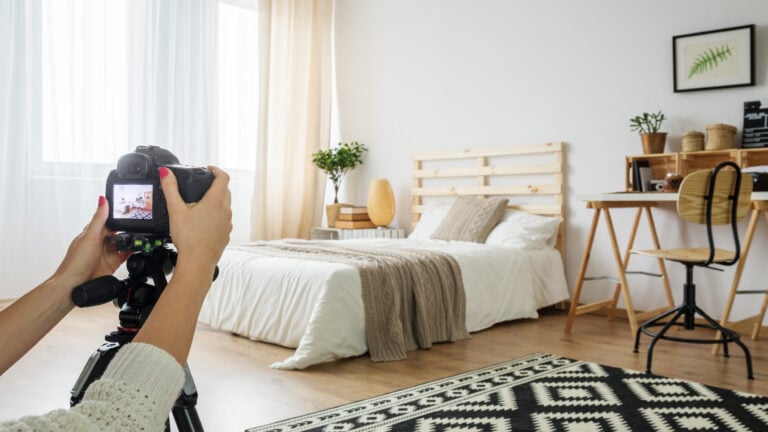
Once again, the answer to this question is it depends! Obviously, it depends on what you are shooting, where you are shooting it, and what the lighting conditions are. If you are shooting in a studio where the lighting is consistent, then yes, you should keep the white balance the same for the entire shoot or at least the batch of images taken in the same setting.
However, if you start the shoot indoors and then move outside, then, of course, you need to readjust the white balance. For speed, this is where your camera’s presets are useful.
Similarly, if you are shooting all afternoon outside and moving from a shaded area to a bright sunny area, or you are shooting in golden hour at the end of the day, then yes, you may want to change your settings to reflect this.
Should I change white balance in-camera or in post-processing?
I almost always shoot RAW, so I have the ability to change the white balance using editing software should I need to. If you’re shooting JPEG, then the white balance gets ‘baked’ into the image, leaving you little ability to change it in post. Therefore, if you’re shooting JPEG, it is imperative to set the correct white balance in the camera.
My rule of thumb is to get it as close as possible in-camera, regardless of whether you are shooting RAW or not. Mainly because getting things right in-camera is a great practice to get into. It’s easy to be lazy and rely on what we can do in Photoshop.
However, that being said, we all make mistakes from time to time, and it’s extremely useful to have the option to change the white balance in post. Of course, it’s ok to change it later if you want to. There’s really no right or wrong here!
What is the difference between white balance and colour grading?
White balance and colour grading are somewhat similar concepts in that they both adjust the colour of an image. However, they are two different things and serve different purposes. It’s important to understand the difference to create a good workflow when editing your images.
White balance
White balance should be one of the first things applied to an image that affects the colour. It should either be done in-camera or be one of the first things that you adjust in post-processing. The idea is to get the image to look as natural as possible in terms of colour, so that you have a clean image to begin working from.
After this is sorted, you can begin to think about the creative options for where you want to take your photograph. Many times, you may choose not to go any further, and that is fine.
Colour grading
Colour grading is part of the process of taking your images further down the creative path. By manipulating different colours and tones, you can highlight or darken different parts of the image, change the overall appearance of colours, and evoke a different mood or emotion from the original.
You will be most familiar with color grading from the movie industry. Almost every modern film has some sort of color grade applied, both for consistency and for creating the intended emotion. A color grade can be extremely subtle and only affect the shadow areas, for example, or it can be highly impactful and use the psychology of color to manipulate the viewers’ emotions.
Best White Balance Settings for Different Situations
As with everything in photography, the answer to this is very subjective: there is not one correct answer. However, the general answer would be ‘the correct white balance is the one that most closely matches the lighting in the scene in front of the camera’. It doesn’t really matter which method you use to reach that point. However, the wrong white balance can absolutely detract from the impact of an image.
Best White Balance for Bright Daylight
Most photographers shy away from shooting at all at midday, but sometimes you’ve just got to! For this scene, it’s pretty obvious that you would choose the daylight balance, or around 5,500K.
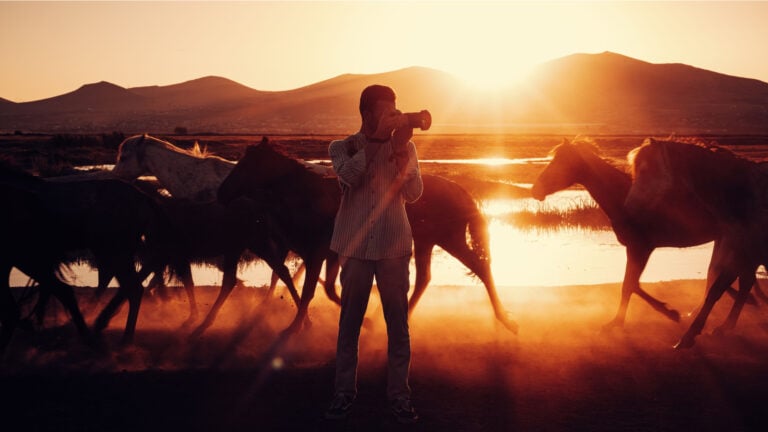
Best White Balance for Sunset Photography
Don’t let the time of day fool you here! For this, I would still have my camera set to daylight or cloudy in the presets. You essentially want those gorgeous warm tones to appear from the low angle of the sun, and you don’t usually want to neutralise them. If you do want to neutralise it, then the Kelvin setting is 2800 to 3000.
If you want to enhance the colours further, you could always try the cloudy setting. However, that may be too much. Tweaking in post is usually necessary to bring out the full colours of a sunset.
Best White Balance for Indoor Office Lighting
Most offices have fluorescent or LED lighting. You will have to hope that all of the lights have the same colour temperature, or it will be very difficult to balance in post. Additionally, fluorescent lighting complicates matters further because it can sometimes involve a green or magenta colour cast in addition to the blue and yellow. This is why you have both the hue and the tint sliders in your RAW processor.
Your best bet here is to use the fluorescent preset on your camera. Alternatively, you could switch off all the lights and use your own artificial lighting, which is colour temperature balanced. If shooting video, I would highly recommend this approach since there is far less you can do in post-production generally to fix this sort of problem.
Best White Balance for Candlelight
Engagement and wedding photographers may come across this scenario. In fact, event photographers have to be very agile with shooting in challenging and less-than-ideal lighting scenarios. You can’t very well be a fly on the wall whilst sticking a huge daylight-balanced flash in the bride’s face.
Candlelight is on the very orange end of the scale at 1800. But once again, the whole point is to evoke an atmosphere, and shooting under candlelight should probably look like candlelight, in my opinion. So ask yourself, should you be neutralising the white balance in this instance? Perhaps you merely want to enhance the effect.
Best White Balance for Astrophotography
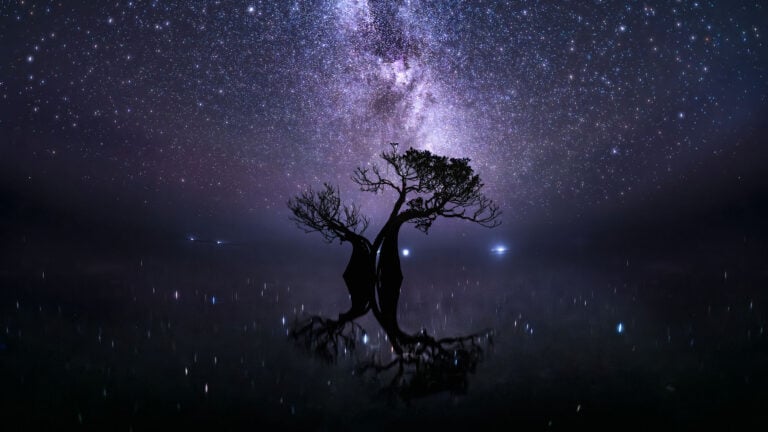
For astrophotography, you have a choice. Shoot the sky accurately, which would be daylight balanced (5500K). Or you can create some beautiful blue night skies and minimise the effect of light pollution by choosing to shoot around 3000K. It’s up to you, but generally, I really like those strong royal blues of the night sky as opposed to a darker navy blue or almost black/dark grey. Again, there’s no right or wrong answer here. Do what you prefer!


| Lighting | Approx Kelvin |
|---|---|
| Candlelight | 1800K |
| Tungsten | 3000K |
| Sunrise/Sunset | 3500K |
| Fluorescent | 4000–5000K |
| Daylight | 5500K |
| Flash | 5500K |
| Cloudy | 6500K |
| Shade | 7000–8000K |
Conclusion
White balance is one of the easiest camera settings to learn, yet it has a huge impact on the overall look of your photos. By understanding colour temperature and Kelvin values, you’ll be able to produce more accurate colours, achieve consistent results across a shoot and spend less time correcting colour during editing.
Whether you use Auto White Balance, presets, or manually select a Kelvin value, the key is understanding how different light sources affect colour. Once you’ve mastered white balance, you’ll have much greater creative control over your photography.
FAQs
What is white balance?
Different types of light have different temperatures, which means that they can look more blue or more red. White balance is about ensuring that things look white in these different types of light.
How do I know which white balance to use?
You set your white balance according to the temperature of the light when you are shooting. Your camera will let you choose a white balance setting for daylight, cloudy conditions, shade, tungsten / incandescent bulbs, fluorescent lights, and flash. You can also use a grey card to set the colour temperature manually.
How is the temperature of light measured?
Light temperature is measured in Kelvins. Hotter light (midday sun) looks bluer, while cooler light (candle flame) is redder or more orange.
How do I know if my white balance is correct?
Look for something in your scene that is white. Does it look white? Or does it have a blue or a red tinge to it? If it’s white, the white balance is correct! If it is a bit blue or red, you need to adjust your white balance.
Does my white balance always need to be accurate?
If you’re shooting at sunset and you want to keep the lovely soft orange and pink tones, then use daylight white balance settings. If you shoot with an accurate white balance, you will neutralise them.
What is Auto White Balance (AWB)?
Auto White Balance allows your camera to estimate the colour temperature of a scene and adjust the colours automatically. It works well in many situations but may produce inconsistent results when lighting changes.
Should I use Kelvin or presets?
If you want maximum consistency, choosing a Kelvin value manually is often the best option. Presets such as Daylight, Cloudy and Shade are quick and reliable alternatives.
Can I fix white balance after taking a photo?
Yes, if you shoot in RAW format, white balance can be adjusted easily during editing with little loss of quality. JPEG files offer much less flexibility.

Alex Baker
Alex Baker is a portrait and lifestyle driven photographer based in Valencia, Spain. She works on a range of projects from commercial to fine art and has had work featured in publications such as The Daily Mail, Conde Nast Traveller and El Mundo, and has exhibited work across Europe




Join the Discussion
DIYP Comment Policy
Be nice, be on-topic, no personal information or flames.
One response to “What Is White Balance in Photography? Understanding Color Temperature and Kelvin”
In simpler language, white balance in digital photography means adjusting colors so that the image looks more natural. We go through the process …