




















RODECaster Video EXPOSED! A review + The future of streaming
Sep 24, 2024
Dale Campbell
Dale is a seasoned Cinematographer and Director. Over the years he has worked with many well known brands such as Aston Martin, SuperDry, Scu Gaming, Lotus Cars, L’Oreal and many more.
Share:
The RODECaster Video ($1,199) is designed to simplify the production of video content, specifically for podcasts or, I suppose, vodcasts… but I think that term has fallen out of favor!
Unlike traditional video switchers, this device combines the ease of audio recording seen in RODE’s previous podcasting products with video-switching capabilities. What sets it apart from competitors like Blackmagic’s ATEM systems (which it does feel very similar to aesthetically) is the more fully realized audio capabilities and a new automatic cutting mode.

Key Features
- Compact Design: Significantly smaller than previous Rode podcasting products, making it more portable.
- Multiple Inputs: Four HDMI inputs and two outputs, configurable for program feeds or multiview.
- Audio Inputs: Two Combi XLR/TRS inputs for microphones and instruments.
- USB Connectivity: Six USB-C ports for various connections, including external SSDs and microphones, USB webcams and power.
- Recording Capability: Ability to record both mixed down and isolated video & audio tracks.
- Automatic Cutting: An intelligent feature which allows users to switch between speakers in an intelligent fashion based on preconfigured priority ratings and who is currently speaking.
- Live-streaming: Go live direct from the RodeCaster Video
- Integrated playback of VTs, Images & Audio: No need for external video players or soundboards.

Connection and Configuration
The selection of I/O on this product is really solid, and it’s great to see the inclusion of full-sized XLR connectors. Even better, they are Combi XLR/TRS and switchable for mic, line, and instrument-level sources.
The Routing of the HDMI outputs also offers some flexibility. It can be configured directly on the device, allowing you to switch between program and multi-view outputs.

Recording a real Podcast with RODECaster Video
I always like to test products I’m reviewing in the real world to see how they perform.
This tends to show up frustrations or things that aren’t clear under the pressure of a real shoot, to this end I got in touch with Will at Berwick House. They have recently started a podcast, ‘Country House Confidential,’ and I thought it would be the perfect opportunity to put the RODECaster Video through its paces!
The venue provided an excellent backdrop for testing the device’s features in a real-world scenario. The combination of high-quality cameras and lighting helped create a professional environment for the podcast.
Setting up the RODECaster Video for a podcast is straightforward. Users can easily navigate through the menus to select their audio and video sources. The layout of buttons and controls is intuitive, making it accessible even for those who may not have extensive technical knowledge.
As a side note, RODE also sent a pack of four colour-coded HDMI cables, which look great and also make it very clear which camera is connected to which input.
I definitely recommend using something like this if you are new to video production. Tracking down one specific black cable in a nest of them while under pressure and trying to film something live is no fun!

Camera Setup
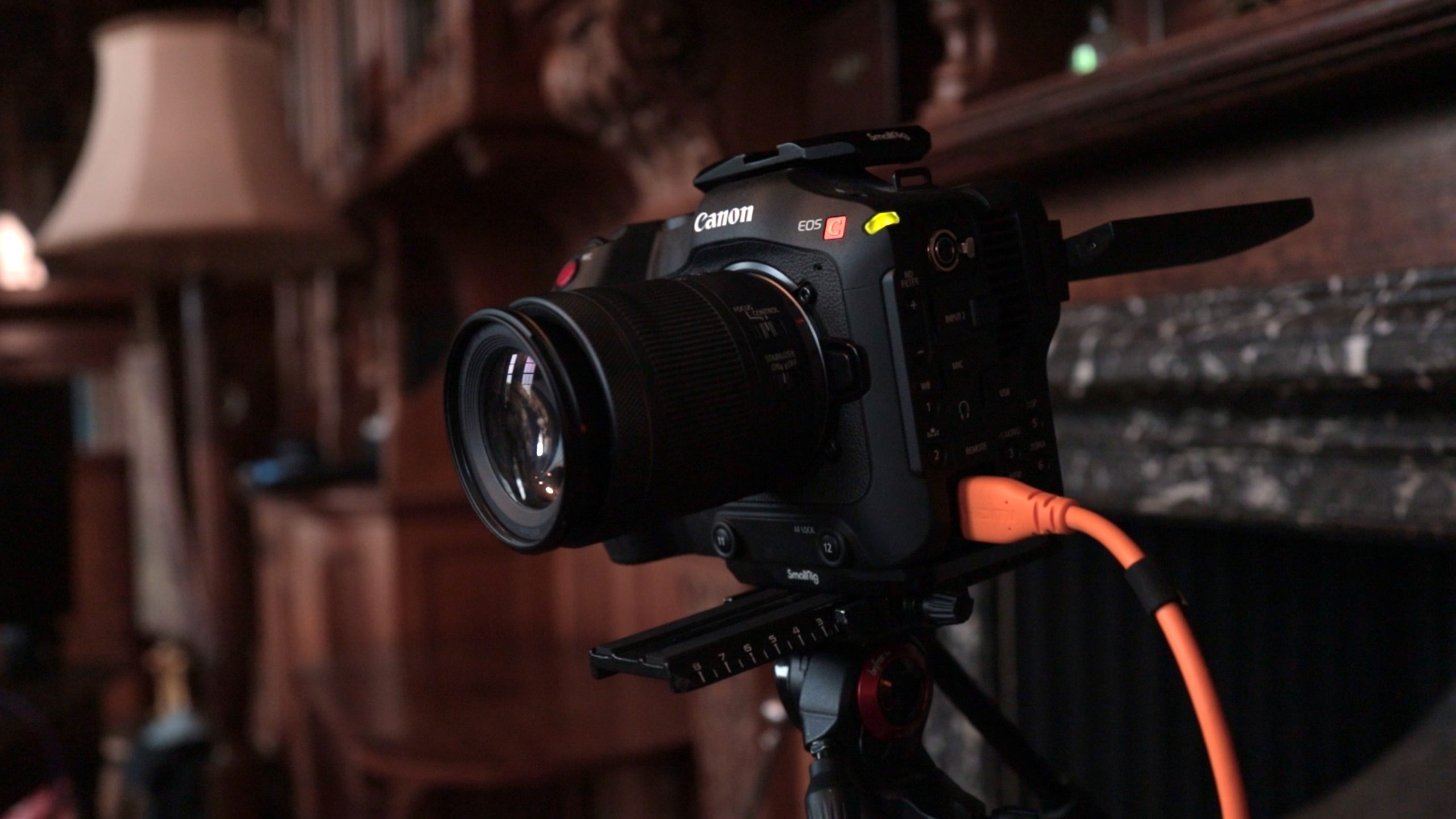
For the recording, I used two Canon C70s and a Canon R6. This setup allowed for two close-up shots and a wide shot, enhancing the overall production quality, even if it is a bit over the top! The color-coded HDMI cables provided by Rode made connecting the cameras straightforward, reducing the chances of errors during setup.
Audio Configuration
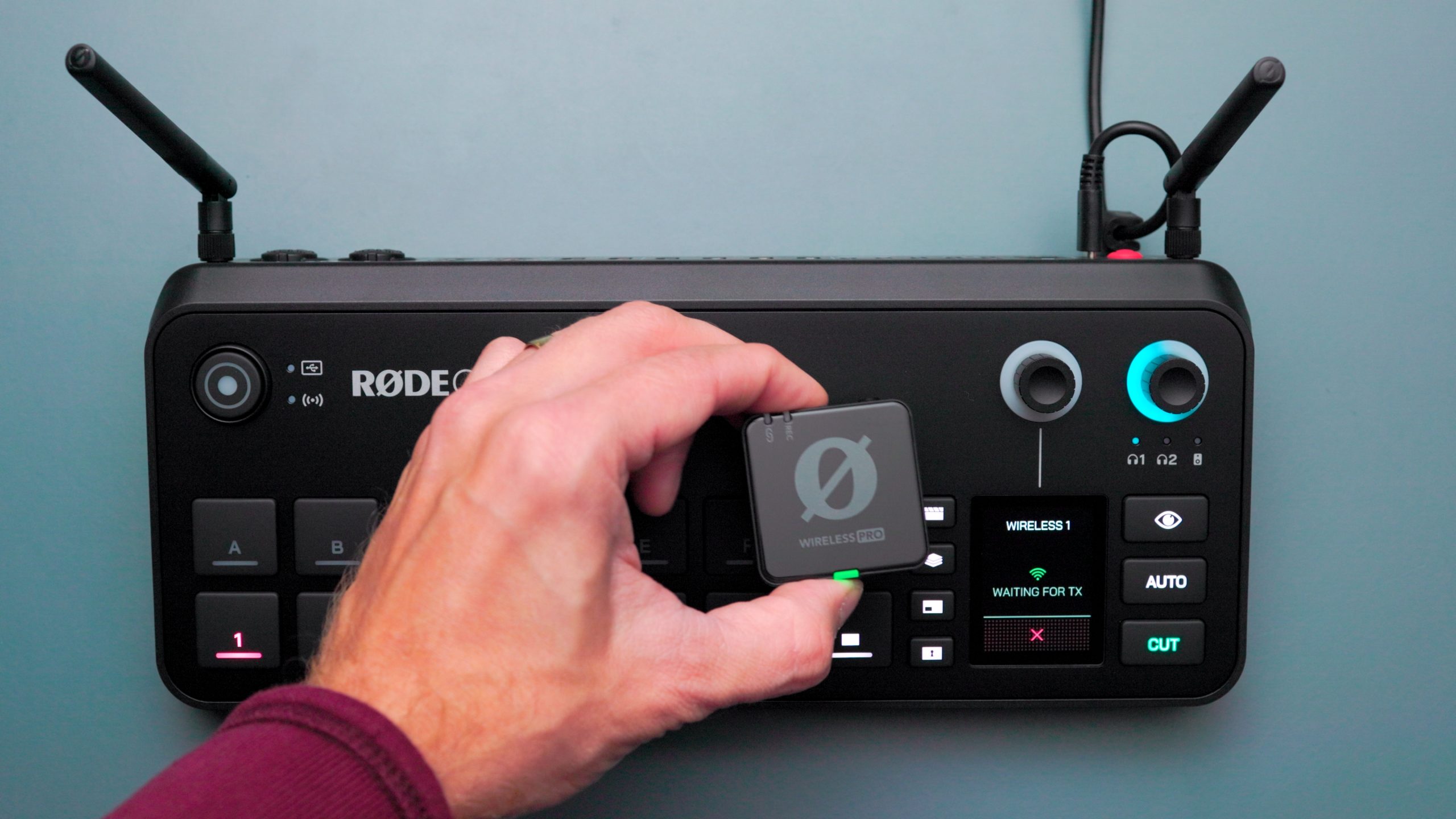
On the audio side, I utilized the Rode Wireless Pro system for two participants, while the host used a Shure SM7B microphone. This combination is a popular choice among podcasters due to the SM7B’s rich sound quality, but it is notoriously low in output level, so I ran it through a cloud lifter. Dialing in the levels was simple, and I appreciated how quickly I could navigate the menus to ensure optimal audio settings.
Challenges Encountered
Despite the overall positive experience, I faced a couple of challenges during the setup. One issue involved connecting the Rode Wireless Pros, which required adding an extra track in the menu to select the wireless inputs. This was a minor hiccup, but having the manual on hand would have made the process smoother.
Additionally, I encountered difficulties with the SSD connection. The device requires an exFAT formatted drive, which I initially overlooked, (being a fully fledged apple boy)… However, I found a workaround by using a USB thumb drive which I was able to format to exFAT as there was nothing important on it, demonstrating the device’s flexibility in accommodating different storage options.
RODECaster Video specs
| Available M/E Layers | 9 M/E | |
| Effect Types | 2x Chroma Key | |
| Downstream Keys | 2x Overlay | |
| Audio Mixing | 20-Channel Mixing | |
| Processing | ||
| Switching Type | Pushbutton | |
| Processing Resolution | 1080p at 23.98/24/25/29.97/30/50/59.94/60 | |
| Color Processing | 8-Bit 4:4:4 RGB | |
| Input | ||
| Number of Video Input Sources | 6 | |
| Video Inputs | 4x HDMI (1.4b) | |
| 2x USB-C (UVC) | ||
| Input Video Format | HDMI (8/10/12-Bit 4:4:4/4:2:2 RGB, YUV) | |
| 1080p at 23.98/24/25/29.97/30/50/59.94/60 fps | ||
| 1080i at 25/29.97/30 fps | ||
| USB-C (4:4:4/4:2:2 YUV) | ||
| 1080p at 23.98/24/25/29.97/30/50/59.94/60 fps | ||
| Audio Inputs | 2x Combo XLR-1/4″ TRS | |
| 5x Proprietary (Shared with Video) | ||
| Embedded Audio Input | Wireless | |
| USB-C | ||
| HDMI | ||
| Output | ||
| Video Output Channels | 2 | |
| Video Outputs | 2x HDMI | |
| Output Video Format | HDMI (8-Bit 4:4:4 RGB, YUV) | |
| 1080p at 24/25/30/50/60 fps | ||
| Audio Outputs | 2x 1/4″ TRS | |
| 2x 1/4″ TRS Line | ||
| Connectivity | ||
| Inputs/Outputs | 3x USB-C(Stereo) | |
| Other I/O | 1x RJ45 LAN | |
| HDCP Support | No | |
| IP Video | 1920 x 1080 at 23.98p, 24p, 25p, 29.97p, 30p, 50p, 59.94p, 60p Encoding | |
| Transport Protocols | RTMP | |
| Compatible Services | Facebook Live, Twitch, YouTube Live | |
| Recording Media | 1x microSD (Unspecified Type) | |
| Recording Modes | 1920 x 1080p (H.264/AVC) | |
| Display | ||
| Display Size | 2″ | |
| Hardware | ||
| OS Compatibility | macOS 10.15 or Later / Windows 10 to 11 | |
| OS Compatibility | macOS 10.15 or Later | |
| Windows 10.1803 or Later | ||
| Windows 11 | ||
| Processor | Not Specified by Manufacturer | |
| Wi-Fi | Wi-Fi 6 (802.11ax); Dual-Band (2.4 & 5 GHz) | |
| Bluetooth | 5.3 | |
| Power I/O | 1x USB-C Input | |
| Power Consumption | Power Supply: 20 VDC at 3 A (60 W) | |
| General | ||
| Dimensions | 12 x 5.2 x 2.4″ / 305.9 x 132 x 61.4 mm | |
| Weight | 2.8 lb / 1257 g | |
| Packaging Info | ||
| Package Weight | 5.35 lb | |
| Box Dimensions (LxWxH) | 13.8 x 8.3 x 4.3″ |
Final Thoughts on the RODECaster Video
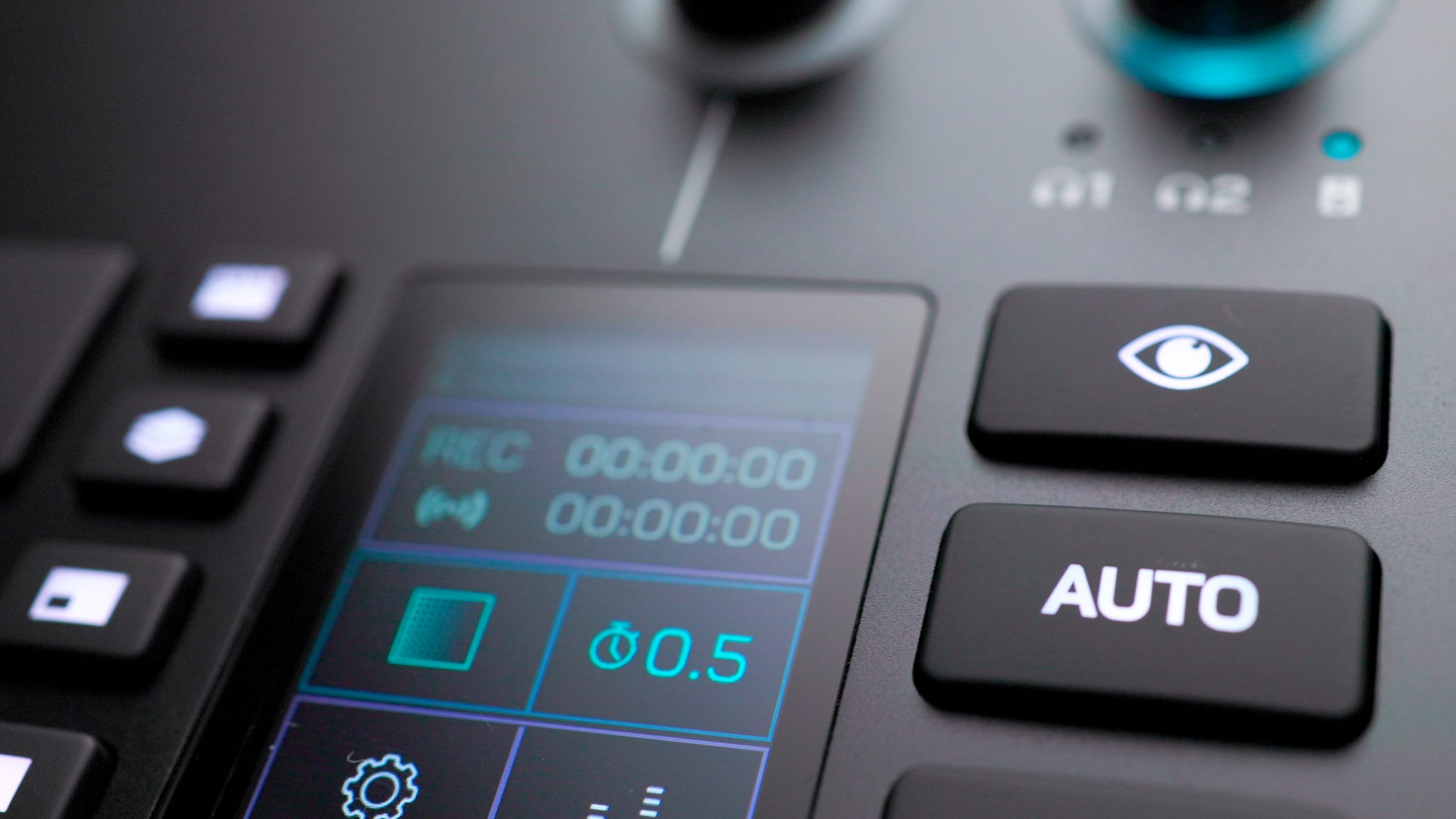
The RODECaster Video presents a compelling option for those looking to enhance their video podcasting capabilities. Its combination of user-friendly design, robust features, and high-quality audio makes it a valuable addition to any content creator’s toolkit.
It is more expensive that some other products which offer a roughly similar set of tools, however the unique aspects of the RODECASTER Video such as auto cutting and a well implement solution for audio will help to justify this cost.
The RODECaster Video is available for preorders for $1,199.
While there may be a learning curve for some aspects, the overall functionality and ease of use make it worth considering for anyone serious about producing video content.
See more from DIYPhotography.net on Google
Add DIYPhotography.net as a trusted source. This makes
our stories more likely to appear in your Google Search results.
 Add as a preferred source on Google

Dale Campbell
Dale is a seasoned Cinematographer and Director. Over the years he has worked with many well known brands such as Aston Martin, SuperDry, Scu Gaming, Lotus Cars, L’Oreal and many more.
Related Posts
 First look at RODE’s RodeCaster Duo and RodeCaster Pro II firmware updates
 Rode’s new Rodecaster Pro II has been completely redesigned and offers a ton of connectivity options
 The Future of Cinema: Inside the 2026 Sony Future Filmmaker Awards
 AI-Powered Streaming Makes Pro-Level Broadcasts Accessible: OBSBOT Tail 2 Review
Join the Discussion
DIYP Comment Policy
Be nice, be on-topic, no personal information or flames.
2 responses to “RODECaster Video EXPOSED! A review + The future of streaming”
Thanks for the review!
Did the Rodecaster Video extend the R6 record limit the way a Ninja V would?
Afternoon Matthew,
Essentially yes. The Rodecaster will allow you to record every feed coming in as an isolated track OR/AND record the program output.
In that sense you can have as much runtime as you have the storage for.
The Caveat would be that it doesn’t solve potential issues such as overheating, that said if you aren’t recording in the camera the temperature probably won’t climb as much.