




















Olympus Goes Head to Head vs. Sony with Olympus Air – Smartphone Camera With SLR Quality and Features
Jun 30, 2015
Allen Mowery
Allen Mowery is a Nationally-published Commercial & Editorial Photographer with over 20 years of experience. He has shot for major brands as well small clients. When not shooting client work or chasing overgrown wildlife from his yard, he loves to capture the stories of the people and culture around him.
Share:

Finally, after being envious of the Japanese market for several months, what is perhaps one of the best innovations in mobile phone photography has arrived in the US.
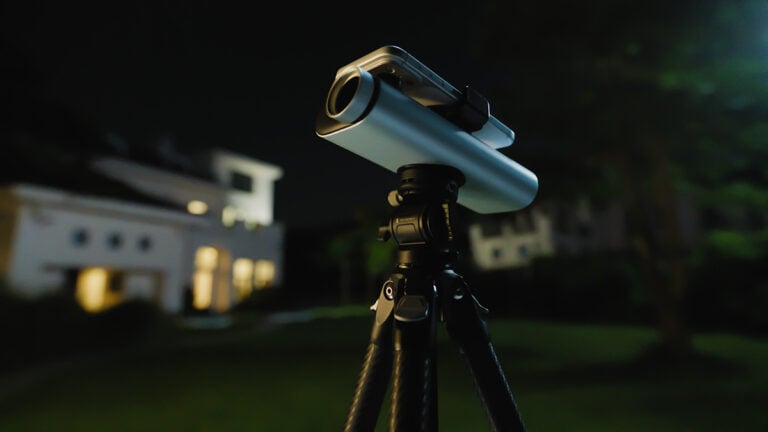
The Olympus Air is a powerful, interchangeable-lens camera that is controlled by your smartphone. It is a standalone camera that should not be confused with simple adapters for your smartphone’s existing camera. The Air itself, which just looks like an extension of the lens, boasts “SLR quality” images from its 16MP sensor and is compatible with all micro 4/3 lenses.


Design
For those a bit confused by the design of the camera, allow me to explain. The Air is a round cylinder containing the internal “guts” of the camera…the part that actually captures and processes the images like any dSLR or micro 4/3 camera body. To this you can attach any micro 4/3 lens for complete focal flexibility. The Air then connects to your smartphone via Wi-Fi or Bluetooth which enables you to control the camera and lens, capture images and video, edit, and share directly from your mobile device. All of your images are then stored on a microSD card inside the Air itself.
So, now that we understand what we’re looking at, let’s move to the more funnerest stuff (what, I get my grammar from my kids!).


The Features
- Full manual exposure controls.
- RAW shooting capabilities.
- The 16MP micro-4/3 sensor is a definite improvement over anything your phone has to offer.
- Compatibility with all micro-4/3 lenses on the market.
- A super fast electronic shutter with a max speed of 1/16000 of a second. No, that is not a typo. (Try getting THAT from your 5D Mk-whatever!)
- A fast shutter rate of up to 10 frames per second for 23 bloody seconds.
- ISO sensitivity up to 12800.
- Full HD video recording of 1080p at 30 frame per second.
- Built-In Wi-Fi & Bluetooth connectivity.
- MicroSD storage for storing photo locally, or upload directly to the Cloud from your smartphone.
- A built-in rechargeable lithium-ion battery.
- Weighs in at only 5.19 oz with the battery and memory card (not including lens).
According to the Olympus press release, the smartphone app is also packed with features.
The basic setup app for the Olympus Air A01 open platform camera, OA.Central for Olympus Air, provides total support for Air A01. When you launch the app for the first time, connection preparations, Bluetooth settings and Wi-Fi settings are all explained with illustrations for easy setup. After setting up Air A01 using the app, six unique shooting functions are available for use depending on your style of photography and skill level:
- Mode Dial –Control your camera settings right on your smartphone’s screen. Change your exposure, white balance and ISO speed. The same P, A, S and M modes as on an interchangeable lens camera are available. The camera is also packed with enhanced shooting functions such as movie modes and iAuto, which automatically detects up to 42 different shooting scenes and applies optimal exposure control.
- Art Filter –Simply select one of 14 available Art Filters that matches your creative vision and touch the screen to capture an artistic image. Art Filters can be combined with Art Effects to create truly inspiring photos.
- Color Creator –With an intuitive Color Ring, the user can bring out emotion by adjusting color hues (30 levels) and saturation (8 levels) to enhance a scene.
- Photo Story –Capture a single scene of everyday life from multiple viewpoints. Select from four different frame patterns, then, depending upon your selection, choose the number of frames or add an Art Filter. Then simply follow the on-screen instructions and release the shutter to make your very own Photo Story.
- Clips –Shoot, combine and rearrange multiple short clips into a single short movie of up to 64 seconds in length. The user can select clip lengths from 1 sec, 2 sec, 4 sec and 8 sec. Additionally, you can choose from 14 different Art Filters, touch the smartphone screen to focus using Touch AF, operate the zoom (when using an electronic zoom lens) and use digital zoom up to 3x. Add transition effects, Art Effects and music (default only), all in-camera.
- Genius –With a single release of the shutter, subjects are automatically detected, and Genius provides the user with six different creative versions of a single image. Users can also save their favorite picture and access those same settings anytime to utilize in the future.
The Price
The camera is available in two variants – black and white – and can be purchased as a standalone body or a kit. The body alone retails for $299 while a kit that includes a 14-42mm EZ lens is currently going for $499.
The Takeaway
While the Air may have a smaller sensor size than its Sony cousins, it’s improvements as a standalone unit are impressive. If I had the extra cash right now, I’d probably be tempted to buy one (along with a smartphone powerful enough to handle it).
See more from DIYPhotography.net on Google
Add DIYPhotography.net as a trusted source. This makes
our stories more likely to appear in your Google Search results.
 Add as a preferred source on Google

Allen Mowery
Allen Mowery is a Nationally-published Commercial & Editorial Photographer with over 20 years of experience. He has shot for major brands as well small clients. When not shooting client work or chasing overgrown wildlife from his yard, he loves to capture the stories of the people and culture around him.
Related Posts
 The new Samyang 35mm f/1.4 goes head-to-head against the Sony Zeiss Distagon 35mm f/1.4
 The Nikon Z6 goes head to head with the Sony A7III with some surprising results
 Feiyu goes head-to-head against DJI with their new Pocket Handheld Gimbal camera
 Atomos Shinobi goes head to head with SmallHD FOCUS 5″ at $75 less
Join the Discussion
DIYP Comment Policy
Be nice, be on-topic, no personal information or flames.
21 responses to “Olympus Goes Head to Head vs. Sony with Olympus Air – Smartphone Camera With SLR Quality and Features”
No tripod mount?
There is a tripod mount :)
In my opinion, we miss the most important point here, right ? We can finally match any screen we want with that ! Tablet, Smartphone or any computer with wifi?
That would be perfect, So often disappointed by a missed focus picture, I’ve didn’t see right in time because of my little screen. Besides that. I’m really guessing about the future of photography for event like music festival (concert) and wedding. the gear will be lightful and full of possibilites. But there probably not only pro, maybe some con. Hope to see quickly what that little beast is really able to do.
Thanks for the article Allen Mowery !
This is actually pretty intriguing. Wonder if you could sneak this into a camera-restricted gig?
No support for the Android 5. Fail
It is supported on 5.1 though.
Play Store and Olympus lit say otherwise. Could not load on N6 with 5.1.
Odd, I was able to install and run it on my Nexus 5 running 5.1.1. Store said it would install on my Samsung Tab 10.1, but I did not try it. I wonder if this means the software is flaky.
And I have seen things claiming the API is “open”, but different companies have different ideas about what “open” means. If there is no ability for 3rd party software running on a PC, this thing is a non-starter for me.
Of course, no idea if the program actually works or if it can actually connect to the camera. If they were to add support for longer exposures than 30 seconds, I would buy one.
Glad you could get it to work. Neither my N9 or N6 showed as compatible. I’m excited about the concept. I also have a big collection of M43 glass which makes it all the more appealing. However, I think I’ll watch from the sidelines for awhile.
Is the recording time limited in Europe/will it be limited?
“1080p at 30 frame per second.” not “up to 30fps? Does that mean no 23fps, no 25fps and no 29.93fps?
It’s an Olympus..does it have 3 or 5 axis IBIS?
http://www.bhphotovideo.com/c/product/1162571-REG/olympus_v208010bu000_air_a01_camera_body.html
Indeed. No 24fps and no 25fps
and a 30 minute limit even outside of Europe.
No AC-adapter. So if you install the camera somewhere, you better be able to reach it while the event is in full swing to switch cameras and recharge (no replacable battery)
Could be a dream for drones and hidden cameras (in stage trussing or similar).
I used the sony QX100 for nearly a year (it’s on a shell due to lack
of RAW), and I use the Sony QX1 since last October … I love the
concept, but in real life it’s a real pain to use it :
=> AF is something theoretical .. slow and mostly inaccurate.
=>
without monitoring the result on the smart-phone, time between 2 shots
when connected to a smart-phone, is faster than making a coffee … but
really tight to it. So you miss probably more than 50% of your wished
shots.
=> time to get ready to shoot and connected to the
smartphone NFC+WIFI=> from 15s to 10 minutes (with rebooting many
times either the QX1 or the Motorola Nexus 6 or Xperia Ultra Z)
Beside
that ..as a Canon 1Dx user, I managed to get many pictures with the QX1
that I could never get with a 5DII or 1Dx … results can be really
good when space is relly tight like airplanes, trains, restaurants
tables, when we use a stick to shoot from up or down, or to approach
animals whithout making them nervous..Here is a patchwork of results issued from the QX1 concept
http://www.smugmug.com/gallery/n-rDNfH/i-7K4nD87/A
So if the A01 managed to make this concept more usable, I would switch immediately !!!
The QX100 is already a very good concept and more compact than the QX1
Just RAW are missing, otherwise picture quality is really interesting as in this patchwork
http://www.smugmug.com/gallery/n-g88pj/i-RWhXkdB/A
So A01 seems to be smaller than the QX1, so it’s a real good point to put in pockets.
It is also missing long exposure, which also makes it a non-starter for me. (I believe the max is 30s, with no bulb mode) I wanted to try to use the QX1 as a cheap full-color astrophotography camera. It would be compact and perfect for Hyperstar.
http://www.rainydaymagazine.com/RDM2011/RainyDayScience/NEAF/Starizona/HyperStarSetupBig.jpg
this is one killer setup mike! I would love to write about it here on the blog.
Thanks! Actually this isn’t a picture of my scope, but I have the smaller EdgeHD 8, so I can’t fit a full size DSLR on the front end like this. (it would cover up too much of the mirror!) Instead I have a purpose-built CCD that is can-shaped and works quite nicely.
Basically it turns the usually f/10 2000mm telescope into a f/2.1 415mm scope. That is a heck of a fast lens for something that is 8 inches in diameter. :)
Though the CCD sort of limits the kind of shots I can take, as its minimum exposure is measured in seconds. That eliminates the moon and planets. I have been thinking about something like the QX-1 or Air to compliment the CCD.
This one is mine.
http://cdn.astrobin.com.s3.amazonaws.com/images/avatars/nitehawk/resized/200/hyperstar.jpg
I should also mention another reason why I want a QX-1/Air is because of wireless. The camera in the picture requires both 12v power and usb connections. (it was daytime so the cables are not on it). So there is always a diffraction spike (similar to the ones on the Hubble Space Telescope) from the cables being routed in front of the mirror.
every bit as sweet!!! so you wanna put the Air where the CCD is?
I just had a look … and only 30″ exposure time .. no bulb mode.
There is no third party software like the QX100 had with Camera 360.
I don’t know why, but nobody is interested in this concept.
Olympus Micro 4/3 lenses have no image stabilization in the lens. Rather, the stabilization is in the body of the camera. Does the A01 have optical image stabilization? Specs say no. I wonder if in practice this is a problem.