



























10 Best Gemini AI Portrait Editing Prompts for Stunning Photos
Oct 2, 2025
Alysa Gavilan
Alysa Gavilan has spent years exploring photography through photojournalism and street scenes. She enjoys working with both film and mirrorless cameras, and her fascination with the craft has grown over the decades. Inspired by Vivian Maier, she is drawn to capturing everyday moments that often go unnoticed.
Share:
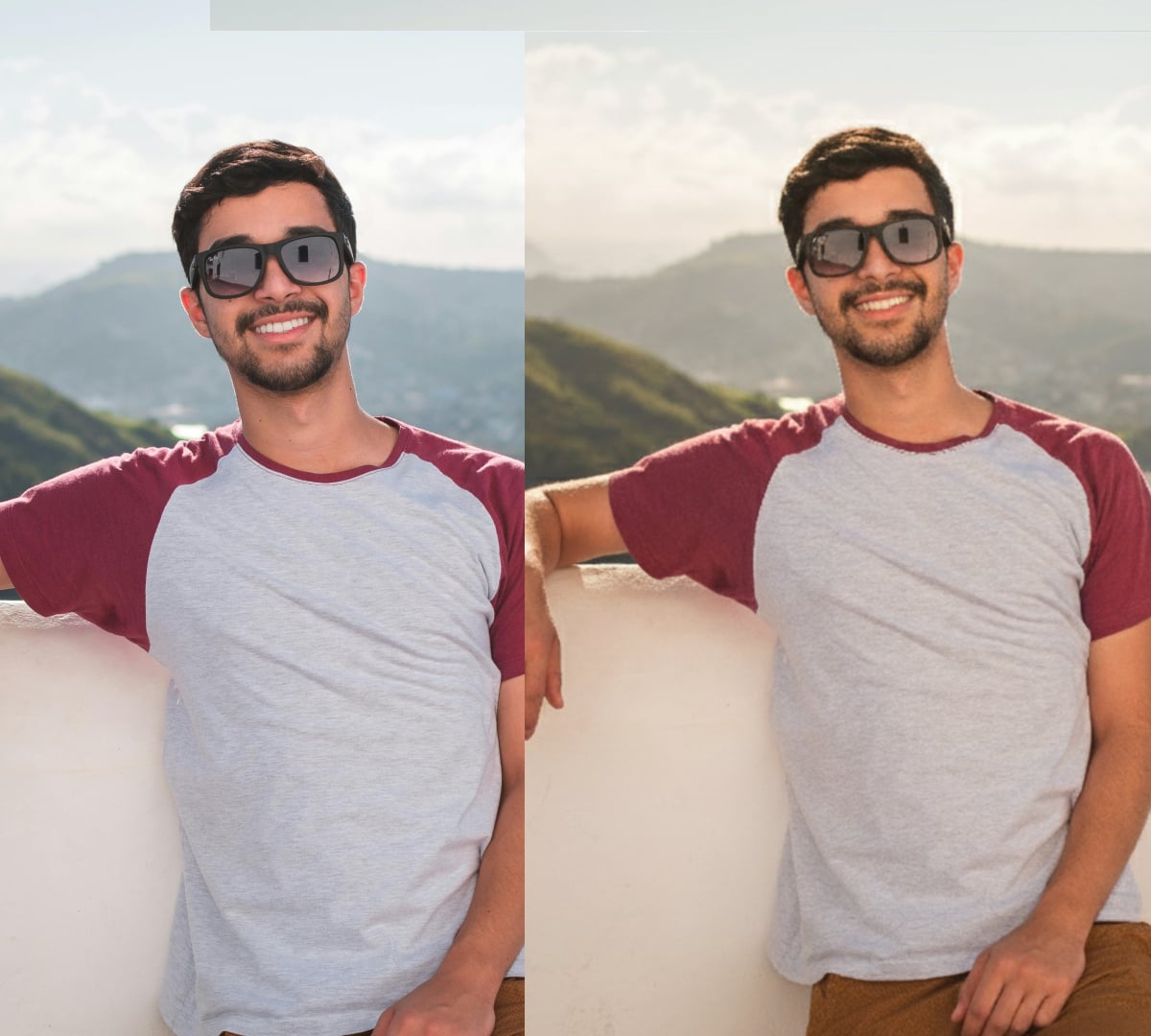
Google Gemini AI may be emerging as the tool of choice for people who want to create photos with their favorite celebrities. While there are many discussions about the ethics of this, that does not mean you need to shy away from AI entirely. One of the most practical and exciting ways to play with this technology is by using Gemini AI portrait editing prompts.
By edit, we mean enhancing your images to produce a polished, eye-catching result, and not creating someone else from scratch.
But before anything, it helps to understand what a prompt actually is. A prompt is simply a text instruction you give the AI to guide how it edits or generates an image. Think of it like talking to an assistant who tries to follow what you tell it to do as closely as possible. The more specific and clear you are, the better the results. In portrait editing, prompts can cover lighting, colors, textures, or even small touch-ups that bring out the best in your photo.BAI will never replace photography, but it can take your ordinary selfie or portrait and elevate it, improving lighting, sharpening features, or subtly adjusting color tones. Here are ten prompts you can try to get started:
1. “Enhance portrait lighting to create a warm and natural glow on the skin.”
Lighting can elevate an ordinary photo into something memorable. This prompt helps Gemini AI refine shadows and highlights to balance tones for a soft, radiant effect. It’s like having golden-hour lighting no matter when the picture was taken.
A warm glow could also add depth to facial features without the need for extra filters. The result is flattering but still realistic, none of that out-of-this-world look.
2. “Sharpen facial features while keeping the image realistic and soft.”
The right level of sharpness makes eyes sparkle and smiles stand out in your portraits. Using one of the many Gemini AI portrait editing prompts can highlight key details while avoiding the harsh and overly processed look that editing sometimes produces.
Subtle sharpening keeps the balance between crisp details and natural charm. This makes your portrait look professional while still feeling approachable.
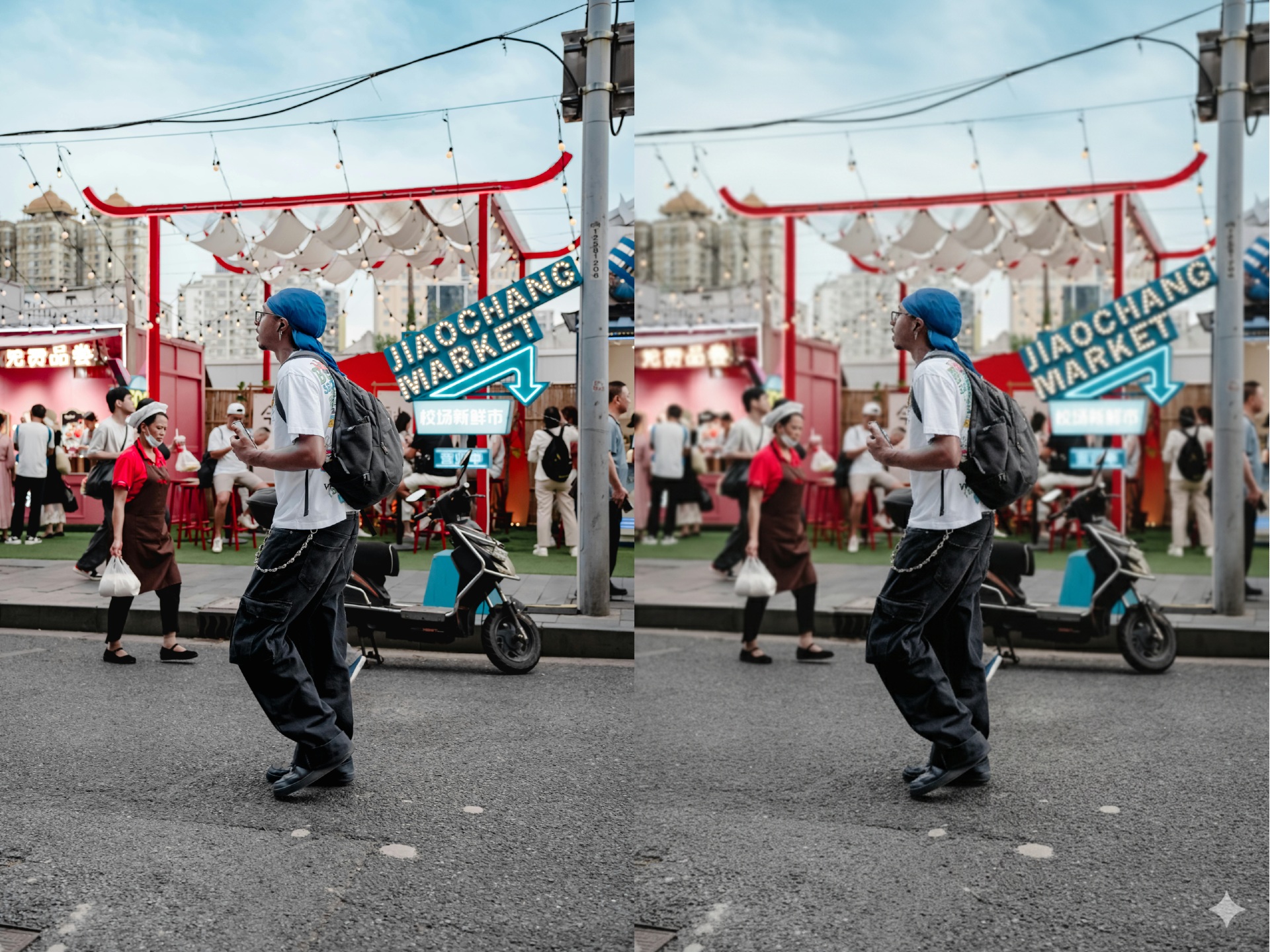
3. “Adjust background blur to make the subject stand out without overdoing it.”
Backgrounds can clutter a photo and steal attention from the subject. With this prompt, Gemini AI creates a soft blur effect to simulate a shallow depth of field.
The result is a portrait where the focus stays on you and not the messy room or busy street behind you. It’s a simple tweak that gives photos a polished look!
4. “Slightly enhance colors for a vibrant but natural look.”
Boosting color is a quick way to add energy to a portrait, but too much saturation makes it cartoonish. You can use this prompt to help Gemini AI adjust hues and contrast with restraint.
This then brings life to your skin tones, outfits, and even backgrounds, all while staying grounded in realism. It’s ideal for lifestyle portraits or outdoor shoots.
5. “Reduce minor blemishes and smooth skin texture while preserving character.”
AI can definitely help with touch-ups, but don’t forget that the goal is not to erase every pore. Gemini AI then excels here at minimizing distractions like small blemishes or uneven tones without removing individuality.
This prompt ensures you still look like yourself, but maybe just a little more rested and refreshed.
6. “Brighten eyes and enhance their natural color for more impact.”
The eyes are the focal point of most portraits, and a subtle boost can make them magnetic. Using this prompt, Gemini AI can brighten whites, sharpen details, and enhance natural hues.
This edit works especially well in photos where the lighting isn’t perfect. It makes the gaze more engaging while still keeping it authentic.
7. “Balance skin tones for a consistent and natural appearance.”
Gemini AI can harmonize colors across the face for a smoother and more consistent look. Uneven lighting or shadows, after all, can make skin tones look patchy. This prompt can result in balanced tones that prevent your portrait from looking washed out or oddly lit.
8. “Refine hair details and reduce stray strands without making it stiff.”
Hair can be tricky in portraits as flyaways and frizz catch too much attention. Gemini AI can clean up stray strands and add definition. The trick using this prompt is to enhance texture without freezing it into a helmet-like shape. This keeps your hair looking natural, full, and well-kept.
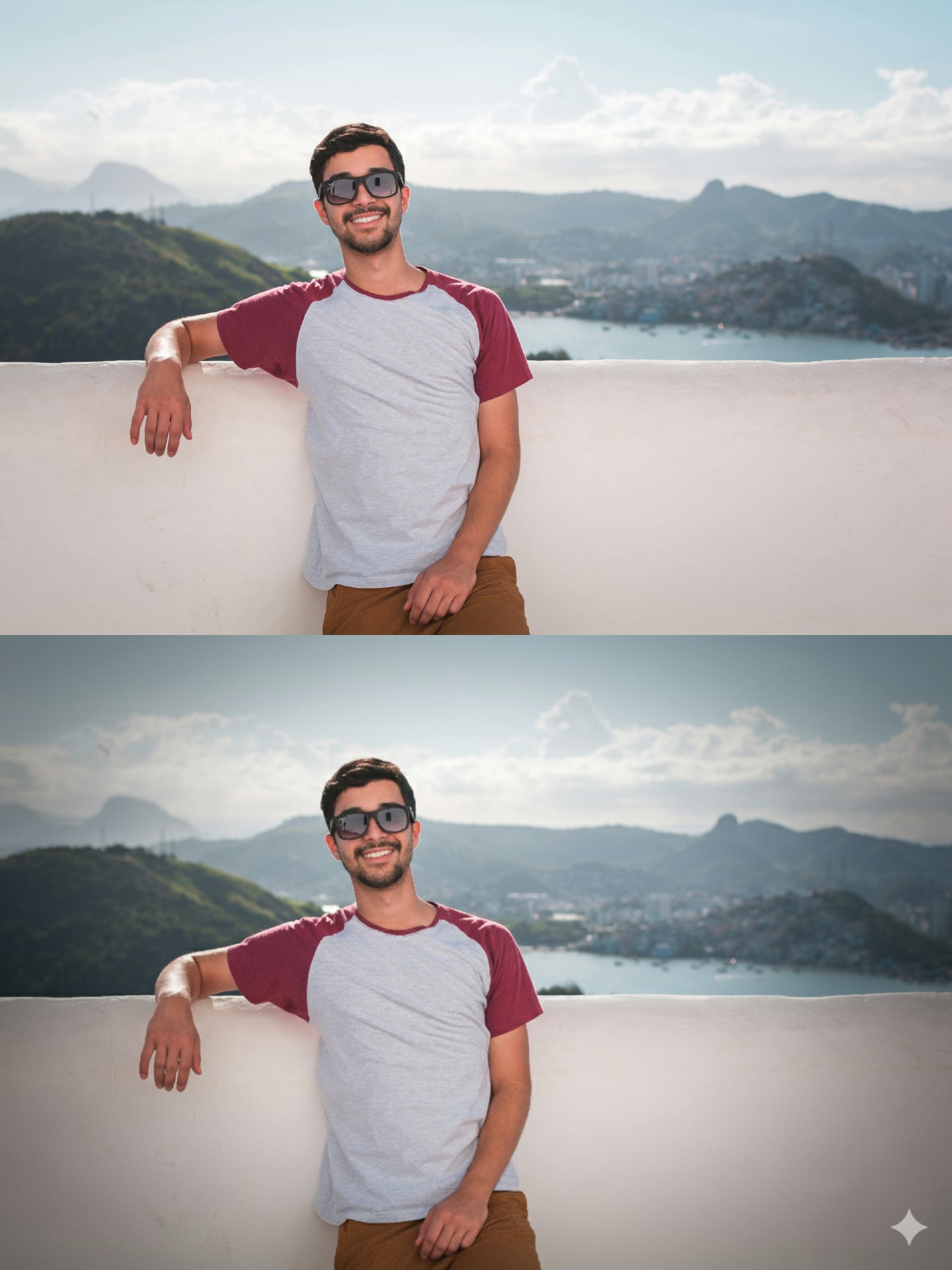
9. “Add a subtle vignette to draw attention toward the face.”
Gemini AI can darken the edges of your portrait slightly to bring focus inward, sort of like a vignette that is reminiscent of old photographs.
When done right, the effect is so subtle you barely notice it, yet it guides the viewer’s eyes exactly where you want them.
10. “Polish overall composition by enhancing contrast and clarity.”
Sometimes the whole portrait needs a small lift. This prompt asks Gemini AI to fine-tune the overall balance of light, dark, and mid-tones. The result is a portrait that feels sharper, clearer, and more intentional. It’s a finishing touch that ties everything together without pushing the edit too far.
Should you disclose that you used Gemini AI portrait editing prompts?
Using Gemini AI is like having a skilled photo editor on hand, but the power is still in your control at the end of the day. When resorting to AI, remember to choose prompts that enhance rather than reinvent, and you’ll end up with images that feel like a true reflection of yourself.
There is no questioning the power of AI, but using it as a tool comes with a responsibility to be honest and ethical. It is best to be upfront when you’ve used AI in your work, and share how much it shaped the final image. Transparency, after all, builds trust while still letting you enjoy the creative boost Gemini AI offers. With thoughtful use, your portraits can shine without crossing ethical lines!
See more from DIYPhotography.net on Google
Add DIYPhotography.net as a trusted source. This makes
our stories more likely to appear in your Google Search results.
 Add as a preferred source on Google
Filed Under:
Tagged With:

Alysa Gavilan
Alysa Gavilan has spent years exploring photography through photojournalism and street scenes. She enjoys working with both film and mirrorless cameras, and her fascination with the craft has grown over the decades. Inspired by Vivian Maier, she is drawn to capturing everyday moments that often go unnoticed.



Join the Discussion
DIYP Comment Policy
Be nice, be on-topic, no personal information or flames.
One response to “10 Best Gemini AI Portrait Editing Prompts for Stunning Photos”
thanks