

























Lighting Setup: Mylar made easy – Don’t use it!
Sep 26, 2024
Jake Hicks
Jake Hicks is an award winning editorial and fashion photographer who specializes in keeping the skill in the camera, not just on the screen. For more of his work and tutorials, check out his website. On Jake’s Facebook page, you can also tune in for a live stream every other Tuesday night. You can also sign up for the Jake Hicks Photography newsletter to receive Jake’s free Top Ten Studio Lighting Tips and Techniques PDF and be sure to download his free 50-page studio lighting book.
Share:
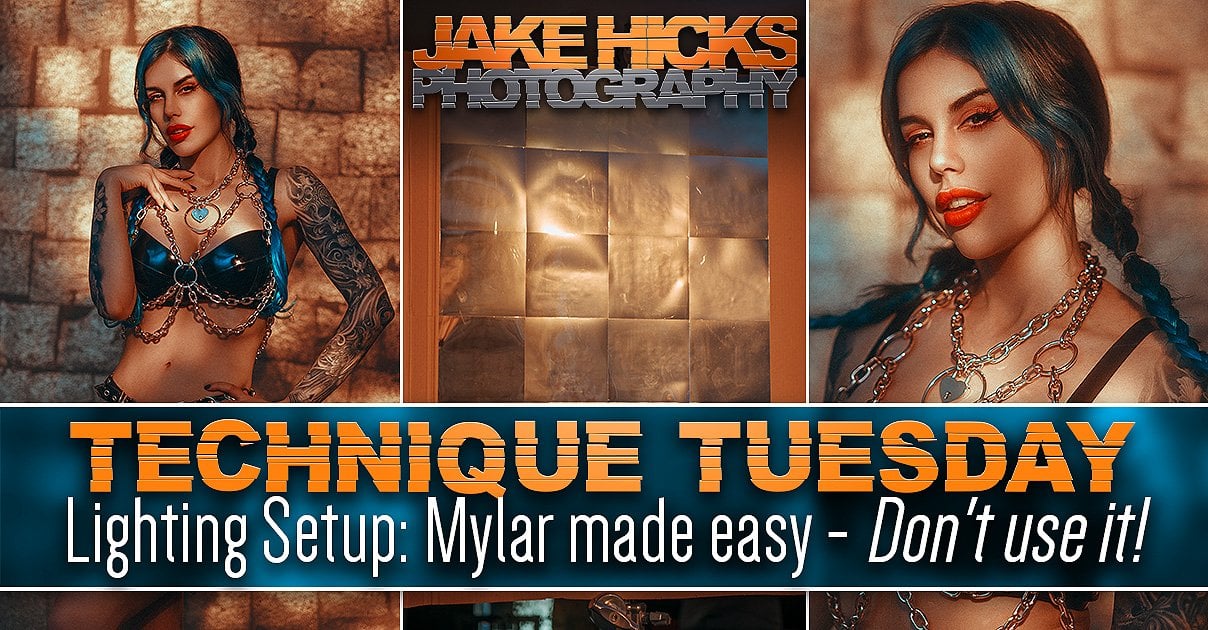
I’ve made several Mylar-infused lighting setups over the years, and yes, I’m sure you think you’ve seen them all by now, but this one is different…. I promise!
Your scepticism aside, I will capitalise on the fact that you’re still reading this and cover the basics first…. although I know you’ve probably already skipped down to the lighting diagram!
What is Mylar?
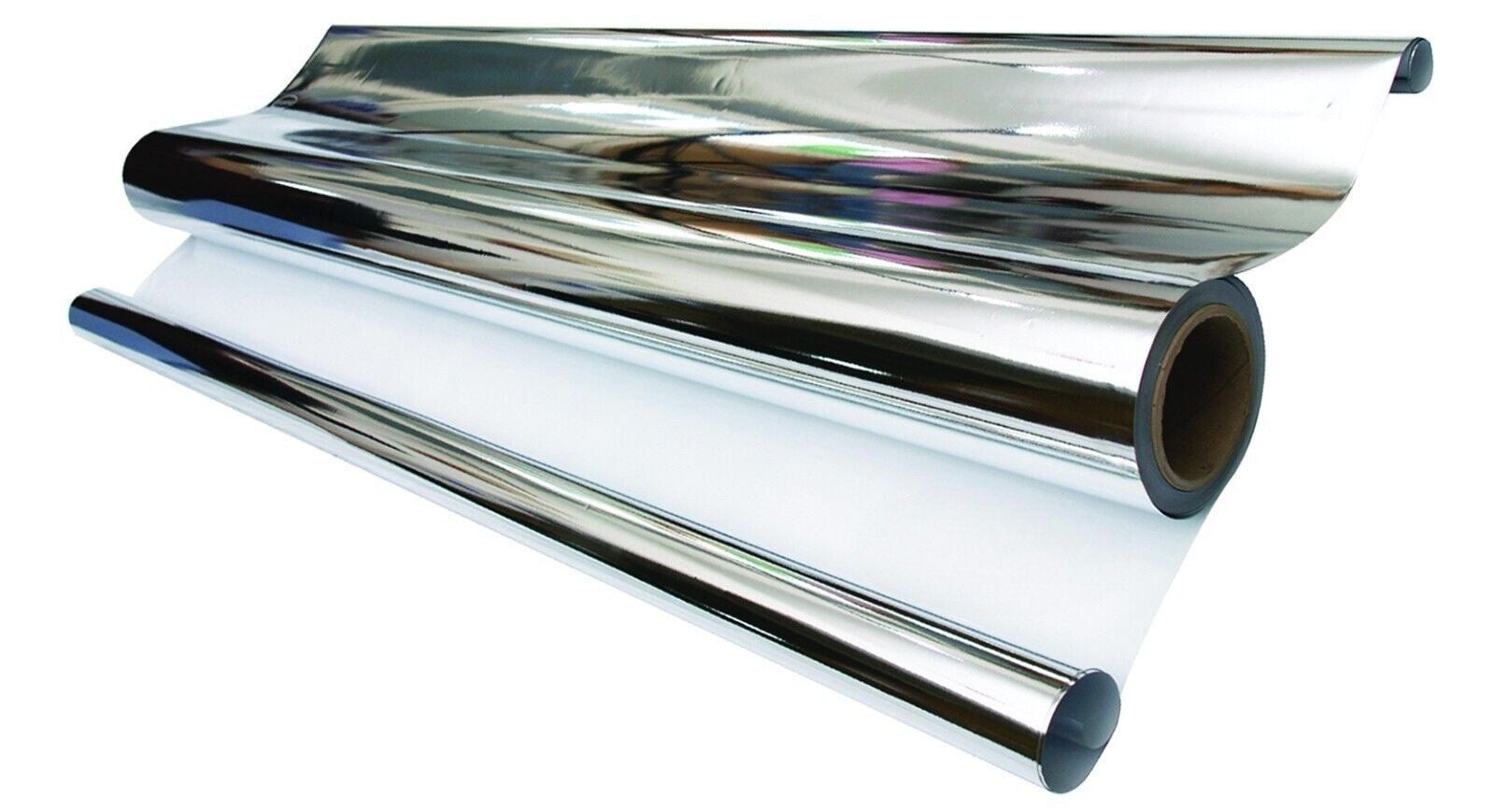
I’m specifically referring to silver Mylar, a very thin sheet of highly reflective film, most commonly used in gardening. A seemingly odd addition to a photographers kit for sure, but the extremely thin and very shiny nature of this material is used to wrap plants for warmth and it’s that same material those helium balloons are made of. Now that you know what it is, how is it useful to us photographers?
Why do I use it?
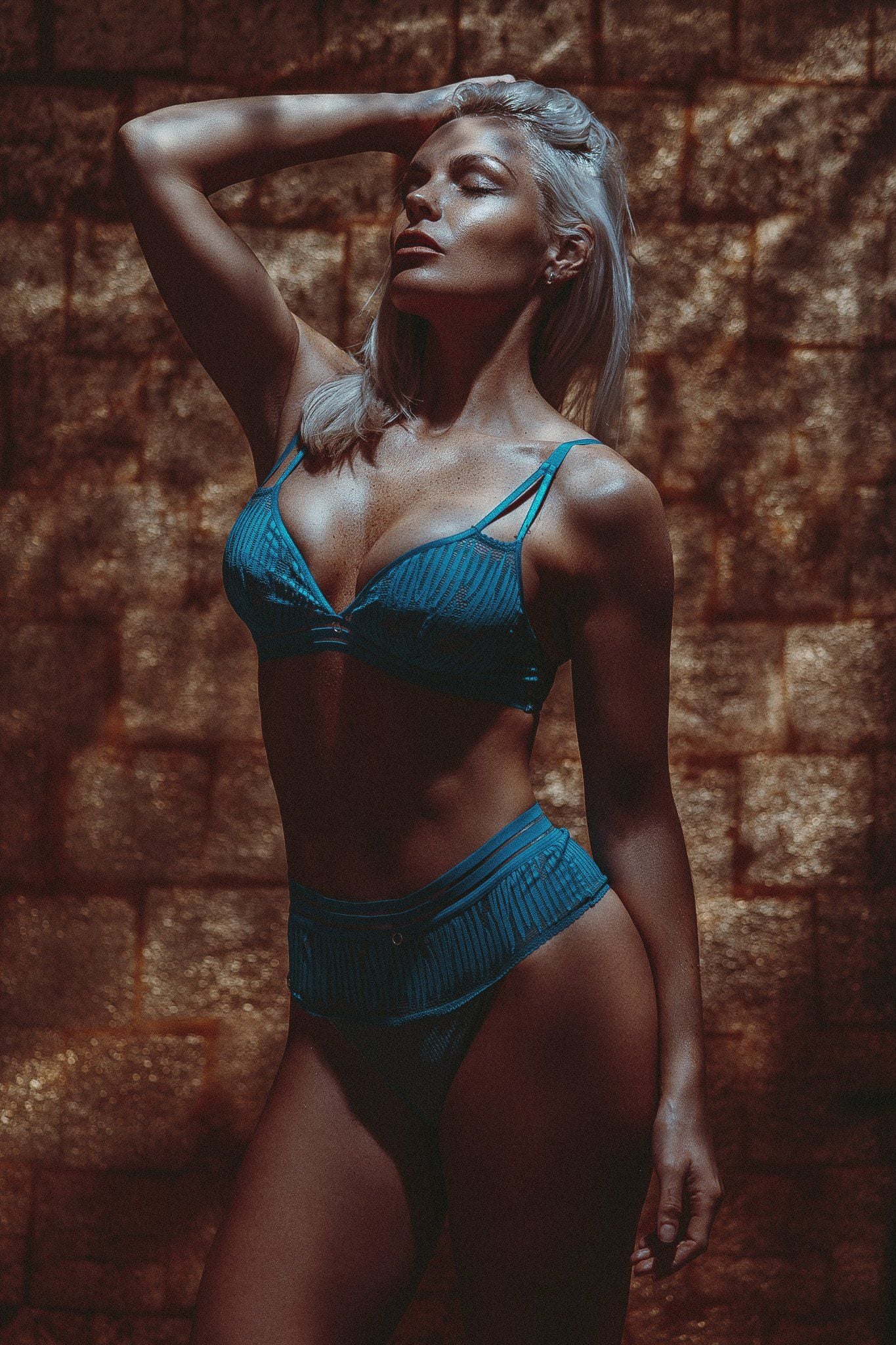
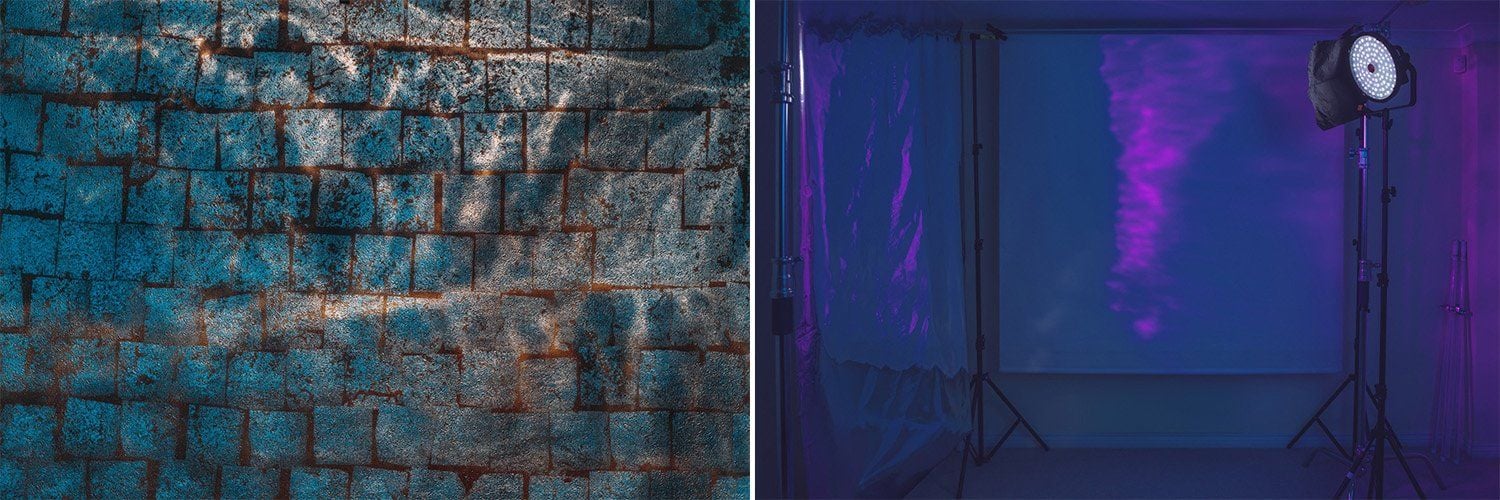
For years I’ve been buying rolls of Mylar and suspending it either in front or above the subject in my fashion and portrait shots. I then bounce a very strong light source into it that ultimately ends up on the subject. The resulting light is a mottled and dappled effect, similar to standing under trees on a sunny day or even the caustics seen at the bottom of a swimming pool.
I’ll admit, I’m always on the lookout for new ways to add ‘texture’ to my light and this comes from someone who spends 90% of their time in a studio. Many photographers very sensibly look for the cleanest light they can and that’s an admirable endeavour, but that type of light can look overly sterile and boring very quickly. Don’t get me wrong, that lighting has its place, but when you want something to look more engaging than a LinkedIn profile pic, it’s time to get creative with your light.
Why is it popular?
I assume the popularity of Mylar is simply due to its ability to create light reminiscent of ‘naturally’ occurring light patterns, like the light coming through trees or ripples in water. Studio lighting is often quite impersonal and emotionless and this lighting effect will add some of those more organic and natural-looking elements into an otherwise cold image.
Why reinvent the wheel?
This is likely my 3rd or 4th Mylar-related setup, so why am I sharing yet another one? Many of you have likely tried at least one of those setups in the past and if so, you’re likely very aware of the issues that working with Mylar can present. Yes, Mylar creates a very cool effect and it can be achieved very cheaply, but the biggest downside of Mylar is actually controlling that cool effect.
The beauty of the Mylar look is that randomised light and dark highlight contrast that shimmers across the subject. This is great for video of course as we can see it moving, but for stills, we ideally want that highlight to be on the face and if we’re being really greedy, the eyes. Sadly, the greatest strength of Mylar, being its random texture, is also its greatest weakness.
The Problem with Silver Mylar
To get that cool-looking textured light, we need to move or ripple the silver Mylar sheet. If we don’t do this then the flat sheet simply doesn’t prodcue any texture or highlights. In the past, I’ve used fans or assistants to push, waft, hold, stretch and crinkle that damn sheet, but even then the resulting highlights move and getting them just right on the subject’s face (that’s also moving) is very tricky. So tricky in fact, that I often just cheat and keep the effect on the background where it doesn’t need to be so precise.
The Solution
So on the off-chance that you can’t get a fan to do exactly what you want for every single frame you take, or you can’t find some poor soul to stand there clutching and tugging the silver sheet for an hour, here’s the solution I found.
Don’t use silver Mylar!
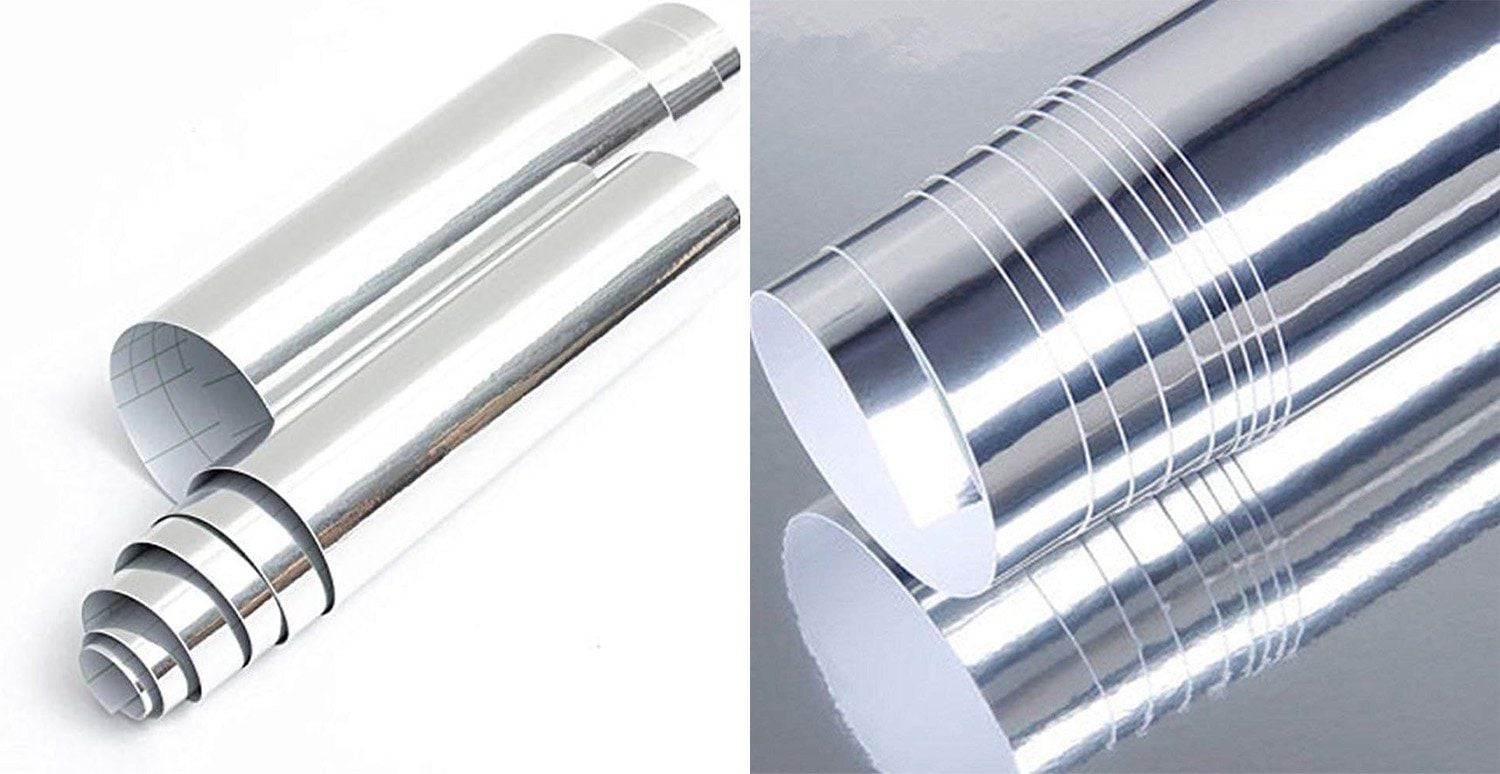
Mirrored Vinyl
Ironically I bought a roll of mirrored vinyl years ago for a separate project and had a bunch left over. I wasn’t sure what to do with it and had an idea to make a portable/foldable silver reflector. I cut my mirrored vinyl into these small squares and stuck them to a sheet of cardboard with the intention of making it foldable. This idea didn’t work at all as it reflected the light in all sorts of odd directions, but these seemingly ugly ‘flaws’ for one project, could be turned into boons when it comes to looking for ways to texture the light.
Since I made that ‘failure’ some years ago, I’ve acquired a far harder light source in my Spotlight and so I decided to see what this new light would look like bounced into the mirrored vinyl. The results were instantly gorgeous and I knew this would be a great solution to my Mylar problem.
The Setup
As always, let’s look at the setup first and then I can break down the details and cover any questions you’ll likely have.
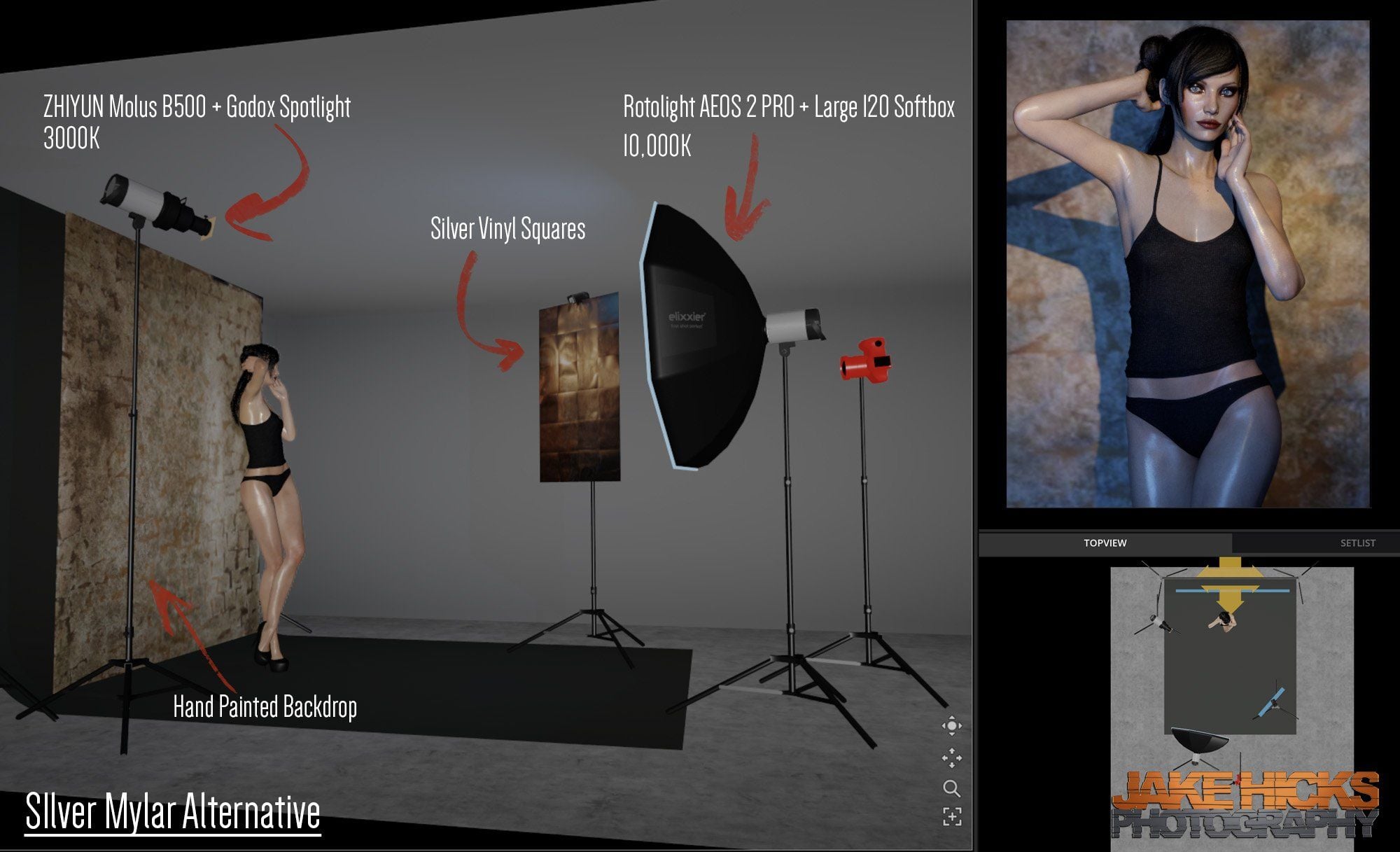
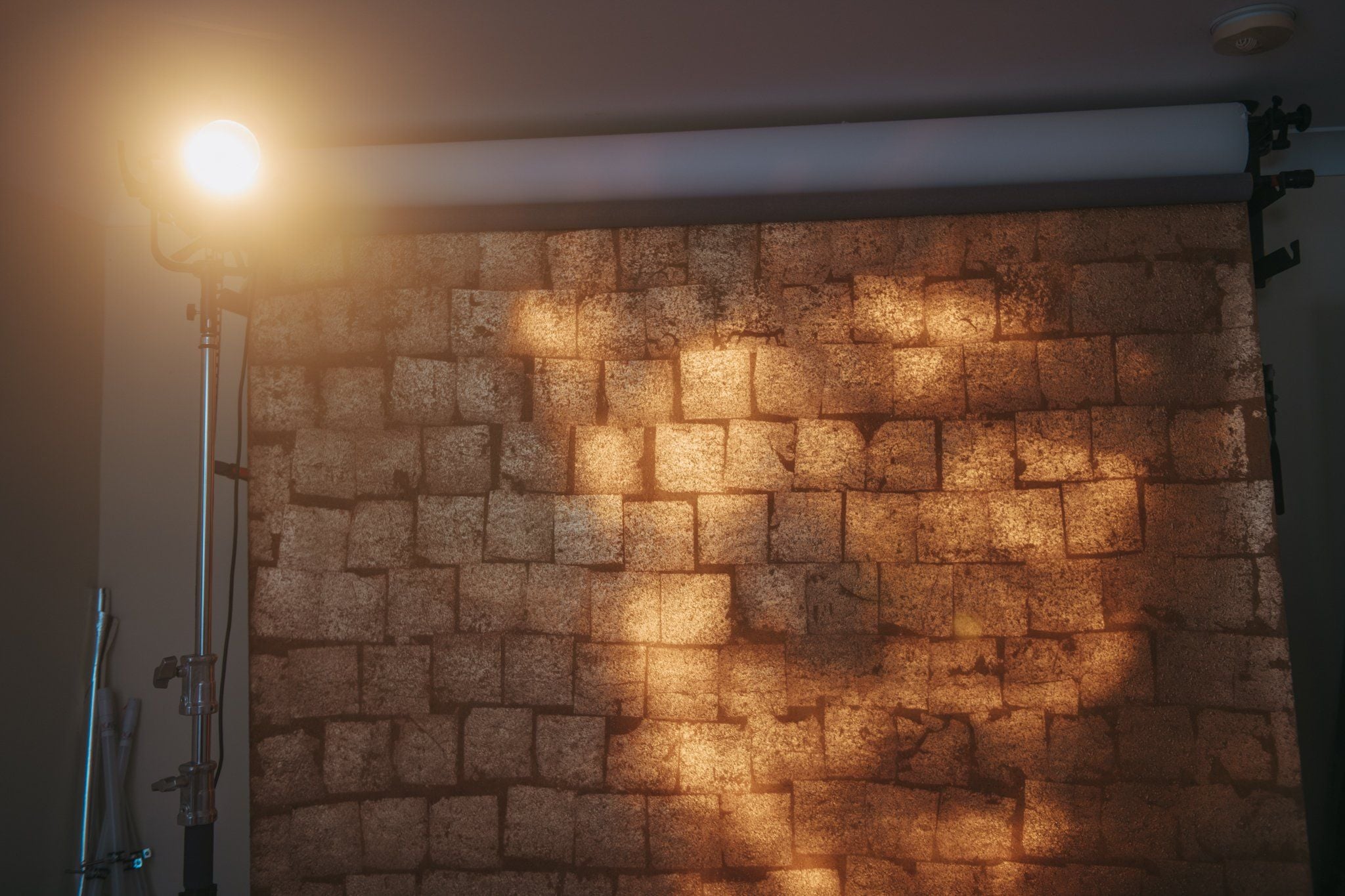
TL;DR/ADHD/Artist Setup Explanation
- Set up hand-painted backdrop behind subject
- Place subject about 3ft/1m in front of that
- Suspend cardboard with metallic vinyl squares attached to your right, pointed at the backdrop
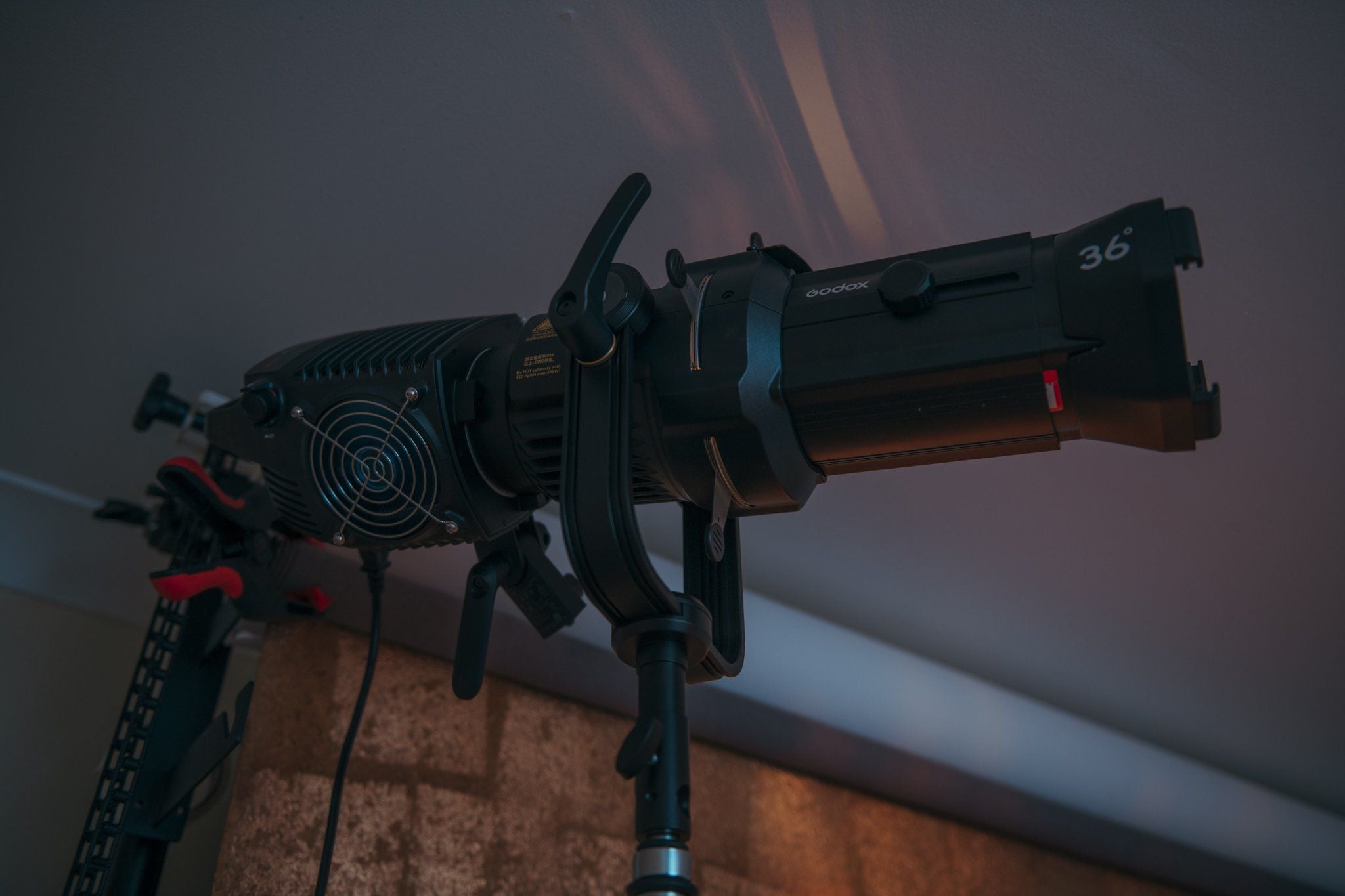
- Position hard light (Spotlight in my case) to the side of model pointed back at metallic vinyl squares
- Set large softbox (Rotolight AEOS 2 Pro + R120cm) to your left pointed at backdrop
- Set Spotlight to 3000K and softbox to 10,000K
Kit Used
- 1x Rotolight AEOS 2 Pro
- 1x Large Softbox (Rotolight R120cm)
- 1x ZHIYUN Molus B500
- 1x Godox Spotlight
- 1x Hand-Painted Backdrop
- 1x Cardboard sheet with Metallic Vinyl Attached
Camera Settings
- Camera – Nikon D850
- Lens – DC-Nikkor 105mm f2
- Shutter Speed – 1/125th
- Aperture – f2
- ISO – 100
- Kelvin – 4600K
- Focal Length – 105mm
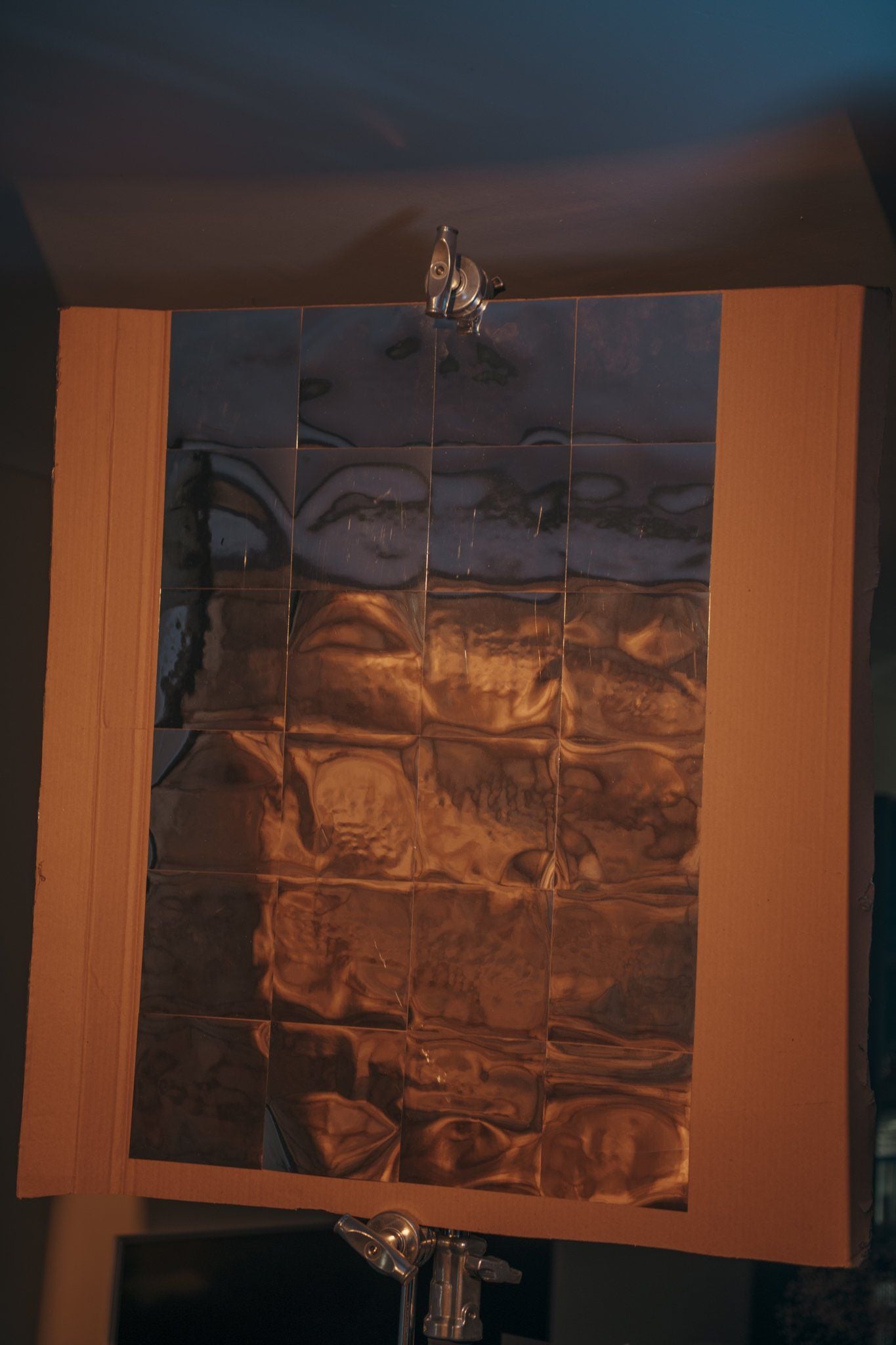
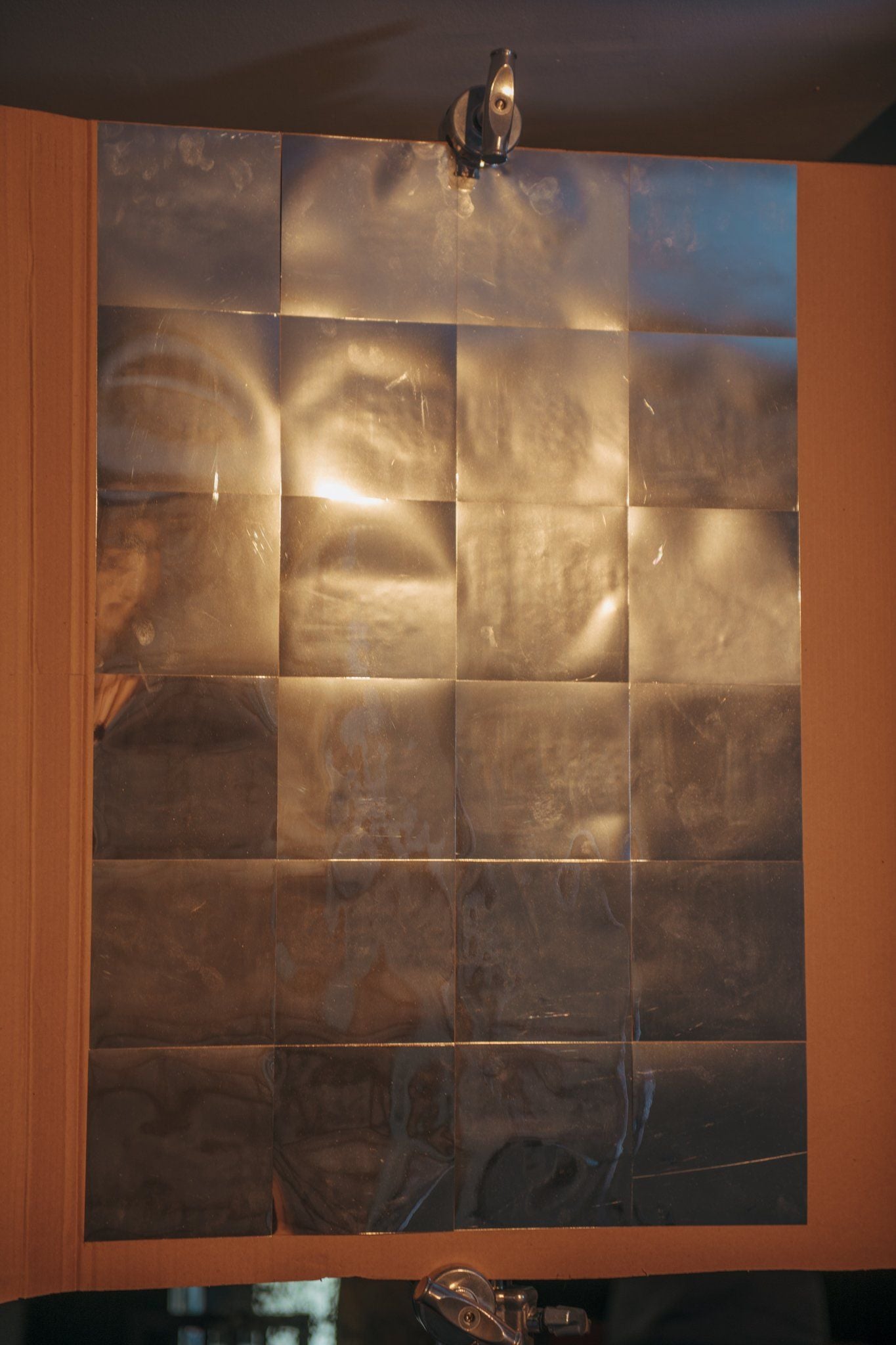
The metallic vinyl squares are all stuck to the cardboard using their own adhesive and although it may not look pretty, these seemingly poorly glued squares and their subsequent bumps and bulges, are actually what create the lighting effect we’re after.
The Metallic Vinyl Squares
As you likely saw in the images above, there is absolutely nothing fancy about this DIY modifier. I just got an old cardboard box, broke it down and then attached the squares to it. I’m making a point here of how ‘scuffed’ this is, because I think it’s actually helping the effect. The cardboard the vinyl is stuck to is not dead-flat, so this added a slight warp to the backboard the squares are mounted to and this may well be helping to exaggerate the final textured lighting effect.
Each of the squares was cut to be 6 inches x 6 inches (15cmx15cm) and I stuck 24 of these squares to the cardboard. The metallic vinyl roll I bought was self-adhesive, as many of them are, so it really didn’t take very long at all to make.
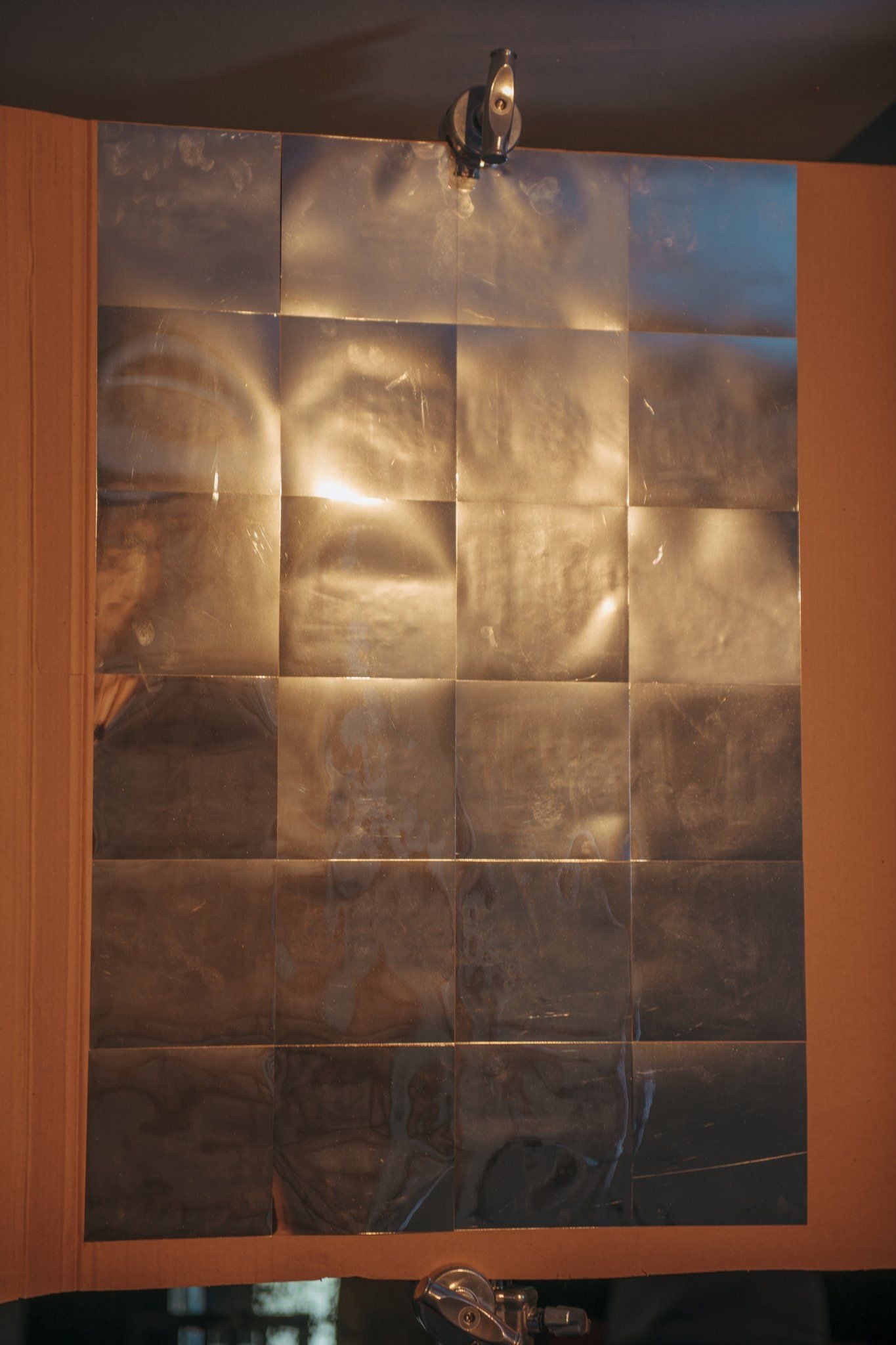
Another important aspect, although not immediately obvious, is just how crucial the irregularity of the squares can be to the final outcome. For example, if we had a perfectly flat, pristine mirror, we wouldn’t get any mottled or dappled light at all, it would simply be an even square of reflected light. The beauty of this setup really does come from how badly glued these squares are. You can see the bumps and bulges in all of the squares and it’s these irregularities that create the distorted and textured light.
The point I’m trying to make here, is don’t be too overly precious when it comes to making this reflective sheet.
The Results
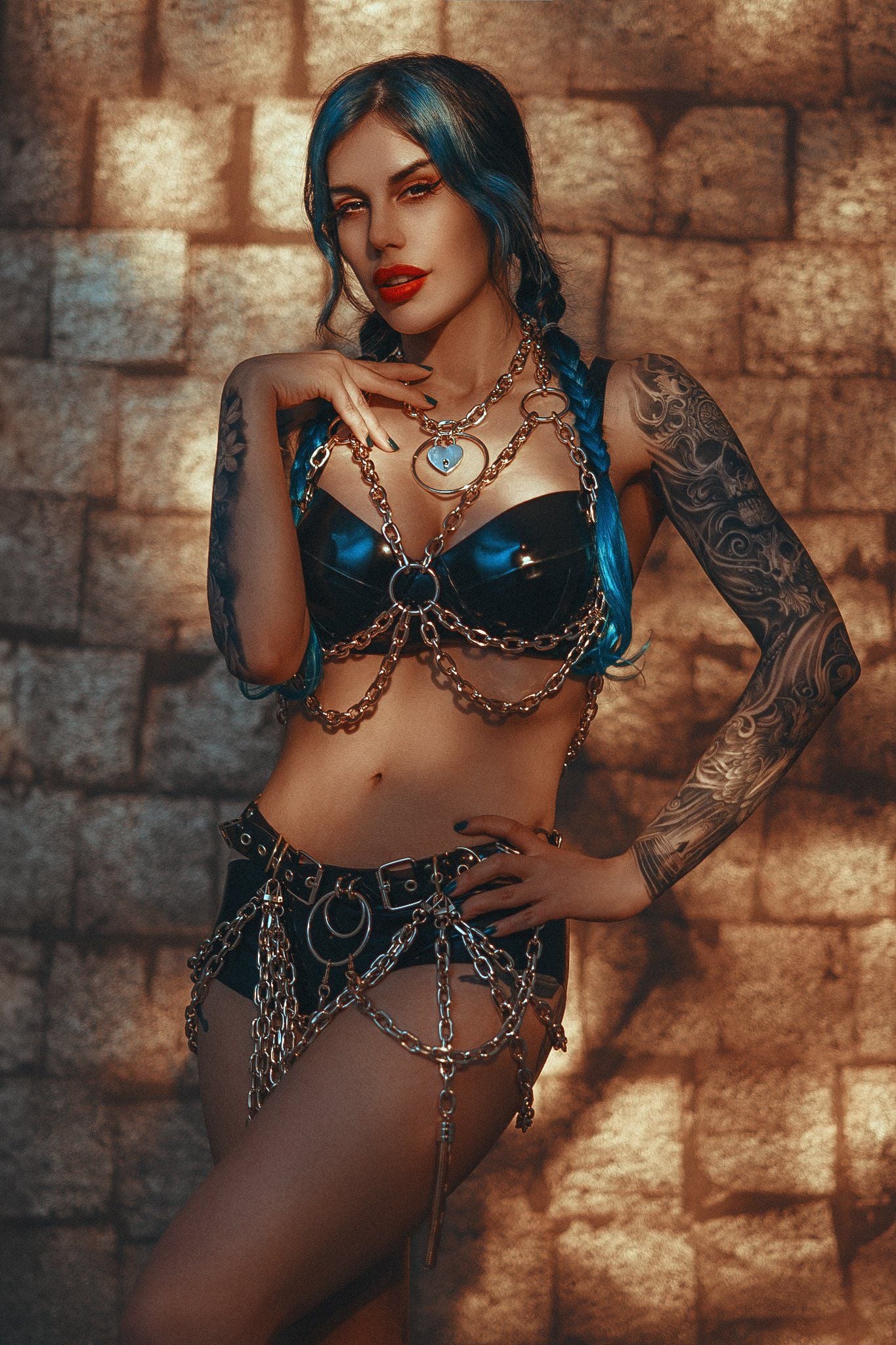
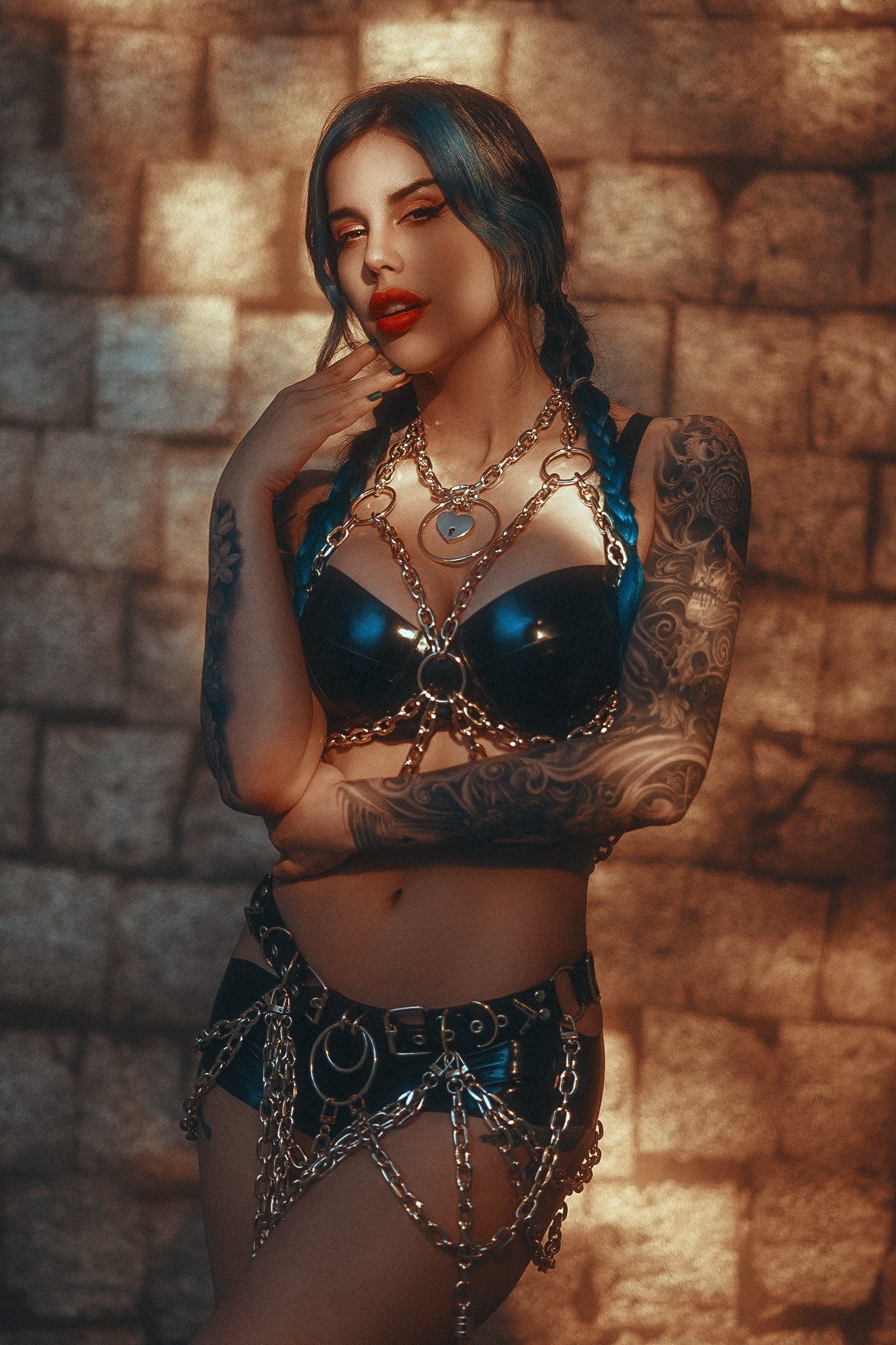

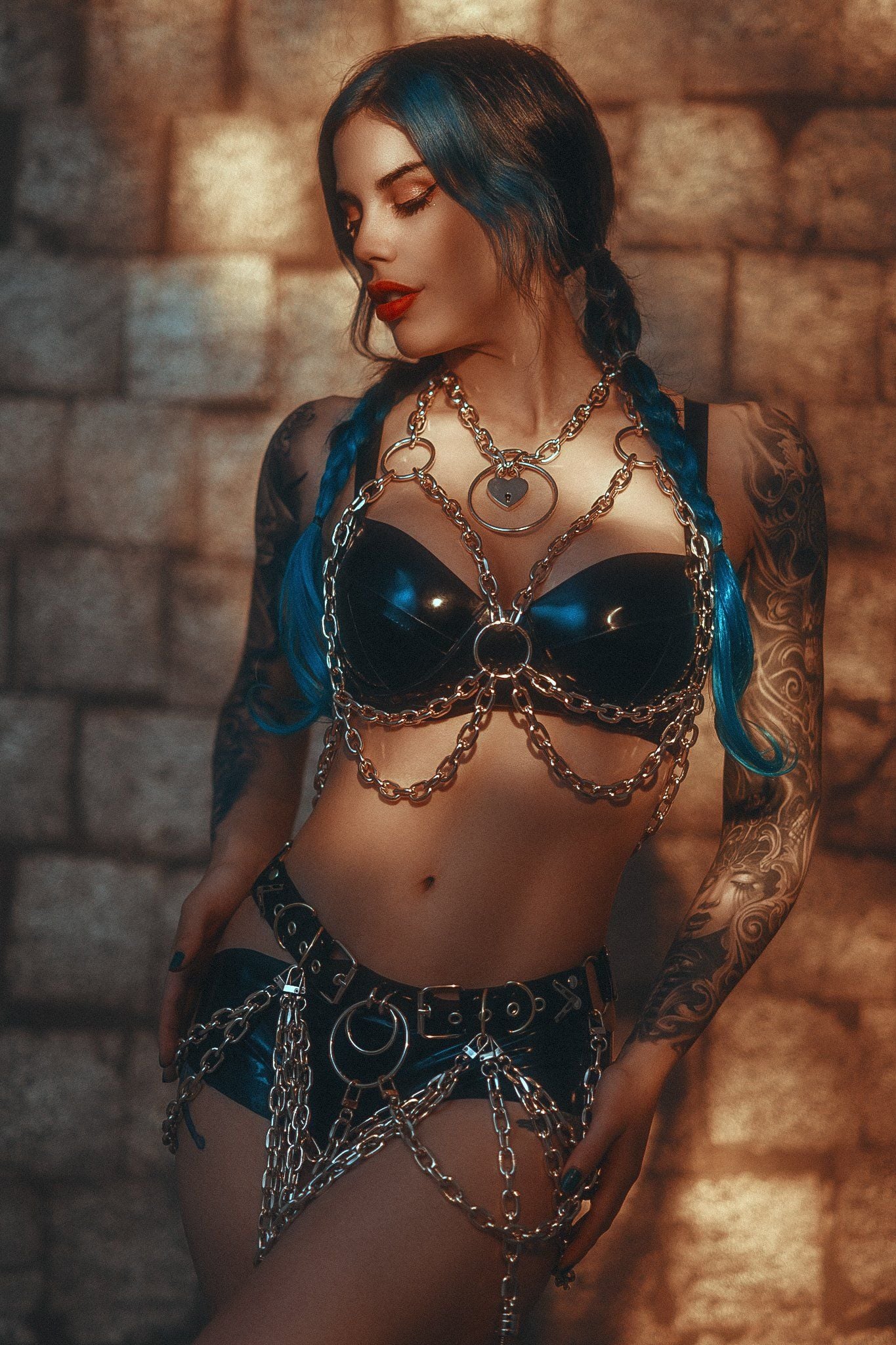
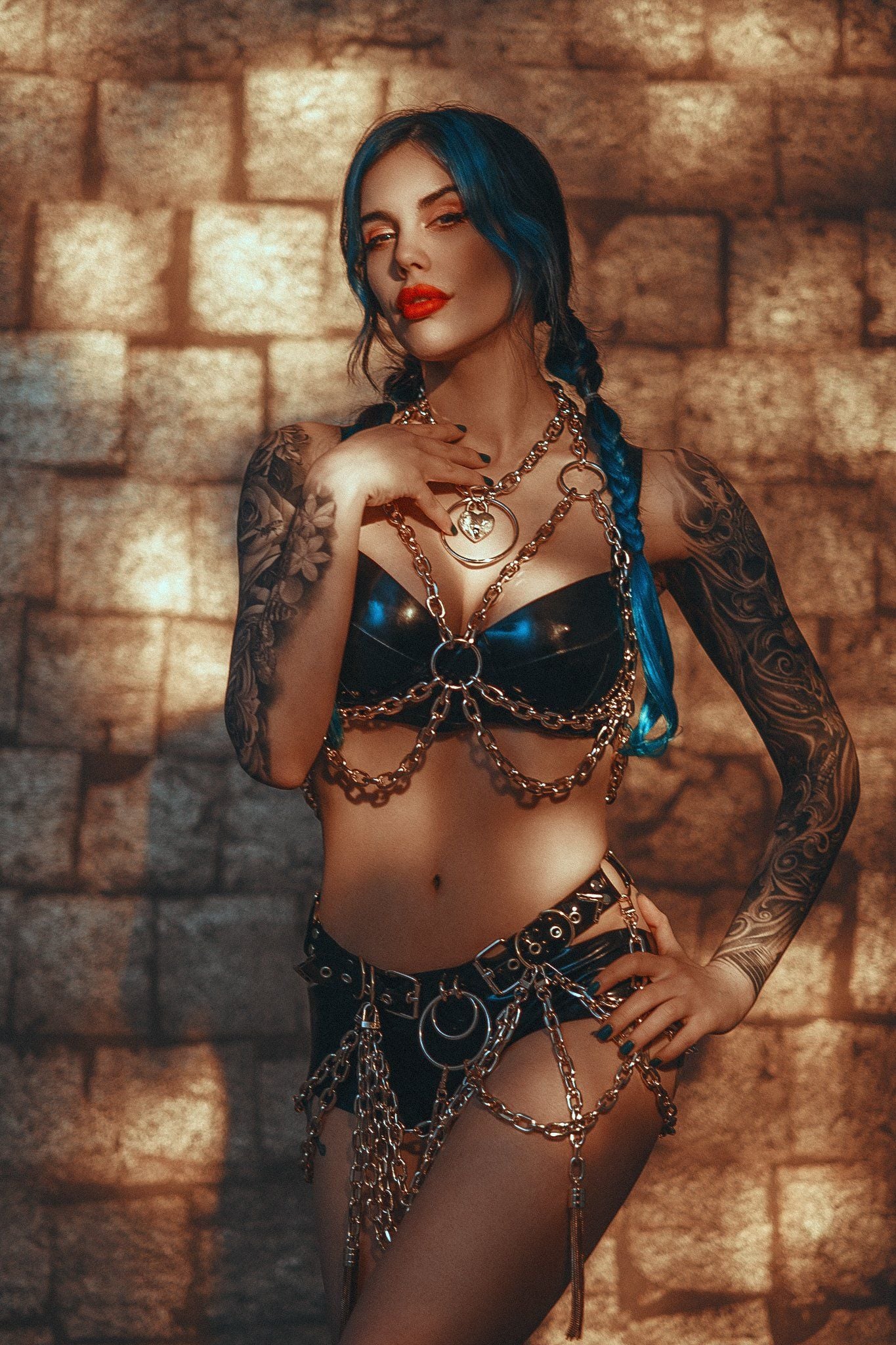
Breaking it Down
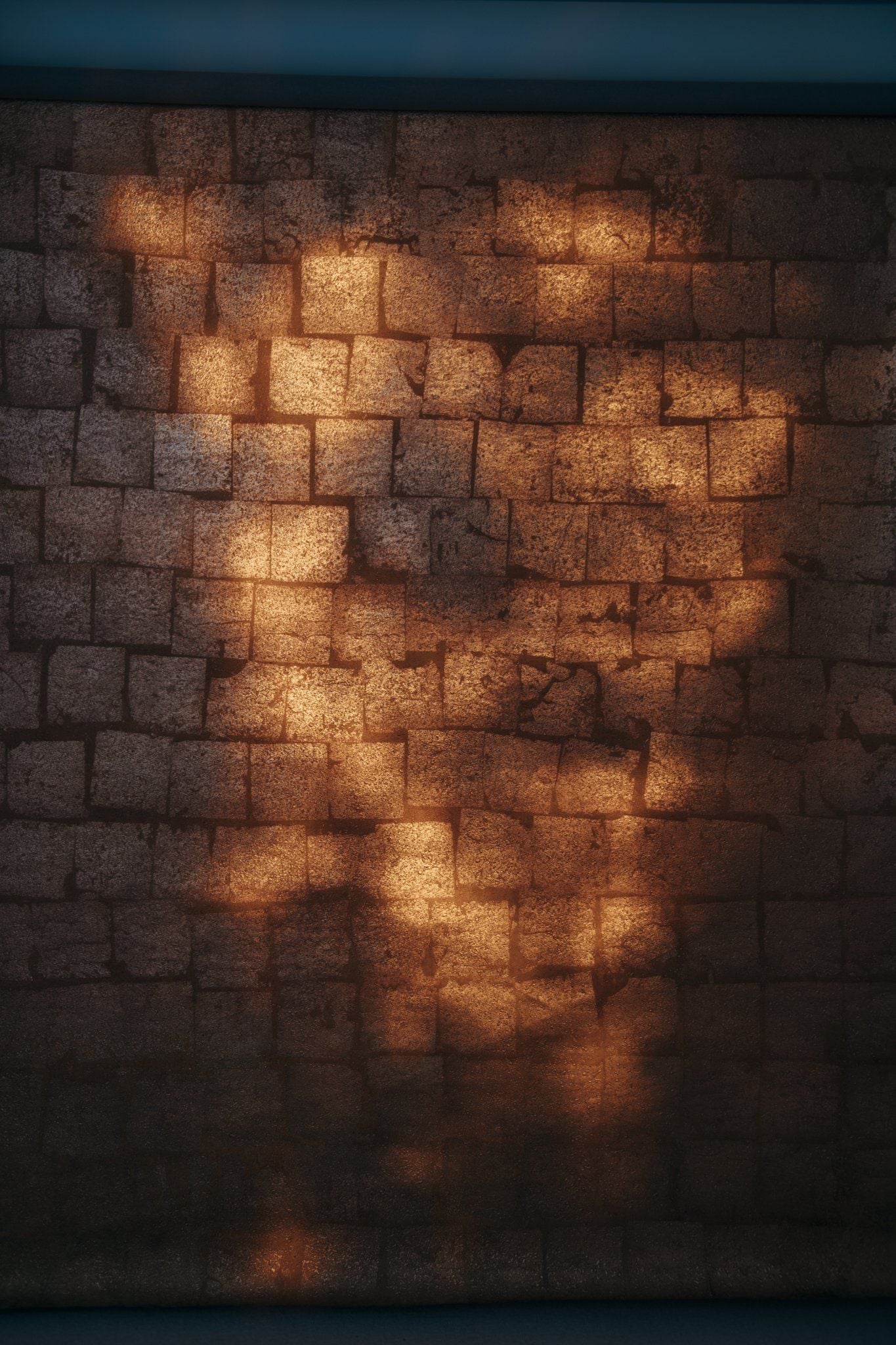
This is only a 2 light setup and the diagram explains most of it, but I will go over a few key details you should be aware of before attempting this one.
Odd Angles
This seems obvious at first, but let me explain a couple of the more salient points. The light that is illuminating the subject and background, is actually placed next to the model and almost pointed straight back at you, the photographer. This seems dumb right? But this is of course so we can get that light to be pointed at the metallic vinyl squares placed beside you.
Avoiding Flare
One aspect to be wary of when doing this, is flare. That Spotlight is almost pointed straight to the camera so if we’re not careful, we can get flaring into the lens. I didn’t suffer from any as most modern lenses are very resilient to flare so you should be fine, it’s just something to be mindful of.
Keep it Flattering
The position of the board of metallic vinyl squares is also important. Yes, it needs to angle the bounced light onto the subject, but we also need to make sure that angled light isn’t striking the model in an unflattering way. Try to position the board up high so that the bounced light does its best to fall down the subject as we dont want any ugly up-lighting to occur.
Colour
You’re about to step into my domain (expansion) here, so this is where things can get a little nerdy. As many of you know, colour is always a significant factor in all of my images and what isn’t made very apparent in the diagrams above, is just how much colour this setup actually has.
All of the colour in this shoot is thanks to us abusing the Kelvin sliders on not only both of our lights but also our camera as well. The Spotlight (hard-light) is set to 3000K (warm light), the softbox (soft-light) is set to 10,000K (cold light)…. and the camera is set to neither of them!
The JHP CKC Look
This contrasting Kelvin colour setup and many variations of it is one I’ve done countless times before. The core feature of all of them though, has been a desire to create ‘great-looking’ colours and not ‘perfect-looking’ colours. This is a very important distinction to make and one that I carry across all of my work. I’m not interested in perfect colour, but I am interested in the best looking colour and that means I’m playing with those colours by eye as the shot presents itself to me.
There is no ‘Correct’ Kelvin
Why is this an issue in this setup? Why can’t I simply set my cameras Kelvin to that of one of the lights in the setup like a normal photographer would? The main reason this doesn’t work here is because both of those different Kelvin lights are hitting the subject in the same place. Both the 3000K hard-light is illuminating the subject as well as the 10,000K soft-light. This is why we have to set our cameras Kelvin somewhere in the middle and this is why we have to do it by eye. Look at the images again and see where the bright dappled highlights are striking the subject. These brighter areas are of course brighter due to both of the hard and soft lights illuminating the same region of skin on the model and it’s at these brighter, merged light areas where both warm and cool Kelvin ranges merge. See how these regions are not only brighter but also a more neutral colour? These combined regions are where we want to be looking to set our cameras Kelvin.
Ultimately, I had my camera in the 4600K-5000K region and I suggest you start with that too. That said, I would encourage you to experiment with varying camera Kelvins so you can check you don’t prefer a cooler or warmer look than me.
Seeing Colour is a Skill
I appreciate that for many, especially those starting out, having a few guidelines for these seemingly esoteric properties like the ‘best colour’ can be helpful and me simply saying ‘just tweak the colour as you see fit’ is often not useful. But you having the ability to see accurate colour and better still, the best colour will come with experience and this is something that will come to you over time, just like a musician can tune an instrument by ear or a chef can adjust a recipe by taste. It is a skill that naturally comes to us.
Closing Comments
The main premise of this article and lighting setup is to show you a viable alternative to the typical silver Mylar setup. The silver Mylar is still an excellent setup and there are many of them, but they really look their best in moving images. The shimmer and light-play that silver Mylar creates is simply beautiful, but it can be a real pain to control and manipulate constantly for stills shooters, especially if we want the shimmer to appear perfectly across the face.
Take a look at my images from this setup again and should notice the glimmer is very consistent on the model’s face and more often than not, I even had a catch-light or two. Of course, this strength of consistency could well be a significant downside for you. Maybe you want a lot of randomness to the shots and maybe you want a different-looking glimmer pattern in every frame. If that’s the case, absolutely use the silver Mylar.
But, if you don’t have a fan to waft the sheet of Mylar and if you don’t have an assistant to sculpt the perfect caustics, and if you don’t want a completely random pattern in each and every frame, the metallic vinyl is a very simple and very consistent alternative.
Good luck if you’re giving this one a go, let me know how you get on and as always, if you have any questions, fire away in the comments below.
Photography and lighting techniques using mylar


See more from DIYPhotography.net on Google
Add DIYPhotography.net as a trusted source. This makes
our stories more likely to appear in your Google Search results.
 Add as a preferred source on Google

Jake Hicks
Jake Hicks is an award winning editorial and fashion photographer who specializes in keeping the skill in the camera, not just on the screen. For more of his work and tutorials, check out his website. On Jake’s Facebook page, you can also tune in for a live stream every other Tuesday night. You can also sign up for the Jake Hicks Photography newsletter to receive Jake’s free Top Ten Studio Lighting Tips and Techniques PDF and be sure to download his free 50-page studio lighting book.




Join the Discussion
DIYP Comment Policy
Be nice, be on-topic, no personal information or flames.