




























YoloBox Extreme: The Livestreaming Upgrade We’ve All Been Waiting For
Sep 3, 2025
John Aldred
John Aldred is a photographer with over 25 years of experience in the portrait and commercial worlds. He is based in Scotland and has been an early adopter – and occasional beta tester – of almost every digital imaging technology in that time. As well as his creative visual work, John uses 3D printing, electronics and programming to create his own photography and filmmaking tools and consults for a number of brands across the industry.
Share:
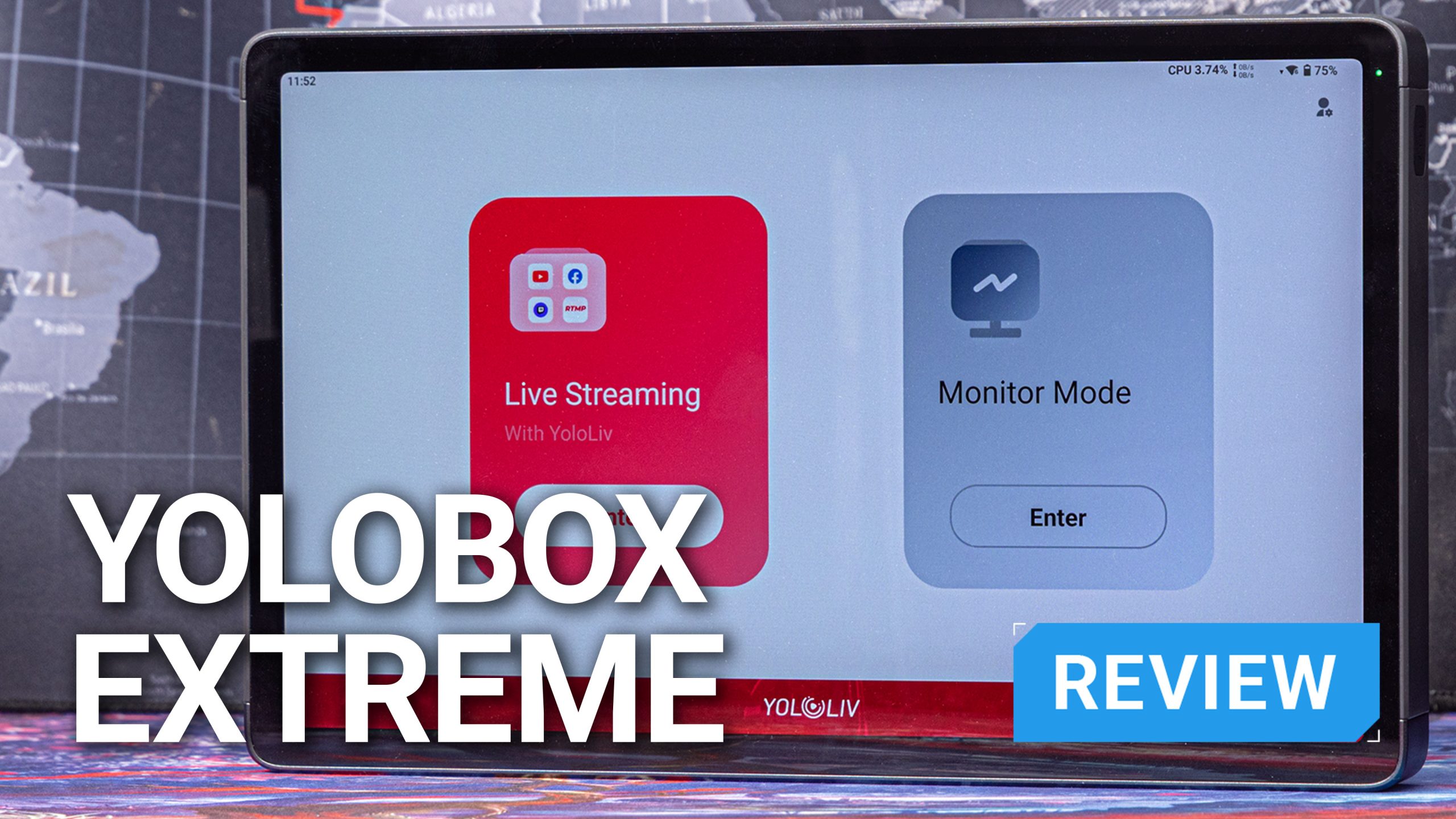
It’s no secret that I’m a fan of YoloLiv products. I’ve been using the YoloBox Pro (YBP) for a few years now and it’s been my favourite video switcher by far. Like anything, though, it’s not perfect. It has a few issues that were fixed in the YoloBox Ultra (YBU), but now there’s a new flagship; The YoloBox Extreme (YBE). Does it fully fix them?
I’ve been using the one for the past few weeks and if you’re coming from a previous YoloBox device, it will all feel very familiar. But the YoloBox Extreme brings a bunch of features that none of its predecessors have. Like streaming in 4K and the ability to plug in up to eight HDMI inputs.

YoloBox Extreme vs Ultra vs Pro – The short version
YoloLiv’s been quite prolific with their product launches over the last few years, but they’ve been even more prolific with firmware and app updates to add, enhance or fix functionality in their devices. The YoloBox Pro has had more updates than I can remember, so the specs on these devices can and do change regularly over time.
So, we’re looking at the feature set as it stands today. What can each device do? What does it offer over the others in the range? Let’s take a look.
| YoloBox Extreme | YoloBox Ultra | YoloBox Pro | |
|---|---|---|---|
| Display | 11.2″ OLED, 2.5K resolution, 1000 nits | 8″ LCD, 1080p, 650 nits | 8″ LCD, 1080p, 650 nits |
| HDMI Inputs | 8 | 4 | 3 |
| HDMI Outputs | 2 | 1 | 1 |
| USB Inputs | 2x USB-A, 1x USB-C | 2x USB-A, 1x USB-C | 1x USB-A, 1x USB-C |
| NDI Inputs | 6x NDI HX | 3x NDI | 1x NDI |
| Connectivity | Gigabit Ethernet, Wi‑Fi 7 (dual-band), 4G LTE, Bluetooth 5.3 | Gigabit Ethernet, Wi‑Fi 6,, and 4G LTE | 10/100 Ethernet, Wi‑Fi, and 4G LTE |
| Internal Storage | 128GB | None | None |
| ISO Recording | Yes, up to 4K | Yes, up to 4K | No |
| Instant Replay | Yes, Multicam | Yes | Yes |
| Director Mode | Yes | No | No |
| Battery Life | Up to 10 hours | Up to 8 hours | Up to 4 hours |
| Dimensions | 264 x 167 x 29 mm | 219 x 140 x 27.1 mm | 218 x 129 x 27 mm |
| Weight | 1500g | 980g | 750g |
You can see in the comparison above that all three devices sport an impressive array of features and abilities. And it’s not even that one device is objectively better or worse than another. They’re just designed for different needs and use cases.
That being said, I’ll give you a little spoiler. The YoloBox Pro is going on permanent backup duty since using the YoloBox Extreme.
First impressions – It’s big!
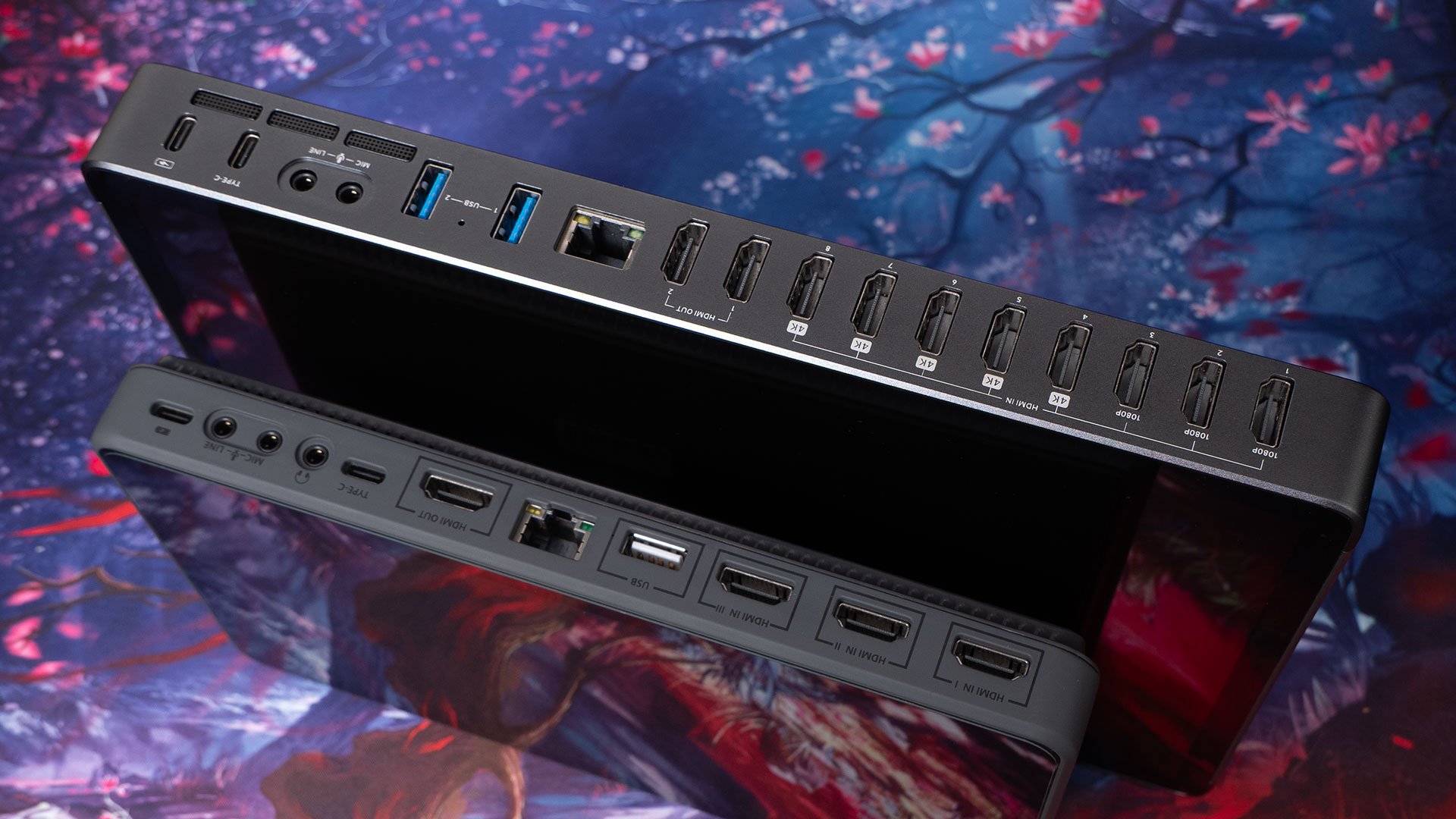
Obviously, going from the three or four inputs of the YoloBox Pro & Ultra to eight HDMI inputs on the Extreme is going to require something of a redesign of the device itself. There’s also an extra HDMI output, and a bunch of other sockets.
Even just going from the YoloBox Pro to the YoloBox Ultra, adding one extra HDMI port and another USB-A socket, shoved all the USB sockets and audio I/O over to the front of the device. The Extreme expands things much more than this.
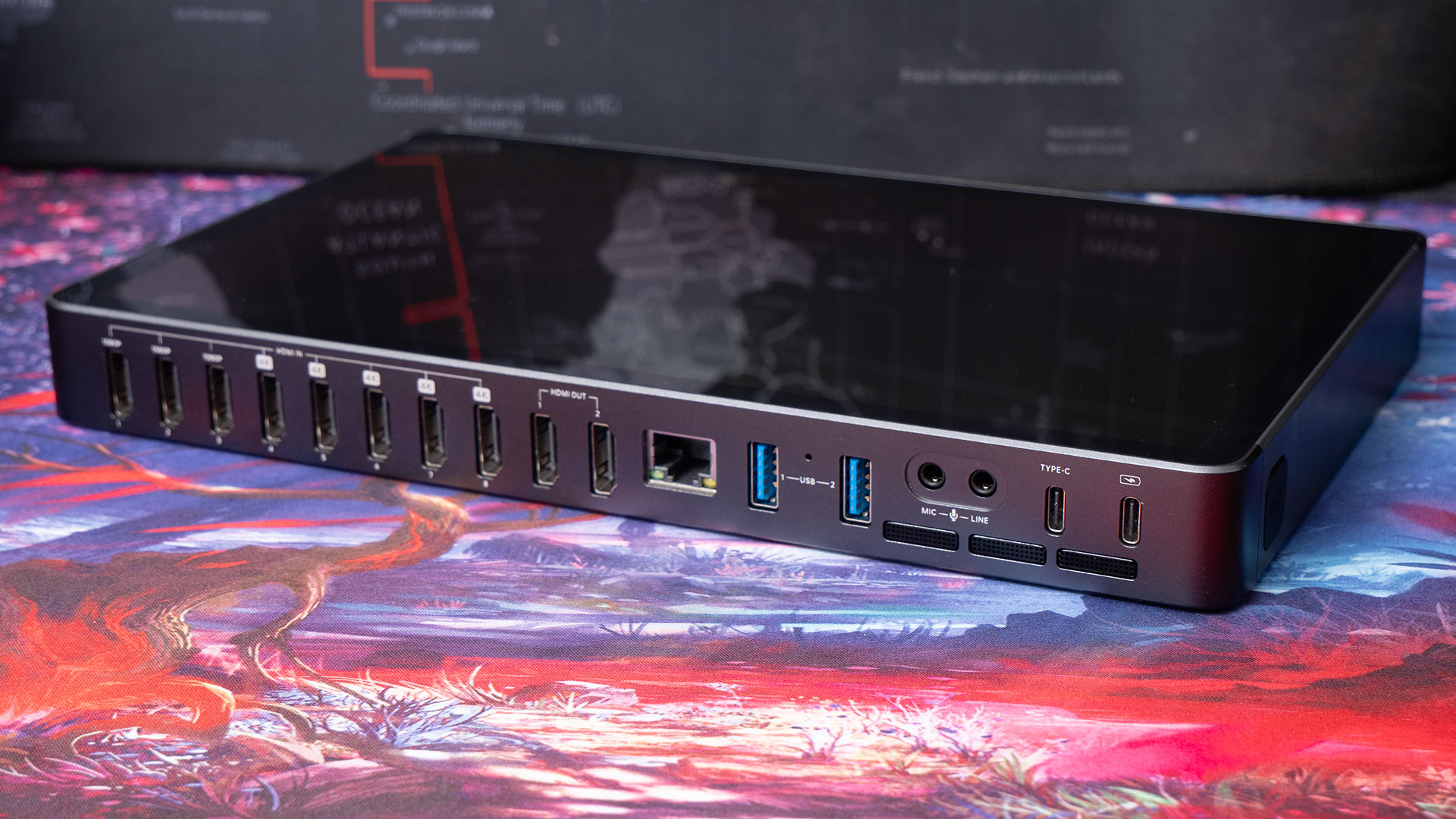
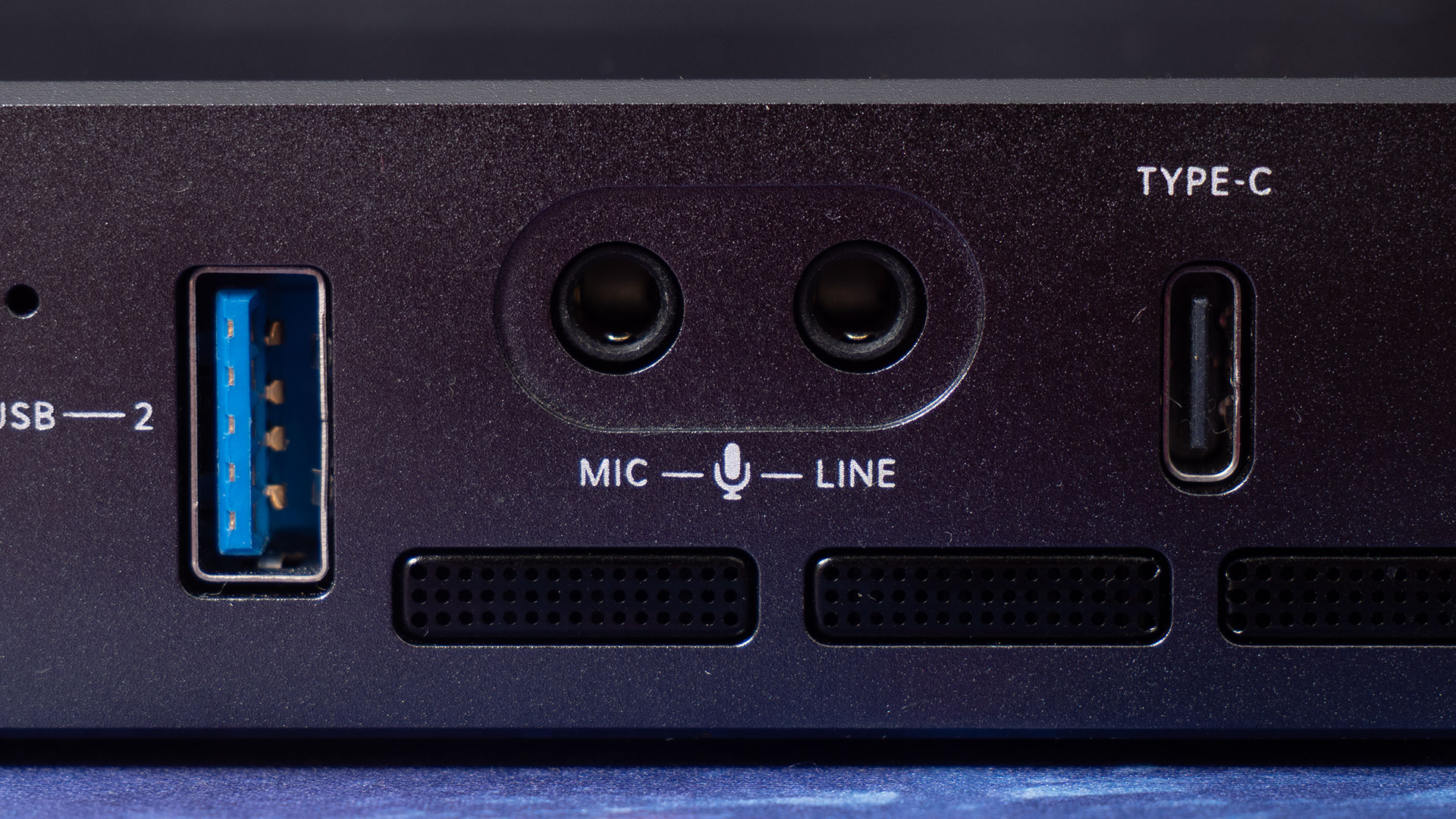
It’s got its eight HDMI inputs, two HDMI outputs – with up to four supporting 4K60 simultaneously – two USB-C sockets (one is just for charging), two USB-A sockets, a Gigabit Ethernet port, a microphone in and a line in on the back. On the front, we’ve got audio out, the SD card slot, a SIM card slot and the power button.
That redesign I mentioned does come with one big benefit, though. And by big, I mean big. We’ve got a massive screen on the YoloBox Extreme compared to the YoloBox Pro & Ultra, which both sport 8″ displays. The new YoloBox Extreme screen is significantly larger 11.2″ OLED touchscreen display with 2.5K resolution and 1,000 nits brightness.
To charge it via that USB port, you’ll need a charger that supports USB Power Delivery at 9v, 12v, or 15v at 3 Amps. The other USB-C port is fully functional, offering both input and output. The two USB-A ports also support storage, webcams, USB sticks, and other USB devices.
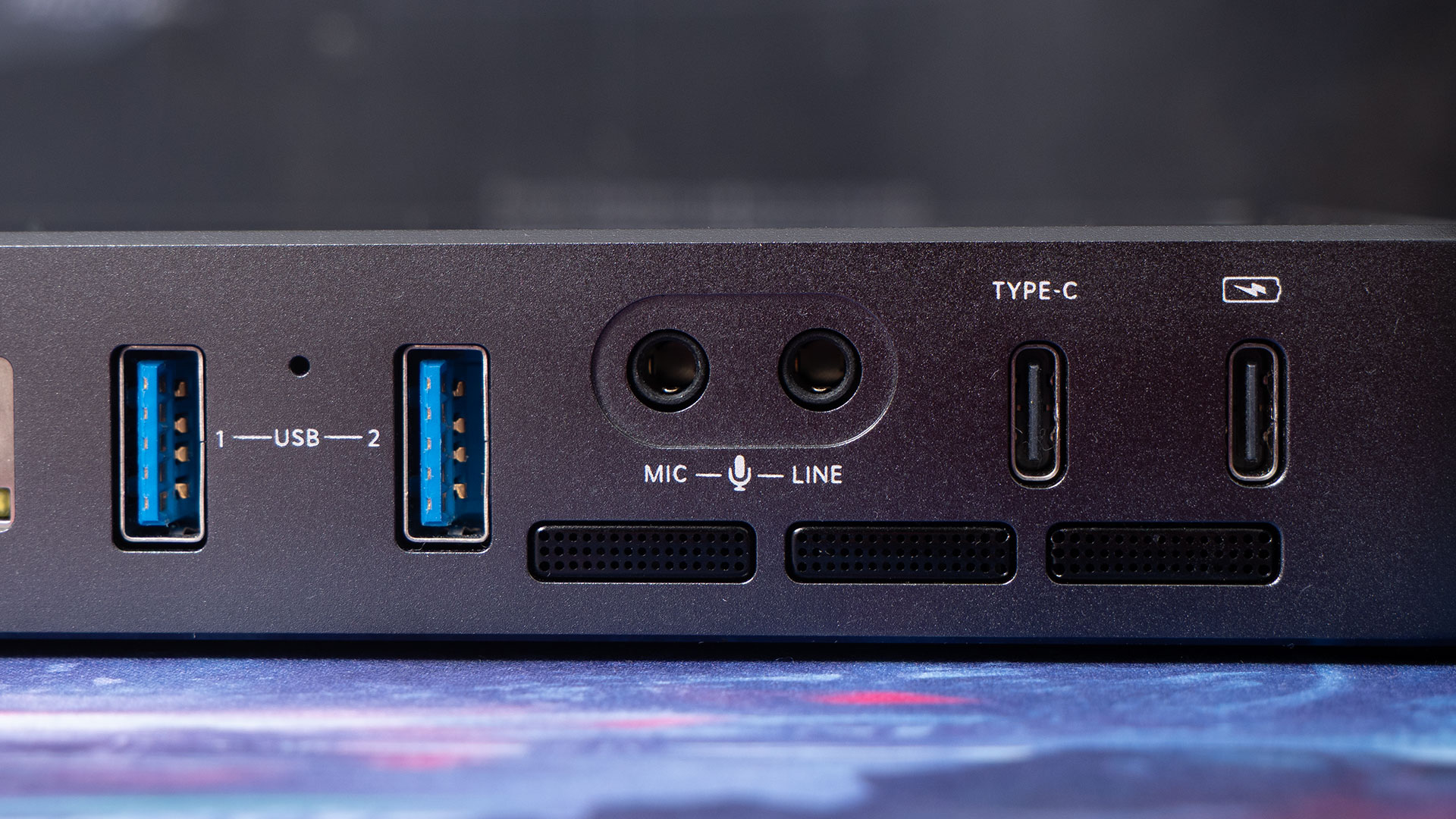
If I have to offer one slight disappointment, the SIM card slot is only 4G. At one time, this was enough, and in some parts of the world, it may still be. But 5G would be better. Fortunately, you can just get a 5G hotspot or tether to your phone if you need that faster connection.
Still, it has a solid build quality, a great looking screen, more inputs and outputs than you can shake a stick at, and runs for up to 11 hours on a fully charged battery.
Inputs and Outputs
The YBE sports a wide range of input and output options designed to accommodate both simple and complex live production setups. Whether you’re connecting multiple cameras, integrating NDI sources, or adding USB webcams, the YoloBox Extreme provides flexible connectivity to handle it all.
8 HDMI Inputs, 2 Outputs
It features eight HDMI inputs, a significant upgrade over previous models. These allow you to connect multiple cameras or video sources simultaneously. Thanks to a recent firmware update, five of these inputs now support 4K60 video, enabling high-resolution, high-frame-rate feeds. The three remaining inputs support 1080p60. This setup gives you the flexibility to combine different source qualities depending on your production needs.
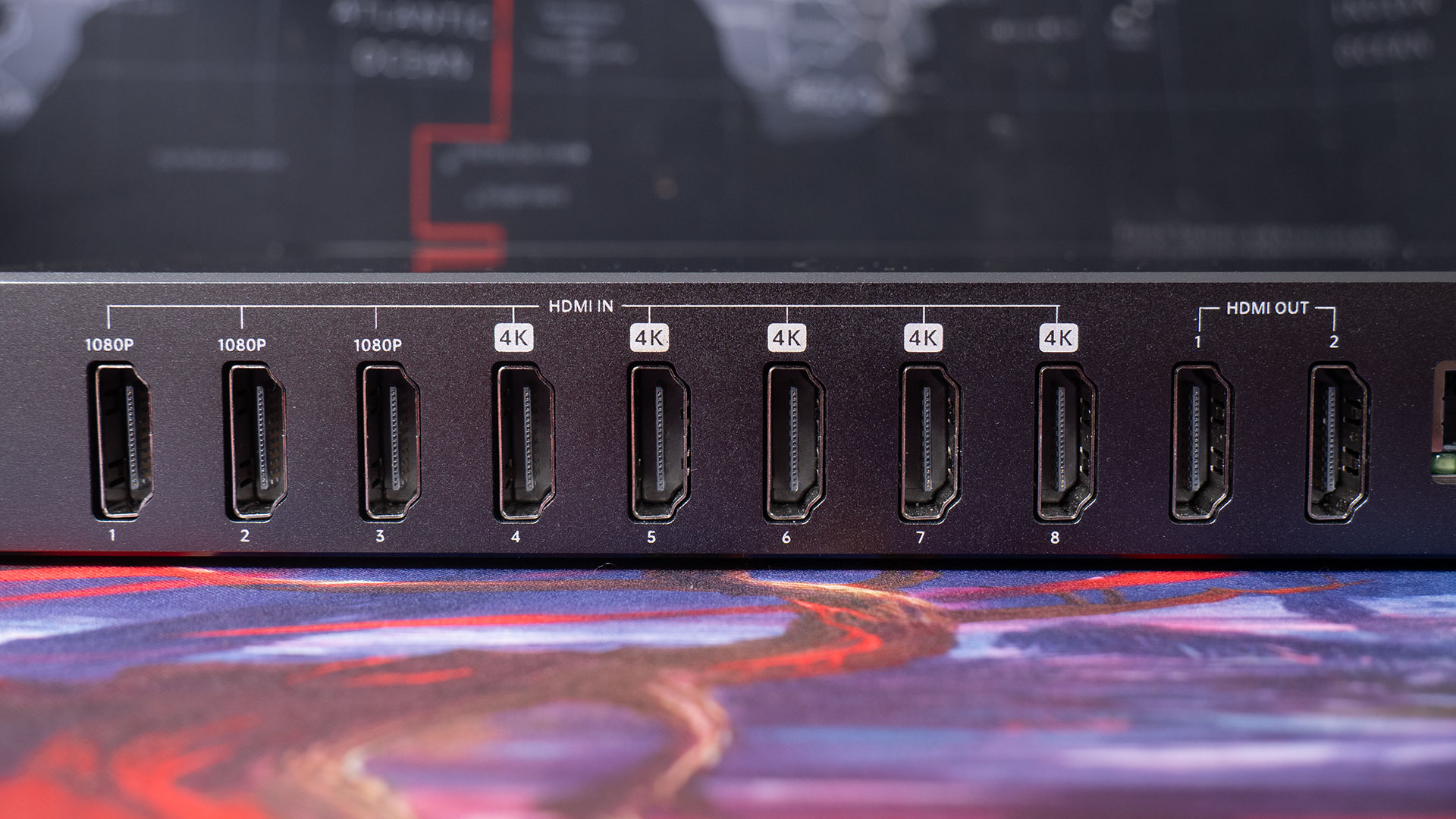
For outputs, the device includes two HDMI ports. Both of these are user-assignable to show various features, including the program and multiview output. Both outputs support up to 4K60 resolution, for sharp and smooth video quality for monitoring and downstream devices.
NDI Inputs
The YoloBox Extreme also supports up to six NDI (Network Device Interface) HX wireless cameras. This has become a popular protocol for transmitting video and audio over IP networks with low latency. This means you can bring in video streams from compatible NDI-enabled cameras, computers, or software sources without needing physical HDMI cables.
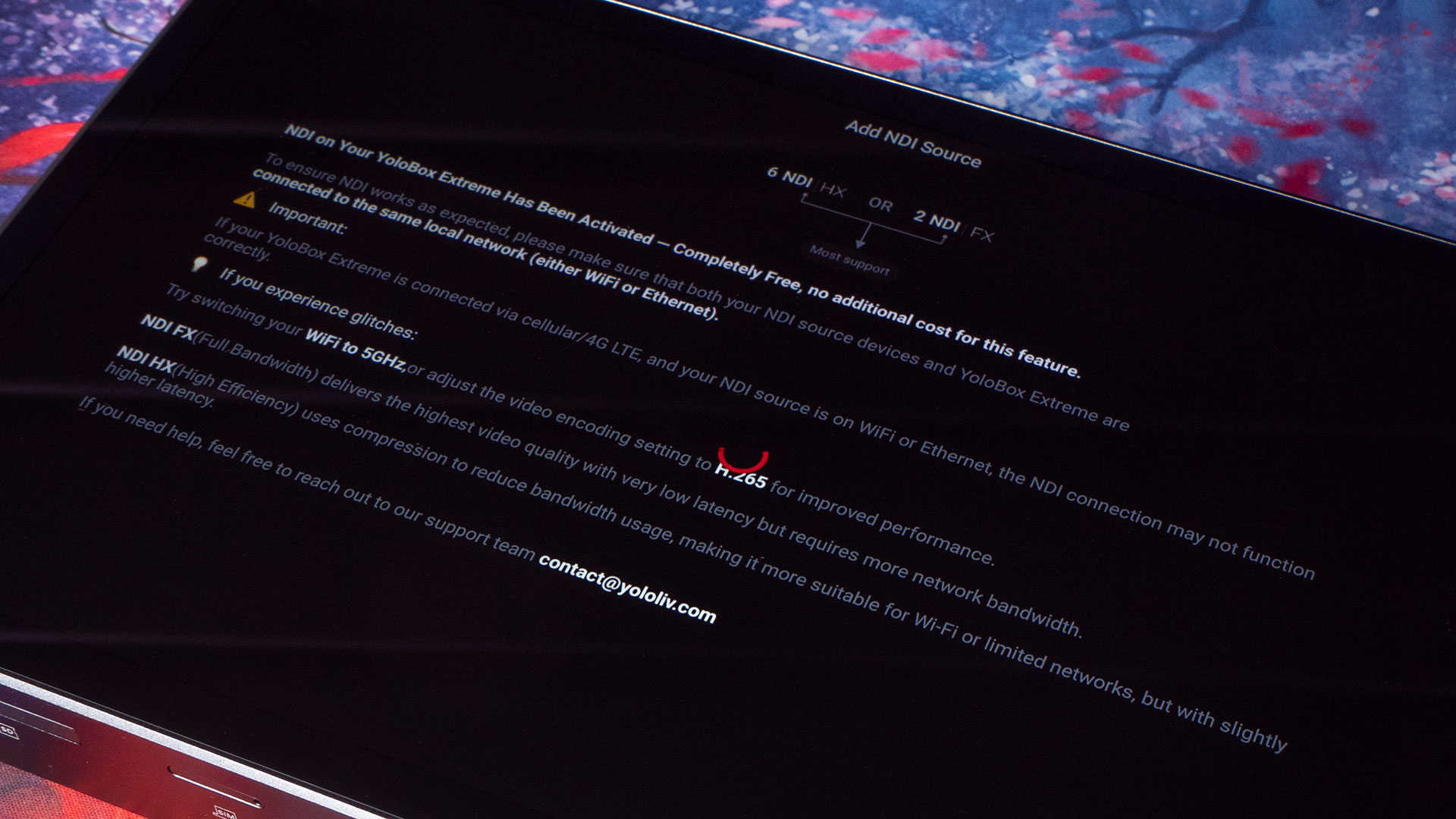
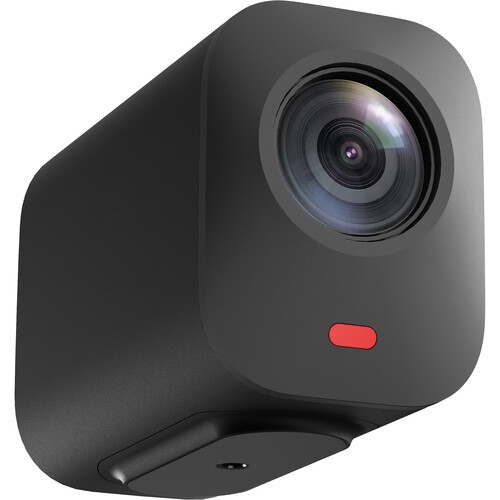
It can receive multiple NDI streams simultaneously, making it a versatile tool for hybrid setups combining both traditional HDMI and network-based video sources. I’ve only tested this briefly with the Nearstream VM33, but it worked surprisingly well – much better than my experience has been in the past with the YoloBox Pro.
NDI isn’t something I’ve used much. There are typically purchased licenses requirements to get any kind of half-decent video quality, and as I have so many HDMI cameras (and Hollyland wireless video transmitters), it’s not been something I’ve ever really needed.
But, in my limited testing with the NearstreamVM33, it seems to work quite well.
USB Camera Inputs
In addition to HDMI and NDI, the YoloBox Extreme supports USB camera inputs, allowing you to connect compatible webcams and USB video devices, like Insta360’s action cameras. While USB cameras typically won’t match the image quality of dedicated HDMI cameras, the YoloBox Extreme handles them smoothly, making it a convenient option for quick setups or secondary feeds.
Just keep in mind that compatibility can vary depending on the webcam model and its drivers, so it’s worth testing your specific hardware beforehand. Some devices, like the Insta360 Link webcam, may not offer all features when connected to the YBE, as certain features requires the desktop software for Windows and Mac.
Audio Inputs & Outputs
Audio quality and control are just as important as video in any live production. On the input side, the YBE offers both a microphone input and a line-level input on the back, giving you flexibility to connect external mics, mixers, or other audio sources.
For monitoring and output, there’s a dedicated headphone jack on the front panel, letting you listen in real time without latency issues. The device also includes a built-in audio mixer that allows you to balance and adjust audio levels from different inputs on the fly, which is crucial for maintaining professional sound quality during live streams or recordings.
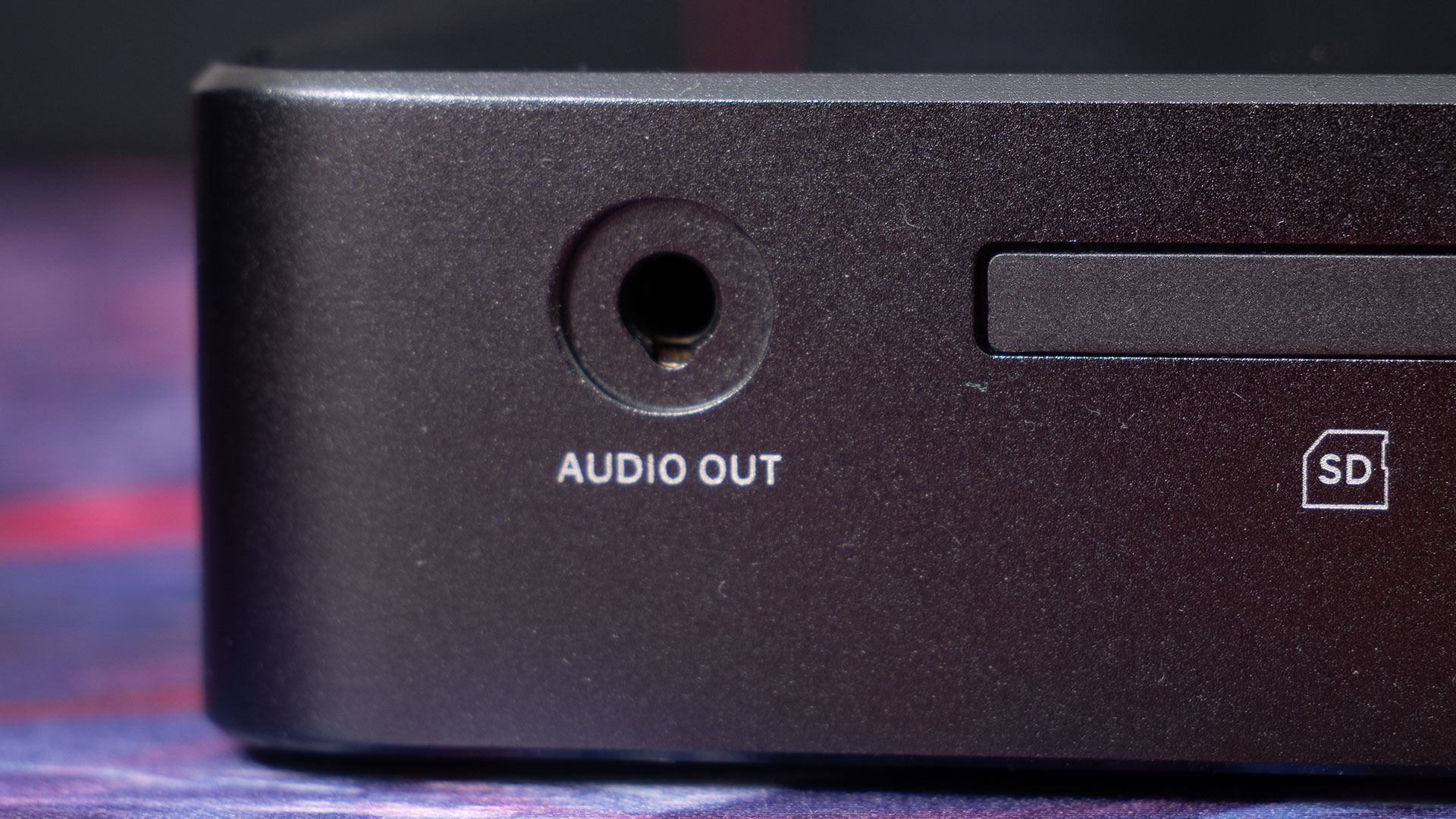
If you’re coming from a desktop solution with a dedicated USB audio interface with lots of XLR and mic/line inputs, the YoloBox Extreme might feel a bit limiting. But if you’re using the device alongside a computer, you can still feed the output from your interface into the YBE for maximum control.
4K 60fps Streaming & ISO Recording
While 4K streaming is still emerging as a standard, with many viewers and platforms supporting it, 1080p remains the most common resolution. That said, the YoloBox Extreme’s 4K streaming capability is a standout feature, especially for productions aiming for top-tier video quality.
Now, there are some limits with 4K recording, and they’re a little bit complicated. They’re also ever-changing as new firmware and app updates are released. At launch, it offered up to four 4K30 inputs. Now, thanks to the recent v1.9.0 firmware, it supports up to five 4K60 inputs and three 1080p 60fps inputs.
Once you’ve got your inputs sorted, though, you’re able to stream to a range of platforms including YouTube, Facebook, Instagram, TikTok and more. But as well as streaming, you can record everything while it’s happening, too, thanks to the YoloBox Extreme’s ISO recording features
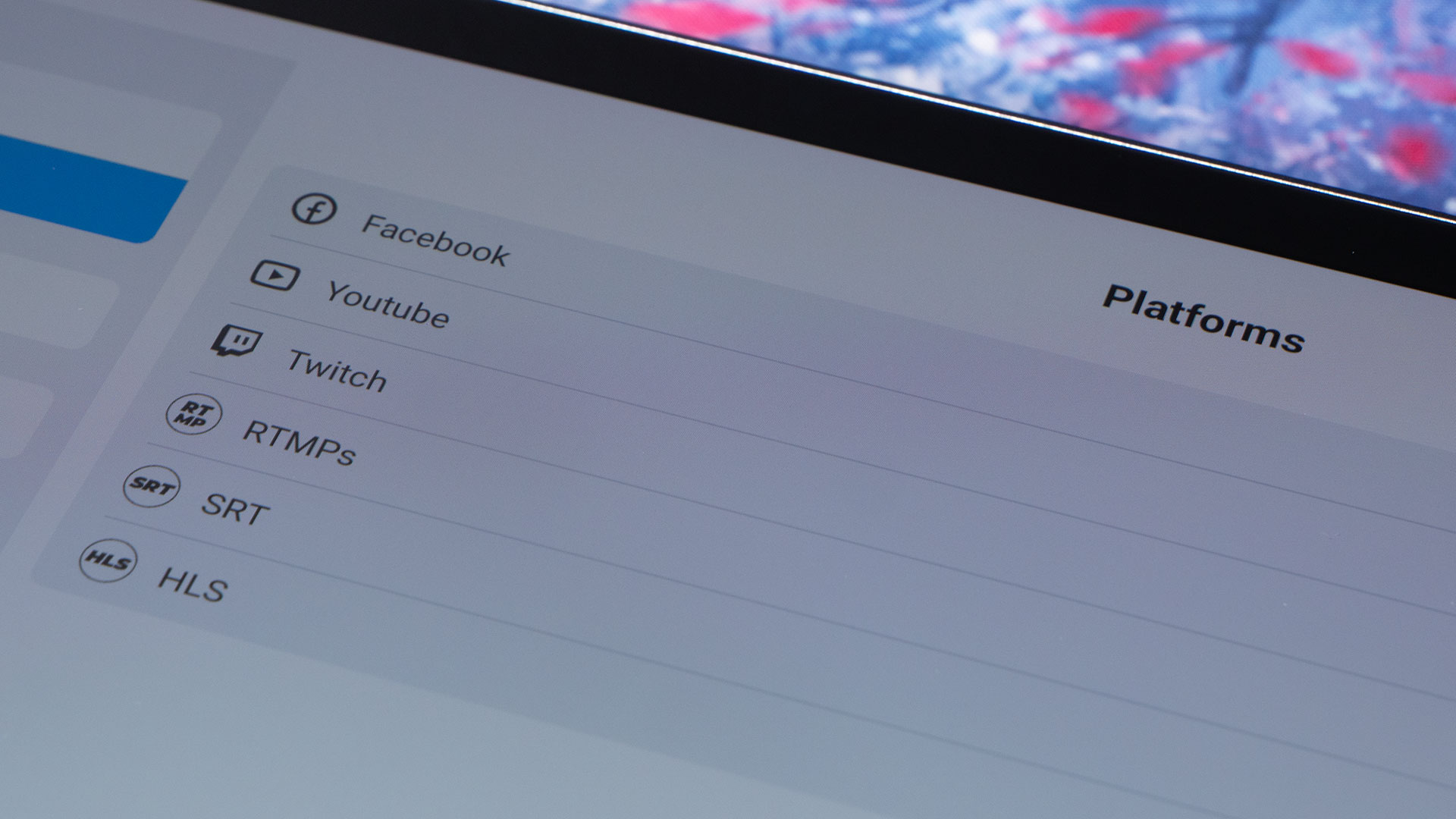
Again, there are some limitations with the ISO recording. According to the YoloLiv website, you’re able to record up to four 4K30 streams or six 1080p60 streams simultaneously, along with your final program output. Now, this may change as new firmware and app updates are released, but it’s not a bad start, even if it can’t record all eight cameras at once.
What I do love about the ISO recording in the YoloBox Extreme, however, is that you’re actually able to set different resolutions, frame rates and bitrates for local recording and streaming. So, if your internet connection is limited, you can stream at 1080p 30fps at 3-5Mbps, but then record locally at 4K 50-80Mbps.
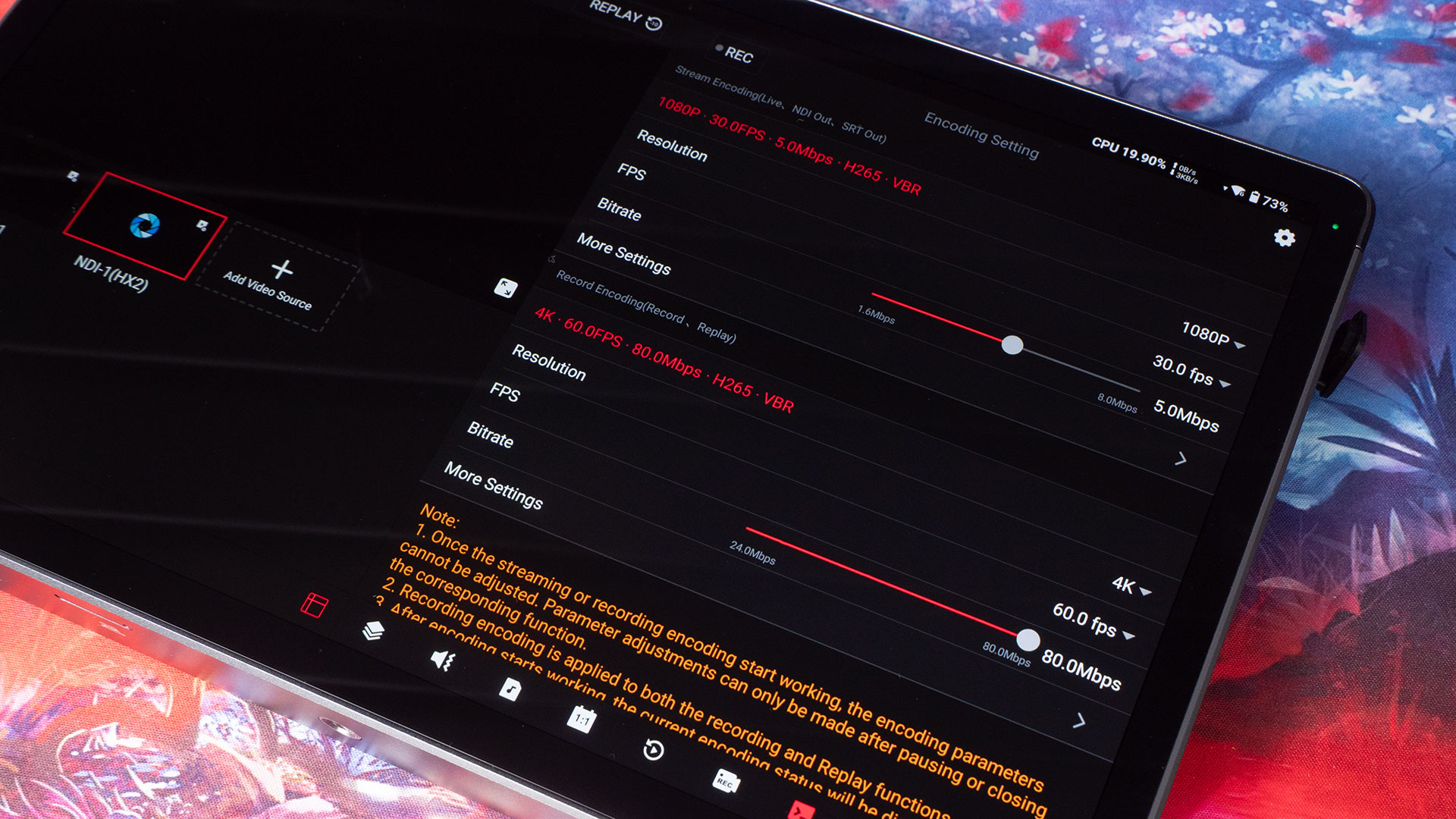
You’re able to record to either the internal SD card or an external SSD over one of the USB ports. You do want to make sure you’re using a memory card, SSD and cable fast enough for the output you want to record. While SSDs will offer extremely high bitrates, UHS-I SD cards do not. At least, not if you’re trying to record multiple streams simultaneously.
Connectivity (Ethernet, WiFi & LTE)
The YoloBox Extreme offers multiple connectivity options to keep your streams stable and versatile. On the wired side, it features a Gigabit Ethernet port, which provides a reliable, high-speed connection—ideal for environments where WiFi might be unstable or bandwidth is critical. Plugging directly into a wired network can help ensure consistent streaming quality without interruptions.
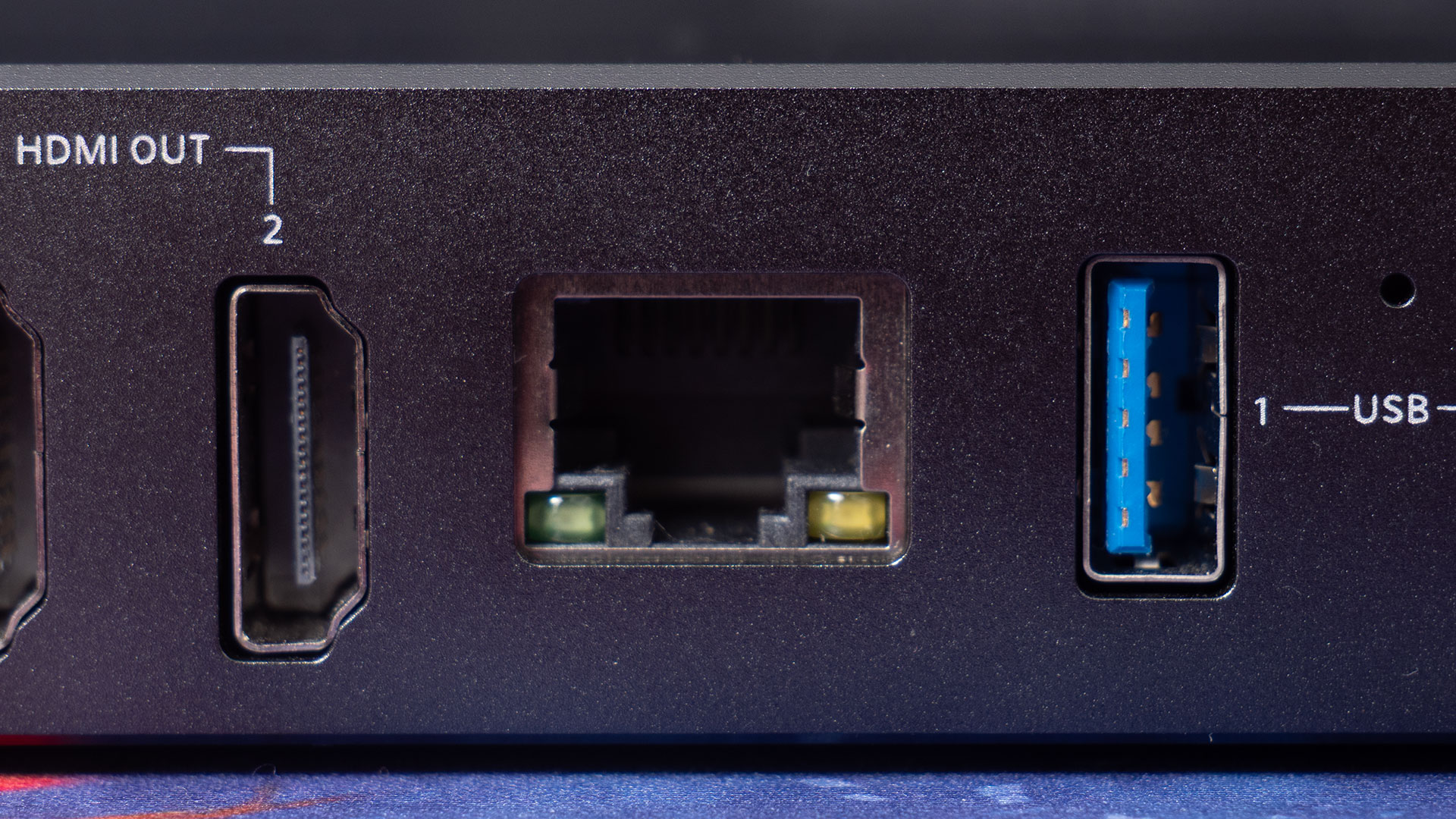
For wireless connections, the built-in WiFi supports standard networks and generally performs well for typical streaming scenarios. However, in crowded or interference-heavy areas, you might find it less stable compared to a wired connection.
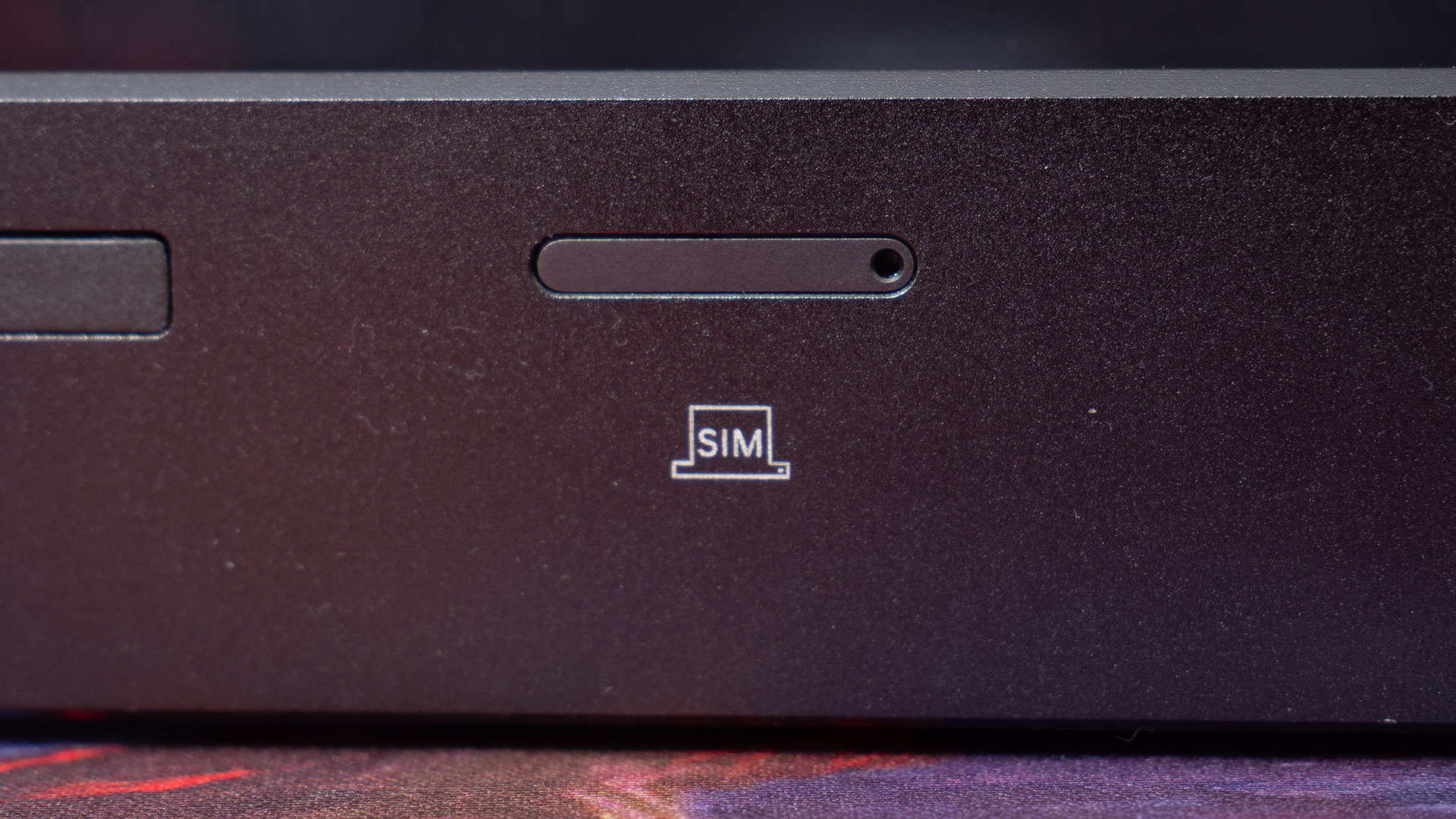
As for mobile connectivity, the YoloBox Extreme includes an LTE modem with a SIM card slot, but it currently only supports 4G networks. For users hoping for 5G speeds, this could be a bit of a disappointment, especially as 5G adoption grows worldwide. Fortunately, you can still work around this by tethering to a separate 5G hotspot or your phone if faster mobile data is required on location.
External WiFi Antennas
A first for a YoloBox device, the YoloBox Extreme includes two external WiFi antenna ports on the sides. These allow you to attach the included antennas for improved wireless reception. This can be particularly useful in challenging environments where the built-in WiFi might struggle.
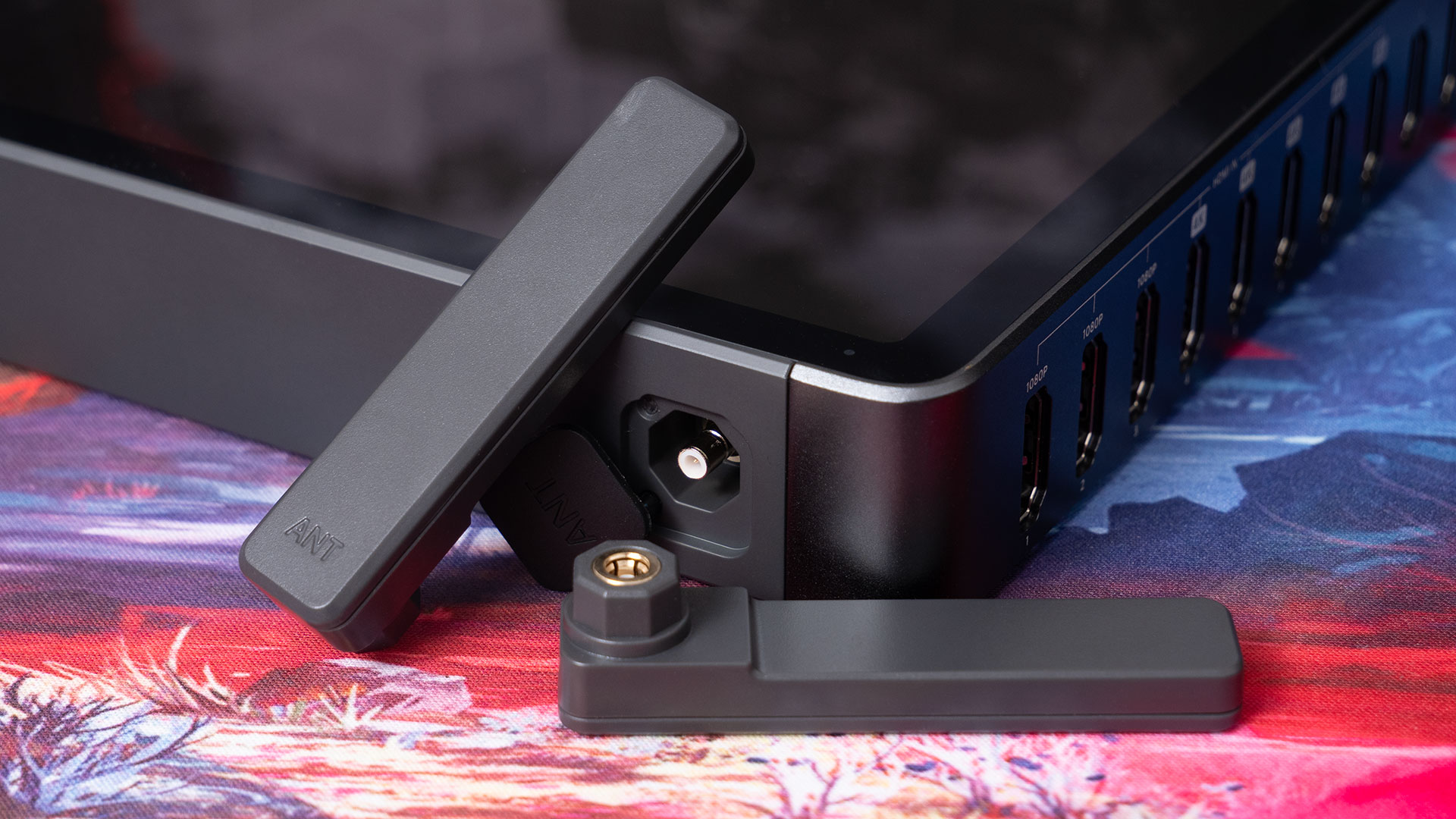
This can be an issue particularly at large venues or outdoor locations with weak signals. Using external antennas helps maintain a stronger, more stable connection, which is crucial for uninterrupted streaming.
Software & User Interface
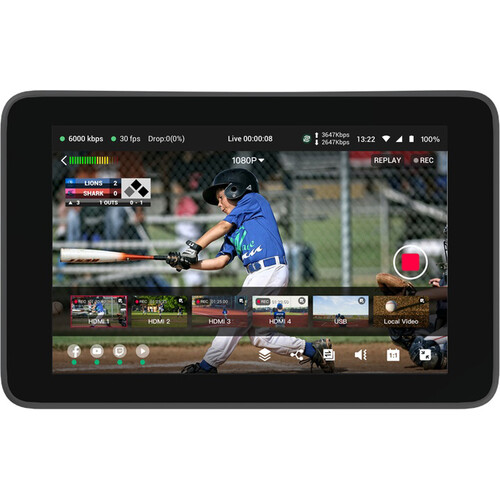
The YoloBox Extreme runs on the same intuitive software platform that longtime YoloLiv users will find familiar. If you’ve used the YoloBox Pro or Ultra, navigating menus, switching sources, and managing streams will feel comfortable right away. The touchscreen interface remains responsive and straightforward, keeping the focus on quick access to essential controls.
What sets the Extreme apart are a few software enhancements tailored for its expanded hardware capabilities. Most notably, it supports Director Mode, which allows you to preview and cue shots before switching them live – a valuable feature for more polished productions. Additionally, the Extreme introduces improved overlay and graphics management, letting you add multiple layers of lower thirds, logos, and animations with greater ease and flexibility.
Replay functionality has also been enhanced, supporting multicam instant replays directly on the device – something not available on the Pro or Ultra. Plus, with ongoing firmware updates, YoloLiv continues to optimise performance and add new features that take full advantage of the Extreme’s hardware.
Smartphone & Tablet Remote Control
The YoloBox Extreme offers remote control capabilities through the YoloLiv Control app, available for Android devices from the YoloLiv website (it’s not in the Play Store, unfortunately). This app allows you to operate the device from your smartphone or tablet, providing flexibility for managing your live production from a distance.
For iPhone and iPad users, YoloLiv provides a Web Control interface. By entering the YoloBox’s IP address into a mobile browser, you can access a user-friendly interface that mirrors the controls available on the device’s touchscreen. This setup enables you to switch inputs, adjust settings, and manage streams directly from your iOS device.
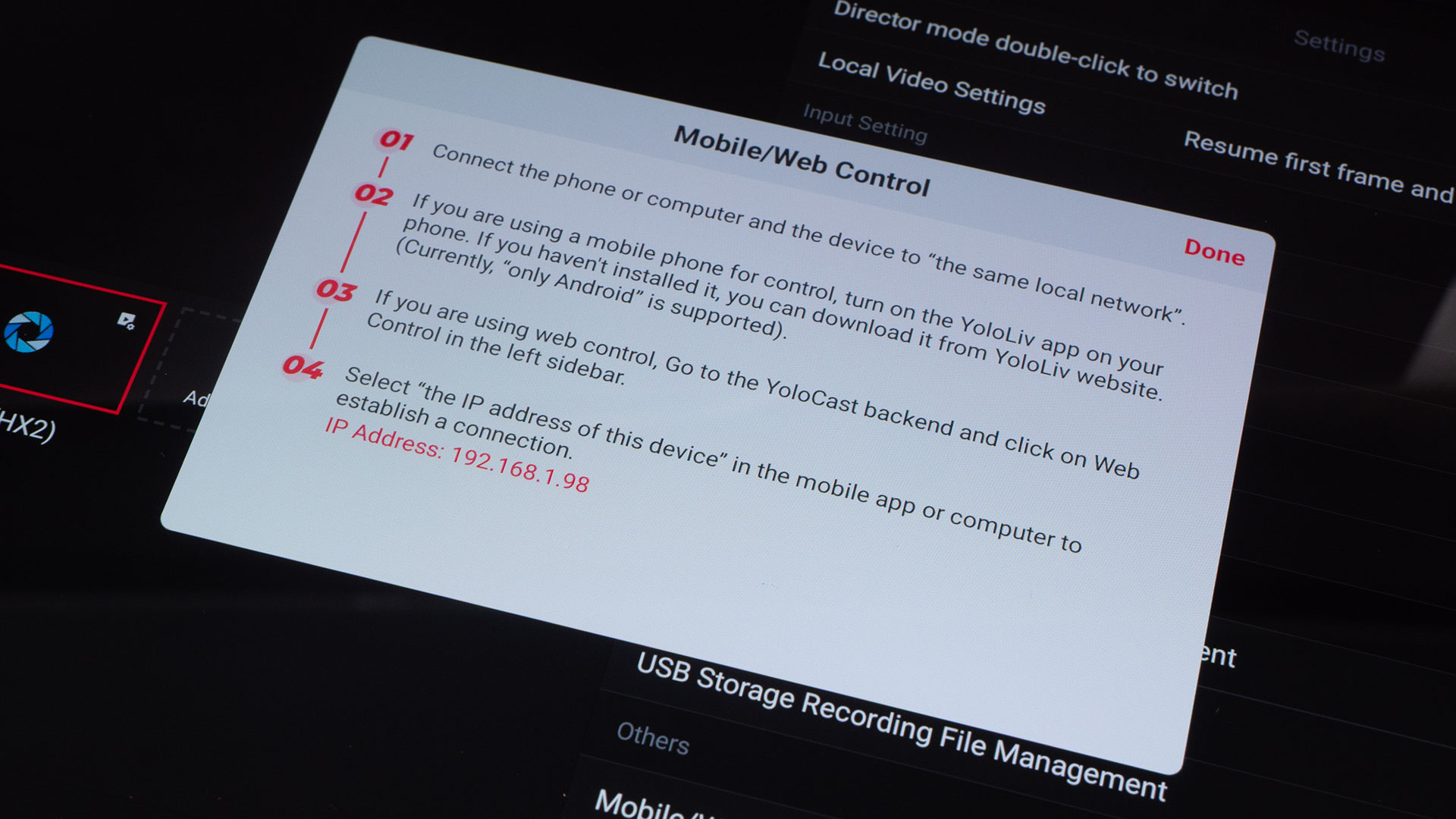
While the Android app offers a dedicated experience, the Web Control interface for iOS devices ensures that users across platforms, which also includes Windows, macOS and even Linux, can manage their YoloBox Extreme remotely.
Who’s this unit for?
The YoloBox Extreme is primarily designed for professional content creators and production teams. If you’re producing live events, conferences, sports broadcasts, or any scenario demanding a whole bunch of camera inputs, 4K60 streaming, and ISO recording, the Extreme offers the power and flexibility to handle complex workflows.
On the other hand, smaller YoloBox models like the Mini, Pro, and Ultra cater to creators with simpler setups or more modest budgets. The Mini is perfect for solo streamers or small-scale productions needing a compact, easy-to-use device with fewer inputs. The Pro and Ultra step up with additional inputs and features but remain well-suited for smaller multi-camera setups.
If you don’t require 4K streaming or more than three to four video sources, these smaller units provide excellent value and simplicity without the added complexity of the Extreme. Of course, they do lack some features that the Extreme offers besides just the number of inputs.
Final Thoughts
If you’ve been hitting the limits of the YoloBox Pro and Ultra, you’ll definitely breath a sigh of relief by upgradingto the YoloBox Extreme. Even if you’re not quite at those limits, but are planning some future camera expansion, it’s definitely worth considering.
It’s been upgraded in pretty much every way over its predecessors, and if you choose to get one, I don’t think you’ll be disappointed. Whether you need to be mobile or you’re working in a permanent setup, the YoloBox Extreme offers a lot of versatility.
Personal note: Thank You for YoloLiv’s coders!
To the coders working on the YoloBox product firmware… Thank you so much for letting us rotate and flip cameras in the Extreme! This is the one feature missing from 99% of video switchers. The YoloBox Pro doesn’t do it, my other switchers don’t do it, either. And for me, it’s essential.
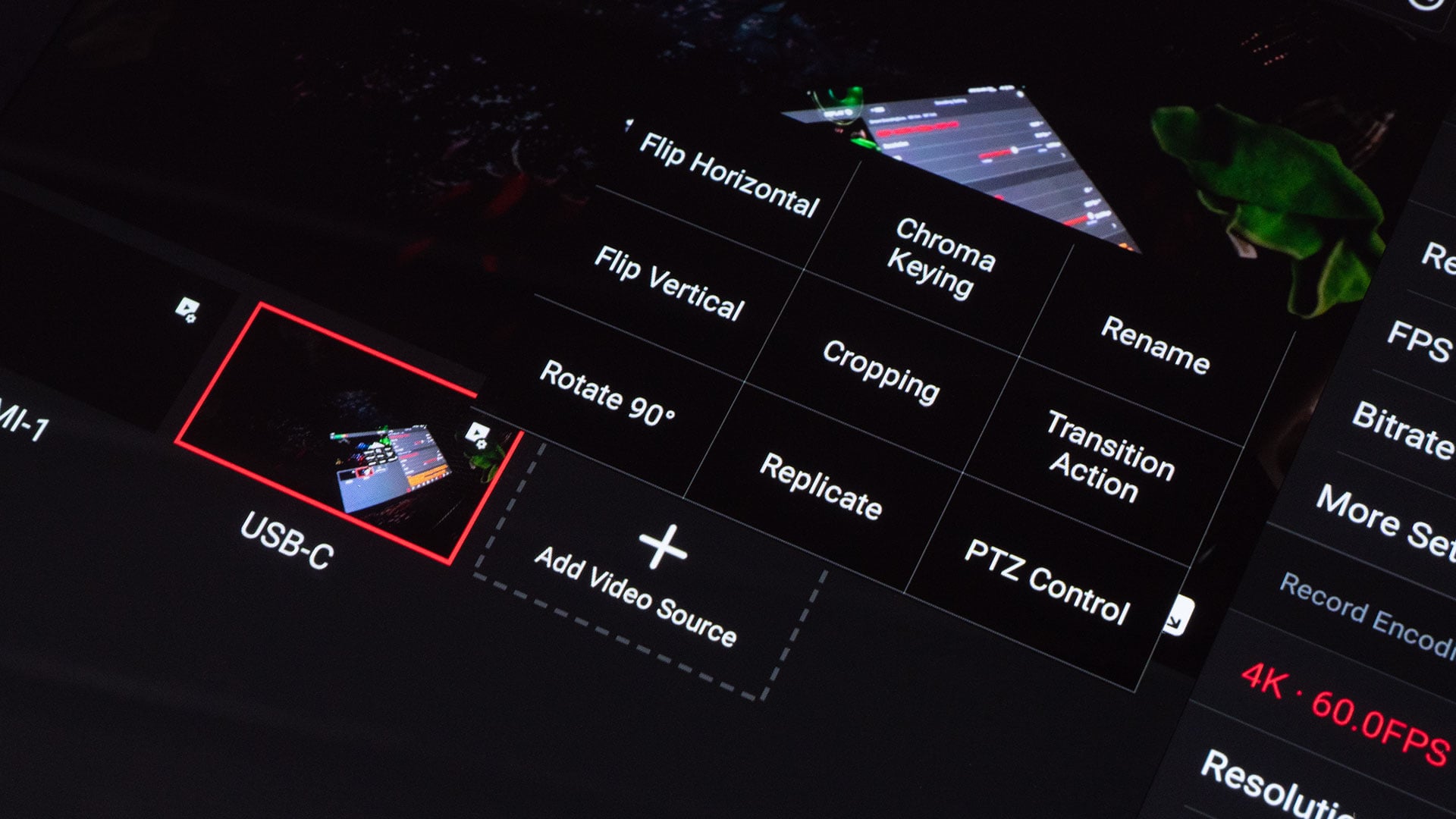
Why is it such a big deal? Well, sometimes, you’ve just got no choice but to mount cameras upside down. It’s easy to rotate in an editor like DaVinci Resolve, but for live streaming? Until now, I’ve only been able to do it with OBS. Now I can do it right in the YoloBox Extreme. No laptop required.
So, thank you, again, to the YoloBox coders for adding this feature!
Price and Availability
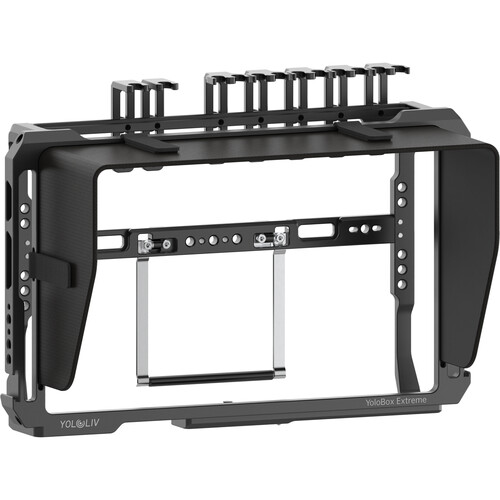
The YoloBox Extreme is available to buy now for $1,999. There’s also a yoloBox Extreme Cage available for $199, and I’d definitely advise getting that. I don’t have the cage, but it’s definitely on my shopping list.
See more from DIYPhotography.net on Google
Add DIYPhotography.net as a trusted source. This makes
our stories more likely to appear in your Google Search results.
 Add as a preferred source on Google

John Aldred
John Aldred is a photographer with over 25 years of experience in the portrait and commercial worlds. He is based in Scotland and has been an early adopter – and occasional beta tester – of almost every digital imaging technology in that time. As well as his creative visual work, John uses 3D printing, electronics and programming to create his own photography and filmmaking tools and consults for a number of brands across the industry.



Join the Discussion
DIYP Comment Policy
Be nice, be on-topic, no personal information or flames.