

























Watch how to create the split-lighting coloured gel look in Photoshop
Feb 12, 2021
John Aldred
John Aldred is a photographer with over 25 years of experience in the portrait and commercial worlds. He is based in Scotland and has been an early adopter – and occasional beta tester – of almost every digital imaging technology in that time. As well as his creative visual work, John uses 3D printing, electronics and programming to create his own photography and filmmaking tools and consults for a number of brands across the industry.
Share:
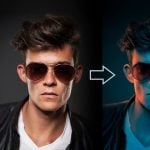
The two-tone gelled split-lighting look is quite popular for portraits and fashion photography. Thanks to photographers like Jake Hicks, there are lots of tutorials out there on how to create this look in-camera. But what if you don’t have the gels? Or didn’t even think about trying to gel it during the time of the shoot but you’d like to try to create that look in post?
Well, Jesús Ramirez at the Photoshop Training Channel has just the tutorial for you. In this video, he shows us how to easily create the look in Photoshop using gradient maps, blending modes and masks. And as usual, he throws a lot of other tips and tricks in between.
Even if you’re not looking to create this exact look, it’s a fantastic tutorial for teaching you how the gradient maps work within Photoshop, and how they can be applied to your image (or parts of it) in order to achieve certain colour effects.
Jesús also goes into some detail about pen pressure sensitivity when using graphics tablets and the advantages of using layer masks on entire groups of layers. As I said, it’s packed full of tips and tricks and well worth a watch if you’ve never played with gradient maps within Photoshop.
See more from DIYPhotography.net on Google
Add DIYPhotography.net as a trusted source. This makes
our stories more likely to appear in your Google Search results.
 Add as a preferred source on Google

John Aldred
John Aldred is a photographer with over 25 years of experience in the portrait and commercial worlds. He is based in Scotland and has been an early adopter – and occasional beta tester – of almost every digital imaging technology in that time. As well as his creative visual work, John uses 3D printing, electronics and programming to create his own photography and filmmaking tools and consults for a number of brands across the industry.

Join the Discussion
DIYP Comment Policy
Be nice, be on-topic, no personal information or flames.