























Quick tip: How to manage your memory cards on events
Aug 7, 2016
Udi Tirosh
Udi Tirosh is an entrepreneur, photography inventor, journalist, educator, and writer based in Israel. With over 25 years of experience in the photo-video industry, Udi has built and sold several photography-related brands. Udi has a double degree in mass media communications and computer science.
Share:
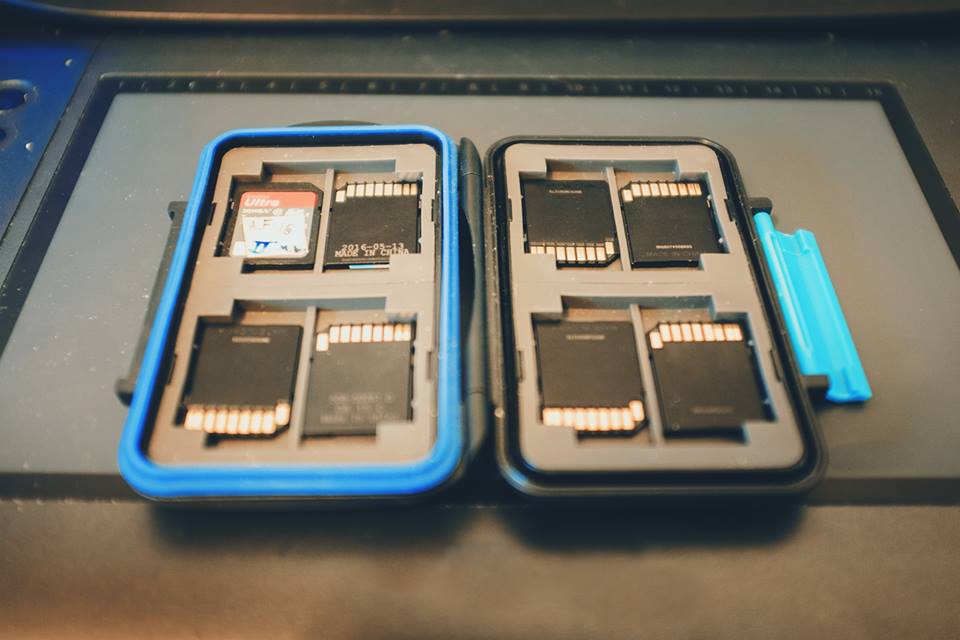
Here is a sweet tip we got from Adam Frimer about managing your cards while on a shoot. You start with a bunch of clean formatted cards. Place them all in a hard case facing up. This way you can see the data on each card. (Those hard cases are about $10 on amazon)
After using the card and filling it up, return the card to the case with the text facing downwards. This will indicate that the card has been used and it is not empty.
This is a quick way to know which cards can be used on the next round of loading and which should be downloaded to a computer.
This is not a new trick, Adam tells me he picked it up from Rich Harrington, and we have been doing the same with batteries forever. If you own a soft case (my fav is the TTP Pixel Pocket Rocket), This will work too. Just insert the cards into the pockets facing forward or backwards.

Udi Tirosh
Udi Tirosh is an entrepreneur, photography inventor, journalist, educator, and writer based in Israel. With over 25 years of experience in the photo-video industry, Udi has built and sold several photography-related brands. Udi has a double degree in mass media communications and computer science.


Join the Discussion
DIYP Comment Policy
Be nice, be on-topic, no personal information or flames.
7 responses to “Quick tip: How to manage your memory cards on events”
Empty face up used face down.
Get Sharpie pen. Write numbers on cards. Use in sequence. Any card with a number that is higher than the one in the camera when you get home didn’t get used.
Alternatively, as I was taught when I first started doing weddings, left pocket empty, right pocket full.
where do you get these covers I would like to know please
Use the lock button. Lock the ones that are full. That way you protect them from being deleted accidentally
Love my soft cases. Thanks
I use this method. A friend in the local daily newspaper showed me this. I got my hard cases from Pelican on line for about $10