


























Lumo Light Meter Review: Pro Results With Flash & Color in a Tiny, Cheap Device
Sep 13, 2025
Brandon Jackson

Dunja Djudjic is a multi-talented artist based in Novi Sad, Serbia. With 15 years of experience as a photographer, she specializes in capturing the beauty of nature, travel, concerts, and fine art. In addition to her photography, Dunja also expresses her creativity through writing, embroidery, and jewelry making.
Share:
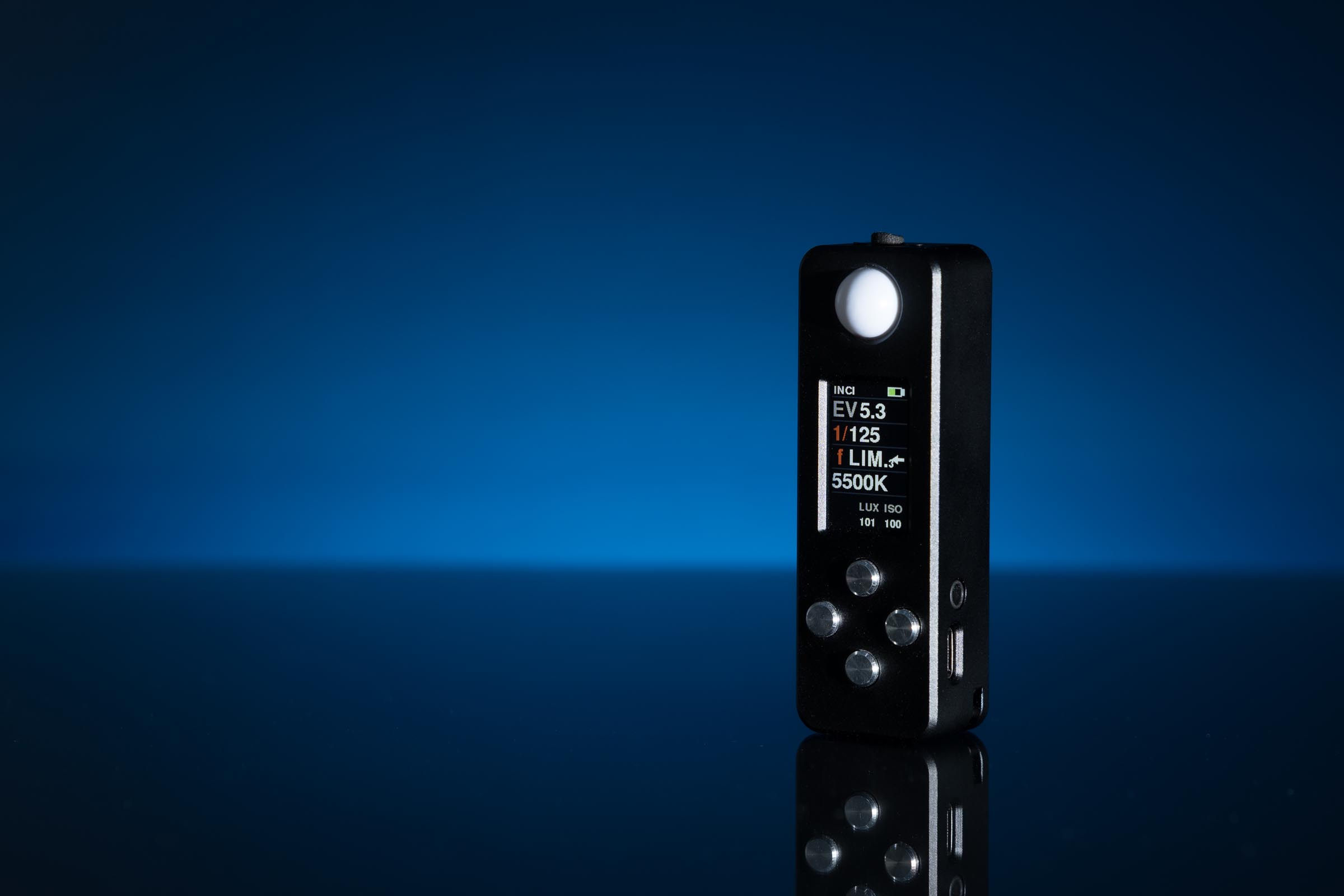
Once a common part of a photographer’s kit, handheld meters now seem relegated to a small niche of users. With in-camera metering systems having advanced so much over the past three decades and many studio flash systems now offering TTL control, do handheld meters still have value?
I certainly believe they do and here I’m going to be reviewing a new entry to the field, the LUMO Light Meter from Reveni Labs in Ontario, Canada.
Overview and Features
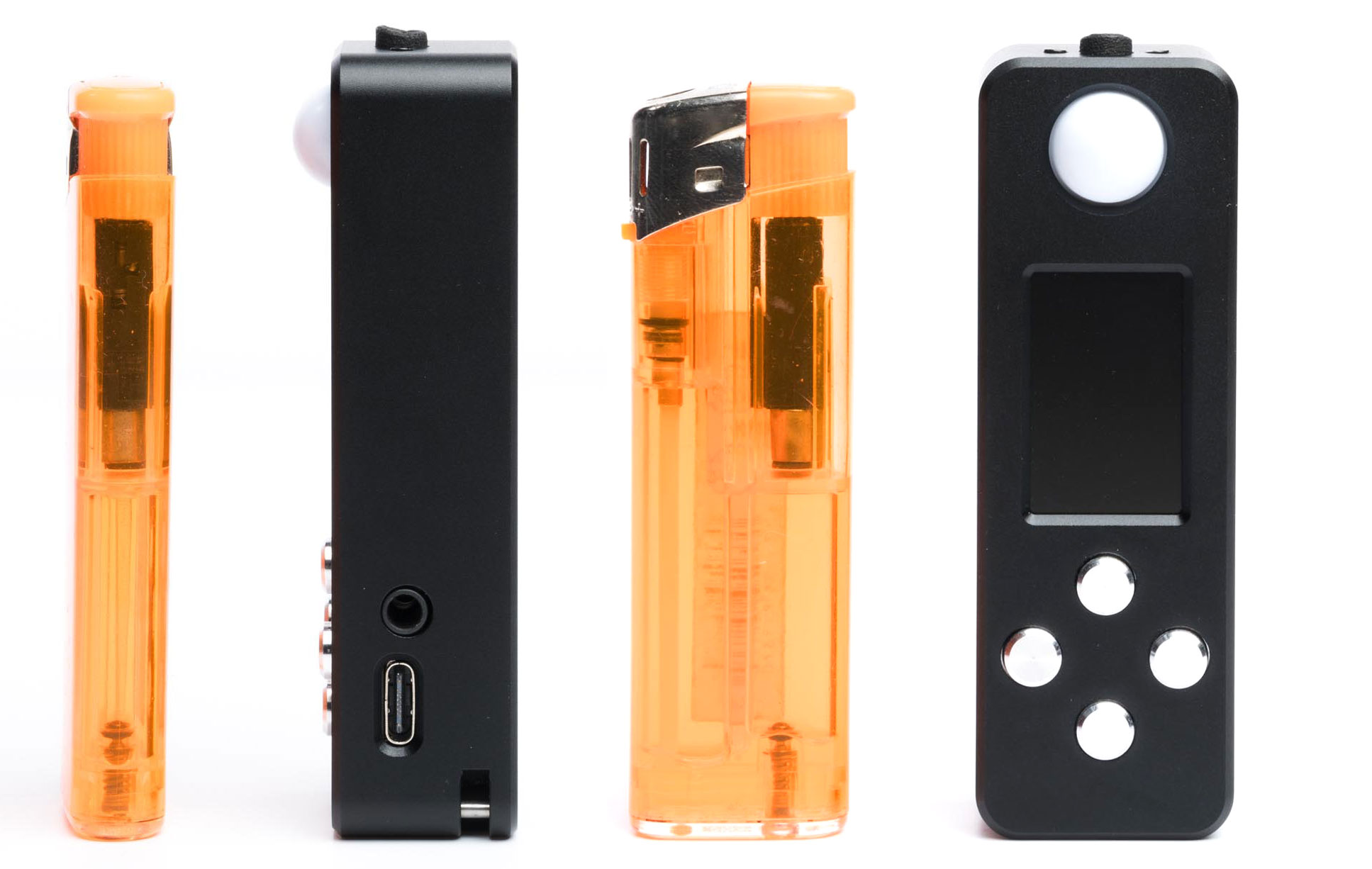
The compact LUMO Light Meter measures just 85 x 28 x 20 mm, making it one of the smallest flash-capable meters available. Despite its size, it boasts:
- Ambient and flash (incident) measurement
- Reflective readings for ambient light
- Ratio display between ambient and flash
- Color measurements (incident light)
- Flash duration and discharge curve readings
- Lux and Foot-candle units for video work
- Cine mode for shutter angles and frame rates
- User-replaceable battery charged via USB C
All the above features placed into such a small device is a feat in itself. Doing this for $200 CAD (~145 USD or ~125 Euro) represents a great value. For such a low price, one has to wonder what’s being given up to bring these features to this price point. Well that’s what I’m looking to find out.
Before going further, I want to point out that I purchased this meter through Reveni Labs Kickstarter campaign for my own personal use. It wasn’t until after I had the meter in hand and starting using it that I decided to write up a review. When this unit was shipped to me, Reveni Labs had no idea that this specific device was going to be reviewed.
Build Quality and Design
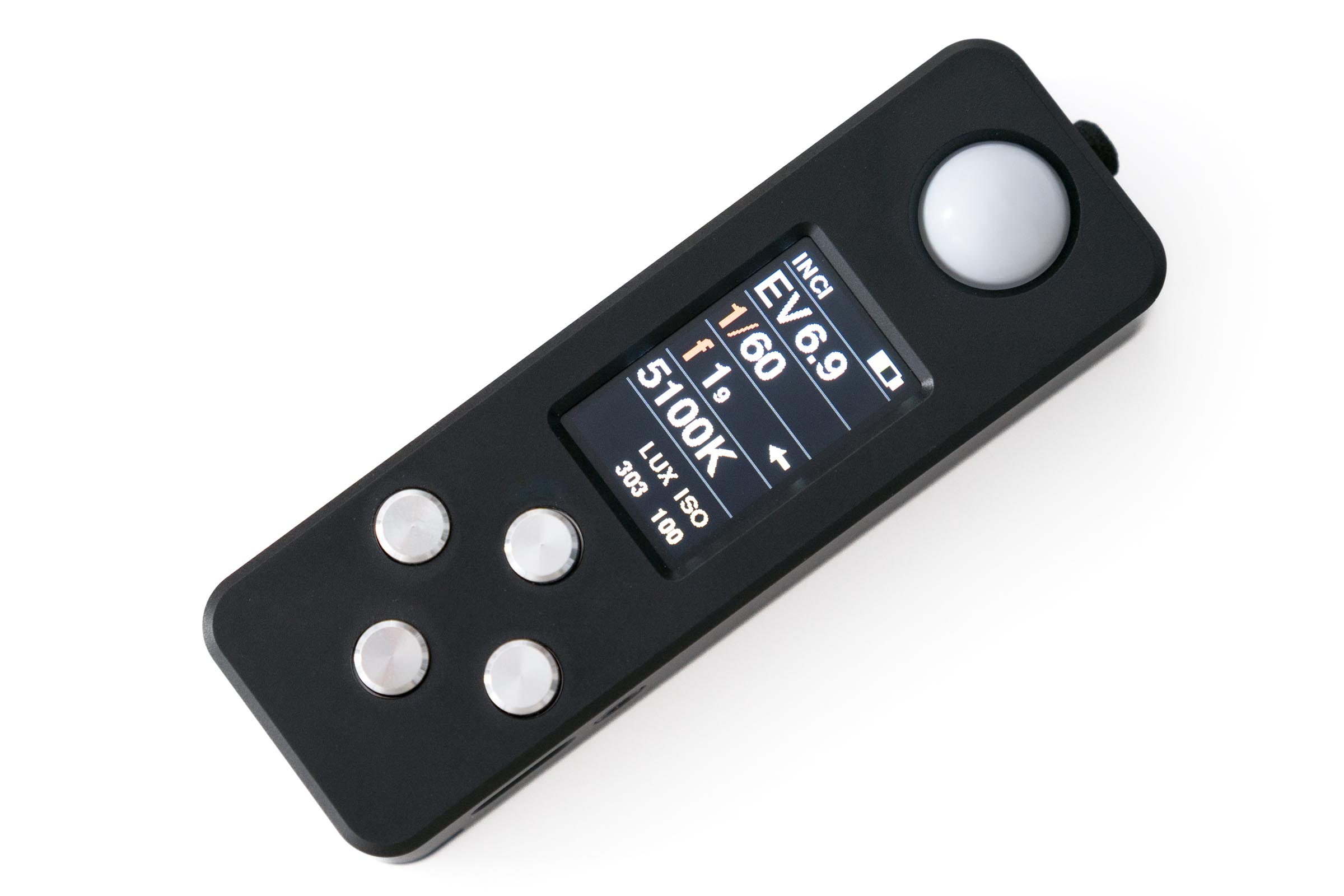
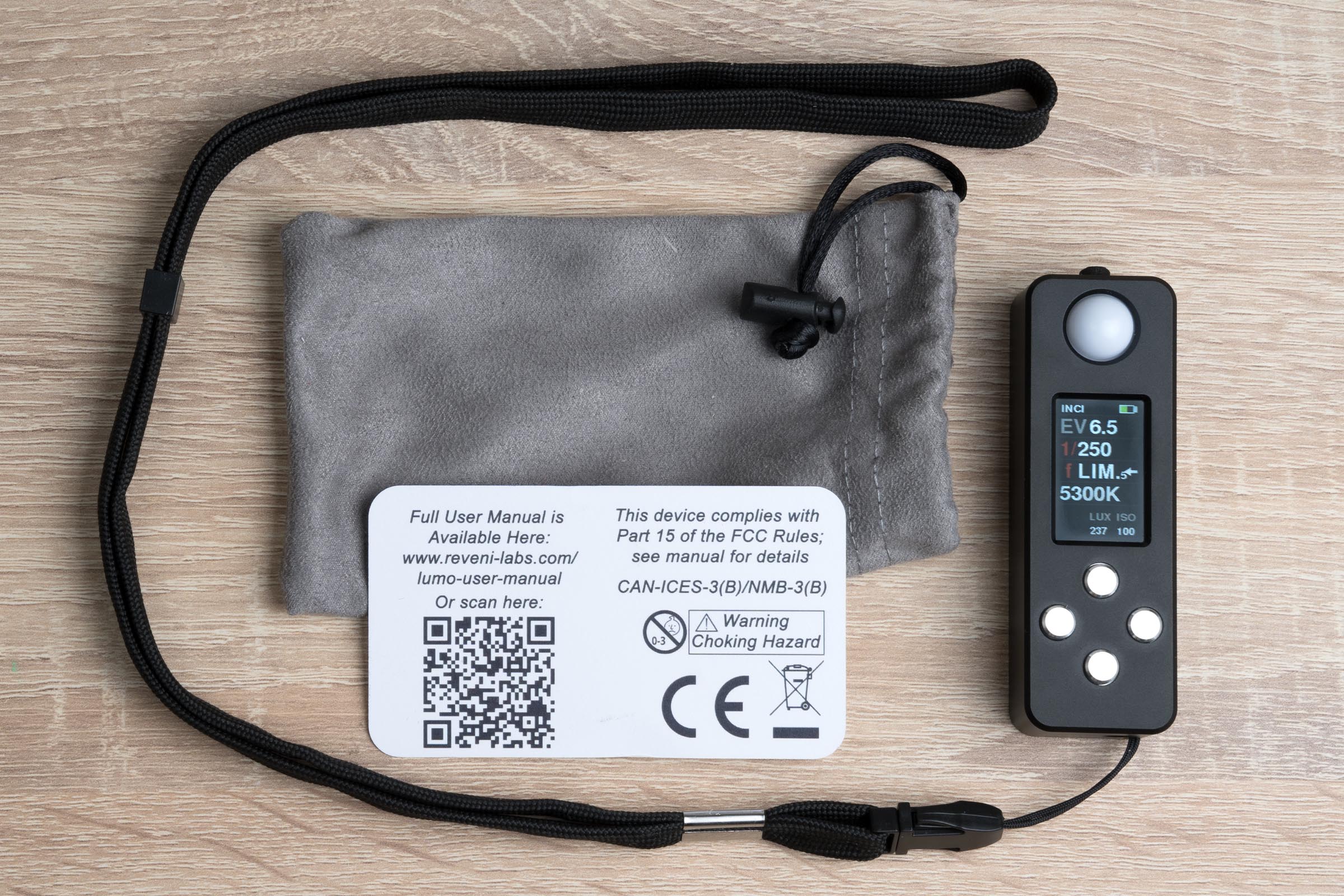
The LUMO is crafted from CNC-machined aluminum, feeling sturdy and well-built. Comprising two pieces, the casing has a removable back attached to the main body via four Phillips type screws. Removing the back provides access to the user-replaceable rechargeable battery pack. Printed on the back plate is a guide to the functions of the four buttons on the front of the meter.
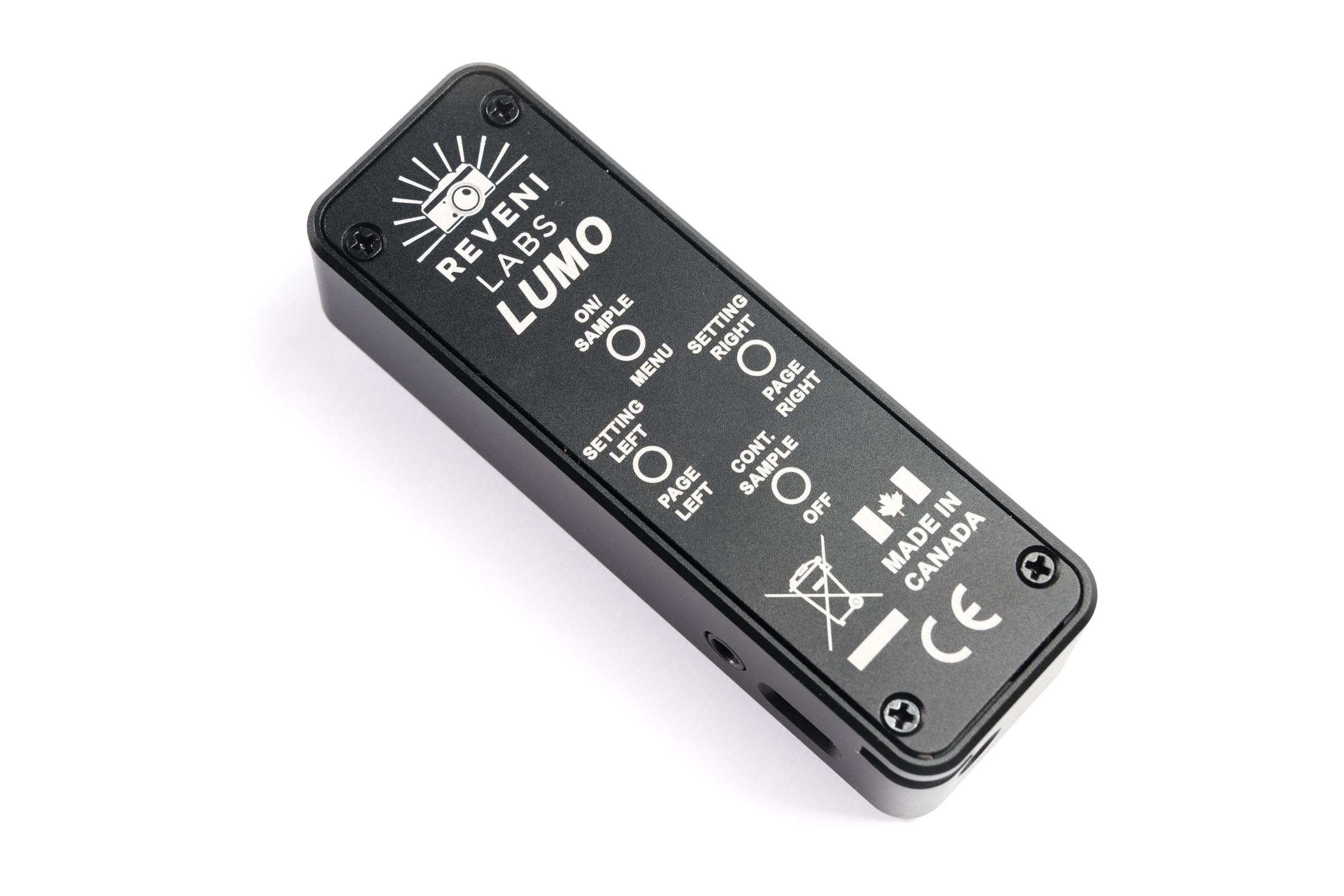
The front face of the meter has four circular buttons, a color LCD display, and the incident measurement dome. At the top of the meter there is a small opening for taking reflective ambient light readings with an angle of view of 45 deg.
On the right side of the meter, near the bottom there is a USB C port used for charging and applying firmware updates and next to that is a 3.5mm mono audio-style jack. The latter is used for triggering flash units via a wired connection and can handle trigger voltages of up to 400VDC. On the bottom, the LUMO has a ¼“-20 threaded hole for attachment to a tripod or light stand and close by is a pin/cut-away for attaching the included strap.
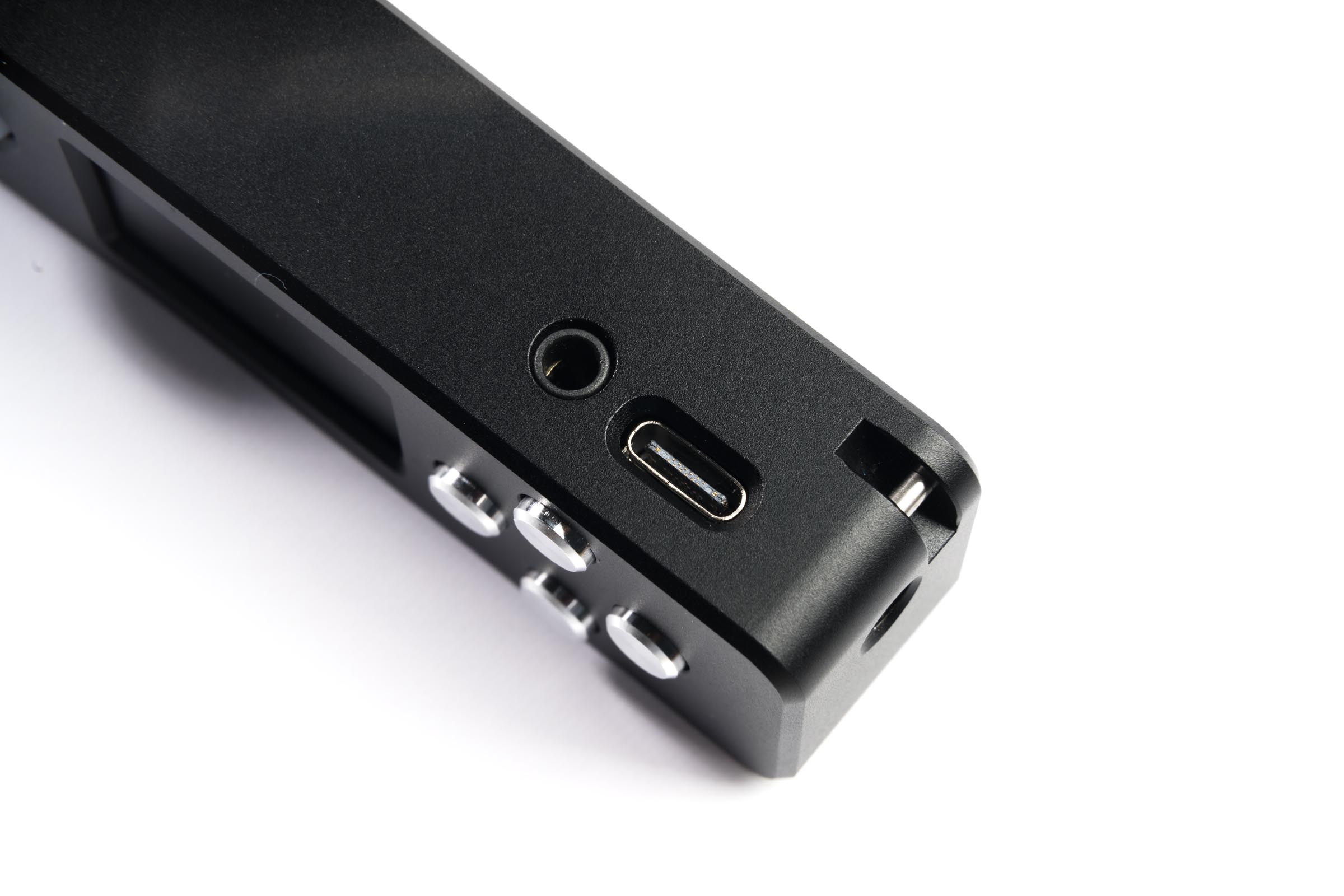
The LUMO is available only in black at this time and the anodized finish does a good job of resisting fingerprints. Overall, the meter feels like a durable piece of equipment under normal conditions but Reveni labs points out that the meter is not designed to be exposed to excessive moisture so be careful if using it in the rain or similar situations.
Included with the LUMO meter is an adjustable strap with a quick release attachment that can be worn around the neck or wrist. Also in the box is a small pouch and a card. On the card is a QR code that links to a PDF of the LUMO meter manual, a diagram of the physical features, and the calibration values that were applied to this specific unit.
Ergonomics
The LUMO’s small size is unique and may take some getting used to, especially for those with large hands. The four control buttons are small (6mm) but offer a well defined “click” providing a positive tactile experience.
The color LCD display is easy to read in both low-light as well as well-light conditions. In direct sun, the display can wash out but tilting the meter a bit usually makes it readable.
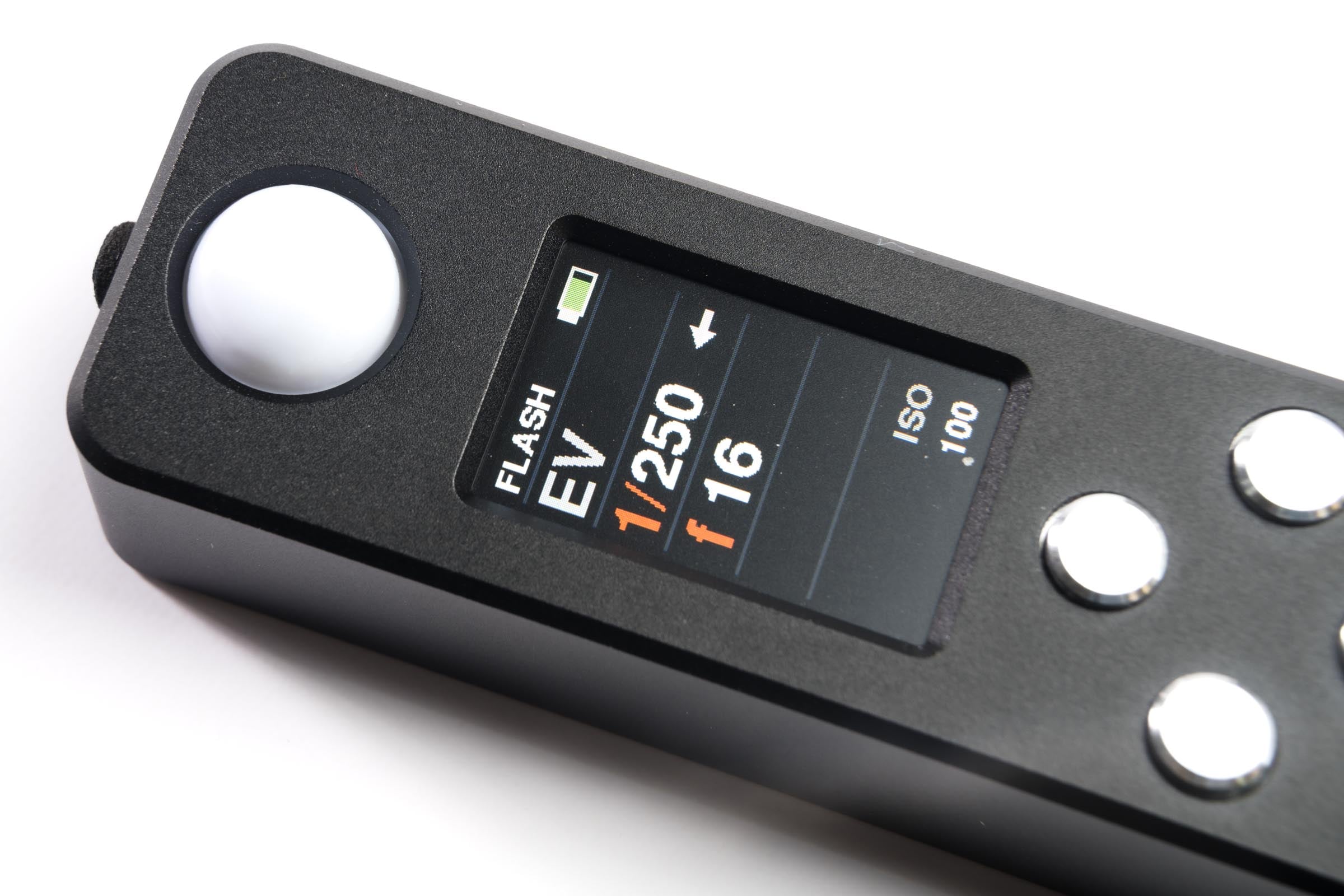
I don’t need reading glasses but asking some friends who do, most found the main display readable with only the smaller numbers at the bottom for lux and ISO requiring some glasses assistance. Navigating the menus might also require readers for those who use them. Of course this will vary depending on one’s specific vision.
Testing Methodology
To find out how well the LUMO performs, I’ll be testing the exposure value measurements against myCalumet DFM 3 3 meter which is essentially re-branded Gossen Digipro F. Additionally I’ll be taking photos using a Color Checker Passport 2 for evaluation of not only color but for exposure “confirmation”.
It is important to understand my testing isn’t going to be an exacting, scientific study as I don’t have the instruments necessary for that. My testing will also be focused for use as a still photographer as video is not something I delve deep into.
Exposure Measurements
Continuous Light
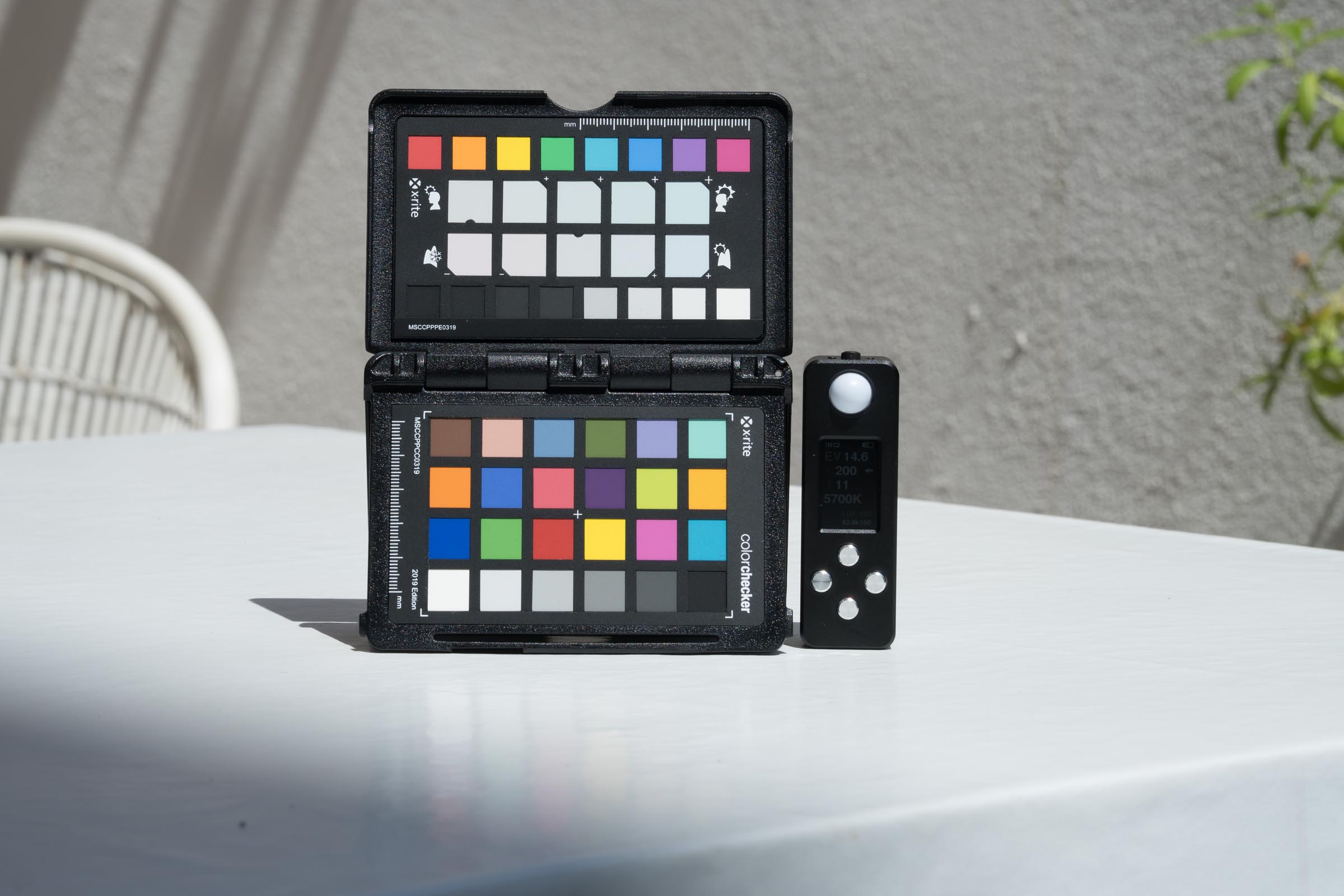
For the following tests, both meters were placed side-by-side. To be thorough, I swapped their positions and also took photos of a Color Checker Passport 2 (referred to Color Checker going forward) next to them to see how RAW photos taken at the meter readings looked.
Incident – Daylight
- LUMO matched the reference Calumet DFM3 meter within 0.1 EV, delivering consistent and accurate results.
- Results remained consistent in direct and shaded sunlight
- Photos appeared well exposed
Incident – LED Lighting
- The LUMO read by about -0.8 EV compared to the Calumet meter.
- Photos of the test chart showed the LUMO was only about -0.4 EV from “correct” and the Calumet meter was giving a +0.4 EV.
- Clearly both meters were not very exact when measuring the LED sources used
- Tested using two different LED light sources (Godox SL60 and Zhiyun Fiveray 40w)
Reflective – Outdoor
- The LUMO showed a slight (-0.3 EV) underexposure compared to the reference Calumet meter
- Calumet meter agreed with center-weighted meter readings from camera and reviewed photos of Color Checker
- Several different spaces were used outdoors with similar results
Reflective – LED Lighting
- Under LED lighting, results from both meters were within 0.1 EV at multiple light levels
- Exposure checking of photos agreed
- The reflective sensor on the LUMO seems to handle LED sources better than the incident sensor (it uses two separate sensors for incident and reflective)
Flash Measurements
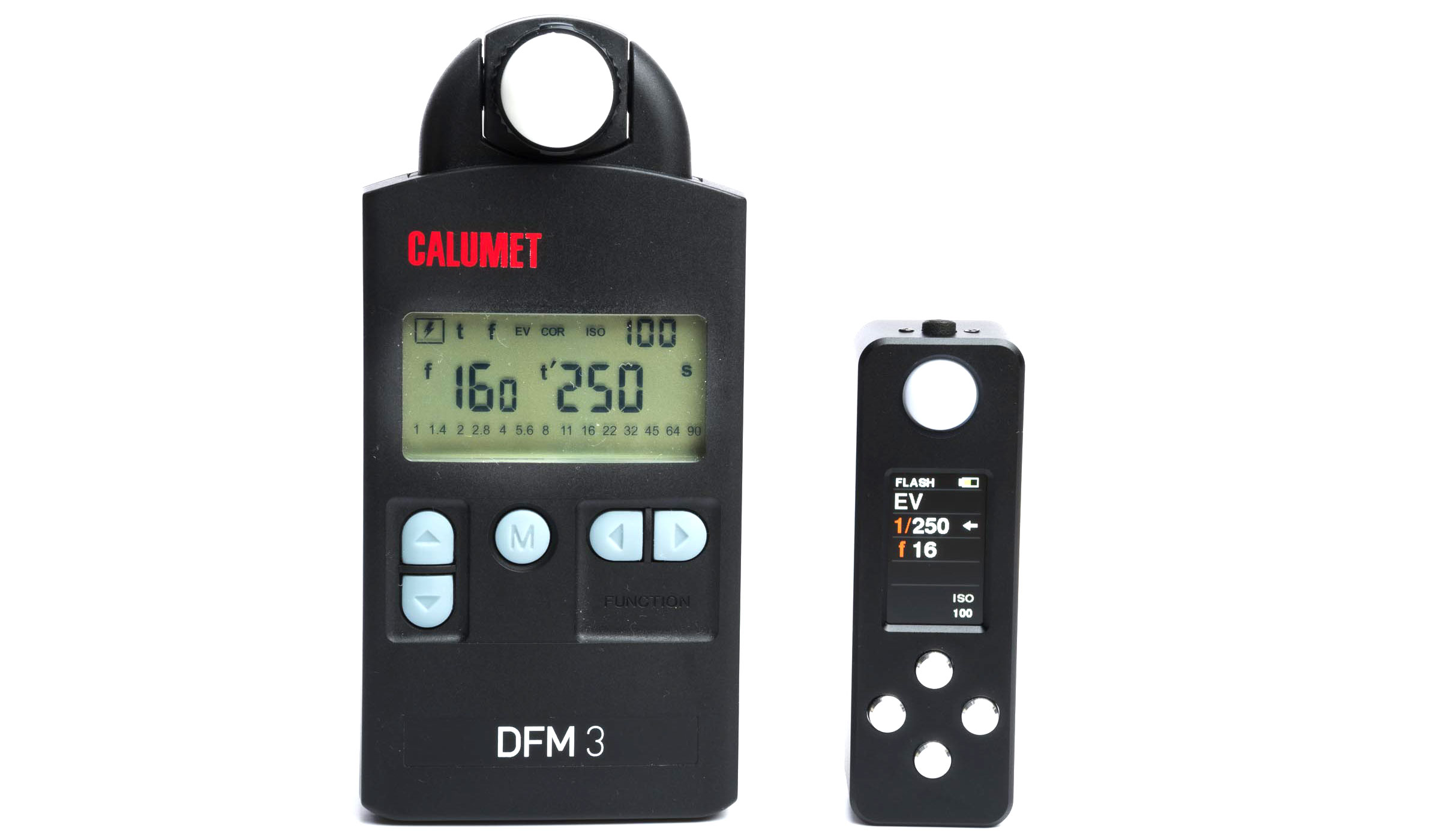
Before listing the results I want to point out that the readout time for flash measurement is incredibly fast on the LUMO compared to the Calumet meter I used as my control. Once a flash was triggered, the control meter took about ½ second to display the result where the LUMO instantly displayed measurement. Now, on with the results.
- Results matched the reference within 0.1 EV, with only minor variances (~.3 EV) at extremely low power settings
- Photos of scene with Color Checker agreed with exposure values from meters
- Initial round of tests found a difference in measured accuracy between Low and High ranges which a firmware update resolved (more on this below)
About High and Low Range Flash Readings
The LUMO meter employs a “Dual Range” when measuring flash exposure. This is different from any flash meter I have used in the past. I didn’t think much of it at first but it did create two issues when I was first testing the meter.
First, I noticed a small amount of difference between the accuracy of results when switching between ranges. The lower range was reading a little lower than the control meter by around ~0.3 EV.
Second, in order to change the flash measurement range, it’s necessary to enter the menus and change the range. When I informed Reveni Labs about the difference in readings from the two ranges, I asked if it would be possible to create a “shortcut” to switch these ranges.
A few days later I was sent a firmware update to test. This solved the difference I was seeing in measurements and it included a new “double-click function for the bottom button which toggles the ranges. I understand the firmware I was sent is not for release to all users so I can’t speak to any of these changes going out to all users.
This high/low range necessity may be an area where we see how the LUMO meter comes in at such a low price. Flash capable meters from Sekonic, Gossen, and others don’t require a change in measurement range for flash. If this is the case, I think needing to switch ranges is a small price to pay to get all the capabilities of the LUMO for the size and price of the device.
Color Measurements Overview
The LUMO meter provides color measurements in Kelvin on the main screen below the f-stop readout. For more information, one can hold the right button for a second to get more information which include the X Y coordinates for CIE 1931 as well as green/magenta correction values. Additionally, a correction value is displayed based on a user selected target.
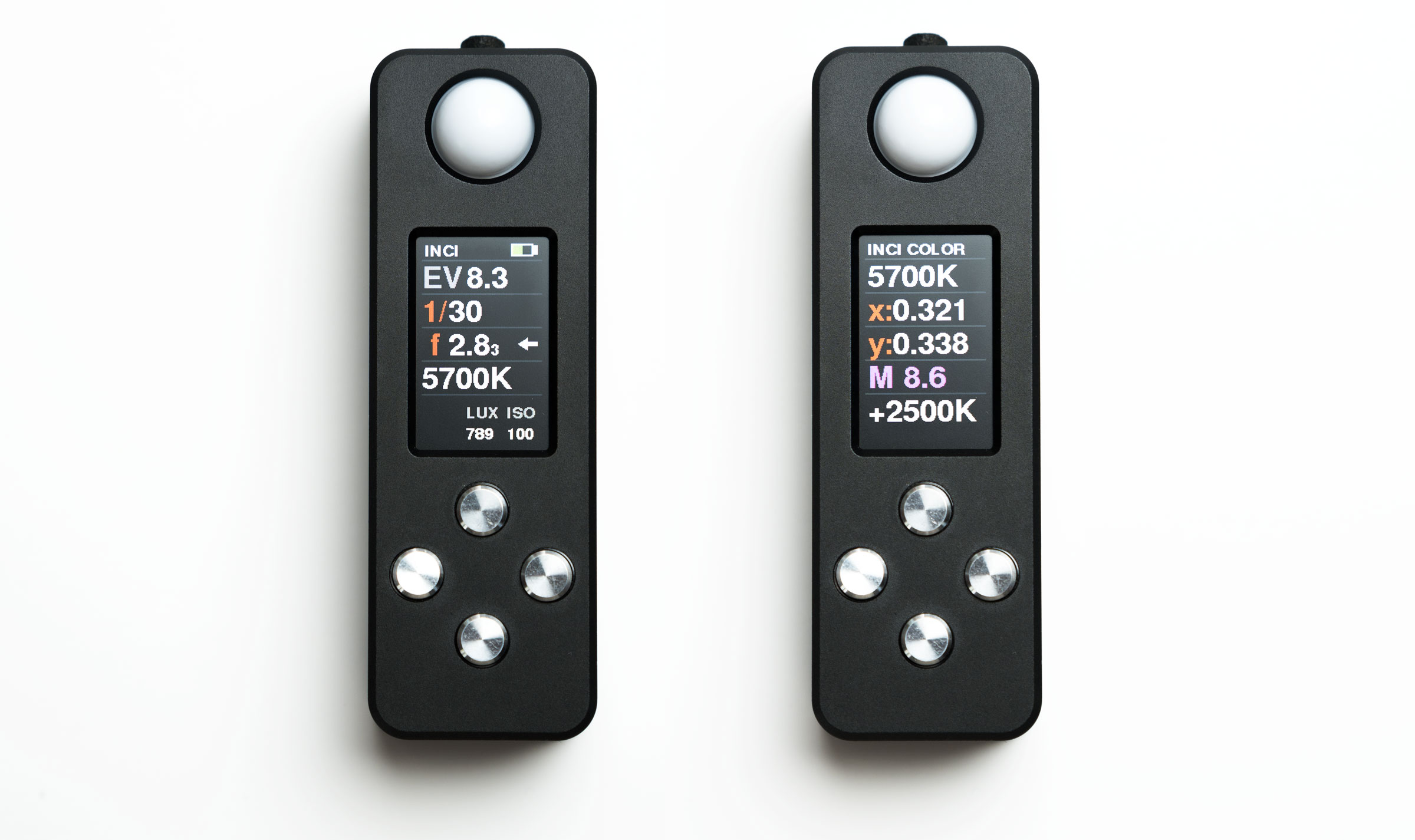
The target is referred to in the menu as “F” for film. For instance, if one is using a tungsten balanced film, the value of 3200 would be input here and the difference is displayed in the correction value space when a measurement is displayed. One has the choice of four different types of corrections including the Kelvin difference, the lens filter type, CTO or CTB filters, and finally MIRED.
Color Measurements
Sunlight
- Readings of 5600 K and 5700 K in direct sunlight around 11:30am
- Compared to12% gray panel on Color Checker, results were the same or 100 K lower than measurement in Camera Raw
- Results were similar to above when placed in the shade resulting in a reading of 6100 K
- Close examination of the photos of the Color Checker
- The results were consistent so one could use calibration to tune the results to the desired specification
LED Lighting*
- Measuring light from a Godox SL-60W light, reading was 5700 K, only 100 K higher than the rated output and confirmed by Color Checker
- When measuring adjustable LED sources below ~4500 K, the LUMO would consistently show -150 K from results of Color Checker
- Measured temperatures above ~4500 K using adjustable LED sources, results diverged further maxing out at 600 K below from Color Checker at 6300 K
- Two different adjustable, battery powered LED lights were used for the tests reading lower color temperatures
*During my testing I found that both my adjustable (bi-color), battery-powered LED lights used for testing had very low flicker rates ranging from 43hz to 62hz. These low frequencies could explain why the LUMO had larger variances from these lights.
“Screen Test”
In another “non-scientific” test, I placed the LUMO up against my hardware calibrated monitor just to see what it would read (in a dark room). This monitor is calibrated to D65 and stores the calibration in the monitor itself. The results:
- Across most of the screen, the LUMO read out 6500 K
- Results closer to the edges dropped a bit but that lines up with the results I usually get I go through the calibration and verification process on the monitor
Other Functions
In addition to exposure readings, the LUMO is capable of providing data on flash duration and the flash discharge curve. This data can be useful when performing high speed flash photography geared towards freezing subjects in motion as well as understanding how much of the flash output is available at a given portion of the exposure time for very short exposures.
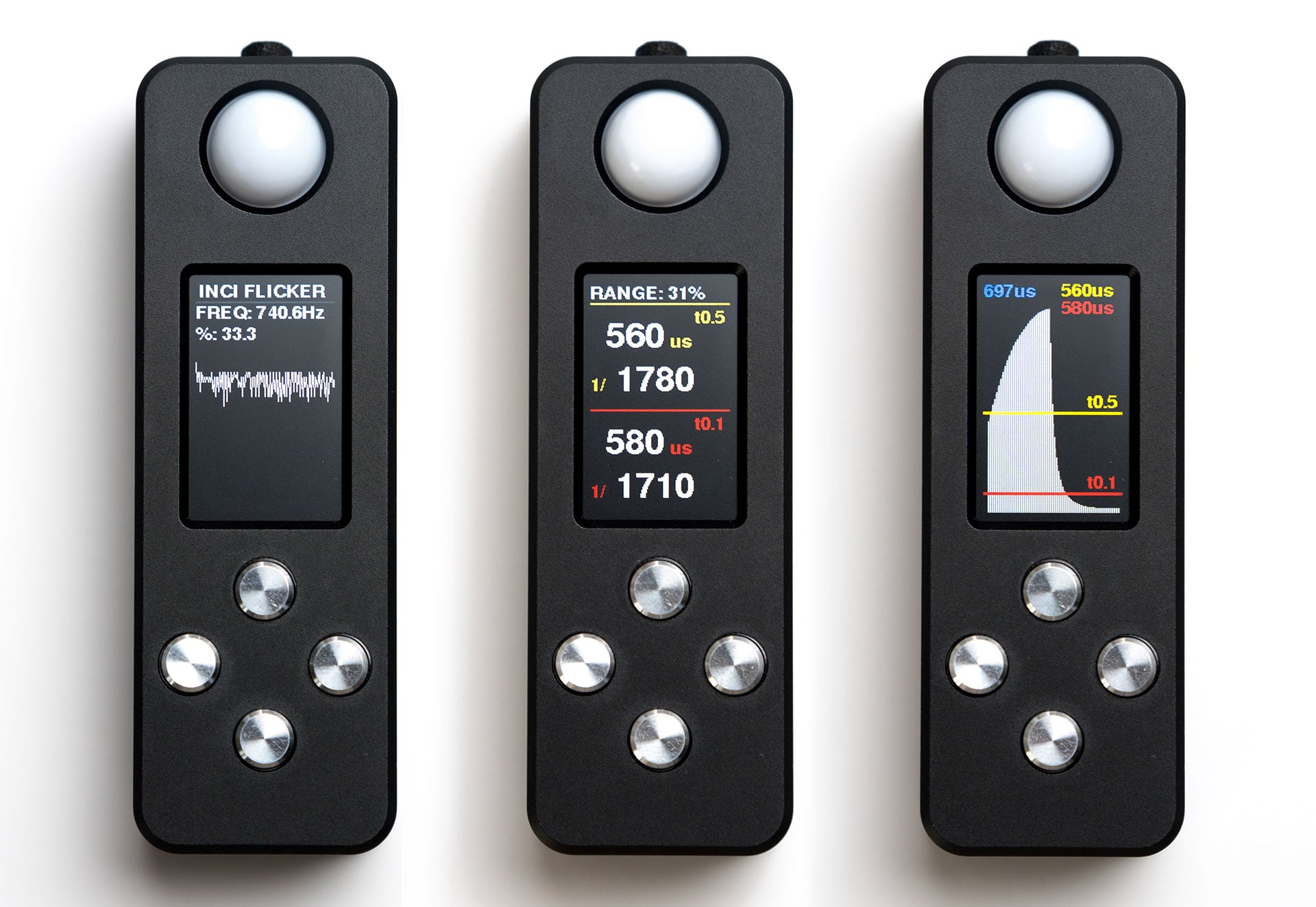
I can only verify that the LUMO does indeed capture these measurements but I don’t have the equipment necessary to determine the accuracy of those measurements. I can say that the flash duration readings track closely, if not exactly, to the indicated durations on my Godox AD300 Pro flashes. Of course the durations displayed on the flash are simply what it “should” be, so it could be the LUMO is spot on, I just can’t confirm.
Conclusion
The LUMO exposure meter shows a lot of promise. As far as providing exposure information for daylight and flash exposure, it delivers solid results that are consistent. The ability for the user to fine-tune the calibration to suit their taste and equipment is definitely a plus. When LED lighting is involved, the exposure information starts to diverge from what would be “correct exposure in my testing. The fact that my control meter was also in error, in the opposite direction, leads me to believe this is not an issue isolated to the LUMO meter but an overall difficulty with certain LED light sources.
Certain LED sources seem to also be an issue when it comes to measuring color as shown in my tests. I want to point out, again, that I don’t have the type of equipment that can determine the exact accuracy of color readings and am relying on images captured by my specific camera, lens, and light sources.
Overall I find that the LUMO to be perfectly fine for use checking exposure outside as well as in the studio when using flash, which is my primary use case. The color measuring will be handy and reliable when in various types of outdoor situations involving shade and sunlight bouncing from building walls of various colors.
It’s possible that with some updates, the issues with certain LED light sources could be addressed as well. So far, Reveni Labs has been good at responding to users of the meter and has already provided three firmware updates since June of this year. I’ll be keeping an eye out for future updates and will post any new information in the comments. You can order your LUMO light meter here.
LUMO Meter Specifications
Key Features
- Ambient incident metering
- Flash incident metering
- Color temperature/XY/temp and tint filter incident metering
- Ambient reflective metering
- Flash duration and discharge curve analysis
- Simple controls and menu
- Aperture or Shutter priority
- Exposure compensation in 1/3 stops (-3 to +3 stop range) extended range to +20 stops
- 900mAh NiMH rechargeable battery
- Dimensions: 3.346” (85mm) length, 1.102” (28mm) width, 0.787” (20mm) thick
Measuring ranges
- Incident ambient metering range: EV 0.7 to EV 18 @ ISO 100
- Incident ambient lux range: 5 lux to 656,000 lux
- Reflective metering range: EV 0.5 to EV 21.5 @ ISO 100
- Incident flash metering range: f1.4 to f45
- Colour temperature range: 1500k to 25000k (below will show “RED” and above will show “BLUE”)
Flash time ranges
- Meter-able flash duration (non-analyzing) ~5us (1/200000 sec) -> 20ms(1/50 sec)
- Flash duration analysis: 30us (1/33,000 sec) minimum, 20ms (1/50 sec) maximum
Other Specs
- Shutter Speed Range: 1 hour to 1/8000s, in 1, 1/2 or 1/3 stop increments
- Aperture Range: f0.7 to f1024 in 1, 1/2 or 1/3 stop increments
- ISO range: ISO 1 to 1,024,000 in 1/3 stop increments
- Exposure Compensation: +/-3 stops in 1/3 stop increments, extended range in1 stop increments up to +20
- Battery: 900mAh NiMH internal rechargeable (user-replaceable)
- Dimensions: 3.346” (85mm) length, 1.102” (28mm) width, 0.787” (20mm) thick
- Flash sync port: 3.5mm mono, low and high voltage compatible (400VDC maximum)
See more from DIYPhotography.net on Google
Add DIYPhotography.net as a trusted source. This makes
our stories more likely to appear in your Google Search results.
 Add as a preferred source on Google

About Brandon Jackson
Brandon Jackson got his start in photography in 1987 while in high school. Shooting portraits and headshots has always been his primary focus but over the years he’s also done product work, street photography, and sports including equestrian eventing and motorcycle road racing.
An avid Photoshop user since 1999, he received his Adobe Certified Expert in Photoshop certification in 2006. Brandon enjoys sharing his knowledge and experience offering photography workshops and online sessions for Adobe Photoshop. You can find more of Brandon’s work on his website, Instagram, Facebook and Flickr.
We love it when our readers get in touch with us to share their stories. This article was contributed to DIYP by a member of our community. If you would like to contribute an article, please contact us here.
Related Posts
 Lumu Power Converts Your iPhone To a Color Meter, Exposure Meter and Flash Meter
 Reflx Lab Light Meter is a tiny hotshoe-mounted light meter for only $45
 Sekonic’s new L-858D light meter finally lets you meter for High Speed Sync flash
 Negative Supply’s LM1 is a tiny all-metal colour and light meter for ambient and flash
Join the Discussion
DIYP Comment Policy
Be nice, be on-topic, no personal information or flames.