










How to create stunning fake freckles with a toothbrush and no Photoshop
Feb 22, 2017
John Aldred
John Aldred is a photographer with over 25 years of experience in the portrait and commercial worlds. He is based in Scotland and has been an early adopter – and occasional beta tester – of almost every digital imaging technology in that time. As well as his creative visual work, John uses 3D printing, electronics and programming to create his own photography and filmmaking tools and consults for a number of brands across the industry.
Share:

Freckles are one of those strange things in life. Many who have them try to hide them. Many who don’t absolutely adore them. Sometimes, though, you get a subject in front of your lens covered in freckles and extremely proud of them. That’s the ideal situation for a photographer who loves freckles.
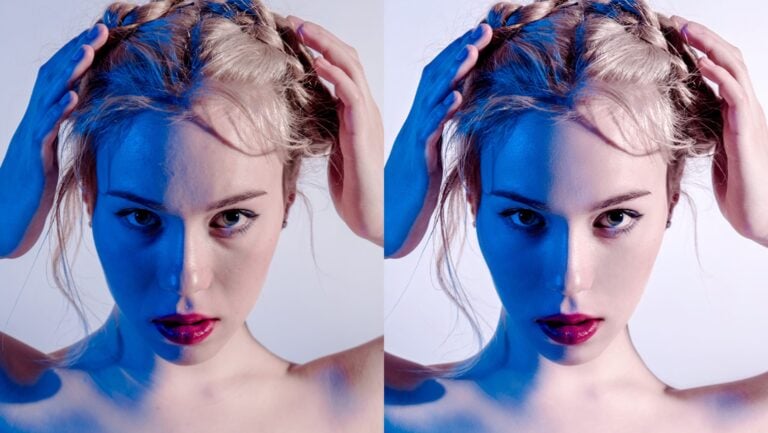
Photographer Mathieu Stern’s on the side of loving them. And if you saw his recent UV video, then you can see why. Sick of Photoshop tutorials that create bad and obviously fake freckles, he has come up with a more practical solution. Switching from weird lenses to weird makeup, he uses watercolour paints and a toothbrush to create freckles on the subject’s face that actually look extremely realistic.
If you don’t have a makeup artist on set who can produce a natural freckly look for you, it’s a cool solution. To begin, it’s simply a case of mixing orange, red and brown watercolour paints together.

Then, with the lights set up and your subject in place, just run your finger across the bristles to flick dots of paint onto your subject’s face. Mathieu includes a “map” to show you the different zones for application. This matches up with how it most often occurs in people naturally. When enough is applied, clean up the extra with a wet Q-Tip.

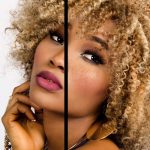
And to show he wasn’t cheating and just using a model with freckles, Mathieu included a “before” shot of the model.


I’m sure there are makeup artists out there right now choking on their coffee at seeing this method. But, if you don’t have one available on set and you just have to have freckles, it seems like a neat low budget solution. It looks extremely realistic to the camera, too.


Just, make sure your subject closes their eyes and mouth before you start flicking paint onto their face.

John Aldred
John Aldred is a photographer with over 25 years of experience in the portrait and commercial worlds. He is based in Scotland and has been an early adopter – and occasional beta tester – of almost every digital imaging technology in that time. As well as his creative visual work, John uses 3D printing, electronics and programming to create his own photography and filmmaking tools and consults for a number of brands across the industry.


Join the Discussion
DIYP Comment Policy
Be nice, be on-topic, no personal information or flames.
One response to “How to create stunning fake freckles with a toothbrush and no Photoshop”
Cool !