






















Content Aware Crop is one of the features coming in a major Photoshop CC Update
May 26, 2016
John Aldred
John Aldred is a photographer with over 25 years of experience in the portrait and commercial worlds. He is based in Scotland and has been an early adopter – and occasional beta tester – of almost every digital imaging technology in that time. As well as his creative visual work, John uses 3D printing, electronics and programming to create his own photography and filmmaking tools and consults for a number of brands across the industry.
Share:

In a sneak peek posted on YouTube today, Adobe are showing off one of the new features that’s coming in what they describe as a “Major Update” to the Creative Cloud platform.
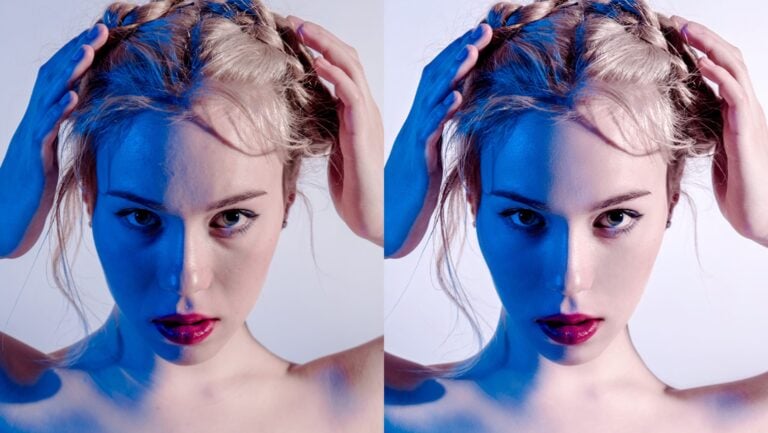
The video, presented by Stephen Neilson from the Adobe Photoshop team, walks us through the new feature. Designed to help us fill in the gaps when rotating and cropping images, Stephen shows us how content aware crop differs to the current crop tool.
The new crop tool would allow you to move the horizon by adding more sky or ground, as well as letting you more easily adjust the aspect ratio by adding content to the edges of your images.
This could be a very handy feature if, like me, you often forget to leave enough room in your shots for Facebook’s 851×315 cover photos. :)
Although you can do this right now, by simply cropping and then using content aware fill, this could become a big time saver if you’ve got a lot of images to rotate and crop with gaps that need to be filled in.
No word yet on other features coming in the update, but we’ll keep you posted as soon as we hear of any!
What features are you hoping to see in a Photoshop CC update? Let us know in the comments.

John Aldred
John Aldred is a photographer with over 25 years of experience in the portrait and commercial worlds. He is based in Scotland and has been an early adopter – and occasional beta tester – of almost every digital imaging technology in that time. As well as his creative visual work, John uses 3D printing, electronics and programming to create his own photography and filmmaking tools and consults for a number of brands across the industry.
Related Posts
 Adobe adds Content-Aware Fill, background removal and portrait selection features to Photoshop for iPad
 Adobe shows off new and smarter Content-Aware Fill, coming to Photoshop soon
 Adobe just dropped a CC2015.5 update with “Face-Aware Liquify” and a bunch of other cool features
 Blackmagic DaVinci Resolve 16 now comes with “Content-aware Fill” style features for video
Join the Discussion
DIYP Comment Policy
Be nice, be on-topic, no personal information or flames.
9 responses to “Content Aware Crop is one of the features coming in a major Photoshop CC Update”
Interesting, but I’d love if Adobe would fix issues that have existed for a long time like the cyan cast on ProPhoto images.
Is that only when using the Adobe Standard camera profile? I don’t notice it using custom camera profiles made with the ColorChecker Passport.
Not really. It is very easy to reproduce. Just create a 2000×1000 Prophoto canvas and draw a gradient from black to white. You will get a vertical cyan banding on the dark and gray areas. The gradient is an easy way to reproduce, but the problem is present in regular workflows. For example when you add a channel mixer and set the image to monochrome. There is a post here: https://forums.adobe.com/message/8447463#8447463.
I cannot confirm if this only happens on 10bit with and AMD FirePro.
Interesting. Not seeing it here using an Nvidia GTX760 with an HP LP2475w monitor (calibrated with i1 Display 2).
Might be and issue with PS+AMD FirePro. I get the banding in both, 8 and 10bit monitors. Thanks for checking.
There is obvious redundancy in the second picture ?
Cool! Thats better than a self parking car!
I wish Adobe would stop all development for a few months and put 100% of their resources into fixing the Creative Cloud application. Every time I have done an update since installing CC it has turned into a full day of work to hunt down the current crazy workaround. This usually involves digging into system files and re-installing CC, Photoshop or both. All this just to prove I’m a paying customer.
But look at the bottom left corner of the waterfall after-shot, a few stones there are just copied, very noticeable like if just used 100% opacity on the clone stamp.