












Is Darkroom the ultimate mobile toning solution?
Sep 12, 2016
Joseph Parry
Joseph Parry is a Commercial and Editorial photographer based in the UK that provides cinematic photography and ounces of humour. Follow him on Instagram for stories and kick ass imagery.
Share:

As life is quickly becoming busier and busier for me I’ve had to find solutions to be able to work on the go and with that, naturally comes sacrifice.
I opted for a Surface Pro 4 and an iPhone 6sPlus for my “Travel kit” and with the Wi-Fi abilities of the Sony A7ii it makes for a versatile set of tools that can cover a range of operating systems / platforms and quickly allow me to output some high quality material.
Upon testing VSCO, Snapseed and another app that the name alludes me, Darkroom was the first one that I’ve come across thus far with “Curves”. The ability to change the luminosity, RGB colour values separately or all together.
You can get Darkroom for free but the “pro” unlock to get access to curves etc will cost you a few bucks.

Previously I was tied to shooting with the Sony, wifi’ing it across to my phone and then using VSCO pre-sets to mess with it. I still do this, though one thing I’ve noticed is that I can get a much more controlled approach to toning when using the curves feature within Darkroom.
On the downside, it is utterly unable to be pushed past a few percent (maybe 15% in each direction tops) as the JPEG gets destroyed and the algorithm really falls to shit.

I’m not sure if it’s simply the cut-off points for each section that they’ve chosen to place incorrectly or whether it’s a natural limitation of mobile technology, it’s not my area of expertise, nor do I particularly care for anything past just getting good results.
It’s a limited app in terms of how far you can push it, though a phenomenal one in terms of functionality. You have curves, HSL (like in Lightroom) so you can select a colour and change the Hue, Saturation and Luminosity etc. It also has the bog standard contrast, brightness, fade, saturation, sharpness etc.


Speaking of sharpness, that’s another really great feature of this app, the sharpening algorithm seems really awesome thus far. I can push it to around 70% before I start seeing issues (depends on the photo though of course).

There’s also cropping and filters built in too:


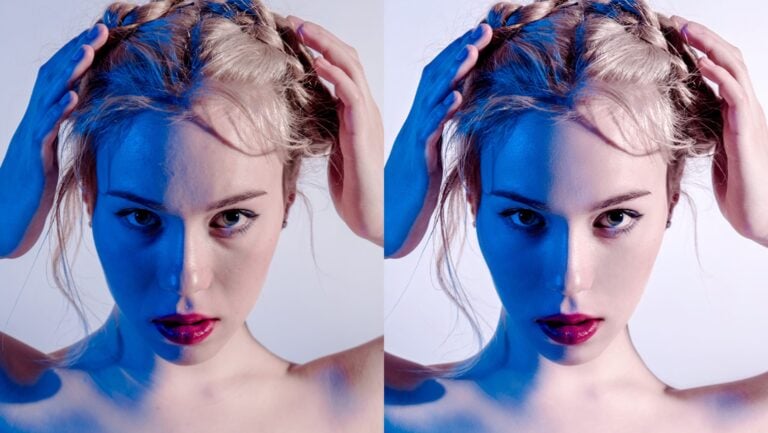
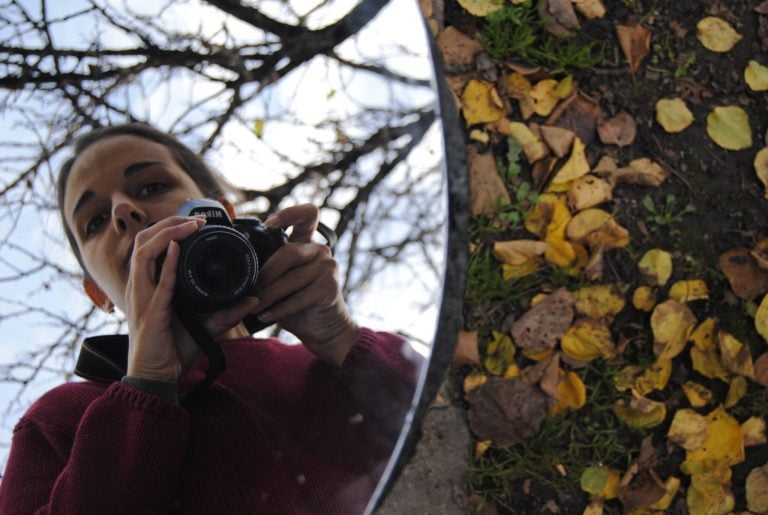
Anyway, here’s a before and after from editing using the app via iPhone 6sPlus Selfie:


Hope this helps you guys with finding a new way to edit your images on the go with a little more flexibility.

Joseph Parry
Joseph Parry is a Commercial and Editorial photographer based in the UK that provides cinematic photography and ounces of humour. Follow him on Instagram for stories and kick ass imagery.
Related Posts
 This filter system is the ultimate variable ND solution
 This diagram shows the ultimate solution to the horizontal vs. vertical shooting debate
 The most powerful 10 second toning tip you’ve never heard of!
 Adobe unveils Lightroom 2.0 for Android, complete with RAW shooting/editing, Dehaze and Split Toning
Join the Discussion
DIYP Comment Policy
Be nice, be on-topic, no personal information or flames.
3 responses to “Is Darkroom the ultimate mobile toning solution?”
Lightroom mobile lets you use curves as well in the Free app.
Not so sure this is anything new, lightroom mobile on iOS has had tone curves for nearly a year now.
Unfortunately it is not available for Android.