


















Adobe unveils Lightroom 2.0 for Android, complete with RAW shooting/editing, Dehaze and Split Toning
Feb 22, 2016
Gannon Burgett
Gannon Burgett is a communications professional with over a decade of experience in content strategy, editing, marketing, multimedia content creation. He’s photographed and written content seen across hundreds of millions of pageviews. In addition to his communications work for various entities and publications, Gannon also runs his multimedia marketing agency, Ekleptik Media, where he brings his expertise as a full-stack creator to help develop and execute data-driven content strategies. His writing, photos, and videos have appeared in USA Today, Car and Driver, Road & Track, Autoweek, Popular Mechanics, TechCrunch, Gizmodo, Digital Trends, DPReview, PetaPixel, Imaging Resource, Lifewire, Yahoo News, Detroit Free Press, Lansing State Journal, and more.
Share:

Last week, Adobe accidentally leaked the details for its upcoming 2.0 update for Android. Now, it’s officially out and ready to be downloaded by Android users across the globe.
Inside the new update a plethora of new features, tools and visual adjustments to help improve the capture, edits and sharing of photos while on the go.
Traditionally, Android has received the short end of the stick from Adobe, with iOS getting certain features far before Android. That changes with version 2.0 though. Lightroom for Android is surpassing its iOS counterpart by including the ability to shoot and edit RAW photos in the DNG format. Not all smartphone will be able to shoot RAW, but any recent Android device running Lollipop should be able to get in on the action.

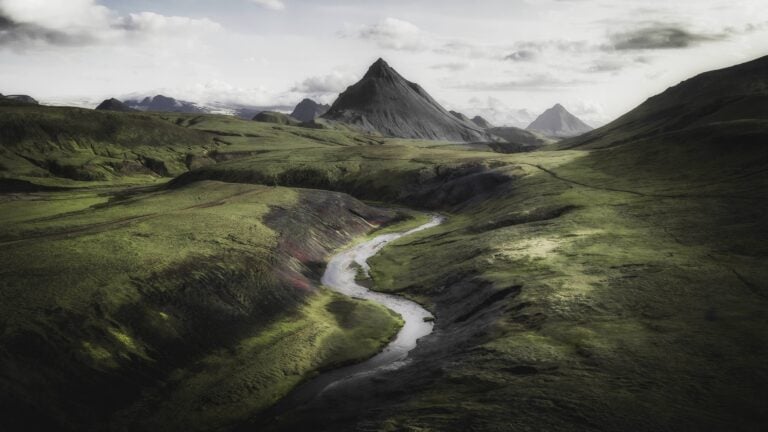
In addition to RAW photo capabilities, Lightroom 2.0 for Android includes live-view previews, Adobe’s Dehaze tool and Split Toning capabilities, all features first seen in Adobe Lightroom for iOS last year. Below is a comparison image of the Dehaze tool in action:


Other features included in the update are Point Mode within the Curve Tool, better sharing options and Target Adjustment Tool functionality while editing photos.
You can download Adobe Lightroom for Android version 2.0 in the Google Play Store. If you already have it downloaded, it should be available for an update starting today.

Gannon Burgett
Gannon Burgett is a communications professional with over a decade of experience in content strategy, editing, marketing, multimedia content creation. He’s photographed and written content seen across hundreds of millions of pageviews. In addition to his communications work for various entities and publications, Gannon also runs his multimedia marketing agency, Ekleptik Media, where he brings his expertise as a full-stack creator to help develop and execute data-driven content strategies. His writing, photos, and videos have appeared in USA Today, Car and Driver, Road & Track, Autoweek, Popular Mechanics, TechCrunch, Gizmodo, Digital Trends, DPReview, PetaPixel, Imaging Resource, Lifewire, Yahoo News, Detroit Free Press, Lansing State Journal, and more.
Related Posts
 Adobe brings a major features to Lightroom CC including tone curve and split toning
 Lightroom for iOS 2.1 adds live filters, point curves and split toning
 Adobe Keynote Teaser; Adobe Unveils New Mobile Editing Apps, Optimizes Photoshop And Lightroom For Touchscreen Use
 Take your photo’s colours to the next level with split toning
Join the Discussion
DIYP Comment Policy
Be nice, be on-topic, no personal information or flames.
One response to “Adobe unveils Lightroom 2.0 for Android, complete with RAW shooting/editing, Dehaze and Split Toning”
your post will definately ranked up …if you will be a better photographer then you have to check this website Explore Buster and if you gonna to buy a cheapest DSLR in minimum range of the budget the you have to buy the sony alpha series check cameras at Explore Buster