




























DxO PhotoLab 8 Supercharges RAW Editing With DeepPRIME XD2s, Smarter Sharpening, And Live Previews
Jul 10, 2025
Dunja Đuđić Kalinin
Dunja Djudjic is a multi-talented artist based in Novi Sad, Serbia. With 15 years of experience as a photographer, she specializes in capturing the beauty of nature, travel, concerts, and fine art. In addition to her photography, Dunja also expresses her creativity through writing, embroidery, and jewelry making.
Share:

DxO has just rolled out PhotoLab 8. If you want to ramp up the quality of your RAW editing, it’s worth a closer look. With a new generation of its DeepPRIME engine, sharper lens correction, and a smarter way to see your edits before you commit, the update feels less like a routine refresh and more like a step forward in RAW editing.
DeepPRIME XD2s: Noise Reduction Without the Smudge
At the heart of PhotoLab 8 is DeepPRIME XD2s – DxO’s latest take on AI-based noise reduction and detail recovery. If you’re already familiar with DeepPRIME, think of XD2s as a version on steroids. DxO promises cleaner, crisper images with fewer compromises, letting you shoot at higher ISOs without mushy detail. Ideal for us who shoot concerts with ancient cameras. Whether you’re rescuing an old underexposed shot or pushing the limits of a modern sensor, XD2s has the potential to dig out image quality you didn’t know was there.
Smarter Optical Corrections, Especially at the Edges
DxO also continues to lean into one of its key strengths: lens profiling. PhotoLab 8 introduces new algorithms to compensate for lens softness, particularly in the corners. Unlike global sharpening techniques, DxO’s corrections are based on lab-tested Optics Modules that know your lens’s quirks down to the pixel. The result is a more refined sharpness that avoids common artifacts like fringing in fine textures.
Preview, Then Push It
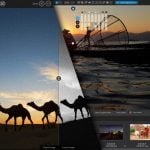
Another feature is the large live preview magnifier. It gives you a high-res peek at what your RAW file will actually look like once DxO’s processing engine kicks in. With zoom levels up to 1600%, you can inspect how noise reduction, exposure, and other adjustments are interacting before you export. It’s an especially useful tool if you’re making aggressive edits or just want to avoid surprises.
Tone Curve Gets a Luma Lift
For those who like to fine-tune tonality, the updated Tone Curve adds a new Luma channel, allowing you to brighten or darken areas without impacting color. It also includes on-image tone picking, histogram guidance, and color-coded channel previews. Each control point can now be numerically adjusted for even finer tweaks, and yes, you can finally save those curve settings as presets.
Pricing and Availability
DxO PhotoLab 8 is available now for both Windows and macOS. You can pick it up for $229 / €229, or upgrade from version 6 or 7 for $109 / €109. DxO also offers a bundle that includes PhotoLab 8 and DxO FilmPack 7 for $299 / €299. A free 30-day trial is available via the DxO website if you want to test the waters before jumping in. And if you decide to get it after the trial, you can use our discount code DIY15 for 15% discount.
Disclaimer: This post is part of a paid partnership with the featured brand. While sponsorship supports our work, all editorial content is independently written and reflects the voice and standards of DIYP. We only cover products we believe are relevant, trustworthy, and of interest to our readers.
See more from DIYPhotography.net on Google
Add DIYPhotography.net as a trusted source. This makes
our stories more likely to appear in your Google Search results.
 Add as a preferred source on Google

Dunja Đuđić Kalinin
Dunja Djudjic is a multi-talented artist based in Novi Sad, Serbia. With 15 years of experience as a photographer, she specializes in capturing the beauty of nature, travel, concerts, and fine art. In addition to her photography, Dunja also expresses her creativity through writing, embroidery, and jewelry making.
Related Posts
 DxO PhotoLab 6’s DeepPRIME XD engine takes AI-powered raw file denoising to the next level
 DxO PhotoLab 6.3 adds DxO Wide Gamut support for RGB images and more accurate soft proofing
 DxO releases PhotoLab 5 and FilmPack 6 with more powerful features and Fuji X-Trans RAW support
 DxO PureRAW 4 brings smart lighting and DeepPrime XD2 AI noise reduction
Join the Discussion
DIYP Comment Policy
Be nice, be on-topic, no personal information or flames.
One response to “DxO PhotoLab 8 Supercharges RAW Editing With DeepPRIME XD2s, Smarter Sharpening, And Live Previews”
As a long time user of DxO and Photoshop, I want to remind other users that features like lens profiling, virtual copies and other functions that appear in Adobe and products of other brands were first introduced by DxO. Pay attention to who is really playing catch up.