
























Adobe Wants Photoshop and Premiere Elements to Do More of the Thinking for You
Sep 17, 2026
Alysa Gavilan
Alysa Gavilan has spent years exploring photography through photojournalism and street scenes. She enjoys working with both film and mirrorless cameras, and her fascination with the craft has grown over the decades. Inspired by Vivian Maier, she is drawn to capturing everyday moments that often go unnoticed.
Share:
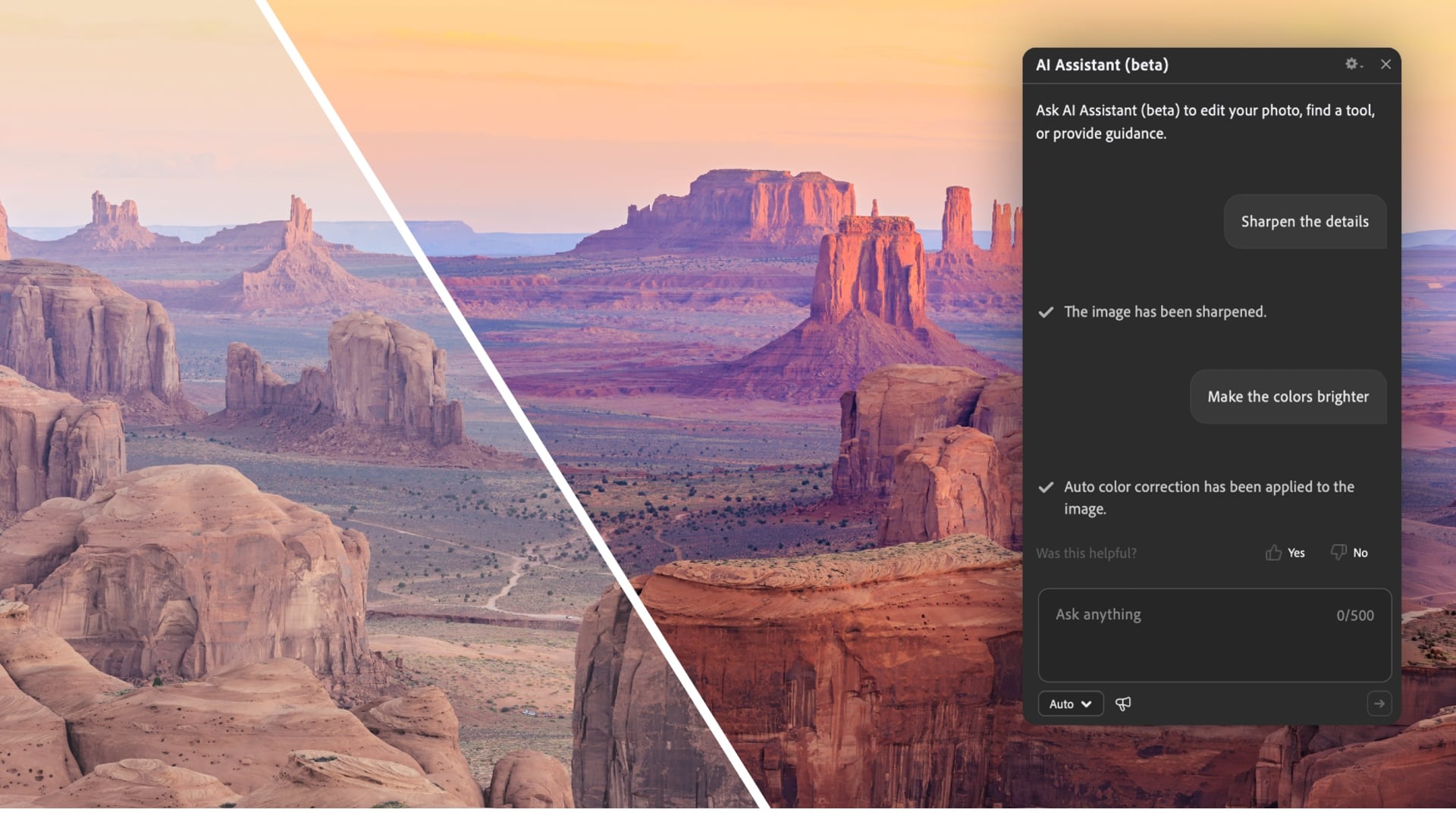
Editing software can sometimes make a simple photo project feel like you need a degree in Photoshop. Adobe is trying to lower that barrier with Photoshop Elements and Premiere Elements 2027, adding generative AI tools that can expand and upscale photos, create graphics and images, and even find photos in a large library from plain language descriptions.
The new versions continue to target casual photographers and video creators rather than replacing Adobe’s professional Creative Cloud applications. For Elements users, the 2027 update is largely about getting from “I know what I want” to “there is the result” with fewer trips through menus.

Photoshop Elements gets more generative tools
Photoshop Elements 2027 adds several AI powered features designed around common editing problems.
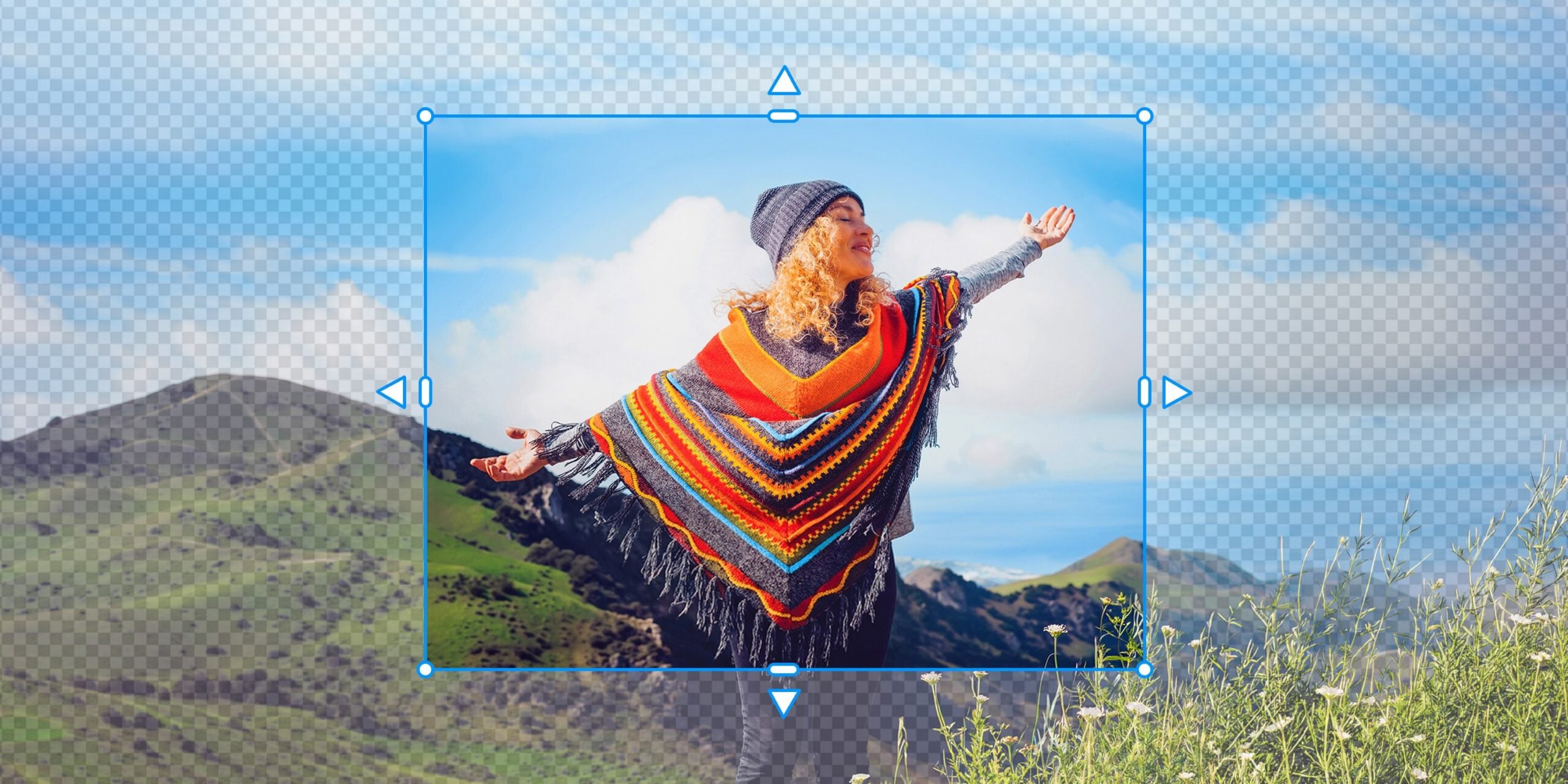
Generative Expand can extend a photo beyond its original borders by filling the additional space with generated content. This could be useful when an image needs to fit a different aspect ratio or print size without cutting off part of the original composition.
Generative Upscale tackles a different problem. It can improve clarity and detail in lower resolution images, giving older photographs a better chance of looking presentable when printed or displayed at larger sizes.
Adobe is also introducing an AI Assistant in beta. Users can describe what they want to accomplish in everyday language and receive step by step guidance and recommendations. Instead of figuring out which editing tool performs a particular task, users can start with the desired result.
An AI Tools Hub puts several of these features in one location.
Creative Filters round out the new additions with effects including Embroidery, Oil Painting and Duotone. Sliders let users adjust characteristics such as intensity, texture and color instead of applying the effects as fixed presets.

Premiere Elements can make what you did not shoot
Premiere Elements 2027 gets its own set of generative features, including Generate Image.
Users can describe an image they need and generate it directly inside the editing workflow. Adobe positions the tool for situations where a video needs an extra visual element or an editor has a gap in the story but does not have suitable footage.
Generative Title Art takes a similar approach to text. Users can create stylized title graphics from text based prompts, giving them another way to customize videos without designing graphics separately.
Contextual Toolbars are also designed to reduce the amount of time spent searching through menus. Users can describe the task they want to perform and get access to relevant editing tools.
Adobe is adding Editing Indicators too, which can flag issues involving effects, transitions and text formatting.
For people learning Premiere Elements, built-in sample photos and videos provide material for experimenting with features without first having to build a library of footage.
Finding 10,000 photos may be harder than editing them
One of the more useful updates is not actually an editing feature.
Elements Organizer is getting Semantic Search in an English only beta. Users can search their photo and video libraries using natural language descriptions, even when those words do not exactly match existing tags.
That could be particularly useful for photographers with years of accumulated images. Searching for something like a particular scene or activity should require less knowledge of how the files were originally organized.
Enhanced Find Duplicates should also make it easier to identify repeated files and decide which versions to keep.
Adobe is adding a Share to Phone option as well. Edited photos can be transferred from a desktop computer to a phone using a QR code.
Elements is betting on less menu hunting
Taken together, the 2027 updates show Adobe pushing Elements toward an increasingly conversational editing workflow.
That does not mean every task becomes automatic, or that generated results will always match what a photographer has in mind. Generative tools can also introduce questions about accuracy, authenticity and control, particularly when they alter the contents of an image.
But for the audience Elements has traditionally served, the appeal is fairly straightforward. You can describe what you want, find the photo you remember, and handle several tedious corrections without having to remember exactly where Adobe put every tool.
For photographers who would rather spend time with their pictures than with an editing interface, that might be the most important update of all.
See more from DIYPhotography.net on Google
Add DIYPhotography.net as a trusted source. This makes
our stories more likely to appear in your Google Search results.
 Add as a preferred source on Google
Filed Under:
Tagged With:

Alysa Gavilan
Alysa Gavilan has spent years exploring photography through photojournalism and street scenes. She enjoys working with both film and mirrorless cameras, and her fascination with the craft has grown over the decades. Inspired by Vivian Maier, she is drawn to capturing everyday moments that often go unnoticed.
Related Posts
 Adobe Photoshop Elements and Premiere Elements unveil new AI features and much more
 No Skills? No Problem. Adobe Photoshop Elements 2026 and Premiere Elements 2026 Do the Editing for You
 Adobe Photoshop Elements 2021 packs a bunch of powerful AI features
 Adobe Photography Plan users to get Photoshop Express and Premiere Rush for free from next week
Join the Discussion
DIYP Comment Policy
Be nice, be on-topic, no personal information or flames.