





















Adobe’s latest update supercharges Photoshop’s AI tools
Apr 23, 2024
Alex Baker
Alex Baker is a portrait and lifestyle driven photographer based in Valencia, Spain. She works on a range of projects from commercial to fine art and has had work featured in publications such as The Daily Mail, Conde Nast Traveller and El Mundo, and has exhibited work across Europe
Share:
Adobe unveiled it’s all-kicking all-dancing Photoshop update today at its MAX London creativity conference. The latest version, which is now in beta, has many new AI features which build on the previous Generative Fill tool, taking it to new heights.
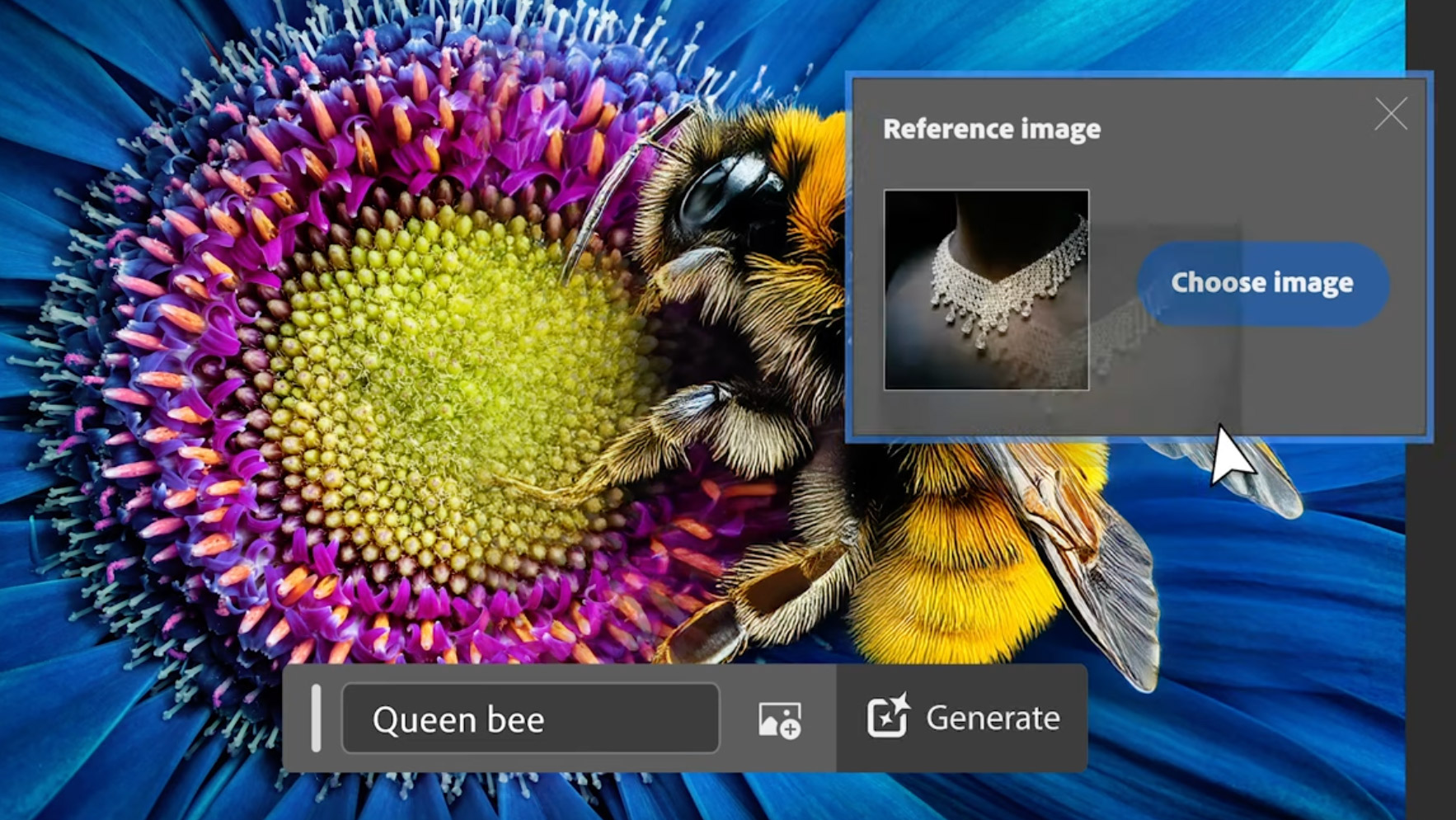
These new advancements are powered by Adobe Firefly Image 3 Foundation Model. They include Reference Image, Generate Image, Generate Similar, Generate Background and Enhance Detail.

“This massive new update to Photoshop takes creativity to unprecedented levels – whether you are a professional or brand new to Photoshop,” said Ashley Still, senior vice president, Creative Product Group at Adobe.
“Through new Firefly-powered features in Photoshop, we are bringing ideation and creation closer together and making editing images both more powerful and approachable so everyone can realize their creative vision,” he adds.
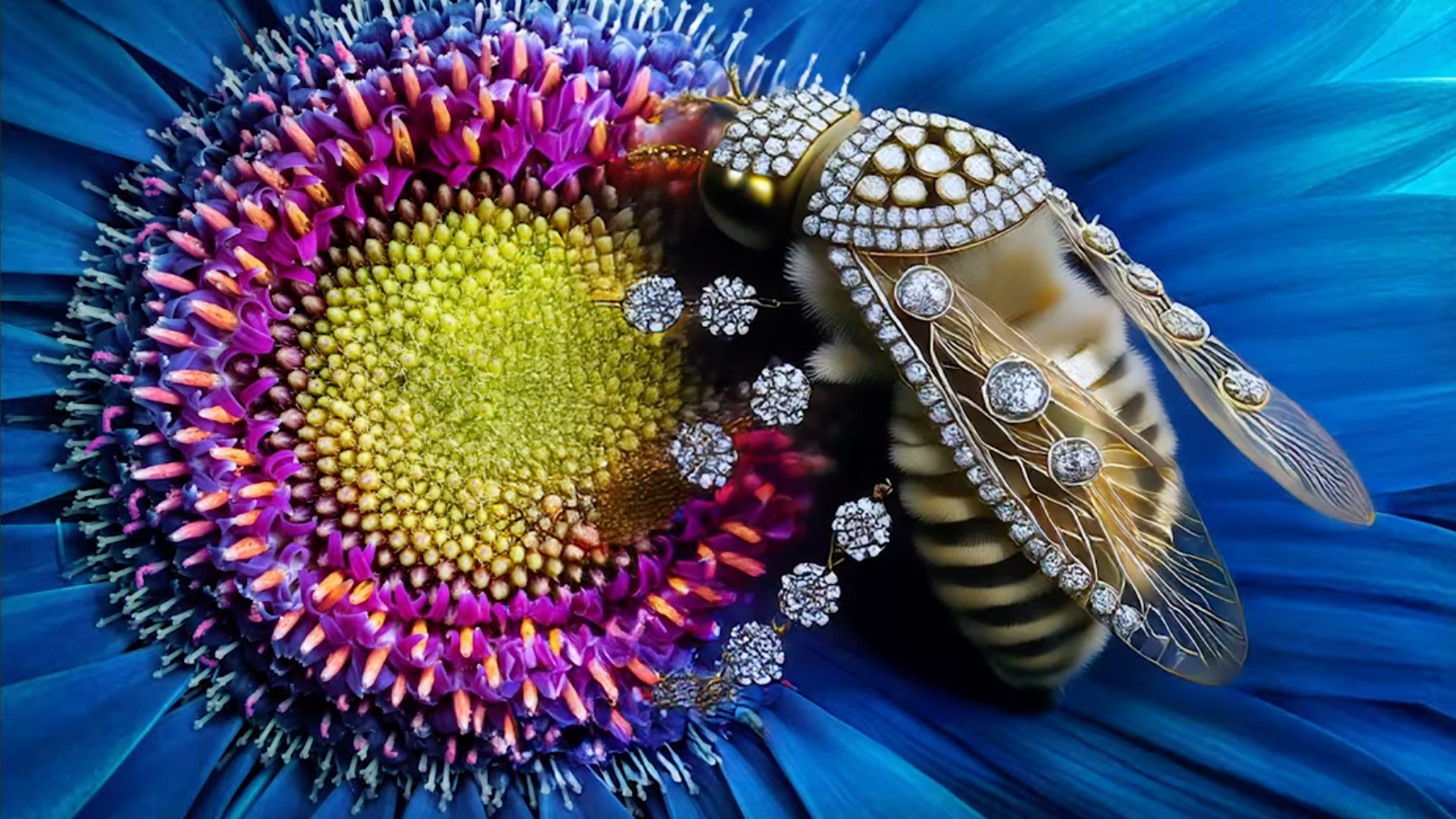
New AI features
- Reference Image helps creatives achieve the outputs they imagine, using user-selected images as generative inspiration.
- Text to Image with Generate Image shortens the distance between the blank page and amazing content with full text-to-image capabilities directly within Photoshop for the first time.
- Generate Background replaces and creates backgrounds, making it easier than ever to generate content that seamlessly blends into existing images.
- Generate Similar lets creators iterate with variations they select, to explore creation ideas more deeply with more precise control.
- Enhance Detail fine-tunes images to improve sharpness and clarity.
Other new Photoshop tools
- Adjustment Brush enables users to easily apply non-destructive adjustments to specific portions of images.
- Improved Font Browser delivers real-time access to Adobe’s over 25,000 fonts in the cloud – without leaving Photoshop – so users can find the perfect type for any project.
- Adjustment Presets enables creators to effortlessly change the appearance of images with filters that apply effects in a single click and with the ability to create and save customized presets as well.
The reference image certainly looks like an interesting and useful tool. Looking at the examples given it appears to give a much greater control to the overall look and feel of the generative fill enhancements. One issue with the AI generative fill whenever I’ve used it is its unpredictability. Sometimes it does exactly what you want, other times it is decidedly random!
You won’t have to wait long, though, to try these new tools out for yourself. The desktop beta version of Photoshop is available to use now online, and the general public release is expected later this year.
See more from DIYPhotography.net on Google
Add DIYPhotography.net as a trusted source. This makes
our stories more likely to appear in your Google Search results.
 Add as a preferred source on Google

Alex Baker
Alex Baker is a portrait and lifestyle driven photographer based in Valencia, Spain. She works on a range of projects from commercial to fine art and has had work featured in publications such as The Daily Mail, Conde Nast Traveller and El Mundo, and has exhibited work across Europe
Related Posts
 DxO PhotoLab 8 Supercharges RAW Editing With DeepPRIME XD2s, Smarter Sharpening, And Live Previews
 Mother ‘Horrified’ After Studio Photoshops Daughter’s Birthmark
 THinnerBeauty Photoshops Plus-Sized Celebrities Trying To Shame Them To Lose Weight
 Adobe Brings Clarity, Dehaze, and Grain to Photoshop in Latest Update
Join the Discussion
DIYP Comment Policy
Be nice, be on-topic, no personal information or flames.
5 responses to “Adobe’s latest update supercharges Photoshop’s AI tools”
Wow! Now Photoshop will officially help people fake work they’ll take credit for.
Many of the photographers I know will once again be calling for doom and gloom in the profession 😂 Not me. I say forge ahead. Shooters I know who are constantly looking for Photoshop fixes are just poor shooters. Well guess what? If your aesthetic sensibilities suck, no amount of AI is going to help you. Your output will still be awful.
Is it really such a good business plan for Adobe to help kill off its main client base, ie photographers…..?
The Ai isn’t letting me post my comment!
Na… It just takes a few seconds to moderate:)