




























How to shoot Northern lights with a handheld smartphone
Oct 23, 2019
Dunja Đuđić Kalinin
Dunja Djudjic is a multi-talented artist based in Novi Sad, Serbia. With 15 years of experience as a photographer, she specializes in capturing the beauty of nature, travel, concerts, and fine art. In addition to her photography, Dunja also expresses her creativity through writing, embroidery, and jewelry making.
Share:

Smartphones are getting smarter with every new generation, and so are their cameras. But when you combine a good photographer and a good smartphone, the sky is the limit. Quite literally. Zach Honig of The Points Guy recently shot magnificent Northern lights with nothing but his iPhone, handheld at a 3s exposure. He shared his experience and some photos with DIYP, so let’s see how he did it.
In spring last year, Zach saw his first Aurora from an airplane while flying over Alaska. He was able to catch it with his Sony RX100 III point-and-shoot camera back then, and he pledged to see it again – but from the ground.
https://twitter.com/ZachHonig/status/978545893824712704
A year and a half later, just two weeks ago, Zach’s wish came true. When he traveled up to a remote camp of Coldfoot, Alaska, he encountered this immersive nature’s light show again. Instead of using a “real” camera as he calls it, and a tripod, he opted for another approach.
“Generally, if you’re using a “real” camera, you’ll need a tripod — unless you have exceptionally still hands, which is especially challenging in subzero temperatures. In many cases, if you’re joining an aurora tour, your guide will provide one, but you’ll certainly want to confirm that in advance; you might not be able to capture sharp photos if you arrive unprepared. I also recommend bringing along a flashlight, to aid with focusing (more on that below).”
Instead of all that, Zach simply used a smartphone. “This latest generation of smartphones can capture outstanding photographs in low light,” he notes in a blog post. He used an iPhone 11 Pro Max, handheld at 3 seconds. But as he adds, “Samsung’s latest Galaxy devices and the upcoming Google Pixel 4 should have you covered as well.” We’ve also seen some quite impressive Milky Way shots made with a handheld Huawei P30 Pro.
https://twitter.com/ZachHonig/status/1182979726723313664
Zach shared a couple of tips on his blog post on how to shoot Aurora handheld with a smartphone. He focuses on Apple’s Night Mode here because that’s what he used, but keep in mind that other recent models offer similar functionality. “Also, note that you’ll be able to capture these same results with all iPhone 11 models since night mode works with the wide (1x) lens,” Zach adds. Here’s how to get it done:
- Select the content for your frame — consider mixing in mountains, trees, cabins and other structures, to make your pictures more interesting and add perspective.
- Open the native camera app and ensure focus — briefly light a tree or structure using a powerful flashlight, if your phone is struggling to focus on its own.
- Confirm that night mode is active — when using the 1x lens in “photo” mode on the iPhone 11, an indicator will appear at the top left corner, while other smartphones may offer a dedicated “night” shooting option.
- Capture plenty of frames — the aurora effect changes quickly, so don’t be afraid to snap away!
- Review your work every few shots to ensure that you’re happy with focus, exposure, and other details.
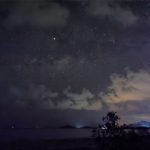
Here’s what Zach ended up with:

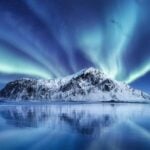
And here’s the photo after processing:

Zach notes that the extent of the processing certainly depends on your personal preference. In addition, it depends on the photo itself and how bright the Aurora is. He shares some tips on his editing process in the blog post, and also some advice on how to find the Northern lights, which can certainly be useful for all of you who’d like to photograph it.
Personally, I‘d always go with a DSLR for photographing the night skies. However, I can’t deny that smartphones are indeed becoming better and better at this. Zach made great use of his iPhone’s Night Mode and took a fantastic photo. And I’m also impressed with him keeping his hands steady in the cold Alaskan night. : )
To read more about this experience, head over to Zach’s blog post at The Points Guy and make sure to give him a follow on Twitter and Instagram.
See more from DIYPhotography.net on Google
Add DIYPhotography.net as a trusted source. This makes
our stories more likely to appear in your Google Search results.
 Add as a preferred source on Google

Dunja Đuđić Kalinin
Dunja Djudjic is a multi-talented artist based in Novi Sad, Serbia. With 15 years of experience as a photographer, she specializes in capturing the beauty of nature, travel, concerts, and fine art. In addition to her photography, Dunja also expresses her creativity through writing, embroidery, and jewelry making.


Join the Discussion
DIYP Comment Policy
Be nice, be on-topic, no personal information or flames.
One response to “How to shoot Northern lights with a handheld smartphone”
It looks really bad though, even in these small web-sizes. The heavy noise reduction has wiped out all texture and detail, and then it’s massively oversharpened to try and compensate. The color transitions are really harsh and the shadows are all just blocked out with patches of pure black. The stars are blobby and elongated, but maybe we can blame that on shooting handheld rather than an inherent problem with the phone. But at any rate sure, you CAN capture the aurora with your phone, but I think most people would want to capture it in better quality than the example shown here, right?