





















Speed up your editing on the cheap with these low budget SSDs
Sep 20, 2018
John Aldred
John Aldred is a photographer with over 25 years of experience in the portrait and commercial worlds. He is based in Scotland and has been an early adopter – and occasional beta tester – of almost every digital imaging technology in that time. As well as his creative visual work, John uses 3D printing, electronics and programming to create his own photography and filmmaking tools and consults for a number of brands across the industry.
Share:

The single biggest performance boost that most computers can receive is switching out those slow mechanical hard drives for fast solid state drives. But SSDs are still relatively expensive, for the most part. So when we do upgrade the drives in our computers, it’s often just the one with the operating system and software.
With larger capacity and faster SSDs now starting to become more common, though, lower spec SSD prices are dropping. And there appears to be a super budget line of Adata SSDs on Amazon that’s getting some pretty favourable reviews.
The Adata SATA drives are available in three capacities and offer read speeds of up to 520MB/sec and write speeds up to 450MB/sec.
- Adata SU655 120GB SATA III – $24.99
- Adata SU655 240GB SATA III – $39.99
- Adata SU655 480GB SATA III – $69.99
For the sake of a price comparison, Samsung’s 500GB 860 EVO comes in at around $125, almost double that of the 480GB Adata. The read/write speeds of the Samsung are a little bit faster but are they enough to justify almost twice as much money? For some people, absolutely it will, but if you’re on a low budget and want to speed up your workflow for as little cost as possible, the Adata drives don’t look to be a bad option.
According to the reviews, they seem to perform very well. And even if you’ve already got an SSD as your main system drive, it could be worth picking one or two of these up to speed up your editing workflow, especially if you work with video.
It can be very slow editing video with regular mechanical hard drives, especially once you start dealing with multicam, several layers of b-roll or 4K footage. Even for stills, your Lightroom catalogue will be immensely faster if loading from SSD.
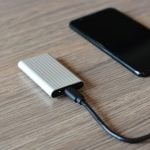
You could even stick one in a USB enclosure as a portable backup. A portable backup that’s going to be a lot more durable than a mechanical hard drive. Personally, I think I’ll stick with the Samsung T5 for my portable backup (side note: the 500GB version of those are on sale for $99 right now, which is cheaper than the regular price on the 250GB version) but for an internal work drive, these could be just the ticket.
I think it might be time for me to upgrade the 120GB SSD I’ve been using as a work drive for the last couple of years.

John Aldred
John Aldred is a photographer with over 25 years of experience in the portrait and commercial worlds. He is based in Scotland and has been an early adopter – and occasional beta tester – of almost every digital imaging technology in that time. As well as his creative visual work, John uses 3D printing, electronics and programming to create his own photography and filmmaking tools and consults for a number of brands across the industry.



Join the Discussion
DIYP Comment Policy
Be nice, be on-topic, no personal information or flames.
4 responses to “Speed up your editing on the cheap with these low budget SSDs”
Cheap, fast, good – pick two.
Great price for a swap disc!!
The 480GB ADATA is lower endurance than the Samsung 500GB – 280TB versus 300TB. The ADATA also has a three-year warranty versus the Samsung’s five-year warranty. Not only are you going to take a performance hit going ADATA, you’re also using a more risky drive.
If you’re using the SSDs in a device with data-loss protection (ZFS, RAID, etc.), go with the ADATA because of the significant savings – that’s why we run ADATA in our FreeNAS server. On the other hand, if you’re putting all your eggs in a single basket, I’d spring for the Samsung.
Finally, don’t underestimate the value of IOPS. While the ADATA and Samsung are negligibly different on read/write speed, Samsung blows ADATA out of the water on IOPS – 98,000 versus 40,000 on reads.
Coming from conventional spinning media, either of these devices will be a HUGE improvement.
Cheers,
Matt
Thanks for the insight, Matt. :)