



























New iPhone App To Create Lighting Diagrams
Dec 8, 2009
Udi Tirosh
Udi Tirosh is an entrepreneur, photography inventor, journalist, educator, and writer based in Israel. With over 25 years of experience in the photo-video industry, Udi has built and sold several photography-related brands. Udi has a double degree in mass media communications and computer science.
Share:
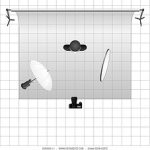
 I know you love lighting diagrams. We all do. So if you are a Lighting Diagrams freak (or a Stobist) at heart this will make you happy.
The good guys over at strobox created a lighting diagram that fits on the iPhone. Now, it is true that you can surf to the Lighting Diagram Creator site via the iPhone, but it feel better using this dedicated app.
Even better news after the jump.
Wanna hear more good news – it is free. OK, free as far as money goes, you can pay back in compliments, helping to improve the tool and providing feedback.
Here is what I got in the mail from Janis Lanka, one of the developers.
Oh, this will be totally free forever. This actually is a part of some upcoming bigger community website, but that will be only after 4-5 months. But as far as this app, it will be free and we’ll add more equipment and all for free. Believe it or not, we did think to charge for it, but then decided that it would be a really big obstacle for people. We want that more people use it, rather than less
I love this, just the spirit for the holidays and a true community give-back.
Now, believe it or not, I don’t actually have an iPhone (yet), so if anyone uses this app, it would be nice if you shared the experience in the comments with an old and iPhoneless chap.
The only thing left now is to create a radio trigger for the iPhone.
The ongoing List of Lighting Diagram Tools:
– Strobox
– Lighting Diagram Creator
– professional snapshots
– SDG lighting studio
– Kevin Kertz Original PSD File
– Moleskine – The good Old Way…
See more from DIYPhotography.net on Google
Add DIYPhotography.net as a trusted source. This makes
our stories more likely to appear in your Google Search results.
 Add as a preferred source on Google

Udi Tirosh
Udi Tirosh is an entrepreneur, photography inventor, journalist, educator, and writer based in Israel. With over 25 years of experience in the photo-video industry, Udi has built and sold several photography-related brands. Udi has a double degree in mass media communications and computer science.


Join the Discussion
DIYP Comment Policy
Be nice, be on-topic, no personal information or flames.