














Kevin Kertz’s Excellent Lighting Diagrams Tool Goes Online
Jan 23, 2009
Udi Tirosh
Udi Tirosh is an entrepreneur, photography inventor, journalist, educator, and writer based in Israel. With over 25 years of experience in the photo-video industry, Udi has built and sold several photography-related brands. Udi has a double degree in mass media communications and computer science.
Share:
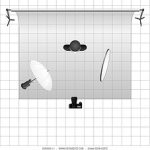
 Don’t we all love to make Lighting diagrams? They help us explain our lighting setups. They can also help us design a setup in advance.
UPDATE 3: The The Lighting Diagram Creator now supports export to jpeg. Man, Huy has really done great work with this one, It even allows adding sound gear.
UPDATE2: Lets try and make the online diagram creator complete. read on for making a stamp on the history of online lighting diagrams tools.
UPDATE1: Due to licensing issues the tool has been revised to use Don Gianatti PSD file – It is still a great way to create lighting diagrams online.
In the past I have written about a great PSD file created by Kevin Kertz. This PSD file allows you to describe (almost) any lighting setup you create. I have used this excellent method myself in Shooting The Team series.
There are other lighting diagrams creating tools out there, but none was as complete as Kevin’s. The only drawback to the PSD file is that you had to install Photoshop or The GIMP to use the file (yap, PSD is Adobe’s Photoshop native format).
Here comes the good news. Photographer and Blogger Quoc Huy created an online version of Kevin’s PSD file called The Lighting Diagram Creator. The Lighting Diagram Creator allows everyone to create those nifty lighting diagrams with no Photoshop, no GIMP and no “special” software. All you need is an internet connection and a browser. I tried it with Firefox and had lots of fun. The Lighting Diagram Creator is still in Beta phase, so you get to make requests and help improve the tool. If you like it, just send Quoc a shout and tell him how he rocks.
UPDATE2: Huy’s tool is still lacking some of the lighting
modifiers, it would be great if everyone can cheap something and create
a full range of modifiers to describe any lighting scenario.
Here is what we’re gonna need:
- a zip file containing one psd or one png (transparent background) per object
- or a psd or png (transparent bg) with all objects in a single layer
- or a psd with each object on a separated layer.
We need at least:
- camera
- studio strobe
- flash gun
- backdrop
- umbrella
- softbox
- model
- gobo
- snoot
- grid
The List of Lighting Diagram Tools:
– Lighting Diagram Creator
– professional snapshots
– SDG lighting studio
– Kevin Kertz Original PSD File
– Moleskine – The good Old Way…

Udi Tirosh
Udi Tirosh is an entrepreneur, photography inventor, journalist, educator, and writer based in Israel. With over 25 years of experience in the photo-video industry, Udi has built and sold several photography-related brands. Udi has a double degree in mass media communications and computer science.


Join the Discussion
DIYP Comment Policy
Be nice, be on-topic, no personal information or flames.