

















Annoyed At Apples Photos Auto Launch? Here Is A Simple Way To Stop It
Dec 27, 2015
Udi Tirosh
Udi Tirosh is an entrepreneur, photography inventor, journalist, educator, and writer based in Israel. With over 25 years of experience in the photo-video industry, Udi has built and sold several photography-related brands. Udi has a double degree in mass media communications and computer science.
Share:
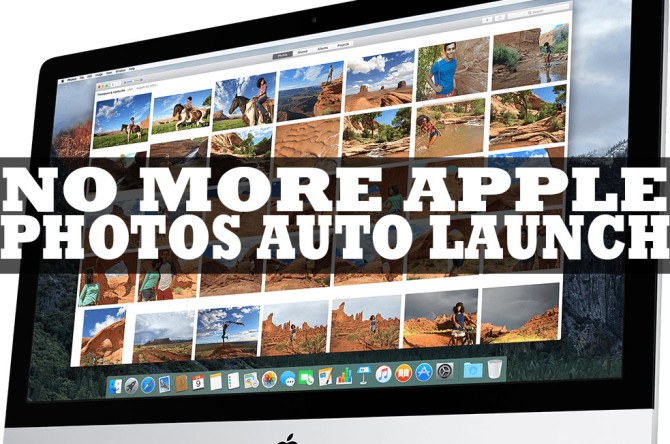
Mac users are probably familiar with the how Apple Photos launch when you connect a device to your computer. And not jest digital cameras. Every. Single. Device.
Apple probably did this to “help” you import your photos to the “right” program, but this behavior can be pretty annoying if you are using anything but Apple Photos to manage your photos. Say Lightroom or Capture One.
Reddit user tobtoh shares a dead easy tip to stop apple from auto launching Apple Photos in 5 seconds using a simple command.
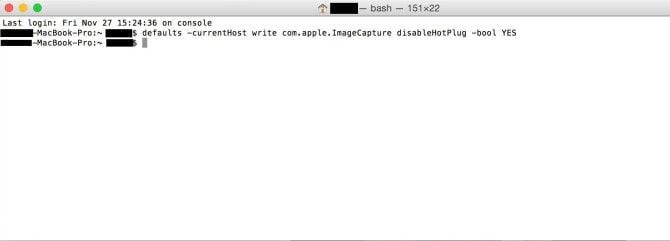
It does not get any easier than this: Open a terminal and copy/paste the following command:
defaults -currentHost write com.apple.ImageCapture disableHotPlug -bool YES
This is it. Apple Photos should stay away from your workflow.
If you ever want to bring Apple Photos back, just open another terminal and print the same command replacing YES with NO:
defaults -currentHost write com.apple.ImageCapture disableHotPlug -bool NO
[reddit via SLR Lounge]

Udi Tirosh
Udi Tirosh is an entrepreneur, photography inventor, journalist, educator, and writer based in Israel. With over 25 years of experience in the photo-video industry, Udi has built and sold several photography-related brands. Udi has a double degree in mass media communications and computer science.
Related Posts
 Apples says its child abuse prevention system will only scan already flagged photos
 Thought That 4K Monitors Were Too Much? LG Outs Apples Plans For An iMac 8K
 RHCP guitarist annoyed by audience filming with phones, stops playing and films them
 Instagram Model incites ridicule as she gets annoyed by passers by getting in her shot
Join the Discussion
DIYP Comment Policy
Be nice, be on-topic, no personal information or flames.
6 responses to “Annoyed At Apples Photos Auto Launch? Here Is A Simple Way To Stop It”
Finally. Thank you.
For all the smarts at Apple they do some dumb things.
Thanks!
I just checked the “Do not open for this device” box and I hasn’t opened since.
I tried that as well, and it works sometimes, but the way my OMD-EM10 formats its SD cards makes the the card seem like a new device every time it is plugged in. Since I format every time I shoot, it hasn’t helped me.
Excellent! It worked. ?