





















Moment’s QuickLock filters for iPhone 15 and 16 will elevate your mobile photography and filmmaking
Dec 20, 2024
Alex Baker
Alex Baker is a portrait and lifestyle driven photographer based in Valencia, Spain. She works on a range of projects from commercial to fine art and has had work featured in publications such as The Daily Mail, Conde Nast Traveller and El Mundo, and has exhibited work across Europe
Share:

Smartphone photography has come a long way. These days, our iPhones double as pocket-sized creative powerhouses, almost capable of rivalling pro-grade cameras. But even with Apple’s latest iPhone 15 and 16, there’s still room to elevate your shots.
That’s where Moment’s Quick Lock Filters for iPhone 15 and 16 come into play. These seemingly basic filters are actually cleverly designed and might just be the secret weapon to unlocking your creative potential. I tested them out recently with my iPhone 16 Pro.
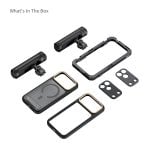
The QuickLock filters plus Moment iPhone case
The new QuickLock filters feature three of the most popular and useful filters that you need for photography and filmmaking: a 7-stop variable ND filter ($75) a circular polarising filter ($50), and a Cinebloom effect filter ($50). These filters are designed to work perfectly with the native cameras on the iPhone 15 and 16 and work equally well for both still photography and filmmaking.
The standout feature of these filters is the Quick-Lock system. Unlike older iPhone filter attachment systems that require tedious alignment or clunky cases, this one locks into place with ease. You simply slide it on and off, and a handy wheel changes the intensity of the filter. However, you still need to purchase one of Moment’s iPhone cases ($50) that corresponds to the correct model of phone you have.

That’s not necessarily a bad thing, though. The case comes in four colours, is compatible with Moment’s iPhone lenses (more on those later), and is made from a tactile rubbery material that both protects and stops the phone from slipping when held.


What are the filters built for?
Moment’s Quick-Lock Filters are built with diverse users in mind, making them ideal for various creative pursuits, all shot on an iPhone 15 or 16, of course! For travel and landscape photography, the CPL filter enhances scenic views by reducing glare and enriching natural colours, while the VND filter is perfect for capturing dynamic cityscapes or adding a sense of motion to natural elements.

Content creators and filmmakers will find the Cinebloom filter useful for making reels, TikToks, and cinematic videos that stand out with a dreamy, artistic glow. Even casual users can benefit from these filters by experimenting with them to unlock new creative possibilities and elevate their mobile photography game. Generally, these types of filters are indispensable for filmmaking and any kind of long exposure photography, so making them available on a phone increases creative possibilities.
A quick word about apps
Before we jump into the review we need to talk quickly about app. I used both the Moment photo app for stills, and the Blackmagic app for filming. I did not find the native iPhone app to be particularly suitable to use with these filters as you are required to be able to set manual parameters to get proper use out of them.
Key features and first impressions
The Quick-Lock system offers a simple, intuitive mechanism that makes attaching the filters effortless, even for first time use. Unlike traditional filter setups that often involve cumbersome alignment or tools, the Quick-Lock system allows you to snap the filters into place in seconds. This innovation saves valuable time and ensures a secure fit no matter where you’re shooting. Despite being lightweight, these filters are remarkably durable, striking the perfect balance between portability and toughness.


Equally impressive is the professional build quality. The materials and craftsmanship are premium, giving the filters a solid, reliable feel without adding unnecessary bulk. Moment has also paid attention to the finer details, with sleek and elegant packaging that enhances the overall experience. This attention to presentation is sure to resonate with iPhone users who are accustomed to thoughtful design and aesthetics.
CPL (Circular Polarizer) Filter
Most photographers are familiar with the CPL filter. It’s a ‘must-have’ for photographers looking to eliminate glare and reflections and enhance colour vibrancy in their shots, and is something that cannot easily be replicated in post.
This CPL filter from Moment is no different and excels in situations where reflective surfaces, such as water or glass, might otherwise overpower your image. By cutting through glare, it reveals hidden textures and details, making it perfect for capturing lakes or streams. The enhanced colour saturation also ensures that landscapes look more vibrant, with blues appearing richer and greens lusher.
The wheel on the side increases and reduces the effect of the filter, making it easy to change up the effect.
Examples
The CPL filter worked about as well as I expected, boosting the intensity of blue skies and foliage. However, not quite as much as I’m used to on my other camera. The difference is certainly subtle, though it also works well generally just to reduce glare from bright surfaces, as you can see on the ground in this image below:

Again in sand and snow the filter worked well, although these aren’t places I visit too often! It absolutely added more intensity to the skies.


VND (Variable ND) Filter
The VND filter allows control over light exposure (2-7 stops). It’s ideal for long-exposure shots and creating smooth motion blur in videos. For example, during golden hour at the beach, it helps capture soft, misty waves without overexposing the highlights.
In filmmaking, it’s also important to stop down the light in moments when you want to shoot with a wider aperture, as the shutter speed is no longer changeable.
Examples
The VND filter basically does what it needs to. We tried it out using the Blackmagic app while shooting video, and for this it works extremely well. My one criticism would be that there’s no guide on the wheel to know where the individual stops are; it’s basically guesswork in between all or nothing. But that’s a minor detail. I generally don’t use my phone for long exposure photography so I admittedly didn’t try the filters in those circumstances.


Cinebloom Filter
The Cinebloom filter adds a soft, cinematic glow, perfect for low-light or moody shots. It transforms ordinary scenes into something that feels straight out of a movie, adding a dreamy aesthetic that’s particularly striking at night. A great example is using it for street photography, where streetlights and neon signs turn into beautiful, diffused orbs of light.
Examples
I noticed absolutely zero difference using the Cinebloom filter in daylight. Perhaps this is a nighttime-only filter. As you can see in the daytime shots it does very little:
I tried out the Cinebloom filter at night – you can clearly see the filter’s effect around the streetlights in the images below:


In my opinion this filter is much better suited to shooting video than it is for stills. It creates quite a nice foggy ambience at night, which could be the effect you’re looking for, as this video shows:
Pros and cons
The Moment Quick-Lock Filters come with a range of benefits that make them an appealing choice for mobile photographers and videographers. On the plus side, they are incredibly easy to use, even for those new to photography accessories. The filters deliver high-quality results for both photos and video, with minimal effort. Their versatility means that they can be used across a variety of scenarios, from professional shoots to casual photos. Simply put, they do what they are meant to, and they do it well. Certainly, the Cinebloom filter creates a unique effect that would be difficult to replicate in post. However, saying that, it’s not something I would use very often as it is quite an unusual look.
However, there are some drawbacks to consider. The filters require an additional investment in accessories and apps, which might not appeal to everyone, particularly those who are already stretching their budget for the latest iPhone models. There is also a slight learning curve for beginners who may need to familiarize themselves with how to use these filters effectively.
Lastly, we should ask ourselves: are these filters even necessary, given the impressive capabilities of the latest iPhones? For many users, the native camera system is good enough in most situations, making these filters more of a niche tool for specialized scenarios like shooting in snow or desert environments or when you deliberately want to shoot with slower shutter speeds to show movement.
Conclusion
Moment has excelled in making a very clever and intuitive filter system for the iPhones 15 and 16. They are small, light, inexpensive, and compact, and clearly, a lot of care has gone into the design. They are also extremely high quality in terms of the actual filter and something that I would happily use in front of any lens.
The only issue for me, then, is whether I would even use these at all. The very concept of using an iPhone to shoot is to drastically reduce gear bulk, and fiddling around with filters is perhaps an unnecessary extra burden, for me at least. If I’m going to do a shoot properly, I will use my real camera plus all the accessories. However, if I want to go light, then the iPhone will suffice. I would probably not spend time on extra accessories for the iPhone, making it some sort of middle ground.
That being said, however, the iPhones 15 and 16 are powerful devices capable of shooting ProRes quality video in 4K. These are indeed powerful video cameras, and Moment is clearly tapping into that ‘serious but still shoots with an iPhone’ market. For these filmmakers who want to further elevate their iPhone footage, these filters will be an excellent choice.
See more from DIYPhotography.net on Google
Add DIYPhotography.net as a trusted source. This makes
our stories more likely to appear in your Google Search results.
 Add as a preferred source on Google

Alex Baker
Alex Baker is a portrait and lifestyle driven photographer based in Valencia, Spain. She works on a range of projects from commercial to fine art and has had work featured in publications such as The Daily Mail, Conde Nast Traveller and El Mundo, and has exhibited work across Europe



Join the Discussion
DIYP Comment Policy
Be nice, be on-topic, no personal information or flames.