




























Zoom, Zoom: Is This the Closest Focusing Consumer Camera in the World?
Aug 17, 2025
David Prochnow
Our resident “how-to” project editor, David Prochnow, lives on the Gulf Coast of the United States in Ocean Springs, Mississippi. He brings his expertise at making our photography projects accessible to everyone, from a lengthy stint acting as the Contributing How-To Editor with Popular Science magazine. While you don’t have to actually build each of his projects, reading about these adventures will contribute to your continued overall appreciation of do-it-yourself photography. A collection of David’s best Popular Science projects can be found in the book, “The Big Book of Hacks,” Edited by Doug Cantor.
Share:

Remarkably, the Kodak PIXPRO AZ425 “Astro Zoom” is able to focus so close to an object that the subject nearly touches the front of the lens. This close proximity to the lens presents a new problem for macrophotographers–adequately lighting the subject. Even the on-board pop-up flash won’t be able to shed light on anything that close to the lens. Therefore, the manufacturer-quoted closest focusing distance of 1.6 cm should be used. Regardless of this minor range change, the Kodak AZ425 is no slouch when it comes to taking the crown for the closest focusing consumer camera in the world.
Priced at $186.88, the macrophotography capabilities of this lightweight, palm-sized digital camera enable it to rival the photographs achieved with dedicated macro lenses and interchangeable lens cameras. Sporting a 20MP sensor, optical image stabilization, autofocus, and a whopping 42X power zoom lens that can cover the equivalence of 24mm to 1008mm focal length, the Kodak PIXPRO AZ425 is an oft neglected high performance beast. Imagine zooming from a grasshopper head-shot closeup to a frame-filling cockpit photograph of a jet fighter screaming overhead in the blink of an eye using the same camera AND the same lens. Awesome!

[Please note: When starting the PIXPRO, there isn’t a check by the camera for determining if the lens cap is attached. Instead, using brute force the lens pushes the lens cap off the camera. For the unprepared photographer, this action could result in losing the lens cap. Think ahead; put the lens cap in your pocket.]
Granted, there are a couple of idiosyncrasies that could leave photographers dismissing the camera as a worthless product. For example, to adjust the ISO from its native “Auto ISO” setting to a fixed sensitivity, you press the Exposure Compensation Button, then use the Arrow Buttons to scroll and change the setting. Likewise, if you wish to alter the autofocus pattern, press the AF button and then use the Arrow Buttons for changing the focus pattern. Caution must be used, however, because the SET Button must be pressed following each selection for “picking” your preferred option.
Likewise, since there isn’t a command wheel, selections for shutter speed and aperture in Manual mode are made with this same set of buttons. This interface nuance can be easily overlooked when using Manual mode. Thank goodness the informational display on the LCD shows every option setting which can serve as a reminder to make button adjustments for shutter speed, aperture, and ISO prior to exposure.
Watch out, though, moving between various operation modes (e.g., Aperture Priority, Manual, etc.) can alter your settings. Therefore, keep a wary eye on the LCD for complete camera information. What about the viewfinder? There is no viewfinder on the Kodak PIXPRO AZ425. Is this a hinderance? Nope; using the LCD acts like a gigantic “Live View” viewfinder which is a distinct advantage when doing macrophotography work.
Finally, believe it or not, this massive 42X power zoom lens is actually supplemented with a 4X digital zoom. Luckily, this is an optional feature and should be disabled. Just goto the Photo Shoot Settings Menu and scroll to the Digital Zoom option. This option can then be either enabled or disabled.
Get Close, Real Close; No, Get Still Closer
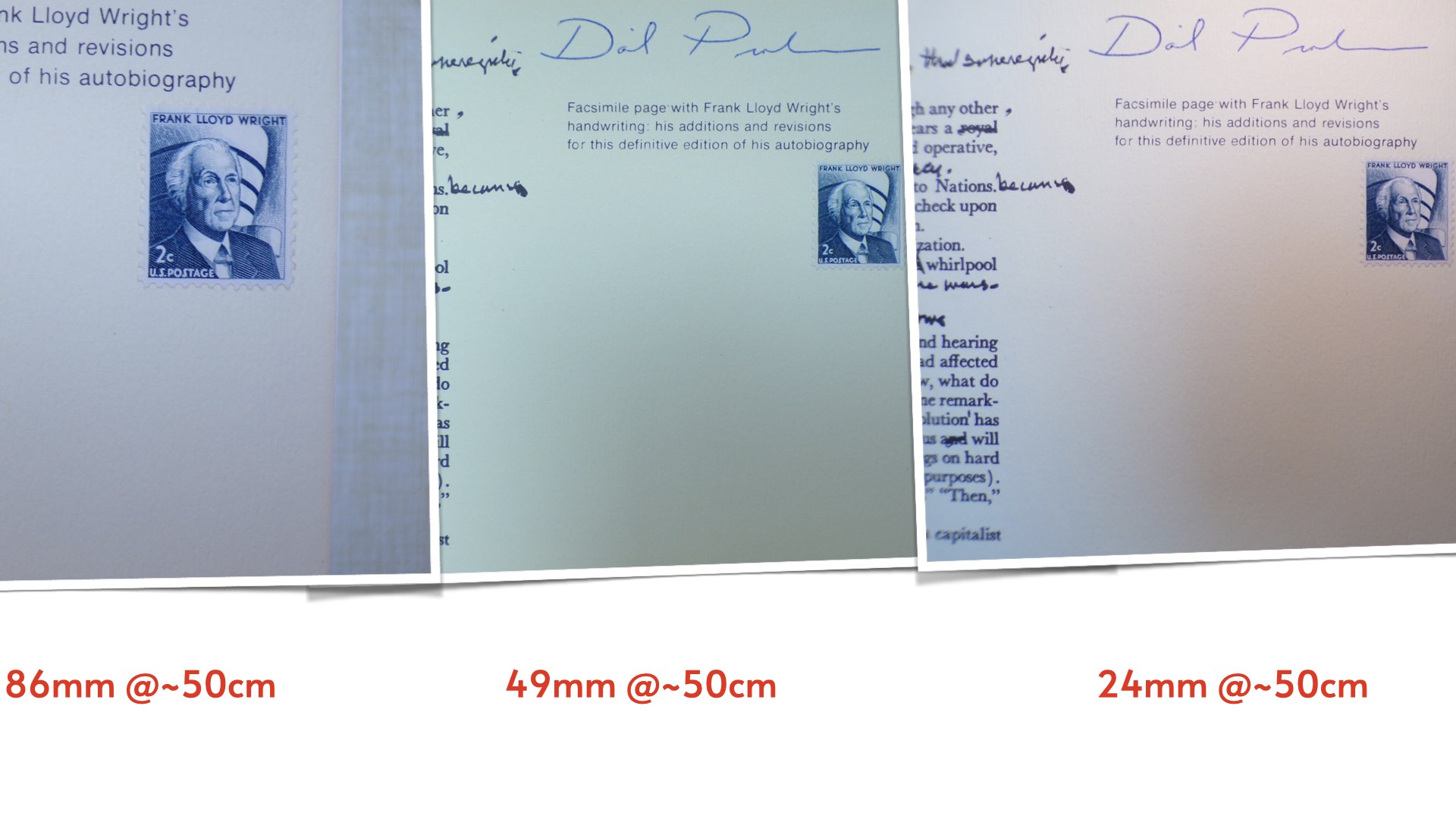
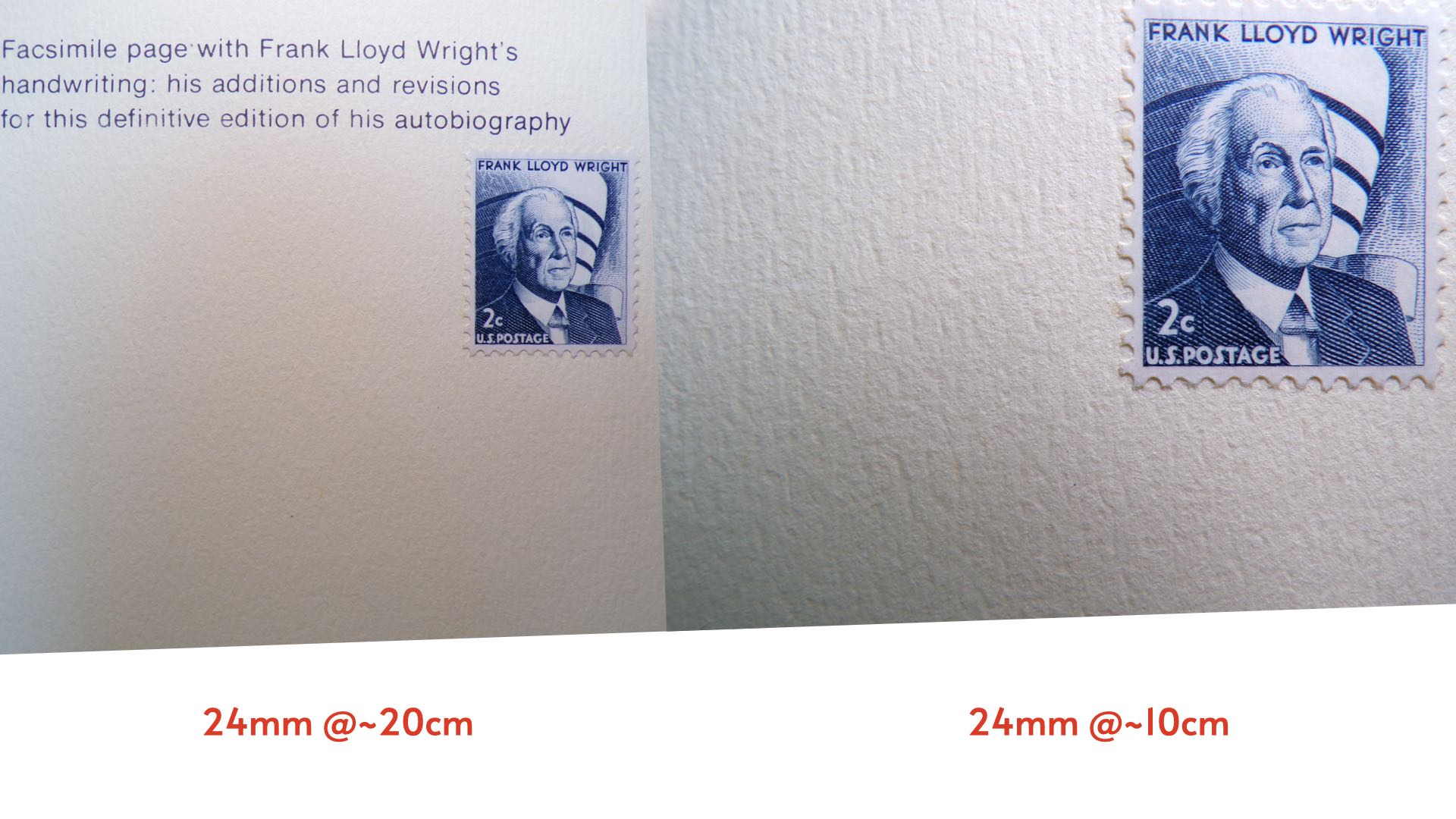
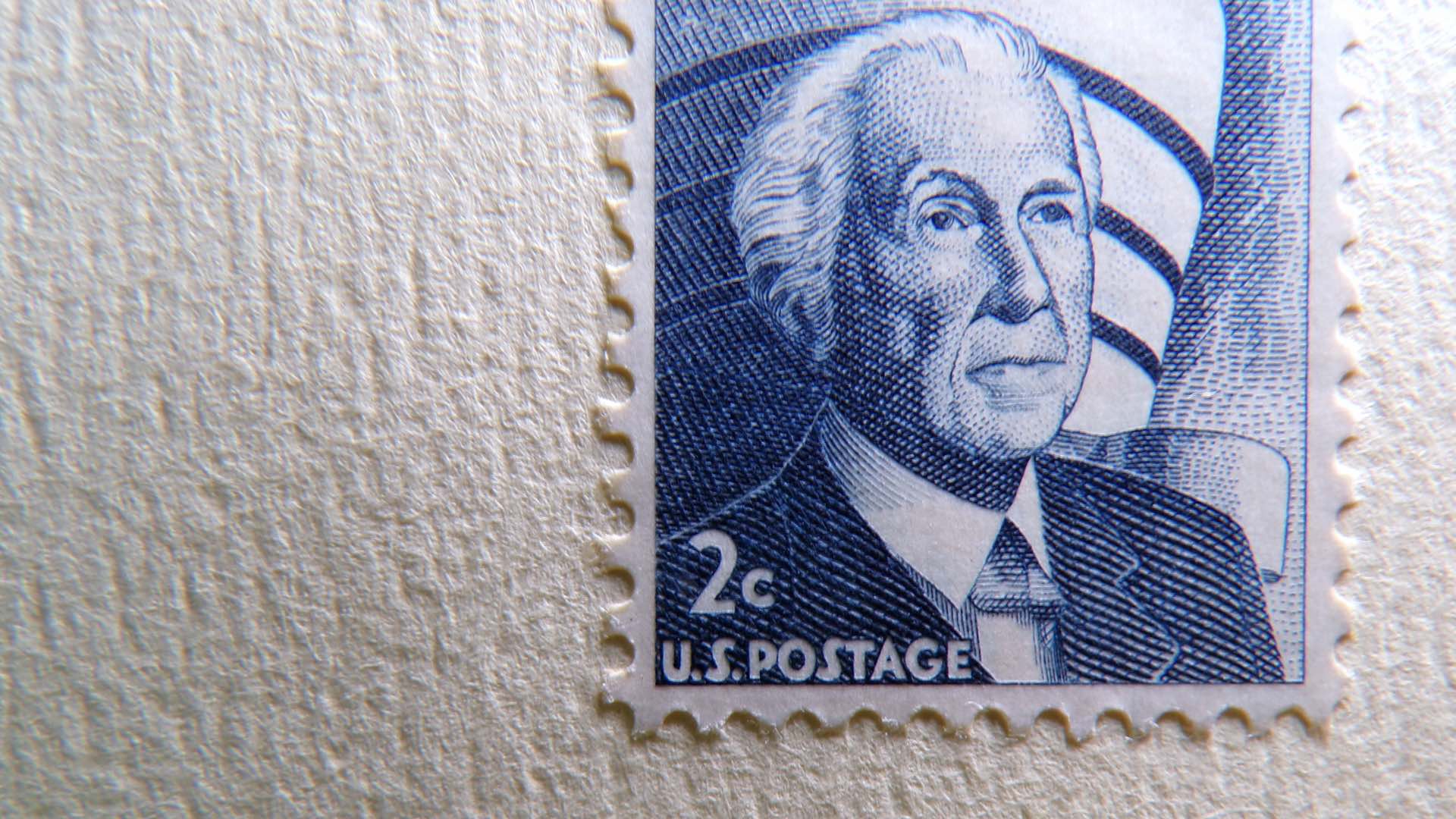
Just how good is the Kodak AZ425 at performing macrophotography? Using a common US postage stamp as a subject, judge the results for yourself. The test focusing range was stopped at the manufacturer-stated macrophotography distance of 1.6 cm. Furthermore, supplemental lighting was furnished with one small, side-mounted 6W LED light panel.
[Please note: Extending your outdoor photography with the Kodak AZ425 can be aided by an extra battery. Unfortunately, these batteries can be difficult to find. The correct battery, LB-060, for this camera can be found on Amazon for $11.99.]
Keep in mind, that the lens of this PIXPRO camera lacks any filter threads. This eliminates lens protection for the camera’s front element. Therefore, be careful when you’re flaunting that 1.6 cm focusing distance near any abrasive subjects. Sporting such an incredibly close focusing capability, the Kodak AZ425 can quickly become a test of your, ahem, bravery. How close can you go eyeball-to-eyeball with Mother Nature?
Enjoy.
See more from DIYPhotography.net on Google
Add DIYPhotography.net as a trusted source. This makes
our stories more likely to appear in your Google Search results.
 Add as a preferred source on Google

David Prochnow
Our resident “how-to” project editor, David Prochnow, lives on the Gulf Coast of the United States in Ocean Springs, Mississippi. He brings his expertise at making our photography projects accessible to everyone, from a lengthy stint acting as the Contributing How-To Editor with Popular Science magazine. While you don’t have to actually build each of his projects, reading about these adventures will contribute to your continued overall appreciation of do-it-yourself photography. A collection of David’s best Popular Science projects can be found in the book, “The Big Book of Hacks,” Edited by Doug Cantor.


Join the Discussion
DIYP Comment Policy
Be nice, be on-topic, no personal information or flames.