




























Is One Leica LUX Grip in the Hand Worth Two Xiaomi Photography Kits in the Bush?
Sep 21, 2025
David Prochnow
Our resident “how-to” project editor, David Prochnow, lives on the Gulf Coast of the United States in Ocean Springs, Mississippi. He brings his expertise at making our photography projects accessible to everyone, from a lengthy stint acting as the Contributing How-To Editor with Popular Science magazine. While you don’t have to actually build each of his projects, reading about these adventures will contribute to your continued overall appreciation of do-it-yourself photography. A collection of David’s best Popular Science projects can be found in the book, “The Big Book of Hacks,” Edited by Doug Cantor.
Share:

After years of supporting the Xiaomi smartphone sect, Leica has finally heaped some love on the Apple iPhone cartel. Granted, the iPhone Leica LUX Grip hardware offering is not near as mature nor comprehensive as the Xiaomi 15 Ultra Photography Kit Legend Edition for the Xiaomi 15 Ultra, but it does offer a significant advantage over the Xiaomi software via its Leica LUX app for iPhone. In fact, the Leica LUX Grip hardware is the weakest link in this initial iPhone/Leica photography partnership venture.
Let’s not get ahead of ourselves. There are two problematic features about the LUX Grip that must be addressed prior to acknowledging all of its contributions to iPhone photography. First, and foremost, if you don’t own a model 14 or newer Apple iPhone Pro or iPhone Pro Max, do NOT purchase the LUX Grip. You will not see enough of a significant increase in your photography to justify the $400 price for this accessory.

Second, and this highlights an ugly choice made by Leica, at the conclusion of your one year FREE trial of the Leica LUX app PRO version, you will need to make a $70 yearly (or, $7 monthly) subscription to maintain access to the features that are found in this premium app. Aside from those two caveats, however, the rest of the LUX Grip performance represents a niche product that could benefit an iPhone Pro or Pro Max owner.
Show Me, that Xiaomi
Prior to reveling in all of the LUX Grip goodness, here’s what “could’ve been” if Leica had applied the Xiaomi Photography Kit template to its iPhone counterpart. While more bulky, the Xiaomi/Leica product is a robust product that securely encases the smartphone inside a protective grip/case adding a 67mm filter attachment mount along with a piggyback 2,000mAh battery bank. Furthermore, there is a thumb grip for the Xiaomi product which would’ve been a welcome inclusion with the slippery LUX Grip.
The Xiaomi 15 Ultra with Photography Kit is discount priced at $1,048 on the Giztop Web site. These specs and price could all change at the upcoming Xiaomi September 24, 2025 Launch Event in Munich, Germany where an expected Leica 5x Pro telephoto camera will be embedded inside the newest Xiaomi flagship smartphone, possibly being named Xiaomi 16 Ultra (Pro).
That’s all well and good, but what about the iPhone Leica LUX Grip, you plead? Well, an optimist might say that “less is more” with the LUX Grip. Whereas an cynic might huff that it’s an “opportunity lost.” Each of these viewpoints are correct with respect to the app versus the hardware, however.
The Leica LUX app PRO version is an impressive vehicle for hallmarking all of the photographic virtues that are available in the iPhone Pro/Pro Max camera system that are accessible through a minimal MagSafe control interface. Likewise, the iPhone grip accessory is a weak, maybe even a poor, design that doesn’t seem as well thought out nor as comprehensive as the Xiaomi Photography Kit. Less is more or an opportunity lost, take your pick.

Show Me Some Summilux Pix
There are three steps that you need to perform prior to trying your hand at Leica LUX Grip photography with your iPhone Pro/Pro Max. Obviously, the first step is to attach the grip to your smartphone. This sounds simple enough, but there are several installation points that you must follow:
1. You’re gonna have to ride this bronco, bareback. Yes, you could theoretically leave a thin MagSafe compatible case on your iPhone while attaching the LUX Grip, but this is less than an optimal installation. The best and most secure attachment method is for the grip to magnetically adhere to the bare back of the iPhone. Even in this perfect installation manner, the smartphone can be easily dislodged with a short swift snap of the wrist. Being careful and using both hands could help minimize any problems when using the LUX Grip. For additional peace of mind, the grip is rated IP54 dust and splash resistant.
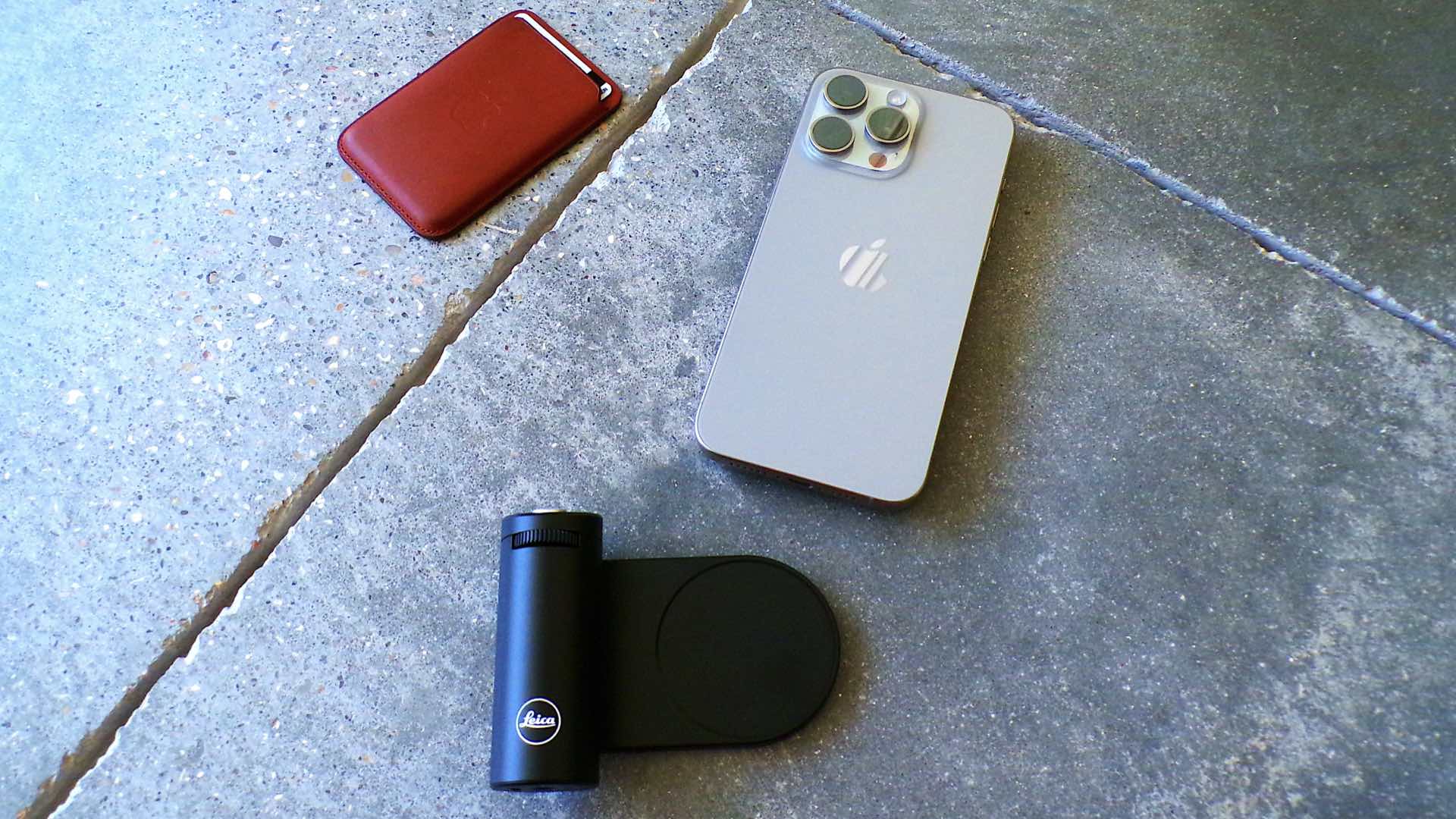
2. Southpaws of the world, rejoice. It’s easy to flip the orientation of the grip for left-handed use. Using a Torx T-8 screwdriver, remove the two fasteners that hold the grip to the MagSafe platform and rotate the platform 180-degrees. Now reattach the fasteners and you can hold the LUX Grip with your left hand.
3. Pairing Bluetooth will leave you blue in the face. How can pairing a Bluetooth device in 2025 be this hard? It took ten tries to connect the LUX Grip to an iPhone 15 Pro Max. Yet, even these ten tries weren’t entirely successful. It was only after the Leica LUX app was closed and restarted that the connection was completed. Also, note, that immediately following this successful connection, a firmware update (i.e., 1.0.3; adding improved battery life) was needed before using the app/grip/camera system.
After this hardware setup, it’s time to launch the Leica LUX app. Initially, the app is in its standard, stock version…in other words, this is the app’s non-PRO version. Using the LUX Grip with the non-PRO version of the app is virtually worthless. In fact, you are only afforded 36 exposures using the app in this state of hobbled performance.
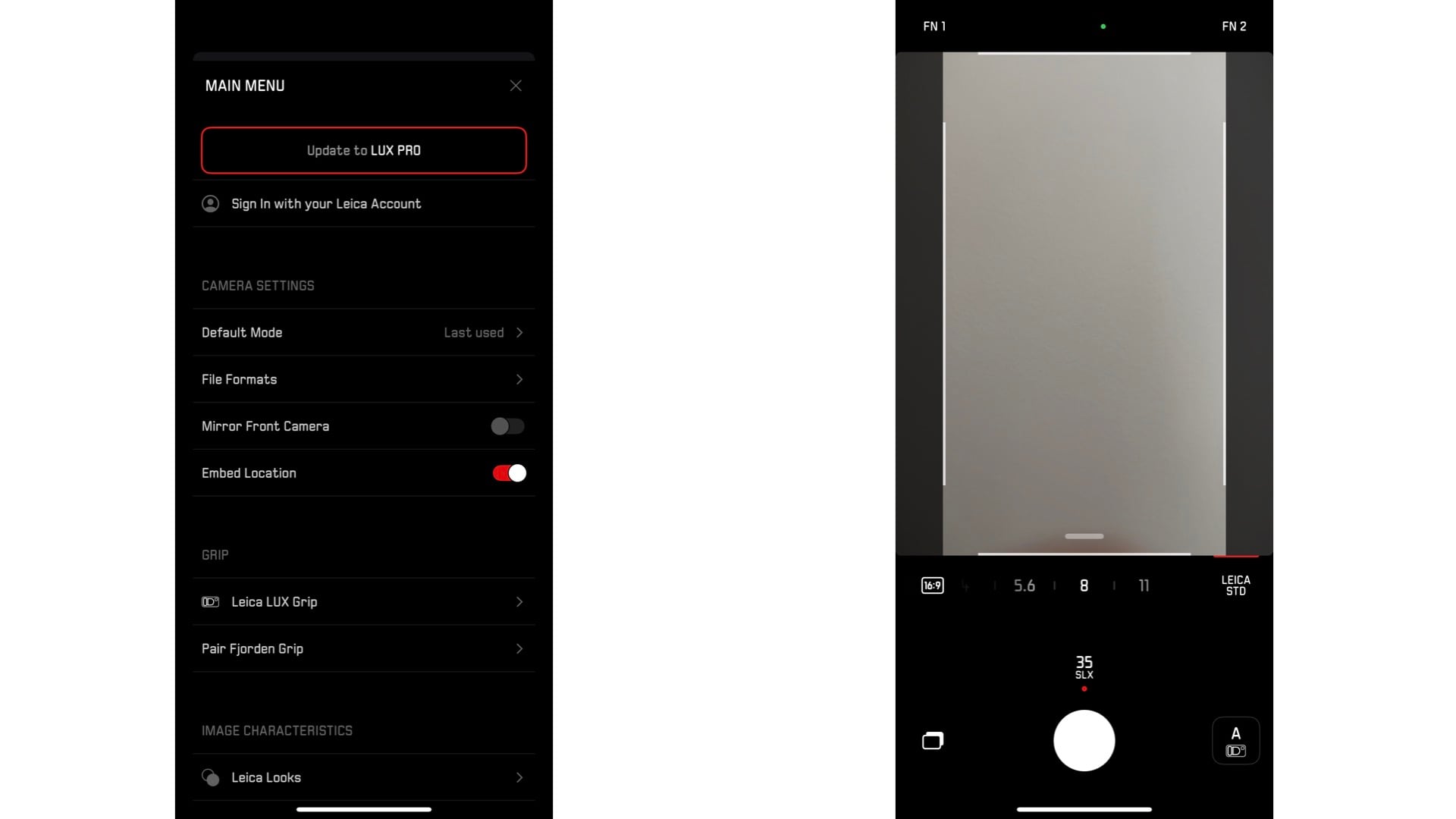
The only way to achieve the full potential of the LUX Grip is by upgrading the app to its PRO version. Thank goodness, Leica provides a FREE one-year subscription to the PRO version for every registered Leica LUX Grip owner. Therein lies an annoying requirement whereby you must create a Leica Account, register your LUX Grip, then redeem a special code for enabling the app’s PRO version. [BEWARE: You must also enter a valid payment account for activating this so-called FREE subscription.] Keep in mind, this subscription is only for one year. After one year, you must buy a $70 per year subscription or, like Cinderella, your LUX Grip will revert back to being a worthless accessory.
Enough chitter-chatter, the real proof of any camera’s worth is in the photographs that it is able to produce. Judge the following photographs and determine your opinion of the Leica LUX Grip performance. As a starting reference point, here is a photograph taken with a real Leica Summilux 35mm f/1.4 lens on a Leica M4:

The remaining photographs were taken with an iPhone 15 Pro Max, a Leica LUX Grip, and the Leica LUX app PRO version using the simulated Summilux 35mm f/1.4 lens in the ProRAW+ format:

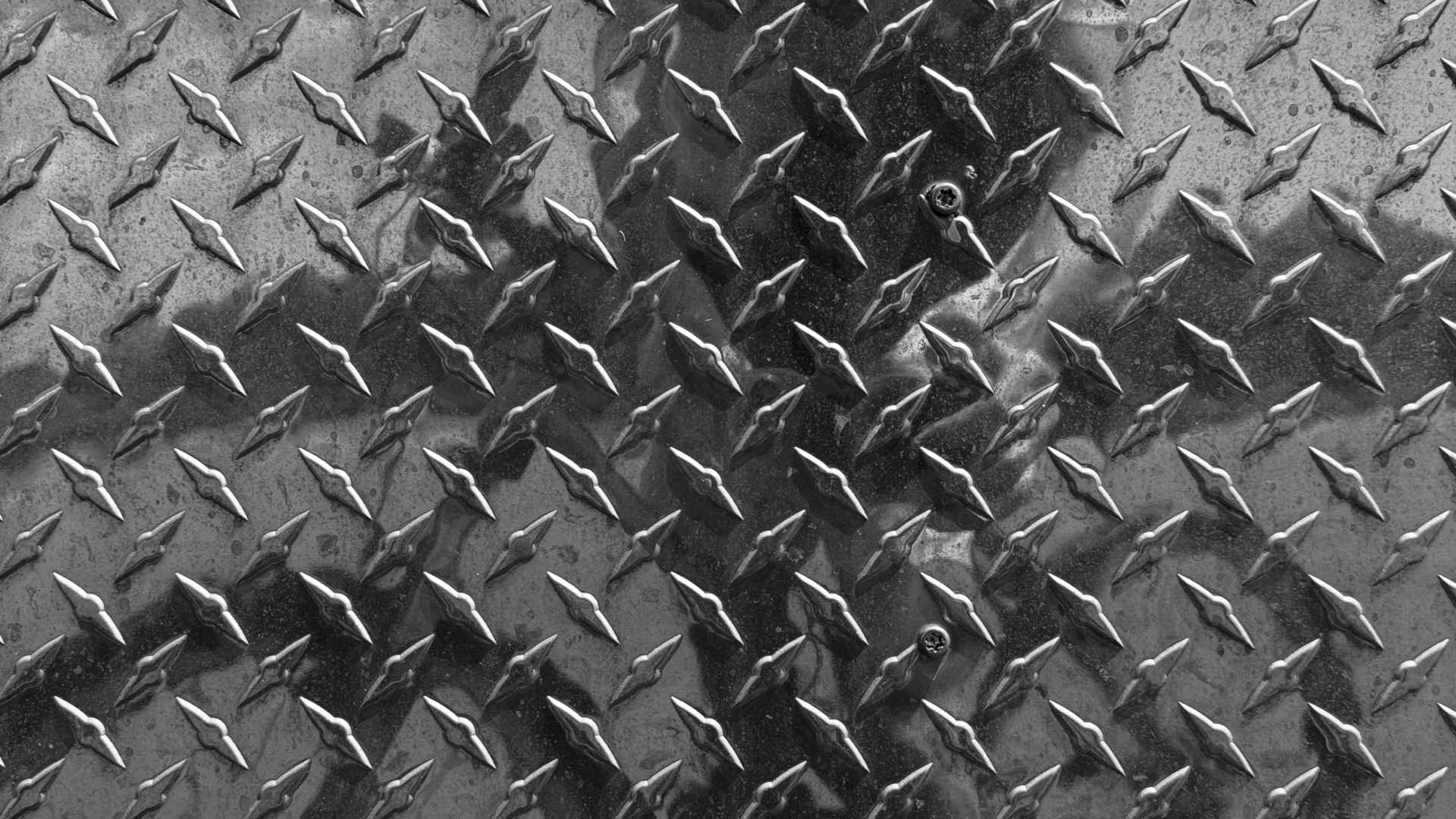


Yes, you might think the photographic results from the Leica LUX Grip and Leica LUX PRO version app are impressive. It’s worth keeping in mind, however, that achieving good results from this iPhone accessory requires a delicate balancing act between interacting with a mediocre hardware interface while simultaneously tolerating another paid subscription for using an app. Furthermore, as your $1,000+ smartphone skates around a magnetic circle while trying to select a Leica lens simulation, you should ask yourself: do the ends justify the means?
Enjoy.
See more from DIYPhotography.net on Google
Add DIYPhotography.net as a trusted source. This makes
our stories more likely to appear in your Google Search results.
 Add as a preferred source on Google

David Prochnow
Our resident “how-to” project editor, David Prochnow, lives on the Gulf Coast of the United States in Ocean Springs, Mississippi. He brings his expertise at making our photography projects accessible to everyone, from a lengthy stint acting as the Contributing How-To Editor with Popular Science magazine. While you don’t have to actually build each of his projects, reading about these adventures will contribute to your continued overall appreciation of do-it-yourself photography. A collection of David’s best Popular Science projects can be found in the book, “The Big Book of Hacks,” Edited by Doug Cantor.




Join the Discussion
DIYP Comment Policy
Be nice, be on-topic, no personal information or flames.