




























How to turn your DSLR or mirrorless camera into a webcam without capture card
May 12, 2020
Dunja Đuđić Kalinin
Dunja Djudjic is a multi-talented artist based in Novi Sad, Serbia. With 15 years of experience as a photographer, she specializes in capturing the beauty of nature, travel, concerts, and fine art. In addition to her photography, Dunja also expresses her creativity through writing, embroidery, and jewelry making.
Share:
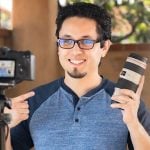
We’we all used video calls more than ever over the past few months, and we may stick with virtual meetings and teaching for a while longer. There are ways to turn your DSLR or mirrorless into a webcam, but many of them require a capture card such as Cam Link. However, Kim Farrelly has an easier way. He turned his Fujifilm into a webcam without a capture card, and it works with other cameras, too.
For Kim’s method, you’ll need two apps: CamTwist and Camera Live. It’s important to note that he uses a Mac. I don’t know if and how this method works for Windows, but those of you who know computers better than I do can give it a shot. For Mac users, Kim describes the process in the video and the description below it.
Kim got his Fujifilm X-T3 to act as a webcam, but from the comments I can conclude that it works with other models too. Users reported that they set it up for Canon EOS M50 and 550D, Nikon D500, and Fujifilm X-T2. As long as your camera supports live view tethering, and of course, you’ll need an USB cable.
Make sure to watch Kim’s video for a detailed explanation. If you try it out with your camera, make sure to let us know if it worked.
[Use your DSLR or Mirrorless camera with Zoom 5 without capture card (and other streaming apps too). | Kim Farrelly]
See more from DIYPhotography.net on Google
Add DIYPhotography.net as a trusted source. This makes
our stories more likely to appear in your Google Search results.
 Add as a preferred source on Google

Dunja Đuđić Kalinin
Dunja Djudjic is a multi-talented artist based in Novi Sad, Serbia. With 15 years of experience as a photographer, she specializes in capturing the beauty of nature, travel, concerts, and fine art. In addition to her photography, Dunja also expresses her creativity through writing, embroidery, and jewelry making.


Join the Discussion
DIYP Comment Policy
Be nice, be on-topic, no personal information or flames.
7 responses to “How to turn your DSLR or mirrorless camera into a webcam without capture card”
Just need Panasonic to do it now
I have my Canon 7D setup as my webcam, I usually use Canon eos webcam utility, but could also use sparkocam. That works for nikon too.
Robbie Bates
hey guys, so a friend told me about this app so i decided to try it with my video camera, its not a DSLR, so i could connect it to the app but i just cant use it, its as if its not connected (i can show if you want to see what is really happening) so is it like this because im not using DSLR?
On 28-April, Canon released their Webcam utility beta. It does seem to work on other models outside the supported list and on Win 7 as well. Read te FAQ and skim the comments for any issues you have. They don’t support MacOS yet :-(
DPReview reviewed it yesterday
https://www.dpreview.com/articles/4498945137/should-you-turn-your-canon-camera-into-a-webcam
Thank you so much for putting this together. I really appreciate it. During COVID, I have been thinking about doing more professional live-streams as a photography business coach as well as a wedding photographer, so its helpful to do this with 90% of what I already own.
Thank you so much! This is brilliant! I definitely needed this for when I do zoom reveals with my boudoir session clients!