

























Canon has released the EOS R5/R6 PDF manuals for you to download (Updated)
Jul 29, 2020
John Aldred
John Aldred is a photographer with over 25 years of experience in the portrait and commercial worlds. He is based in Scotland and has been an early adopter – and occasional beta tester – of almost every digital imaging technology in that time. As well as his creative visual work, John uses 3D printing, electronics and programming to create his own photography and filmmaking tools and consults for a number of brands across the industry.
Share:

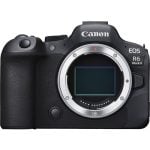
Canon Europe has released the Advanced User Guide for the recently announced Canon EOS R5 mirrorless camera. Yup, that’s right, the whole thing as a downloadable PDF file.
The 919-page document (yes, nine hundred and nineteen pages) covers everything from the setup and basic operation to the different shooting and metering modes, autofocus, video and wireless features.

Despite being the “Advanced” user guide, it does start off extremely simple for those who just happened to spend several thousand dollars on their first ever camera. But it does also go quite in-depth in places, too, with the various resolutions the camera can shoot, what shutter speeds it can do at different frame rates and what all the different compression methods mean.

It covers just about all of the features the camera has to offer, so if you had questions about how a specific feature might work, or you’ve pre-ordered an EOS R5 and want to get clued up on how it all works before it arrives, well, this should help.
This isn’t the first time Canon has released PDFs for their cameras. They also did it for the EOS 1DX Mark III, with two white papers covering the camera’s stills and video capabilities. So, it’s not unusual that Canon has released the EOS R5 documentation so quickly. What is interesting, though, is that they don’t seem to have done the same for the EOS R6 yet.
If you want to download the Canon EOS R5 Advanced User Guide and check it out for yourself, you can download it here.
Update: The Canon EOS R6 manual is also now available to download here.
[Canon Europe via Canon Rumors]
See more from DIYPhotography.net on Google
Add DIYPhotography.net as a trusted source. This makes
our stories more likely to appear in your Google Search results.
 Add as a preferred source on Google

John Aldred
John Aldred is a photographer with over 25 years of experience in the portrait and commercial worlds. He is based in Scotland and has been an early adopter – and occasional beta tester – of almost every digital imaging technology in that time. As well as his creative visual work, John uses 3D printing, electronics and programming to create his own photography and filmmaking tools and consults for a number of brands across the industry.


Join the Discussion
DIYP Comment Policy
Be nice, be on-topic, no personal information or flames.
One response to “Canon has released the EOS R5/R6 PDF manuals for you to download (Updated)”
A long time user of Canon gear and after selling a kidney own a non-recalled R5. I was disappointed to see both the printed manual and the 900+ page advanced user guide were of little help. The user guides are basically screen shots of the menu screens with little explanation of what a particular option does. This camera has so many options for things like the Auto Focus system and exposure control, it would have been nice to be able to read more information on why you would make one choice over another.
As there are not many R5’s out in the wild, Google doesn’t give you much help besides the numerous reviews. What I’ve found is that many of the advanced features of the R5 are in the 5D4, so most of my questions have been answered by buying 5D books as there are no R5 books published yet.
I moved up from the 80D and never shot the 5D or 1DX, so some of the advanced features were a head scratcher for me. I’ve managed to figure out most of my questions in the couple of weeks that I’ve had the R5 and love the camera, but a 900 page manual of screen shots that I can see on the back of the camera didn’t help much.