


















Adobe Splits Photoshop Into Pro Editor and New AI Assisted Editor With Fresh Features
Aug 28, 2026
Dunja Đuđić Kalinin
Dunja Djudjic is a multi-talented artist based in Novi Sad, Serbia. With 15 years of experience as a photographer, she specializes in capturing the beauty of nature, travel, concerts, and fine art. In addition to her photography, Dunja also expresses her creativity through writing, embroidery, and jewelry making.
Share:
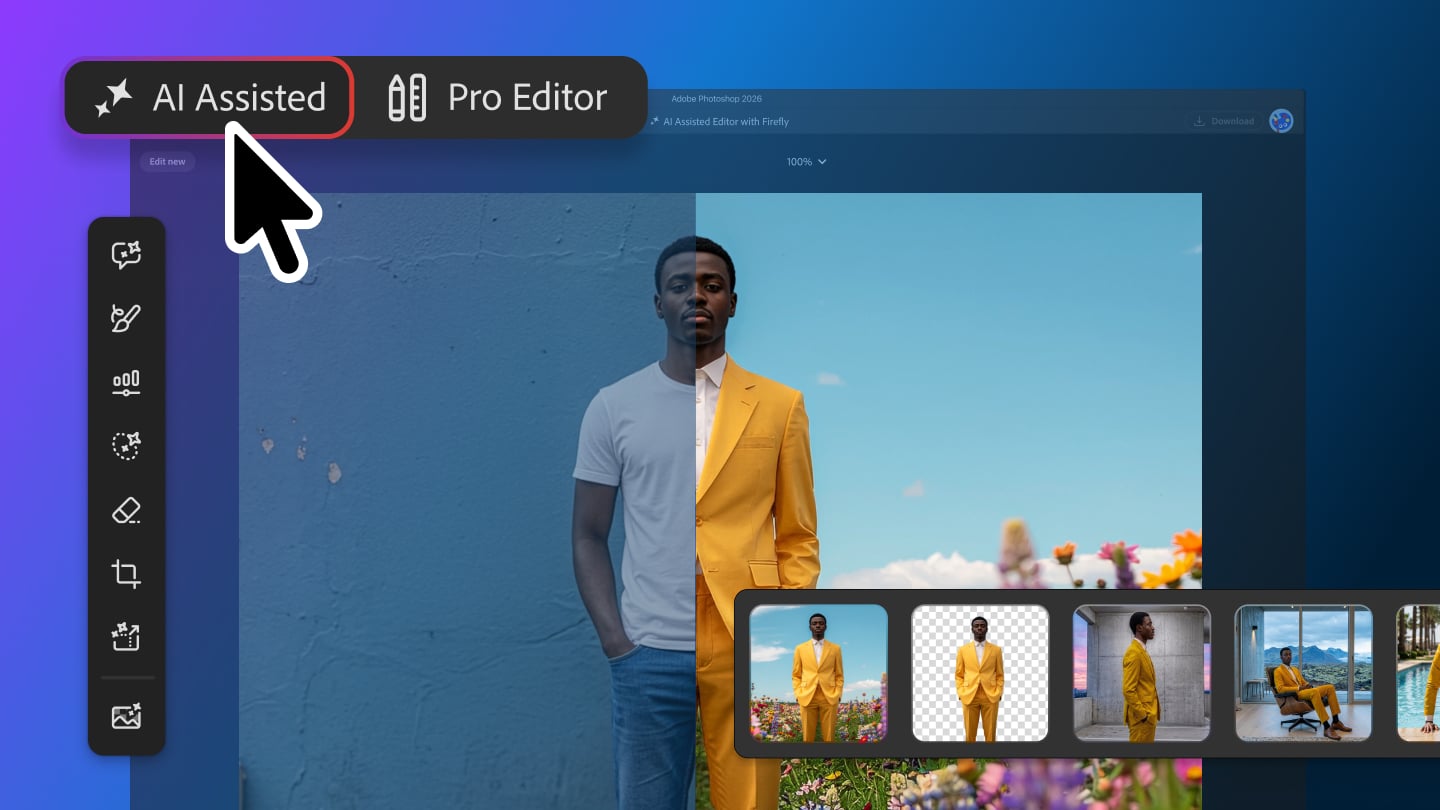
Adobe has announced a batch of new Photoshop features. This time, the update focuses on precision editing tools, and as we’re probably used to by now, there are more AI-assisted, prompt-based novelties.
Precision Editing Tools
Here are the new and improved features that focus on getting sharper, more detailed edits:
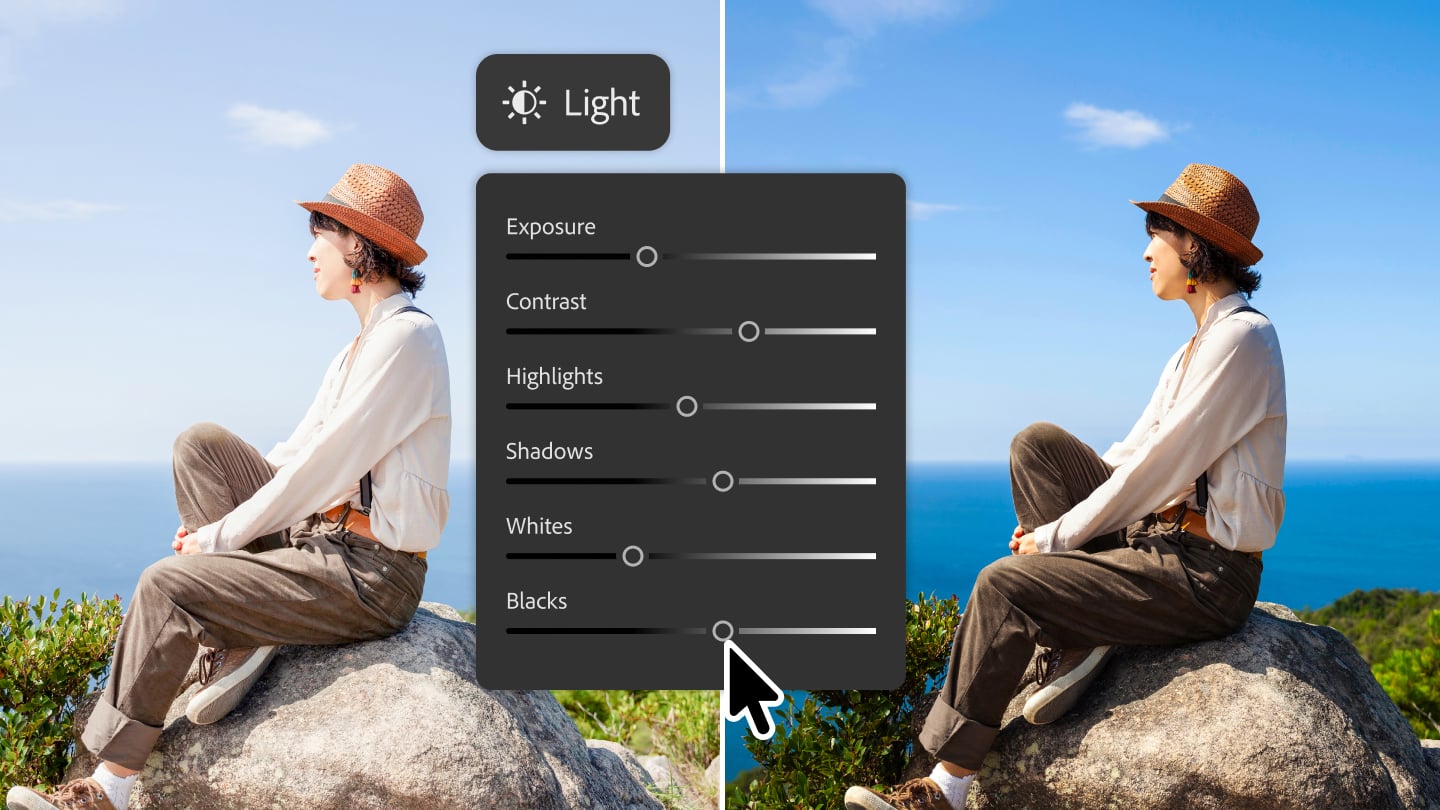
Light Adjustment Layer brings Camera Raw-style controls directly into Photoshop’s layer stack. It includes Exposure, Contrast, Highlights, Shadows, Whites, and Blacks. Because it’s a non-destructive adjustment layer, edits stay editable and don’t alter pixel data.
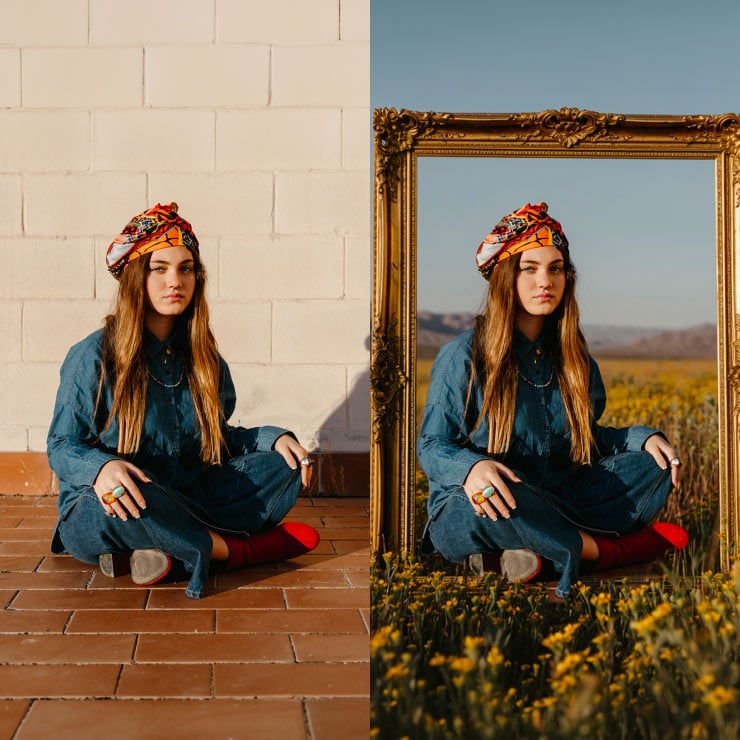
Instruct Edit with Masks, powered by Firefly Image 5, lets users describe an edit in plain language instead of manually selecting an area. Adobe gives examples like opening closed eyes or adding a hat to a specific person. The tool reads the image’s context to figure out what should change. Areas outside the intended edit, like faces or logos, are left alone.
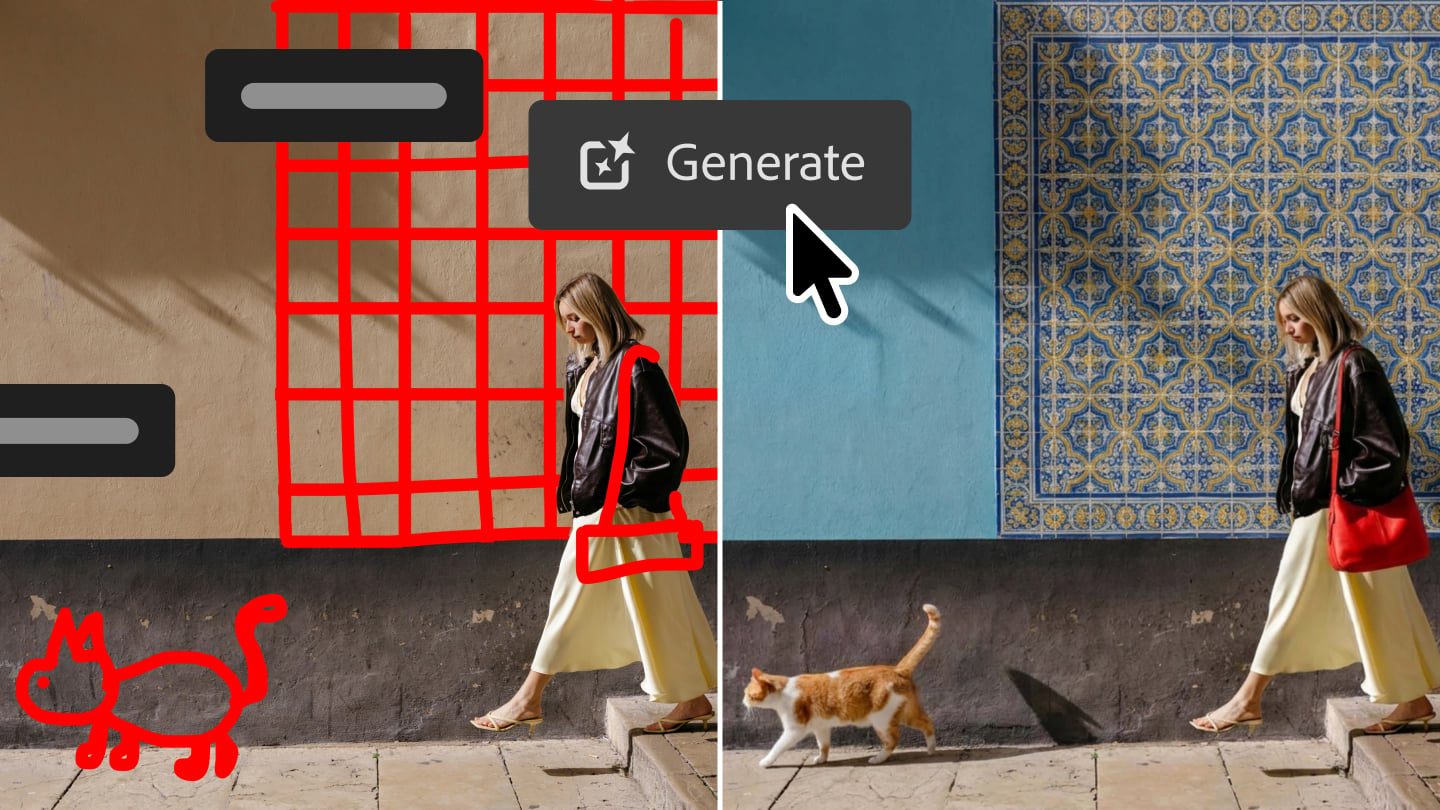
Markup is a drawing-based way to direct AI edits. Users can circle or paint over areas to recolor, draw arrows to reposition objects, or sketch rough shapes to suggest new elements. It’s meant to cut down on the guesswork of describing an edit purely in text.
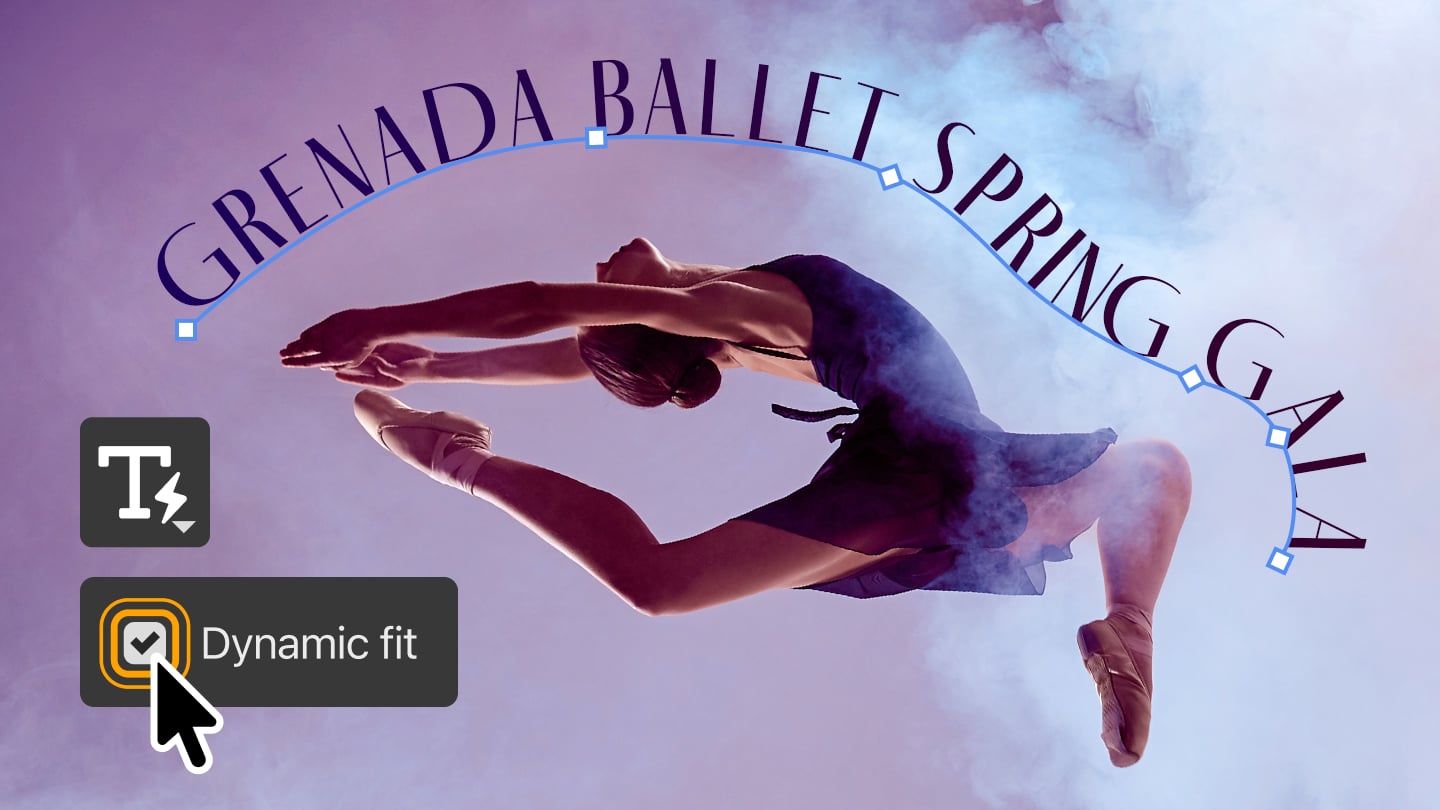
Dynamic Text, Shapes and Paths extends an existing Photoshop feature (Dynamic Text) beyond straight lines. Text can now follow custom shapes and freeform paths automatically. That should save manual repositioning when text needs to wrap around curves or irregular layouts.
Stock Panel Integration adds a dockable panel giving direct, in-app access to Adobe Stock‘s library of more than 900 million assets. Users can browse and preview stock content without switching out of Photoshop.
AI Assisted Editing
The bigger structural change is the AI Assisted Editor, launching in beta as a separate space from the standard Pro Editor. It centers on a natural-language prompt bar and bundles several generative tools:
- Prompt to Edit — text-based image edits without manual selection tools
- Remove Background — background removal with edge refinement
- Generative Expand — extends an image’s canvas and fills in new content to match
- Remove Tool — deletes unwanted objects from a scene
- Generative Fill — adds, replaces, or removes content via text prompts
- Generative Upscale — increases resolution while trying to preserve detail
- AI Markup — the same draw-to-edit approach as Markup, inside this new interface
If you’d rather stay in the Pro Editor and still get Prompt to Edit there, you can do it through the Contextual Task Bar. It works on a whole image with no selection needed. Results are added as generative layers, so the underlying image stays untouched and edits remain adjustable.
Update your Photoshop to get new features, and you can find more info on Adobe’s blog.
See more from DIYPhotography.net on Google
Add DIYPhotography.net as a trusted source. This makes
our stories more likely to appear in your Google Search results.
 Add as a preferred source on Google

Dunja Đuđić Kalinin
Dunja Djudjic is a multi-talented artist based in Novi Sad, Serbia. With 15 years of experience as a photographer, she specializes in capturing the beauty of nature, travel, concerts, and fine art. In addition to her photography, Dunja also expresses her creativity through writing, embroidery, and jewelry making.




Join the Discussion
DIYP Comment Policy
Be nice, be on-topic, no personal information or flames.