


















About shooting a focal length blend and blending it in Photoshop
Mar 1, 2020
Ole Henrik Skjelstad
Ole Henrik Skjelstad is a Norwegian math teacher and landscape photographer. He fell in love with photography in 2013 when he got a camera as a birthday present.
Share:

I love to use wide-angle lenses in my landscape photography. To go wide, though, means that you will face a few challenges. One of them is that the objects in the middle of the frame are diminished. A mountain, for example, will look significantly less impressive shrunk down in the middle of the frame. There are several ways you can overcome this. One of them is focal length blend.
How to shoot for a focal length blend
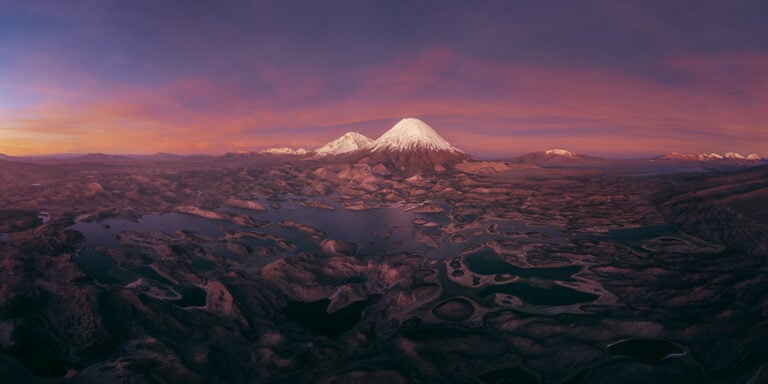
The scene below is from Romsdalen, Norway. I captured the image in October 2017 during a very beautiful sunrise.

I used the Pentax K-1 and the Pentax 15–30, at a focal length of 15mm. The three peaks in the middle of the frame are impressive mountains, but at 15mm they look tiny and modest.
A few minutes later I shot a 30mm image of the scene as you can see in the next image. The mountains are now better sized. Shooting while having a focal length blend in mind is straight forward. If this is what you are going for, it’s a huge advantage to use a zoom lens. Changing between prime lenses is just too cumbersome and time-consuming.

How to blend the images
The real challenge is how to blend the two images. This can be a pretty time-consuming process. I start out with looking for a line I can use as a blending line. The image below shows how I was thinking when I prepared for the blending job. I have marked the line with white.

In Photoshop, I started out with the lasso tool to draw the line I needed. It does not need to be a very precise selection. It depends on the image and the scene. The next step is to use the brush tool to fine-tune the transition line. There will also be some cloning work involved to attain a good and natural-looking blend. (Just for reference, I would characterize the image above as a difficult focal length blend).
I had to use a variety of techniques and approaches when I worked the image. When one approach didn’t work I tried another one, but I learned a lot along the way.
After several hours of work this is how the finished image looks:

To embark on a project like this means that you will face some frustrations along the way. Trial and error are necessary for the end result, and patience. It is also a great advantage if you know how to use masks and the various selection tools in Photoshop. I would also advice you to start out with a simple scene, like for example a mountain which rise up behind a lake or ocean. When you start out I can promise you that it is very satisfying when you are finished, and the image comes together like you envisioned.
See more from DIYPhotography.net on Google
Add DIYPhotography.net as a trusted source. This makes
our stories more likely to appear in your Google Search results.
 Add as a preferred source on Google
Filed Under:
Tagged With:

Ole Henrik Skjelstad
Ole Henrik Skjelstad is a Norwegian math teacher and landscape photographer. He fell in love with photography in 2013 when he got a camera as a birthday present.



Join the Discussion
DIYP Comment Policy
Be nice, be on-topic, no personal information or flames.
7 responses to “About shooting a focal length blend and blending it in Photoshop”
hmm i think i tried to do something similar back in 2009 but i failed mainly coz i didn’t know what i wanted.
I think a video for this technique would be quite useful. I might still have hope for my 2009 images!
Both Ted Gore and I have produced video tutorials on how to carry out a focal length blend. It is not unlikely that you also may find some free tutorials on youtube.
Not a video, but here’s a description of the steps I’d take. First you want to make a selection of the mountains from the 30mm image. You are going to paste this onto the 15mm image. I’d use the selection brush in Affinity Photo. Other programs have similar tools. This brush can detect edges–lines or shapes with dark pixels on one side and light on the other, or different hues or saturations–and will select the pixels on the side of the contrasting line where you are swiping the brush.
I’d start with a fairly small brush and brush across and near the top of the mountains without crossing over into the sky. Marching ants will appear along the contrast line as you brush. I’d start at the left edge and when I got the the right return along the less contrasty line between the blue/black mountains and the brownish mid ground that defines the u-shaped edge of the valley. It is less crucial to nail this lower contrast line as it will be cleaned up in a later step. If you mistakenly get too close or over the edge, the ants will go up into the sky slightly. You can start over or continue and fix that by switching the brush from add (to selection) to subtract (from selection), reduce the size of the brush slightly and paint over the portion of the selection that is on the wrong side of the intended selection.
Reducing the size of the brush makes the selection action more fine tuned–it will detect a line with less contrast. If the brush is too large, it will operate with less discrimination and you may get too big of a selection even though your brush didn’t cross over onto the wrong side of the line. Thats why when you switch to subtract to paint the excess selection back to the line, you reduce its size. Now that’s its smaller, it will be better able to detect the line and you won’t subtract too far. At the bottom of the mountains, it doesn’t really matter if you select some of the mid ground valley, but you want to select all of the mountains. You may need to use a refine selection or feathering function to feather the selection by several pixels to avoid a halo or harsh transition in the composite image. Some trial and error may be required.
Copy the selection and paste it onto the 15mm image as a layer on top of the background 15mm image. Name in Mtn. Use a move tool to place it where you want it. Since the mountains are bigger in the 30mm image, the pasted selection should cover all the mountains in the background 15mm image. If the line between mountains and sky is pixilated or has a halo, you need to delete it, go back to the 30mm image and feather the selection a little (more).
Once you have the upper edge of the selection looking good you can clean up the lower edge. To do this you’re going to add an empty mask to the mountain layer. Then select the background layer and make a selection of the fore and mid ground valley, everything but the mountains and the sky. Making this selection along the area where the valley and the mountains meet is important, but not quite as important as with the mountain selection/sky boundary. This will probably require a smaller selection brush as there is less contrast here, but since there is less contrast small errors will be harder to see. With this selection in place (making the selection invisible may help) choose the empty mask and paint along the valley/mountain border with a black brush. This will hide any part of the Mtn layer that overlaps the background. The selection will constrain the brush so that only the part of the mask that is inside the fore and mid ground selection will turn to black. Again, feathering the selection may help, but may not be necessary.
There are surely other ways, perhaps shortcuts. Here’s all this reduced to steps:
1) Make a nice selection of the mountains in the 30mm image, especially the boundary between the mountains and the sky.
2) Paste this selection onto the 15mm image and move it where you want it–basically where it overlaps on the bottom, over the valley by at least one pixel. Name it Mtn. (or whatever) Feather this selection as need for a realistic boundary between the selection and the sky it covers.
3) Put an empty mask over Mountain.
4) Make the background active and select the fore and mid ground up the the mountains and sky.
5) Turn this selection invisible if you prefer, make the mask active, and paint over the part of Mtn that overlaps the valley, making it invisible.
You’ve raised more questions than you answer. Very unsatisfying.
First, Are you really unable to change lenses in less than “a few minutes”? I suppose if you always shoot with one zoom lens or haven’t used cameras much, changing lenses could be cumbersome, but for landscape photographers who regularly change between prime lenses in the field, it is not particularly cumbersome and certainly can be done in 20 seconds at most. Granted a zoom allows you to take the two exposures within the span of a second or two, but you didn’t do that, so why is a zoom so crucial? It certainly didn’t take you “a few minutes” to zoom, so why did you wait that long between exposures?
More importantly, how can you title a section “How to Blend Images” and then only list some of the tools you used, state that trial and error and patience are required, and reveal that you learned a lot of unspecified things in the several hours you spent on the project? Where is the how? If you (or more to the point, your readers) practice doing this to the point that trial and error isn’t involved, how long does the process take–hours or minutes and how many? Do you know, even approximately? Revealing this would help readers decide whether to devote hours to learning the process you propose as a solution to one of the problems with wide angle lenses.
I’ve done a lot of exposure blending over the years, know the selection tools, use masks all the time, and found your topic of interest, so I spent some time examining the images you provide to try and figure out how you went about this process. I know how I’d go about it, but was interested in how a photographer who gets an item published on a site like this goes about it. In going back and forth between the images to determine which one you are drawing the blending line on/using as the background, I figured out the answer to the question of why a few minutes between exposures.
You picked up and moved forward into the scene between exposures. There’s a large rock that obscures part of the stream in the 15mm view that does not in the 30mm image. Compare the views of the lower end of the pool, where it narrows right before dropping out of view. Now we’ve descended from raising unanswered questions to misleading your readers/viewers. It is surely more cumbersome to pick up your rig and walk some distance than to change prime lenses while standing still. You must have had some reason for moving. If so, the shooting process is not as straightforward as you suggest. Don’t we deserve to know the reason you moved if we are going to try to use your technique for right sizing mountains? You multiply the frustration of unanswered questions if we try this technique without knowing about this (perhaps) important step.
This is the crucial question for you and especially DIY Photography. Do you agree that changing locations between multiple exposures to be blended should require some sort of disclosure that the resulting image is a composite of separate photographs and not merely the blending of multiple near-simultaneous exposures of the same scene to more accurately represent the greater range of luminosity and depth of field that the eyes of a human observer can capture as opposed to the camera system? Even if you feel that a viewer of your finished image doesn’t ethically deserve to know, aren’t you misleading viewers who come to this site for tutorials and inspiration?
It was an article similar to this which caused me to explore focal length blending. It actually provided fewer details than what I have provided here, but it was enough for me to go out and try, and next embark on the job finding out how to blend the exposures in post – something which took hours. Both Ted Gore and I have produced video tutorials on how to carry out a focal length blend. It is not unlikely that you also may find some free tutorials on youtube. Which lenses to use depends on the light quite a lot. In this instance the light lasted quite a while.
But you still do not address the fact that you not only changed to a 30mm lens, but also “zoomed with your feet”.
Truth be told, I forgot to shoot a 30mm image for the “Three amigos” when I shot that foreground, but remembered when I had moved a little, probably down the river. Don’t remember.