




















GoPro Gives Its MISSION 1 Cameras Faster Shooting and RAW Bursts
Oct 14, 2026
Alysa Gavilan
Alysa Gavilan has spent years exploring photography through photojournalism and street scenes. She enjoys working with both film and mirrorless cameras, and her fascination with the craft has grown over the decades. Inspired by Vivian Maier, she is drawn to capturing everyday moments that often go unnoticed.
Share:
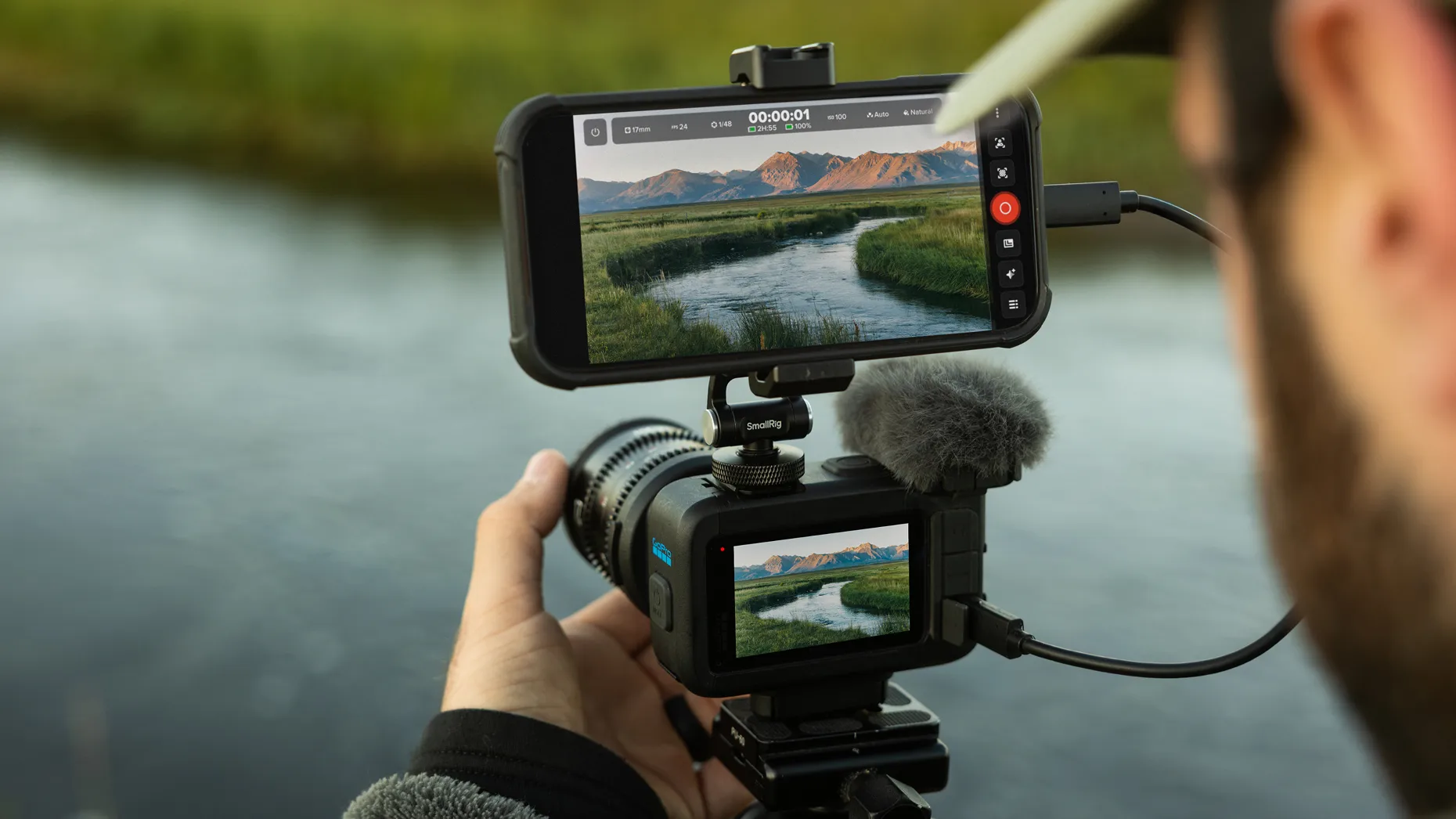
Action cameras are built to capture moments that disappear quickly, but a sluggish shutter can still mean missing the shot. GoPro is addressing that problem with a free firmware update for its MISSION 1 camera series, adding faster photo capture, continuous shooting, and new tools for filmmakers working with anamorphic lenses.
The update covers the MISSION 1, MISSION 1 PRO, and MISSION 1 PRO ILS. GoPro has also updated its MISSION Monitor app with professional exposure tools and wireless connectivity.
Faster shutter response and continuous RAW shooting
GoPro says it has rebuilt the MISSION 1 series’ photo capture system to reduce shutter lag. The cameras now respond almost instantly when users press the shutter button, while holding it down enables continuous shooting.
The cameras can capture more than 100 photos at 12 megapixels or over 20 RAW images at 50 megapixels in a burst, according to GoPro. A new on-screen indicator warns photographers when the camera approaches its buffer limit, while an updated shutter sound provides confirmation for each capture.
These changes could make the cameras more useful for street photography, travel, and fast-moving subjects. Continuous RAW capture is particularly relevant for photographers who want greater flexibility when editing exposure, color, and detail later.
GoPro also highlights its Point-and-Shoot Grip, a separate accessory that adds a handheld grip and two cold shoe mounts for accessories such as lights. The setup gives users another way to configure a MISSION 1 camera for photography outside its traditional action camera role.
MISSION Monitor adds professional exposure tools
The free MISSION Monitor app for iPhone and iPad now includes a histogram, waveform, RGB parade, and false color display.
These tools help users assess exposure and color while shooting. A histogram shows the distribution of brightness levels, while a waveform maps exposure across the frame. An RGB parade separates the red, green, and blue channels, making color casts easier to identify. False color uses a color map to highlight exposure levels, including areas that may be overexposed or underexposed.
The app also supports wireless camera connectivity, allowing users to monitor a live preview without a cable.
For video creators, these features can help catch exposure and color problems before recording, reducing the need to correct avoidable mistakes in post-production.
Anamorphic lenses bring cinema options
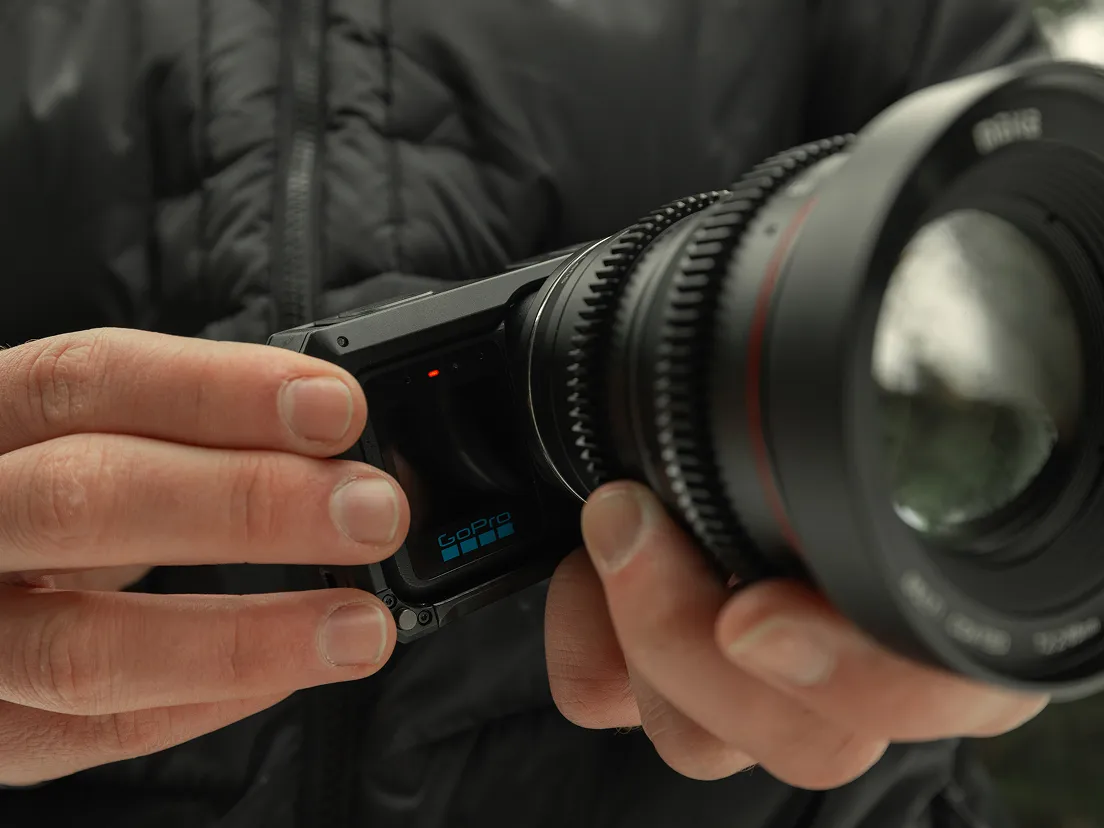
The latest GoPro Labs beta firmware adds anamorphic lens support to the MISSION 1 PRO ILS, which uses a Micro Four Thirds mount.
Anamorphic lenses squeeze a wider image onto the sensor, allowing filmmakers to recover a wider aspect ratio during editing. The update supports squeeze ratios from 1.33x to 2.0x and records pixel aspect ratio metadata so compatible editing software, including Adobe Premiere Pro and DaVinci Resolve, can interpret the footage correctly.
The firmware also supports GoPro’s HyperSmooth stabilization with anamorphic lenses. An on-camera desqueeze preview is still in development.
A free update worth trying
The photography firmware is available free through the GoPro Quik app or GoPro’s website. The updated MISSION Monitor app is available through Apple’s App Store for devices running iOS 18 or later, while the anamorphic features can be downloaded through GoPro Labs.
For MISSION 1 owners, the update adds meaningful options without requiring new hardware. The real test is how well the faster capture and monitoring tools perform when the action starts and there is no second chance to get the shot.
See more from DIYPhotography.net on Google
Add DIYPhotography.net as a trusted source. This makes
our stories more likely to appear in your Google Search results.
 Add as a preferred source on Google

Alysa Gavilan
Alysa Gavilan has spent years exploring photography through photojournalism and street scenes. She enjoys working with both film and mirrorless cameras, and her fascination with the craft has grown over the decades. Inspired by Vivian Maier, she is drawn to capturing everyday moments that often go unnoticed.


Join the Discussion
DIYP Comment Policy
Be nice, be on-topic, no personal information or flames.