




















Tutorial: How to save overexposed highlights in Lightroom
Mar 21, 2016
Gannon Burgett
Gannon Burgett is a communications professional with over a decade of experience in content strategy, editing, marketing, multimedia content creation. He’s photographed and written content seen across hundreds of millions of pageviews. In addition to his communications work for various entities and publications, Gannon also runs his multimedia marketing agency, Ekleptik Media, where he brings his expertise as a full-stack creator to help develop and execute data-driven content strategies. His writing, photos, and videos have appeared in USA Today, Car and Driver, Road & Track, Autoweek, Popular Mechanics, TechCrunch, Gizmodo, Digital Trends, DPReview, PetaPixel, Imaging Resource, Lifewire, Yahoo News, Detroit Free Press, Lansing State Journal, and more.
Share:

With storage being less of an issue than ever before and cameras becoming more powerful with each new iteration, RAW images have gone from something only the pros use to something that can now be captured in smartphones.
What is the advantage of a RAW photo though? Information. A RAW image, specifically a 16-bit image, captures and retains far more information from a photograph than an equivalent JPEG would.
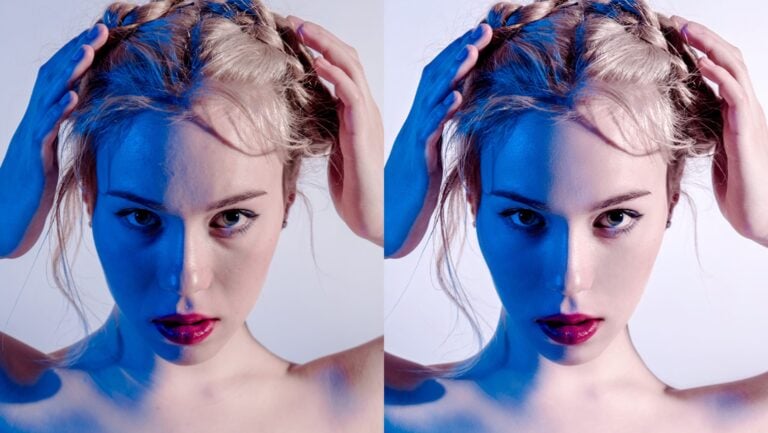
It’s this extra information that allows RAW photos, often referred to as digital negatives, to be far more lenient in the editing process. Here to show just how critical shooting in RAW can be, Aaron Nace of Phlearn has shared a helpful video that shows how you can save overexposed highlights in an image by tweaking a RAW photo inside Lightroom.
It’s a wonderful video that breaks down just one of the many ways you can bring back the highlights in an otherwise overexposed image.
In this specific video, Nace covers how making multiple virtual copies of an image and editing each appropriate can make for the basis that will eventually become a slight HDR image. It’s an interesting technique and a concept that anyone just getting started with RAW images should watch and understand.
This trick won’t work on every scene, but more often than not, this hybrid HDR technology will get the job done and save you the trouble of having to toss out a shot because it’s slightly overexposed.

Gannon Burgett
Gannon Burgett is a communications professional with over a decade of experience in content strategy, editing, marketing, multimedia content creation. He’s photographed and written content seen across hundreds of millions of pageviews. In addition to his communications work for various entities and publications, Gannon also runs his multimedia marketing agency, Ekleptik Media, where he brings his expertise as a full-stack creator to help develop and execute data-driven content strategies. His writing, photos, and videos have appeared in USA Today, Car and Driver, Road & Track, Autoweek, Popular Mechanics, TechCrunch, Gizmodo, Digital Trends, DPReview, PetaPixel, Imaging Resource, Lifewire, Yahoo News, Detroit Free Press, Lansing State Journal, and more.



Join the Discussion
DIYP Comment Policy
Be nice, be on-topic, no personal information or flames.