
















Use This Simple Technique To Create The Illusion Of Different Spaces Using Only One Light
Sep 28, 2014
Laya Gerlock
Laya Gerlock is a Portrait and Product photographer based in the Philippines. His passion is teaching and sharing his knowledge in Photograpy and has been doing this for 6 years.
Share:

A few months back, I wrote an article on how to use everyday objects for outstanding backdrops. This post can be considered a part two of that post, as it shows a simple technique to using a piece of cardboard to create the illusion of space.
As I normally do when I seek inspiration, I was browsing flickr and 500px. I found a photo of a gobo’d background using only one light. I liked the idea. So I went to my studio and started playing with it. While it did not had a need for this specific look at the time, I wanted to make sure I have this tool in my toolbox. (I also use the Light Blaster for a similar effect, but then I need a second light as it throws a very hard beem). It’s a very simple technique and very easy do. Here is a quick tutorial on how it is done.
What you will need:
- A Cutter / utility knife
- An Illustration Board
- One Speedlight or Flash
How To:
Using your cutter cut different shapes in the illustration board. Play around with sizes and patterns. Repetitive patterns do well and so does simple bars. I had some scratch illustration board left so I just used it.

For the setup, I used a bare studio strobe mounted with barn doors as I assumed I’ll have lots of small spill corrections to make. You could also use a speedlight for this setup or use a reflector dish for a more detailed shadow. I used a white seamless paper for the background.

I had a voice activated lightstand (Jay) to hold the illustration board for me. There are two factors you cna play around with here:
- The distance of the illustration board from the light, and
- the distance of the studio strobe from the subject.
Getting differnt variations on thos you can control the definition of the shadow and the spill of the light.
Here is a sample photo

And some more using similar settings:


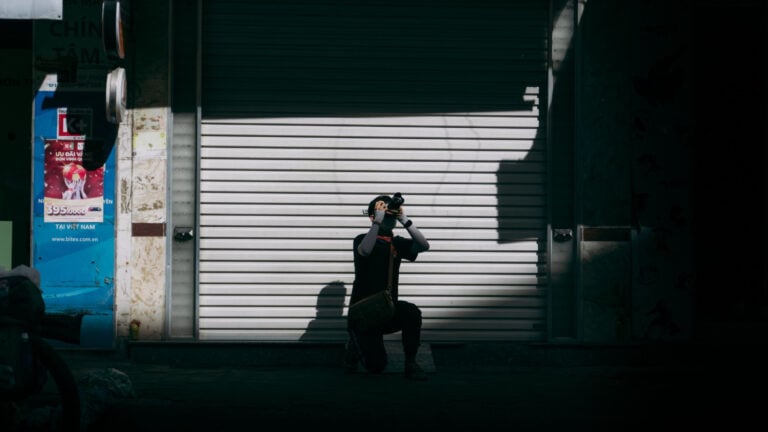
This is how it looks like to any innocent bystander:

I also tried only using the modeling light of the studio strobe – it works quite well if you bump the iso (and this is something I could not do with the light blaster)


Finally, a head shot of the model, with the gobo not that close to her face to soften the shadows.

 Same setup but on a grey background.


BONUS: If you are a mommy or a daddy, getting the boards ready is a great way to keep the kids busy when you are having coffee. Just dont complain if all your gobos end up like dinosours or spaceships or barbies.
See more from DIYPhotography.net on Google
Add DIYPhotography.net as a trusted source. This makes
our stories more likely to appear in your Google Search results.
 Add as a preferred source on Google

Laya Gerlock
Laya Gerlock is a Portrait and Product photographer based in the Philippines. His passion is teaching and sharing his knowledge in Photograpy and has been doing this for 6 years.




Join the Discussion
DIYP Comment Policy
Be nice, be on-topic, no personal information or flames.
16 responses to “Use This Simple Technique To Create The Illusion Of Different Spaces Using Only One Light”
Always enjoy his articles
Thanks for the support :)
Kévin
:) !
“Just dont complain if all your gobos end up like dinosaurs or spaceships or barbies.”
Best part of the article XD But it was really nice overall, too! I have several pieces of cardboard left from when I was studying graphic design, guess I could use these the next time I try making a homemade photoshoot :)
cheers! thanks for the comment
the funny thing is that if you go to a studio most probably you will find the same “home studio gobos” in a shelf… those are tools and they are used everywhere even in hollywood.
Try using different shapes, patterns & colors of glass containers, with or without liquids, for a dynamic shadow background – btw, these sort of techniques have been around for decades…
yes it has, but sharing is caring :)
Re: Keeping kids busy with a box cutter while having a coffee break: You’re kidding, aren’t you? ;-) I’d rather design the gobos with Inkscape (using B/W patterns just as you suggested) and then print them on overhead foils. Just make sure, your laser printer can produce deep blacks and you’re good to go. Without witnessing kids, that tried to cut off their fingers – and failed. At least sort of.
Cool tip man, thanks! Only one thing I would improve to make the shadow behind the model more soften and with nice transitions is put a diffusion gel on the light source.
Only got to skim this, but so simple, yet so effective. Will have to read more in depth later (on break at my ‘real’ job) and expreriment. Great article as usual
Good job! Thanks for sharing! :)
Hello. Out of curiosity I wonder if this site has been permitted to use one of these images?: http://www.akam.no/artikler/slik-kan-du-gi-bildene-dine-spennende-skygger-med-kun-ett-lys/163911
we are usually ok with a blog taking one image and using it to refer back here. this is how the blogosphere works :)
thanks for taking the time to share this.
Your articles are always the best