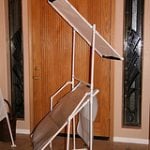














The Origami Studio (An Extrapolation to The $0.02 Macro Studio)

cheap origami macro studioThis post on a 2 cents macro studio got me thinking. Firstly because it is a great idea, it employs the same technique as the super simple light tent and the flash diffuser. Secondly it is cheap. So cheap in fact, that it really does only cost two cents. The thing that I was thinking is - "I want a BLT Sub", and right after "This is great for small objects, what if I want to shoot something bigger? For this I came up with an improvement - The Origami Macro Studio. It is not as cheap - approximately 20 times more expensive - but for 40 cents, it is still a heck f a deal. And as the macro studio, it is cheap, takes 2 minutes to prepare, and very simple.

Here is what you are going to need:

1. A big block of paper - I used sketching paper, but baking paper will also do.
2. Some very basic Origami Skills (Origami is a Japanese art of folding paper, like folding a bird).
3. An off camera strobe or flash (see how you can make a flash stand for it here)

How to fold a macro studio

1. Start with a big sheet of paper - as I said, I used a sketching paper - half a sheet. Fold the sheet in half.

cheap macro studio 01

2. Fold into quarter. This time fold in the opposite direction. So now you should have a three-folds zig-zag

cheap macro studio 02cheap macro studio 03

3. Spread the middle fold, keeping the two flaps in place. You should get something that is half in size of the original sheet. (two layers - one full and one with a crease)

cheap macro studio 04

4. Now, fold the two ends to the middle crease, to form a new crease, and fold the ends to that crease. Or in other words the crease in the quarter of the paper goes to the crease in the 5/8 of the paper.

cheap macro studio 06cheap macro studio 07

5. Now comes the fun part - making the accordion. Make one horizontal fold at the the bottom of the sheet. make sure the overlapping places stays neatly creased.

cheap macro studio 08

6. continue until you have made a nice accordion

cheap macro studio 09

7. Now comes the fun part, slowly pull the overlapping zig-zags to form an angle. After you have pulled them all, pull some more to form a 90 degree angle.

cheap macro studio 10

8. do the same for the other side. you should end up with something like this

cheap macro studio 11cheap macro studio 12

Taking a picture

Once you have the origami "table" or "light tent" in place you can place objects inside. I shot this nut cracker. I also used some paper as seamless backdrop.

cheap macro studio 13

I set the flash on a lighting stand aimed at the top of the light tent. About half a meter above the ceiling. I used an Nikon SB-28 for taking the shot set at 1/8 power. Camera set to manual mode, and aperture set to 8. Now this is the reason I used sketching paper, the light loss is minimal. As you see this setup works best with off-camera flash. I just used a PC-Sync cord to attach my Nikon D70 to the flash, but you can also use eBay radio triggers or optical slaves.

Here is how the setup looks:

cheap macro studio 15

Good luck with your studio works.

Make money by selling your pictures

Comments

Very Nice! Works great for bigger objects!

I think I'll be using this technique quite often (when shooting things larger than about 2.5" square...).

Superb

This is fantastic and I will definitely be trying it, along with the light tent and flash diffuser. Brilliant, thanks!

Great

Nice tutorial. I really have to try this.

WAY easier than I expected

I tried this on a regular 8.5x11 sheet of lined paper, just to test it. The whole time, I'm thinking this is totally not going to work right. When I finally got to pulling it out to form the "walls" of the structure, they didn't go to 90° angles. Then when I "fanned it out" , everything came together perfectly.

This is awesome. I simply must make a larger scale version (because this won't be good for more than bottle caps and pushpins. :)

Wow incredible : ) Bibi

Wow incredible : )

Bibi

Not able to make accordion (Step 5)

Hi

I am sorry for being so dumb!!

I am not able to figure out step # 5.

Could you please provide me more details

Excillent

It really helpful and excillent site.I was searching this type of site since long.

Light Box

Question from a new photographer.....
I am trying several different light box concepts, however no mater which light box home made or otherwise I try, my shots come out yellow and require major rework in Photoshop. What am I doing wrong?

that depends on your setup

The first two things you should check are white balance and the temperature of your light.

I will be able to help more if you post a link to one of the pictures.

- Udi

Lighting / Yellow Shots

I am truly a beginner- trying to skip a few steps.
I just got home a took a quick shot- without my usual time consuming setup,which does not yield any better shots.

I am lighting with three 250watt 3200K bulbs, top and each side, through a opaque diffusers. These were taken with white balance set at "Auto" on my Nikon D70. The bulbs were based on a recommendation from my local camera store, but I don't think they are correct.

My ultimate goal is to shoot jewelry, which I have been told is very tough.

www.rhinotuff.net/quickshots

Thanks,

Dave

RE: Lighting / Yellow Shots

I know it says you're new to this but now are you triggering your bulbs?
You may have your shutter speed to high. Or I'm almost sure it may be that full auto setting. If you're lights aren't on all the time then the camera takes it's white balance and then takes the picture. and if it thinks there is a enough light it won't trigger the flash.

Though your lamps were recommended I think the colour temperature is a little low, which is why you're photos are yellowish. And I can only assume they're not flash bulbs since they are rated in W instead of W/s (Watts per second).
Reading your EXIF data what I thought was true, you're flash didn't fire!
This brings me to the next point, try to stay away from full auto if you have a goal in mind, as it just does everything for you allowing now adjustments short of image quality. Because you're dealing with a "fixed" setting you want to be able to play with settings and not have them automatically predetermined by the camera, as "smart" as it may be.

I'm pretty new at this myself but try out Shutter priority, and if you're feeling really adventurous full manual, but read your manual and get to know your camera. Once you're out of full auto, set your shutter to 1/200 or 1/250 (typical shutter speed for flash photography) and adjust downward from there. You will notice if you go down from there your shot will get brighter and so on, then you can go into full manual and adjust your aperture size, also known as f-stop.

I know it's a little long but I hope this helps.

- Crewe

Yellow Shots

Thanks for your help.....I will give this a try this weekend.

Yellow Light

If you have a SLR camera, the BEST thing to do is get a 18% grey card and us it to set a custom white balance. Make sure you let the lights burn for a few minutes first, as the color temperature changes as the bulbs heat up.

For best results, tripod your camera. You will also find that you get much more consistent results if you set your camera to 1/60th of a second... as this will give you one full wavelength of light (in America on AC) and your color temperature will be more consistent shot to shot.

Good luck!

Confused

I don't know why, but I am very confused by these directions. It looks simple enough.

Wow. This is just what I

Wow. This is just what I need for my stuff. I'm really having trouble getting crisp lighting for my jewelry shots. Thanks for the guide!

Bob

What does that even mean?

Hi! Great tutorial, but I am really confused as to what on earth step 7 means! Any tips or re-wording of sentences would be greatly appreciated! Thanks!

re: step 7

hI this is indeed the hardest step of all.

Before this step you will have a flat paper with that folds back and forward. After this step you will have a "bed looking"  origami.

You get from a to b by pulling on what will later be the bed legs.

Post new comment

The content of this field is kept private and will not be shown publicly.
  • Allowed HTML tags: <a> <em> <strong> <cite> <code> <ul> <ol> <li> <dl> <dt> <dd> <img> <a>
  • Lines and paragraphs break automatically.
  • Web page addresses and e-mail addresses turn into links automatically.

More information about formatting options