




















Photoshop Finally Arrives on Android—Here’s What You Need to Know
Jun 11, 2025
Anzalna Siddiqui
A psychology major in her third year of Bachelor’s, Anzalna Siddiqui has endless curiosity for the human mind and a deep love for storytelling – both through words and visuals. Though she hasn’t taken up photography as a profession, her Instagram is where her passion finds its home. In addition to this, she’s a travel enthusiast who never travels without her camera because every place has a story waiting to be captured.
Share:

The long wait for Android users is finally over: Photoshop has arrived. Adobe has released the Photoshop (beta) app for Android. This is an exciting time for those who create on mobile. While iPhone users have enjoyed using it, now it’s your chance to explore features like layering, masking, and the innovative Generative Fill tool powered by Firefly AI, all right from your Android device.
This isn’t just a simple or limited version of Photoshop. Adobe says it’s a full-featured app explicitly built for creators who prefer working on their phones. After giving it a try, I can say it feels impressively capable.
Photoshop Android Beta Is Free for Now
You can download the app for free from Google Play now. Just ensure your device runs Android 11 or newer and has a minimum of 6GB of RAM. Adobe suggests having 8GB or more for optimal performance. But 6GB will still allow you to access the app. Remember, this is still in beta, which means you might face a few glitches using Photoshop on Android. But on the bright side, it’s free during this testing period. No subscription is required for now!
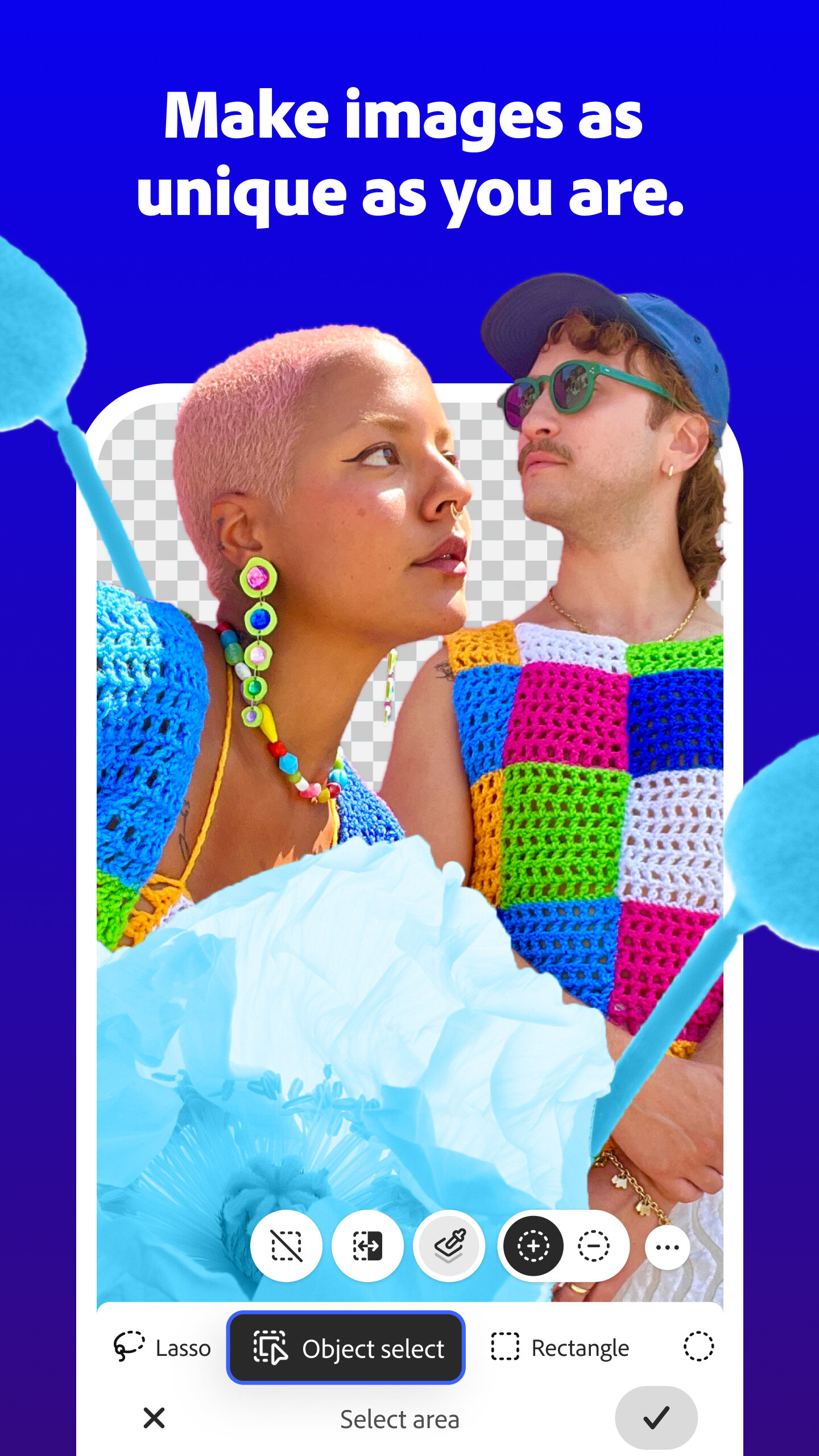
I wondered why I should try this when I already have other photo editing apps. Later, I got to know that Photoshop on Android has powerful features through which you can edit photos like a pro from anywhere. Photoshop brings some classic tools like the Spot Healing Brush, Clone Stamp, Object Select, and layer controls that are truly exceptional.
Generative Fill on Your Phone? Yep.
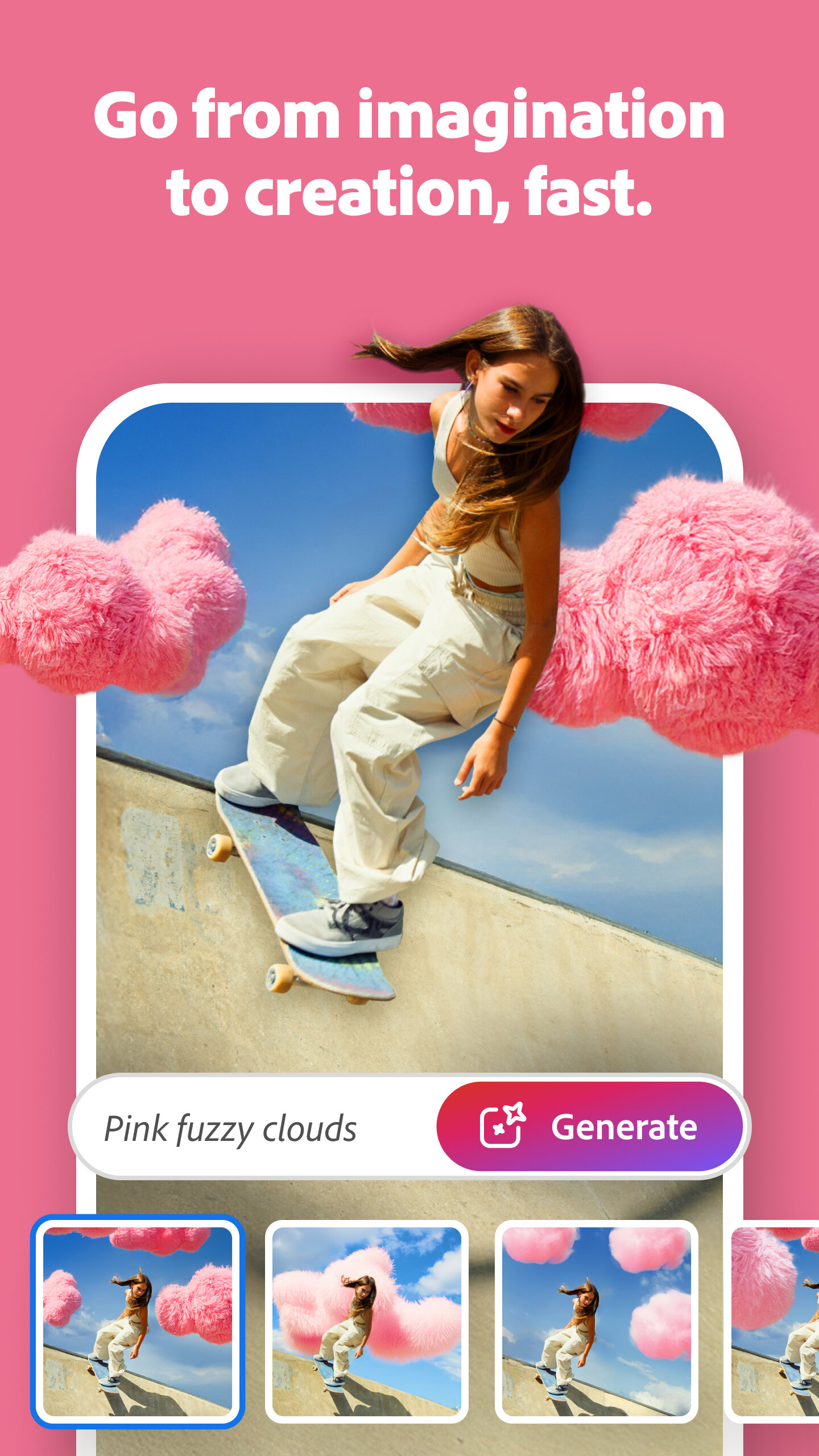
I am excited to try out the Firefly-powered Generative Fill feature. You can choose a part of an image, type what you want to see there, and it will appear. It’s incredible to see this work on a phone.
So, for making thumbnails, memes, album covers, or mockups without needing your laptop, this tool might be perfect for you.
It’s Not Just for Newbies
According to Adobe, this version is designed to be easy for beginners while still offering enough features for experienced users. I agree with that. If you’re switching from the desktop version of Photoshop, you’ll notice that the layout is much more user-friendly for touchscreens, yet it still has all the tools you need.
Want to merge images using layer masks? It’s available. Need to make precise cutouts with the Magic Wand or Tap Select? That’s included too. You can even quickly remove unwanted elements or stray hairs with the Spot Healing Brush.
Plus, you can start your edits on your phone and finish them later on your desktop. Personally, I find it pretty amazing that all of this is packed into a mobile app.
Explore the Creative Side of the Internet
If you sometimes struggle with creativity like I do, you’ll be glad to know that Photoshop mobile connects you to Adobe’s wider network. You can access tutorials directly within the app. This seems useful if you’re stuck or unfamiliar with specific features. Plus, you can browse community forums for feedback, tips, or inspiration.
Final Thoughts
I’ve been looking forward to this for a while. I’ve tried several editing apps that were nearly good enough, but none really felt like Photoshop. Now, it’s available on my phone, and I’m enjoying it.
I would say that Photoshop on Android is worth checking out. Even if you usually stick to your computer, having this kind of creative tool in your pocket is hard to overlook.
In short, the Photoshop Android beta finally gives you a great option. Give it a try—you might be amazed at what you can create with it.
[via Adobe; Image credits: Adobe]
See more from DIYPhotography.net on Google
Add DIYPhotography.net as a trusted source. This makes
our stories more likely to appear in your Google Search results.
 Add as a preferred source on Google

Anzalna Siddiqui
A psychology major in her third year of Bachelor’s, Anzalna Siddiqui has endless curiosity for the human mind and a deep love for storytelling – both through words and visuals. Though she hasn’t taken up photography as a profession, her Instagram is where her passion finds its home. In addition to this, she’s a travel enthusiast who never travels without her camera because every place has a story waiting to be captured.


Join the Discussion
DIYP Comment Policy
Be nice, be on-topic, no personal information or flames.