





















Macphun Luminar for Windows launches with free public beta – wants to take over Lightroom users
Jul 13, 2017
John Aldred
John Aldred is a photographer with over 25 years of experience in the portrait and commercial worlds. He is based in Scotland and has been an early adopter – and occasional beta tester – of almost every digital imaging technology in that time. As well as his creative visual work, John uses 3D printing, electronics and programming to create his own photography and filmmaking tools and consults for a number of brands across the industry.
Share:

Having spent almost a decade making software exclusively for Apple platforms, Macphun is now releasing software for Windows. Launching today, Macphun Luminar for Windows is now available. It’s not quite perfect just yet, though, but it’s not far off.
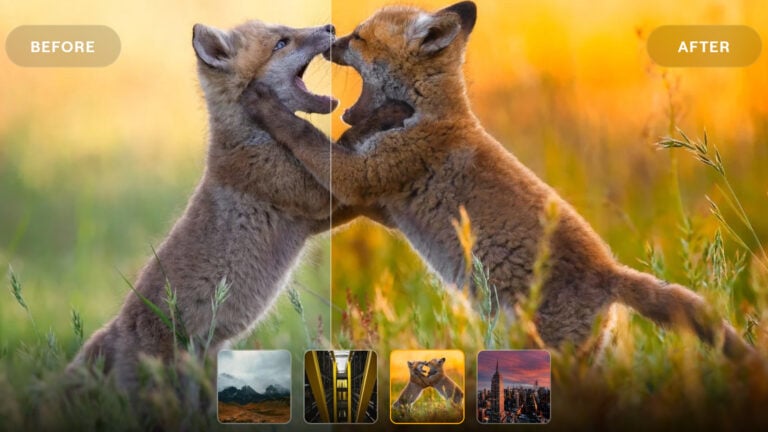
Macphun Luminar makes its Windows debut as a completely free public beta. Luminar is an all-in-one photo editor, in a similar sort of vein to Lightroom. It works in a non-destructive way with your images to offer quite a wide range of options.

We are thrilled to release our first PC product today and give photography enthusiasts around the world the first taste of our best-selling Mac product.
By test-driving Luminar for Windows, beta testers can help shape our software and make the final release a perfect fit for everyone.
– Kevin La Rue, Vice-President at Macphun

I’ve had the chance to play briefly with the beta before release and it was pretty impressive. It had no problem handling any raw files I threw at it, although it was a bit slow working with large D800 raws. Hopefully as the beta goes through development to final release, that will improve. Either that or I’m just missing an option for GPU acceleration or something somewhere.

Luminar supports a wide range of common file formats including jpg, png, tif (both 8 and 16 bit), gif as well as all the usual raw formats from Nikon, Canon, Sony, Fuji, etc. And the hardware requirements are fairly modest. They don’t say what the minimum requirements are, but this is what’s recommended.
- Windows 10 (although I had no problem with Windows 7)
- Intel Core i 2.2Ghz or better
- 8GB RAM
- 1GB GPU memory
- SSD drive with 20gb+ free
I was working off raw files sitting on a regular Western Digital 4TB Blue hard drive, and not an SSD. So, perhaps that’s why it felt a little sluggish for me with those D800 raws. But, it was still fun to investigate for a little while.
Being a Windows user, I hadn’t seen Luminar before, except on YouTube. And having a look around the software it does offer quite a lot of options. There’s a bunch of presets and enhancement filters, with a fair amount of control. The software also provides you with options to customise the user interface, too.

One feature I haven’t had a chance to play with yet, is masking. It seems to work in a similar way to Lightroom’s adjustment brushes. Define an area, then have your changes applied to just that area. It’s a valuable feature, though, especially for things like landscapes, or outdoor portraits.

Macphun do admit that several features from the Mac version of the software are missing in the Windows beta. Features such as plug-in integration, object removal and noise reduction (that last one’s a biggy for low light shooters). They say that these are still in development, and will be added into the beta as they are complete.
It’ll be nice to have another piece of software challenging Lightroom’s dominance. But with Lightroom’s promised performance increases, it’s going to be a tough fight.
A full cross-platform release is expected in late 2017. Presumably, then it will come with a price tag similar to that of its current Mac software – $69 at the moment.
For now, though, it’s free. And even if it’s not quite perfect just yet, for that price, what do you have to lose?
Head on over to the Macphun website to find out more about Luminar for Windows and sign up for the free public beta.
See more from DIYPhotography.net on Google
Add DIYPhotography.net as a trusted source. This makes
our stories more likely to appear in your Google Search results.
 Add as a preferred source on Google

John Aldred
John Aldred is a photographer with over 25 years of experience in the portrait and commercial worlds. He is based in Scotland and has been an early adopter – and occasional beta tester – of almost every digital imaging technology in that time. As well as his creative visual work, John uses 3D printing, electronics and programming to create his own photography and filmmaking tools and consults for a number of brands across the industry.
Related Posts
 The popular Macphun photo editing software is finally coming to Windows
 How is Luminar NEO different from Luminar 4 and Luminar AI?
 Skylum’s new Luminar Flex plugin brings Luminar AI tools to Photoshop, Lightroom, and Apple Photos
 Web Photoshop Launches with Adobe Firefly AI: No longer beta and no longer free
Join the Discussion
DIYP Comment Policy
Be nice, be on-topic, no personal information or flames.
43 responses to “Macphun Luminar for Windows launches with free public beta – wants to take over Lightroom users”
It looked good until it said a SSD was a basic requirement. ?
what’s ssd?
That’s recommended, not a basic requirement. :)
SSD lol It runs great on my pc without an ssd :)
Good to know Tim. Do you like the program?
If you think Lightroom is slow… wow, Luminar is painfully slow.
This is just a beta version. We appreciate if you can help us to improve Luminar by sharing your feedback with us. Please drop us a message with PC info at support@macphun.com. Thanks!
Alina, I have done this in great detail already, with specific hardware and timing tests provided. If you search you will likely find a string of emails between myself and someone at MacPhun named Yana.
I just checked and, Alina, you were one of the folks who responded. Your support has been good. I responded to your email with the following:
After following instructions sent by your team I did two tests:
Test one on 7952×5304 pixel tiff file:
• From Lightroom to Color EFX Pro and applying my user preset, one click, and back to Lightroom: 34.29 seconds.
• From Lightroom to Luminar and applying my user preset, one click, and back to Lightroom: 106.49 seconds.
Test two on 14188×4176 pixel tiff file:
• From Lightroom to Color EFX Pro and applying my user preset, one click, and back to Lightroom: 43.39 seconds.
• From Lightroom to Luminar and applying my user preset, one click, and back to Lightroom: 163.78 seconds.
I’ve managed to find our correspondence :) I know, the speed performance is one of the key aspects. I can tell you for sure that we’re preparing new Luminar version that should be much faster.
Tried it out, was done with it after a minute or so. I’ll stick to lightroom.
What went wrong? We would be very grateful if you can share your feedback with us via https://macphun.com/beta-feedback
It is just missing so much, first impressions you know. Only already the simple things like no shortcuts (h or v to get the ‘hand’ back) and so many other things Lightroom has.
We’ve talked about all the shortcuts recently in some dev meetings. I think you’l be happy with the released version. ;) Kevin (from Macphun)
No, thanks! Bye.
Have you faced any issues with Luminar? Please let me know and I will be glad to help you!
I downloaded the beta version for windows and sent my email address 3X with 3 different email addresses and never got sent the activation code
Well… that’s not good. Please send an email to me: kevin macphun com. I’ll take care of you.
Running Windows 8.1….program didn’t launch after installation, tried twice.
Same here with Windows 7. The exe shows up in the task manager, but less than half a minute later, it just disappears from the list. Not sure what’s going on with that. Then again, it is a beta…
Please send us your PC info at support@macphun.com. Thanks in advance!
Hi guys, please send us your PC info at support@macphun.com. Thanks!
Among the features missing from the Windows Beta – how the dickens do you save files? Is there some arcane Mac keystroke/function that’s totally unknown to Windows users? Are you supposed to read Steve Jobs’s favorite book (Autobiography of a Yogi) and develop the spiritual ability to save/export files with your mind?
You export them at this point. We do have a native file format (.lmnr on the Mac) that will arrive later. I liked your comments… I’m a huge fan of telepathy and mind-control, especially over inanimate objects! ;) Kevin (from Macphun)
Thanks, Kevin. The problem is, I can’t find an Export command. Perhaps it’s embedded with black-on-black typography? Stylish!
Hi – in the upper left, you’ll see an icon with a rectangle and an arrow pointing up. That’s the Export button. Sorry if that wasn’t clear – when we have the menubar, there will be a corresponding menu item too…
How could I have missed it. Thank you! P.S. Sample photo with Center of Attention filter applied – love it: http://www.lwsphotos.com/Ananda-Sangha/Sunday-Service-20170709/i-ts98GHx/A
Fantastic photo – what peace and emotion. Nice!
Hi Kevin I downloaded the windows beta version not able to see the menu bar. any reason.
So if I edit an image, I can’t return and make more edits (non-destructively) to the original? I have to export whatever i have and then (if I do want to make more changes) remember what I’ve done when I return to the original and repeat it? Or have I missed something obvious?
The beta version is a nice indication of what is to come, but for now it is crippled. I tried it. Liked what I saw. It will be gone shortly after playing with it a little more.
I promise you gonna love the released version of Luminar, which will be available this Autumn ;)
It is the slowest software I have ever used
I have the mac version, so i can compare the beta with it. But i have to say this isn’t beta at all. It isn’t even alpha version. The missing features indicate, it’s more like a demo version, maybe for adv. purposes. If they plan to release feat. comparable version for windows.
This is the first PC public version of Luminar we release. I know, it has only basic features. However, the most important thing here is users’ feedback, which will help us to improve the app before its official release.
I just try it on my PC, I would like to have a more complete version to do a real trial. But I still interested and will follow the beta evolution (just hope they will add features on the beta version to have a real experience.
We have big plans for the released version of Luminar! I hope you will like it :)
Program didn’t launch after installation. windows 10 64bit i7
Never installed just gives me a note with crazy symbols all over it.
Hi Robbie, please send us the info of your PC via support@macphun.com. Thank you!
You’ll only get one chance with a lot of potential users. Right now, it’s slow (not helped by being 32-bit, I think), very incomplete (both in features, and in “polish” like tooltips, shortcuts).
You really need to think about why people who try this version would want to come back and see if a later version is improvied.
For me, just being an image editor is not enough. Where LR wins (for me) is in being a media organiser too.
Hi Paul, please note that our developers will definitely improve the speed performance in the release version. We would appreciate if you could send us your PC info + the original files you`re processing in the app via support@macphun.com. Thanks!
I’m sorry, I don’t have the time to work out how to get the info you need. Again, this feels like a too-early beta released without really thinking about why people might download it. There’s really very little reason why any beta tester would want to go out of their way to assemble information – if you want people to actually do that and send that info, there should be a button to select that does it automatically.
This isn’t (just) whining by me. I really think Macphun hasn’t thought through how to get the most out of this beta program (both in terms of getting feedback, and in terms of keeping people engaged so they might become paying customers).