
























How to Become a Point-and-Shoot Photography Legend Without Really Trying
Oct 30, 2025
David Prochnow
Our resident “how-to” project editor, David Prochnow, lives on the Gulf Coast of the United States in Ocean Springs, Mississippi. He brings his expertise at making our photography projects accessible to everyone, from a lengthy stint acting as the Contributing How-To Editor with Popular Science magazine. While you don’t have to actually build each of his projects, reading about these adventures will contribute to your continued overall appreciation of do-it-yourself photography. A collection of David’s best Popular Science projects can be found in the book, “The Big Book of Hacks,” Edited by Doug Cantor.
Share:

Let’s be honest—no one expects greatness from a pocket-sized point-and-shoot camera. For example, the Canon PowerShot ELPH 360 HS looks like it was designed to take vacation selfies in 2012. But don’t let its compact body fool you—this tiny metallic rectangle has the soul of a photographic artist. With a few clever tricks, you can transform your ELPH 360 HS from “Grandma’s cruise camera” into a bona fide creativity machine.
First rule of ELPH Club, there is no ELPH Club. The ELPH 360 HS may not have interchangeable lenses, but you have something even more powerful: Creative Shot Mode. Crouch down, climb up, tilt sideways—suddenly that shot of your dog looks like a National Geographic cover. Basically, the Creative Shot Mode automatically generates artsy versions of your photo. Sure, one out of five might look like it was edited by a over-excited toddler, but occasionally it nails it—like a lucky slot machine that pays out in Instagram likes.

Creative Shot Mode sounds like it might require you to wear a beret and acquire a philosophy degree, but don’t worry. You won’t need to grow a mustache or move to Paris to use it—just a sense of adventure and a strong tolerance for digital weirdness.
Here’s how it works: you flip the switch into Creative Shot Mode, take one photo, and your ELPH spits out five extra versions of your photograph, each with a random filter, crop, or color twist. It’s like having a photographic intern inside your camera making “creative decisions” on your behalf. Sometimes it’s genius. Sometimes it looks like your camera sneezed on the lens. But that’s the magic.
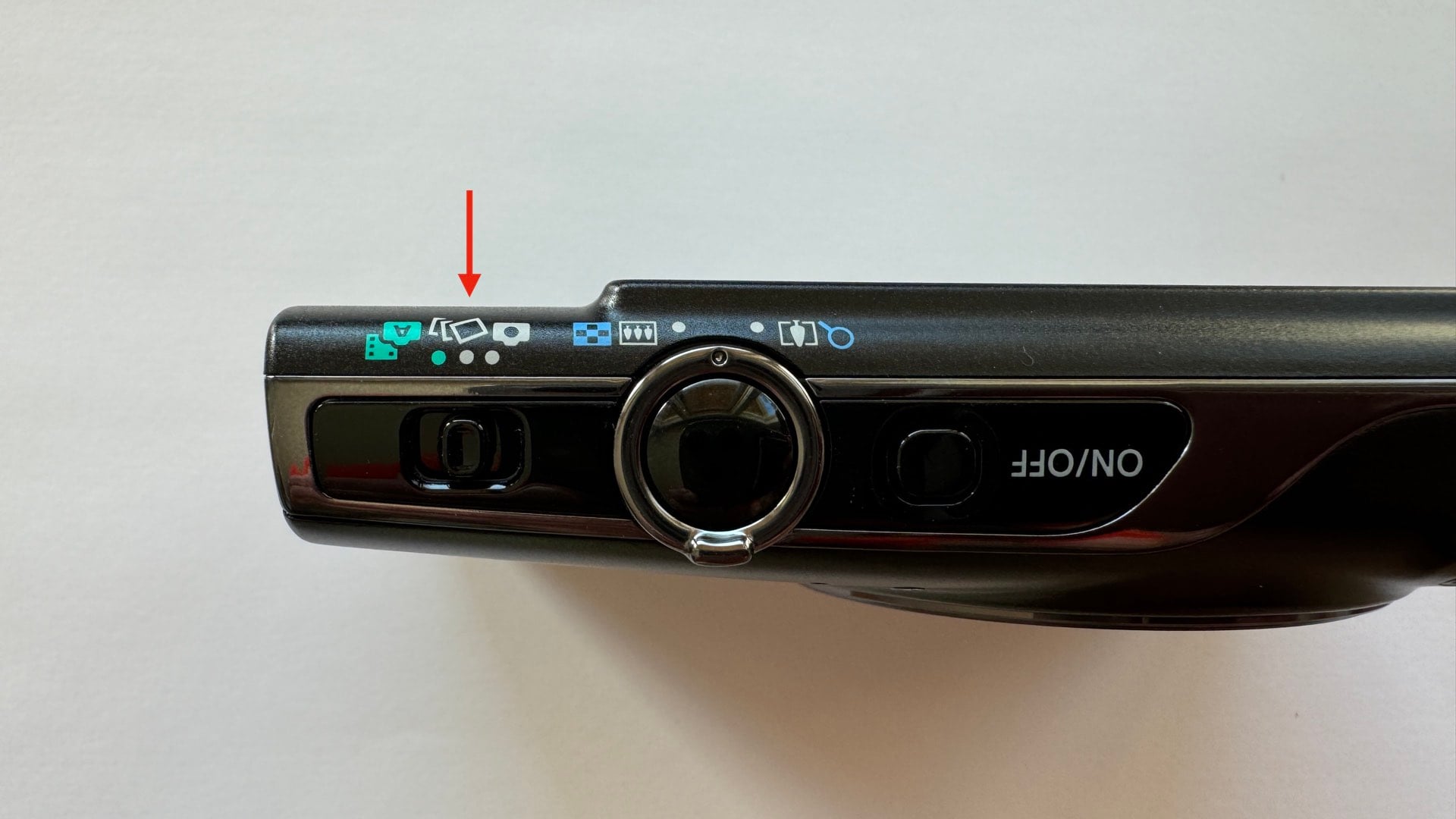
Here are four best practices for using Creative Shot Mode:

Feed It Variety
Don’t point your lens at a beige wall and expect miracles. Creative Shot Mode thrives on contrast, texture, and color. Shoot city murals, neon signs, or your cat doing yoga. The more visually chaotic, the better. Think of it as giving your camera caffeine and a paintbrush—it needs pizazz to create Picasso.

Embrace the Weird
One camera-generated version of your original photo might look like an indie film poster, while another might look like a surveillance photo from 1998. That’s okay. Creative Shot Mode is like a digital roulette wheel for photographers. If you hate one result, pretend it’s “experimental.” If you love one, pretend you planned it all along.

If, on the other hand, you can’t condition yourself to accept a totally random set of photo effects, you can press the down button and force the ELPH to apply one of five Creative Shot Mode effects: Auto, Retro, Monochrome, Special, and Natural.
Edit Like a DJ, Not a Surgeon
Don’t overcorrect your Creative Shots—embrace the vibe. A little cropping here, a brightness boost there, maybe give your shot a name you can’t pronounce for artistic credibility. The goal is to collaborate with your camera’s spontaneous creativity, not crush it with perfectionism.
Show Off Strategically
Post your best results online with tags like “#NoFilter, #CreativeGeniusMode, or #AccidentalArtOnPurpose.” People will assume you spent hours in Lightroom when really, you just pressed one button, crossed your fingers, and hoped for the best.
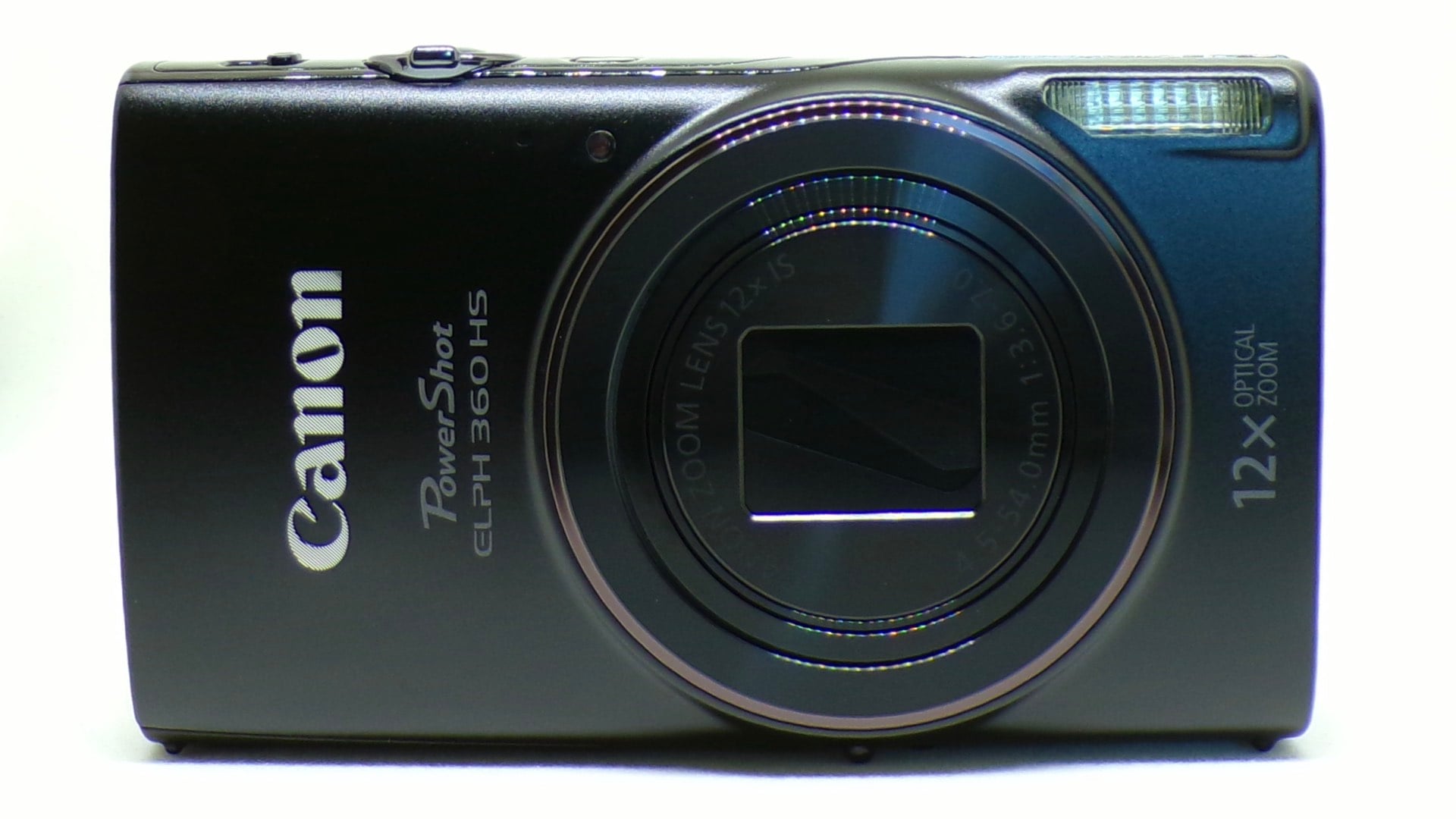
In the end, using Creative Shot Mode is like handing your Canon a tiny espresso coffee maker and saying, “surprise me.” Half the fun is not knowing what you’ll get. So go forth, brave artist—let your Canon PowerShot ELPH 360 HS do its wild, digital dance. You might just discover your inner Picasso… or at least your inner meme creator. Because true art sometimes comes in pocket-sized packages—and occasionally, with a wrist strap.
Enjoy.
See more from DIYPhotography.net on Google
Add DIYPhotography.net as a trusted source. This makes
our stories more likely to appear in your Google Search results.
 Add as a preferred source on Google
Filed Under:
Tagged With:

David Prochnow
Our resident “how-to” project editor, David Prochnow, lives on the Gulf Coast of the United States in Ocean Springs, Mississippi. He brings his expertise at making our photography projects accessible to everyone, from a lengthy stint acting as the Contributing How-To Editor with Popular Science magazine. While you don’t have to actually build each of his projects, reading about these adventures will contribute to your continued overall appreciation of do-it-yourself photography. A collection of David’s best Popular Science projects can be found in the book, “The Big Book of Hacks,” Edited by Doug Cantor.



Join the Discussion
DIYP Comment Policy
Be nice, be on-topic, no personal information or flames.