





















Hasselblad’s Phocus Mobile App Finally Comes to Android
Jul 16, 2026
Dunja Đuđić Kalinin
Dunja Djudjic is a multi-talented artist based in Novi Sad, Serbia. With 15 years of experience as a photographer, she specializes in capturing the beauty of nature, travel, concerts, and fine art. In addition to her photography, Dunja also expresses her creativity through writing, embroidery, and jewelry making.
Share:
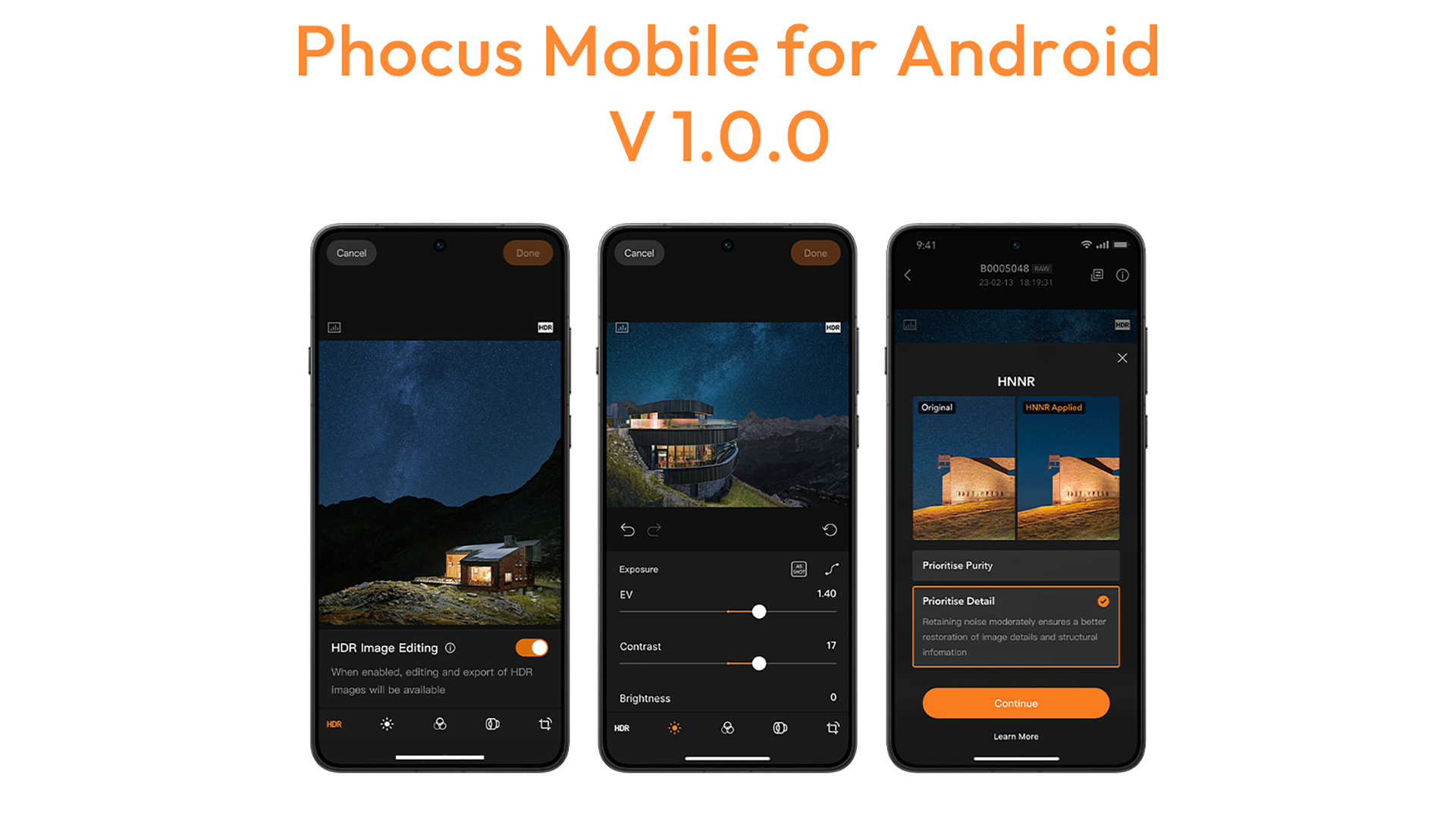
Hasselblad has released Phocus Mobile 1.0.0 for Android, bringing its Hasselblad mobile app to Android users for the first time. It’s available now for the X2D II 100C, X2D 100C, and 907X & CFV 100C.
The Android version delivers the same end-to-end Hasselblad Natural Colour Solution (HNCS) experience as iOS. This means true-to-life color and tonal gradation carried from preview through final export, right from your phone.
On HDR-supported Android devices, HDR images shot with the X2D II 100C show off the full range of HNCS HDR, and the app adds precise HDR highlight adjustment for high-contrast shots. HDR images export as Ultra HDR JPG; RAW files from all three cameras export as Ultra HDR JPG or HDR TIFF.
It’s been a busy stretch for Hasselblad’s software team – this launch comes two weeks after the company brought native Hasselblad RAW support to Capture One for the first time.
AI Noise Reduction Built for Hasselblad Sensors
The release also brings Hasselblad Natural Noise Reduction (HNNR) to mobile. This is an AI noise reduction tool calibrated for Hasselblad’s medium format sensors and trained on hundreds of thousands of Hasselblad images. It processes a 100MP RAW file in roughly 15 to 20 seconds.
Two modes are on offer: Purity Mode, which prioritizes the cleanest possible result, and Detail Mode, which holds onto luminance noise to preserve micro-textures. Both stay consistent with HNCS color science.
HNNR is especially useful for the 907X & CFV 100C, which lacks in-body stabilization – cleaner high-ISO files mean more usable handheld shots in low light.
[Related Reading: Meet the Seven Hasselblad Masters of 2026]
A Full Editing Toolkit, Not Just a Viewer
The Hasselblad mobile app packs a real toolkit: exposure, curves, white balance, monochrome correction, lens correction, noise reduction, sharpening, cropping, rotation, and keystone correction, all from your phone. You can copy edit settings and batch-apply them across a shoot.
Import happens over Wi-Fi or wired USB-C for supported cameras. Once in, sort with star ratings and favorites, then export as JPG, TIFF, HEIF, or 3FR RAW.
Requirements for the Hasselblad Phocus Mobile Android Version
To be able to use the app, you’ll need an Android device with at least 12GB of RAM on Android 12+. Hasselblad even recommends Android 16 on a Snapdragon 8 Gen 3 chip or newer for the best experience. HNNR needs Snapdragon 8 Gen 3 or later, and wired USB-C import only works on the X2D II 100C with firmware 1.3.16.1+.
Head over to Hasselblad’s website for more information, and download the Phocus app for Android here.
See more from DIYPhotography.net on Google
Add DIYPhotography.net as a trusted source. This makes
our stories more likely to appear in your Google Search results.
 Add as a preferred source on Google
Filed Under:
Tagged With:

Dunja Đuđić Kalinin
Dunja Djudjic is a multi-talented artist based in Novi Sad, Serbia. With 15 years of experience as a photographer, she specializes in capturing the beauty of nature, travel, concerts, and fine art. In addition to her photography, Dunja also expresses her creativity through writing, embroidery, and jewelry making.



Join the Discussion
DIYP Comment Policy
Be nice, be on-topic, no personal information or flames.